Image to Image Georeferencing – from topo sheet to satellite image
Step 1:
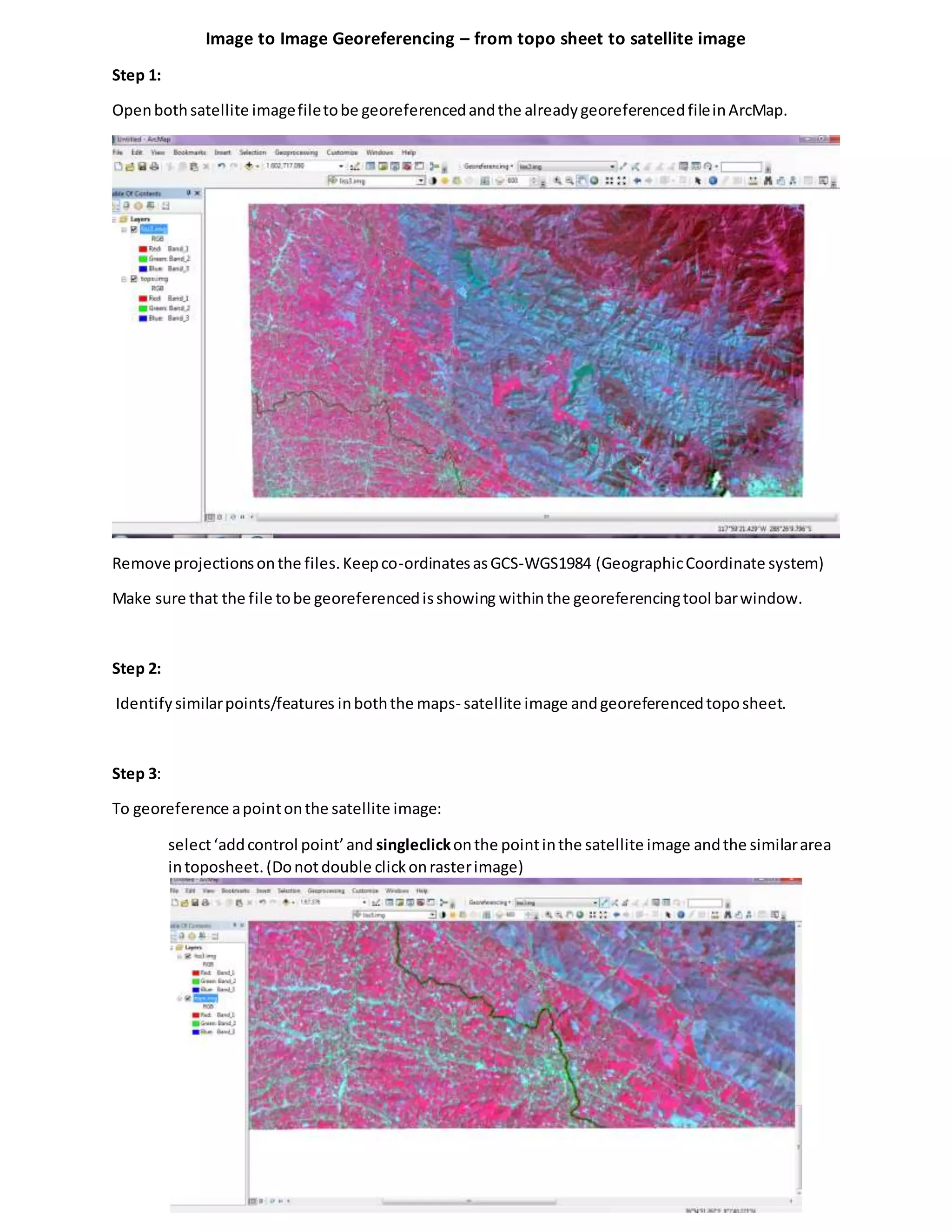
Openbothsatellite imagefiletobe georeferencedandthe alreadygeoreferencedfileinArcMap.
Remove projectionsonthe files.Keepco-ordinatesasGCS-WGS1984 (GeographicCoordinate system)
Make sure that the file tobe georeferencedisshowing withinthe georeferencingtool barwindow.
Step 2:
Identifysimilarpoints/features inboththe maps- satellite image andgeoreferencedtoposheet.
Step 3:
To georeference apointonthe satellite image:
select‘addcontrol point’and singleclickonthe pointinthe satellite image andthe similararea
intoposheet.(Donotdouble clickonrasterimage)
Repeatthisstepandadd at leastfourcontrol points.The pointschosenshouldbe evenlydistributed
across the map for betteralignmentof bothmaps.
The topo sheetwill be showingup underthe satellite image accordingtothe pointsgiven (highlightedin
blue circle in image).
Step 4:
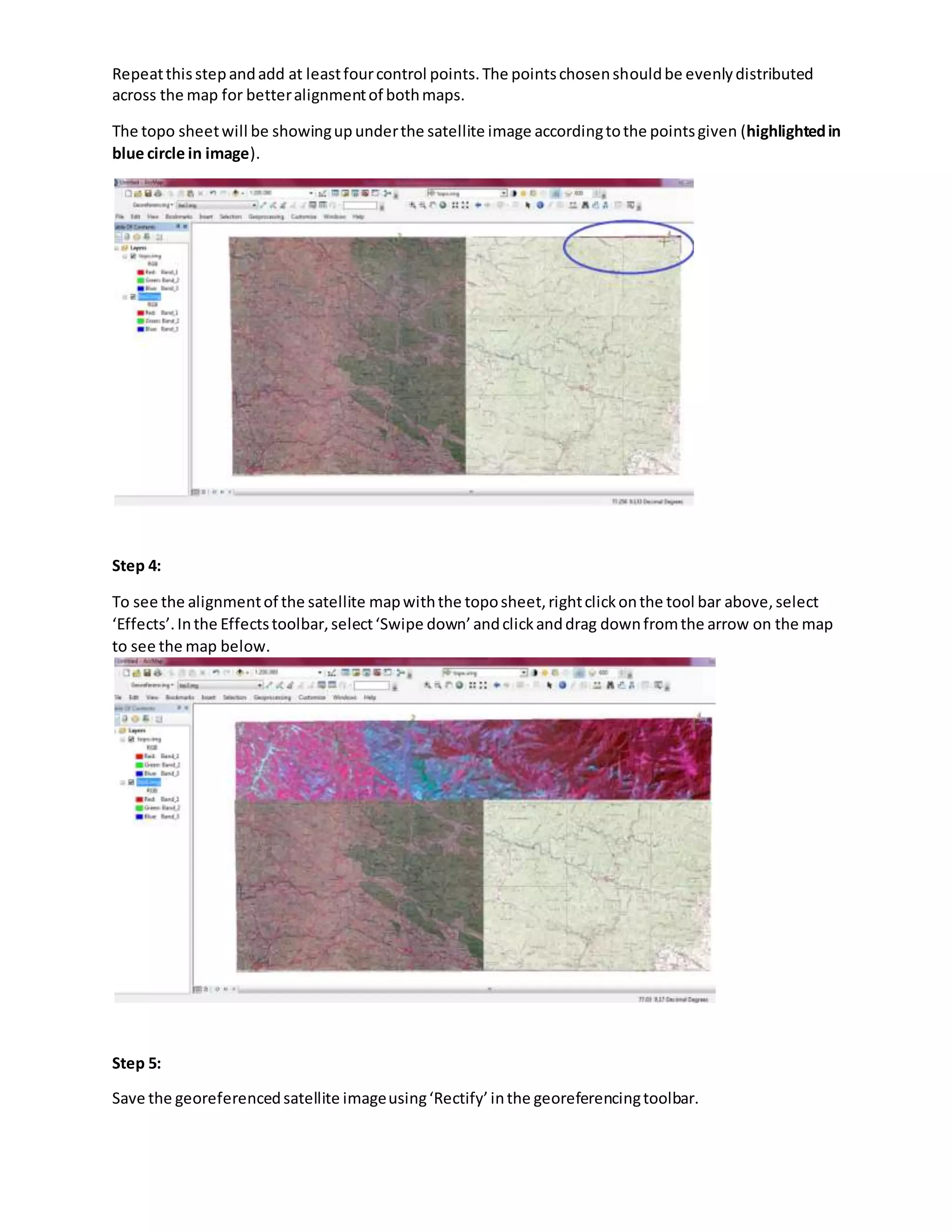
To see the alignmentof the satellite mapwiththe toposheet,rightclickonthe tool bar above,select
‘Effects’.Inthe Effectstoolbar,select‘Swipe down’andclickanddrag downfromthe arrow on the map
to see the map below.
Step 5:
Save the georeferencedsatellite imageusing‘Rectify’inthe georeferencingtoolbar.
Lab report 2  image to image georeferencing

Lab report 2 image to image georeferencing

  • 1.
    Image to ImageGeoreferencing – from topo sheet to satellite image Step 1: Openbothsatellite imagefiletobe georeferencedandthe alreadygeoreferencedfileinArcMap. Remove projectionsonthe files.Keepco-ordinatesasGCS-WGS1984 (GeographicCoordinate system) Make sure that the file tobe georeferencedisshowing withinthe georeferencingtool barwindow. Step 2: Identifysimilarpoints/features inboththe maps- satellite image andgeoreferencedtoposheet. Step 3: To georeference apointonthe satellite image: select‘addcontrol point’and singleclickonthe pointinthe satellite image andthe similararea intoposheet.(Donotdouble clickonrasterimage)
  • 2.
    Repeatthisstepandadd at leastfourcontrolpoints.The pointschosenshouldbe evenlydistributed across the map for betteralignmentof bothmaps. The topo sheetwill be showingup underthe satellite image accordingtothe pointsgiven (highlightedin blue circle in image). Step 4: To see the alignmentof the satellite mapwiththe toposheet,rightclickonthe tool bar above,select ‘Effects’.Inthe Effectstoolbar,select‘Swipe down’andclickanddrag downfromthe arrow on the map to see the map below. Step 5: Save the georeferencedsatellite imageusing‘Rectify’inthe georeferencingtoolbar.