Geoprocessing: Vector Analysis
.
Soil Type Bearing Capacity (kN/sq. m.)
Gravel 450
MediumSand 250
Fine Sand 150
SoftClay 100
Steps:1
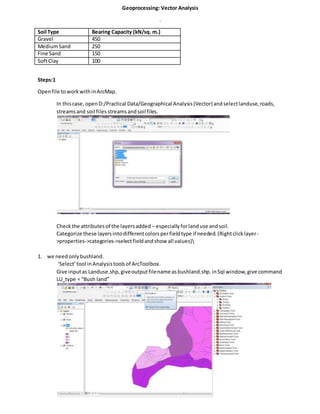
Openfile toworkwithinArcMap.
In thiscase, openD:/Practical Data/Geographical Analysis(Vector)andselectlanduse,roads,
streamsand soil files streamsandsoil files.
Checkthe attributesof the layersadded – especiallyforlanduse andsoil.
Categorize these layersintodifferentcolorsperfieldtype if needed.(Rightclicklayer-
>properties->categories->selectfieldandshow all values)
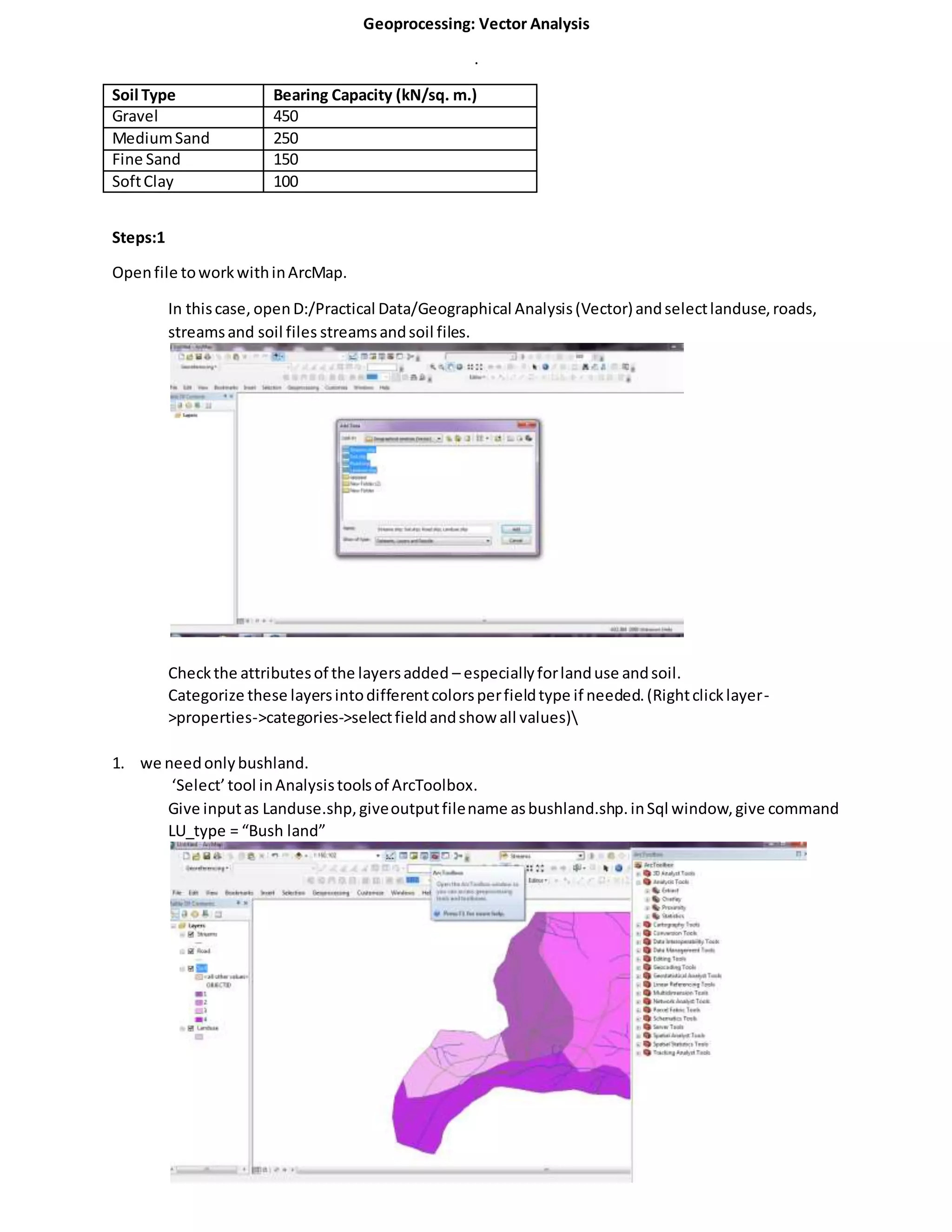
1. we needonlybushland.
‘Select’tool inAnalysistoolsof ArcToolbox.
Give inputas Landuse.shp,giveoutputfilename asbushland.shp.inSql window,give command
LU_type = “Bush land”
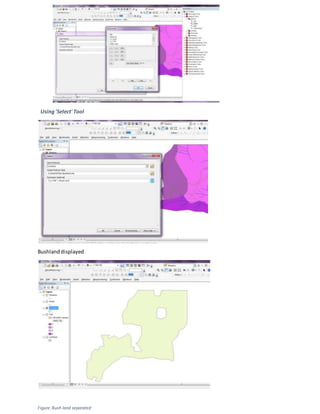
Using'Select' Tool
Bushlanddisplayed
Figure:Bush land separated
Condition:2, site shouldnotbe inhabited.Sincewe alreadyextractedbushlandoutof the map, the same done for
inhabited
Condition:3,the site shouldbe within500mdistance from inhabitedarea.
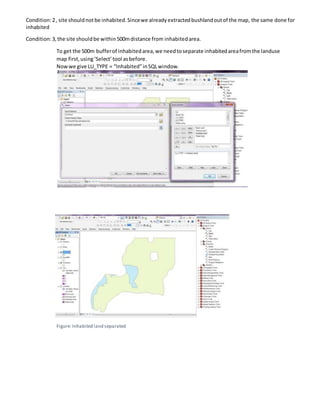
To get the 500m bufferof inhabitedarea,we needtoseparate inhabitedareafromthe landuse
map first,using‘Select’tool asbefore.
Nowwe give LU_TYPE = “Inhabited”inSQLwindow.
Figure: Inhabited land separated
Afterseparatinginhabitedarea,bufferthe inhabitedareaby500m.
To selectsite within500mbufferof inhabitedarea,use clip tool with:
Inputfile as‘bushland.shp’,Clipfeature as‘inhabited500.shp’ andoutputfile asop_clip1.shp
Figure: Op_clip1.shp
Condition 4:our site mustnot be within150m of streams.
For this,we have to bufferstreamsby150m. Then use the erase tool to remove the portionsof
the site (op_clip1.shp) thatintersectswiththe bufferedstreamfile.
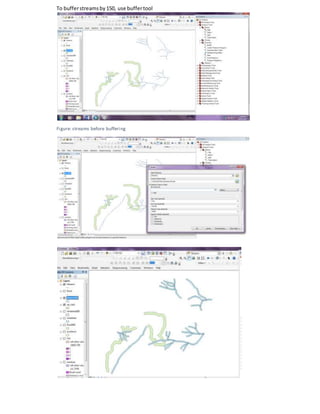
To bufferstreamsby150, use buffertool
Figure: streams before buffering
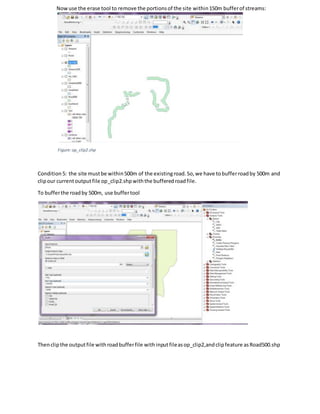
Nowuse the erase tool to remove the portionsof the site within150m bufferof streams:
Figure:op_clip2.shp
Condition 5: the site mustbe within500m of the existingroad.So,we have tobufferroadby 500m and
clipour currentoutputfile op_clip2.shpwiththe bufferedroadfile.
To bufferthe roadby 500m, use buffertool
Thenclipthe outputfile withroadbufferfile withinputfileasop_clip2,andclipfeature asRoad500.shp
Outputfile isnamedasop_clip3.shp
Figure: op_clip3.shp
Condition6:To get siteswithgravel only,we have tofirstseparate gravel fromothersoil typesinthe
map.
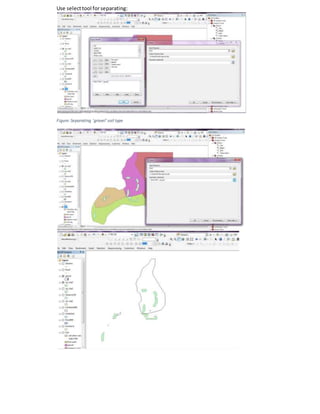
Use selecttool forseparating:
Figure:Separating 'gravel' soil type
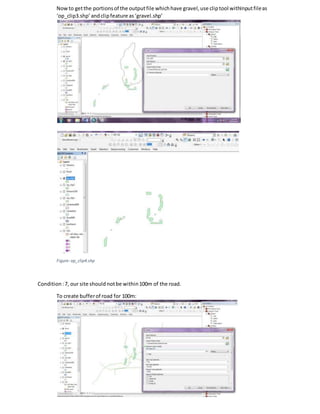
Nowto getthe portionsof the outputfile whichhave gravel,use cliptool withInputfileas
‘op_clip3.shp’andclipfeature as‘gravel.shp’
Figure:op_clip4.shp
Condition:7, our site should notbe within100m of the road.
To create bufferof road for 100m:
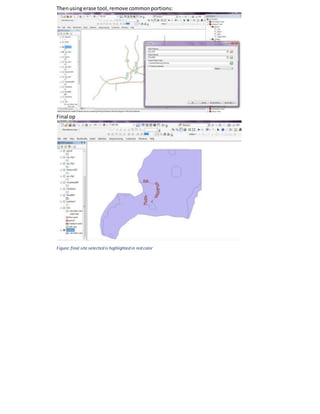
Thenusingerase tool,remove commonportions:
Final op
Figure:final site selected is highlighted in red color

Lab report 5 vector analysis

  • 1.
    Geoprocessing: Vector Analysis . SoilType Bearing Capacity (kN/sq. m.) Gravel 450 MediumSand 250 Fine Sand 150 SoftClay 100 Steps:1 Openfile toworkwithinArcMap. In thiscase, openD:/Practical Data/Geographical Analysis(Vector)andselectlanduse,roads, streamsand soil files streamsandsoil files. Checkthe attributesof the layersadded – especiallyforlanduse andsoil. Categorize these layersintodifferentcolorsperfieldtype if needed.(Rightclicklayer- >properties->categories->selectfieldandshow all values) 1. we needonlybushland. ‘Select’tool inAnalysistoolsof ArcToolbox. Give inputas Landuse.shp,giveoutputfilename asbushland.shp.inSql window,give command LU_type = “Bush land”
  • 2.
  • 3.
    Condition:2, site shouldnotbeinhabited.Sincewe alreadyextractedbushlandoutof the map, the same done for inhabited Condition:3,the site shouldbe within500mdistance from inhabitedarea. To get the 500m bufferof inhabitedarea,we needtoseparate inhabitedareafromthe landuse map first,using‘Select’tool asbefore. Nowwe give LU_TYPE = “Inhabited”inSQLwindow. Figure: Inhabited land separated
  • 4.
    Afterseparatinginhabitedarea,bufferthe inhabitedareaby500m. To selectsitewithin500mbufferof inhabitedarea,use clip tool with: Inputfile as‘bushland.shp’,Clipfeature as‘inhabited500.shp’ andoutputfile asop_clip1.shp Figure: Op_clip1.shp Condition 4:our site mustnot be within150m of streams. For this,we have to bufferstreamsby150m. Then use the erase tool to remove the portionsof the site (op_clip1.shp) thatintersectswiththe bufferedstreamfile.
  • 5.
    To bufferstreamsby150, usebuffertool Figure: streams before buffering
  • 6.
    Nowuse the erasetool to remove the portionsof the site within150m bufferof streams: Figure:op_clip2.shp Condition 5: the site mustbe within500m of the existingroad.So,we have tobufferroadby 500m and clipour currentoutputfile op_clip2.shpwiththe bufferedroadfile. To bufferthe roadby 500m, use buffertool Thenclipthe outputfile withroadbufferfile withinputfileasop_clip2,andclipfeature asRoad500.shp
  • 7.
    Outputfile isnamedasop_clip3.shp Figure: op_clip3.shp Condition6:Toget siteswithgravel only,we have tofirstseparate gravel fromothersoil typesinthe map.
  • 8.
  • 9.
    Nowto getthe portionsofthe outputfile whichhave gravel,use cliptool withInputfileas ‘op_clip3.shp’andclipfeature as‘gravel.shp’ Figure:op_clip4.shp Condition:7, our site should notbe within100m of the road. To create bufferof road for 100m:
  • 10.
    Thenusingerase tool,remove commonportions: Finalop Figure:final site selected is highlighted in red color