

M i c r o s o f t V i s u a l S t u d i o T o o l s
ALM and DevOps Enablement for Your Entire Team
Angela Dugan
Principal Consultant and ALM Practice Manager
Software
Quality
Solutions
DevOps
Enablement
Agile
Training and
Coaching
Application
Lifecycle
Management
Agenda
What big initiatives are you hoping to get off the
ground this year?
Are you confident your organization can deliver?
What goals/challenges are you trying to address?
What collaboration/automation tools are you using?
TFS / VSTS Walkthrough
Angela@PolarisSolutions.com Twitter: @OakParkGirl
Open, flexible and extensible
cross-platform DevOps tools
More agility and flexibility for
continuous value delivery
Unlocks a greater ecosystem and
works with what you already use
The Microsoft DevOps solution
Overview
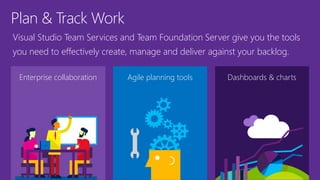
Plan & Track Work
Enterprise collaboration Agile planning tools
Visual Studio Team Services and Team Foundation Server give you the tools
you need to effectively create, manage and deliver against your backlog.
Dashboards & charts
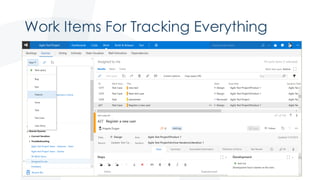
Work Items For Tracking Everything
Angela@PolarisSolutions.com Twitter: @OakParkGirl
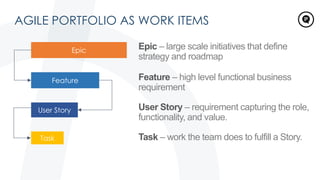
AGILE PORTFOLIO AS WORK ITEMS
Epic – large scale initiatives that define
strategy and roadmap
Feature – high level functional business
requirement
User Story – requirement capturing the role,
functionality, and value.
Task – work the team does to fulfill a Story.
Feature
User Story
Task
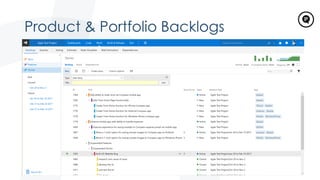
Product & Portfolio Backlogs
Angela@PolarisSolutions.com Twitter: @OakParkGirl
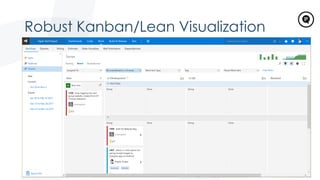
Robust Kanban/Lean Visualization
Angela@PolarisSolutions.com Twitter: @OakParkGirl
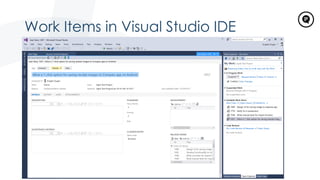
Work Items in Visual Studio IDE
Angela@PolarisSolutions.com Twitter: @OakParkGirl
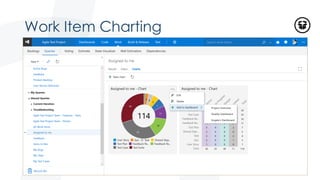
Work Item Charting
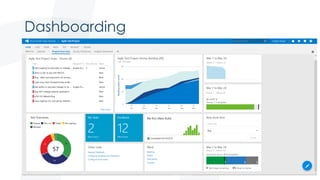
Dashboarding
Angela@PolarisSolutions.com Twitter: @OakParkGirl
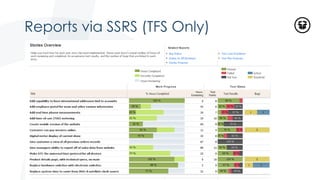
Reports via SSRS (TFS Only)
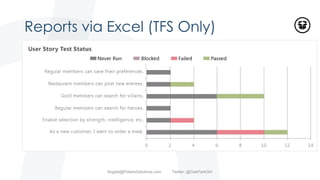
Reports via Excel (TFS Only)
Angela@PolarisSolutions.com Twitter: @OakParkGirl
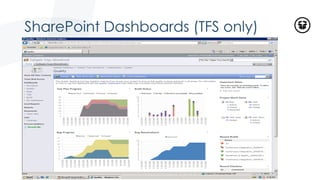
SharePoint Dashboards (TFS only)
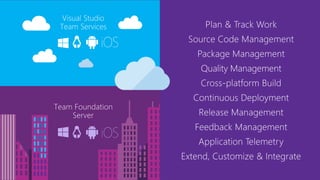
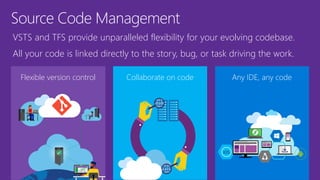
Source Code Management
Flexible version control Collaborate on code
VSTS and TFS provide unparalleled flexibility for your evolving codebase.
All your code is linked directly to the story, bug, or task driving the work.
Any IDE, any code
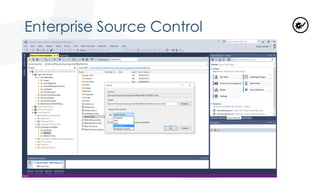
Enterprise Source Control
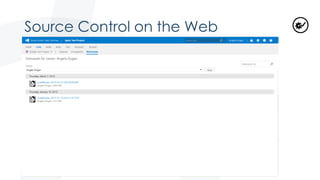
Source Control on the Web
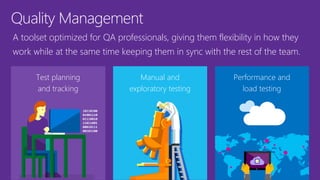
Quality Management
Test planning
and tracking
Manual and
exploratory testing
A toolset optimized for QA professionals, giving them flexibility in how they
work while at the same time keeping them in sync with the rest of the team.
Performance and
load testing
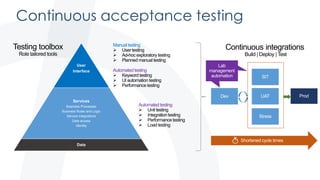
Continuous acceptance testing
User
Interface
Services
Business Processes
Business Rules and Logic
Service integrations
Data access
Identity
Data
Automated testing
Manual testing
Automated testing
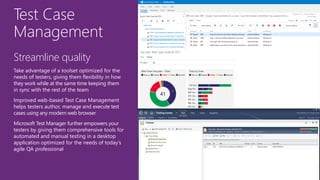
Test Case
Management
Streamline quality
Take advantage of a toolset optimized for the
needs of testers, giving them flexibility in how
they work while at the same time keeping them
in sync with the rest of the team
Improved web-based Test Case Management
helps testers author, manage and execute test
cases using any modern web browser
Microsoft Test Manager further empowers your
testers by giving them comprehensive tools for
automated and manual testing in a desktop
application optimized for the needs of today’s
agile QA professional
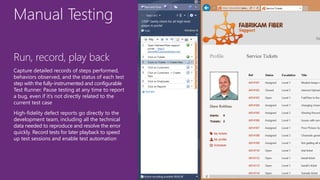
Manual Testing
Run, record, play back
Capture detailed records of steps performed,
behaviors observed, and the status of each test
step with the fully-instrumented and configurable
Test Runner. Pause testing at any time to report
a bug, even if it’s not directly related to the
current test case
High-fidelity defect reports go directly to the
development team, including all the technical
data needed to reproduce and resolve the error
quickly. Record tests for later playback to speed
up test sessions and enable test automation
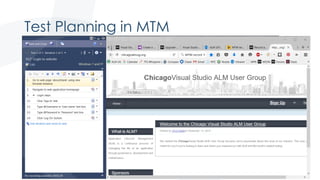
Test Planning in MTM
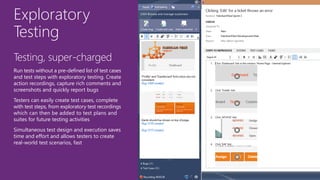
Exploratory
Testing
Testing, super-charged
Run tests without a pre-defined list of test cases
and test steps with exploratory testing. Create
action recordings, capture rich comments and
screenshots and quickly report bugs
Testers can easily create test cases, complete
with test steps, from exploratory test recordings
which can then be added to test plans and
suites for future testing activities
Simultaneous test design and execution saves
time and effort and allows testers to create
real-world test scenarios, fast
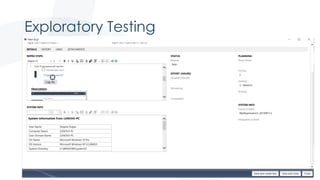
Exploratory Testing
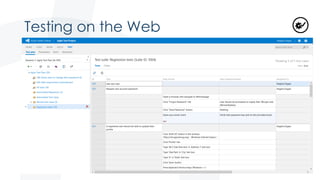
Testing on the Web
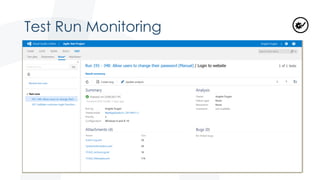
Test Run Monitoring
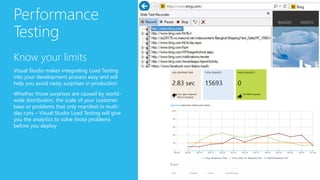
Performance
Testing
Know your limits
Visual Studio makes integrating Load Testing
into your development process easy and will
help you avoid nasty surprises in production
Whether those surprises are caused by world-
wide distribution, the scale of your customer
base or problems that only manifest in multi-
day runs – Visual Studio Load Testing will give
you the analytics to solve those problems
before you deploy
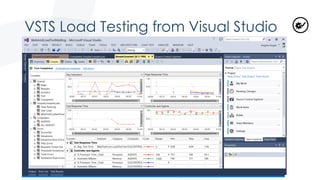
VSTS Load Testing from Visual Studio
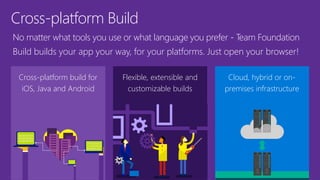
Cross-platform Build
Cross-platform build for
iOS, Java and Android
Flexible, extensible and
customizable builds
No matter what tools you use or what language you prefer - Team Foundation
Build builds your app your way, for your platforms. Just open your browser!
Cloud, hybrid or on-
premises infrastructure
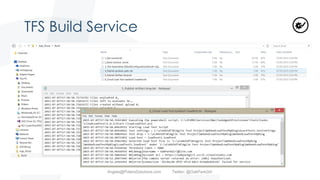
TFS Build Service
Angela@PolarisSolutions.com Twitter: @OakParkGirl
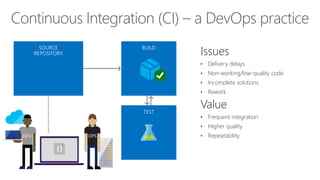
Continuous Integration (CI) – a DevOps practice
Issues
• Delivery delays
• Non-working/low-quality code
• Incomplete solutions
• Rework
Value
• Frequent integration
• Higher quality
• Repeatability
cspkg
DEV
Cloud
Load Testing
Integration testing
environment
Automated functional
testing environment
3
Pre-production
environment
Staging
environmen
t
Monitor + Learn
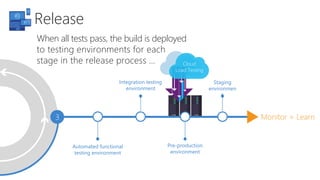
When all tests pass, the build is deployed
to testing environments for each
stage in the release process …
Release
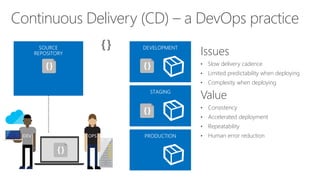
Continuous Delivery (CD) – a DevOps practice
Issues
• Slow delivery cadence
• Limited predictability when deploying
• Complexity when deploying
Value
• Consistency
• Accelerated deployment
• Repeatability
• Human error reductionDEV
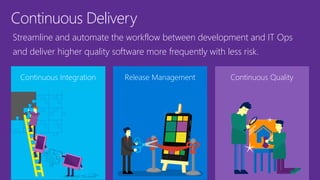
Continuous Delivery
Continuous Integration Release Management
Streamline and automate the workflow between development and IT Ops
and deliver higher quality software more frequently with less risk.
Continuous Quality
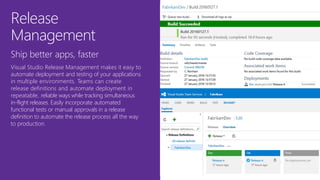
Release
Management
Ship better apps, faster
Visual Studio Release Management makes it easy to
automate deployment and testing of your applications
in multiple environments. Teams can create
release definitions and automate deployment in
repeatable, reliable ways while tracking simultaneous
in-flight releases. Easily incorporate automated
functional tests or manual approvals in a release
definition to automate the release process all the way
to production.
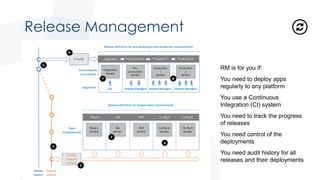
Release Management
RM is for you if:
You need to deploy apps
regularly to any platform
You use a Continuous
Integration (CI) system
You need to track the progress
of releases
You need control of the
deployments
You need audit history for all
releases and their deployments
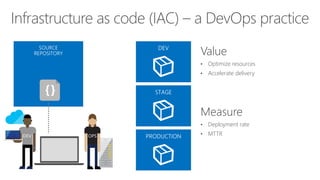
Infrastructure as code (IAC) – a DevOps practice
DEV OPS
Value
• Optimize resources
• Accelerate delivery
Measure
• Deployment rate
• MTTR
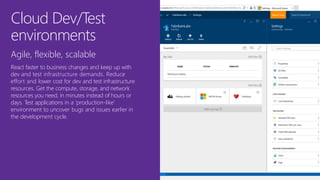
Cloud Dev/Test
environments
Agile, flexible, scalable
React faster to business changes and keep up with
dev and test infrastructure demands. Reduce
effort and lower cost for dev and test infrastructure
resources. Get the compute, storage, and network
resources you need, in minutes instead of hours or
days. Test applications in a ‘production-like’
environment to uncover bugs and issues earlier in
the development cycle.
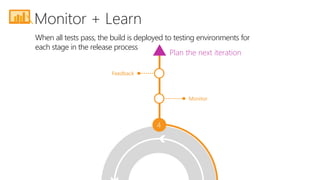
4
Monitor
Feedback
Plan the next iteration
When all tests pass, the build is deployed to testing environments for
each stage in the release process
Monitor + Learn
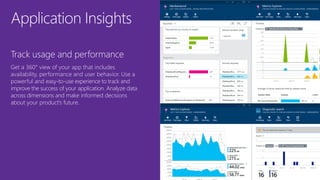
Application Insights
Track usage and performance
Get a 360° view of your app that includes
availability, performance and user behavior. Use a
powerful and easy-to-use experience to track and
improve the success of your application. Analyze data
across dimensions and make informed decisions
about your product’s future.
The Microsoft DevOps solution
Open and extensible
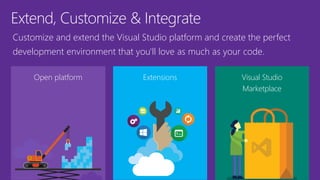
Extend, Customize & Integrate
Open platform Extensions
Customize and extend the Visual Studio platform and create the perfect
development environment that you'll love as much as your code.
Visual Studio
Marketplace
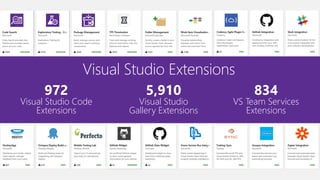
972
Visual Studio Code
Extensions
5,910
Visual Studio
Gallery Extensions
834
VS Team Services
Extensions
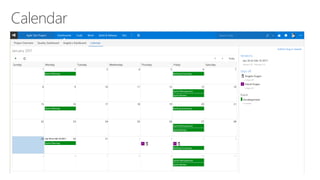
Calendar
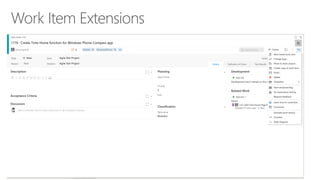
Work Item Extensions
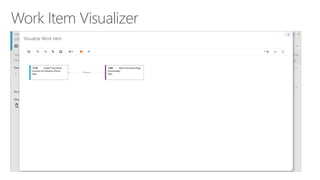
Work Item Visualizer
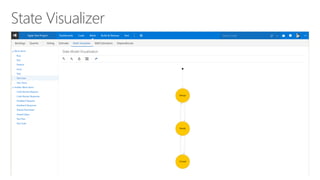
State Visualizer
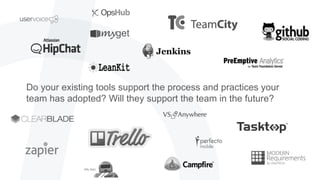
Do your existing tools support the process and practices your
team has adopted? Will they support the team in the future?
TFS
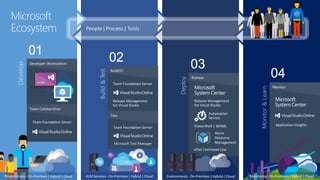
Develop
Developer Workstation
Team Collaboration
Build&Test
Build/CI
Test
Deploy
Release
Monitor&Learn
Monitor
Microsoft
Ecosystem
Workstations - On-Premises| Hybrid | Cloud Monitoring- On-Premises | Hybrid | CloudALM Services - On-Premises| Hybrid | Cloud
DEV TEST QA
Environments - On-Premises| Hybrid | Cloud
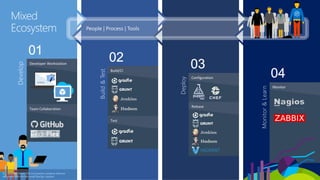
Develop
Developer Workstation
Team Collaboration
Build&Test
Build/CI
Test
Deploy
Configuration
Monitor&Learn
Monitor
This graphic shows OSS and partner products that are
integrated with the Microsoft DevOps solution
Mixed
Ecosystem
Release
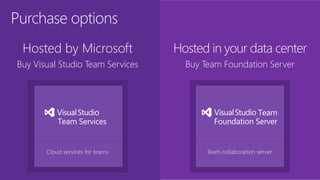
Purchase options
Hosted by Microsoft
Buy Visual Studio Team Services
Hosted in your data center
Buy Team Foundation Server
Team collaboration serverCloud services for teams
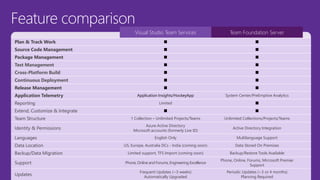
Feature comparison
Visual Studio Team Services Team Foundation Server
Plan & Track Work ■ ■
Source Code Management ■ ■
Package Management ■ ■
Test Management ■ ■
Cross-Platform Build ■ ■
Continuous Deployment ■ ■
Release Management ■ ■
Application Telemetry Application Insights/HockeyApp System Center/PreEmptive Analytics
Reporting Limited ■
Extend, Customize & Integrate ■ ■
Team Structure 1 Collection – Unlimited Projects/Teams Unlimited Collections/Projects/Teams
Identity & Permissions
Azure Active Directory
Microsoft accounts (formerly Live ID)
Active Directory Integration
Languages English Only Multilanguage Support
Data Location US, Europe, Australia DCs - India (coming soon) Data Stored On Premises
Backup/Data Migration Limited support, TFS Import (coming soon) Backup/Restore Tools Available
Support Phone, Online and Forums, Engineering Excellence
Phone, Online, Forums, Microsoft Premier
Support
Updates
Frequent Updates (~3 weeks)
Automatically Upgraded
Periodic Updates (~3 or 4 months)
Planning Required
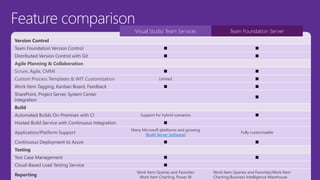
Feature comparison
Visual Studio Team Services Team Foundation Server
Version Control
Team Foundation Version Control ■ ■
Distributed Version Control with Git ■ ■
Agile Planning & Collaboration
Scrum, Agile, CMMI ■ ■
Custom Process Templates & WIT Customization Limited ■
Work Item Tagging, Kanban Board, Feedback ■ ■
SharePoint, Project Server, System Center
Integration
■
Build
Automated Builds On-Premises with CI Support for hybrid scenarios ■
Hosted Build Service with Continuous Integration ■
Application/Platform Support
Many Microsoft platforms and growing
(Build Server Software)
Fully customizable
Continuous Deployment to Azure ■ ■
Testing
Test Case Management ■ ■
Cloud-Based Load Testing Service ■
Reporting
Work Item Queries and Favorites
Work Item Charting, Power BI
Work Item Queries and Favorites/Work Item
Charting/Business Intelligence Warehouse
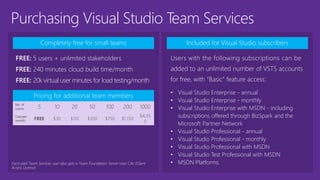
Purchasing Visual Studio Team Services
Completely free for small teams
FREE: 5 users + unlimited stakeholders
FREE: 240 minutes cloud build time/month
FREE: 20k virtual user minutes for load testing/month
Pricing for additional team members
No. of
users: 5 10 20 50 100 200 1000
Cost per
month: FREE $30 $110 $350 $750 $1,150
$4,35
0
Included for Visual Studio subscribers
Users with the following subscriptions can be
added to an unlimited number of VSTS accounts
for free, with “Basic” feature access:
• Visual Studio Enterprise - annual
• Visual Studio Enterprise - monthly
• Visual Studio Enterprise with MSDN - including
subscriptions offered through BizSpark and the
Microsoft Partner Network
• Visual Studio Professional - annual
• Visual Studio Professional - monthly
• Visual Studio Professional with MSDN
• Visual Studio Test Professional with MSDN
• MSDN Platforms
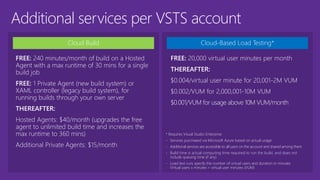
Additional services per VSTS account
Cloud Build
FREE: 240 minutes/month of build on a Hosted
Agent with a max runtime of 30 mins for a single
build job
FREE: 1 Private Agent (new build system) or
XAML controller (legacy build system), for
running builds through your own server
THEREAFTER:
Hosted Agents: $40/month (upgrades the free
agent to unlimited build time and increases the
max runtime to 360 mins)
Additional Private Agents: $15/month
Cloud-Based Load Testing*
* Requires Visual Studio Enterprise
- Services purchased via Microsoft Azure based on actual usage
- Additional services are accessible to all users on the account and shared among them
- Build time is actual computing time required to run the build, and does not
include queuing time (if any)
- Load test runs specify the number of virtual users and duration in minutes
Virtual users x minutes = virtual user minutes (VUM)
FREE: 20,000 virtual user minutes per month
THEREAFTER:
$0.004/virtual user minute for 20,001-2M VUM
$0.002/VUM for 2,000,001-10M VUM
$0.001/VUM for usage above 10M VUM/month
Completely free for individuals and small teams Included for Visual Studio subscribers
Pricing for additional team members
Users with the following subscriptions get
both a Team Foundation Server license and a
Team Foundation Server User CAL:
• Visual Studio Enterprise - annual
• Visual Studio Enterprise - monthly
• Visual Studio Enterprise with MSDN - including
subscriptions offered through BizSpark and the
Microsoft Partner Network
• Visual Studio Professional - annual
• Visual Studio Professional - monthly
• Visual Studio Professional with MSDN
• Visual Studio Test Professional with MSDN
• MSDN Platforms
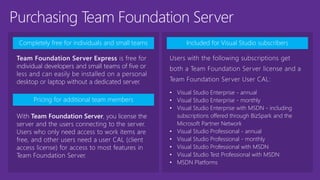
With Team Foundation Server, you license the
server and the users connecting to the server.
Users who only need access to work items are
free, and other users need a user CAL (client
access license) for access to most features in
Team Foundation Server.
Purchasing Team Foundation Server
Team Foundation Server Express is free for
individual developers and small teams of five or
less and can easily be installed on a personal
desktop or laptop without a dedicated server.
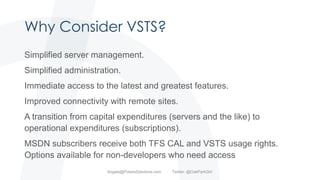
Why Consider VSTS?
Simplified server management.
Simplified administration.
Immediate access to the latest and greatest features.
Improved connectivity with remote sites.
A transition from capital expenditures (servers and the like) to
operational expenditures (subscriptions).
MSDN subscribers receive both TFS CAL and VSTS usage rights.
Options available for non-developers who need access
Angela@PolarisSolutions.com Twitter: @OakParkGirl
QUESTIONS?
Angela@PolarisSolutions.com Twitter: @OakParkGirl
Visual Studio ALM and DevOps Tools Walkthrough

Visual Studio ALM and DevOps Tools Walkthrough

  • 1.
    M i cr o s o f t V i s u a l S t u d i o T o o l s ALM and DevOps Enablement for Your Entire Team Angela Dugan Principal Consultant and ALM Practice Manager
  • 2.
  • 3.
    Agenda What big initiativesare you hoping to get off the ground this year? Are you confident your organization can deliver? What goals/challenges are you trying to address? What collaboration/automation tools are you using? TFS / VSTS Walkthrough Angela@PolarisSolutions.com Twitter: @OakParkGirl
  • 4.
    Open, flexible andextensible cross-platform DevOps tools More agility and flexibility for continuous value delivery Unlocks a greater ecosystem and works with what you already use
  • 6.
    The Microsoft DevOpssolution Overview
  • 7.
    Plan & TrackWork Enterprise collaboration Agile planning tools Visual Studio Team Services and Team Foundation Server give you the tools you need to effectively create, manage and deliver against your backlog. Dashboards & charts
  • 8.
    Work Items ForTracking Everything Angela@PolarisSolutions.com Twitter: @OakParkGirl
  • 9.
    AGILE PORTFOLIO ASWORK ITEMS Epic – large scale initiatives that define strategy and roadmap Feature – high level functional business requirement User Story – requirement capturing the role, functionality, and value. Task – work the team does to fulfill a Story. Feature User Story Task
  • 10.
    Product & PortfolioBacklogs Angela@PolarisSolutions.com Twitter: @OakParkGirl
  • 11.
  • 12.
    Work Items inVisual Studio IDE Angela@PolarisSolutions.com Twitter: @OakParkGirl
  • 13.
  • 14.
  • 15.
    Reports via SSRS(TFS Only)
  • 16.
    Reports via Excel(TFS Only) Angela@PolarisSolutions.com Twitter: @OakParkGirl
  • 17.
  • 18.
    Source Code Management Flexibleversion control Collaborate on code VSTS and TFS provide unparalleled flexibility for your evolving codebase. All your code is linked directly to the story, bug, or task driving the work. Any IDE, any code
  • 19.
  • 20.
  • 21.
    Quality Management Test planning andtracking Manual and exploratory testing A toolset optimized for QA professionals, giving them flexibility in how they work while at the same time keeping them in sync with the rest of the team. Performance and load testing
  • 22.
    Continuous acceptance testing User Interface Services BusinessProcesses Business Rules and Logic Service integrations Data access Identity Data Automated testing Manual testing Automated testing
  • 23.
    Test Case Management Streamline quality Takeadvantage of a toolset optimized for the needs of testers, giving them flexibility in how they work while at the same time keeping them in sync with the rest of the team Improved web-based Test Case Management helps testers author, manage and execute test cases using any modern web browser Microsoft Test Manager further empowers your testers by giving them comprehensive tools for automated and manual testing in a desktop application optimized for the needs of today’s agile QA professional
  • 24.
    Manual Testing Run, record,play back Capture detailed records of steps performed, behaviors observed, and the status of each test step with the fully-instrumented and configurable Test Runner. Pause testing at any time to report a bug, even if it’s not directly related to the current test case High-fidelity defect reports go directly to the development team, including all the technical data needed to reproduce and resolve the error quickly. Record tests for later playback to speed up test sessions and enable test automation
  • 25.
  • 26.
    Exploratory Testing Testing, super-charged Run testswithout a pre-defined list of test cases and test steps with exploratory testing. Create action recordings, capture rich comments and screenshots and quickly report bugs Testers can easily create test cases, complete with test steps, from exploratory test recordings which can then be added to test plans and suites for future testing activities Simultaneous test design and execution saves time and effort and allows testers to create real-world test scenarios, fast
  • 27.
  • 28.
  • 29.
  • 30.
    Performance Testing Know your limits VisualStudio makes integrating Load Testing into your development process easy and will help you avoid nasty surprises in production Whether those surprises are caused by world- wide distribution, the scale of your customer base or problems that only manifest in multi- day runs – Visual Studio Load Testing will give you the analytics to solve those problems before you deploy
  • 31.
    VSTS Load Testingfrom Visual Studio
  • 32.
    Cross-platform Build Cross-platform buildfor iOS, Java and Android Flexible, extensible and customizable builds No matter what tools you use or what language you prefer - Team Foundation Build builds your app your way, for your platforms. Just open your browser! Cloud, hybrid or on- premises infrastructure
  • 33.
  • 34.
    Continuous Integration (CI)– a DevOps practice Issues • Delivery delays • Non-working/low-quality code • Incomplete solutions • Rework Value • Frequent integration • Higher quality • Repeatability cspkg DEV
  • 35.
    Cloud Load Testing Integration testing environment Automatedfunctional testing environment 3 Pre-production environment Staging environmen t Monitor + Learn When all tests pass, the build is deployed to testing environments for each stage in the release process … Release
  • 36.
    Continuous Delivery (CD)– a DevOps practice Issues • Slow delivery cadence • Limited predictability when deploying • Complexity when deploying Value • Consistency • Accelerated deployment • Repeatability • Human error reductionDEV
  • 37.
    Continuous Delivery Continuous IntegrationRelease Management Streamline and automate the workflow between development and IT Ops and deliver higher quality software more frequently with less risk. Continuous Quality
  • 38.
    Release Management Ship better apps,faster Visual Studio Release Management makes it easy to automate deployment and testing of your applications in multiple environments. Teams can create release definitions and automate deployment in repeatable, reliable ways while tracking simultaneous in-flight releases. Easily incorporate automated functional tests or manual approvals in a release definition to automate the release process all the way to production.
  • 39.
    Release Management RM isfor you if: You need to deploy apps regularly to any platform You use a Continuous Integration (CI) system You need to track the progress of releases You need control of the deployments You need audit history for all releases and their deployments
  • 40.
    Infrastructure as code(IAC) – a DevOps practice DEV OPS Value • Optimize resources • Accelerate delivery Measure • Deployment rate • MTTR
  • 41.
    Cloud Dev/Test environments Agile, flexible,scalable React faster to business changes and keep up with dev and test infrastructure demands. Reduce effort and lower cost for dev and test infrastructure resources. Get the compute, storage, and network resources you need, in minutes instead of hours or days. Test applications in a ‘production-like’ environment to uncover bugs and issues earlier in the development cycle.
  • 42.
    4 Monitor Feedback Plan the nextiteration When all tests pass, the build is deployed to testing environments for each stage in the release process Monitor + Learn
  • 43.
    Application Insights Track usageand performance Get a 360° view of your app that includes availability, performance and user behavior. Use a powerful and easy-to-use experience to track and improve the success of your application. Analyze data across dimensions and make informed decisions about your product’s future.
  • 44.
    The Microsoft DevOpssolution Open and extensible
  • 45.
    Extend, Customize &Integrate Open platform Extensions Customize and extend the Visual Studio platform and create the perfect development environment that you'll love as much as your code. Visual Studio Marketplace
  • 46.
    972 Visual Studio Code Extensions 5,910 VisualStudio Gallery Extensions 834 VS Team Services Extensions
  • 47.
  • 48.
  • 49.
  • 50.
  • 51.
    Do your existingtools support the process and practices your team has adopted? Will they support the team in the future?
  • 52.
    TFS Develop Developer Workstation Team Collaboration Build&Test Build/CI Test Deploy Release Monitor&Learn Monitor Microsoft Ecosystem Workstations- On-Premises| Hybrid | Cloud Monitoring- On-Premises | Hybrid | CloudALM Services - On-Premises| Hybrid | Cloud DEV TEST QA Environments - On-Premises| Hybrid | Cloud
  • 53.
    Develop Developer Workstation Team Collaboration Build&Test Build/CI Test Deploy Configuration Monitor&Learn Monitor Thisgraphic shows OSS and partner products that are integrated with the Microsoft DevOps solution Mixed Ecosystem Release
  • 55.
    Purchase options Hosted byMicrosoft Buy Visual Studio Team Services Hosted in your data center Buy Team Foundation Server Team collaboration serverCloud services for teams
  • 56.
    Feature comparison Visual StudioTeam Services Team Foundation Server Plan & Track Work ■ ■ Source Code Management ■ ■ Package Management ■ ■ Test Management ■ ■ Cross-Platform Build ■ ■ Continuous Deployment ■ ■ Release Management ■ ■ Application Telemetry Application Insights/HockeyApp System Center/PreEmptive Analytics Reporting Limited ■ Extend, Customize & Integrate ■ ■ Team Structure 1 Collection – Unlimited Projects/Teams Unlimited Collections/Projects/Teams Identity & Permissions Azure Active Directory Microsoft accounts (formerly Live ID) Active Directory Integration Languages English Only Multilanguage Support Data Location US, Europe, Australia DCs - India (coming soon) Data Stored On Premises Backup/Data Migration Limited support, TFS Import (coming soon) Backup/Restore Tools Available Support Phone, Online and Forums, Engineering Excellence Phone, Online, Forums, Microsoft Premier Support Updates Frequent Updates (~3 weeks) Automatically Upgraded Periodic Updates (~3 or 4 months) Planning Required
  • 57.
    Feature comparison Visual StudioTeam Services Team Foundation Server Version Control Team Foundation Version Control ■ ■ Distributed Version Control with Git ■ ■ Agile Planning & Collaboration Scrum, Agile, CMMI ■ ■ Custom Process Templates & WIT Customization Limited ■ Work Item Tagging, Kanban Board, Feedback ■ ■ SharePoint, Project Server, System Center Integration ■ Build Automated Builds On-Premises with CI Support for hybrid scenarios ■ Hosted Build Service with Continuous Integration ■ Application/Platform Support Many Microsoft platforms and growing (Build Server Software) Fully customizable Continuous Deployment to Azure ■ ■ Testing Test Case Management ■ ■ Cloud-Based Load Testing Service ■ Reporting Work Item Queries and Favorites Work Item Charting, Power BI Work Item Queries and Favorites/Work Item Charting/Business Intelligence Warehouse
  • 58.
    Purchasing Visual StudioTeam Services Completely free for small teams FREE: 5 users + unlimited stakeholders FREE: 240 minutes cloud build time/month FREE: 20k virtual user minutes for load testing/month Pricing for additional team members No. of users: 5 10 20 50 100 200 1000 Cost per month: FREE $30 $110 $350 $750 $1,150 $4,35 0 Included for Visual Studio subscribers Users with the following subscriptions can be added to an unlimited number of VSTS accounts for free, with “Basic” feature access: • Visual Studio Enterprise - annual • Visual Studio Enterprise - monthly • Visual Studio Enterprise with MSDN - including subscriptions offered through BizSpark and the Microsoft Partner Network • Visual Studio Professional - annual • Visual Studio Professional - monthly • Visual Studio Professional with MSDN • Visual Studio Test Professional with MSDN • MSDN Platforms
  • 59.
    Additional services perVSTS account Cloud Build FREE: 240 minutes/month of build on a Hosted Agent with a max runtime of 30 mins for a single build job FREE: 1 Private Agent (new build system) or XAML controller (legacy build system), for running builds through your own server THEREAFTER: Hosted Agents: $40/month (upgrades the free agent to unlimited build time and increases the max runtime to 360 mins) Additional Private Agents: $15/month Cloud-Based Load Testing* * Requires Visual Studio Enterprise - Services purchased via Microsoft Azure based on actual usage - Additional services are accessible to all users on the account and shared among them - Build time is actual computing time required to run the build, and does not include queuing time (if any) - Load test runs specify the number of virtual users and duration in minutes Virtual users x minutes = virtual user minutes (VUM) FREE: 20,000 virtual user minutes per month THEREAFTER: $0.004/virtual user minute for 20,001-2M VUM $0.002/VUM for 2,000,001-10M VUM $0.001/VUM for usage above 10M VUM/month
  • 60.
    Completely free forindividuals and small teams Included for Visual Studio subscribers Pricing for additional team members Users with the following subscriptions get both a Team Foundation Server license and a Team Foundation Server User CAL: • Visual Studio Enterprise - annual • Visual Studio Enterprise - monthly • Visual Studio Enterprise with MSDN - including subscriptions offered through BizSpark and the Microsoft Partner Network • Visual Studio Professional - annual • Visual Studio Professional - monthly • Visual Studio Professional with MSDN • Visual Studio Test Professional with MSDN • MSDN Platforms With Team Foundation Server, you license the server and the users connecting to the server. Users who only need access to work items are free, and other users need a user CAL (client access license) for access to most features in Team Foundation Server. Purchasing Team Foundation Server Team Foundation Server Express is free for individual developers and small teams of five or less and can easily be installed on a personal desktop or laptop without a dedicated server.
  • 61.
    Why Consider VSTS? Simplifiedserver management. Simplified administration. Immediate access to the latest and greatest features. Improved connectivity with remote sites. A transition from capital expenditures (servers and the like) to operational expenditures (subscriptions). MSDN subscribers receive both TFS CAL and VSTS usage rights. Options available for non-developers who need access Angela@PolarisSolutions.com Twitter: @OakParkGirl
  • 62.