AngularJS basics
Introduction to the popular framework
Agile practitioner
Trainer
Public speaker
Extensive AngularJS user
Agenda
1. Intro
2. View and controller
3. Directives and filters
4. Two-way data binding
5. Event handlers
6. RESTful services and $resource
7. Yeoman
8. Routing
Intro
Framework overview. Main concepts. Bootstrapping.
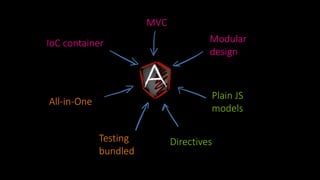
MVC
IoC container
Plain JS
models
All-in-One
Modular
design
Testing
bundled
Directives
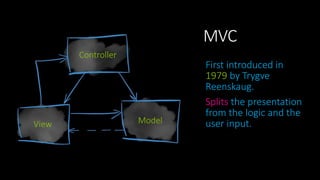
MVC
First introduced in
1979 by Trygve
Reenskaug.
Splits the presentation
from the logic and the
user input.
Controller
View Model
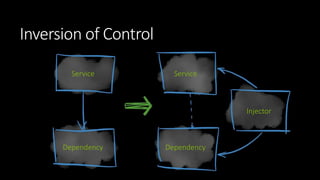
Inversion of Control
Service
Dependency
Service
Injector
Dependency
Bootstrapping
TEMPLATE
<!doctype html>
<html lang="en" ng-app="myApp">
<head>
…
<script src="angular.js"></script>
<script src="app.js"></script>
</head>
<body>
…
</body>
</html>
CODE
angular.module('myApp', []);
View and controller
Controllers. Templates. Scopes.
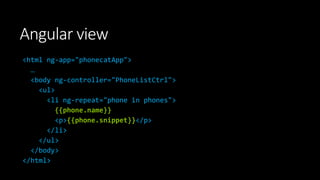
Angular view
<html ng-app="phonecatApp">
…
<body ng-controller="PhoneListCtrl">
<ul>
<li ng-repeat="phone in phones">
{{phone.name}}
<p>{{phone.snippet}}</p>
</li>
</ul>
</body>
</html>
Controller
View
Model
Scope
Scope – the glue
between model,
view, and
controller.
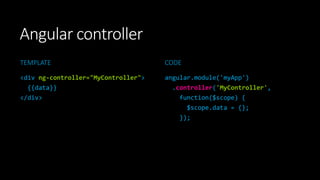
Angular controller
TEMPLATE
<div ng-controller="MyController">
{{data}}
</div>
CODE
angular.module('myApp')
.controller('MyController',
function($scope) {
$scope.data = {};
});
Directives and filters
Directives. ngRepeat. Filters.
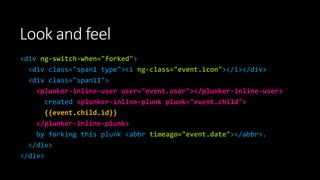
Look and feel
<div ng-switch-when="forked">
<div class="span1 type"><i ng-class="event.icon"></i></div>
<div class="span11">
<plunker-inline-user user="event.user"></plunker-inline-user>
created <plunker-inline-plunk plunk="event.child">
{{event.child.id}}
</plunker-inline-plunk>
by forking this plunk <abbr timeago="event.date"></abbr>.
</div>
</div>
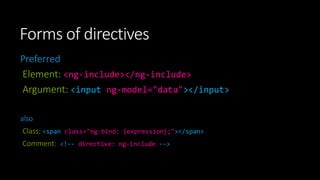
Forms of directives
Preferred
Element: <ng-include></ng-include>
Argument: <input ng-model="data"></input>
also
Class: <span class="ng-bind: {expression};"></span>
Comment: <!-- directive: ng-include -->
ngRepeat
<ul>
<li ng-repeat="friend in friends">
[{{$index + 1}}] {{friend.name}} who is {{friend.age}}.
</li>
</ul>
Filter
<ul>
<li ng-repeat="friend in friends | filter:'query' ">
[{{$index + 1}}] {{friend.name}} who is {{friend.age}}.
</li>
</ul>
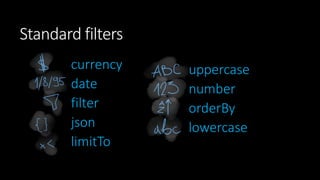
Standard filters
currency
date
filter
json
limitTo
uppercase
number
orderBy
lowercase
Practice
#1
Task – goo.gl/grrTPW
1. Create an angular application (bootstrap with ng-app).
2. Create a controller and a template.
3. Initialize the list of repos in the controller.
4. Display the data on the view as a list of panels where the following is displayed:
1. Repo’s full name that is a link to the repo,
2. Repo owner’s login ID and avatar,
3. Repo’s description.
5. Output only 10 repos that come first alphabetically, order by full name ascending.
Two-way data binding
ngModel
ngModel
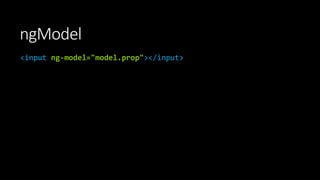
<input ng-model="model.prop"></input>
Practice
#2
Task – goo.gl/CoqXPy
1. Update the application so that the filtering params can be set on the page via
inputs.
2. Default values should populate the inputs on load:
1. Filter: empty,
2. Sort by name: asc,
3. Limit: 10.
3. Each time any of the values changes, the displayed list updates accordingly.
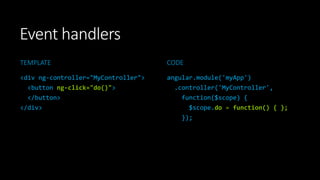
Event handlers
Calling events from the view
Event handlers
TEMPLATE
<div ng-controller="MyController">
<button ng-click="do()">
</button>
</div>
CODE
angular.module('myApp')
.controller('MyController',
function($scope) {
$scope.do = function() { };
});
RESTful services and
$resource
HTTP and RESTful services. Injecting services.
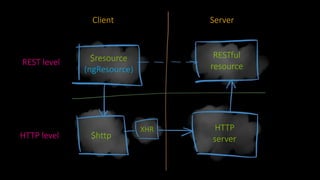
REST level
HTTP level
Client Server
$resource
(ngResource)
RESTful
resource
$http
XHR HTTP
server
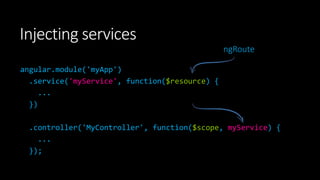
angular.module('myApp')
.service('myService', function($resource) {
...
})
.controller('MyController', function($scope, myService) {
...
});
Injecting services
ngRoute
Practice
#3
Task – goo.gl/75hgJq
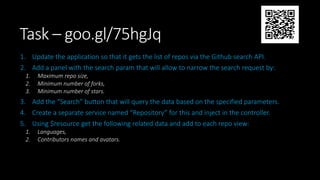
1. Update the application so that it gets the list of repos via the Github search API.
2. Add a panel with the search param that will allow to narrow the search request by:
1. Maximum repo size,
2. Minimum number of forks,
3. Minimum number of stars.
3. Add the “Search” button that will query the data based on the specified parameters.
4. Create a separate service named “Repository” for this and inject in the controller.
5. Using $resource get the following related data and add to each repo view:
1. Languages,
2. Contributors names and avatars.
Yeoman
Yeoman tool. Scaffolding. yo.
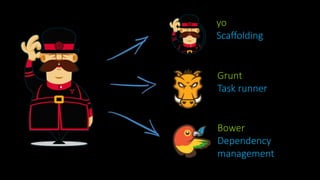
Yeomen Warders
aka Beefeaters
yo
Scaffolding
Grunt
Task runner
Bower
Dependency
management
Scaffolding is a
technique, in which
a specification is
used to generate
source code.
Scaffolding tools examples
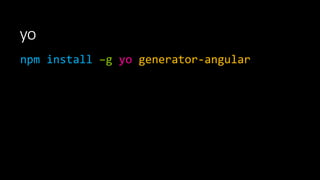
yo
npm install –g yo generator-angular
yo angular
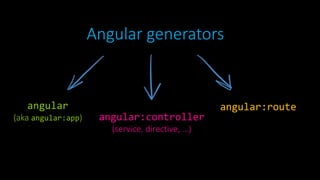
AngularJS generators
Angular generators
angular:routeangular
(aka angular:app) angular:controller
(service, directive, …)
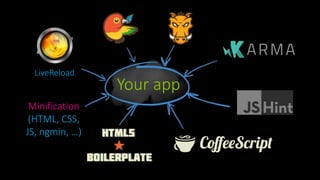
Your app
LiveReload
Minification
(HTML, CSS,
JS, ngmin, …)
Practice
#4
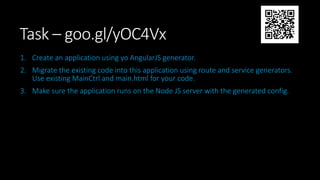
Task – goo.gl/yOC4Vx
1. Create an application using yo AngularJS generator.
2. Migrate the existing code into this application using route and service generators.
Use existing MainCtrl and main.html for your code.
3. Make sure the application runs on the Node JS server with the generated config.
Configuring services
Providers. Application phases.
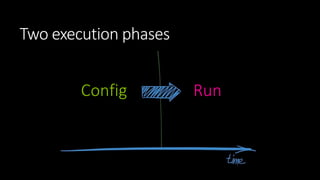
Providers are used for
services configuration.
Config Run
Two execution phases
Example of a provider usage
angular.module('myApp', [])
.config(function($filterProvider) {
$filterProvider.register('myFilter', MyFilter);
});
Routing
Multiple views. $routeProvider. $routeParams.
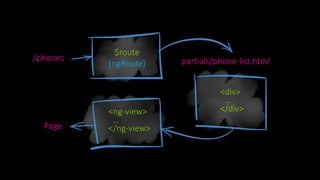
partials/phone-list.html/phones
$route
(ngRoute)
<ng-view>
…
</ng-view>
<div>
…
</div>
Page
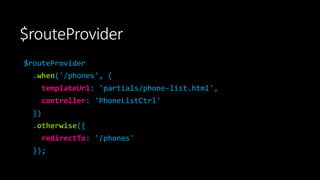
$routeProvider
$routeProvider
.when('/phones', {
templateUrl: 'partials/phone-list.html',
controller: 'PhoneListCtrl'
})
.otherwise({
redirectTo: '/phones'
});
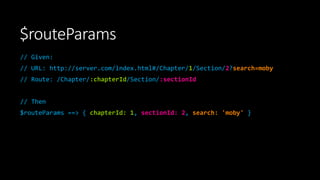
$routeParams
// Given:
// URL: http://server.com/index.html#/Chapter/1/Section/2?search=moby
// Route: /Chapter/:chapterId/Section/:sectionId
// Then
$routeParams ==> { chapterId: 1, sectionId: 2, search: 'moby' }
Practice
#5
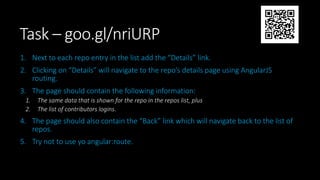
Task – goo.gl/nriURP
1. Next to each repo entry in the list add the “Details” link.
2. Clicking on “Details” will navigate to the repo’s details page using AngularJS
routing.
3. The page should contain the following information:
1. The same data that is shown for the repo in the repos list, plus
2. The list of contributors logins.
4. The page should also contain the “Back” link which will navigate back to the list of
repos.
5. Try not to use yo angular:route.
http://kirbarn.blogpost.com
kiryl.baranoshnik@gmail.com
@kirbarn
References
http://docs.angularjs.org/tutorial/
http://www.angularjs.org
http://chabster.blogspot.com/2008/02/mvp-and-mvc-part-1.html

Angular Js Basics