
Backbone js
@RohanChandane
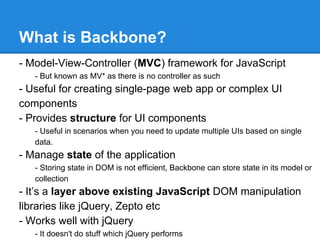
What is Backbone?
- Model-View-Controller (MVC) framework for JavaScript
- But known as MV* as there is no controller as such
- Useful for creating single-page web app or complex UI
components
- Provides structure for UI components
- Useful in scenarios when you need to update multiple UIs based on single
data.
- Manage state of the application
- Storing state in DOM is not efficient, Backbone can store state in its model or
collection
- It’s a layer above existing JavaScript DOM manipulation
libraries like jQuery, Zepto etc
- Works well with jQuery
- It doesn't do stuff which jQuery performs
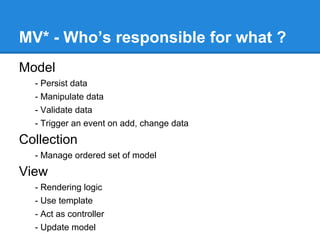
MV* - Who’s responsible for what ?
Model
- Persist data
- Manipulate data
- Validate data
- Trigger an event on add, change data
Collection
- Manage ordered set of model
View
- Rendering logic
- Use template
- Act as controller
- Update model
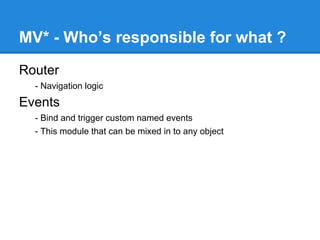
MV* - Who’s responsible for what ?
Router
- Navigation logic
Events
- Bind and trigger custom named events
- This module that can be mixed in to any object
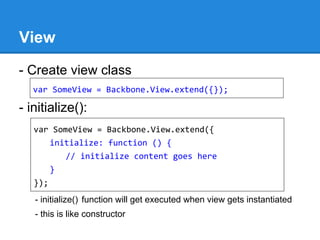
View
View
- Create view class
- initialize():
- initialize() function will get executed when view gets instantiated
- this is like constructor
var SomeView = Backbone.View.extend({});
var SomeView = Backbone.View.extend({
initialize: function () {
// initialize content goes here
}
});
View (continued..)
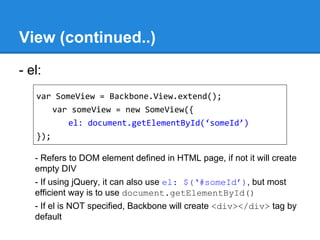
- el:
- Refers to DOM element defined in HTML page, if not it will create
empty DIV
- If using jQuery, it can also use el: $(‘#someId’), but most
efficient way is to use document.getElementById()
- If el is NOT specified, Backbone will create <div></div> tag by
default
var SomeView = Backbone.View.extend();
var someView = new SomeView({
el: document.getElementById(‘someId’)
});
View (continued..)
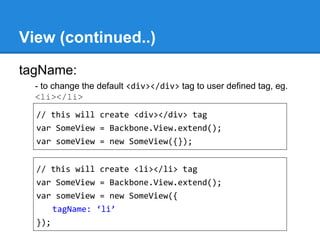
tagName:
- to change the default <div></div> tag to user defined tag, eg.
<li></li>
// this will create <div></div> tag
var SomeView = Backbone.View.extend();
var someView = new SomeView({});
// this will create <li></li> tag
var SomeView = Backbone.View.extend();
var someView = new SomeView({
tagName: ‘li’
});
View (continued..)
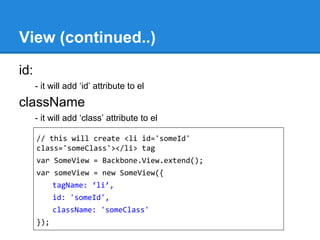
id:
- it will add ‘id’ attribute to el
className
- it will add ‘class’ attribute to el
// this will create <li id='someId'
class='someClass'></li> tag
var SomeView = Backbone.View.extend();
var someView = new SomeView({
tagName: ‘li’,
id: 'someId',
className: 'someClass'
});
View (continued..)
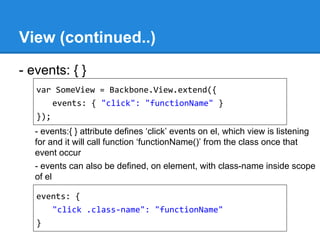
- events: { }
- events:{ } attribute defines ‘click’ events on el, which view is listening
for and it will call function ‘functionName()’ from the class once that
event occur
- events can also be defined, on element, with class-name inside scope
of el
var SomeView = Backbone.View.extend({
events: { "click": "functionName" }
});
events: {
"click .class-name": "functionName"
}
View (continued..)
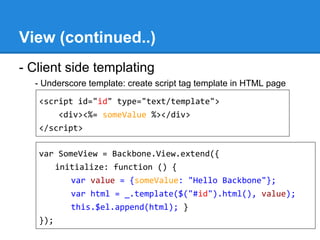
- Client side templating
- Underscore template: create script tag template in HTML page
<script id="id" type="text/template">
<div><%= someValue %></div>
</script>
var SomeView = Backbone.View.extend({
initialize: function () {
var value = {someValue: "Hello Backbone"};
var html = _.template($("#id").html(), value);
this.$el.append(html); }
});
Model
Model
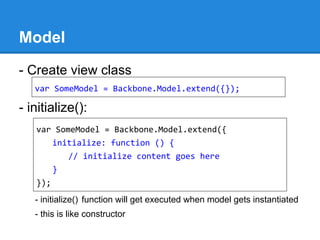
- Create view class
- initialize():
- initialize() function will get executed when model gets instantiated
- this is like constructor
var SomeModel = Backbone.Model.extend({});
var SomeModel = Backbone.Model.extend({
initialize: function () {
// initialize content goes here
}
});
Model (Continued..)
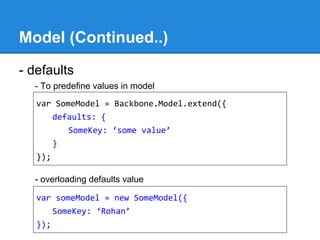
- defaults
- To predefine values in model
- overloading defaults value
var SomeModel = Backbone.Model.extend({
defaults: {
SomeKey: ‘some value’
}
});
var someModel = new SomeModel({
SomeKey: ‘Rohan’
});
Model (Continued..)
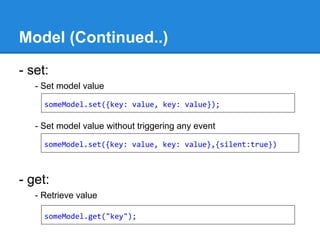
- set:
- Set model value
- Set model value without triggering any event
- get:
- Retrieve value
someModel.set({key: value, key: value});
someModel.set({key: value, key: value},{silent:true})
someModel.get("key");
Model (Continued..)
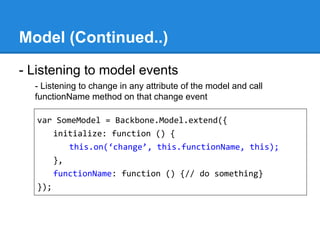
- Listening to model events
- Listening to change in any attribute of the model and call
functionName method on that change event
var SomeModel = Backbone.Model.extend({
initialize: function () {
this.on(‘change’, this.functionName, this);
},
functionName: function () {// do something}
});
Model (Continued..)
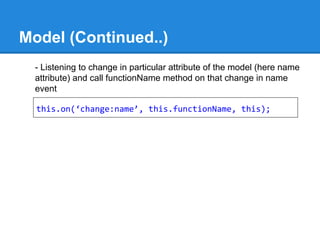
- Listening to change in particular attribute of the model (here name
attribute) and call functionName method on that change in name
event
this.on(‘change:name’, this.functionName, this);
Model (Continued..)
- Different events to which model listen for
change - any change in model
change:[attr] - any change in particular model attribute
destroy - when model destroyed
sync - when successfully synced
error - save or validation fails
all - any triggered event
Model (Continued..)
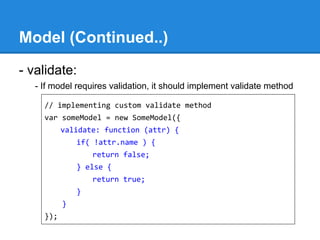
- validate:
- If model requires validation, it should implement validate method
// implementing custom validate method
var someModel = new SomeModel({
validate: function (attr) {
if( !attr.name ) {
return false;
} else {
return true;
}
}
});
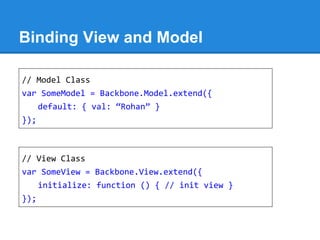
Binding View and Model
// Model Class
var SomeModel = Backbone.Model.extend({
default: { val: “Rohan” }
});
// View Class
var SomeView = Backbone.View.extend({
initialize: function () { // init view }
});
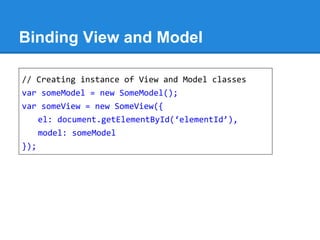
Binding View and Model
// Creating instance of View and Model classes
var someModel = new SomeModel();
var someView = new SomeView({
el: document.getElementById(‘elementId’),
model: someModel
});
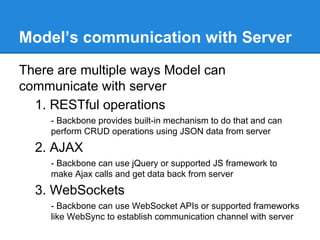
Model’s communication with Server
There are multiple ways Model can
communicate with server
1. RESTful operations
- Backbone provides built-in mechanism to do that and can
perform CRUD operations using JSON data from server
2. AJAX
- Backbone can use jQuery or supported JS framework to
make Ajax calls and get data back from server
3. WebSockets
- Backbone can use WebSocket APIs or supported frameworks
like WebSync to establish communication channel with server
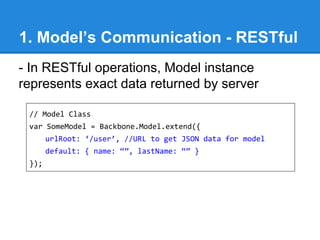
1. Model’s Communication - RESTful
- In RESTful operations, Model instance
represents exact data returned by server
// Model Class
var SomeModel = Backbone.Model.extend({
urlRoot: ‘/user’, //URL to get JSON data for model
default: { name: “”, lastName: “” }
});
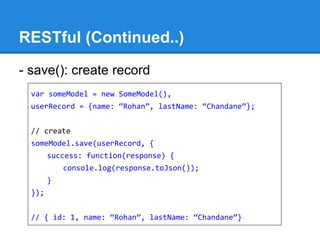
RESTful (Continued..)
- save(): create record
var someModel = new SomeModel(),
userRecord = {name: “Rohan”, lastName: “Chandane”};
// create
someModel.save(userRecord, {
success: function(response) {
console.log(response.toJson());
}
});
// { id: 1, name: “Rohan”, lastName: “Chandane”}
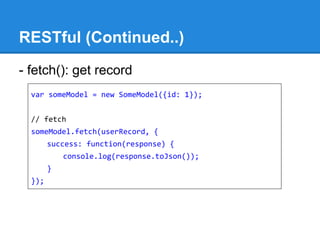
RESTful (Continued..)
- fetch(): get record
var someModel = new SomeModel({id: 1});
// fetch
someModel.fetch(userRecord, {
success: function(response) {
console.log(response.toJson());
}
});
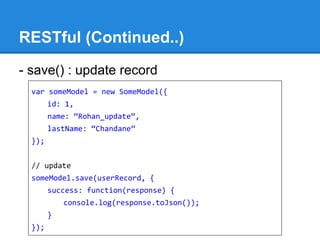
RESTful (Continued..)
- save() : update record
var someModel = new SomeModel({
id: 1,
name: “Rohan_update”,
lastName: “Chandane”
});
// update
someModel.save(userRecord, {
success: function(response) {
console.log(response.toJson());
}
});
RESTful (Continued..)
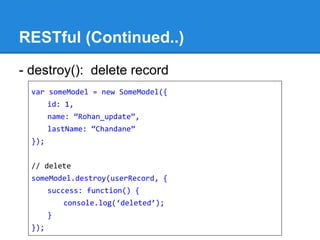
- destroy(): delete record
var someModel = new SomeModel({
id: 1,
name: “Rohan_update”,
lastName: “Chandane”
});
// delete
someModel.destroy(userRecord, {
success: function() {
console.log(‘deleted’);
}
});
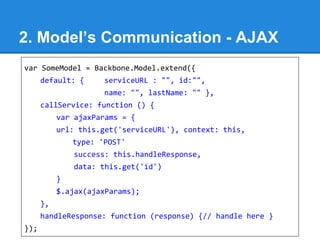
2. Model’s Communication - AJAX
var SomeModel = Backbone.Model.extend({
default: { serviceURL : "", id:"",
name: "", lastName: "" },
callService: function () {
var ajaxParams = {
url: this.get('serviceURL'), context: this,
type: 'POST'
success: this.handleResponse,
data: this.get('id')
}
$.ajax(ajaxParams);
},
handleResponse: function (response) {// handle here }
});
AJAX (Continued..)
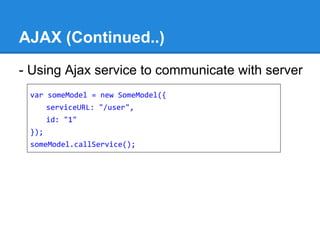
- Using Ajax service to communicate with server
var someModel = new SomeModel({
serviceURL: "/user",
id: "1"
});
someModel.callService();
3. Model’s Communication -
WebSocket
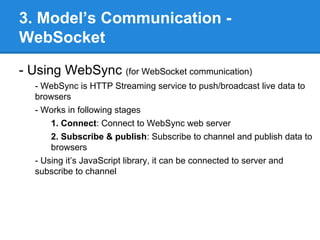
- Using WebSync (for WebSocket communication)
- WebSync is HTTP Streaming service to push/broadcast live data to
browsers
- Works in following stages
1. Connect: Connect to WebSync web server
2. Subscribe & publish: Subscribe to channel and publish data to
browsers
- Using it’s JavaScript library, it can be connected to server and
subscribe to channel
WebSocket (Continued..)
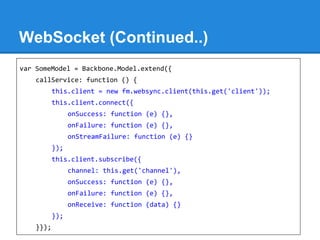
var SomeModel = Backbone.Model.extend({
callService: function () {
this.client = new fm.websync.client(this.get('client'));
this.client.connect({
onSuccess: function (e) {},
onFailure: function (e) {},
onStreamFailure: function (e) {}
});
this.client.subscribe({
channel: this.get('channel'),
onSuccess: function (e) {},
onFailure: function (e) {},
onReceive: function (data) {}
});
}});
WebSocket (Continued..)
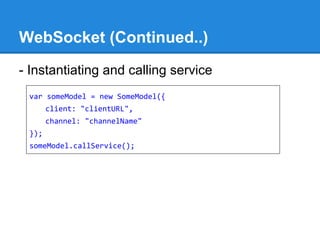
- Instantiating and calling service
var someModel = new SomeModel({
client: "clientURL",
channel: "channelName"
});
someModel.callService();
Collection
Collection
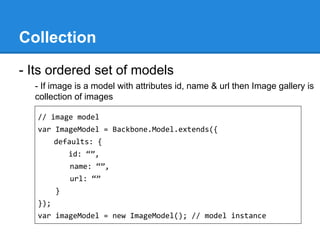
- Its ordered set of models
- If image is a model with attributes id, name & url then Image gallery is
collection of images
// image model
var ImageModel = Backbone.Model.extends({
defaults: {
id: “”,
name: “”,
url: “”
}
});
var imageModel = new ImageModel(); // model instance
Collection
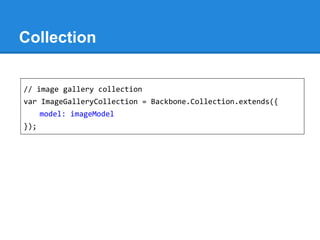
// image gallery collection
var ImageGalleryCollection = Backbone.Collection.extends({
model: imageModel
});
Collection
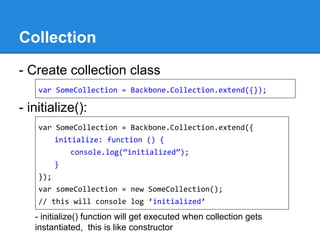
- Create collection class
- initialize():
- initialize() function will get executed when collection gets
instantiated, this is like constructor
var SomeCollection = Backbone.Collection.extend({});
var SomeCollection = Backbone.Collection.extend({
initialize: function () {
console.log(“initialized”);
}
});
var someCollection = new SomeCollection();
// this will console log ‘initialized’
Collection
- add: add(model, [{silent:true}])
someCollection.add(someModel); // add someModel
- remove: remove(model, [{silent:true}])
someCollection.remove(someModel); // remove someModel
- at: at(index)
someCollection.at(0); // get first model in collection
- get: get(attr)
someCollection.get(1); // get model based id of model
- reset: collection.reset([models], [options])
- to replace a collection with a new list of models
Collection
set: collection.set(models, [options])
- smart update of the collection
- If a model in the list isn't yet in the collection it will be added
- If the model is already in the collection its attributes will be
merged
- If the collection contains any models that aren't present in the list,
they'll be removed.
- related add, remove, change events will be triggered
length: collection.length
- returns the no of models present in the collection
Collection
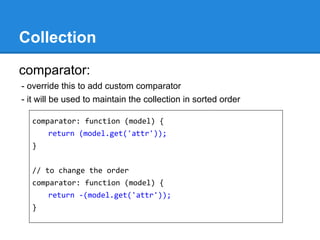
comparator:
- override this to add custom comparator
- it will be used to maintain the collection in sorted order
comparator: function (model) {
return (model.get('attr'));
}
// to change the order
comparator: function (model) {
return -(model.get('attr'));
}
Collection
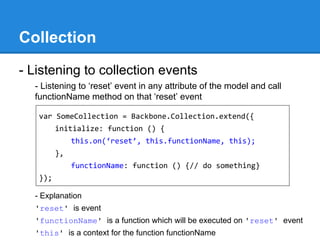
- Listening to collection events
- Listening to ‘reset’ event in any attribute of the model and call
functionName method on that ‘reset’ event
- Explanation
'reset' is event
'functionName' is a function which will be executed on 'reset' event
'this' is a context for the function functionName
var SomeCollection = Backbone.Collection.extend({
initialize: function () {
this.on(‘reset’, this.functionName, this);
},
functionName: function () {// do something}
});
Collection
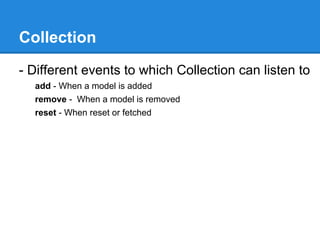
- Different events to which Collection can listen to
add - When a model is added
remove - When a model is removed
reset - When reset or fetched
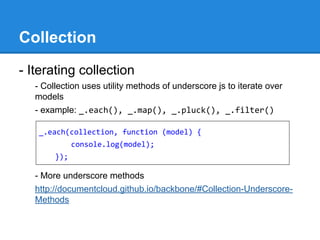
Collection
- Iterating collection
- Collection uses utility methods of underscore js to iterate over
models
- example: _.each(), _.map(), _.pluck(), _.filter()
- More underscore methods
http://documentcloud.github.io/backbone/#Collection-Underscore-
Methods
_.each(collection, function (model) {
console.log(model);
});
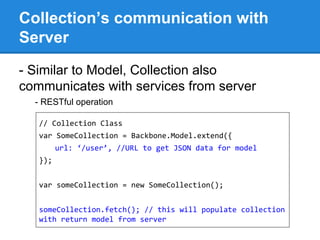
Collection’s communication with
Server
- Similar to Model, Collection also
communicates with services from server
- RESTful operation
// Collection Class
var SomeCollection = Backbone.Model.extend({
url: ‘/user’, //URL to get JSON data for model
});
var someCollection = new SomeCollection();
someCollection.fetch(); // this will populate collection
with return model from server
Router
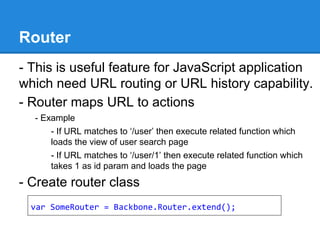
Router
- This is useful feature for JavaScript application
which need URL routing or URL history capability.
- Router maps URL to actions
- Example
- If URL matches to ‘/user’ then execute related function which
loads the view of user search page
- If URL matches to ‘/user/1’ then execute related function which
takes 1 as id param and loads the page
- Create router class
var SomeRouter = Backbone.Router.extend();
Router
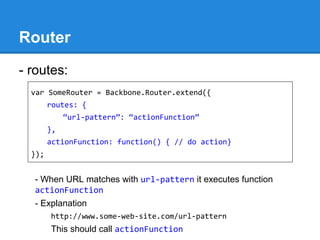
- routes:
- When URL matches with url-pattern it executes function
actionFunction
- Explanation
http://www.some-web-site.com/url-pattern
This should call actionFunction
var SomeRouter = Backbone.Router.extend({
routes: {
“url-pattern”: “actionFunction”
},
actionFunction: function() { // do action}
});
Router
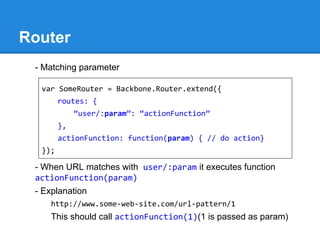
- Matching parameter
- When URL matches with user/:param it executes function
actionFunction(param)
- Explanation
http://www.some-web-site.com/url-pattern/1
This should call actionFunction(1)(1 is passed as param)
var SomeRouter = Backbone.Router.extend({
routes: {
“user/:param”: “actionFunction”
},
actionFunction: function(param) { // do action}
});
Router
- navigate:
- To update the URL router.navigate(fragment, [options])
- options are
trigger: {trigger: true} will trigger route function related to it
replace: {replace: true} will not create any browser history for this
navigate
Router
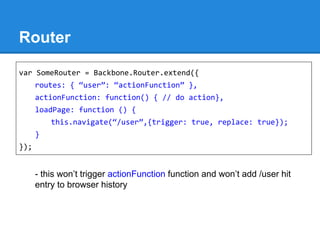
- this won’t trigger actionFunction function and won’t add /user hit
entry to browser history
var SomeRouter = Backbone.Router.extend({
routes: { “user”: “actionFunction” },
actionFunction: function() { // do action},
loadPage: function () {
this.navigate(“/user”,{trigger: true, replace: true});
}
});
Router
- Backbone.history.start()
- Backbone.history.start([options])
- Begins monitoring hashchange event
- This function is called when all Routers have been create and set
up
- Options
{pushState: true} :to indicate application using HTML5
pushState
{hashChange: true} :to indicate that application using
pushState but browser doesn't support it and instead it
refreshes the page, use this option
Router
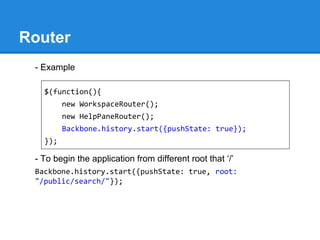
- Example
- To begin the application from different root that ‘/’
Backbone.history.start({pushState: true, root:
"/public/search/"});
$(function(){
new WorkspaceRouter();
new HelpPaneRouter();
Backbone.history.start({pushState: true});
});
Summary
Benefits of using Backbone
1. The Backbone framework provides essential core functionality which
we can leverage without having to do it our self. [e.g. Better event &
callbacks management, templating]
2. MVC is a best practice pattern to use when writing JavaScript code.
This will decrease development and testing time and increase
maintainability, scalability and extensibility.
3. It has rapidly became the de facto JavaScript development
framework. It is actively developed by a large team of open-source
contributors and there are many support resources available online.
References
References & Further readings -
https://github.com/addyosmani/backbone-fundamentals
http://backbonetutorials.com/
http://www.codeschool.com/courses/anatomy-of-backbonejs
http://css.dzone.com/articles/baby-steps-backbonejs-model
https://ict.ken.be/backbone-js-fundamentals-notes
Note:
This presentation is created based on my notes while learning Backbone js

Backbone js

  • 1.
  • 2.
    What is Backbone? -Model-View-Controller (MVC) framework for JavaScript - But known as MV* as there is no controller as such - Useful for creating single-page web app or complex UI components - Provides structure for UI components - Useful in scenarios when you need to update multiple UIs based on single data. - Manage state of the application - Storing state in DOM is not efficient, Backbone can store state in its model or collection - It’s a layer above existing JavaScript DOM manipulation libraries like jQuery, Zepto etc - Works well with jQuery - It doesn't do stuff which jQuery performs
  • 3.
    MV* - Who’sresponsible for what ? Model - Persist data - Manipulate data - Validate data - Trigger an event on add, change data Collection - Manage ordered set of model View - Rendering logic - Use template - Act as controller - Update model
  • 4.
    MV* - Who’sresponsible for what ? Router - Navigation logic Events - Bind and trigger custom named events - This module that can be mixed in to any object
  • 5.
  • 6.
    View - Create viewclass - initialize(): - initialize() function will get executed when view gets instantiated - this is like constructor var SomeView = Backbone.View.extend({}); var SomeView = Backbone.View.extend({ initialize: function () { // initialize content goes here } });
  • 7.
    View (continued..) - el: -Refers to DOM element defined in HTML page, if not it will create empty DIV - If using jQuery, it can also use el: $(‘#someId’), but most efficient way is to use document.getElementById() - If el is NOT specified, Backbone will create <div></div> tag by default var SomeView = Backbone.View.extend(); var someView = new SomeView({ el: document.getElementById(‘someId’) });
  • 8.
    View (continued..) tagName: - tochange the default <div></div> tag to user defined tag, eg. <li></li> // this will create <div></div> tag var SomeView = Backbone.View.extend(); var someView = new SomeView({}); // this will create <li></li> tag var SomeView = Backbone.View.extend(); var someView = new SomeView({ tagName: ‘li’ });
  • 9.
    View (continued..) id: - itwill add ‘id’ attribute to el className - it will add ‘class’ attribute to el // this will create <li id='someId' class='someClass'></li> tag var SomeView = Backbone.View.extend(); var someView = new SomeView({ tagName: ‘li’, id: 'someId', className: 'someClass' });
  • 10.
    View (continued..) - events:{ } - events:{ } attribute defines ‘click’ events on el, which view is listening for and it will call function ‘functionName()’ from the class once that event occur - events can also be defined, on element, with class-name inside scope of el var SomeView = Backbone.View.extend({ events: { "click": "functionName" } }); events: { "click .class-name": "functionName" }
  • 11.
    View (continued..) - Clientside templating - Underscore template: create script tag template in HTML page <script id="id" type="text/template"> <div><%= someValue %></div> </script> var SomeView = Backbone.View.extend({ initialize: function () { var value = {someValue: "Hello Backbone"}; var html = _.template($("#id").html(), value); this.$el.append(html); } });
  • 12.
  • 13.
    Model - Create viewclass - initialize(): - initialize() function will get executed when model gets instantiated - this is like constructor var SomeModel = Backbone.Model.extend({}); var SomeModel = Backbone.Model.extend({ initialize: function () { // initialize content goes here } });
  • 14.
    Model (Continued..) - defaults -To predefine values in model - overloading defaults value var SomeModel = Backbone.Model.extend({ defaults: { SomeKey: ‘some value’ } }); var someModel = new SomeModel({ SomeKey: ‘Rohan’ });
  • 15.
    Model (Continued..) - set: -Set model value - Set model value without triggering any event - get: - Retrieve value someModel.set({key: value, key: value}); someModel.set({key: value, key: value},{silent:true}) someModel.get("key");
  • 16.
    Model (Continued..) - Listeningto model events - Listening to change in any attribute of the model and call functionName method on that change event var SomeModel = Backbone.Model.extend({ initialize: function () { this.on(‘change’, this.functionName, this); }, functionName: function () {// do something} });
  • 17.
    Model (Continued..) - Listeningto change in particular attribute of the model (here name attribute) and call functionName method on that change in name event this.on(‘change:name’, this.functionName, this);
  • 18.
    Model (Continued..) - Differentevents to which model listen for change - any change in model change:[attr] - any change in particular model attribute destroy - when model destroyed sync - when successfully synced error - save or validation fails all - any triggered event
  • 19.
    Model (Continued..) - validate: -If model requires validation, it should implement validate method // implementing custom validate method var someModel = new SomeModel({ validate: function (attr) { if( !attr.name ) { return false; } else { return true; } } });
  • 20.
    Binding View andModel // Model Class var SomeModel = Backbone.Model.extend({ default: { val: “Rohan” } }); // View Class var SomeView = Backbone.View.extend({ initialize: function () { // init view } });
  • 21.
    Binding View andModel // Creating instance of View and Model classes var someModel = new SomeModel(); var someView = new SomeView({ el: document.getElementById(‘elementId’), model: someModel });
  • 22.
    Model’s communication withServer There are multiple ways Model can communicate with server 1. RESTful operations - Backbone provides built-in mechanism to do that and can perform CRUD operations using JSON data from server 2. AJAX - Backbone can use jQuery or supported JS framework to make Ajax calls and get data back from server 3. WebSockets - Backbone can use WebSocket APIs or supported frameworks like WebSync to establish communication channel with server
  • 23.
    1. Model’s Communication- RESTful - In RESTful operations, Model instance represents exact data returned by server // Model Class var SomeModel = Backbone.Model.extend({ urlRoot: ‘/user’, //URL to get JSON data for model default: { name: “”, lastName: “” } });
  • 24.
    RESTful (Continued..) - save():create record var someModel = new SomeModel(), userRecord = {name: “Rohan”, lastName: “Chandane”}; // create someModel.save(userRecord, { success: function(response) { console.log(response.toJson()); } }); // { id: 1, name: “Rohan”, lastName: “Chandane”}
  • 25.
    RESTful (Continued..) - fetch():get record var someModel = new SomeModel({id: 1}); // fetch someModel.fetch(userRecord, { success: function(response) { console.log(response.toJson()); } });
  • 26.
    RESTful (Continued..) - save(): update record var someModel = new SomeModel({ id: 1, name: “Rohan_update”, lastName: “Chandane” }); // update someModel.save(userRecord, { success: function(response) { console.log(response.toJson()); } });
  • 27.
    RESTful (Continued..) - destroy():delete record var someModel = new SomeModel({ id: 1, name: “Rohan_update”, lastName: “Chandane” }); // delete someModel.destroy(userRecord, { success: function() { console.log(‘deleted’); } });
  • 28.
    2. Model’s Communication- AJAX var SomeModel = Backbone.Model.extend({ default: { serviceURL : "", id:"", name: "", lastName: "" }, callService: function () { var ajaxParams = { url: this.get('serviceURL'), context: this, type: 'POST' success: this.handleResponse, data: this.get('id') } $.ajax(ajaxParams); }, handleResponse: function (response) {// handle here } });
  • 29.
    AJAX (Continued..) - UsingAjax service to communicate with server var someModel = new SomeModel({ serviceURL: "/user", id: "1" }); someModel.callService();
  • 30.
    3. Model’s Communication- WebSocket - Using WebSync (for WebSocket communication) - WebSync is HTTP Streaming service to push/broadcast live data to browsers - Works in following stages 1. Connect: Connect to WebSync web server 2. Subscribe & publish: Subscribe to channel and publish data to browsers - Using it’s JavaScript library, it can be connected to server and subscribe to channel
  • 31.
    WebSocket (Continued..) var SomeModel= Backbone.Model.extend({ callService: function () { this.client = new fm.websync.client(this.get('client')); this.client.connect({ onSuccess: function (e) {}, onFailure: function (e) {}, onStreamFailure: function (e) {} }); this.client.subscribe({ channel: this.get('channel'), onSuccess: function (e) {}, onFailure: function (e) {}, onReceive: function (data) {} }); }});
  • 32.
    WebSocket (Continued..) - Instantiatingand calling service var someModel = new SomeModel({ client: "clientURL", channel: "channelName" }); someModel.callService();
  • 33.
  • 34.
    Collection - Its orderedset of models - If image is a model with attributes id, name & url then Image gallery is collection of images // image model var ImageModel = Backbone.Model.extends({ defaults: { id: “”, name: “”, url: “” } }); var imageModel = new ImageModel(); // model instance
  • 35.
    Collection // image gallerycollection var ImageGalleryCollection = Backbone.Collection.extends({ model: imageModel });
  • 36.
    Collection - Create collectionclass - initialize(): - initialize() function will get executed when collection gets instantiated, this is like constructor var SomeCollection = Backbone.Collection.extend({}); var SomeCollection = Backbone.Collection.extend({ initialize: function () { console.log(“initialized”); } }); var someCollection = new SomeCollection(); // this will console log ‘initialized’
  • 37.
    Collection - add: add(model,[{silent:true}]) someCollection.add(someModel); // add someModel - remove: remove(model, [{silent:true}]) someCollection.remove(someModel); // remove someModel - at: at(index) someCollection.at(0); // get first model in collection - get: get(attr) someCollection.get(1); // get model based id of model - reset: collection.reset([models], [options]) - to replace a collection with a new list of models
  • 38.
    Collection set: collection.set(models, [options]) -smart update of the collection - If a model in the list isn't yet in the collection it will be added - If the model is already in the collection its attributes will be merged - If the collection contains any models that aren't present in the list, they'll be removed. - related add, remove, change events will be triggered length: collection.length - returns the no of models present in the collection
  • 39.
    Collection comparator: - override thisto add custom comparator - it will be used to maintain the collection in sorted order comparator: function (model) { return (model.get('attr')); } // to change the order comparator: function (model) { return -(model.get('attr')); }
  • 40.
    Collection - Listening tocollection events - Listening to ‘reset’ event in any attribute of the model and call functionName method on that ‘reset’ event - Explanation 'reset' is event 'functionName' is a function which will be executed on 'reset' event 'this' is a context for the function functionName var SomeCollection = Backbone.Collection.extend({ initialize: function () { this.on(‘reset’, this.functionName, this); }, functionName: function () {// do something} });
  • 41.
    Collection - Different eventsto which Collection can listen to add - When a model is added remove - When a model is removed reset - When reset or fetched
  • 42.
    Collection - Iterating collection -Collection uses utility methods of underscore js to iterate over models - example: _.each(), _.map(), _.pluck(), _.filter() - More underscore methods http://documentcloud.github.io/backbone/#Collection-Underscore- Methods _.each(collection, function (model) { console.log(model); });
  • 43.
    Collection’s communication with Server -Similar to Model, Collection also communicates with services from server - RESTful operation // Collection Class var SomeCollection = Backbone.Model.extend({ url: ‘/user’, //URL to get JSON data for model }); var someCollection = new SomeCollection(); someCollection.fetch(); // this will populate collection with return model from server
  • 44.
  • 45.
    Router - This isuseful feature for JavaScript application which need URL routing or URL history capability. - Router maps URL to actions - Example - If URL matches to ‘/user’ then execute related function which loads the view of user search page - If URL matches to ‘/user/1’ then execute related function which takes 1 as id param and loads the page - Create router class var SomeRouter = Backbone.Router.extend();
  • 46.
    Router - routes: - WhenURL matches with url-pattern it executes function actionFunction - Explanation http://www.some-web-site.com/url-pattern This should call actionFunction var SomeRouter = Backbone.Router.extend({ routes: { “url-pattern”: “actionFunction” }, actionFunction: function() { // do action} });
  • 47.
    Router - Matching parameter -When URL matches with user/:param it executes function actionFunction(param) - Explanation http://www.some-web-site.com/url-pattern/1 This should call actionFunction(1)(1 is passed as param) var SomeRouter = Backbone.Router.extend({ routes: { “user/:param”: “actionFunction” }, actionFunction: function(param) { // do action} });
  • 48.
    Router - navigate: - Toupdate the URL router.navigate(fragment, [options]) - options are trigger: {trigger: true} will trigger route function related to it replace: {replace: true} will not create any browser history for this navigate
  • 49.
    Router - this won’ttrigger actionFunction function and won’t add /user hit entry to browser history var SomeRouter = Backbone.Router.extend({ routes: { “user”: “actionFunction” }, actionFunction: function() { // do action}, loadPage: function () { this.navigate(“/user”,{trigger: true, replace: true}); } });
  • 50.
    Router - Backbone.history.start() - Backbone.history.start([options]) -Begins monitoring hashchange event - This function is called when all Routers have been create and set up - Options {pushState: true} :to indicate application using HTML5 pushState {hashChange: true} :to indicate that application using pushState but browser doesn't support it and instead it refreshes the page, use this option
  • 51.
    Router - Example - Tobegin the application from different root that ‘/’ Backbone.history.start({pushState: true, root: "/public/search/"}); $(function(){ new WorkspaceRouter(); new HelpPaneRouter(); Backbone.history.start({pushState: true}); });
  • 52.
  • 53.
    Benefits of usingBackbone 1. The Backbone framework provides essential core functionality which we can leverage without having to do it our self. [e.g. Better event & callbacks management, templating] 2. MVC is a best practice pattern to use when writing JavaScript code. This will decrease development and testing time and increase maintainability, scalability and extensibility. 3. It has rapidly became the de facto JavaScript development framework. It is actively developed by a large team of open-source contributors and there are many support resources available online.
  • 54.
    References References & Furtherreadings - https://github.com/addyosmani/backbone-fundamentals http://backbonetutorials.com/ http://www.codeschool.com/courses/anatomy-of-backbonejs http://css.dzone.com/articles/baby-steps-backbonejs-model https://ict.ken.be/backbone-js-fundamentals-notes Note: This presentation is created based on my notes while learning Backbone js