MV* presentation frameworks in
Javascript: en garde, pret, allez!
      Knockout JS vs Backbone JS
      Roberto Messora / robymes
Thanks to the sponsors
Poll
• How many expert Javascript developers?
• How many new to Javascript?
• How many, at least once, did use a Javascript
  Presentation Framework (not plain jQuery)?
• How many did come from server side
  development and switched to client side
  because of HTML5 new wave?
Foreword
• Session goals:
  – Why choose a client Presentation Framework
    when building a web application
  – Clarify how Presentation Patterns are
    implemented in Javascript
  – Show the differences between an MVC(*) and a
    MVVM Javascript Framework
• Many thanks to the great TodoMVC project
  and its contributors (http://todomvc.com/)
Summary
• Presentation frameworks: why and when
• Inside presentation patterns
• BackboneJS: is it really MVC? Aka: where is my
  controller?
• KnockoutJS: the emerging MVVM pattern that
  "shifted its strategy" (reinterpreting Muglia…)
• BackboneJS vs KnockoutJS: the bad and the
  good parts
Without a Presentation Fx
TodoMVC: the plain jQuery implementation
  – Classical jQuery DOM management using direct
    tag reference + HTML templating engine
  – Simple DOM element event binding
    implementation
  – Monolithic single code file solution with "utilities"
    object containers (prone to spaghetti code)
  – Very difficult to test and maintain, nearly
    impossibile when app size scales up
With a Presentation Fx
TodoMVC: an MV* implementation (BackboneJS
or KnockoutJS)
  – Structured DOM/element event management and
    binding + HTML templating engine
  – Structured solution organization in terms of object
    responsabilities and interactions (is more difficult
    to write spaghetti code)
  – It's possibile to adopt a unit testing strategy and
    manage complexity when app size scales up
Presentation Fxs: a brief history
A long time ago in a galaxy far, far away....
• 1979: Trygve Reenskaug designed the original
  pattern called Model-View-Controller-Editor in
  Smalltalk-80, its objective was to decouple
  data (Model) from UI (View) using a
  coordinator (Controller), enforcing separation
  of concerns (and accordingly single
  responsibilities)
Presentation Fxs: a brief history
• Over the years many other presentation
  design patterns came to light delivering the
  same main principle: decouple Model from
  the View
  – Refined versions of Model-View-Controller (MVC)
  – Variations of Model-View-Presenter (MVP)
  – Model-View-ViewModel (MVVM)
• We can talk about an MV* presentation
  design patterns family
Presentation Fxs: a brief history
• MV* presentation design patterns
  – Originally designed for desktop applications and
    then implemented also for enterprise server side
    web applications
  – Only in recent years implemented for client side
    web development
  – Javascript implementations often differ from the
    original "pure" vision, maintaining the basic
    principles (they can be considered more "flexible")
MVC pattern
• A classical MVC pattern interpratation:
  – A Model: a business (or domain) object that
    doesn't have any knowledge about presentation
  – A View: the UI representation of one or more
    models, also contains widgets for user interactions
  – A Controller: the key element that reacts to user
    inputs doing something with model objects
  – A Publish/Subscribe system: an Observer pattern
    implementation that handles model state updates
BackboneJS: Javascript MVC
• Is one of the most used Jascript MVC
  Presentation Frameworks (others are
  EmberJS, JavascriptMVC, Spine, …)
• It's more than an MVC implementation: it
  offers features like RESTful
  services, pagination, support for multiple
  DOM templating libraries, support for key-
  value observing libraries (KVO)
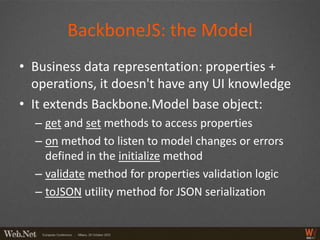
BackboneJS: the Model
• Business data representation: properties +
  operations, it doesn't have any UI knowledge
• It extends Backbone.Model base object:
  – get and set methods to access properties
  – on method to listen to model changes or errors
    defined in the initialize method
  – validate method for properties validation logic
  – toJSON utility method for JSON serialization
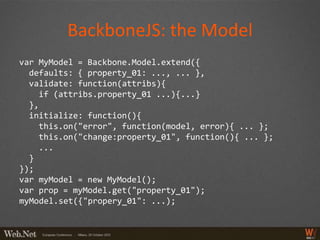
BackboneJS: the Model
var MyModel = Backbone.Model.extend({
  defaults: { property_01: ..., ... },
  validate: function(attribs){
    if (attribs.property_01 ...){...}
  },
  initialize: function(){
    this.on("error", function(model, error){ ... };
    this.on("change:property_01", function(){ ... };
    ...
  }
});
var myModel = new MyModel();
var prop = myModel.get("property_01");
myModel.set({"propery_01": ...);
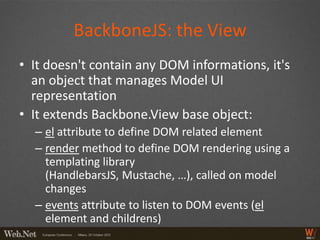
BackboneJS: the View
• It doesn't contain any DOM informations, it's
  an object that manages Model UI
  representation
• It extends Backbone.View base object:
  – el attribute to define DOM related element
  – render method to define DOM rendering using a
    templating library
    (HandlebarsJS, Mustache, …), called on model
    changes
  – events attribute to listen to DOM events (el
    element and childrens)
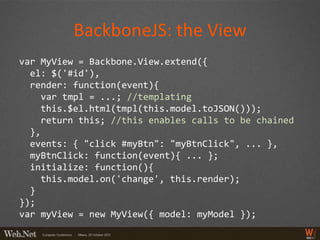
BackboneJS: the View
var MyView = Backbone.View.extend({
  el: $('#id'),
  render: function(event){
     var tmpl = ...; //templating
     this.$el.html(tmpl(this.model.toJSON()));
     return this; //this enables calls to be chained
  },
  events: { "click #myBtn": "myBtnClick", ... },
  myBtnClick: function(event){ ... };
  initialize: function(){
     this.model.on('change', this.render);
  }
});
var myView = new MyView({ model: myModel });
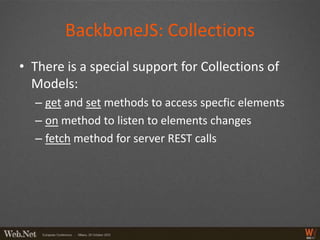
BackboneJS: Collections
• There is a special support for Collections of
  Models:
  – get and set methods to access specfic elements
  – on method to listen to elements changes
  – fetch method for server REST calls
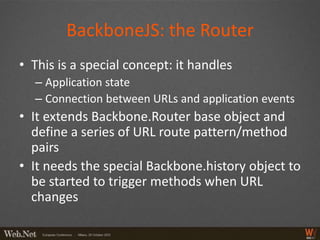
BackboneJS: the Router
• This is a special concept: it handles
  – Application state
  – Connection between URLs and application events
• It extends Backbone.Router base object and
  define a series of URL route pattern/method
  pairs
• It needs the special Backbone.history object to
  be started to trigger methods when URL
  changes
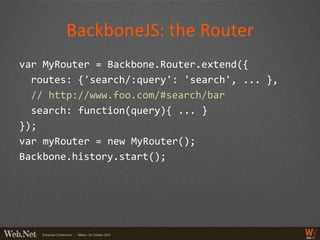
BackboneJS: the Router
var MyRouter = Backbone.Router.extend({
  routes: {'search/:query': 'search', ... },
  // http://www.foo.com/#search/bar
  search: function(query){ ... }
});
var myRouter = new MyRouter();
Backbone.history.start();
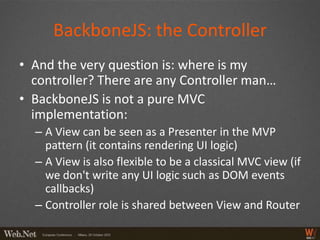
BackboneJS: the Controller
• And the very question is: where is my
  controller? There are any Controller man…
• BackboneJS is not a pure MVC
  implementation:
  – A View can be seen as a Presenter in the MVP
    pattern (it contains rendering UI logic)
  – A View is also flexible to be a classical MVC view (if
    we don't write any UI logic such as DOM events
    callbacks)
  – Controller role is shared between View and Router
MVVM pattern
• It promotes a deeper separation beetween UI
  and business logic development:
  – Views designed by User Experience and
    Interaction experts
  – ViewModels and Models developed by sofwtare
    developer
  – Bridge between View and ViewModels is defined
    by declarative View markup data and events
    (commands) binding
KnockoutJS: Javascript MVVM
• It's the most used Javascript MVVM
  Presentation Framework (but there are a few)
• It's a relatively recent library, it doesn't offer
  yet much support for anything else but the
  presentation functionalities (eg service
  communication, data fetching, …)
• it can be used in a nearly exact Silverlight way
KnockoutJS: The Model
• Business data anemic representation, it
  contains only properties and their validation
  logic, it doesn't have any UI knowledge
• It's a plain Javascript object that uses the
  special observable Knockout method to
  initialize its properties as observable objects
  so they can automatically notify their changes
  and detect their dependencies
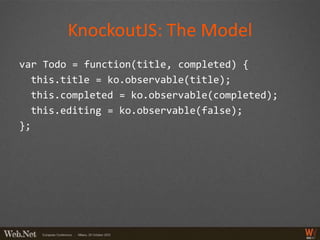
KnockoutJS: The Model
var Todo = function(title, completed) {
  this.title = ko.observable(title);
  this.completed = ko.observable(completed);
  this.editing = ko.observable(false);
};
KnockoutJS: the View
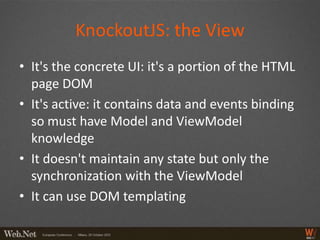
• It's the concrete UI: it's a portion of the HTML
  page DOM
• It's active: it contains data and events binding
  so must have Model and ViewModel
  knowledge
• It doesn't maintain any state but only the
  synchronization with the ViewModel
• It can use DOM templating
KnockoutJS: the View
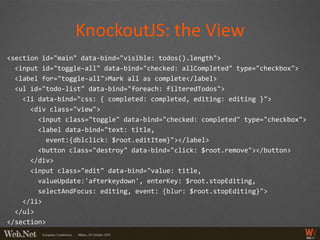
<section id="main" data-bind="visible: todos().length">
  <input id="toggle-all" data-bind="checked: allCompleted" type="checkbox">
  <label for="toggle-all">Mark all as complete</label>
  <ul id="todo-list" data-bind="foreach: filteredTodos">
    <li data-bind="css: { completed: completed, editing: editing }">
      <div class="view">
        <input class="toggle" data-bind="checked: completed" type="checkbox">
        <label data-bind="text: title,
          event:{dblclick: $root.editItem}"></label>
        <button class="destroy" data-bind="click: $root.remove"></button>
      </div>
      <input class="edit" data-bind="value: title,
        valueUpdate:'afterkeydown', enterKey: $root.stopEditing,
        selectAndFocus: editing, event: {blur: $root.stopEditing}">
    </li>
  </ul>
</section>
KnockoutJS: the ViewModel
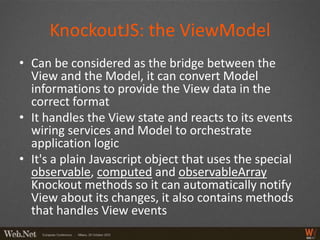
• Can be considered as the bridge between the
  View and the Model, it can convert Model
  informations to provide the View data in the
  correct format
• It handles the View state and reacts to its events
  wiring services and Model to orchestrate
  application logic
• It's a plain Javascript object that uses the special
  observable, computed and observableArray
  Knockout methods so it can automatically notify
  View about its changes, it also contains methods
  that handles View events
KnockoutJS: the ViewModel
var ViewModel = function(todos) {
  var self = this;
  self.todos = ko.observableArray(ko.utils.arrayMap(
    todos, function(todo) {
    return new Todo(todo.title, todo.completed);
  }));
  ...
  self.allCompleted = ko.computed(...);
  ...
});
var viewModel = new ViewModel(todos || []);
ko.applyBindings(viewModel);
KnockoutJS: data bind
• The library core is the notification and data
  bind engine:
  – The special ko object methods for automatic
    notification
  – The special data-bind DOM attribute for markup
    data-binding with some predefined built-in
    bindings (they can be extended using
    ko.bindingHandlers to define new ones)
BackboneJS vs KnockoutJS
• Really? My answer:
  – "You cannot be serious" (quote, Jhon McEnroe)
• They both accomplish the same tasks and
  offers the same overall benefits in terms of
  – Architecture
  – Maintainability
  – Testing
• Really: it's a matter of taste and experience
  IMHO (I come from Silverlight so I'm more
  comfortable with KnockoutJS)
Please rate this session
Scan the code, go online, rate this session

MV* presentation frameworks in Javascript: en garde, pret, allez!

  • 1.
    MV* presentation frameworksin Javascript: en garde, pret, allez! Knockout JS vs Backbone JS Roberto Messora / robymes
  • 2.
    Thanks to thesponsors
  • 3.
    Poll • How manyexpert Javascript developers? • How many new to Javascript? • How many, at least once, did use a Javascript Presentation Framework (not plain jQuery)? • How many did come from server side development and switched to client side because of HTML5 new wave?
  • 4.
    Foreword • Session goals: – Why choose a client Presentation Framework when building a web application – Clarify how Presentation Patterns are implemented in Javascript – Show the differences between an MVC(*) and a MVVM Javascript Framework • Many thanks to the great TodoMVC project and its contributors (http://todomvc.com/)
  • 5.
    Summary • Presentation frameworks:why and when • Inside presentation patterns • BackboneJS: is it really MVC? Aka: where is my controller? • KnockoutJS: the emerging MVVM pattern that "shifted its strategy" (reinterpreting Muglia…) • BackboneJS vs KnockoutJS: the bad and the good parts
  • 6.
    Without a PresentationFx TodoMVC: the plain jQuery implementation – Classical jQuery DOM management using direct tag reference + HTML templating engine – Simple DOM element event binding implementation – Monolithic single code file solution with "utilities" object containers (prone to spaghetti code) – Very difficult to test and maintain, nearly impossibile when app size scales up
  • 7.
    With a PresentationFx TodoMVC: an MV* implementation (BackboneJS or KnockoutJS) – Structured DOM/element event management and binding + HTML templating engine – Structured solution organization in terms of object responsabilities and interactions (is more difficult to write spaghetti code) – It's possibile to adopt a unit testing strategy and manage complexity when app size scales up
  • 8.
    Presentation Fxs: abrief history A long time ago in a galaxy far, far away.... • 1979: Trygve Reenskaug designed the original pattern called Model-View-Controller-Editor in Smalltalk-80, its objective was to decouple data (Model) from UI (View) using a coordinator (Controller), enforcing separation of concerns (and accordingly single responsibilities)
  • 9.
    Presentation Fxs: abrief history • Over the years many other presentation design patterns came to light delivering the same main principle: decouple Model from the View – Refined versions of Model-View-Controller (MVC) – Variations of Model-View-Presenter (MVP) – Model-View-ViewModel (MVVM) • We can talk about an MV* presentation design patterns family
  • 10.
    Presentation Fxs: abrief history • MV* presentation design patterns – Originally designed for desktop applications and then implemented also for enterprise server side web applications – Only in recent years implemented for client side web development – Javascript implementations often differ from the original "pure" vision, maintaining the basic principles (they can be considered more "flexible")
  • 11.
    MVC pattern • Aclassical MVC pattern interpratation: – A Model: a business (or domain) object that doesn't have any knowledge about presentation – A View: the UI representation of one or more models, also contains widgets for user interactions – A Controller: the key element that reacts to user inputs doing something with model objects – A Publish/Subscribe system: an Observer pattern implementation that handles model state updates
  • 12.
    BackboneJS: Javascript MVC •Is one of the most used Jascript MVC Presentation Frameworks (others are EmberJS, JavascriptMVC, Spine, …) • It's more than an MVC implementation: it offers features like RESTful services, pagination, support for multiple DOM templating libraries, support for key- value observing libraries (KVO)
  • 13.
    BackboneJS: the Model •Business data representation: properties + operations, it doesn't have any UI knowledge • It extends Backbone.Model base object: – get and set methods to access properties – on method to listen to model changes or errors defined in the initialize method – validate method for properties validation logic – toJSON utility method for JSON serialization
  • 14.
    BackboneJS: the Model varMyModel = Backbone.Model.extend({ defaults: { property_01: ..., ... }, validate: function(attribs){ if (attribs.property_01 ...){...} }, initialize: function(){ this.on("error", function(model, error){ ... }; this.on("change:property_01", function(){ ... }; ... } }); var myModel = new MyModel(); var prop = myModel.get("property_01"); myModel.set({"propery_01": ...);
  • 15.
    BackboneJS: the View •It doesn't contain any DOM informations, it's an object that manages Model UI representation • It extends Backbone.View base object: – el attribute to define DOM related element – render method to define DOM rendering using a templating library (HandlebarsJS, Mustache, …), called on model changes – events attribute to listen to DOM events (el element and childrens)
  • 16.
    BackboneJS: the View varMyView = Backbone.View.extend({ el: $('#id'), render: function(event){ var tmpl = ...; //templating this.$el.html(tmpl(this.model.toJSON())); return this; //this enables calls to be chained }, events: { "click #myBtn": "myBtnClick", ... }, myBtnClick: function(event){ ... }; initialize: function(){ this.model.on('change', this.render); } }); var myView = new MyView({ model: myModel });
  • 17.
    BackboneJS: Collections • Thereis a special support for Collections of Models: – get and set methods to access specfic elements – on method to listen to elements changes – fetch method for server REST calls
  • 18.
    BackboneJS: the Router •This is a special concept: it handles – Application state – Connection between URLs and application events • It extends Backbone.Router base object and define a series of URL route pattern/method pairs • It needs the special Backbone.history object to be started to trigger methods when URL changes
  • 19.
    BackboneJS: the Router varMyRouter = Backbone.Router.extend({ routes: {'search/:query': 'search', ... }, // http://www.foo.com/#search/bar search: function(query){ ... } }); var myRouter = new MyRouter(); Backbone.history.start();
  • 20.
    BackboneJS: the Controller •And the very question is: where is my controller? There are any Controller man… • BackboneJS is not a pure MVC implementation: – A View can be seen as a Presenter in the MVP pattern (it contains rendering UI logic) – A View is also flexible to be a classical MVC view (if we don't write any UI logic such as DOM events callbacks) – Controller role is shared between View and Router
  • 21.
    MVVM pattern • Itpromotes a deeper separation beetween UI and business logic development: – Views designed by User Experience and Interaction experts – ViewModels and Models developed by sofwtare developer – Bridge between View and ViewModels is defined by declarative View markup data and events (commands) binding
  • 22.
    KnockoutJS: Javascript MVVM •It's the most used Javascript MVVM Presentation Framework (but there are a few) • It's a relatively recent library, it doesn't offer yet much support for anything else but the presentation functionalities (eg service communication, data fetching, …) • it can be used in a nearly exact Silverlight way
  • 23.
    KnockoutJS: The Model •Business data anemic representation, it contains only properties and their validation logic, it doesn't have any UI knowledge • It's a plain Javascript object that uses the special observable Knockout method to initialize its properties as observable objects so they can automatically notify their changes and detect their dependencies
  • 24.
    KnockoutJS: The Model varTodo = function(title, completed) { this.title = ko.observable(title); this.completed = ko.observable(completed); this.editing = ko.observable(false); };
  • 25.
    KnockoutJS: the View •It's the concrete UI: it's a portion of the HTML page DOM • It's active: it contains data and events binding so must have Model and ViewModel knowledge • It doesn't maintain any state but only the synchronization with the ViewModel • It can use DOM templating
  • 26.
    KnockoutJS: the View <sectionid="main" data-bind="visible: todos().length"> <input id="toggle-all" data-bind="checked: allCompleted" type="checkbox"> <label for="toggle-all">Mark all as complete</label> <ul id="todo-list" data-bind="foreach: filteredTodos"> <li data-bind="css: { completed: completed, editing: editing }"> <div class="view"> <input class="toggle" data-bind="checked: completed" type="checkbox"> <label data-bind="text: title, event:{dblclick: $root.editItem}"></label> <button class="destroy" data-bind="click: $root.remove"></button> </div> <input class="edit" data-bind="value: title, valueUpdate:'afterkeydown', enterKey: $root.stopEditing, selectAndFocus: editing, event: {blur: $root.stopEditing}"> </li> </ul> </section>
  • 27.
    KnockoutJS: the ViewModel •Can be considered as the bridge between the View and the Model, it can convert Model informations to provide the View data in the correct format • It handles the View state and reacts to its events wiring services and Model to orchestrate application logic • It's a plain Javascript object that uses the special observable, computed and observableArray Knockout methods so it can automatically notify View about its changes, it also contains methods that handles View events
  • 28.
    KnockoutJS: the ViewModel varViewModel = function(todos) { var self = this; self.todos = ko.observableArray(ko.utils.arrayMap( todos, function(todo) { return new Todo(todo.title, todo.completed); })); ... self.allCompleted = ko.computed(...); ... }); var viewModel = new ViewModel(todos || []); ko.applyBindings(viewModel);
  • 29.
    KnockoutJS: data bind •The library core is the notification and data bind engine: – The special ko object methods for automatic notification – The special data-bind DOM attribute for markup data-binding with some predefined built-in bindings (they can be extended using ko.bindingHandlers to define new ones)
  • 30.
    BackboneJS vs KnockoutJS •Really? My answer: – "You cannot be serious" (quote, Jhon McEnroe) • They both accomplish the same tasks and offers the same overall benefits in terms of – Architecture – Maintainability – Testing • Really: it's a matter of taste and experience IMHO (I come from Silverlight so I'm more comfortable with KnockoutJS)
  • 31.
    Please rate thissession Scan the code, go online, rate this session