

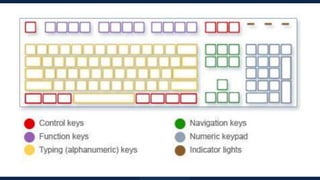


Let's Get to Know
Your Keyboard
How the keys are organized
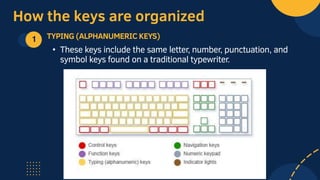
1 TYPING (ALPHANUMERIC KEYS)
• These keys include the same letter, number, punctuation, and
symbol keys found on a traditional typewriter.
How the keys are organized
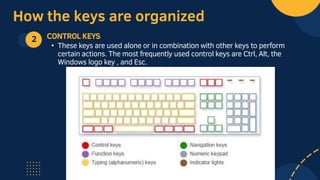
2 CONTROL KEYS
• These keys are used alone or in combination with other keys to perform
certain actions. The most frequently used control keys are Ctrl, Alt, the
Windows logo key , and Esc.
How the keys are organized
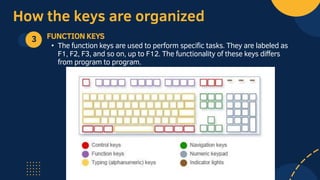
3 FUNCTION KEYS
• The function keys are used to perform specific tasks. They are labeled as
F1, F2, F3, and so on, up to F12. The functionality of these keys differs
from program to program.
How the keys are organized
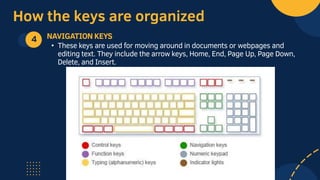
4 NAVIGATION KEYS
• These keys are used for moving around in documents or webpages and
editing text. They include the arrow keys, Home, End, Page Up, Page Down,
Delete, and Insert.
How the keys are organized
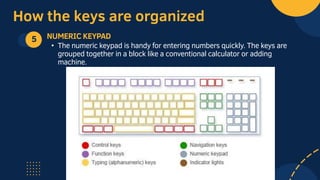
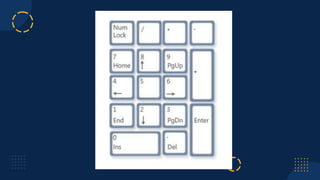
5 NUMERIC KEYPAD
• The numeric keypad is handy for entering numbers quickly. The keys are
grouped together in a block like a conventional calculator or adding
machine.
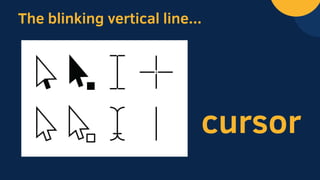
The blinking vertical line...
cursor
TYPING KEYS
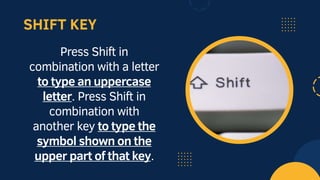
SHIFT KEY
Press Shift in
combination with a letter
to type an uppercase
letter. Press Shift in
combination with
another key to type the
symbol shown on the
upper part of that key.
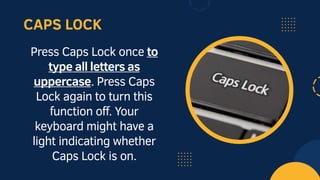
CAPS LOCK
Press Caps Lock once to
type all letters as
uppercase. Press Caps
Lock again to turn this
function off. Your
keyboard might have a
light indicating whether
Caps Lock is on.
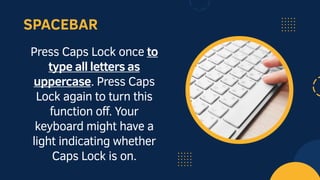
SPACEBAR
Press Caps Lock once to
type all letters as
uppercase. Press Caps
Lock again to turn this
function off. Your
keyboard might have a
light indicating whether
Caps Lock is on.
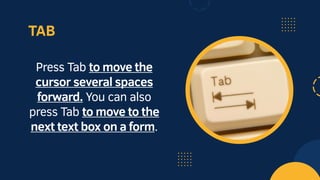
TAB
Press Tab to move the
cursor several spaces
forward. You can also
press Tab to move to the
next text box on a form.
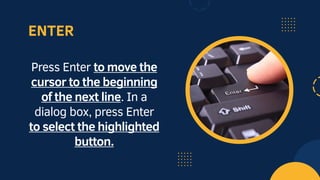
ENTER
Press Enter to move the
cursor to the beginning
of the next line. In a
dialog box, press Enter
to select the highlighted
button.
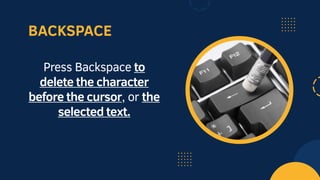
BACKSPACE
Press Backspace to
delete the character
before the cursor, or the
selected text.
USING KEYBOARD
SHORTCUTS
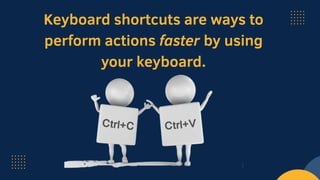
Keyboard shortcuts are ways to
perform actions faster by using
your keyboard.
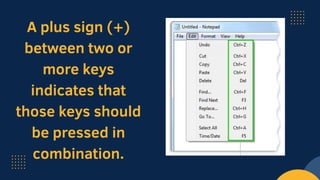
A plus sign (+)
between two or
more keys
indicates that
those keys should
be pressed in
combination.
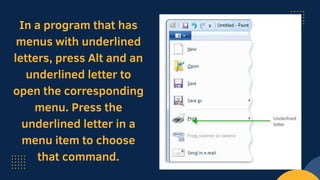
In a program that has
menus with underlined
letters, press Alt and an
underlined letter to
open the corresponding
menu. Press the
underlined letter in a
menu item to choose
that command.
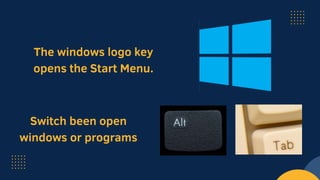
The windows logo key
opens the Start Menu.
Switch been open
windows or programs
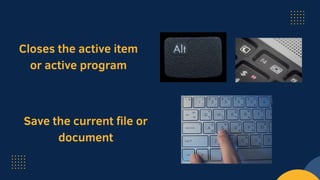
Closes the active item
or active program
Save the current file or
document
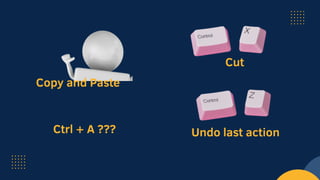
Copy and Paste
Ctrl + A ???
Cut
Undo last action
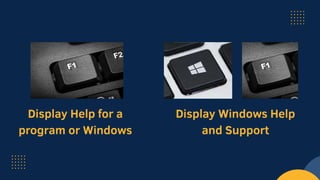
Display Help for a
program or Windows
Display Windows Help
and Support
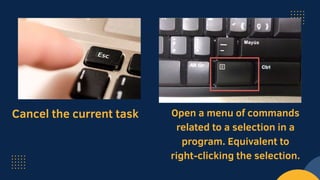
Cancel the current task Open a menu of commands
related to a selection in a
program. Equivalent to
right-clicking the selection.
USING NAVIGATION
KEYS
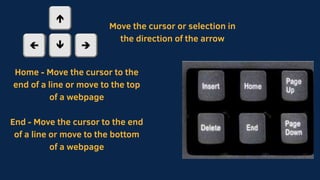
Move the cursor or selection in
the direction of the arrow
Home - Move the cursor to the
end of a line or move to the top
of a webpage
End - Move the cursor to the end
of a line or move to the bottom
of a webpage
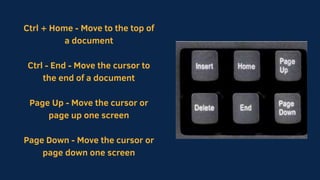
Ctrl + Home - Move to the top of
a document
Ctrl - End - Move the cursor to
the end of a document
Page Up - Move the cursor or
page up one screen
Page Down - Move the cursor or
page down one screen
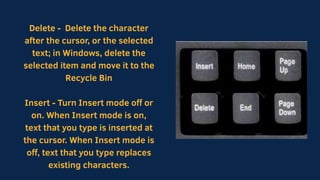
Delete - Delete the character
after the cursor, or the selected
text; in Windows, delete the
selected item and move it to the
Recycle Bin
Insert - Turn Insert mode off or
on. When Insert mode is on,
text that you type is inserted at
the cursor. When Insert mode is
off, text that you type replaces
existing characters.
NUMERIC KEYPAD
THREE ODD KEYS
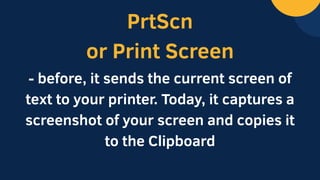
PrtScn
or Print Screen
- before, it sends the current screen of
text to your printer. Today, it captures a
screenshot of your screen and copies it
to the Clipboard
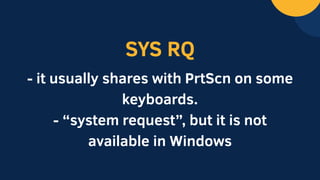
SYS RQ
- it usually shares with PrtScn on some
keyboards.
- “system request”, but it is not
available in Windows
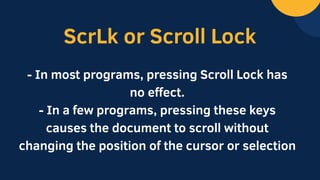
ScrLk or Scroll Lock
- In most programs, pressing Scroll Lock has
no effect.
- In a few programs, pressing these keys
causes the document to scroll without
changing the position of the cursor or selection
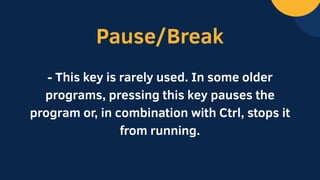
Pause/Break
- This key is rarely used. In some older
programs, pressing this key pauses the
program or, in combination with Ctrl, stops it
from running.
TIPS FOR USING YOUR
KEYBOARD
The Keyboard, Its Parts and Basic F.pptx

The Keyboard, Its Parts and Basic F.pptx

  • 1.
    Let's Get toKnow Your Keyboard
  • 3.
    How the keysare organized 1 TYPING (ALPHANUMERIC KEYS) • These keys include the same letter, number, punctuation, and symbol keys found on a traditional typewriter.
  • 4.
    How the keysare organized 2 CONTROL KEYS • These keys are used alone or in combination with other keys to perform certain actions. The most frequently used control keys are Ctrl, Alt, the Windows logo key , and Esc.
  • 5.
    How the keysare organized 3 FUNCTION KEYS • The function keys are used to perform specific tasks. They are labeled as F1, F2, F3, and so on, up to F12. The functionality of these keys differs from program to program.
  • 6.
    How the keysare organized 4 NAVIGATION KEYS • These keys are used for moving around in documents or webpages and editing text. They include the arrow keys, Home, End, Page Up, Page Down, Delete, and Insert.
  • 7.
    How the keysare organized 5 NUMERIC KEYPAD • The numeric keypad is handy for entering numbers quickly. The keys are grouped together in a block like a conventional calculator or adding machine.
  • 8.
    The blinking verticalline... cursor
  • 9.
  • 10.
    SHIFT KEY Press Shiftin combination with a letter to type an uppercase letter. Press Shift in combination with another key to type the symbol shown on the upper part of that key.
  • 11.
    CAPS LOCK Press CapsLock once to type all letters as uppercase. Press Caps Lock again to turn this function off. Your keyboard might have a light indicating whether Caps Lock is on.
  • 12.
    SPACEBAR Press Caps Lockonce to type all letters as uppercase. Press Caps Lock again to turn this function off. Your keyboard might have a light indicating whether Caps Lock is on.
  • 13.
    TAB Press Tab tomove the cursor several spaces forward. You can also press Tab to move to the next text box on a form.
  • 14.
    ENTER Press Enter tomove the cursor to the beginning of the next line. In a dialog box, press Enter to select the highlighted button.
  • 15.
    BACKSPACE Press Backspace to deletethe character before the cursor, or the selected text.
  • 16.
  • 17.
    Keyboard shortcuts areways to perform actions faster by using your keyboard.
  • 18.
    A plus sign(+) between two or more keys indicates that those keys should be pressed in combination.
  • 19.
    In a programthat has menus with underlined letters, press Alt and an underlined letter to open the corresponding menu. Press the underlined letter in a menu item to choose that command.
  • 20.
    The windows logokey opens the Start Menu. Switch been open windows or programs
  • 21.
    Closes the activeitem or active program Save the current file or document
  • 22.
    Copy and Paste Ctrl+ A ??? Cut Undo last action
  • 23.
    Display Help fora program or Windows Display Windows Help and Support
  • 24.
    Cancel the currenttask Open a menu of commands related to a selection in a program. Equivalent to right-clicking the selection.
  • 25.
  • 26.
    Move the cursoror selection in the direction of the arrow Home - Move the cursor to the end of a line or move to the top of a webpage End - Move the cursor to the end of a line or move to the bottom of a webpage
  • 27.
    Ctrl + Home- Move to the top of a document Ctrl - End - Move the cursor to the end of a document Page Up - Move the cursor or page up one screen Page Down - Move the cursor or page down one screen
  • 28.
    Delete - Deletethe character after the cursor, or the selected text; in Windows, delete the selected item and move it to the Recycle Bin Insert - Turn Insert mode off or on. When Insert mode is on, text that you type is inserted at the cursor. When Insert mode is off, text that you type replaces existing characters.
  • 29.
  • 31.
  • 32.
    PrtScn or Print Screen -before, it sends the current screen of text to your printer. Today, it captures a screenshot of your screen and copies it to the Clipboard
  • 33.
    SYS RQ - itusually shares with PrtScn on some keyboards. - “system request”, but it is not available in Windows
  • 34.
    ScrLk or ScrollLock - In most programs, pressing Scroll Lock has no effect. - In a few programs, pressing these keys causes the document to scroll without changing the position of the cursor or selection
  • 35.
    Pause/Break - This keyis rarely used. In some older programs, pressing this key pauses the program or, in combination with Ctrl, stops it from running.
  • 36.
    TIPS FOR USINGYOUR KEYBOARD