jQuery
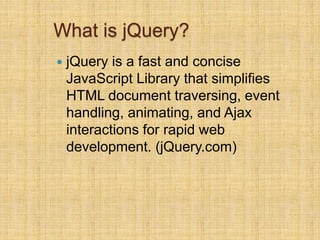
What is jQuery?
 jQuery is a fast and concise
JavaScript Library that simplifies
HTML document traversing, event
handling, animating, and Ajax
interactions for rapid web
development. (jQuery.com)
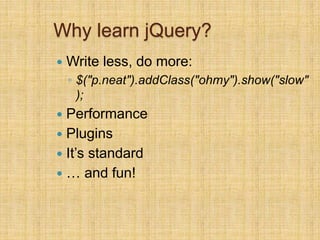
Why learn jQuery?
 Write less, do more:
◦ $("p.neat").addClass("ohmy").show("slow"
);
 Performance
 Plugins
 It’s standard
 … and fun!
Example: Show/Hide Button
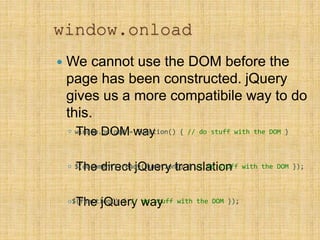
window.onload
 We cannot use the DOM before the
page has been constructed. jQuery
gives us a more compatibile way to do
this.
◦ The DOM way
◦ The direct jQuery translation
◦ The jQuery way
window.onload = function() { // do stuff with the DOM }
$(document).ready(function() { // do stuff with the DOM });
$(function() { // do stuff with the DOM });
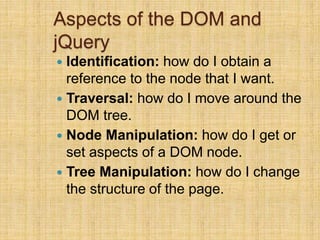
Aspects of the DOM and
jQuery
 Identification: how do I obtain a
reference to the node that I want.
 Traversal: how do I move around the
DOM tree.
 Node Manipulation: how do I get or
set aspects of a DOM node.
 Tree Manipulation: how do I change
the structure of the page.
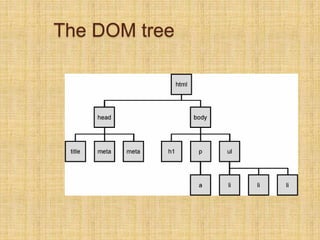
The DOM tree
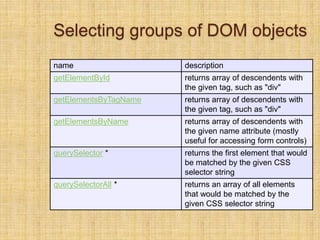
Selecting groups of DOM objects
name description
getElementById returns array of descendents with
the given tag, such as "div"
getElementsByTagName returns array of descendents with
the given tag, such as "div"
getElementsByName returns array of descendents with
the given name attribute (mostly
useful for accessing form controls)
querySelector * returns the first element that would
be matched by the given CSS
selector string
querySelectorAll * returns an array of all elements
that would be matched by the
given CSS selector string
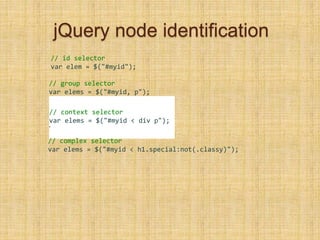
jQuery node identification
// id selector
var elem = $("#myid");
// group selector
var elems = $("#myid, p");
// context selector
var elems = $("#myid < div p");
•
// complex selector
var elems = $("#myid < h1.special:not(.classy)");
jQuery Selectors
 http://api.jquery.com/category/selector
s/
jQuery / DOM comparison
DOM method jQuery equivalent
getElementById("id") $("#id")
getElementsByTagName("tag") $("tag")
getElementsByName("somename"
)
$("[name='somename']")
querySelector("selector") $("selector")
querySelectorAll("selector") $("selector")
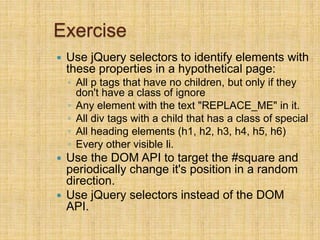
Exercise
 Use jQuery selectors to identify elements with
these properties in a hypothetical page:
◦ All p tags that have no children, but only if they
don't have a class of ignore
◦ Any element with the text "REPLACE_ME" in it.
◦ All div tags with a child that has a class of special
◦ All heading elements (h1, h2, h3, h4, h5, h6)
◦ Every other visible li.
 Use the DOM API to target the #square and
periodically change it's position in a random
direction.
 Use jQuery selectors instead of the DOM
API.
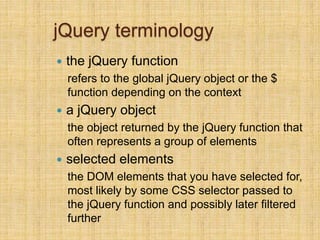
jQuery terminology
 the jQuery function
refers to the global jQuery object or the $
function depending on the context
 a jQuery object
the object returned by the jQuery function that
often represents a group of elements
 selected elements
the DOM elements that you have selected for,
most likely by some CSS selector passed to
the jQuery function and possibly later filtered
further
The jQuery object
 The $ function always (even for ID selectors)
returns an array-like object called a jQuery object.
 The jQuery object wraps the originally selected
DOM objects.
 You can access the actual DOM object by
accessing the elements of the jQuery object.
// false
document.getElementById("id") == $("#myid");
document.querySelectorAll("p") == $("p");
// true
document.getElementById("id") == $("#myid")[0];
document.getElementById("id") == $("#myid").get(0);
document.querySelectorAll("p")[0] == $("p")[0];
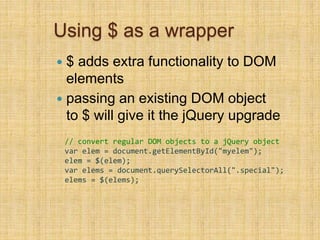
Using $ as a wrapper
 $ adds extra functionality to DOM
elements
 passing an existing DOM object
to $ will give it the jQuery upgrade
// convert regular DOM objects to a jQuery object
var elem = document.getElementById("myelem");
elem = $(elem);
var elems = document.querySelectorAll(".special");
elems = $(elems);
DOM context identification
 You can
use querySelectorAll() and querySelector() on any
DOM object.
 When you do this, it simply searches from that part
of the DOM tree downward.
 Programmatic equivalent of a CSS context selectorvar list = document.getElementsByTagName("ul")[0];
var specials = list.querySelectorAll('li.special');
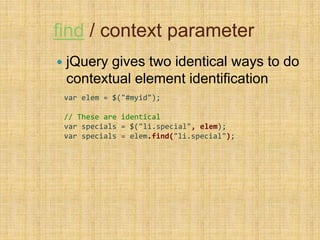
find / context parameter
 jQuery gives two identical ways to do
contextual element identification
var elem = $("#myid");
// These are identical
var specials = $("li.special", elem);
var specials = elem.find("li.special");
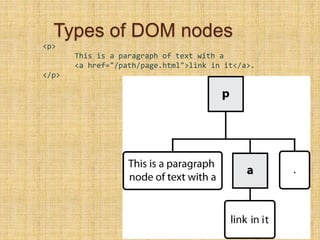
Types of DOM nodes
<p>
This is a paragraph of text with a
<a href="/path/page.html">link in it</a>.
</p>
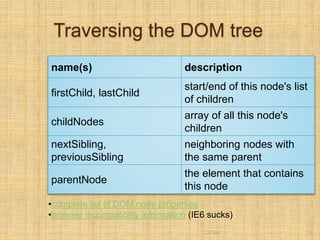
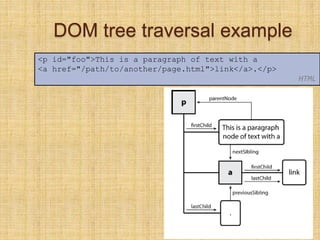
Traversing the DOM tree
name(s) description
firstChild, lastChild
start/end of this node's list
of children
childNodes
array of all this node's
children
nextSibling,
previousSibling
neighboring nodes with
the same parent
parentNode
the element that contains
this node
CS380 19
•complete list of DOM node properties
•browser incompatiblity information (IE6 sucks)
DOM tree traversal example
20
<p id="foo">This is a paragraph of text with a
<a href="/path/to/another/page.html">link</a>.</p>
HTML
CS380
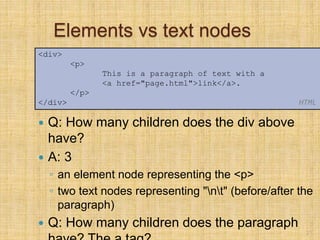
Elements vs text nodes
 Q: How many children does the div above
have?
 A: 3
◦ an element node representing the <p>
◦ two text nodes representing "nt" (before/after the
paragraph)
 Q: How many children does the paragraph
21
<div>
<p>
This is a paragraph of text with a
<a href="page.html">link</a>.
</p>
</div> HTML
jQuery traversal methods
 http://api.jquery.com/category/traversi
ng/

J query1

  • 1.
  • 2.
    What is jQuery? jQuery is a fast and concise JavaScript Library that simplifies HTML document traversing, event handling, animating, and Ajax interactions for rapid web development. (jQuery.com)
  • 3.
    Why learn jQuery? Write less, do more: ◦ $("p.neat").addClass("ohmy").show("slow" );  Performance  Plugins  It’s standard  … and fun!
  • 4.
  • 5.
    window.onload  We cannotuse the DOM before the page has been constructed. jQuery gives us a more compatibile way to do this. ◦ The DOM way ◦ The direct jQuery translation ◦ The jQuery way window.onload = function() { // do stuff with the DOM } $(document).ready(function() { // do stuff with the DOM }); $(function() { // do stuff with the DOM });
  • 6.
    Aspects of theDOM and jQuery  Identification: how do I obtain a reference to the node that I want.  Traversal: how do I move around the DOM tree.  Node Manipulation: how do I get or set aspects of a DOM node.  Tree Manipulation: how do I change the structure of the page.
  • 7.
  • 8.
    Selecting groups ofDOM objects name description getElementById returns array of descendents with the given tag, such as "div" getElementsByTagName returns array of descendents with the given tag, such as "div" getElementsByName returns array of descendents with the given name attribute (mostly useful for accessing form controls) querySelector * returns the first element that would be matched by the given CSS selector string querySelectorAll * returns an array of all elements that would be matched by the given CSS selector string
  • 9.
    jQuery node identification //id selector var elem = $("#myid"); // group selector var elems = $("#myid, p"); // context selector var elems = $("#myid < div p"); • // complex selector var elems = $("#myid < h1.special:not(.classy)");
  • 10.
  • 11.
    jQuery / DOMcomparison DOM method jQuery equivalent getElementById("id") $("#id") getElementsByTagName("tag") $("tag") getElementsByName("somename" ) $("[name='somename']") querySelector("selector") $("selector") querySelectorAll("selector") $("selector")
  • 12.
    Exercise  Use jQueryselectors to identify elements with these properties in a hypothetical page: ◦ All p tags that have no children, but only if they don't have a class of ignore ◦ Any element with the text "REPLACE_ME" in it. ◦ All div tags with a child that has a class of special ◦ All heading elements (h1, h2, h3, h4, h5, h6) ◦ Every other visible li.  Use the DOM API to target the #square and periodically change it's position in a random direction.  Use jQuery selectors instead of the DOM API.
  • 13.
    jQuery terminology  thejQuery function refers to the global jQuery object or the $ function depending on the context  a jQuery object the object returned by the jQuery function that often represents a group of elements  selected elements the DOM elements that you have selected for, most likely by some CSS selector passed to the jQuery function and possibly later filtered further
  • 14.
    The jQuery object The $ function always (even for ID selectors) returns an array-like object called a jQuery object.  The jQuery object wraps the originally selected DOM objects.  You can access the actual DOM object by accessing the elements of the jQuery object. // false document.getElementById("id") == $("#myid"); document.querySelectorAll("p") == $("p"); // true document.getElementById("id") == $("#myid")[0]; document.getElementById("id") == $("#myid").get(0); document.querySelectorAll("p")[0] == $("p")[0];
  • 15.
    Using $ asa wrapper  $ adds extra functionality to DOM elements  passing an existing DOM object to $ will give it the jQuery upgrade // convert regular DOM objects to a jQuery object var elem = document.getElementById("myelem"); elem = $(elem); var elems = document.querySelectorAll(".special"); elems = $(elems);
  • 16.
    DOM context identification You can use querySelectorAll() and querySelector() on any DOM object.  When you do this, it simply searches from that part of the DOM tree downward.  Programmatic equivalent of a CSS context selectorvar list = document.getElementsByTagName("ul")[0]; var specials = list.querySelectorAll('li.special');
  • 17.
    find / contextparameter  jQuery gives two identical ways to do contextual element identification var elem = $("#myid"); // These are identical var specials = $("li.special", elem); var specials = elem.find("li.special");
  • 18.
    Types of DOMnodes <p> This is a paragraph of text with a <a href="/path/page.html">link in it</a>. </p>
  • 19.
    Traversing the DOMtree name(s) description firstChild, lastChild start/end of this node's list of children childNodes array of all this node's children nextSibling, previousSibling neighboring nodes with the same parent parentNode the element that contains this node CS380 19 •complete list of DOM node properties •browser incompatiblity information (IE6 sucks)
  • 20.
    DOM tree traversalexample 20 <p id="foo">This is a paragraph of text with a <a href="/path/to/another/page.html">link</a>.</p> HTML CS380
  • 21.
    Elements vs textnodes  Q: How many children does the div above have?  A: 3 ◦ an element node representing the <p> ◦ two text nodes representing "nt" (before/after the paragraph)  Q: How many children does the paragraph 21 <div> <p> This is a paragraph of text with a <a href="page.html">link</a>. </p> </div> HTML
  • 22.
    jQuery traversal methods http://api.jquery.com/category/traversi ng/

Editor's Notes

  • #4 That little snippet loops through all <p> elements with the class "neat" and then adds the class "ohmy" to it, whilst slowly showing the paragraph in an animated effect. No browser checks, no loop code, no complex animation functions, just one line of code!