Learning

      jQuery
         in 30 minutes
Simon Willison     http://simonwillison.net/
BarCamp London 3      24th November 2007
What is it?
• A JavaScript library, just like...
  • Prototype
  • YUI
  • Dojo
  • mooTools
Why jQuery instead of...?

•   Unlike Prototype and mooTools...

    •   ... it doesn’t interfere with your global namespace

•   Unlike YUI...

    •   ... it’s extremely succinct

•   Unlike Dojo...

    •   ... you can learn it in half an hour!
jQuery philosophy

• Focus on the interaction between JavaScript
  and HTML
• (Almost) every operation boils down to:
 • Find some stuff
 • Do something to it
Only one function!
• Absolutely everything* starts with a call to
  the jQuery() function
• Since it’s called so often, the $ variable is set
  up as an alias to jQuery
• If you’re also using another library you can
  revert to the previous $ function with
  jQuery.noConflict();

                 * not entirely true
jQuery('#nav')

jQuery('div#intro h2')

jQuery('#nav li.current a')
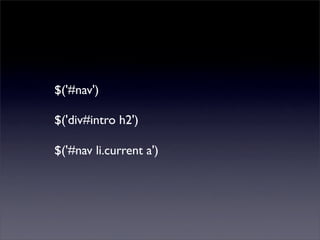
$('#nav')

$('div#intro h2')

$('#nav li.current a')
CSS 2 and 3 selectors
a[rel]
a[rel="friend"]
a[href^="http://"]
ul#nav > li
li#current ~ li (li siblings that follow #current)
li:first-child, li:last-child, li:nth-child(3)
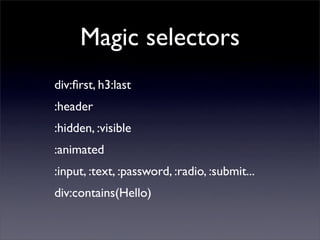
Magic selectors
div:first, h3:last
:header
:hidden, :visible
:animated
:input, :text, :password, :radio, :submit...
div:contains(Hello)
jQuery collections
• $('div.section') returns a jQuery collection
• You can call treat it like an array
     $('div.section').length = no. of matched elements
     $('div.section')[0] - the first div DOM element
     $('div.section')[1]
     $('div.section')[2]
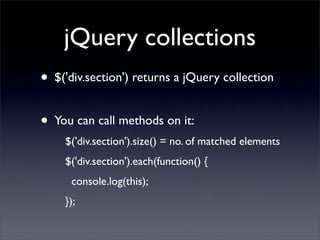
jQuery collections
• $('div.section') returns a jQuery collection
• You can call methods on it:
    $('div.section').size() = no. of matched elements
    $('div.section').each(function() {
      console.log(this);
    });
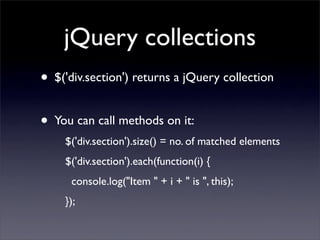
jQuery collections
• $('div.section') returns a jQuery collection
• You can call methods on it:
    $('div.section').size() = no. of matched elements
    $('div.section').each(function(i) {
      console.log("Item " + i + " is ", this);
    });
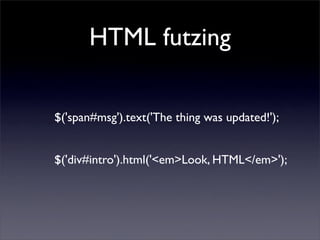
HTML futzing

$('span#msg').text('The thing was updated!');


$('div#intro').html('<em>Look, HTML</em>');
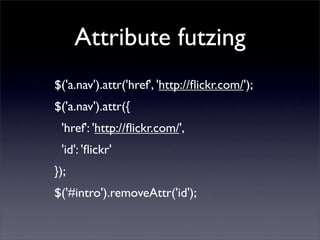
Attribute futzing
$('a.nav').attr('href', 'http://flickr.com/');
$('a.nav').attr({
 'href': 'http://flickr.com/',
 'id': 'flickr'
});
$('#intro').removeAttr('id');
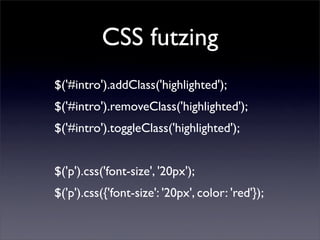
CSS futzing
$('#intro').addClass('highlighted');
$('#intro').removeClass('highlighted');
$('#intro').toggleClass('highlighted');


$('p').css('font-size', '20px');
$('p').css({'font-size': '20px', color: 'red'});
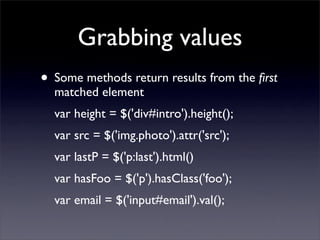
Grabbing values
• Some methods return results from the first
  matched element
  var height = $('div#intro').height();
  var src = $('img.photo').attr('src');
  var lastP = $('p:last').html()
  var hasFoo = $('p').hasClass('foo');
  var email = $('input#email').val();
Traversing the DOM
• jQuery provides enhanced methods for
  traversing the DOM
  $('div.section').parent()
  $('div.section').next()
  $('div.section').prev()
  $('div.section').nextAll('div')
  $('h1:first').parents()
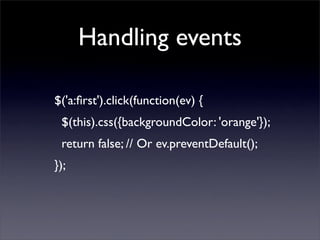
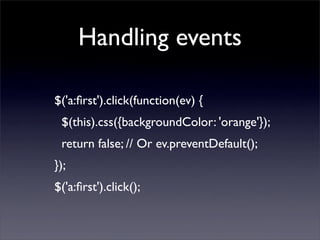
Handling events

$('a:first').click(function(ev) {
 $(this).css({backgroundColor: 'orange'});
 return false; // Or ev.preventDefault();
});
Handling events

$('a:first').click(function(ev) {
 $(this).css({backgroundColor: 'orange'});
 return false; // Or ev.preventDefault();
});
$('a:first').click();
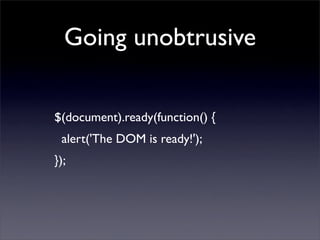
Going unobtrusive

$(document).ready(function() {
 alert('The DOM is ready!');
});
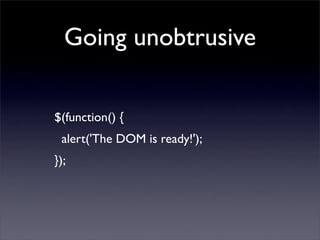
Going unobtrusive

$(function() {
 alert('The DOM is ready!');
});
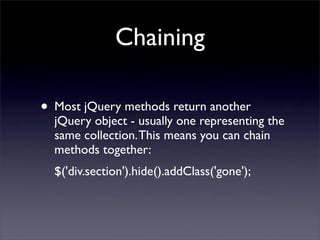
Chaining

• Most jQuery methods return another
  jQuery object - usually one representing the
  same collection. This means you can chain
  methods together:
  $('div.section').hide().addClass('gone');
Advanced chaining
• Some methods return a different collection
• You can call .end() to revert to the previous
  collection
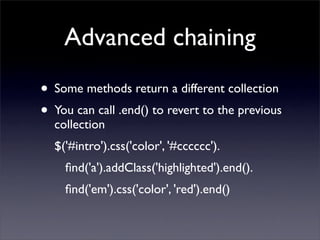
Advanced chaining
• Some methods return a different collection
• You can call .end() to revert to the previous
  collection
  $('#intro').css('color', '#cccccc').
    find('a').addClass('highlighted').end().
    find('em').css('color', 'red').end()
Ajax
•   jQuery has excellent support for Ajax
      $('div#intro').load('/some/file.html');

•   More advanced methods include:
      $.get(url, params, callback)
      $.post(url, params, callback)
      $.getJSON(url, params, callback)
      $.getScript(url, callback)
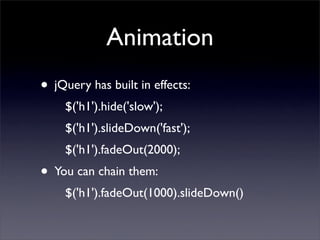
Animation
• jQuery has built in effects:
    $('h1').hide('slow');
    $('h1').slideDown('fast');
    $('h1').fadeOut(2000);
• You can chain them:
    $('h1').fadeOut(1000).slideDown()
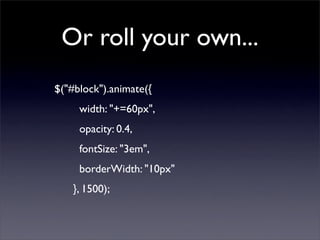
Or roll your own...
$("#block").animate({
     width: "+=60px",
     opacity: 0.4,
     fontSize: "3em",
     borderWidth: "10px"
    }, 1500);
Plugins
• jQuery is extensible through plugins, which
  can add new methods to the jQuery object


  • Form: better form manipulation
  • UI: drag and drop and widgets
  • $('img[@src$=.png]').ifixpng()
  • ... dozens more
jQuery.fn.hideLinks = function() {
    this.find('a[href]').hide();
    return this;
}


$('p').hideLinks();
jQuery.fn.hideLinks = function() {
    return this.find('a[href]').hide().end();
}


$('p').hideLinks();
Further reading

•   http://jquery.com/
•   http://docs.jquery.com/
•   http://visualjquery.com/ - API reference
•   http://simonwillison.net/tags/jquery/

Learning jquery-in-30-minutes-1195942580702664-3