Gil Fink
Senior Architect
SELA
jQuery
Fundamentals
www.devconnections.com
JQUERY FUNDAMENTALS
AGENDA
 Introduction to jQuery
 Selectors
 DOM Interactions
 Ajax Support
 Plugins
www.devconnections.com
JQUERY FUNDAMENTALS
WHAT IS JQUERY?
 Open-Source and lightweight JavaScript
library
 Cross-browser support
 DOM interaction
 Ajax
 Provides useful alternatives for common
programming tasks (CSS, HTML)
 Rich plugins eco-system
3
www.devconnections.com
JQUERY FUNDAMENTALS
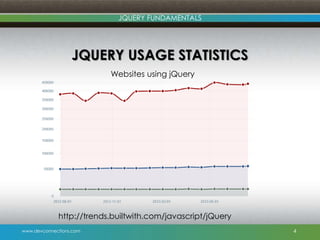
JQUERY USAGE STATISTICS
4
http://trends.builtwith.com/javascript/jQuery
Websites using jQuery
www.devconnections.com
JQUERY FUNDAMENTALS
GETTING STARTED
 Download the latest version from
http://www.jquery.com
 Reference the jQuery script
 jQuery can be found on major CDNs
(Google, Microsoft)
5
<script type=„text/javascript‟ src=„jquery.min.js‟></script>
<script type=„text/javascript‟
src=„http://ajax.googleapis.com/ajax/libs/jquery/[version –
number]/jquery.min.js‟></script>
www.devconnections.com
JQUERY FUNDAMENTALS
DEMO
Setting up the environment
www.devconnections.com
JQUERY FUNDAMENTALS
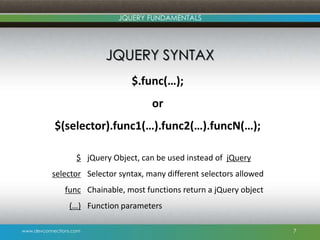
JQUERY SYNTAX
7
$.func(…);
or
$(selector).func1(…).func2(…).funcN(…);
jQuery Object, can be used instead of jQuery
Selector syntax, many different selectors allowed
Chainable, most functions return a jQuery object
Function parameters
$
selector
func
(…)
www.devconnections.com
JQUERY FUNDAMENTALS
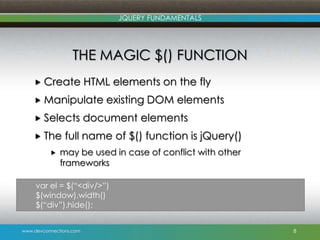
THE MAGIC $() FUNCTION
 Create HTML elements on the fly
 Manipulate existing DOM elements
 Selects document elements
 The full name of $() function is jQuery()
 may be used in case of conflict with other
frameworks
8
var el = $(“<div/>”)
$(window).width()
$(“div”).hide();
www.devconnections.com
JQUERY FUNDAMENTALS
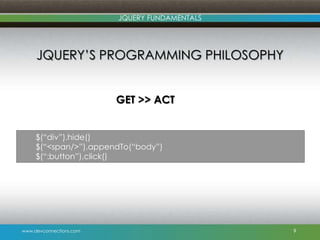
JQUERY‟S PROGRAMMING PHILOSOPHY
GET >> ACT
9
$(“div”).hide()
$(“<span/>”).appendTo(“body”)
$(“:button”).click()
www.devconnections.com
JQUERY FUNDAMENTALS
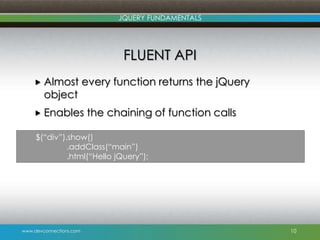
FLUENT API
 Almost every function returns the jQuery
object
 Enables the chaining of function calls
10
$(“div”).show()
.addClass(“main”)
.html(“Hello jQuery”);
www.devconnections.com
JQUERY FUNDAMENTALS
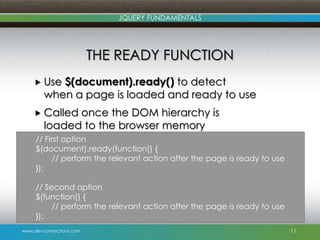
THE READY FUNCTION
 Use $(document).ready() to detect
when a page is loaded and ready to use
 Called once the DOM hierarchy is
loaded to the browser memory
11
// First option
$(document).ready(function() {
// perform the relevant action after the page is ready to use
});
// Second option
$(function() {
// perform the relevant action after the page is ready to use
});
www.devconnections.com
JQUERY FUNDAMENTALS
DEMO
The ready Function
www.devconnections.com
JQUERY FUNDAMENTALS
JQUERY SELECTORS
 Selectors allow the selection of page
elements
 Single or multiple elements are
supported
 A selector identifies an HTML element
that will be manipulated later on with
jQuery code
13
www.devconnections.com
JQUERY FUNDAMENTALS
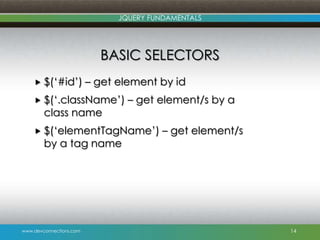
BASIC SELECTORS
 $(„#id‟) – get element by id
 $(„.className‟) – get element/s by a
class name
 $(„elementTagName‟) – get element/s
by a tag name
14
www.devconnections.com
JQUERY FUNDAMENTALS
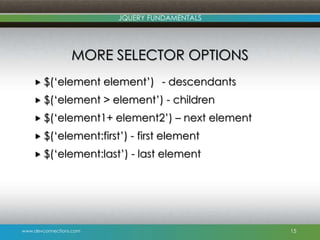
MORE SELECTOR OPTIONS
 $(„element element‟) - descendants
 $(„element > element‟) - children
 $(„element1+ element2‟) – next element
 $(„element:first‟) - first element
 $(„element:last‟) - last element
15
www.devconnections.com
JQUERY FUNDAMENTALS
MORE SELECTOR OPTIONS
 $(“element[attributeName]”) - has attribute
 $(“element[attributeName=„attributeValue‟]”)
- equals to
 $(“element[attributeName^=„attributeValue‟]”
) - starts with
 $(“element[attrinuteName$=„attributeValue‟]”)
- ends with
 $(“element[attributeName*=„attributeValue‟]”)
- contains
16
www.devconnections.com
JQUERY FUNDAMENTALS
DEMO
Selectors
www.devconnections.com
JQUERY FUNDAMENTALS
DOM TRAVERSAL
 jQuery has a variety of DOM traversal
functions
 The functions help to select DOM elements
 Offer a great deal of flexibility
 Allow to act upon multiple sets of elements in a
single chain
 Can be combined with Selectors to create
an extremely powerful selection toolset
18
www.devconnections.com
JQUERY FUNDAMENTALS
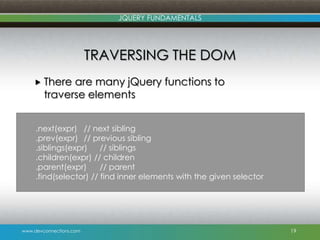
TRAVERSING THE DOM
 There are many jQuery functions to
traverse elements
19
.next(expr) // next sibling
.prev(expr) // previous sibling
.siblings(expr) // siblings
.children(expr) // children
.parent(expr) // parent
.find(selector) // find inner elements with the given selector
www.devconnections.com
JQUERY FUNDAMENTALS
DEMO
DOM Traversal
www.devconnections.com
JQUERY FUNDAMENTALS
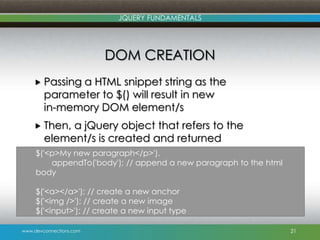
DOM CREATION
 Passing a HTML snippet string as the
parameter to $() will result in new
in-memory DOM element/s
 Then, a jQuery object that refers to the
element/s is created and returned
21
$('<p>My new paragraph</p>').
appendTo('body'); // append a new paragraph to the html
body
$('<a></a>'); // create a new anchor
$('<img />'); // create a new image
$('<input>'); // create a new input type
www.devconnections.com
JQUERY FUNDAMENTALS
DEMO
DOM Creation
www.devconnections.com
JQUERY FUNDAMENTALS
DOM MANIPULATION
 jQuery includes ways to manipulate the
DOM
 The manipulation can be:
 To change one of the element‟s attributes
 Set an element's style properties
 And even modify the entire elements
23
www.devconnections.com
JQUERY FUNDAMENTALS
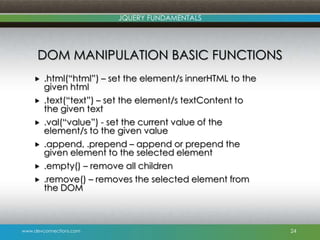
DOM MANIPULATION BASIC FUNCTIONS
 .html(“html”) – set the element/s innerHTML to the
given html
 .text(“text”) – set the element/s textContent to
the given text
 .val(“value”) - set the current value of the
element/s to the given value
 .append, .prepend – append or prepend the
given element to the selected element
 .empty() – remove all children
 .remove() – removes the selected element from
the DOM
24
www.devconnections.com
JQUERY FUNDAMENTALS
DEMO
DOM Manipulation
www.devconnections.com
JQUERY FUNDAMENTALS
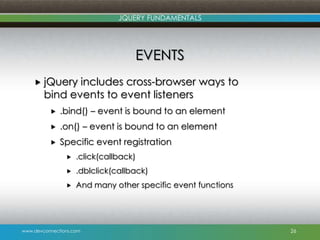
EVENTS
 jQuery includes cross-browser ways to
bind events to event listeners
 .bind() – event is bound to an element
 .on() – event is bound to an element
 Specific event registration
 .click(callback)
 .dblclick(callback)
 And many other specific event functions
26
www.devconnections.com
JQUERY FUNDAMENTALS
DEMO
Working with Events
www.devconnections.com
JQUERY FUNDAMENTALS
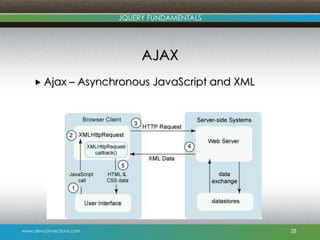
AJAX
 Ajax – Asynchronous JavaScript and XML
28
www.devconnections.com
JQUERY FUNDAMENTALS
JQUERY AJAX FUNCTIONS
 jQuery allows Ajax requests:
 Allow partial rendering
 Cross-browser support
 Simple API
 GET and POST support
 Load JSON, XML, HTML or even scripts
29
www.devconnections.com
JQUERY FUNDAMENTALS
JQUERY AJAX FUNCTIONS – CONT.
 jQuery provides functions for sending and
receiving data:
 $(selector).load – load HTML data from the server
 $.get() and $.post() – get raw data from the server
 $.getJSON() – get/post and return data in JSON
format
 $.ajax() – provide core functionality for Ajax requests
 jQuery Ajax functions work with web services,
REST interfaces and more
30
www.devconnections.com
JQUERY FUNDAMENTALS
DEMO
Ajax
www.devconnections.com
JQUERY FUNDAMENTALS
PLUGINS
 jQuery eco-system includes a big variety of
plugins
 jQueryUI – widgets/animation/UI interaction
 jqGrid – grid based on jQuery
 jqTree – tree based on jQuery
 And more
 You can write your own plugin by assigning it
to $.fn
 Remember to return jQuery in order to allow
chaining
32
www.devconnections.com
JQUERY FUNDAMENTALS
DEMO
Writing a Simple Plugin
www.devconnections.com
JQUERY FUNDAMENTALS
PERFORMANCE TIPS
 Use chaining as much as possible
 DOM manipulation is expensive
 Cache selected elements if you need to use
them later
 Selector performance (from fastest to
slowest):
 Id
 Element
 Class
 Pseudo
34
www.devconnections.com
JQUERY FUNDAMENTALS
QUESTIONS
www.devconnections.com
JQUERY FUNDAMENTALS
SUMMARY
 jQuery is an open source, cross-browser
and lightweight JavaScript library
 It includes a huge plugins eco-system
 It brings a lot of fun for JavaScript
development
www.devconnections.com
JQUERY FUNDAMENTALS
RESOURCES
 Session slide deck and demos –
http://sdrv.ms/1e4J2sM
 jQuery Website – http://www.jquery.com
 My Website – http://www.gilfink.net
 Follow me on Twitter – @gilfink
www.devconnections.com
JQUERY FUNDAMENTALS
THANK YOU
Gil Fink
Senior Architect
gilf@sela.co.il
@gilfink
http://www.gilfink.net

jQuery Fundamentals