


SIXTH SENSE
TECHNOLOGY
PRESENTED BY:
MAYANK SINGH
SHUBHAM SHARMA
SACHIN SHUKLA
RAHUL KUMAR
MANISH UPADHYAY
CONTENT
 INTRODUCTION
 COMPONENTS
 WORKING
 IMPLEMENTATION
 APPLICATIONS
 ADVANTAGES
 FUTURE ENHANCEMENTS
 REFERENCES
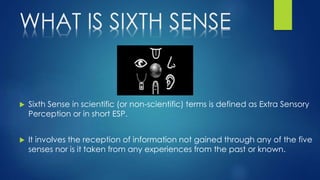
WHAT IS SIXTH SENSE
 Sixth Sense in scientific (or non-scientific) terms is defined as Extra Sensory
Perception or in short ESP.
 It involves the reception of information not gained through any of the five
senses nor is it taken from any experiences from the past or known.
EARLIER SIXTH SENSE
PROTOTYPE
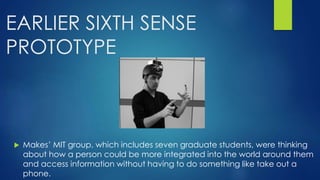
 Makes’ MIT group, which includes seven graduate students, were thinking
about how a person could be more integrated into the world around them
and access information without having to do something like take out a
phone.
 They initially produced a wristband that would read an Radio
Frequency Identification tag.
 They also had a ring that used infrared to communicate by
beacon to supermarket smart shelves to give you information
about products.
 They wanted to make information more useful to people in real
time with minimal effort in a way that doesn’t require any
behaviour changes.
 They started with a larger projector that was mounted on a
helmet.
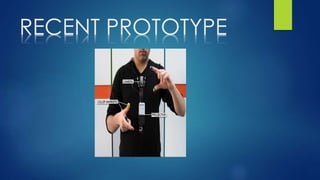
RECENT PROTOTYPE
INTRODUCTION
 Sixth Sense Is a wearable GESTURAL INTERFACE
DEVICE that augmented the physical world with
digital information
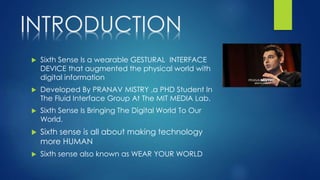
 Developed By PRANAV MISTRY ,a PHD Student In
The Fluid Interface Group At The MIT MEDIA Lab.
 Sixth Sense Is Bringing The Digital World To Our
World.
 Sixth sense is all about making technology
more HUMAN
 Sixth sense also known as WEAR YOUR WORLD
COMPONENTS
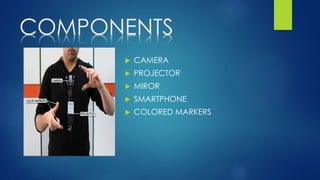
 CAMERA
 PROJECTOR
 MIROR
 SMARTPHONE
 COLORED MARKERS
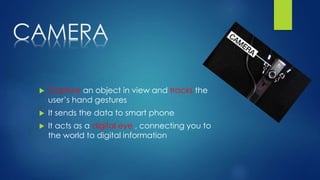
CAMERA
 Capture an object in view and tracks the
user’s hand gestures
 It sends the data to smart phone
 It acts as a digital eye , connecting you to
the world to digital information
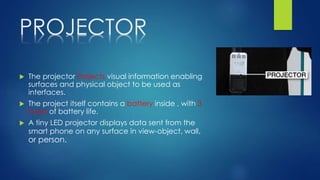
PROJECTOR
 The projector Projects visual information enabling
surfaces and physical object to be used as
interfaces.
 The project itself contains a battery inside , with 3
hours of battery life.
 A tiny LED projector displays data sent from the
smart phone on any surface in view-object, wall,
or person.
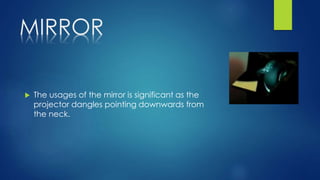
MIRROR
 The usages of the mirror is significant as the
projector dangles pointing downwards from
the neck.
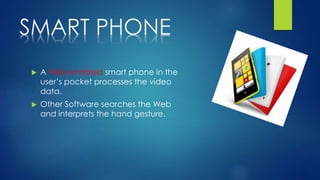
SMART PHONE
 A Web-enabled smart phone in the
user’s pocket processes the video
data.
 Other Software searches the Web
and interprets the hand gesture.
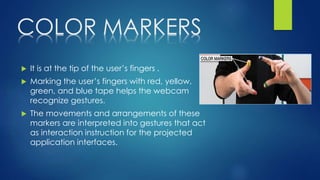
COLOR MARKERS
 It is at the tip of the user’s fingers .
 Marking the user’s fingers with red, yellow,
green, and blue tape helps the webcam
recognize gestures.
 The movements and arrangements of these
markers are interpreted into gestures that act
as interaction instruction for the projected
application interfaces.
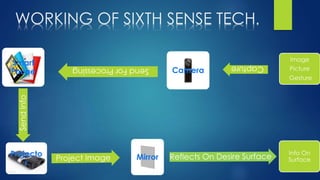
WORKING OF SIXTH SENSE TECH.
Smart
Phone Camera
Image
Picture
Gesture
Projecto
r
Mirror
Info On
Surface
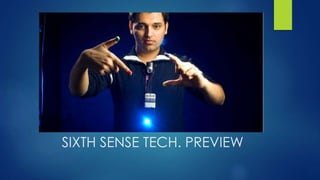
SIXTH SENSE TECH. PREVIEW
WORKING
 The hardware that makes Sixth Sense work is a pendant like mobile
wearable interface
 It has a camera, a mirror and a projector and is connected wirelessly
to a Bluetooth or 3G or wifi smart phone that can slip comfortably into
one’s pocket
 The camera recognizes individuals, images, pictures, gestures one
makes with their hands
 Information is sent to the Smartphone for processing
 The downward-facing projector projects the output image on to the
mirror
 Mirror reflects image on to the desired surface
IMPLEMENTATION
 The Cost Of Hardware Is 350$.
 The Software Of Sixth Sense Technology is Open Source.
 The Source Code Of Software Is Given At
http://www.pranavmistry.com/projects/sixthsense/
 The Software Programs are written in C++, C#.
 The Software Can Install In 32-Bit Operating System
SOFTWARE
 WUW v0.1 beta
 WUW_v0.1 is the beta version of Sixth Sense code (WUW
stands for Wear Ur World, a former name of the project).
This version runs on Windows.
 Microsoft DirectX
 Microsoft Visual Studio.
 Adobe Flash Player
 Microsoft Outlook
APPLICATIONS
 Make a call
 Call up a map
 Check the time
 Create multimedia reading experience
 Drawing application
 Zooming features
 Get product information
 Get book information
 Get flight updates
 Feed information on people
 Take pictures
 Check the email
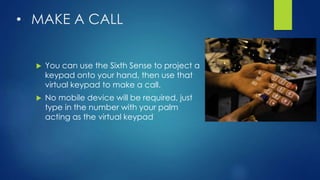
• MAKE A CALL
 You can use the Sixth Sense to project a
keypad onto your hand, then use that
virtual keypad to make a call.
 No mobile device will be required, just
type in the number with your palm
acting as the virtual keypad
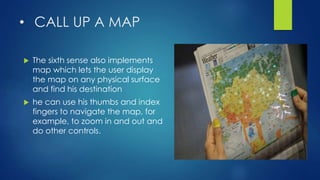
• CALL UP A MAP
 The sixth sense also implements
map which lets the user display
the map on any physical surface
and find his destination
 he can use his thumbs and index
fingers to navigate the map, for
example, to zoom in and out and
do other controls.
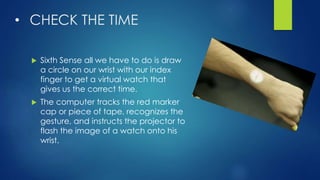
• CHECK THE TIME
 Sixth Sense all we have to do is draw
a circle on our wrist with our index
finger to get a virtual watch that
gives us the correct time.
 The computer tracks the red marker
cap or piece of tape, recognizes the
gesture, and instructs the projector to
flash the image of a watch onto his
wrist.
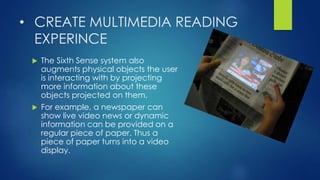
• CREATE MULTIMEDIA READING
EXPERINCE
 The Sixth Sense system also
augments physical objects the user
is interacting with by projecting
more information about these
objects projected on them.
 For example, a newspaper can
show live video news or dynamic
information can be provided on a
regular piece of paper. Thus a
piece of paper turns into a video
display.
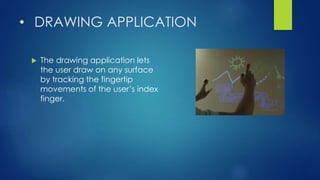
• DRAWING APPLICATION
 The drawing application lets
the user draw on any surface
by tracking the fingertip
movements of the user’s index
finger.
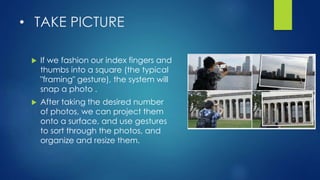
• TAKE PICTURE
 If we fashion our index fingers and
thumbs into a square (the typical
"framing" gesture), the system will
snap a photo .
 After taking the desired number
of photos, we can project them
onto a surface, and use gestures
to sort through the photos, and
organize and resize them.
ADVANTAGES
 Sixth Sense is an user friendly interface which integrates digital
information into the physical world and its objects, making the
entire world your computer.
 Sixth Sense does not change human habits but causes computer
and other machines to adapt to human needs.
 It uses hand gestures to interact with digital information.
 Supports multi-touch and multi-user interaction
 Data access directly from machine in real time
 It is an open source and cost effective and we can mind map the
idea anywhere
 It is an open source and cost effective and we can mind
map the idea anywhere
 It is gesture-controlled wearable computing device that
feeds our relevant information and turns any surface into
an interactive display.
 It is portable and easy to carry as we can wear it in our
neck.
 The device could be used by anyone without even a basic
knowledge of a keyboard or mouse.
 There is no need to carry a camera anymore. If we are
going for a holiday, then from now on wards it will be easy
to capture photos by using mere fingers
Uses
 Engagement
 Research
 Collaboration
 Cost-effectiveness
Engagement
 Teachers may find that Sixth Sense, because
of its unique ability to work with many of
Gardner’s multiple intelligences, will be a
catalyst for students who might otherwise
remain unengaged in learning.
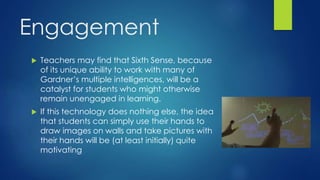
 If this technology does nothing else, the idea
that students can simply use their hands to
draw images on walls and take pictures with
their hands will be (at least initially) quite
motivating
Research
 As research, we are essentially talking
about the internet, students will be given
the opportunity to portably research the
world.
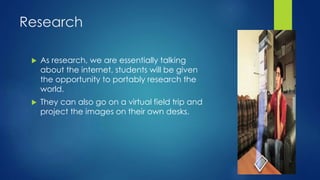
 They can also go on a virtual field trip and
project the images on their own desks.
Collaboration
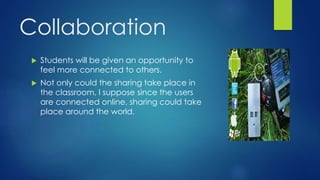
 Students will be given an opportunity to
feel more connected to others.
 Not only could the sharing take place in
the classroom, I suppose since the users
are connected online, sharing could take
place around the world.
Cost-effectiveness
 As mentioned earlier, this product currently costs only
$350. From an educator’s stand point, this is minimum
given the amount of money spent on textbooks,
computer labs and LCD projectors.
 For educator’s, Sixth Sense would be a way to put
technology (literally) into each student’s hands, because
of its size and its cost.
Benefits
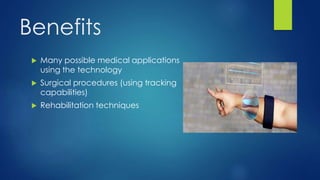
 Many possible medical applications
using the technology
 Surgical procedures (using tracking
capabilities)
 Rehabilitation techniques
FUTURE ENHANCEMENTS
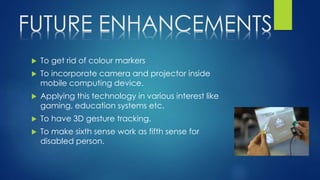
 To get rid of colour markers
 To incorporate camera and projector inside
mobile computing device.
 Applying this technology in various interest like
gaming, education systems etc.
 To have 3D gesture tracking.
 To make sixth sense work as fifth sense for
disabled person.
REFERENCES
 www.blendernation.com/sixth-sense-technology/
 http://boingboing.net/2009/11/12/sixth-sense-
technolo.html
 http://gizmodo.com/5167790/sixth-sense-technology-
may-change-how-we-look-at-the-world-forever
 http://theviewspaper.net/sixth-sense-technology-will-
revolutionize-the-world/
 http://lucasrichter.wordpress.com/2009/03/13/pattie-
maes-sixth-sense-technology-whats-stopping-this/
Sixth sense     technology (2)

Sixth sense technology (2)

  • 1.
    SIXTH SENSE TECHNOLOGY PRESENTED BY: MAYANKSINGH SHUBHAM SHARMA SACHIN SHUKLA RAHUL KUMAR MANISH UPADHYAY
  • 2.
    CONTENT  INTRODUCTION  COMPONENTS WORKING  IMPLEMENTATION  APPLICATIONS  ADVANTAGES  FUTURE ENHANCEMENTS  REFERENCES
  • 3.
    WHAT IS SIXTHSENSE  Sixth Sense in scientific (or non-scientific) terms is defined as Extra Sensory Perception or in short ESP.  It involves the reception of information not gained through any of the five senses nor is it taken from any experiences from the past or known.
  • 4.
    EARLIER SIXTH SENSE PROTOTYPE Makes’ MIT group, which includes seven graduate students, were thinking about how a person could be more integrated into the world around them and access information without having to do something like take out a phone.
  • 5.
     They initiallyproduced a wristband that would read an Radio Frequency Identification tag.  They also had a ring that used infrared to communicate by beacon to supermarket smart shelves to give you information about products.  They wanted to make information more useful to people in real time with minimal effort in a way that doesn’t require any behaviour changes.  They started with a larger projector that was mounted on a helmet.
  • 6.
  • 7.
    INTRODUCTION  Sixth SenseIs a wearable GESTURAL INTERFACE DEVICE that augmented the physical world with digital information  Developed By PRANAV MISTRY ,a PHD Student In The Fluid Interface Group At The MIT MEDIA Lab.  Sixth Sense Is Bringing The Digital World To Our World.  Sixth sense is all about making technology more HUMAN  Sixth sense also known as WEAR YOUR WORLD
  • 8.
    COMPONENTS  CAMERA  PROJECTOR MIROR  SMARTPHONE  COLORED MARKERS
  • 9.
    CAMERA  Capture anobject in view and tracks the user’s hand gestures  It sends the data to smart phone  It acts as a digital eye , connecting you to the world to digital information
  • 10.
    PROJECTOR  The projectorProjects visual information enabling surfaces and physical object to be used as interfaces.  The project itself contains a battery inside , with 3 hours of battery life.  A tiny LED projector displays data sent from the smart phone on any surface in view-object, wall, or person.
  • 11.
    MIRROR  The usagesof the mirror is significant as the projector dangles pointing downwards from the neck.
  • 12.
    SMART PHONE  AWeb-enabled smart phone in the user’s pocket processes the video data.  Other Software searches the Web and interprets the hand gesture.
  • 13.
    COLOR MARKERS  Itis at the tip of the user’s fingers .  Marking the user’s fingers with red, yellow, green, and blue tape helps the webcam recognize gestures.  The movements and arrangements of these markers are interpreted into gestures that act as interaction instruction for the projected application interfaces.
  • 14.
    WORKING OF SIXTHSENSE TECH. Smart Phone Camera Image Picture Gesture Projecto r Mirror Info On Surface
  • 15.
  • 16.
    WORKING  The hardwarethat makes Sixth Sense work is a pendant like mobile wearable interface  It has a camera, a mirror and a projector and is connected wirelessly to a Bluetooth or 3G or wifi smart phone that can slip comfortably into one’s pocket  The camera recognizes individuals, images, pictures, gestures one makes with their hands  Information is sent to the Smartphone for processing  The downward-facing projector projects the output image on to the mirror  Mirror reflects image on to the desired surface
  • 17.
    IMPLEMENTATION  The CostOf Hardware Is 350$.  The Software Of Sixth Sense Technology is Open Source.  The Source Code Of Software Is Given At http://www.pranavmistry.com/projects/sixthsense/  The Software Programs are written in C++, C#.  The Software Can Install In 32-Bit Operating System
  • 18.
    SOFTWARE  WUW v0.1beta  WUW_v0.1 is the beta version of Sixth Sense code (WUW stands for Wear Ur World, a former name of the project). This version runs on Windows.  Microsoft DirectX  Microsoft Visual Studio.  Adobe Flash Player  Microsoft Outlook
  • 19.
    APPLICATIONS  Make acall  Call up a map  Check the time  Create multimedia reading experience  Drawing application  Zooming features  Get product information
  • 20.
     Get bookinformation  Get flight updates  Feed information on people  Take pictures  Check the email
  • 21.
    • MAKE ACALL  You can use the Sixth Sense to project a keypad onto your hand, then use that virtual keypad to make a call.  No mobile device will be required, just type in the number with your palm acting as the virtual keypad
  • 22.
    • CALL UPA MAP  The sixth sense also implements map which lets the user display the map on any physical surface and find his destination  he can use his thumbs and index fingers to navigate the map, for example, to zoom in and out and do other controls.
  • 23.
    • CHECK THETIME  Sixth Sense all we have to do is draw a circle on our wrist with our index finger to get a virtual watch that gives us the correct time.  The computer tracks the red marker cap or piece of tape, recognizes the gesture, and instructs the projector to flash the image of a watch onto his wrist.
  • 24.
    • CREATE MULTIMEDIAREADING EXPERINCE  The Sixth Sense system also augments physical objects the user is interacting with by projecting more information about these objects projected on them.  For example, a newspaper can show live video news or dynamic information can be provided on a regular piece of paper. Thus a piece of paper turns into a video display.
  • 25.
    • DRAWING APPLICATION The drawing application lets the user draw on any surface by tracking the fingertip movements of the user’s index finger.
  • 26.
    • TAKE PICTURE If we fashion our index fingers and thumbs into a square (the typical "framing" gesture), the system will snap a photo .  After taking the desired number of photos, we can project them onto a surface, and use gestures to sort through the photos, and organize and resize them.
  • 29.
    ADVANTAGES  Sixth Senseis an user friendly interface which integrates digital information into the physical world and its objects, making the entire world your computer.  Sixth Sense does not change human habits but causes computer and other machines to adapt to human needs.  It uses hand gestures to interact with digital information.  Supports multi-touch and multi-user interaction  Data access directly from machine in real time  It is an open source and cost effective and we can mind map the idea anywhere
  • 30.
     It isan open source and cost effective and we can mind map the idea anywhere  It is gesture-controlled wearable computing device that feeds our relevant information and turns any surface into an interactive display.  It is portable and easy to carry as we can wear it in our neck.  The device could be used by anyone without even a basic knowledge of a keyboard or mouse.  There is no need to carry a camera anymore. If we are going for a holiday, then from now on wards it will be easy to capture photos by using mere fingers
  • 31.
    Uses  Engagement  Research Collaboration  Cost-effectiveness
  • 32.
    Engagement  Teachers mayfind that Sixth Sense, because of its unique ability to work with many of Gardner’s multiple intelligences, will be a catalyst for students who might otherwise remain unengaged in learning.  If this technology does nothing else, the idea that students can simply use their hands to draw images on walls and take pictures with their hands will be (at least initially) quite motivating
  • 33.
    Research  As research,we are essentially talking about the internet, students will be given the opportunity to portably research the world.  They can also go on a virtual field trip and project the images on their own desks.
  • 34.
    Collaboration  Students willbe given an opportunity to feel more connected to others.  Not only could the sharing take place in the classroom, I suppose since the users are connected online, sharing could take place around the world.
  • 35.
    Cost-effectiveness  As mentionedearlier, this product currently costs only $350. From an educator’s stand point, this is minimum given the amount of money spent on textbooks, computer labs and LCD projectors.  For educator’s, Sixth Sense would be a way to put technology (literally) into each student’s hands, because of its size and its cost.
  • 36.
    Benefits  Many possiblemedical applications using the technology  Surgical procedures (using tracking capabilities)  Rehabilitation techniques
  • 37.
    FUTURE ENHANCEMENTS  Toget rid of colour markers  To incorporate camera and projector inside mobile computing device.  Applying this technology in various interest like gaming, education systems etc.  To have 3D gesture tracking.  To make sixth sense work as fifth sense for disabled person.
  • 38.
    REFERENCES  www.blendernation.com/sixth-sense-technology/  http://boingboing.net/2009/11/12/sixth-sense- technolo.html http://gizmodo.com/5167790/sixth-sense-technology- may-change-how-we-look-at-the-world-forever  http://theviewspaper.net/sixth-sense-technology-will- revolutionize-the-world/  http://lucasrichter.wordpress.com/2009/03/13/pattie- maes-sixth-sense-technology-whats-stopping-this/