IT Shared Services
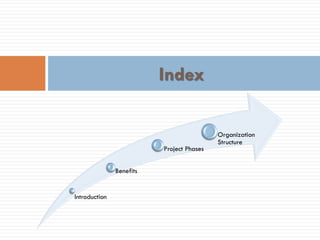
Introduction
Benefits
Project Phases
Organization
Structure
Index
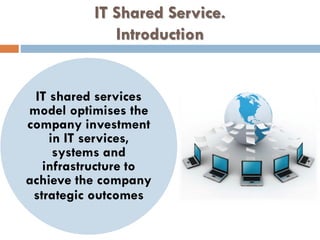
IT Shared Service.
Introduction
IT shared services
model optimises the
company investment
in IT services,
systems and
infrastructure to
achieve the company
strategic outcomes
Benefits…
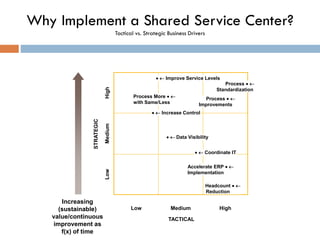
Why Implement a Shared Service Center?
Tactical vs. Strategic Business Drivers
HighLow Medium
TACTICAL
HighLowMedium
STRATEGIC
  Improve Service Levels
 Process More
with Same/Less
 Process
Standardization
 Process
Improvements
  Increase Control
  Data Visibility
  Coordinate IT
 Accelerate ERP
Implementation
 Headcount
Reduction
Increasing
(sustainable)
value/continuous
improvement as
f(x) of time
6
Overwhelming Evidence of Proven Financial
Benefits From SSCs
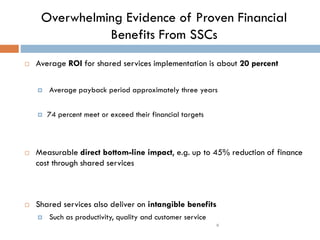
 Average ROI for shared services implementation is about 20 percent
 Average payback period approximately three years
 74 percent meet or exceed their financial targets
 Measurable direct bottom-line impact, e.g. up to 45% reduction of finance
cost through shared services
 Shared services also deliver on intangible benefits
 Such as productivity, quality and customer service
Benefits
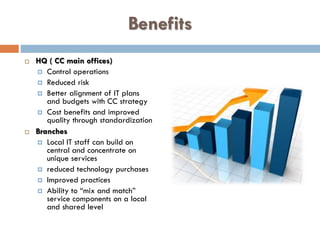
 HQ ( CC main offices)
 Control operations
 Reduced risk
 Better alignment of IT plans
and budgets with CC strategy
 Cost benefits and improved
quality through standardization
 Branches
 Local IT staff can build on
central and concentrate on
unique services
 reduced technology purchases
 Improved practices
 Ability to “mix and match”
service components on a local
and shared level
Benefits (continued)
 End users
- Experience more responsive
and consistent quality services
 IT staff
- Improved career paths and
development opportunities
- Increased opportunities for
mobility and specialisation
- Reduction of re-inventing the
wheel
Benefits (continued)
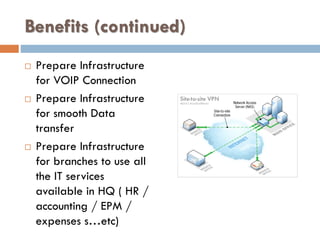
 Prepare Infrastructure
for VOIP Connection
 Prepare Infrastructure
for smooth Data
transfer
 Prepare Infrastructure
for branches to use all
the IT services
available in HQ ( HR /
accounting / EPM /
expenses s…etc)
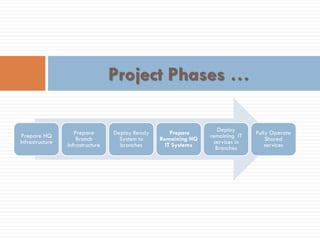
Project Phases …
Prepare HQ
Infrastructure
Prepare
Branch
Infrastructure
Deploy Ready
System to
branches
Prepare
Remaining HQ
IT Systems
Deploy
remaining IT
services in
Branches
Fully Operate
Shared
services
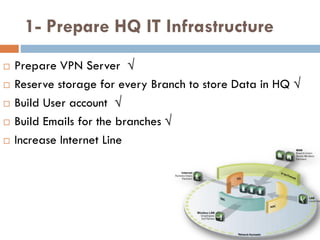
1- Prepare HQ IT Infrastructure
 Prepare VPN Server √
 Reserve storage for every Branch to store Data in HQ √
 Build User account √
 Build Emails for the branches √
 Increase Internet Line
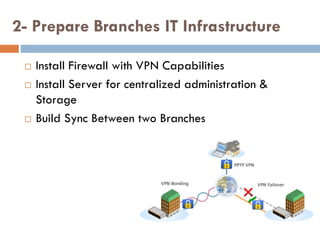
2- Prepare Branches IT Infrastructure
 Install Firewall with VPN Capabilities
 Install Server for centralized administration &
Storage
 Build Sync Between two Branches
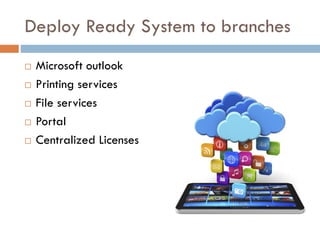
Deploy Ready System to branches
 Microsoft outlook
 Printing services
 File services
 Portal
 Centralized Licenses
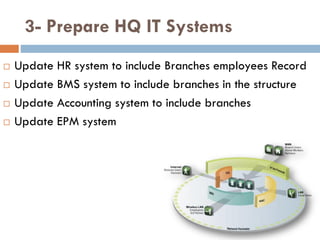
3- Prepare HQ IT Systems
 Update HR system to include Branches employees Record
 Update BMS system to include branches in the structure
 Update Accounting system to include branches
 Update EPM system
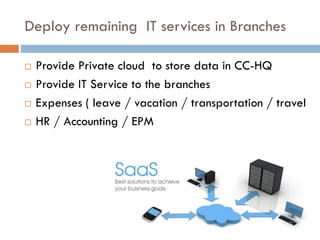
Deploy remaining IT services in Branches
 Provide Private cloud to store data in CC-HQ
 Provide IT Service to the branches
 Expenses ( leave / vacation / transportation / travel
 HR / Accounting / EPM
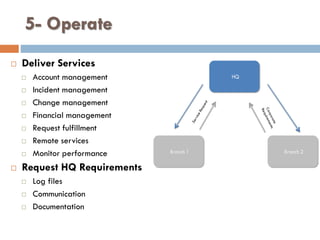
5- Operate
 Deliver Services
 Account management
 Incident management
 Change management
 Financial management
 Request fulfillment
 Remote services
 Monitor performance
 Request HQ Requirements
 Log files
 Communication
 Documentation
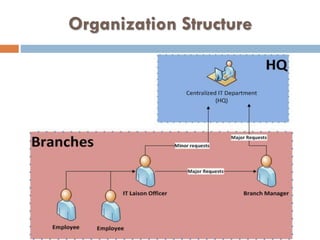
HQ
Branch 1 Branch 2
Org Structure…
Organization Structure
IT Manager
Duties
Knowledge
 Manages IT functions
 Manage IT team
 Develop & implement the Group’s IT strategy
 Provide the needed IT training to the group’s staff
 Operating Agreements, including SLAs
 Performance reporting
 Issue Management
 Performance Measures (KPIs)
 Tracking system
 Technical knowledge of implementing ERP packages,
networking and I.T environment management
Helpdesk Liaison Officer
Duties Skills Knowledge
 Receive & log requests &
issues
 Fulfill requests within area
of authority
 Cover IT requests
 Follow up on requests
 Communicate with clients
 Maintain strong working
relationships with clients
 Customer Help Desk
methodologies
 Knowledge of processes
 Policies & Procedures
 Tracking system
 Services & product knowledge
 Local Laws
 Work Planning
 Interpretation of Data
 Problem Solving
 Communication Skills
 Customer Service
 Listening skills
 Use Microsoft software (office
tools)

IT Shared Services

  • 1.
  • 2.
  • 3.
    IT Shared Service. Introduction ITshared services model optimises the company investment in IT services, systems and infrastructure to achieve the company strategic outcomes
  • 4.
  • 5.
    Why Implement aShared Service Center? Tactical vs. Strategic Business Drivers HighLow Medium TACTICAL HighLowMedium STRATEGIC   Improve Service Levels  Process More with Same/Less  Process Standardization  Process Improvements   Increase Control   Data Visibility   Coordinate IT  Accelerate ERP Implementation  Headcount Reduction Increasing (sustainable) value/continuous improvement as f(x) of time
  • 6.
    6 Overwhelming Evidence ofProven Financial Benefits From SSCs  Average ROI for shared services implementation is about 20 percent  Average payback period approximately three years  74 percent meet or exceed their financial targets  Measurable direct bottom-line impact, e.g. up to 45% reduction of finance cost through shared services  Shared services also deliver on intangible benefits  Such as productivity, quality and customer service
  • 7.
    Benefits  HQ (CC main offices)  Control operations  Reduced risk  Better alignment of IT plans and budgets with CC strategy  Cost benefits and improved quality through standardization  Branches  Local IT staff can build on central and concentrate on unique services  reduced technology purchases  Improved practices  Ability to “mix and match” service components on a local and shared level
  • 8.
    Benefits (continued)  Endusers - Experience more responsive and consistent quality services  IT staff - Improved career paths and development opportunities - Increased opportunities for mobility and specialisation - Reduction of re-inventing the wheel
  • 9.
    Benefits (continued)  PrepareInfrastructure for VOIP Connection  Prepare Infrastructure for smooth Data transfer  Prepare Infrastructure for branches to use all the IT services available in HQ ( HR / accounting / EPM / expenses s…etc)
  • 10.
    Project Phases … PrepareHQ Infrastructure Prepare Branch Infrastructure Deploy Ready System to branches Prepare Remaining HQ IT Systems Deploy remaining IT services in Branches Fully Operate Shared services
  • 11.
    1- Prepare HQIT Infrastructure  Prepare VPN Server √  Reserve storage for every Branch to store Data in HQ √  Build User account √  Build Emails for the branches √  Increase Internet Line
  • 12.
    2- Prepare BranchesIT Infrastructure  Install Firewall with VPN Capabilities  Install Server for centralized administration & Storage  Build Sync Between two Branches
  • 13.
    Deploy Ready Systemto branches  Microsoft outlook  Printing services  File services  Portal  Centralized Licenses
  • 14.
    3- Prepare HQIT Systems  Update HR system to include Branches employees Record  Update BMS system to include branches in the structure  Update Accounting system to include branches  Update EPM system
  • 15.
    Deploy remaining ITservices in Branches  Provide Private cloud to store data in CC-HQ  Provide IT Service to the branches  Expenses ( leave / vacation / transportation / travel  HR / Accounting / EPM
  • 16.
    5- Operate  DeliverServices  Account management  Incident management  Change management  Financial management  Request fulfillment  Remote services  Monitor performance  Request HQ Requirements  Log files  Communication  Documentation HQ Branch 1 Branch 2
  • 17.
  • 18.
  • 19.
    IT Manager Duties Knowledge  ManagesIT functions  Manage IT team  Develop & implement the Group’s IT strategy  Provide the needed IT training to the group’s staff  Operating Agreements, including SLAs  Performance reporting  Issue Management  Performance Measures (KPIs)  Tracking system  Technical knowledge of implementing ERP packages, networking and I.T environment management
  • 20.
    Helpdesk Liaison Officer DutiesSkills Knowledge  Receive & log requests & issues  Fulfill requests within area of authority  Cover IT requests  Follow up on requests  Communicate with clients  Maintain strong working relationships with clients  Customer Help Desk methodologies  Knowledge of processes  Policies & Procedures  Tracking system  Services & product knowledge  Local Laws  Work Planning  Interpretation of Data  Problem Solving  Communication Skills  Customer Service  Listening skills  Use Microsoft software (office tools)