iOS Development

Md. Shakil Ahmed
Software Engineer
Astha it research & consultancy ltd.
Dhaka, Bangladesh


16th October 2011
Introduction
Topic Focus:
- What is iOS & iOS Development?
- iOS Dvelopment tools
- Creating a new iOS application.
- Getting Familiar with Xcode and iOS SDK
- Delegate
- Objective C
- Memory Management
- Crash Reports
- iPhone frameworks
What is iOS & iOS Development?
• iOS stands for iPhone Operating System
• iOS made for iPhone, iPod Touch & iPad
• iOS development is developing applications
  for iOS Devices.
iOS Application
There is three ways to do mobile applications
• Mobile Web Interface
• Develop by Flash
• Develop by the native platform
Mobile Web Applications
• This application is mostly connected, so
  most of the time user can’t handle it
  without internet or cached history
• Javascript provides reach function to
  access some hardware like GPS and other
  devices specific hardware
• Developer doesn’t have much authority
  over the device, tied by the browser.
Flash
• Can be used if the application is all about
  interface
• currently flash can be used to act like real
  application, it has access to camera, GPS...
  Etc
• Performance in not good like the native
  platform.
Native Applications
• You can do what ever you want to do, except
  what the framework doesn’t allow you to do.
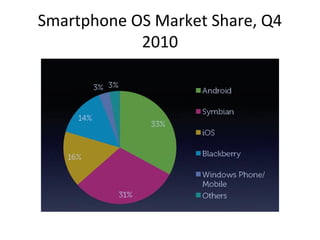
Smartphone OS Market Share, Q4
            2010
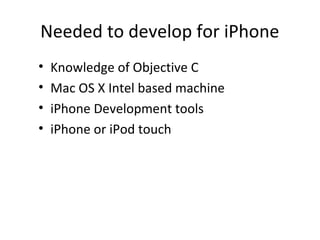
Needed to develop for iPhone
•   Knowledge of Objective C
•   Mac OS X Intel based machine
•   iPhone Development tools
•   iPhone or iPod touch
iPhone Development tools
• Xcode
Create New Application
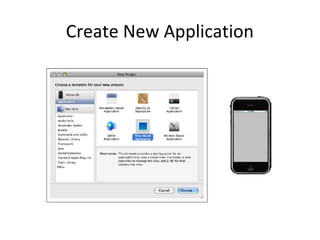
1. Open Xcode.
2. Select File→New Project.
3. In the dialog that opens, select iPhone OS, then
   View-Based Application and click Choose.
4. Name the project “HelloWorld” and click Save.
5. At this point, you can build and run (click the
   Build and Go icon in the toolbar). The HelloWorld
   application shows only a blank gray screen when
   run in the Simulator.
Create New Application
Xcode
Xcode
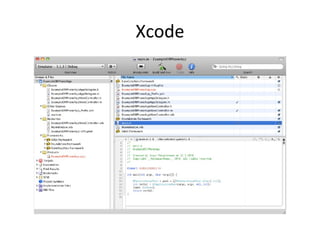
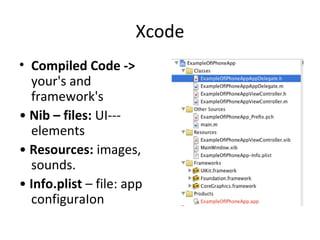
• Compiled Code ->
  your's and
  framework's
• Nib – files: UI---
  elements
• Resources: images,
  sounds.
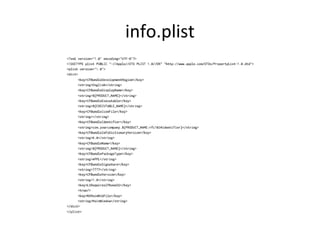
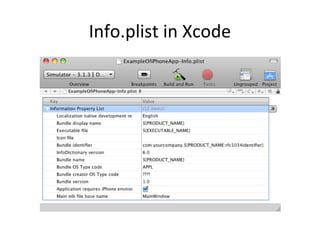
• Info.plist – file: app
  configuraIon
info.plist
Info.plist in Xcode
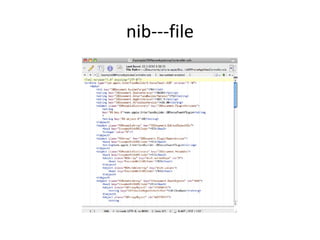
nib---file?
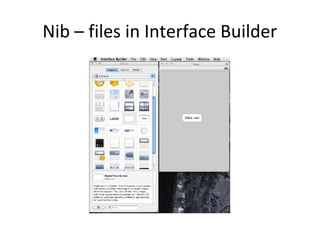
• Interface Builder is used for creating Uis
• The interface is stored in a file .n/xib
   – .nib = Next Interface Builder
  – .xib = new version (Interface Builder 3) of
  nib
• The xib file is xml!
nib---file
Nib – files in Interface Builder
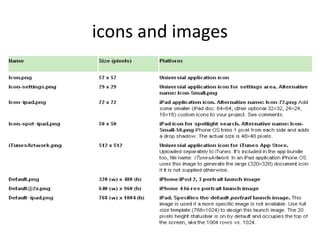
icons and images
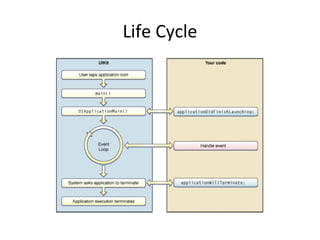
Life Cycle
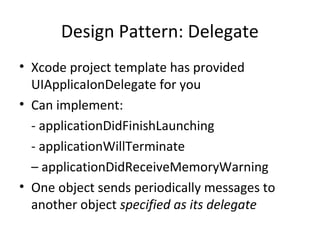
Design Pattern: Delegate
• Xcode project template has provided
  UIApplicaIonDelegate for you
• Can implement:
  - applicationDidFinishLaunching
  - applicationWillTerminate
  – applicationDidReceiveMemoryWarning
• One object sends periodically messages to
  another object specified as its delegate
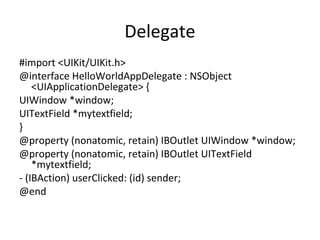
Delegate
#import <UIKit/UIKit.h>
@interface HelloWorldAppDelegate : NSObject
    <UIApplicationDelegate> {
UIWindow *window;
UITextField *mytextfield;
}
@property (nonatomic, retain) IBOutlet UIWindow *window;
@property (nonatomic, retain) IBOutlet UITextField
    *mytextfield;
- (IBAction) userClicked: (id) sender;
@end
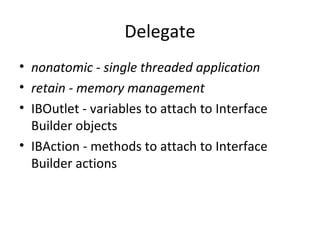
Delegate
• nonatomic - single threaded application
• retain - memory management
• IBOutlet - variables to attach to Interface
  Builder objects
• IBAction - methods to attach to Interface
  Builder actions
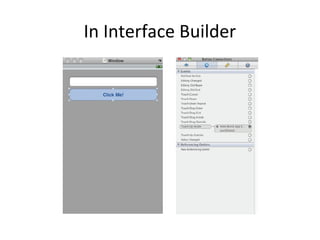
In Interface Builder
Delegate classes implementation
#import "HelloWorldAppDelegate.h"
@implementation HelloWorldAppDelegate
@synthesize window;
@synthesize mytextfield;
- (IBAction) userClicked: (id) sender
{
NSString* text = [mytextfield text];
UIAlertView *alert = [[UIAlertView alloc] initWithTitle:@"Hello“
    message:text delegate:nil cancelButtonTitle:@"Ok“
    otherButtonTitles:nil];
[alert show];
[alert release];
}
Delegate classes implementation
- (void)applicationDidFinishLaunching:(UIApplication
   *)application {
// Override point for customization after application
   launch
[window makeKeyAndVisible];
}
- (void)dealloc {
[window release];
[super dealloc];
}
@end
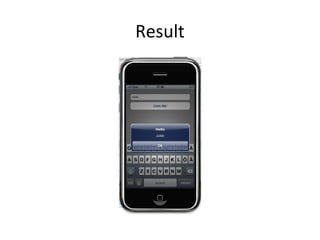
Result
Objective C
• You can consider it Extension for C language
• ObjC add more dynamicity to C Language
• Single inheritance from super class and
  protocols is used as interfaces
• Totally new syntax but still can use C with it.
Objective C
New concepts
  – Class definition
  – Protocol implementation
  – Class messages
  – Many more …
Classes and Objects
• Classes declare the state and behavior
• State (class data) is instance variables
• Behavior is methods
Class and instance methods
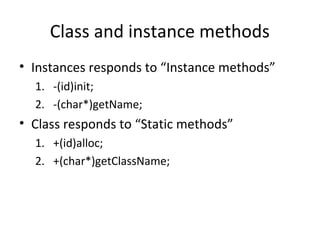
• Instances responds to “Instance methods”
  1. -(id)init;
  2. -(char*)getName;
• Class responds to “Static methods”
  1. +(id)alloc;
  2. +(char*)getClassName;
Message syntax (calling methods)
• Function calling in Objective C called message,
  this is to give more dynamicity to the language,
  some times if the method is not implemented the
  calling result will be nil = null
  – [objectOfClass functionName];
  – [objectOfClass functionName:Arg1];
• Calling staic method
  – [Class functionName];
  – [Class functionName:Arg1];
Objective C
• Dot Syntax
  – It is only working in Objective C 2.0
  – It is only used for properties of object
• Dynamic Casting
  – Using type “id” , id is pointer to void “C Style
    void*”
  – id object = [Class new];
• Static casting
  – Class* object = [Class new];
Objective C
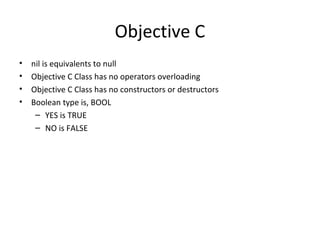
•   nil is equivalents to null
•   Objective C Class has no operators overloading
•   Objective C Class has no constructors or destructors
•   Boolean type is, BOOL
     – YES is TRUE
     – NO is FALSE
Memory Management
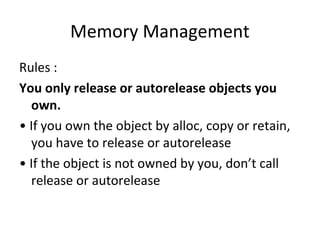
Rules :
You only release or autorelease objects you
  own.
• If you own the object by alloc, copy or retain,
  you have to release or autorelease
• If the object is not owned by you, don’t call
  release or autorelease
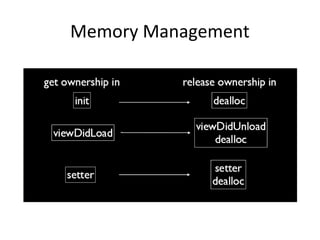
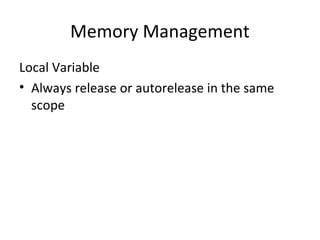
Memory Management
Memory Management
Local Variable
• Always release or autorelease in the same
  scope
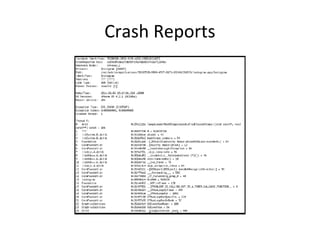
Crash Reports
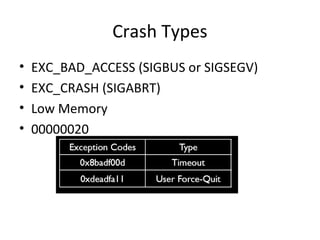
Crash Types
•   EXC_BAD_ACCESS (SIGBUS or SIGSEGV)
•   EXC_CRASH (SIGABRT)
•   Low Memory
•   00000020
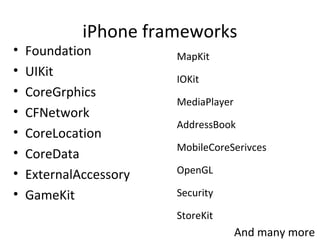
iPhone frameworks
•   Foundation          MapKit
•   UIKit               IOKit
•   CoreGrphics
                        MediaPlayer
•   CFNetwork
                        AddressBook
•   CoreLocation
                        MobileCoreSerivces
•   CoreData
•   ExternalAccessory   OpenGL

•   GameKit             Security

                        StoreKit
                                      And many more
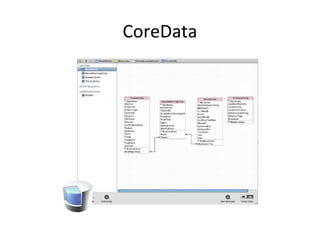
CoreData
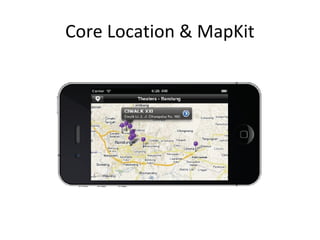
Core Location & MapKit
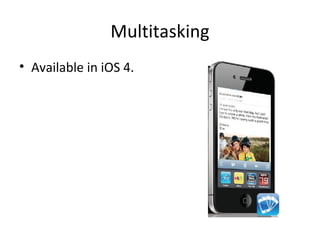
Multitasking
• Available in iOS 4.
iPhone Development
• It is true that Objective C is not as strong as
  any other language but the huge coverage of
  frameworks that is provided by Apple makes it
  Ok to use such SDK.
Thanks!

Ios development

  • 1.
    iOS Development Md. ShakilAhmed Software Engineer Astha it research & consultancy ltd. Dhaka, Bangladesh 16th October 2011
  • 2.
    Introduction Topic Focus: - Whatis iOS & iOS Development? - iOS Dvelopment tools - Creating a new iOS application. - Getting Familiar with Xcode and iOS SDK - Delegate - Objective C - Memory Management - Crash Reports - iPhone frameworks
  • 3.
    What is iOS& iOS Development? • iOS stands for iPhone Operating System • iOS made for iPhone, iPod Touch & iPad • iOS development is developing applications for iOS Devices.
  • 4.
    iOS Application There isthree ways to do mobile applications • Mobile Web Interface • Develop by Flash • Develop by the native platform
  • 5.
    Mobile Web Applications •This application is mostly connected, so most of the time user can’t handle it without internet or cached history • Javascript provides reach function to access some hardware like GPS and other devices specific hardware • Developer doesn’t have much authority over the device, tied by the browser.
  • 6.
    Flash • Can beused if the application is all about interface • currently flash can be used to act like real application, it has access to camera, GPS... Etc • Performance in not good like the native platform.
  • 7.
    Native Applications • Youcan do what ever you want to do, except what the framework doesn’t allow you to do.
  • 8.
    Smartphone OS MarketShare, Q4 2010
  • 11.
    Needed to developfor iPhone • Knowledge of Objective C • Mac OS X Intel based machine • iPhone Development tools • iPhone or iPod touch
  • 12.
  • 13.
    Create New Application 1.Open Xcode. 2. Select File→New Project. 3. In the dialog that opens, select iPhone OS, then View-Based Application and click Choose. 4. Name the project “HelloWorld” and click Save. 5. At this point, you can build and run (click the Build and Go icon in the toolbar). The HelloWorld application shows only a blank gray screen when run in the Simulator.
  • 14.
  • 15.
  • 16.
    Xcode • Compiled Code-> your's and framework's • Nib – files: UI--- elements • Resources: images, sounds. • Info.plist – file: app configuraIon
  • 17.
  • 18.
  • 19.
    nib---file? • Interface Builderis used for creating Uis • The interface is stored in a file .n/xib – .nib = Next Interface Builder – .xib = new version (Interface Builder 3) of nib • The xib file is xml!
  • 20.
  • 21.
    Nib – filesin Interface Builder
  • 22.
  • 23.
  • 24.
    Design Pattern: Delegate •Xcode project template has provided UIApplicaIonDelegate for you • Can implement: - applicationDidFinishLaunching - applicationWillTerminate – applicationDidReceiveMemoryWarning • One object sends periodically messages to another object specified as its delegate
  • 25.
    Delegate #import <UIKit/UIKit.h> @interface HelloWorldAppDelegate: NSObject <UIApplicationDelegate> { UIWindow *window; UITextField *mytextfield; } @property (nonatomic, retain) IBOutlet UIWindow *window; @property (nonatomic, retain) IBOutlet UITextField *mytextfield; - (IBAction) userClicked: (id) sender; @end
  • 26.
    Delegate • nonatomic -single threaded application • retain - memory management • IBOutlet - variables to attach to Interface Builder objects • IBAction - methods to attach to Interface Builder actions
  • 27.
  • 28.
    Delegate classes implementation #import"HelloWorldAppDelegate.h" @implementation HelloWorldAppDelegate @synthesize window; @synthesize mytextfield; - (IBAction) userClicked: (id) sender { NSString* text = [mytextfield text]; UIAlertView *alert = [[UIAlertView alloc] initWithTitle:@"Hello“ message:text delegate:nil cancelButtonTitle:@"Ok“ otherButtonTitles:nil]; [alert show]; [alert release]; }
  • 29.
    Delegate classes implementation -(void)applicationDidFinishLaunching:(UIApplication *)application { // Override point for customization after application launch [window makeKeyAndVisible]; } - (void)dealloc { [window release]; [super dealloc]; } @end
  • 30.
  • 31.
    Objective C • Youcan consider it Extension for C language • ObjC add more dynamicity to C Language • Single inheritance from super class and protocols is used as interfaces • Totally new syntax but still can use C with it.
  • 32.
    Objective C New concepts – Class definition – Protocol implementation – Class messages – Many more …
  • 33.
    Classes and Objects •Classes declare the state and behavior • State (class data) is instance variables • Behavior is methods
  • 34.
    Class and instancemethods • Instances responds to “Instance methods” 1. -(id)init; 2. -(char*)getName; • Class responds to “Static methods” 1. +(id)alloc; 2. +(char*)getClassName;
  • 35.
    Message syntax (callingmethods) • Function calling in Objective C called message, this is to give more dynamicity to the language, some times if the method is not implemented the calling result will be nil = null – [objectOfClass functionName]; – [objectOfClass functionName:Arg1]; • Calling staic method – [Class functionName]; – [Class functionName:Arg1];
  • 36.
    Objective C • DotSyntax – It is only working in Objective C 2.0 – It is only used for properties of object • Dynamic Casting – Using type “id” , id is pointer to void “C Style void*” – id object = [Class new]; • Static casting – Class* object = [Class new];
  • 37.
    Objective C • nil is equivalents to null • Objective C Class has no operators overloading • Objective C Class has no constructors or destructors • Boolean type is, BOOL – YES is TRUE – NO is FALSE
  • 38.
    Memory Management Rules : Youonly release or autorelease objects you own. • If you own the object by alloc, copy or retain, you have to release or autorelease • If the object is not owned by you, don’t call release or autorelease
  • 39.
  • 40.
    Memory Management Local Variable •Always release or autorelease in the same scope
  • 41.
  • 42.
    Crash Types • EXC_BAD_ACCESS (SIGBUS or SIGSEGV) • EXC_CRASH (SIGABRT) • Low Memory • 00000020
  • 43.
    iPhone frameworks • Foundation MapKit • UIKit IOKit • CoreGrphics MediaPlayer • CFNetwork AddressBook • CoreLocation MobileCoreSerivces • CoreData • ExternalAccessory OpenGL • GameKit Security StoreKit And many more
  • 44.
  • 45.
  • 46.
  • 47.
    iPhone Development • Itis true that Objective C is not as strong as any other language but the huge coverage of frameworks that is provided by Apple makes it Ok to use such SDK.
  • 48.