INTRODUCTION
I/O Devices provides the means of
communication between a computer
and outer world.They are used to enter
the outside world into primary storage
and supply results after processing
from primary storage to user.
INPUT DEVICES
Devices which are used to insert the data
and information into the computer are called
“INPUT DEVICES”.
Some of the input devices are:
• Keyboard
• Mouse
• OMR
• Joystick
• MICR
• Bar code reader
KEYBOARD
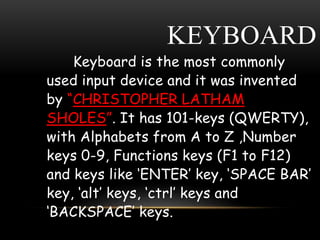
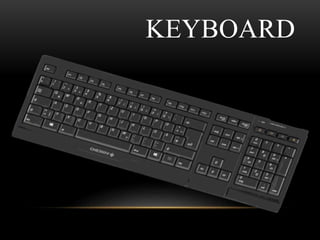
Keyboard is the most commonly
used input device and it was invented
by “CHRISTOPHER LATHAM
SHOLES”. It has 101-keys (QWERTY),
with Alphabets from A to Z ,Number
keys 0-9, Functions keys (F1 to F12)
and keys like ‘ENTER’ key, ‘SPACE BAR’
key, ‘alt’ keys, ‘ctrl’ keys and
‘BACKSPACE’ keys.
KEYBOARD
MOUSE
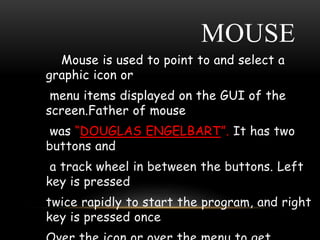
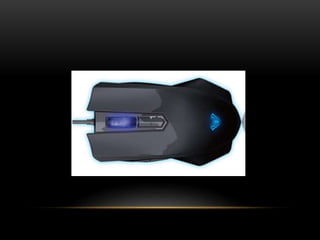
Mouse is used to point to and select a
graphic icon or
menu items displayed on the GUI of the
screen.Father of mouse
was “DOUGLAS ENGELBART”. It has two
buttons and
a track wheel in between the buttons. Left
key is pressed
twice rapidly to start the program, and right
key is pressed once
OMR
OMR stands for Optical Mark Reader. A
scanner capable
of recognizing pre-specified types of mark
by pencil or pen.
It is a technique used for recognization of
marks involving
focusing light on the page being scanned
and detecting the
reflected light pattern from the marks.
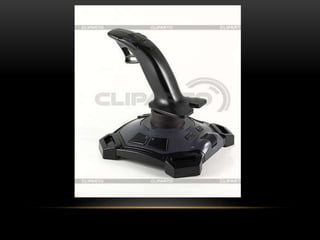
JOYSTICK
Joystick is a pointing device to make the
movement of the
spherical ball easier.This device is used for
playing video games,
Flight simulatiors,training simulators and for
controlling robots.
MICR
MICR stands for Magnetic Ink Character
Recognition. MICR is used in banking industry for
faster processing
of large volume of cheaques.
BAR CODE READER
Bar Code Reader (BCR) is used for reading
(decoding) bar-Coded data.Bar code
represents alphanumeric data by the
combination of horizontal lines printed on the
products. Universal Product Code (UPC) is
the most widely known Bar Coding System.
OUTPUT DEVICES
• An output device is any piece of computer
hardware equipment used to communicate
the results of data processing carried out
by a computer which converts the
electronically generated information into
human readable form.
Commonly used output devices are:
 Monitors
 Speakers
 Printers
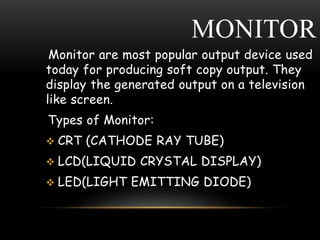
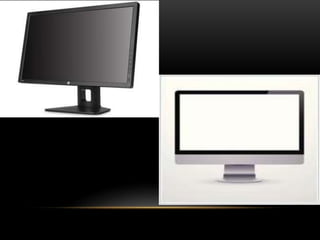
MONITOR
Monitor are most popular output device used
today for producing soft copy output. They
display the generated output on a television
like screen.
Types of Monitor:
 CRT (CATHODE RAY TUBE)
 LCD(LIQUID CRYSTAL DISPLAY)
 LED(LIGHT EMITTING DIODE)
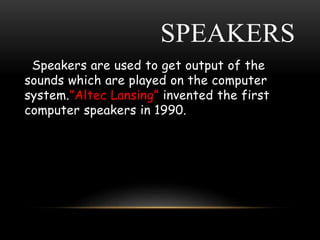
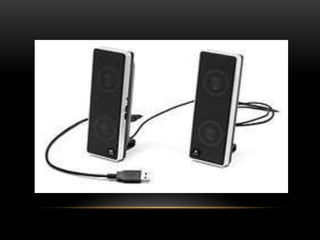
SPEAKERS
Speakers are used to get output of the
sounds which are played on the computer
system.”Altec Lansing” invented the first
computer speakers in 1990.
PRINTER
Printers are the most commonly used device
today for producing
hard copy output.
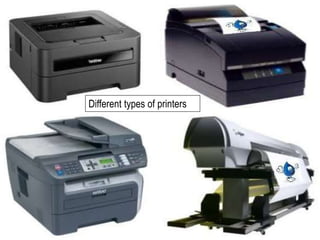
Types of Printers:
 Dot matrix printer
 Ink jet printer
 Daisy wheel printer
 Line printer
 Laser printer
Different types of printers
PROJECTOR
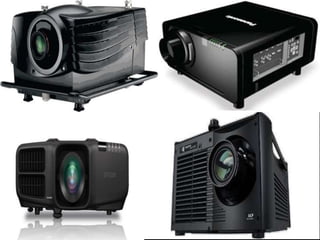
Projector is an output device which is used
to project information from a computer on to
a large screen, it can be viewed by a large
number of people.This device is very useful
for making presentation to a large group of
peoples.
?
QUESTIONS

I/O devices

  • 2.
    INTRODUCTION I/O Devices providesthe means of communication between a computer and outer world.They are used to enter the outside world into primary storage and supply results after processing from primary storage to user.
  • 3.
    INPUT DEVICES Devices whichare used to insert the data and information into the computer are called “INPUT DEVICES”. Some of the input devices are: • Keyboard • Mouse • OMR • Joystick • MICR • Bar code reader
  • 4.
    KEYBOARD Keyboard is themost commonly used input device and it was invented by “CHRISTOPHER LATHAM SHOLES”. It has 101-keys (QWERTY), with Alphabets from A to Z ,Number keys 0-9, Functions keys (F1 to F12) and keys like ‘ENTER’ key, ‘SPACE BAR’ key, ‘alt’ keys, ‘ctrl’ keys and ‘BACKSPACE’ keys.
  • 5.
  • 6.
    MOUSE Mouse is usedto point to and select a graphic icon or menu items displayed on the GUI of the screen.Father of mouse was “DOUGLAS ENGELBART”. It has two buttons and a track wheel in between the buttons. Left key is pressed twice rapidly to start the program, and right key is pressed once
  • 8.
    OMR OMR stands forOptical Mark Reader. A scanner capable of recognizing pre-specified types of mark by pencil or pen. It is a technique used for recognization of marks involving focusing light on the page being scanned and detecting the reflected light pattern from the marks.
  • 9.
    JOYSTICK Joystick is apointing device to make the movement of the spherical ball easier.This device is used for playing video games, Flight simulatiors,training simulators and for controlling robots.
  • 11.
    MICR MICR stands forMagnetic Ink Character Recognition. MICR is used in banking industry for faster processing of large volume of cheaques.
  • 12.
    BAR CODE READER BarCode Reader (BCR) is used for reading (decoding) bar-Coded data.Bar code represents alphanumeric data by the combination of horizontal lines printed on the products. Universal Product Code (UPC) is the most widely known Bar Coding System.
  • 13.
    OUTPUT DEVICES • Anoutput device is any piece of computer hardware equipment used to communicate the results of data processing carried out by a computer which converts the electronically generated information into human readable form. Commonly used output devices are:  Monitors  Speakers  Printers
  • 14.
    MONITOR Monitor are mostpopular output device used today for producing soft copy output. They display the generated output on a television like screen. Types of Monitor:  CRT (CATHODE RAY TUBE)  LCD(LIQUID CRYSTAL DISPLAY)  LED(LIGHT EMITTING DIODE)
  • 16.
    SPEAKERS Speakers are usedto get output of the sounds which are played on the computer system.”Altec Lansing” invented the first computer speakers in 1990.
  • 18.
    PRINTER Printers are themost commonly used device today for producing hard copy output. Types of Printers:  Dot matrix printer  Ink jet printer  Daisy wheel printer  Line printer  Laser printer
  • 19.
  • 20.
    PROJECTOR Projector is anoutput device which is used to project information from a computer on to a large screen, it can be viewed by a large number of people.This device is very useful for making presentation to a large group of peoples.
  • 22.