Introduction to Spreadsheets
What are Uses of Spreadsheets?Prepare budgetsMaintain student gradesPrepare financial statementsAnalyze numbersManage inventoryMake forecasts
Advantages of SpreadsheetsForecasting and making decisionsFast and efficientAutomatically recalculates
What-if Analysis	A spreadsheet tool used to play out different situations to determine the outcome
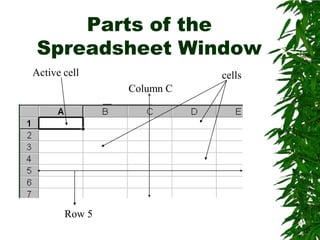
Parts of the Spreadsheet WindowActive cellcellsColumn CRow 5
Entering Data into a SpreadsheetLabelsAlphabetical textValuesA numberFormulasStatement that performs a calculationFunctionsBuilt-in formula that is a shortcut for common calculations
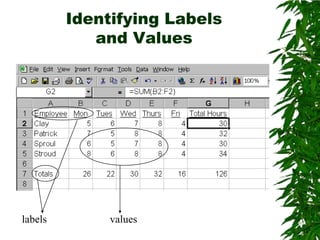
Identifying Labels and Valueslabelsvalues
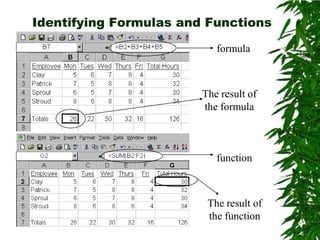
Identifying Formulas and FunctionsformulaThe result of the formulafunctionThe result of the function
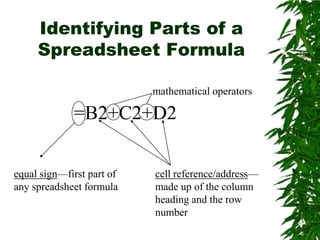
Identifying Parts of a Spreadsheet Formulamathematical operators=B2+C2+D2equal sign—first part of any spreadsheet formulacell reference/address—made up of the column heading and the row number
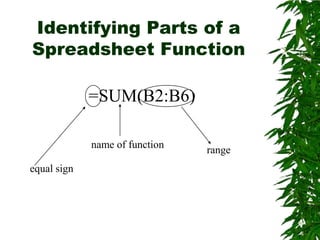
Identifying Parts of a Spreadsheet Function=SUM(B2:B6)name of functionrangeequal sign
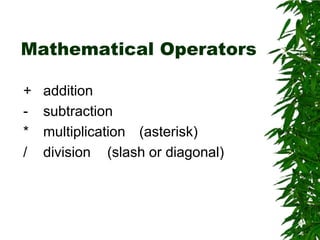
Mathematical Operators	+	addition	-	subtraction	*	multiplication	(asterisk)	/	division	(slash or diagonal)
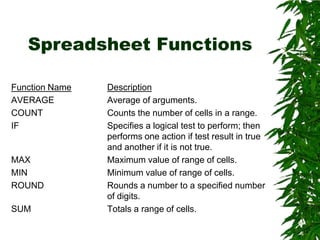
Spreadsheet FunctionsFunction NameDescriptionAVERAGE		Average of arguments.COUNT			Counts the number of cells in a range.IF				Specifies a logical test to perform; then 				performs one action if test result in true 				and another if it is not true.MAX			Maximum value of range of cells.MIN			Minimum value of range of cells.ROUND		Rounds a number to a specified number 			of digits.SUM			Totals a range of cells.
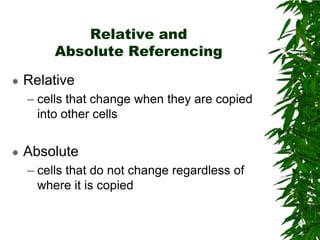
Relative and Absolute ReferencingRelativecells that change when they are copied into other cellsAbsolutecells that do not change regardless of where it is copied
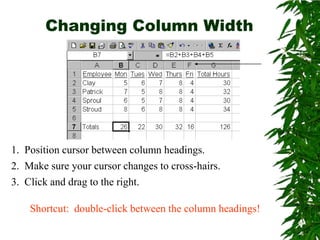
Changing Column Width1.  Position cursor between column headings.2.  Make sure your cursor changes to cross-hairs.3.  Click and drag to the right.Shortcut:  double-click between the column headings!
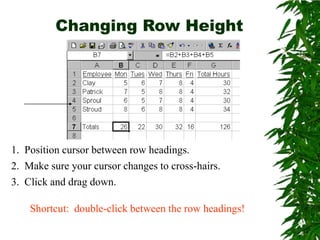
Changing Row Height 1.  Position cursor between row headings.2.  Make sure your cursor changes to cross-hairs.3.  Click and drag down.Shortcut:  double-click between the row headings!
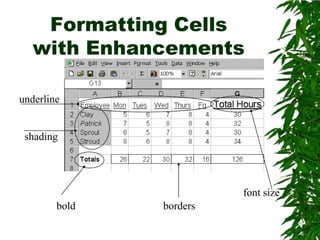
Formatting Cells with Enhancementsunderlineshadingfont sizeboldborders
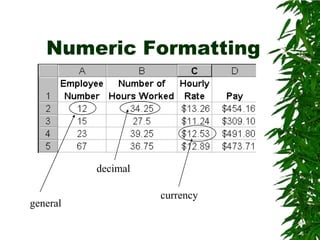
Numeric Formattingdecimalcurrencygeneral
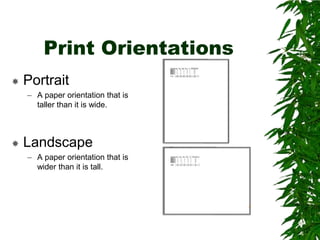
Print OrientationsPortraitA paper orientation that is taller than it is wide.LandscapeA paper orientation that is wider than it is tall.
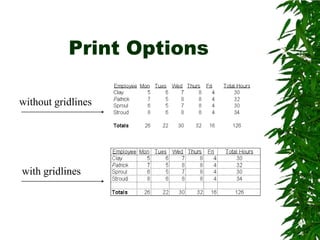
Print Optionswithout gridlineswith gridlines
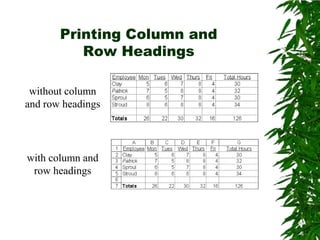
Printing Column and Row Headingswithout column and row headingswith column and row headings
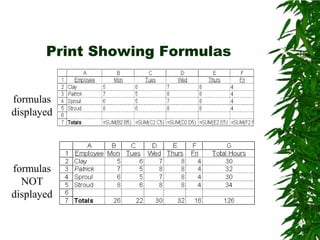
Print Showing Formulasformulas displayedformulas NOT displayed
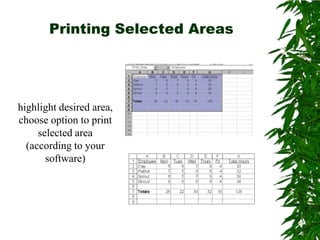
Printing Selected Areashighlight desired area, choose option to print selected area (according to your software)
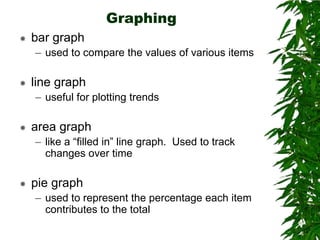
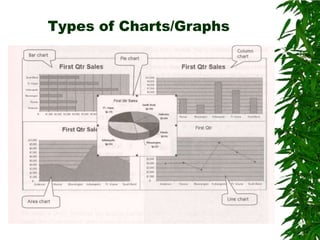
Graphingbar graphused to compare the values of various itemsline graphuseful for plotting trendsarea graphlike a “filled in” line graph.  Used to track changes over timepie graphused to represent the percentage each item contributes to the total
Types of Charts/Graphs

Introductions to spreadsheets