Introduction to JAVA ME Mobile
    Application Development


                                              http://eglobiotraining.com/
       Prof. Erwin M. Globio, MSIT
            Resource Speaker
       http://eglobiotraining.com/


                           JAVA Mobile Apps
Mobile Devices
Mobile devices may vary in size, design and layout, but they have
some characteristics in common that are totally different from desktop
systems.


                                                                                 http://eglobiotraining.com/
              Small in size
              Mobile devices are small in size. Consumers want smaller
              devices for mobility and convenience.

              Limited memory
              Mobile devices also have small memory, both primary (RAM)
              and secondary (disk). This limitation is one of the factors that
              affects writing programs for these types of devices. With
              limited amount of memory, special considerations must be
              taken to conserve the use of this precious resource.


                                                        JAVA Mobile Apps
Continuation   (Mobile Devices)
               Limited processing power
               Mobile systems are not as powerful as their desktop
               counterparts. Size, technology and budget are some of the
               factors that affect the state of this resource. Like the disk
               storage and RAM, you can only fit so much of these resources
               in such a small package.


                                                                               http://eglobiotraining.com/
               Low power consumption
               Mobile devices consume less power than desktop machines.
               These devices must conserve the use of power because they
               run on a limited supply from batteries.

               Robust and reliable
               Because mobile devices are always carried along, they must
               be robust enough to stand the force of bumps, motion and
               occasional drops.

                                                          JAVA Mobile Apps
Continuation   (Mobile Devices)

               Limited connectivity
               Mobile devices have low bandwidth, some of them not
               connected at all. Most of them use wireless connections.


                                                                             http://eglobiotraining.com/
               Short wakeup time
               These consumer devices startup in seconds and most of them
               are always on. Take the case of mobile phones: they boot up
               within seconds and most people do not turn them off even at
               night. PDAs wakeup the second you press their power button.


                                                         JAVA Mobile Apps
Java Platform
      Java was created in 1991 by James Gosling of Sun
      Microsystems. Initially called Oak, in honor of the tree outside
      Gosling's window, its name was changed to Java because there
      was already a language called Oak.


                                                                         http://eglobiotraining.com/
      The original motivation for Java was the need for platform
      independent language that could be embedded in various
      consumer electronic products like toasters and refrigerators.
      One of the first projects developed using Java was a personal
      hand-held remote control named Star 7.

      At about the same time, the World Wide Web and the Internet
      were gaining popularity. Gosling realized that Java could be
      used for Internet programming.


                                                   JAVA Mobile Apps
Continuation   (Java Platform)
               With the release of version 1.2, the Java platform was
               classified into several editions: Now we have 1.7 version

               JAVA SE – Java 2 Platform, Standard Edition
               desktop applications


                                                                                  http://eglobiotraining.com/
               JAVA EE – Java 2 Platform, Enterprise Edition
               enterprise applications w/ focus on web              server-side
               development including servlets, JSP, EJB and XML

               JAVA ME – Java 2 Platform, Micro Edition
               mobile and handheld devices

               JavaCard
               Smart Cards


                                                             JAVA Mobile Apps
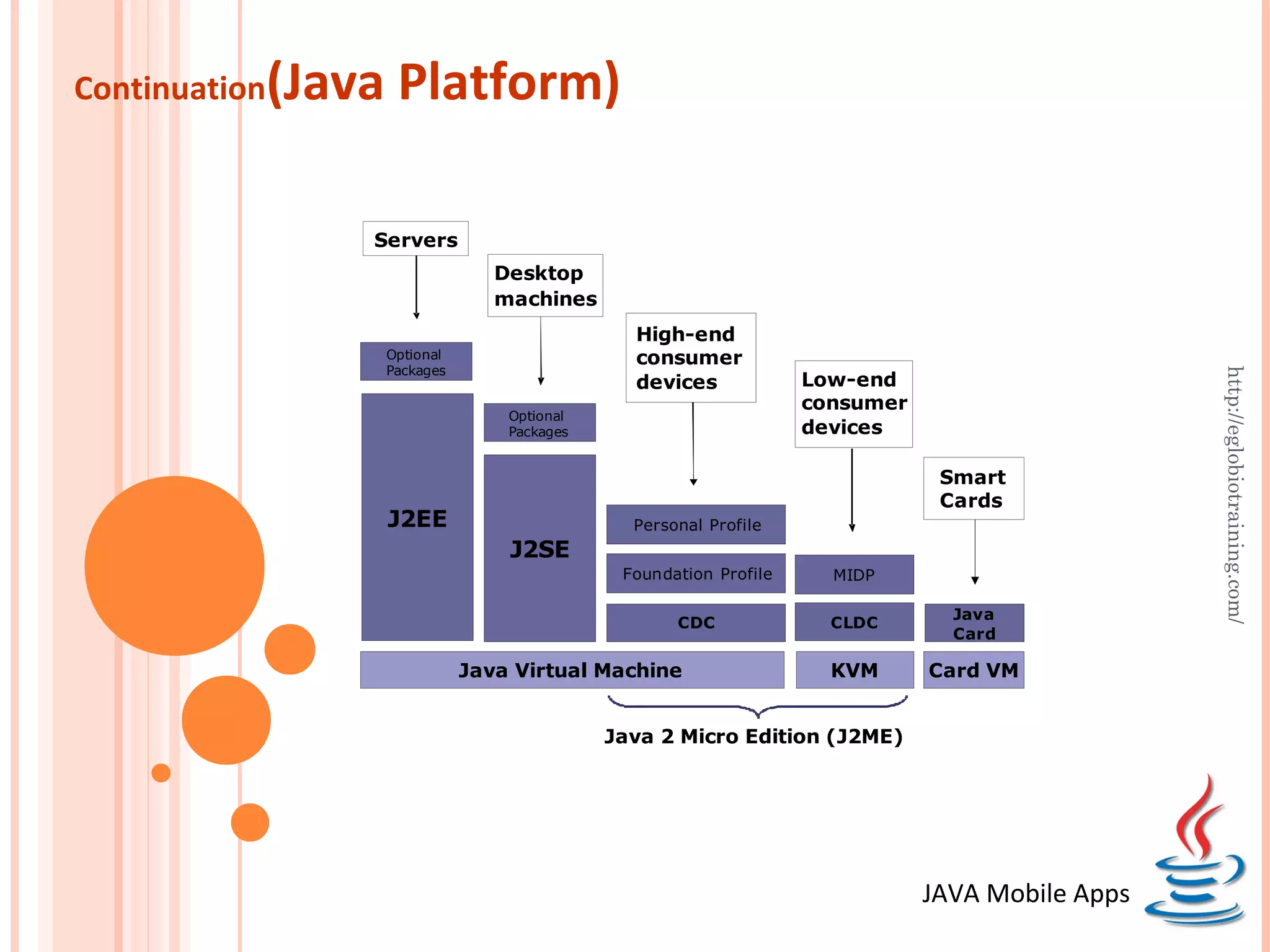
Continuation   (Java Platform)

                   Servers
                    Servers
                                  Desktop
                                  machines
                                                High-end
                    Optional                    consumer
                    Packages


                                                                                                  http://eglobiotraining.com/
                                                devices             Low-end
                                                                    consumer
                                   Optional
                                   Packages                         devices

                                                                                Smart
                                                                                Cards
                    J2EE                        Personal Profile
                                   J2SE
                                               Foundation Profile     MIDP

                                                                                 Java
                                                     CDC              CLDC
                                                                                 Card

                               Java Virtual Machine                   KVM      Card VM


                                              Java 2 Micro Edition (J2ME)


                                                                               JAVA Mobile Apps
JAVA ME Overview
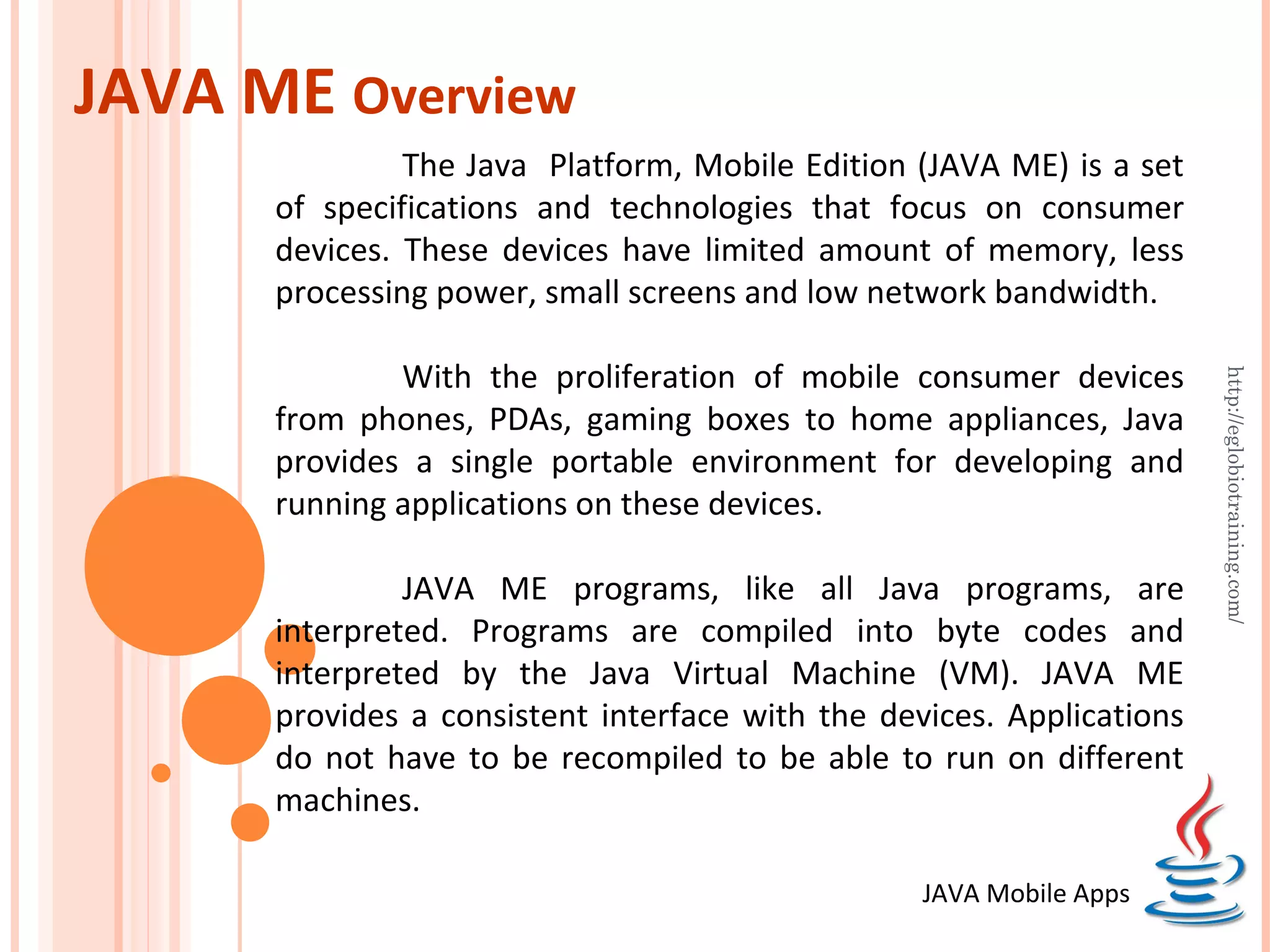
               The Java Platform, Mobile Edition (JAVA ME) is a set
      of specifications and technologies that focus on consumer
      devices. These devices have limited amount of memory, less
      processing power, small screens and low network bandwidth.

              With the proliferation of mobile consumer devices


                                                                       http://eglobiotraining.com/
      from phones, PDAs, gaming boxes to home appliances, Java
      provides a single portable environment for developing and
      running applications on these devices.

               JAVA ME programs, like all Java programs, are
      interpreted. Programs are compiled into byte codes and
      interpreted by the Java Virtual Machine (VM). JAVA ME
      provides a consistent interface with the devices. Applications
      do not have to be recompiled to be able to run on different
      machines.

                                                  JAVA Mobile Apps
CLDC
The Connected Limited Device Configuration (CLDC) defines
and addresses the following areas:
Java language and Virtual Machine (VM) features
Core libraries (java.lang.*, java.util.*)


                                                                http://eglobiotraining.com/
Input/Output (java.io.*)
Security
Networking
Internationalization


                                             JAVA Mobile Apps
MIDP
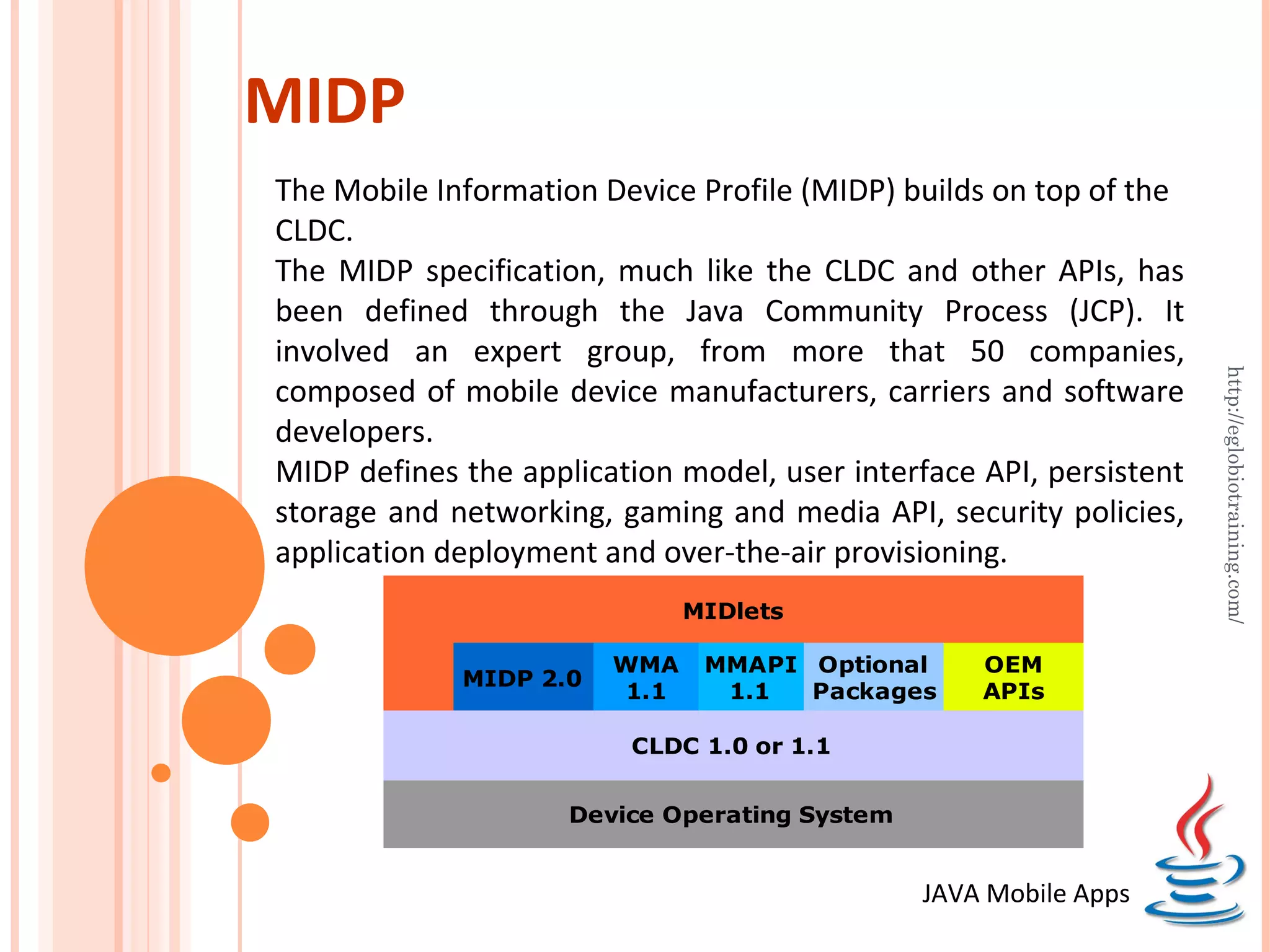
The Mobile Information Device Profile (MIDP) builds on top of the
CLDC.
The MIDP specification, much like the CLDC and other APIs, has
been defined through the Java Community Process (JCP). It
involved an expert group, from more that 50 companies,


                                                                     http://eglobiotraining.com/
composed of mobile device manufacturers, carriers and software
developers.
MIDP defines the application model, user interface API, persistent
storage and networking, gaming and media API, security policies,
application deployment and over-the-air provisioning.
                              MIDlets

                        WMA    MMAPI Optional      OEM
             MIDP 2.0
                        1.1     1.1  Packages      APIs

                         CLDC 1.0 or 1.1


                     Device Operating System


                                               JAVA Mobile Apps
MIDlet
An MIDP application is called a MIDlet. The device's application
management software (AMS) interacts directly with the MIDlet
with the MIDlet's create, start, pause, and destroy methods.

The MIDlet is part of the javax.microedition.midlet package. A
MIDlet must extend the MIDlet class. It can request


                                                                   http://eglobiotraining.com/
parameters from the AMS as defined in the application
descriptor (JAD).

A MIDlet does not have (and MUST NOT have) a public static
void main(String[] argv) method. It will not be recognized by
the AMS as the program's starting point.


                                             JAVA Mobile Apps
MIDlet Life Cycle
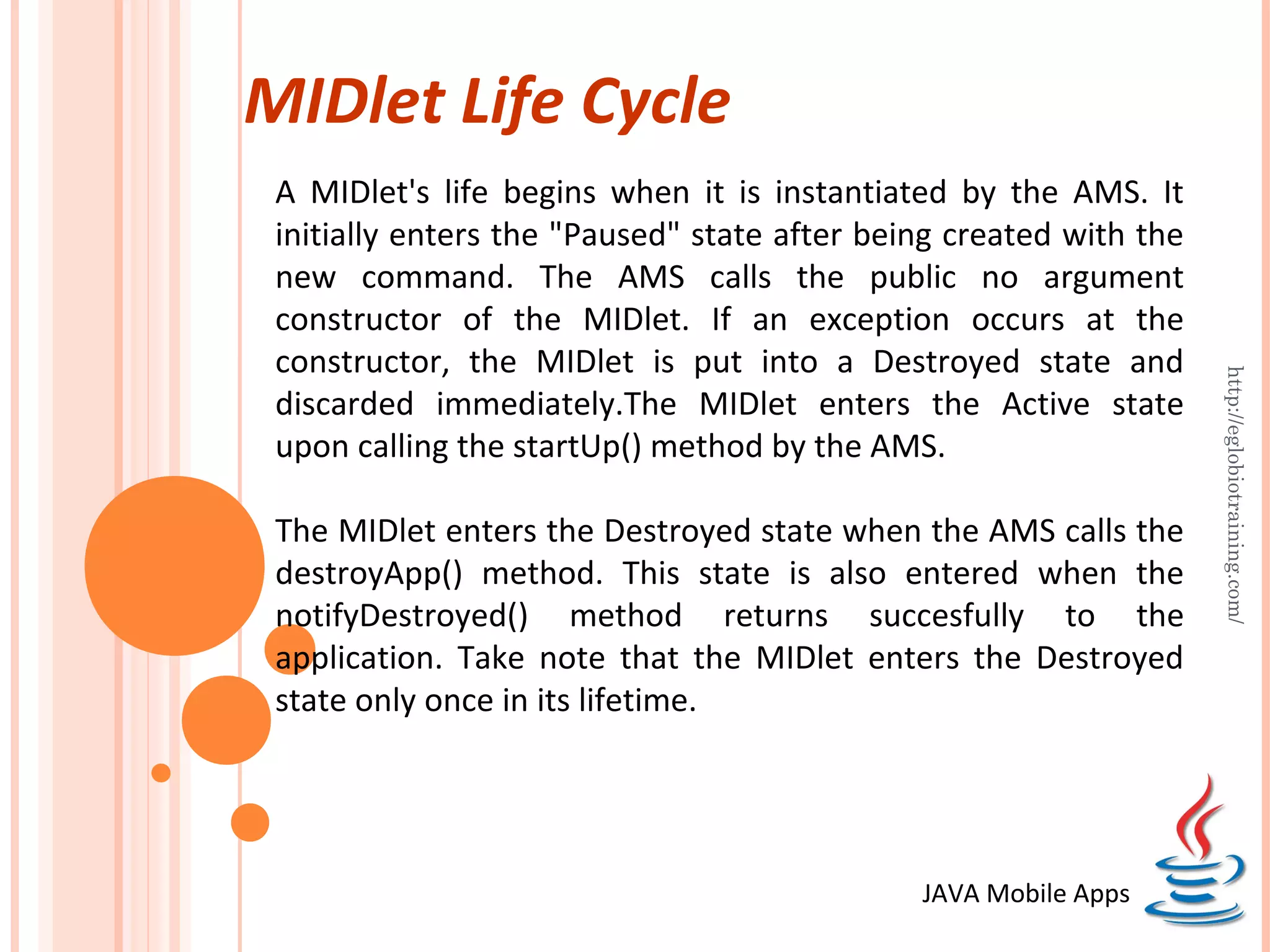
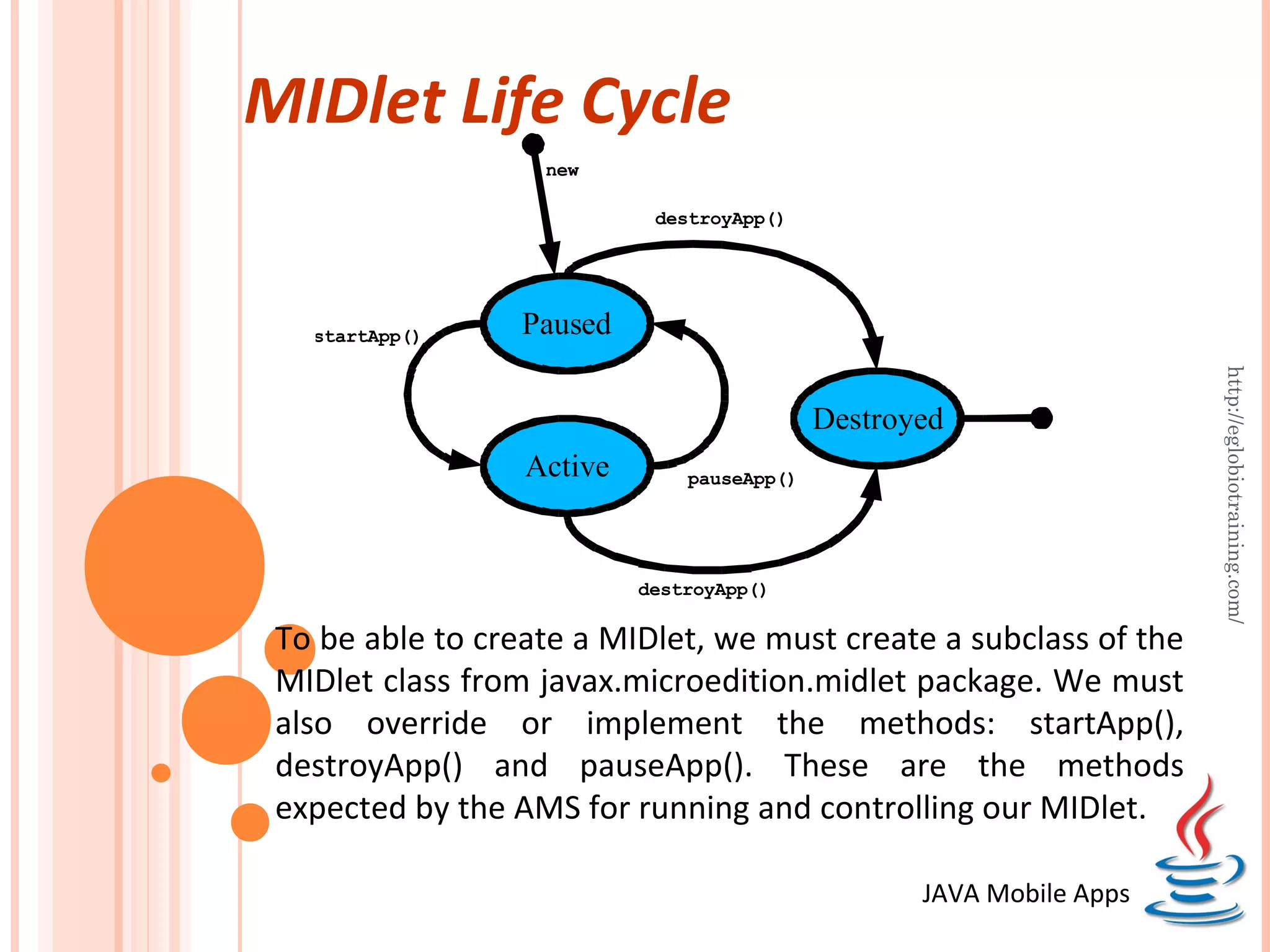
 A MIDlet's life begins when it is instantiated by the AMS. It
 initially enters the "Paused" state after being created with the
 new command. The AMS calls the public no argument
 constructor of the MIDlet. If an exception occurs at the
 constructor, the MIDlet is put into a Destroyed state and


                                                                    http://eglobiotraining.com/
 discarded immediately.The MIDlet enters the Active state
 upon calling the startUp() method by the AMS.

 The MIDlet enters the Destroyed state when the AMS calls the
 destroyApp() method. This state is also entered when the
 notifyDestroyed() method returns succesfully to the
 application. Take note that the MIDlet enters the Destroyed
 state only once in its lifetime.


                                              JAVA Mobile Apps
MIDlet Life Cycle
                   new

                            destroyApp()


   startApp()     Paused


                                                                      http://eglobiotraining.com/
                                            Destroyed
                  Active       pauseApp()


                           destroyApp()

 To be able to create a MIDlet, we must create a subclass of the
 MIDlet class from javax.microedition.midlet package. We must
 also override or implement the methods: startApp(),
 destroyApp() and pauseApp(). These are the methods
 expected by the AMS for running and controlling our MIDlet.

                                                   JAVA Mobile Apps
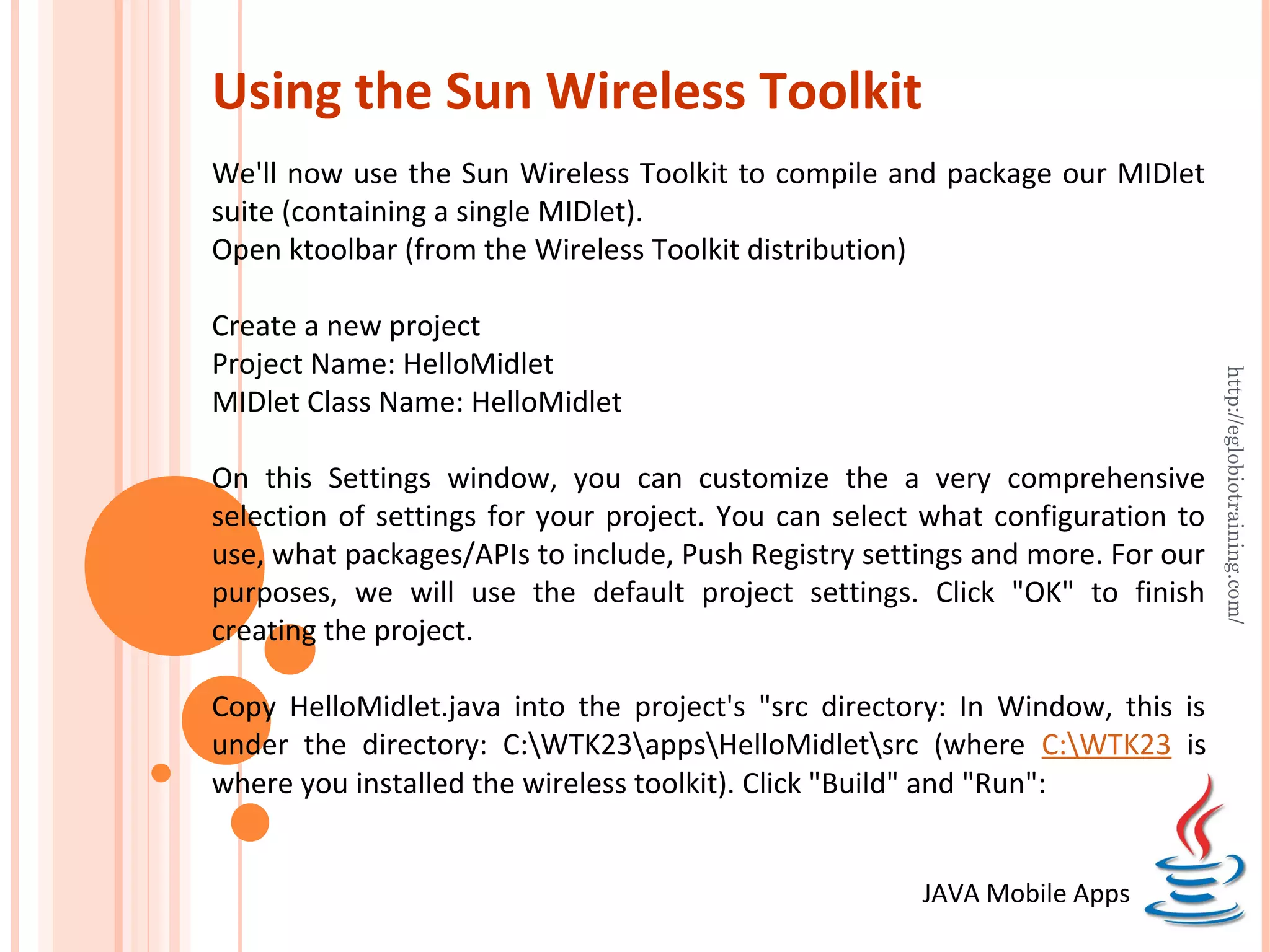
Using the Sun Wireless Toolkit
We'll now use the Sun Wireless Toolkit to compile and package our MIDlet
suite (containing a single MIDlet).
Open ktoolbar (from the Wireless Toolkit distribution)

Create a new project
Project Name: HelloMidlet


                                                                               http://eglobiotraining.com/
MIDlet Class Name: HelloMidlet

On this Settings window, you can customize the a very comprehensive
selection of settings for your project. You can select what configuration to
use, what packages/APIs to include, Push Registry settings and more. For our
purposes, we will use the default project settings. Click "OK" to finish
creating the project.

Copy HelloMidlet.java into the project's "src directory: In Window, this is
under the directory: C:WTK23appsHelloMidletsrc (where C:WTK23 is
where you installed the wireless toolkit). Click "Build" and "Run":


                                                      JAVA Mobile Apps
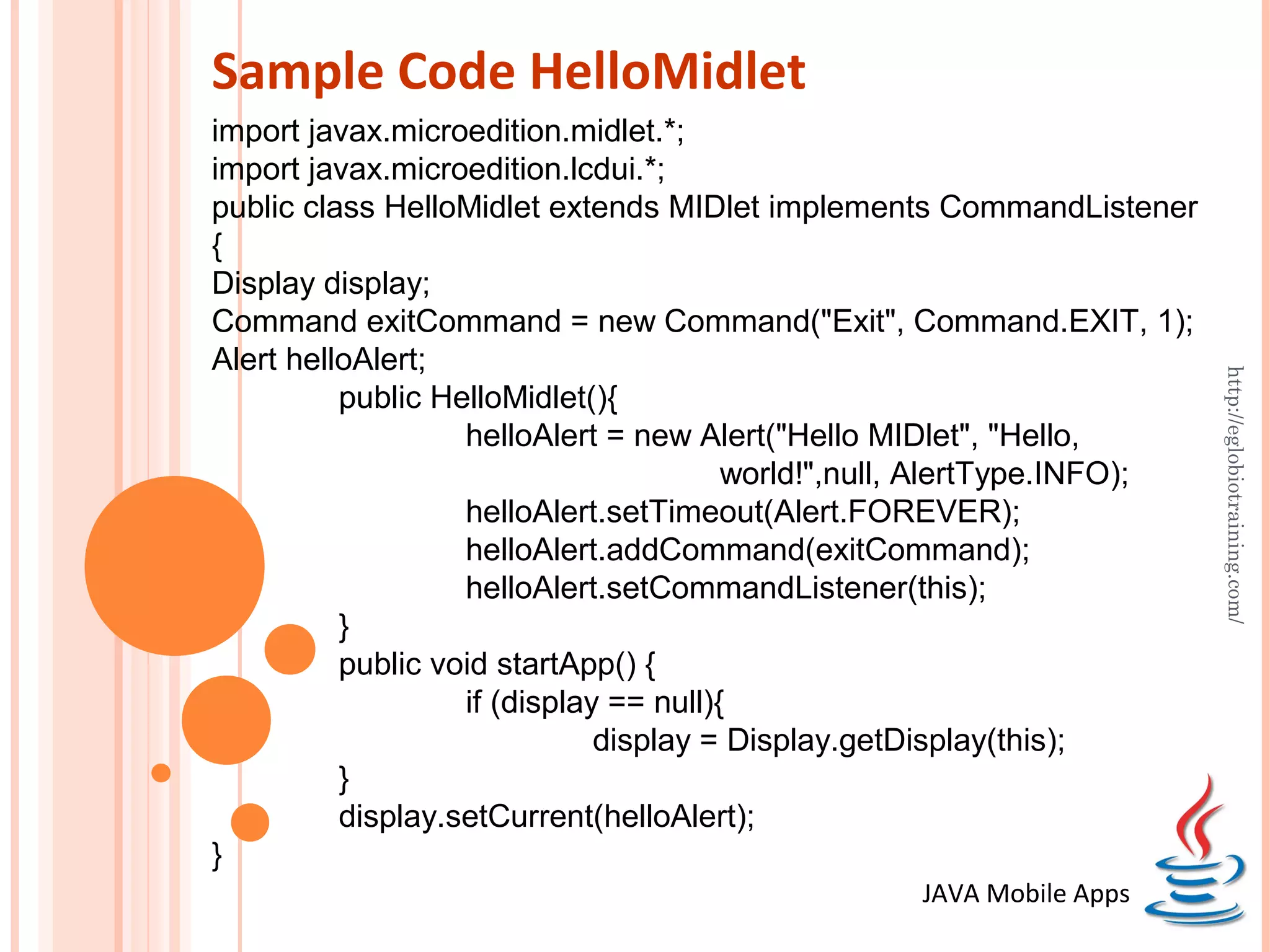
Sample Code HelloMidlet
import javax.microedition.midlet.*;
import javax.microedition.lcdui.*;
public class HelloMidlet extends MIDlet implements CommandListener
{
Display display;
Command exitCommand = new Command("Exit", Command.EXIT, 1);
Alert helloAlert;


                                                                         http://eglobiotraining.com/
          public HelloMidlet(){
                   helloAlert = new Alert("Hello MIDlet", "Hello,
                                        world!",null, AlertType.INFO);
                   helloAlert.setTimeout(Alert.FOREVER);
                   helloAlert.addCommand(exitCommand);
                   helloAlert.setCommandListener(this);
          }
          public void startApp() {
                   if (display == null){
                              display = Display.getDisplay(this);
          }
          display.setCurrent(helloAlert);
}
                                                  JAVA Mobile Apps
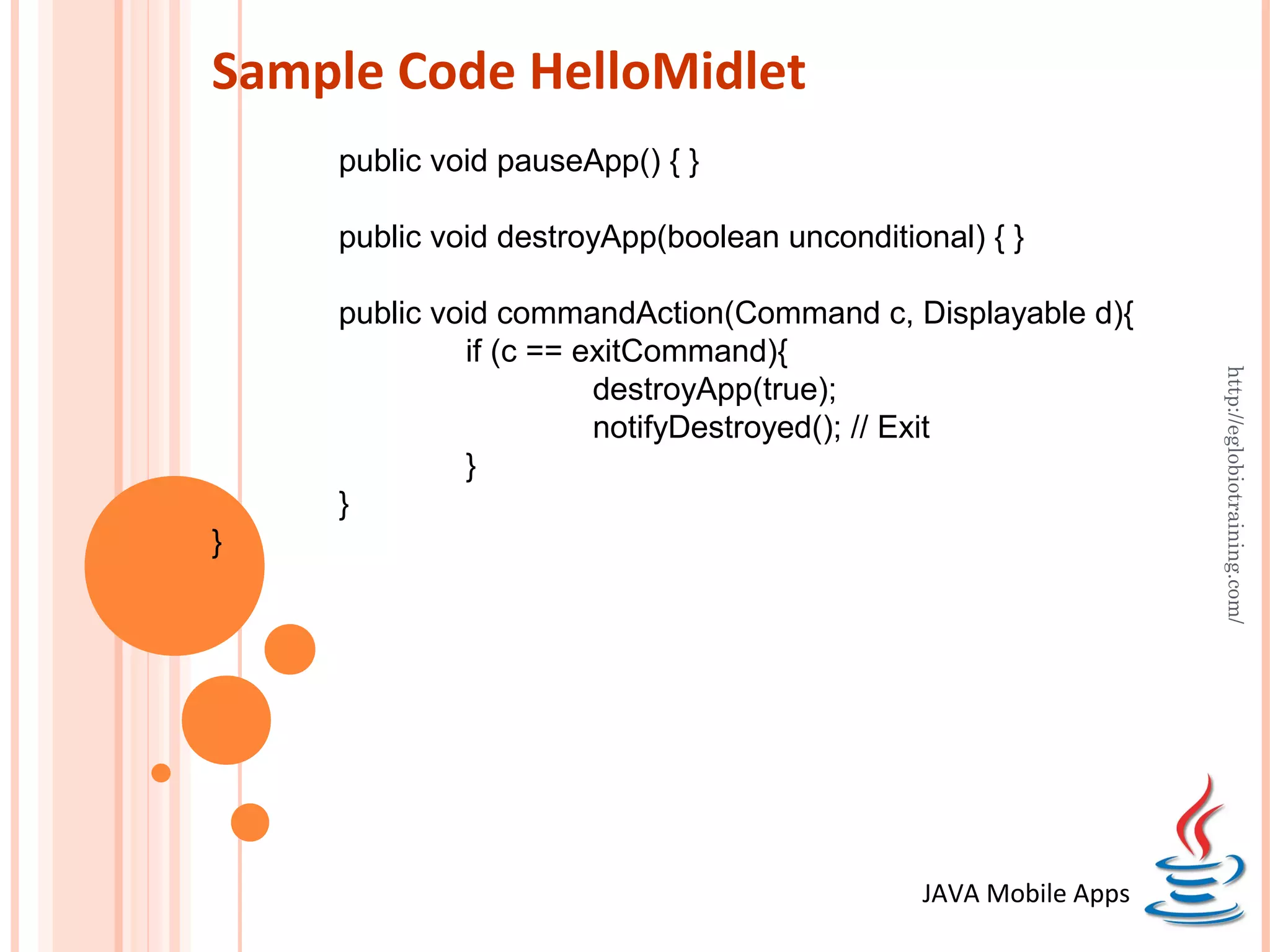
Sample Code HelloMidlet
    public void pauseApp() { }

    public void destroyApp(boolean unconditional) { }

    public void commandAction(Command c, Displayable d){
             if (c == exitCommand){


                                                                http://eglobiotraining.com/
                       destroyApp(true);
                       notifyDestroyed(); // Exit
             }
    }
}


                                             JAVA Mobile Apps
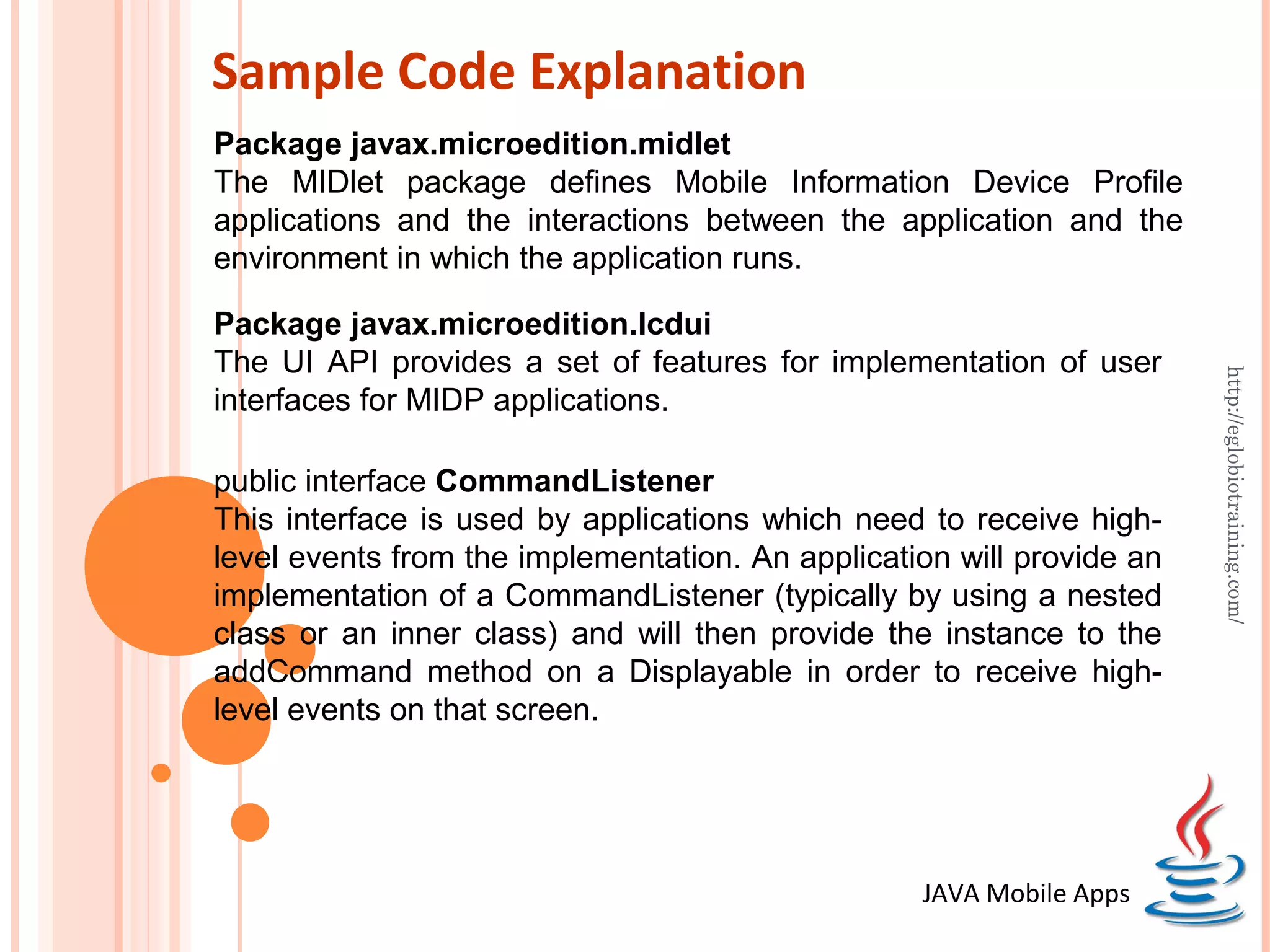
Sample Code Explanation
Package javax.microedition.midlet
The MIDlet package defines Mobile Information Device Profile
applications and the interactions between the application and the
environment in which the application runs.

Package javax.microedition.lcdui
The UI API provides a set of features for implementation of user


                                                                       http://eglobiotraining.com/
interfaces for MIDP applications.

public interface CommandListener
This interface is used by applications which need to receive high-
level events from the implementation. An application will provide an
implementation of a CommandListener (typically by using a nested
class or an inner class) and will then provide the instance to the
addCommand method on a Displayable in order to receive high-
level events on that screen.


                                                  JAVA Mobile Apps
Sample Code Explanation
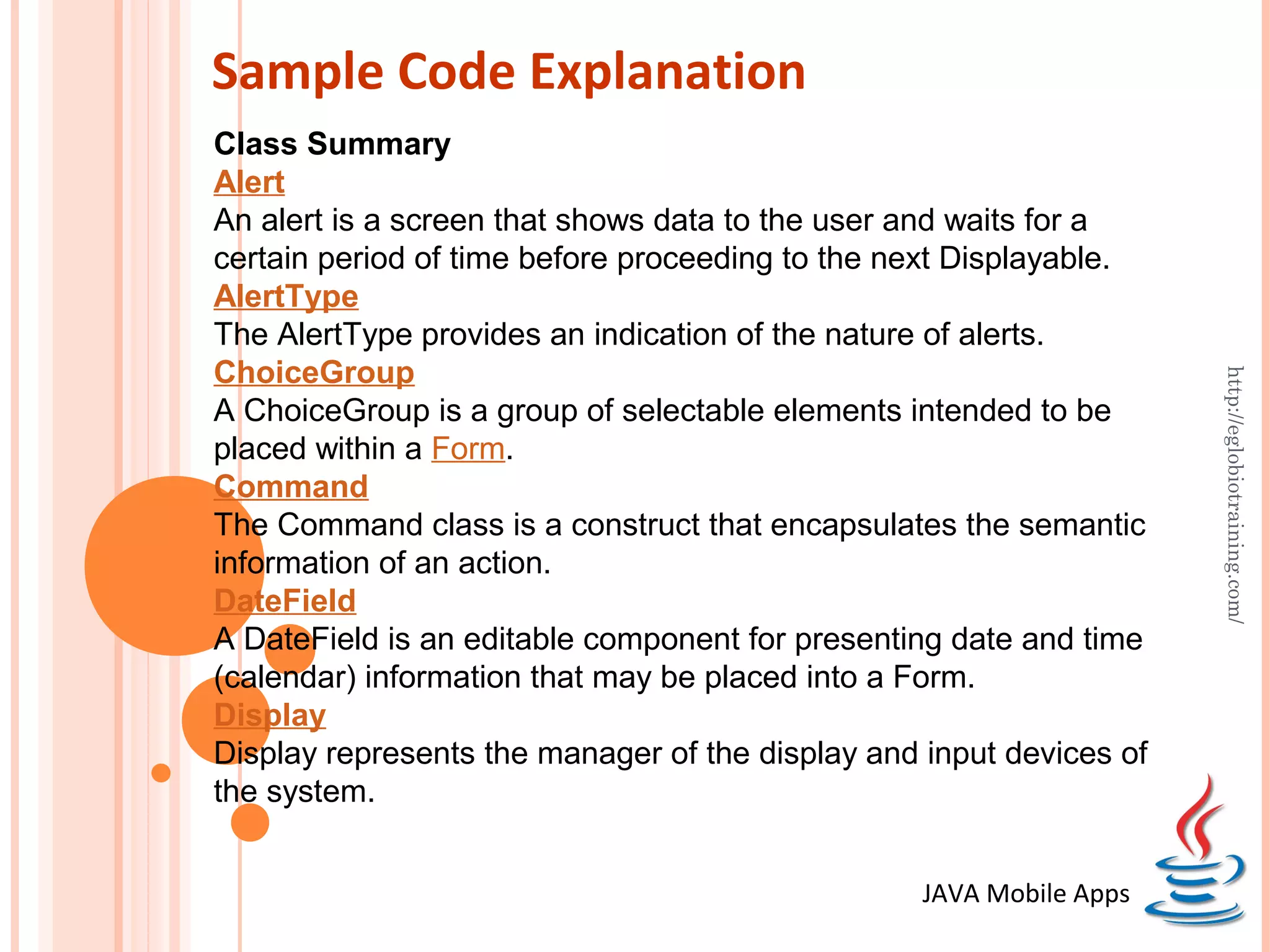
Class Summary
Alert
An alert is a screen that shows data to the user and waits for a
certain period of time before proceeding to the next Displayable.
AlertType
The AlertType provides an indication of the nature of alerts.
ChoiceGroup


                                                                     http://eglobiotraining.com/
A ChoiceGroup is a group of selectable elements intended to be
placed within a Form.
Command
The Command class is a construct that encapsulates the semantic
information of an action.
DateField
A DateField is an editable component for presenting date and time
(calendar) information that may be placed into a Form.
Display
Display represents the manager of the display and input devices of
the system.


                                                  JAVA Mobile Apps
Sample Code Explanation
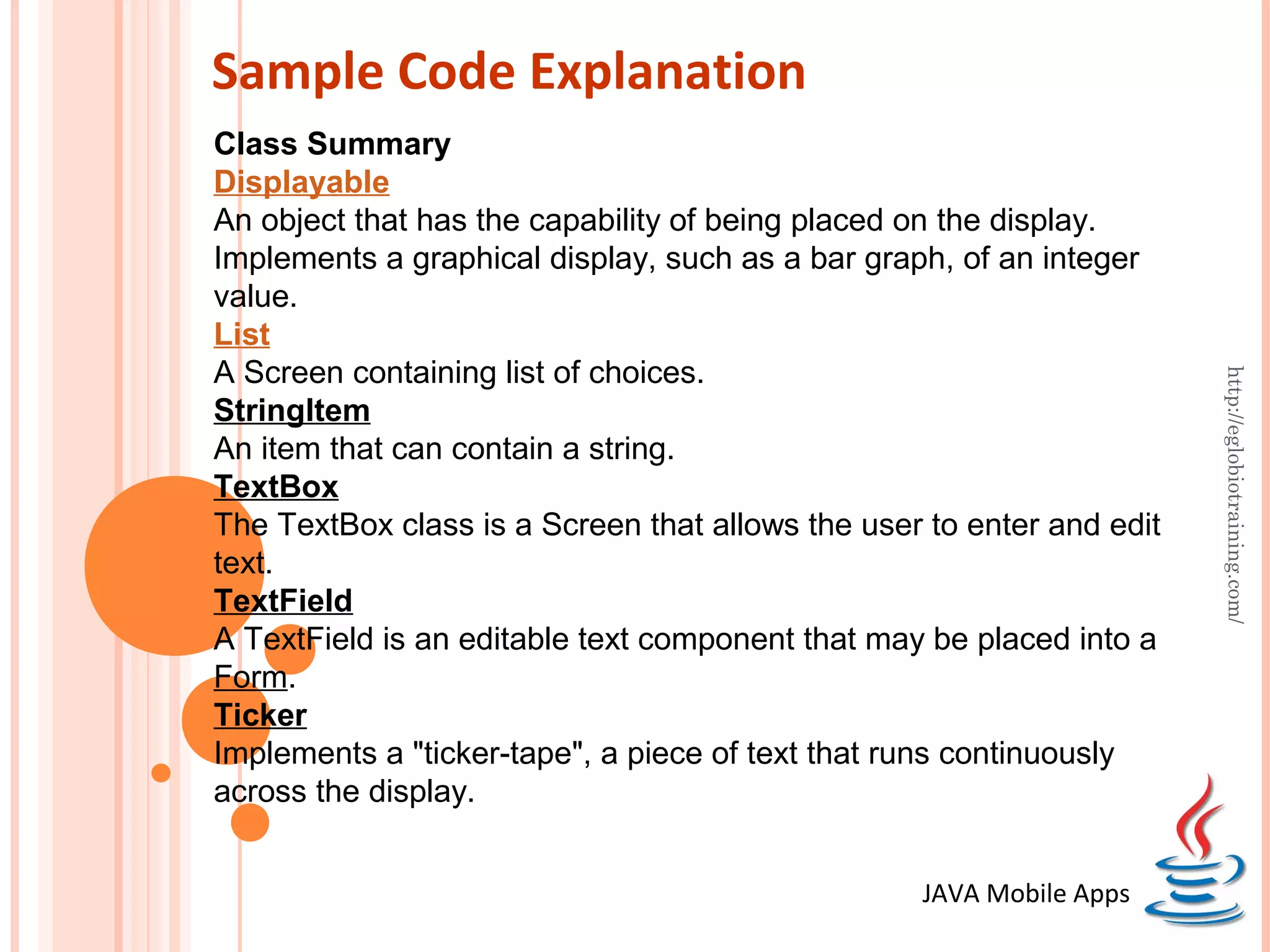
Class Summary
Displayable
An object that has the capability of being placed on the display.
Implements a graphical display, such as a bar graph, of an integer
value.
List
A Screen containing list of choices.


                                                                       http://eglobiotraining.com/
StringItem
An item that can contain a string.
TextBox
The TextBox class is a Screen that allows the user to enter and edit
text.
TextField
A TextField is an editable text component that may be placed into a
Form.
Ticker
Implements a "ticker-tape", a piece of text that runs continuously
across the display.


                                                  JAVA Mobile Apps
http://eglobiotraining.com/
SAMPLE PROGRAMS
PROFESSOR’S INFORMATION


                                                                    http://eglobiotraining.com/
Prof. Erwin M. Globio, MSIT
Senior IT Lecturer of Far Eastern University
Owner and Senior Technical Trainer at http://eglobiotraining.com/
Email Address: erwin_globio@yahoo.com
Skype Id: erwinglobio
http://eglobiotraining.com/

Introduction to Java ME Mobile Development

  • 1.
    Introduction to JAVAME Mobile Application Development http://eglobiotraining.com/ Prof. Erwin M. Globio, MSIT Resource Speaker http://eglobiotraining.com/ JAVA Mobile Apps
  • 2.
    Mobile Devices Mobile devicesmay vary in size, design and layout, but they have some characteristics in common that are totally different from desktop systems. http://eglobiotraining.com/ Small in size Mobile devices are small in size. Consumers want smaller devices for mobility and convenience. Limited memory Mobile devices also have small memory, both primary (RAM) and secondary (disk). This limitation is one of the factors that affects writing programs for these types of devices. With limited amount of memory, special considerations must be taken to conserve the use of this precious resource. JAVA Mobile Apps
  • 3.
    Continuation (Mobile Devices) Limited processing power Mobile systems are not as powerful as their desktop counterparts. Size, technology and budget are some of the factors that affect the state of this resource. Like the disk storage and RAM, you can only fit so much of these resources in such a small package. http://eglobiotraining.com/ Low power consumption Mobile devices consume less power than desktop machines. These devices must conserve the use of power because they run on a limited supply from batteries. Robust and reliable Because mobile devices are always carried along, they must be robust enough to stand the force of bumps, motion and occasional drops. JAVA Mobile Apps
  • 4.
    Continuation (Mobile Devices) Limited connectivity Mobile devices have low bandwidth, some of them not connected at all. Most of them use wireless connections. http://eglobiotraining.com/ Short wakeup time These consumer devices startup in seconds and most of them are always on. Take the case of mobile phones: they boot up within seconds and most people do not turn them off even at night. PDAs wakeup the second you press their power button. JAVA Mobile Apps
  • 5.
    Java Platform Java was created in 1991 by James Gosling of Sun Microsystems. Initially called Oak, in honor of the tree outside Gosling's window, its name was changed to Java because there was already a language called Oak. http://eglobiotraining.com/ The original motivation for Java was the need for platform independent language that could be embedded in various consumer electronic products like toasters and refrigerators. One of the first projects developed using Java was a personal hand-held remote control named Star 7. At about the same time, the World Wide Web and the Internet were gaining popularity. Gosling realized that Java could be used for Internet programming. JAVA Mobile Apps
  • 6.
    Continuation (Java Platform) With the release of version 1.2, the Java platform was classified into several editions: Now we have 1.7 version JAVA SE – Java 2 Platform, Standard Edition desktop applications http://eglobiotraining.com/ JAVA EE – Java 2 Platform, Enterprise Edition enterprise applications w/ focus on web server-side development including servlets, JSP, EJB and XML JAVA ME – Java 2 Platform, Micro Edition mobile and handheld devices JavaCard Smart Cards JAVA Mobile Apps
  • 7.
    Continuation (Java Platform) Servers Servers Desktop machines High-end Optional consumer Packages http://eglobiotraining.com/ devices Low-end consumer Optional Packages devices Smart Cards J2EE Personal Profile J2SE Foundation Profile MIDP Java CDC CLDC Card Java Virtual Machine KVM Card VM Java 2 Micro Edition (J2ME) JAVA Mobile Apps
  • 8.
    JAVA ME Overview The Java Platform, Mobile Edition (JAVA ME) is a set of specifications and technologies that focus on consumer devices. These devices have limited amount of memory, less processing power, small screens and low network bandwidth. With the proliferation of mobile consumer devices http://eglobiotraining.com/ from phones, PDAs, gaming boxes to home appliances, Java provides a single portable environment for developing and running applications on these devices. JAVA ME programs, like all Java programs, are interpreted. Programs are compiled into byte codes and interpreted by the Java Virtual Machine (VM). JAVA ME provides a consistent interface with the devices. Applications do not have to be recompiled to be able to run on different machines. JAVA Mobile Apps
  • 9.
    CLDC The Connected LimitedDevice Configuration (CLDC) defines and addresses the following areas: Java language and Virtual Machine (VM) features Core libraries (java.lang.*, java.util.*) http://eglobiotraining.com/ Input/Output (java.io.*) Security Networking Internationalization JAVA Mobile Apps
  • 10.
    MIDP The Mobile InformationDevice Profile (MIDP) builds on top of the CLDC. The MIDP specification, much like the CLDC and other APIs, has been defined through the Java Community Process (JCP). It involved an expert group, from more that 50 companies, http://eglobiotraining.com/ composed of mobile device manufacturers, carriers and software developers. MIDP defines the application model, user interface API, persistent storage and networking, gaming and media API, security policies, application deployment and over-the-air provisioning. MIDlets WMA MMAPI Optional OEM MIDP 2.0 1.1 1.1 Packages APIs CLDC 1.0 or 1.1 Device Operating System JAVA Mobile Apps
  • 11.
    MIDlet An MIDP applicationis called a MIDlet. The device's application management software (AMS) interacts directly with the MIDlet with the MIDlet's create, start, pause, and destroy methods. The MIDlet is part of the javax.microedition.midlet package. A MIDlet must extend the MIDlet class. It can request http://eglobiotraining.com/ parameters from the AMS as defined in the application descriptor (JAD). A MIDlet does not have (and MUST NOT have) a public static void main(String[] argv) method. It will not be recognized by the AMS as the program's starting point. JAVA Mobile Apps
  • 12.
    MIDlet Life Cycle A MIDlet's life begins when it is instantiated by the AMS. It initially enters the "Paused" state after being created with the new command. The AMS calls the public no argument constructor of the MIDlet. If an exception occurs at the constructor, the MIDlet is put into a Destroyed state and http://eglobiotraining.com/ discarded immediately.The MIDlet enters the Active state upon calling the startUp() method by the AMS. The MIDlet enters the Destroyed state when the AMS calls the destroyApp() method. This state is also entered when the notifyDestroyed() method returns succesfully to the application. Take note that the MIDlet enters the Destroyed state only once in its lifetime. JAVA Mobile Apps
  • 13.
    MIDlet Life Cycle new destroyApp() startApp() Paused http://eglobiotraining.com/ Destroyed Active pauseApp() destroyApp() To be able to create a MIDlet, we must create a subclass of the MIDlet class from javax.microedition.midlet package. We must also override or implement the methods: startApp(), destroyApp() and pauseApp(). These are the methods expected by the AMS for running and controlling our MIDlet. JAVA Mobile Apps
  • 14.
    Using the SunWireless Toolkit We'll now use the Sun Wireless Toolkit to compile and package our MIDlet suite (containing a single MIDlet). Open ktoolbar (from the Wireless Toolkit distribution) Create a new project Project Name: HelloMidlet http://eglobiotraining.com/ MIDlet Class Name: HelloMidlet On this Settings window, you can customize the a very comprehensive selection of settings for your project. You can select what configuration to use, what packages/APIs to include, Push Registry settings and more. For our purposes, we will use the default project settings. Click "OK" to finish creating the project. Copy HelloMidlet.java into the project's "src directory: In Window, this is under the directory: C:WTK23appsHelloMidletsrc (where C:WTK23 is where you installed the wireless toolkit). Click "Build" and "Run": JAVA Mobile Apps
  • 15.
    Sample Code HelloMidlet importjavax.microedition.midlet.*; import javax.microedition.lcdui.*; public class HelloMidlet extends MIDlet implements CommandListener { Display display; Command exitCommand = new Command("Exit", Command.EXIT, 1); Alert helloAlert; http://eglobiotraining.com/ public HelloMidlet(){ helloAlert = new Alert("Hello MIDlet", "Hello, world!",null, AlertType.INFO); helloAlert.setTimeout(Alert.FOREVER); helloAlert.addCommand(exitCommand); helloAlert.setCommandListener(this); } public void startApp() { if (display == null){ display = Display.getDisplay(this); } display.setCurrent(helloAlert); } JAVA Mobile Apps
  • 16.
    Sample Code HelloMidlet public void pauseApp() { } public void destroyApp(boolean unconditional) { } public void commandAction(Command c, Displayable d){ if (c == exitCommand){ http://eglobiotraining.com/ destroyApp(true); notifyDestroyed(); // Exit } } } JAVA Mobile Apps
  • 17.
    Sample Code Explanation Packagejavax.microedition.midlet The MIDlet package defines Mobile Information Device Profile applications and the interactions between the application and the environment in which the application runs. Package javax.microedition.lcdui The UI API provides a set of features for implementation of user http://eglobiotraining.com/ interfaces for MIDP applications. public interface CommandListener This interface is used by applications which need to receive high- level events from the implementation. An application will provide an implementation of a CommandListener (typically by using a nested class or an inner class) and will then provide the instance to the addCommand method on a Displayable in order to receive high- level events on that screen. JAVA Mobile Apps
  • 18.
    Sample Code Explanation ClassSummary Alert An alert is a screen that shows data to the user and waits for a certain period of time before proceeding to the next Displayable. AlertType The AlertType provides an indication of the nature of alerts. ChoiceGroup http://eglobiotraining.com/ A ChoiceGroup is a group of selectable elements intended to be placed within a Form. Command The Command class is a construct that encapsulates the semantic information of an action. DateField A DateField is an editable component for presenting date and time (calendar) information that may be placed into a Form. Display Display represents the manager of the display and input devices of the system. JAVA Mobile Apps
  • 19.
    Sample Code Explanation ClassSummary Displayable An object that has the capability of being placed on the display. Implements a graphical display, such as a bar graph, of an integer value. List A Screen containing list of choices. http://eglobiotraining.com/ StringItem An item that can contain a string. TextBox The TextBox class is a Screen that allows the user to enter and edit text. TextField A TextField is an editable text component that may be placed into a Form. Ticker Implements a "ticker-tape", a piece of text that runs continuously across the display. JAVA Mobile Apps
  • 20.
  • 21.
    PROFESSOR’S INFORMATION http://eglobiotraining.com/ Prof. Erwin M. Globio, MSIT Senior IT Lecturer of Far Eastern University Owner and Senior Technical Trainer at http://eglobiotraining.com/ Email Address: erwin_globio@yahoo.com Skype Id: erwinglobio
  • 22.