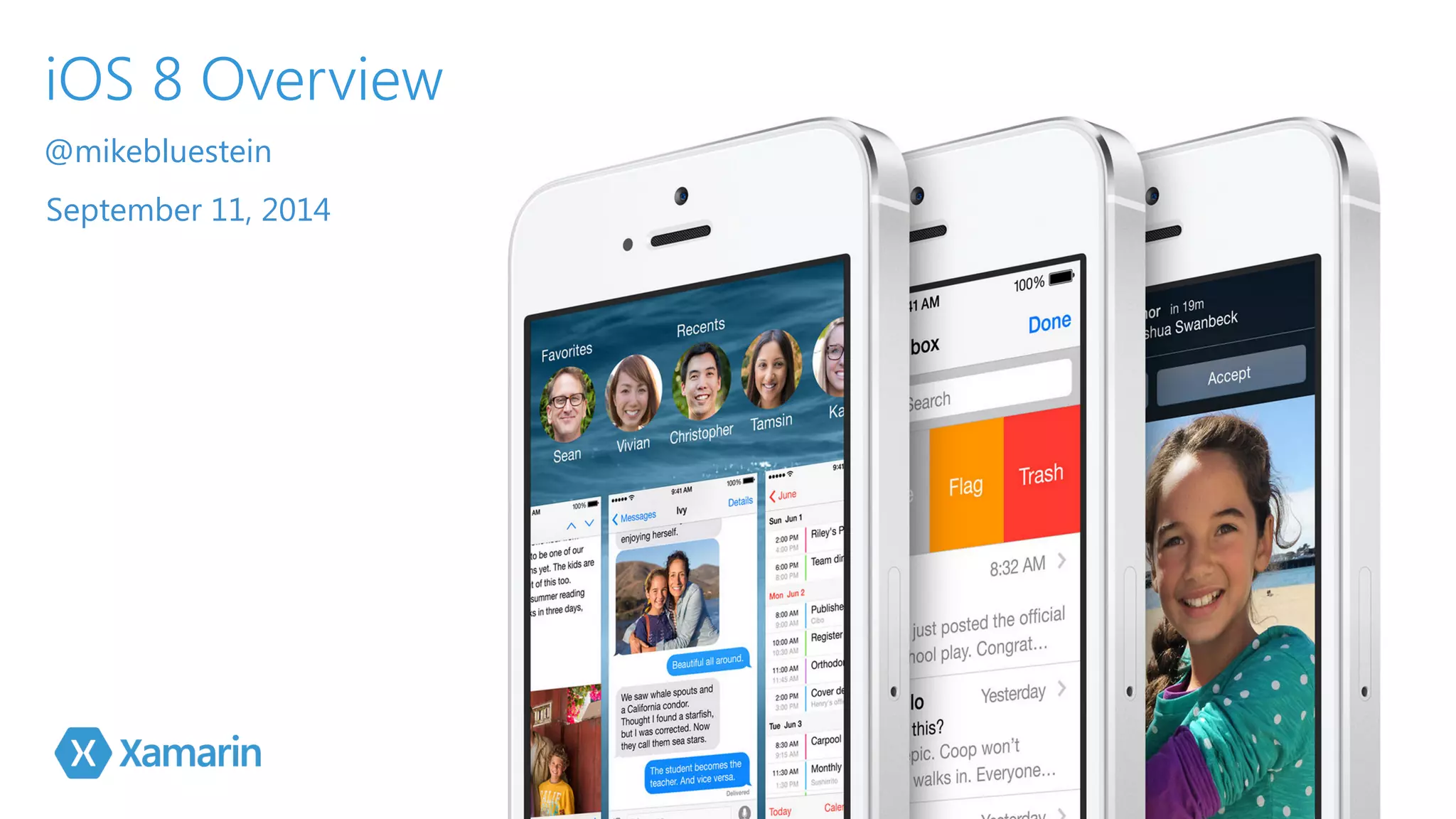
iOS 8 Overview 
@mikebluestein 
September 11, 2014
Agenda 
▪ Alert Controller 
▪ Navigation Controller 
▪ Notification Settings 
▪ Notification Actions 
▪ Popover Presentation 
Controller 
▪ Search Controller 
▪ Split View Controller 
▪ Visual Effects 
▪ Collection Views 
▪ Document Picker 
▪ Health Kit 
▪ Core Image 
▪ Scene Kit 
▪ Photo Kit
Alert 
Controller 
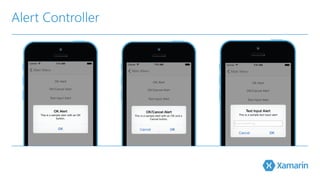
▪ UIAlertViewController 
▪Replaces UIActionSheet and 
UIAlertView 
iOS 8 Major Features
Alert Controller
Alert Controller 
public static UIAlertController PresentOKAlert( 
string title, 
string description, 
UIViewController controller) { 
// No, inform the user that they must create a home first 
var alert = UIAlertController.Create (title, 
! description, UIAlertControllerStyle.Alert); // Configure the alert 
alert.AddAction(UIAlertAction.Create (“OK", 
! UIAlertActionStyle.Default,(action) => {})); // Display the alert 
! controller.PresentViewController (alert, true, null); // Return created controller 
return alert; 
}! .!.. // Display the Alert 
AlertView.PresentOKAlert ("OK Alert”, 
"This is a sample alert with an OK button.”, this);
Navigation 
Controller 
▪Change navigation bar size 
▪ Hide navigation bar with gestures 
iOS 8 Major Features
Navigation Controller 
public override void ViewWillAppear (bool animated) 
{ 
! base.ViewWillAppear (animated); 
// Set the default mode 
! NavigationController.HidesBarsOnTap = true; 
// Wireup segment controller 
NavBarMode.ValueChanged += (sender, e) => { 
// Take action based on the selected mode 
switch(NavBarMode.SelectedSegment) { 
case 0: 
NavigationController.HidesBarsOnTap = true; 
NavigationController.HidesBarsOnSwipe = false; 
break; 
case 1: 
NavigationController.HidesBarsOnTap = false; 
NavigationController.HidesBarsOnSwipe = true; 
break; 
} 
}; 
}
Notification 
Settings 
▪ UIUserNotificationSetting 
▪ Encapsulates notification types 
▪ UIUserNotifiationType – Alert, Badge, 
Sound 
iOS 8 Major Features
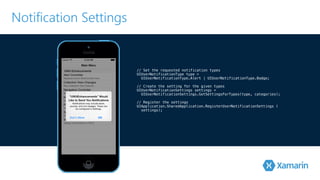
Notification Settings 
// Set the requested notification types 
UIUserNotificationType type = 
! UIUserNotificationType.Alert | UIUserNotificationType.Badge; 
// Create the setting for the given types 
UIUserNotificationSettings settings = 
! UIUserNotificationSettings.GetSettingsForTypes(type, categories); 
// Register the settings 
UIApplication.SharedApplication.RegisterUserNotificationSettings ( 
settings);
Notification 
Actions 
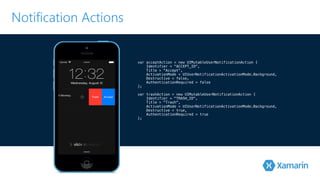
▪ UIMutableUserNotificationAction 
▪ Custom action in response 
to notification 
iOS 8 Major Features
Notification Actions 
var acceptAction = new UIMutableUserNotificationAction { 
Identifier = "ACCEPT_ID", 
Title = "Accept", 
ActivationMode = UIUserNotificationActivationMode.Background, 
Destructive = false, 
AuthenticationRequired = false 
}!; 
var trashAction = new UIMutableUserNotificationAction { 
Identifier = "TRASH_ID", 
Title = "Trash", 
ActivationMode = UIUserNotificationActivationMode.Background, 
Destructive = true, 
AuthenticationRequired = true 
};
Popover 
Presentation 
Controller 
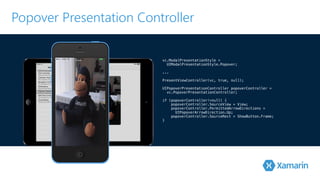
▪ UIPopoverPresentationController 
▪ Manages popover content 
▪Modal view on iPhone 
iOS 8 Major Features
Popover Presentation Controller 
vc.ModalPresentationStyle = 
! UIModalPresentationStyle.Popover; 
.!.. 
P!resentViewController(vc, true, null); 
UIPopoverPresentationController popoverController = 
! vc.PopoverPresentationController; 
if (popoverController!=null) { 
popoverController.SourceView = View; 
popoverController.PermittedArrowDirections = 
UIPopoverArrowDirection.Up; 
popoverController.SourceRect = ShowButton.Frame; 
}
Search 
Controller 
▪ UISearchController 
▪ Replaces UISearchDisplayController 
▪ UISearchResultsUpdating updates results 
▪ Results can be displayed in any view 
as needed 
iOS 8 Major Features
Search Controller 
// Create search updater 
var searchUpdater = new SearchResultsUpdator (); 
searchUpdater.UpdateSearchResults += (searchText) => { 
// Perform search and reload search table 
searchSource.Search(searchText); 
searchResultsController.TableView.ReloadData(); 
}!; 
// Create a search controller 
SearchController = new UISearchController (searchResultsController); 
S!earchController.SearchResultsUpdater = searchUpdater; 
.!.. 
public class SearchResultsUpdator : UISearchResultsUpdating 
{ 
public override void UpdateSearchResultsForSearchController (UISearchController 
searchController) 
{ 
// Inform caller of the update event 
RaiseUpdateSearchResults (searchController.SearchBar.Text); 
} 
... 
}
Split View 
Controller 
▪ UISplitViewController 
▪ Now works on iPad and iPhone 
▪ PreferredDisplayMode 
• AllVisible, PrimaryHidden, PrimaryOverlay 
iOS 8 Major Features
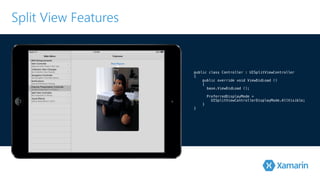
Split View Features 
public class Controller : UISplitViewController 
{ 
public override void ViewDidLoad () 
{ 
! base.ViewDidLoad (); 
PreferredDisplayMode = 
UISplitViewControllerDisplayMode.AllVisible; 
} 
}
Visual Effects ▪ UIVisualEffect 
▪ Blur and Vibrancy 
• UIVibrancyEffect 
• UIBlurEffect 
iOS 8 Major Features
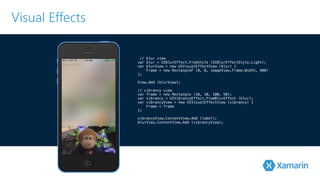
Visual Effects 
// blur view 
var blur = UIBlurEffect.FromStyle (UIBlurEffectStyle.Light); 
var blurView = new UIVisualEffectView (blur) { 
Frame = new RectangleF (0, 0, imageView.Frame.Width, 400) 
}!; 
V!iew.Add (blurView); 
// vibrancy view 
var frame = new Rectangle (10, 10, 100, 50); 
var vibrancy = UIVibrancyEffect.FromBlurEffect (blur); 
var vibrancyView = new UIVisualEffectView (vibrancy) { 
Frame = frame 
}!; 
vibrancyView.ContentView.Add (label); 
blurView.ContentView.Add (vibrancyView);
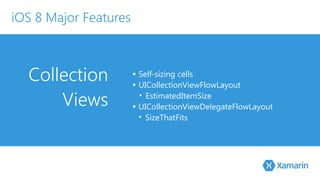
Collection 
Views 
▪ Self-sizing cells 
▪ UICollectionViewFlowLayout 
• EstimatedItemSize 
▪ UICollectionViewDelegateFlowLayout 
• SizeThatFits 
iOS 8 Major Features
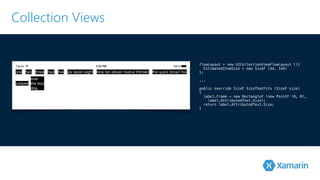
Collection Views 
flowLayout = new UICollectionViewFlowLayout (){ 
EstimatedItemSize = new SizeF (44, 144) 
}!; 
.!.. 
public override SizeF SizeThatFits (SizeF size) 
{ 
label.Frame = new RectangleF (new PointF (0, 0), 
label.AttributedText.Size); 
return label.AttributedText.Size; 
}
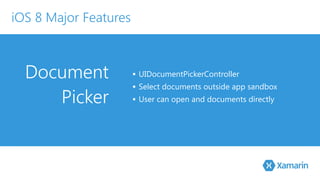
Document 
Picker 
▪ UIDocumentPickerController 
▪ Select documents outside app sandbox 
▪ User can open and documents directly 
iOS 8 Major Features
Document Picker 
! 
var allowedUTIs = new string[] { 
UTType.PDF, UTType.Image, ... 
}!; 
var pickerMenu = new UIDocumentMenuViewController(allowedUTIs, 
! UIDocumentPickerMode.Open); 
p!ickerMenu.DidPickDocumentPicker += (sender, args) => { 
! args.DocumentPicker.DidPickDocument += (s, pArgs) => { 
var securityEnabled = 
! pArgs.Url.StartAccessingSecurityScopedResource(); 
! ThisApp.OpenDocument(pArgs.Url); 
pArgs.Url.StopAccessingSecurityScopedResource(); 
! }; 
// Display the document picker 
PresentViewController (args.DocumentPicker, true, null); 
};
Health 
Kit 
▪ Store and Share Health Data 
▪ Create Data 
▪ Save Data 
▪ Query Data 
iOS 8 Major Features
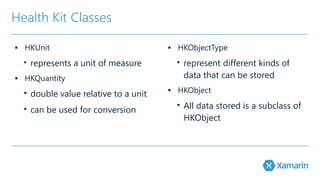
Health Kit Classes 
▪ HKUnit 
• represents a unit of measure 
▪ HKQuantity 
• double value relative to a unit 
• can be used for conversion 
▪ HKObjectType 
• represent different kinds of 
data that can be stored 
▪ HKObject 
• All data stored is a subclass of 
HKObject
Health Store 
▪ HKHealthStore - link to the health database 
▪ Check Health Kit availability on device 
▪ Authorize Health Kit 
▪ Save and Query data 
▪ Query via HKQuery
Authorize 
// authorization 
if (HKHealthStore.IsHealthDataAvailable) { 
var temperatureKey = 
HKQuantityTypeIdentifierKey.BodyTemperature; 
var tempQuantityType = 
HKObjectType.GetQuantityType ! (temperatureKey); 
! var healthStore = new HKHealthStore (); 
healthStore.RequestAuthorizationToShare ( 
new NSSet (new [] { tempQuantityType }), 
! new NSSet (), (success, error) => { 
}); 
}
Save 
// save data 
var temp = HKQuantity.FromQuantity ( 
HKUnit.DegreeFahrenheit, ! 99.9); 
var meta = NSDictionary.FromObjectAndKey ( 
new NSNumber (4), 
! HKMetadataKey.BodyTemperatureSensorLocation); 
var sample = HKQuantitySample.FromType ( 
tempQuantityType, 
temp, 
new NSDate (), 
new NSDate (), 
! meta); 
healthStore.SaveObject (sample, (success, err) => { ... });
Query 
// query data 
var temperatureType = 
HKObjectType.GetQuantityType (HKQuantityTypeIdentifierKey.BodyTemperature) ! as HKSampleType; 
//Sort descending, by end date (i.e., last sample) 
var sortDescriptor = new NSSortDescriptor (HKSample.SortIdentifierEndDate, false); 
n!ew HKSampleQuery (temperatureType, null, 1, new [] { sortDescriptor }, ResultsHandler); 
protected void ResultsHandler (HKSampleQuery query, HKSample[] results, NSError error) 
{ 
... 
}
Core Image 
▪ New QR code and Rectangle detectors 
▪ New Filters 
▪ Custom Filters 
▪ Feature detection in video 
iOS 8 Major Features
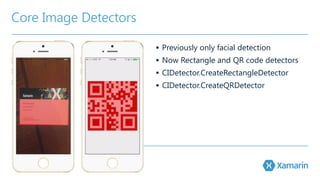
Core Image Detectors 
▪ Previously only facial detection 
▪ Now Rectangle and QR code detectors 
▪ CIDetector.CreateRectangleDetector 
▪ CIDetector.CreateQRDetector
Save 
var context = CIContext.FromOptions (null); 
var options = new CIDetectorOptions { 
Accuracy = FaceDetectorAccuracy.High 
}!; 
var detector = CIDetector.CreateRectangleDetector (context, options); 
var ciImage = CIImage.FromCGImage (imageIn.CGImage); 
v!ar features = detector.FeaturesInImage (ciImage); 
v!ar overlay = CIImage.ImageWithColor (CIColor.FromRgba (1.0f, 0.0f, 0.0f, 0.7f)); 
overlay = overlay.ImageByCroppingToRect (features [0].Bounds); 
var ciImageWithOverlay = overlay.CreateByCompositingOverImage (ciImage);
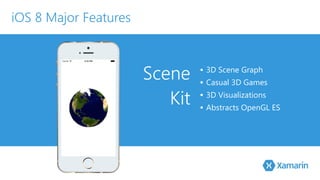
Scene 
Kit 
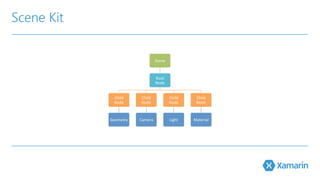
▪ 3D Scene Graph 
▪ Casual 3D Games 
▪ 3D Visualizations 
▪ Abstracts OpenGL ES 
iOS 8 Major Features
Scene Kit
Scene Kit 
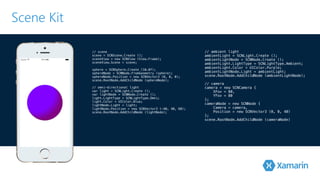
// scene 
scene = SCNScene.Create (); 
sceneView = new SCNView (View.Frame); 
s!ceneView.Scene = scene; sphere = SCNSphere.Create (10.0f); 
sphereNode = SCNNode.FromGeometry (sphere); 
sphereNode.Position = new SCNVector3 (0, 0, 0); 
s!cene.RootNode.AddChildNode (sphereNode); // omni-directional light 
var light = SCNLight.Create (); 
var lightNode = SCNNode.Create (); 
light.LightType = SCNLightType.Omni; 
light.Color = UIColor.Blue; 
lightNode.Light = light; 
lightNode.Position = new SCNVector3 (-40, 40, 60); 
scene.RootNode.AddChildNode (lightNode); 
// ambient light 
ambientLight = SCNLight.Create (); 
ambientLightNode = SCNNode.Create (); 
ambientLight.LightType = SCNLightType.Ambient; 
ambientLight.Color = UIColor.Purple; 
ambientLightNode.Light = ambientLight; 
s!cene.RootNode.AddChildNode (ambientLightNode); 
// camera 
camera = new SCNCamera { 
XFov = 80, 
YFov = 80 
}; 
cameraNode = new SCNNode { 
Camera = camera, 
Position = new SCNVector3 (0, 0, 40) 
}; 
scene.RootNode.AddChildNode (cameraNode)
Photo 
Kit 
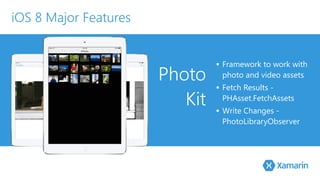
▪ Framework to work with 
photo and video assets 
▪ Fetch Results - 
PHAsset.FetchAssets 
▪ Write Changes - 
PhotoLibraryObserver 
iOS 8 Major Features
DEMO
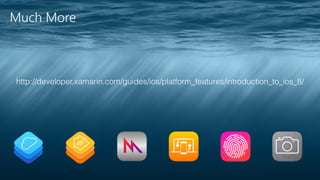
Much More 
▪ Manual Camera Controls 
▪ Home Kit 
▪ Cloud Kit 
▪ Handoff 
▪ Touch ID Auth 
▪ App Extensions 
▪ Unified Storyboards 
▪ Sprite Kit 
▪ Metal 
▪ Apple Pay
Much More 
http://developer.xamarin.com/guides/ios/platform_features/introduction_to_ios_8/
Key Attendees

Xamarin: Introduction to iOS 8

  • 1.
    iOS 8 Overview @mikebluestein September 11, 2014
  • 2.
    Agenda ▪ AlertController ▪ Navigation Controller ▪ Notification Settings ▪ Notification Actions ▪ Popover Presentation Controller ▪ Search Controller ▪ Split View Controller ▪ Visual Effects ▪ Collection Views ▪ Document Picker ▪ Health Kit ▪ Core Image ▪ Scene Kit ▪ Photo Kit
  • 3.
    Alert Controller ▪UIAlertViewController ▪Replaces UIActionSheet and UIAlertView iOS 8 Major Features
  • 4.
  • 5.
    Alert Controller publicstatic UIAlertController PresentOKAlert( string title, string description, UIViewController controller) { // No, inform the user that they must create a home first var alert = UIAlertController.Create (title, ! description, UIAlertControllerStyle.Alert); // Configure the alert alert.AddAction(UIAlertAction.Create (“OK", ! UIAlertActionStyle.Default,(action) => {})); // Display the alert ! controller.PresentViewController (alert, true, null); // Return created controller return alert; }! .!.. // Display the Alert AlertView.PresentOKAlert ("OK Alert”, "This is a sample alert with an OK button.”, this);
  • 6.
    Navigation Controller ▪Changenavigation bar size ▪ Hide navigation bar with gestures iOS 8 Major Features
  • 7.
    Navigation Controller publicoverride void ViewWillAppear (bool animated) { ! base.ViewWillAppear (animated); // Set the default mode ! NavigationController.HidesBarsOnTap = true; // Wireup segment controller NavBarMode.ValueChanged += (sender, e) => { // Take action based on the selected mode switch(NavBarMode.SelectedSegment) { case 0: NavigationController.HidesBarsOnTap = true; NavigationController.HidesBarsOnSwipe = false; break; case 1: NavigationController.HidesBarsOnTap = false; NavigationController.HidesBarsOnSwipe = true; break; } }; }
  • 8.
    Notification Settings ▪UIUserNotificationSetting ▪ Encapsulates notification types ▪ UIUserNotifiationType – Alert, Badge, Sound iOS 8 Major Features
  • 9.
    Notification Settings //Set the requested notification types UIUserNotificationType type = ! UIUserNotificationType.Alert | UIUserNotificationType.Badge; // Create the setting for the given types UIUserNotificationSettings settings = ! UIUserNotificationSettings.GetSettingsForTypes(type, categories); // Register the settings UIApplication.SharedApplication.RegisterUserNotificationSettings ( settings);
  • 10.
    Notification Actions ▪UIMutableUserNotificationAction ▪ Custom action in response to notification iOS 8 Major Features
  • 11.
    Notification Actions varacceptAction = new UIMutableUserNotificationAction { Identifier = "ACCEPT_ID", Title = "Accept", ActivationMode = UIUserNotificationActivationMode.Background, Destructive = false, AuthenticationRequired = false }!; var trashAction = new UIMutableUserNotificationAction { Identifier = "TRASH_ID", Title = "Trash", ActivationMode = UIUserNotificationActivationMode.Background, Destructive = true, AuthenticationRequired = true };
  • 12.
    Popover Presentation Controller ▪ UIPopoverPresentationController ▪ Manages popover content ▪Modal view on iPhone iOS 8 Major Features
  • 13.
    Popover Presentation Controller vc.ModalPresentationStyle = ! UIModalPresentationStyle.Popover; .!.. P!resentViewController(vc, true, null); UIPopoverPresentationController popoverController = ! vc.PopoverPresentationController; if (popoverController!=null) { popoverController.SourceView = View; popoverController.PermittedArrowDirections = UIPopoverArrowDirection.Up; popoverController.SourceRect = ShowButton.Frame; }
  • 14.
    Search Controller ▪UISearchController ▪ Replaces UISearchDisplayController ▪ UISearchResultsUpdating updates results ▪ Results can be displayed in any view as needed iOS 8 Major Features
  • 15.
    Search Controller //Create search updater var searchUpdater = new SearchResultsUpdator (); searchUpdater.UpdateSearchResults += (searchText) => { // Perform search and reload search table searchSource.Search(searchText); searchResultsController.TableView.ReloadData(); }!; // Create a search controller SearchController = new UISearchController (searchResultsController); S!earchController.SearchResultsUpdater = searchUpdater; .!.. public class SearchResultsUpdator : UISearchResultsUpdating { public override void UpdateSearchResultsForSearchController (UISearchController searchController) { // Inform caller of the update event RaiseUpdateSearchResults (searchController.SearchBar.Text); } ... }
  • 16.
    Split View Controller ▪ UISplitViewController ▪ Now works on iPad and iPhone ▪ PreferredDisplayMode • AllVisible, PrimaryHidden, PrimaryOverlay iOS 8 Major Features
  • 17.
    Split View Features public class Controller : UISplitViewController { public override void ViewDidLoad () { ! base.ViewDidLoad (); PreferredDisplayMode = UISplitViewControllerDisplayMode.AllVisible; } }
  • 18.
    Visual Effects ▪UIVisualEffect ▪ Blur and Vibrancy • UIVibrancyEffect • UIBlurEffect iOS 8 Major Features
  • 19.
    Visual Effects //blur view var blur = UIBlurEffect.FromStyle (UIBlurEffectStyle.Light); var blurView = new UIVisualEffectView (blur) { Frame = new RectangleF (0, 0, imageView.Frame.Width, 400) }!; V!iew.Add (blurView); // vibrancy view var frame = new Rectangle (10, 10, 100, 50); var vibrancy = UIVibrancyEffect.FromBlurEffect (blur); var vibrancyView = new UIVisualEffectView (vibrancy) { Frame = frame }!; vibrancyView.ContentView.Add (label); blurView.ContentView.Add (vibrancyView);
  • 20.
    Collection Views ▪Self-sizing cells ▪ UICollectionViewFlowLayout • EstimatedItemSize ▪ UICollectionViewDelegateFlowLayout • SizeThatFits iOS 8 Major Features
  • 21.
    Collection Views flowLayout= new UICollectionViewFlowLayout (){ EstimatedItemSize = new SizeF (44, 144) }!; .!.. public override SizeF SizeThatFits (SizeF size) { label.Frame = new RectangleF (new PointF (0, 0), label.AttributedText.Size); return label.AttributedText.Size; }
  • 22.
    Document Picker ▪UIDocumentPickerController ▪ Select documents outside app sandbox ▪ User can open and documents directly iOS 8 Major Features
  • 23.
    Document Picker ! var allowedUTIs = new string[] { UTType.PDF, UTType.Image, ... }!; var pickerMenu = new UIDocumentMenuViewController(allowedUTIs, ! UIDocumentPickerMode.Open); p!ickerMenu.DidPickDocumentPicker += (sender, args) => { ! args.DocumentPicker.DidPickDocument += (s, pArgs) => { var securityEnabled = ! pArgs.Url.StartAccessingSecurityScopedResource(); ! ThisApp.OpenDocument(pArgs.Url); pArgs.Url.StopAccessingSecurityScopedResource(); ! }; // Display the document picker PresentViewController (args.DocumentPicker, true, null); };
  • 24.
    Health Kit ▪Store and Share Health Data ▪ Create Data ▪ Save Data ▪ Query Data iOS 8 Major Features
  • 25.
    Health Kit Classes ▪ HKUnit • represents a unit of measure ▪ HKQuantity • double value relative to a unit • can be used for conversion ▪ HKObjectType • represent different kinds of data that can be stored ▪ HKObject • All data stored is a subclass of HKObject
  • 26.
    Health Store ▪HKHealthStore - link to the health database ▪ Check Health Kit availability on device ▪ Authorize Health Kit ▪ Save and Query data ▪ Query via HKQuery
  • 27.
    Authorize // authorization if (HKHealthStore.IsHealthDataAvailable) { var temperatureKey = HKQuantityTypeIdentifierKey.BodyTemperature; var tempQuantityType = HKObjectType.GetQuantityType ! (temperatureKey); ! var healthStore = new HKHealthStore (); healthStore.RequestAuthorizationToShare ( new NSSet (new [] { tempQuantityType }), ! new NSSet (), (success, error) => { }); }
  • 28.
    Save // savedata var temp = HKQuantity.FromQuantity ( HKUnit.DegreeFahrenheit, ! 99.9); var meta = NSDictionary.FromObjectAndKey ( new NSNumber (4), ! HKMetadataKey.BodyTemperatureSensorLocation); var sample = HKQuantitySample.FromType ( tempQuantityType, temp, new NSDate (), new NSDate (), ! meta); healthStore.SaveObject (sample, (success, err) => { ... });
  • 29.
    Query // querydata var temperatureType = HKObjectType.GetQuantityType (HKQuantityTypeIdentifierKey.BodyTemperature) ! as HKSampleType; //Sort descending, by end date (i.e., last sample) var sortDescriptor = new NSSortDescriptor (HKSample.SortIdentifierEndDate, false); n!ew HKSampleQuery (temperatureType, null, 1, new [] { sortDescriptor }, ResultsHandler); protected void ResultsHandler (HKSampleQuery query, HKSample[] results, NSError error) { ... }
  • 30.
    Core Image ▪New QR code and Rectangle detectors ▪ New Filters ▪ Custom Filters ▪ Feature detection in video iOS 8 Major Features
  • 31.
    Core Image Detectors ▪ Previously only facial detection ▪ Now Rectangle and QR code detectors ▪ CIDetector.CreateRectangleDetector ▪ CIDetector.CreateQRDetector
  • 32.
    Save var context= CIContext.FromOptions (null); var options = new CIDetectorOptions { Accuracy = FaceDetectorAccuracy.High }!; var detector = CIDetector.CreateRectangleDetector (context, options); var ciImage = CIImage.FromCGImage (imageIn.CGImage); v!ar features = detector.FeaturesInImage (ciImage); v!ar overlay = CIImage.ImageWithColor (CIColor.FromRgba (1.0f, 0.0f, 0.0f, 0.7f)); overlay = overlay.ImageByCroppingToRect (features [0].Bounds); var ciImageWithOverlay = overlay.CreateByCompositingOverImage (ciImage);
  • 33.
    Scene Kit ▪3D Scene Graph ▪ Casual 3D Games ▪ 3D Visualizations ▪ Abstracts OpenGL ES iOS 8 Major Features
  • 34.
  • 35.
    Scene Kit //scene scene = SCNScene.Create (); sceneView = new SCNView (View.Frame); s!ceneView.Scene = scene; sphere = SCNSphere.Create (10.0f); sphereNode = SCNNode.FromGeometry (sphere); sphereNode.Position = new SCNVector3 (0, 0, 0); s!cene.RootNode.AddChildNode (sphereNode); // omni-directional light var light = SCNLight.Create (); var lightNode = SCNNode.Create (); light.LightType = SCNLightType.Omni; light.Color = UIColor.Blue; lightNode.Light = light; lightNode.Position = new SCNVector3 (-40, 40, 60); scene.RootNode.AddChildNode (lightNode); // ambient light ambientLight = SCNLight.Create (); ambientLightNode = SCNNode.Create (); ambientLight.LightType = SCNLightType.Ambient; ambientLight.Color = UIColor.Purple; ambientLightNode.Light = ambientLight; s!cene.RootNode.AddChildNode (ambientLightNode); // camera camera = new SCNCamera { XFov = 80, YFov = 80 }; cameraNode = new SCNNode { Camera = camera, Position = new SCNVector3 (0, 0, 40) }; scene.RootNode.AddChildNode (cameraNode)
  • 36.
    Photo Kit ▪Framework to work with photo and video assets ▪ Fetch Results - PHAsset.FetchAssets ▪ Write Changes - PhotoLibraryObserver iOS 8 Major Features
  • 37.
  • 38.
    Much More ▪Manual Camera Controls ▪ Home Kit ▪ Cloud Kit ▪ Handoff ▪ Touch ID Auth ▪ App Extensions ▪ Unified Storyboards ▪ Sprite Kit ▪ Metal ▪ Apple Pay
  • 39.
  • 40.