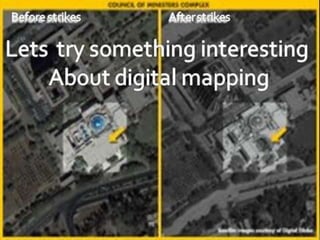
WHAT IS DIGITAL MAPPING?
introduction
Digital mapping is a branch of
geology which deals with digitalizing
of different kind of maps.
BIRTH OF DIGITAL MAPPING
ETAK
Vendor of automotive navigation system equipment,
digital maps, and mapping software.
It was founded in 1983.
It was a pioneer in automotive navigation systems and
digital mapping, technologies.
BIRTH OF DIGITAL MAPPING
Founding of the Company
Etak's initial start-up funding came from Nolan Bushnell
Bushnell was impressed with Honey's navigational
electronics and asked whether he had any other ideas.
Honey suggested a car navigation system and digital-
mapping and firm Etak was born.
Named after a Polynesian term for navigation.
ETAK
BIRTH OF DIGITAL MAPPING
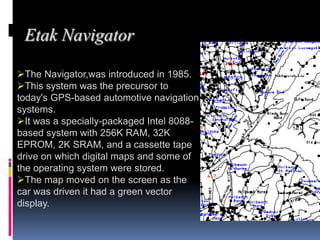
Etak Navigator
The Navigator,was introduced in 1985.
This system was the precursor to
today's GPS-based automotive navigation
systems.
It was a specially-packaged Intel 8088-
based system with 256K RAM, 32K
EPROM, 2K SRAM, and a cassette tape
drive on which digital maps and some of
the operating system were stored.
The map moved on the screen as the
car was driven it had a green vector
display.
BIRTH OF DIGITAL MAPPING
Contd…..
The Navigator had address geocoding.
It worked by using a digital compass mounted in
the car and two wheel sensors mounted on the non-
driven wheels.
The system used map-matching augmented dead
reckoning.
BIRTH OF DIGITAL MAPPING
The Move to Digital
Mapping
Etak stopped making its own hardware and focused more on
digital mapping technology with its Etak Maps and EtakGuide
products.
As early as 1987, Etak was mapping Japanese cities.
Japan had gotten an earlier start in car navigation efforts
with Honda's Electro Gyrocator.
Sony Corporation in 1995 announced the Sony NVX-F160
system using Etak's digital mapping software
BIRTH OF DIGITAL MAPPING
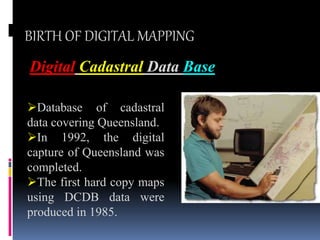
Digital Cadastral Data Base
Database of cadastral
data covering Queensland.
In 1992, the digital
capture of Queensland was
completed.
The first hard copy maps
using DCDB data were
produced in 1985.
The Computer Inventory of Survey Plans (CISP) was
developed between 1987 and 1991. This was to provide an
electronic tool for reliable cadastral searching of survey
plans in Queensland.
The system held the information shown on plans in a
database. Therefore, survey plans became static documents
and were no longer continuously updated with new
information, as had been the practice.
Digital acquisition at a rapid rate
Survey plandatabase
BIRTH OF DIGITAL MAPPING
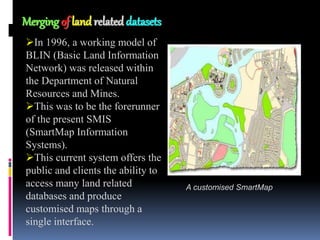
Merging of land related datasets
In 1996, a working model of
BLIN (Basic Land Information
Network) was released within
the Department of Natural
Resources and Mines.
This was to be the forerunner
of the present SMIS
(SmartMap Information
Systems).
This current system offers the
public and clients the ability to
access many land related
databases and produce
customised maps through a
single interface.
A customised SmartMap
Components of a GIS
GIS can be divided into five components:
A.People,
B. Data,
C.Hardware,
D.Software, and
E.Procedures.
What is GIS?
 SPATIAL DATA
NON SPATIAL DATA
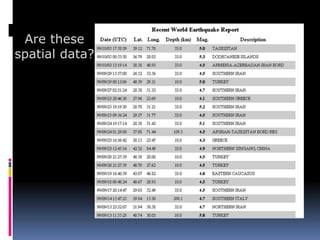
Are these
spatial data?
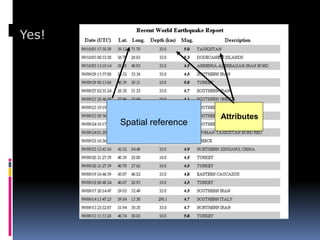
Spatial reference
Attributes
Yes!
Spatial data - examples
• Digital map data
– e.g. Ordnance Survey, Bartholomew
• Aerial photographs
• Field data
– GPS readings, field surveys
• Remotely sensed images
– e.g. Landsat, SPOT
• Paper maps and plans
– AA road maps,
• Socio-economic data
– e.g. census data, marketing surveys
Spatial data - analogue vs. digital
• Analogue
– paper maps
– printed aerial
photographs
– tables of statistics
• Fixed scale
• Need to be
converted to digital
format
• Digital
– digital data files
– remotely sensed
images
– GPS output files
• Scale ‘free’/flexible
• File format
predetermined
• Download or copy
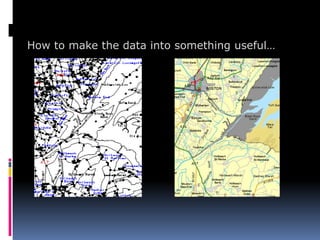
How to make the data into something useful…
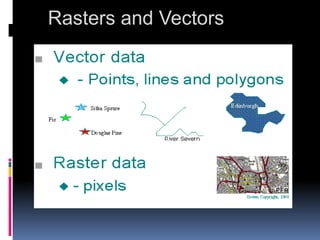
Vector data - points, lines and
areas
Points - x,y co-ordinates
representing individual
points e.g. trees
Lines - sets of points
representing linear
features e.g. roads,
rivers
Areas - closed set of lines
such as woodlands or a city
boundary
Area
[x1,y1]
[x2,y2]
[x3,y3]
Line
[x1,y1]
[x2,y2]
[x3,y3]
[x4,y4]
[x5,y5]
[x6,y6]
Point
[x1,y1]
Rasters and Vectors
Three Views of a GIS
A GIS can be viewed in three ways:
The Database View
The Map View
The Model View
Advantages
This saves tremendous time and money.
GIS improves the speed and accuracy with
which you act by uncovering trends and patterns
hidden in your data.
During the last 30 years companies, agencies,
academic institutions, and governments
worldwide have implemented GIS programs to
take advantage of these benefits
NEED OF DIGITAL MAPPING
Managing disease
Health officials in the southern Indian state of Andhra Pradesh have
been frustrated for years by difficulties in tracking outbreaks of Japanese
encephalitis. It took 16 days, at best, for news of a case in a small
village to reach government officials in the state capital, Hyderabad. By
the time the health ministry had collated the relevant data and confirmed
the cases, an epidemic was upon them.
Today, health services can receive information within a few hours. The
National Informatics Centre (NIC) in Hyderabad receives information on
disease cases directly from health workers through the Internet, which
can then be mapped quickly using GIS.
GIS helps us to quickly map and identify areas of high incidence, and
even update the maps with each new data entry,"
In 2006, the Asian Institute of Technology (AIT) in Bangkok
launched a project to map and track fatal strains of the virus,
identifying risk zones and the trajectory of any potential
outbreak.
At a gathering of international GIS experts in Hyderabad in
January, the AIT presented preliminary data showing that
countries with temperatures of 25–30 degrees Celsius that get
around 50 millimetres of rainfall each year reported most
outbreaks.
Managing disease
Monitoring disasters
GIS is increasingly employed for environmental and disaster
management, with satellite images used to monitor floods,
hurricanes, droughts, landslides, fires and oil spills. Emergency
workers can use GIS to prepare maps of disaster zones, visualise
disaster scenarios, and develop advanced spatial models and
management plans.
the Prabhani district of central India, remote sensing and GIS are
helping officials prepare updated erosion maps. These detail
slopes, soil type, drainage patterns and areas where ground water
could potentially be replenished, either naturally through rainwater
or artificially through aquifers.
many issues of mountain development such as environmental
degradation, deforestation, floods and sharing of water resources,
have a strong geographical component.
SOCIAL PROBLEMS
GIS is being used to tackle social problems. In
Afghanistan, which provides 92 per cent of the
world's illicit supply of opium, the UN Office of Drugs
and Crime is using GIS technology to monitor opium
crops.
Stumbling blocks
satellite images alone cannot be relied
upon and need to be verified with ground
surveys. In 2006, for example, Malaysia
found that only 10 per cent of 6000 thermal
hotspots indicated in satellite images were
real fires. Multiple detection systems are
needed to eliminate false signals.
Stumbling blocks
Even with better software and skilled database specialists, GIS
faces further problems. With private companies, non-governmental
organisations and other international players as potential users,
governments still hesitate to make GIS information available in the
public domain, citing security reasons.
But even if GIS maps are shared more widely, there remains the
problem of standardising the data. The same set of data often cannot
be used by different agencies with different needs.
Equally important is the cost.
the price of hardware has come down but the software is still
expensive. He says the poorest countries will be able to afford the
technology if the price is halved.
"There are still grey areas [regarding] governments' national security
concerns, right to privacy of individuals and ethical use of GIS data."
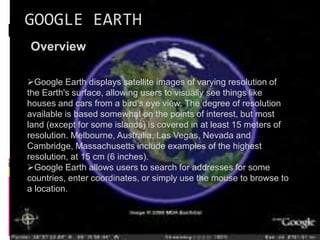
GOOGLE EARTH
Overview
Google Earth displays satellite images of varying resolution of
the Earth's surface, allowing users to visually see things like
houses and cars from a bird's eye view. The degree of resolution
available is based somewhat on the points of interest, but most
land (except for some islands) is covered in at least 15 meters of
resolution. Melbourne, Australia, Las Vegas, Nevada and
Cambridge, Massachusetts include examples of the highest
resolution, at 15 cm (6 inches).
Google Earth allows users to search for addresses for some
countries, enter coordinates, or simply use the mouse to browse to
a location.
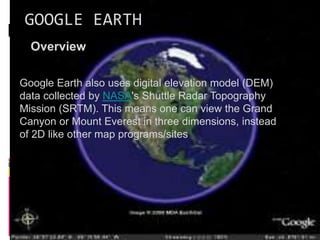
GOOGLE EARTH
Overview
Google Earth also uses digital elevation model (DEM)
data collected by NASA's Shuttle Radar Topography
Mission (SRTM). This means one can view the Grand
Canyon or Mount Everest in three dimensions, instead
of 2D like other map programs/sites
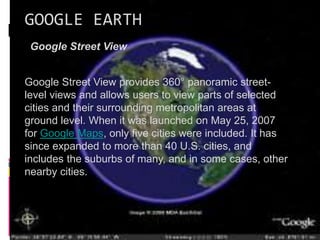
GOOGLE EARTH
Google Street View
Google Street View provides 360° panoramic street-
level views and allows users to view parts of selected
cities and their surrounding metropolitan areas at
ground level. When it was launched on May 25, 2007
for Google Maps, only five cities were included. It has
since expanded to more than 40 U.S. cities, and
includes the suburbs of many, and in some cases, other
nearby cities.
GOOGLE EARTH
National security and privacy issues
The software has been criticized by a number of
special interest groups, including national officials,
as being an invasion of privacy and even posing a
threat to national security. The typical argument is
that the software provides information about military
or other critical installations that could be used by
terrorists.
GOOGLE EARTH
Google Earth Flight Simulator Controls
It is possible to control the simulator with a mouse
or joystick, although not all models are currently
supported.
The Google Earth flight simulator features the
ability to fly to any supported locations of the world.
The pilot can choose any location to start a flight or
attempt to land a flight in the world.
GOOGLE EARTH
Google Sky
Google Sky is a feature for Google's Google Earth and
an online sky/outer space viewer at
http://www.google.com/sky. It shows the sky view made
up of a collaboration of Hubble Telescope space
photographs. It was created on August 27, 2007.
GOOGLE EARTH
Here are some ideas for using Google Earth in our classroom:
Biology: Track routes of chimpanzees in Tanzania's
Forest.
Ecology: Create a short quiz.
Environmental Science: Have students check Alaska's
global warming problems.
Geology: Find images, links, and descriptions, with
information about thousands of volcanoes around the
globe,
Math: Explore distance, velocity, and wave properties of
tsunamis.
Presented By
FAIZAN KHAN
DAYAWAN
UDAY
PRASAD
PUNE INSTITUTE OF COMPUTER
TECHNOLOGY,PUNE

Introduction to Digital Mapping for UG Students

  • 2.
    WHAT IS DIGITALMAPPING? introduction Digital mapping is a branch of geology which deals with digitalizing of different kind of maps.
  • 3.
    BIRTH OF DIGITALMAPPING ETAK Vendor of automotive navigation system equipment, digital maps, and mapping software. It was founded in 1983. It was a pioneer in automotive navigation systems and digital mapping, technologies.
  • 4.
    BIRTH OF DIGITALMAPPING BIRTH OF DIGITAL MAPPING Founding of the Company Etak's initial start-up funding came from Nolan Bushnell Bushnell was impressed with Honey's navigational electronics and asked whether he had any other ideas. Honey suggested a car navigation system and digital- mapping and firm Etak was born. Named after a Polynesian term for navigation. ETAK
  • 5.
    BIRTH OF DIGITALMAPPING BIRTH OF DIGITAL MAPPING Etak Navigator The Navigator,was introduced in 1985. This system was the precursor to today's GPS-based automotive navigation systems. It was a specially-packaged Intel 8088- based system with 256K RAM, 32K EPROM, 2K SRAM, and a cassette tape drive on which digital maps and some of the operating system were stored. The map moved on the screen as the car was driven it had a green vector display.
  • 6.
    BIRTH OF DIGITALMAPPING BIRTH OF DIGITAL MAPPING Contd….. The Navigator had address geocoding. It worked by using a digital compass mounted in the car and two wheel sensors mounted on the non- driven wheels. The system used map-matching augmented dead reckoning.
  • 7.
    BIRTH OF DIGITALMAPPING BIRTH OF DIGITAL MAPPING The Move to Digital Mapping Etak stopped making its own hardware and focused more on digital mapping technology with its Etak Maps and EtakGuide products. As early as 1987, Etak was mapping Japanese cities. Japan had gotten an earlier start in car navigation efforts with Honda's Electro Gyrocator. Sony Corporation in 1995 announced the Sony NVX-F160 system using Etak's digital mapping software
  • 8.
    BIRTH OF DIGITALMAPPING Digital Cadastral Data Base Database of cadastral data covering Queensland. In 1992, the digital capture of Queensland was completed. The first hard copy maps using DCDB data were produced in 1985.
  • 9.
    The Computer Inventoryof Survey Plans (CISP) was developed between 1987 and 1991. This was to provide an electronic tool for reliable cadastral searching of survey plans in Queensland. The system held the information shown on plans in a database. Therefore, survey plans became static documents and were no longer continuously updated with new information, as had been the practice. Digital acquisition at a rapid rate Survey plandatabase
  • 10.
    BIRTH OF DIGITALMAPPING BIRTH OF DIGITAL MAPPING Merging of land related datasets In 1996, a working model of BLIN (Basic Land Information Network) was released within the Department of Natural Resources and Mines. This was to be the forerunner of the present SMIS (SmartMap Information Systems). This current system offers the public and clients the ability to access many land related databases and produce customised maps through a single interface. A customised SmartMap
  • 11.
    Components of aGIS GIS can be divided into five components: A.People, B. Data, C.Hardware, D.Software, and E.Procedures.
  • 12.
    What is GIS? SPATIAL DATA NON SPATIAL DATA
  • 13.
  • 14.
  • 15.
    Spatial data -examples • Digital map data – e.g. Ordnance Survey, Bartholomew • Aerial photographs • Field data – GPS readings, field surveys • Remotely sensed images – e.g. Landsat, SPOT • Paper maps and plans – AA road maps, • Socio-economic data – e.g. census data, marketing surveys
  • 16.
    Spatial data -analogue vs. digital • Analogue – paper maps – printed aerial photographs – tables of statistics • Fixed scale • Need to be converted to digital format • Digital – digital data files – remotely sensed images – GPS output files • Scale ‘free’/flexible • File format predetermined • Download or copy
  • 17.
    How to makethe data into something useful…
  • 18.
    Vector data -points, lines and areas Points - x,y co-ordinates representing individual points e.g. trees Lines - sets of points representing linear features e.g. roads, rivers Areas - closed set of lines such as woodlands or a city boundary Area [x1,y1] [x2,y2] [x3,y3] Line [x1,y1] [x2,y2] [x3,y3] [x4,y4] [x5,y5] [x6,y6] Point [x1,y1]
  • 19.
  • 20.
    Three Views ofa GIS A GIS can be viewed in three ways: The Database View The Map View The Model View
  • 21.
    Advantages This saves tremendoustime and money. GIS improves the speed and accuracy with which you act by uncovering trends and patterns hidden in your data. During the last 30 years companies, agencies, academic institutions, and governments worldwide have implemented GIS programs to take advantage of these benefits
  • 22.
    NEED OF DIGITALMAPPING Managing disease Health officials in the southern Indian state of Andhra Pradesh have been frustrated for years by difficulties in tracking outbreaks of Japanese encephalitis. It took 16 days, at best, for news of a case in a small village to reach government officials in the state capital, Hyderabad. By the time the health ministry had collated the relevant data and confirmed the cases, an epidemic was upon them. Today, health services can receive information within a few hours. The National Informatics Centre (NIC) in Hyderabad receives information on disease cases directly from health workers through the Internet, which can then be mapped quickly using GIS. GIS helps us to quickly map and identify areas of high incidence, and even update the maps with each new data entry,"
  • 23.
    In 2006, theAsian Institute of Technology (AIT) in Bangkok launched a project to map and track fatal strains of the virus, identifying risk zones and the trajectory of any potential outbreak. At a gathering of international GIS experts in Hyderabad in January, the AIT presented preliminary data showing that countries with temperatures of 25–30 degrees Celsius that get around 50 millimetres of rainfall each year reported most outbreaks. Managing disease
  • 24.
    Monitoring disasters GIS isincreasingly employed for environmental and disaster management, with satellite images used to monitor floods, hurricanes, droughts, landslides, fires and oil spills. Emergency workers can use GIS to prepare maps of disaster zones, visualise disaster scenarios, and develop advanced spatial models and management plans. the Prabhani district of central India, remote sensing and GIS are helping officials prepare updated erosion maps. These detail slopes, soil type, drainage patterns and areas where ground water could potentially be replenished, either naturally through rainwater or artificially through aquifers. many issues of mountain development such as environmental degradation, deforestation, floods and sharing of water resources, have a strong geographical component.
  • 25.
    SOCIAL PROBLEMS GIS isbeing used to tackle social problems. In Afghanistan, which provides 92 per cent of the world's illicit supply of opium, the UN Office of Drugs and Crime is using GIS technology to monitor opium crops.
  • 26.
    Stumbling blocks satellite imagesalone cannot be relied upon and need to be verified with ground surveys. In 2006, for example, Malaysia found that only 10 per cent of 6000 thermal hotspots indicated in satellite images were real fires. Multiple detection systems are needed to eliminate false signals.
  • 27.
    Stumbling blocks Even withbetter software and skilled database specialists, GIS faces further problems. With private companies, non-governmental organisations and other international players as potential users, governments still hesitate to make GIS information available in the public domain, citing security reasons. But even if GIS maps are shared more widely, there remains the problem of standardising the data. The same set of data often cannot be used by different agencies with different needs. Equally important is the cost. the price of hardware has come down but the software is still expensive. He says the poorest countries will be able to afford the technology if the price is halved. "There are still grey areas [regarding] governments' national security concerns, right to privacy of individuals and ethical use of GIS data."
  • 28.
    GOOGLE EARTH Overview Google Earthdisplays satellite images of varying resolution of the Earth's surface, allowing users to visually see things like houses and cars from a bird's eye view. The degree of resolution available is based somewhat on the points of interest, but most land (except for some islands) is covered in at least 15 meters of resolution. Melbourne, Australia, Las Vegas, Nevada and Cambridge, Massachusetts include examples of the highest resolution, at 15 cm (6 inches). Google Earth allows users to search for addresses for some countries, enter coordinates, or simply use the mouse to browse to a location.
  • 29.
    GOOGLE EARTH Overview Google Earthalso uses digital elevation model (DEM) data collected by NASA's Shuttle Radar Topography Mission (SRTM). This means one can view the Grand Canyon or Mount Everest in three dimensions, instead of 2D like other map programs/sites
  • 30.
    GOOGLE EARTH Google StreetView Google Street View provides 360° panoramic street- level views and allows users to view parts of selected cities and their surrounding metropolitan areas at ground level. When it was launched on May 25, 2007 for Google Maps, only five cities were included. It has since expanded to more than 40 U.S. cities, and includes the suburbs of many, and in some cases, other nearby cities.
  • 31.
    GOOGLE EARTH National securityand privacy issues The software has been criticized by a number of special interest groups, including national officials, as being an invasion of privacy and even posing a threat to national security. The typical argument is that the software provides information about military or other critical installations that could be used by terrorists.
  • 32.
    GOOGLE EARTH Google EarthFlight Simulator Controls It is possible to control the simulator with a mouse or joystick, although not all models are currently supported. The Google Earth flight simulator features the ability to fly to any supported locations of the world. The pilot can choose any location to start a flight or attempt to land a flight in the world.
  • 33.
    GOOGLE EARTH Google Sky GoogleSky is a feature for Google's Google Earth and an online sky/outer space viewer at http://www.google.com/sky. It shows the sky view made up of a collaboration of Hubble Telescope space photographs. It was created on August 27, 2007.
  • 34.
    GOOGLE EARTH Here aresome ideas for using Google Earth in our classroom: Biology: Track routes of chimpanzees in Tanzania's Forest. Ecology: Create a short quiz. Environmental Science: Have students check Alaska's global warming problems. Geology: Find images, links, and descriptions, with information about thousands of volcanoes around the globe, Math: Explore distance, velocity, and wave properties of tsunamis.
  • 36.
    Presented By FAIZAN KHAN DAYAWAN UDAY PRASAD PUNEINSTITUTE OF COMPUTER TECHNOLOGY,PUNE