How to use Internet effectively				Carolina Chacón Benavides
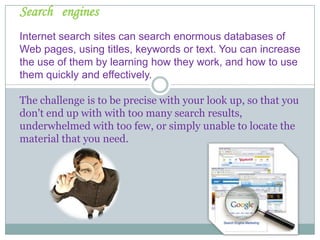
SearchenginesInternet search sites can search enormous databases of Web pages, using titles, keywords or text. You can increase  the use of themby learning how they work, and how to use them quickly and effectively.Thechallengeistobe precise withyour look up, so that you don't end up with with too many search results, underwhelmed with too few, or simply unable to locate the material that you need.
GettingStartedDefine your topic as completely as possible.
Write down exactly what information you are looking for.
Why do you need that information and which one you would not need it.
This will help you to discover the best keywords for your search.Get  familiar  withKeywordsMost users submit 1.5 keywords per search, which is not enough for an effective query - the recommended maximum is 6 to 8 carefully chosen words, preferably nouns and objects. (Search engines consider articles and pronouns clutter.) Avoid verbs, and use modifiers only when they help to define your object more precisely - as in "feta cheese" rather than just "cheese."
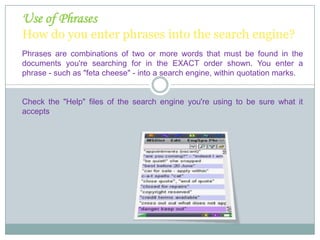
Use of PhrasesHow do you enter phrases into the search engine?Phrases are combinations of two or more words that must be found in the documents you're searching for in the EXACT order shown. You enter a phrase - such as "feta cheese" - into a search engine, within quotation marks.Check the "Help" files of the search engine you're using to be sure what it accepts.
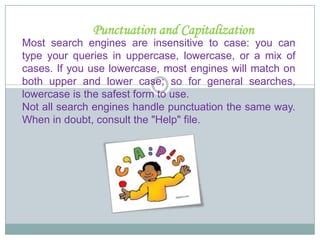
Punctuation and CapitalizationMost search engines are insensitive to case: you can type your queries in uppercase, lowercase, or a mix of cases. If you use lowercase, most engines will match on both upper and lower case; so for general searches, lowercase is the safest form to use. Not all search engines handle punctuation the same way. When in doubt, consult the "Help" file.

How to use internet effectivetly

  • 1.
    How to useInternet effectively Carolina Chacón Benavides
  • 2.
    SearchenginesInternet search sitescan search enormous databases of Web pages, using titles, keywords or text. You can increase the use of themby learning how they work, and how to use them quickly and effectively.Thechallengeistobe precise withyour look up, so that you don't end up with with too many search results, underwhelmed with too few, or simply unable to locate the material that you need.
  • 3.
    GettingStartedDefine your topicas completely as possible.
  • 4.
    Write down exactlywhat information you are looking for.
  • 5.
    Why do youneed that information and which one you would not need it.
  • 6.
    This will helpyou to discover the best keywords for your search.Get familiar withKeywordsMost users submit 1.5 keywords per search, which is not enough for an effective query - the recommended maximum is 6 to 8 carefully chosen words, preferably nouns and objects. (Search engines consider articles and pronouns clutter.) Avoid verbs, and use modifiers only when they help to define your object more precisely - as in "feta cheese" rather than just "cheese."
  • 7.
    Use of PhrasesHowdo you enter phrases into the search engine?Phrases are combinations of two or more words that must be found in the documents you're searching for in the EXACT order shown. You enter a phrase - such as "feta cheese" - into a search engine, within quotation marks.Check the "Help" files of the search engine you're using to be sure what it accepts.
  • 8.
    Punctuation and CapitalizationMostsearch engines are insensitive to case: you can type your queries in uppercase, lowercase, or a mix of cases. If you use lowercase, most engines will match on both upper and lower case; so for general searches, lowercase is the safest form to use. Not all search engines handle punctuation the same way. When in doubt, consult the "Help" file.