GoogleSmart


          Click icon


                       1
Research with Google?
•  Students, teachers, staff—we all use Google
   –  Teachers are overheard telling students: “just Google it”
•  Students are required to use resources from subscription
   databases.
   –  Subscription services are more authoritative, valid, easier to use,
      and easier to cite.
•  But we also Google—either as a start, or to check that
   something obvious wasn’t missed
•  Google is incredibly powerful
•  So let’s get better at Googling!


                                                                        2
Today’s Goals
•  Learn how to use Google better.
  –  Google Advanced
  –  Key Words, Key Phrases
  –  Google Scholar
•  Discover Google shortcuts and neat
   “things”


                                        3
Keep in mind: The Invisible Web
              Google doesn’t search everything…
•  What search engines choose not to index
   –  “The Invisible Web: Text pages, files, or other often high-quality authoritative
      information available via the World Wide Web that general-purpose search
      engines cannot, due to technical limitations, or will not, due to deliberate choice,
      add to their indices of Web pages. Sometimes also referred to as the “deep Web”
      or “dark matter…what may be invisible today may suddenly become visible
      tomorrow.”
   –  “If a Web page has no links pointing to it from any other page on the Web, a
      search engine crawler can’t find it. These “disconnected” pages are the most
      basic part of the Invisible Web.” Sherman, Chris and Gary Price, In Library Trends 52 (2) 2003: Organizing the
       Internet: 282-298

   –  “In fact, only a small percentage of the Web’s content is accessible to Google.
      The term “deep Web” refers to the vast portion of the Web that is beyond the
      reach of the typical “surface Web” crawlers. Surface Web search engines like
      Google can’t easily fathom the deep Web because most deep Web content has
      no links to it.” Sol Lederman, altsearchengine.com, 2009.


                                                                                                                  4
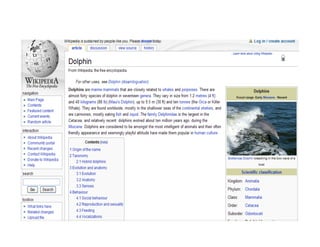
So let’s find a typical
assignment for a young student


                     “find out what bottlenose
                           dolphins eat”


(This is my part of the report)

                                                 5
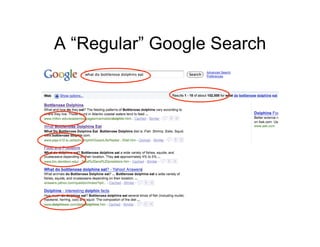
A “Regular” Google Search


                            6
7
8
9
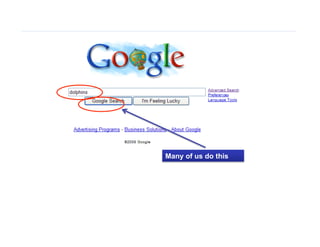
Many of us do this


                     10
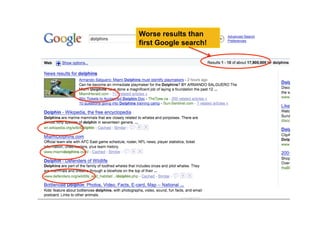
Worse results than
first Google search!


                       11
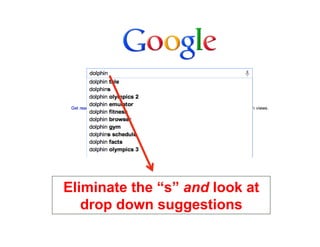
Eliminate the “s” and look at
   drop down suggestions
                                12
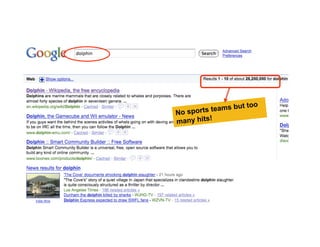
ut too
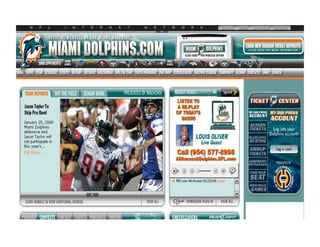
No sports teams b
many hits!


                          13
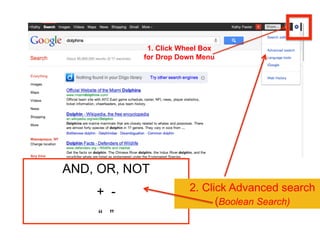
1. Click Wheel Box
           for Drop Down Menu


AND, OR, NOT
    + -                2. Click Advanced search
                             (Boolean Search)
    “ ”                                 14
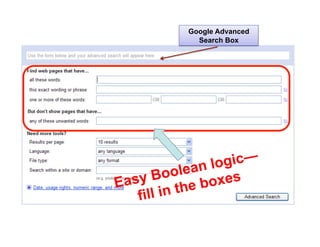
Google Advanced
             Search Box


                   gic—
       Bool  ean lo
E asy
            the boxes
    fill in
                             15
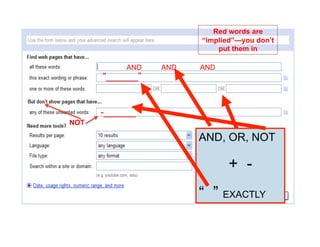
Red words are
                       “implied”—you don’t
                           put them in

           AND   AND   AND
      “______”


      -______
NOT

                       AND, OR, NOT

                              + -
                       “ ” EXACTLY
                                             16
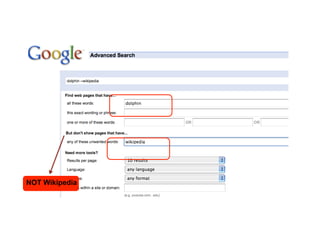
NOT Wikipedia


                17
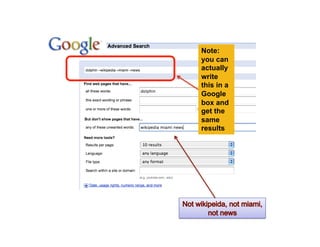
Note:
you can
actually
write
this in a
Google
box and
get the
same
results


            18
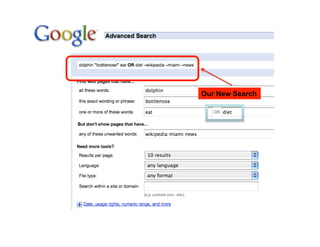
What was the original question?
  •  What do bottlenose dolphins eat?

      Think of synonyms for “eat”


                                        19
OurOur New Search
   new search


                    20
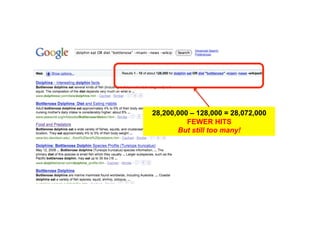
28,200,000 – 128,000 = 28,072,000
                                  FEWER HITS
                               But still too many!


More results, more focused


                                                            21
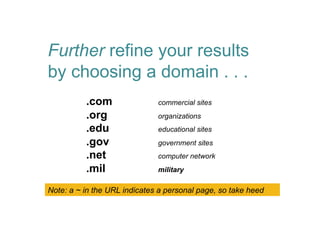
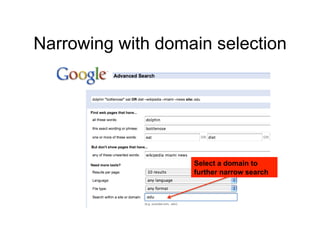
Further refine your results
by choosing a domain . . .
          .com                commercial sites
          .org                organizations
          .edu                educational sites
          .gov                government sites
          .net                computer network
          .mil                military

Note: a ~ in the URL indicates a personal page, so take heed


                                                               22
Speaking of Domains…

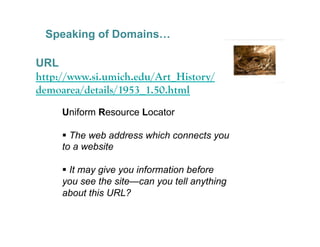
URL
http://www.si.umich.edu/Art_History/
demoarea/details/1953_1.50.html
     Uniform Resource Locator

       The web address which connects you
     to a website

       It may give you information before
     you see the site—can you tell anything
     about this URL?

                                              23
Narrowing with domain selection


                   Select a domain to
                   further narrow search


                                           24
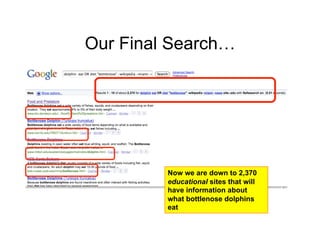
Our Final Search…


         Now we are down to 2,370
         educational sites that will
         have information about
         what bottlenose dolphins
         eat
                                       25
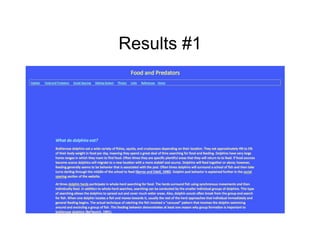
Results #1


             26
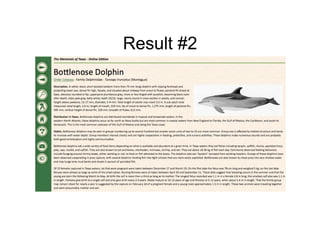
Result #2


            27
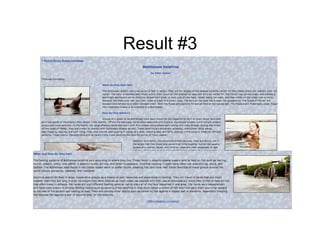
Result #3


            28
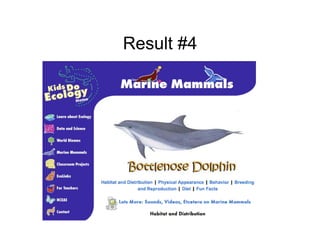
Result #4


            29
We had 4
                authoritative
                appropriate
                   useful
                  websites
              on the first page
     While we had two good results with earlier searches,
We did not have enough to compare and verify the information…
                                      Now we do

                                                           30
“Good enough” is not the same
         as “good.”


                                31
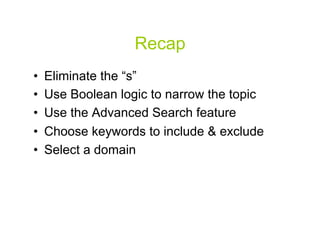
Recap
•    Eliminate the “s”
•    Use Boolean logic to narrow the topic
•    Use the Advanced Search feature
•    Choose keywords to include & exclude
•    Select a domain


                                             32
Tips when Google Searching
•  Search is always case insensitive
•  Generally, punctuation is ignored,
   including @#$%^&*()=+[] and other
   special characters. 
•  Keep it simple.
•  As few terms as possible


                                        33
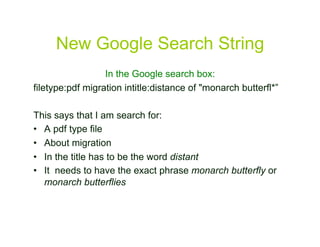
New Google Search String
                  In the Google search box:
filetype:pdf migration intitle:distance of "monarch butterfl*”

This says that I am search for:
•  A pdf type file
•  About migration
•  In the title has to be the word distant
•  It needs to have the exact phrase monarch butterfly or
   monarch butterflies


                                                                 34
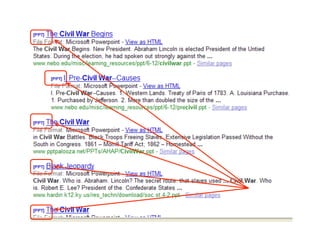
A search for…


                35
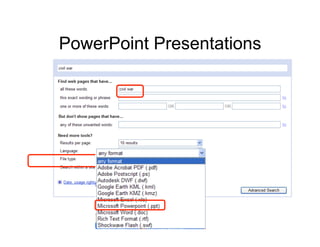
PowerPoint Presentations


                           36
37
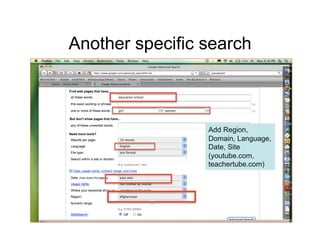
Another specific search


                 Add Region,
                 Domain, Language,
                 Date, Site
                 (youtube.com,
                 teachertube.com)


                                     38
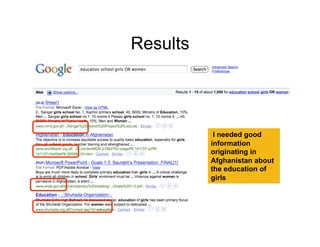
Results


          II needed good
          information
          originating in
          Afghanistan about
          the education of
          girls


                              39
Recap
•  Use Advanced Search for file
   type .ppt, .xls, .pdf

•  Use the site or domain name, i.e.,
   teachertube.com, yale.edu, .gov, ms.org

•  Limit by date, region, language, usage
   rights


                                             40
Google Scholar
You have to know about Google Scholar!


                                         41
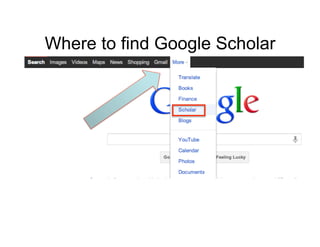
Where to find Google Scholar


                               42
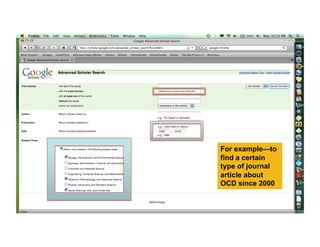
For example—to
find a certain
type of journal
article about
OCD since 2000


                  43
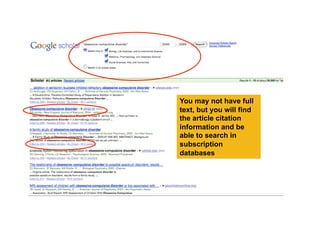
You may not have full
text, but you will find
the article citation
information and be
able to search in
subscription
databases


                          44
Google More…
•  For special features and searches in
   Google go to “more”
     •  and then “Even more”


                                          45
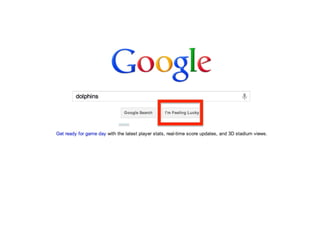
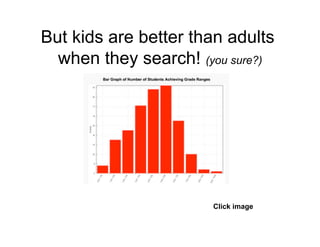
But kids are better than adults
  when they search! (you sure?)


                      Click image
                                    46
Kathy Fester, MLS
Researchwithkathyfester.wordpress.com
         kfester@gmail.com
          Updated 2/5/2012


                                        47
Copyright

This work is licensed under the Creative Commons Attribution-Share Alike 3.0 United
      States License. To view a copy of this license, visit http://creativecommons.org/
    licenses/by-sa/3.0/us/ or send a letter to Creative Commons, 171 Second Street,
                    Suite 300, San Francisco, California, 94105, USA.


                                                                                          48

GoogleSmart

  • 1.
    GoogleSmart Click icon 1
  • 2.
    Research with Google? • Students, teachers, staff—we all use Google –  Teachers are overheard telling students: “just Google it” •  Students are required to use resources from subscription databases. –  Subscription services are more authoritative, valid, easier to use, and easier to cite. •  But we also Google—either as a start, or to check that something obvious wasn’t missed •  Google is incredibly powerful •  So let’s get better at Googling! 2
  • 3.
    Today’s Goals •  Learnhow to use Google better. –  Google Advanced –  Key Words, Key Phrases –  Google Scholar •  Discover Google shortcuts and neat “things” 3
  • 4.
    Keep in mind:The Invisible Web Google doesn’t search everything… •  What search engines choose not to index –  “The Invisible Web: Text pages, files, or other often high-quality authoritative information available via the World Wide Web that general-purpose search engines cannot, due to technical limitations, or will not, due to deliberate choice, add to their indices of Web pages. Sometimes also referred to as the “deep Web” or “dark matter…what may be invisible today may suddenly become visible tomorrow.” –  “If a Web page has no links pointing to it from any other page on the Web, a search engine crawler can’t find it. These “disconnected” pages are the most basic part of the Invisible Web.” Sherman, Chris and Gary Price, In Library Trends 52 (2) 2003: Organizing the Internet: 282-298 –  “In fact, only a small percentage of the Web’s content is accessible to Google. The term “deep Web” refers to the vast portion of the Web that is beyond the reach of the typical “surface Web” crawlers. Surface Web search engines like Google can’t easily fathom the deep Web because most deep Web content has no links to it.” Sol Lederman, altsearchengine.com, 2009. 4
  • 5.
    So let’s finda typical assignment for a young student “find out what bottlenose dolphins eat” (This is my part of the report) 5
  • 6.
  • 7.
  • 8.
  • 9.
  • 10.
    Many of usdo this 10
  • 11.
    Worse results than firstGoogle search! 11
  • 12.
    Eliminate the “s”and look at drop down suggestions 12
  • 13.
    ut too No sportsteams b many hits! 13
  • 14.
    1. Click WheelBox for Drop Down Menu AND, OR, NOT + - 2. Click Advanced search (Boolean Search) “ ” 14
  • 15.
    Google Advanced Search Box gic— Bool ean lo E asy the boxes fill in 15
  • 16.
    Red words are “implied”—you don’t put them in AND AND AND “______” -______ NOT AND, OR, NOT + - “ ” EXACTLY 16
  • 17.
  • 18.
    Note: you can actually write this ina Google box and get the same results 18
  • 19.
    What was theoriginal question? •  What do bottlenose dolphins eat? Think of synonyms for “eat” 19
  • 20.
    OurOur New Search new search 20
  • 21.
    28,200,000 – 128,000= 28,072,000 FEWER HITS But still too many! More results, more focused 21
  • 22.
    Further refine yourresults by choosing a domain . . . .com commercial sites .org organizations .edu educational sites .gov government sites .net computer network .mil military Note: a ~ in the URL indicates a personal page, so take heed 22
  • 23.
    Speaking of Domains… URL http://www.si.umich.edu/Art_History/ demoarea/details/1953_1.50.html Uniform Resource Locator   The web address which connects you to a website   It may give you information before you see the site—can you tell anything about this URL? 23
  • 24.
    Narrowing with domainselection Select a domain to further narrow search 24
  • 25.
    Our Final Search… Now we are down to 2,370 educational sites that will have information about what bottlenose dolphins eat 25
  • 26.
  • 27.
  • 28.
  • 29.
  • 30.
    We had 4 authoritative appropriate useful websites on the first page While we had two good results with earlier searches, We did not have enough to compare and verify the information… Now we do 30
  • 31.
    “Good enough” isnot the same as “good.” 31
  • 32.
    Recap •  Eliminate the “s” •  Use Boolean logic to narrow the topic •  Use the Advanced Search feature •  Choose keywords to include & exclude •  Select a domain 32
  • 33.
    Tips when GoogleSearching •  Search is always case insensitive •  Generally, punctuation is ignored, including @#$%^&*()=+[] and other special characters. •  Keep it simple. •  As few terms as possible 33
  • 34.
    New Google SearchString In the Google search box: filetype:pdf migration intitle:distance of "monarch butterfl*” This says that I am search for: •  A pdf type file •  About migration •  In the title has to be the word distant •  It needs to have the exact phrase monarch butterfly or monarch butterflies 34
  • 35.
  • 36.
  • 37.
  • 38.
    Another specific search Add Region, Domain, Language, Date, Site (youtube.com, teachertube.com) 38
  • 39.
    Results II needed good information originating in Afghanistan about the education of girls 39
  • 40.
    Recap •  Use AdvancedSearch for file type .ppt, .xls, .pdf •  Use the site or domain name, i.e., teachertube.com, yale.edu, .gov, ms.org •  Limit by date, region, language, usage rights 40
  • 41.
    Google Scholar You haveto know about Google Scholar! 41
  • 42.
    Where to findGoogle Scholar 42
  • 43.
    For example—to find acertain type of journal article about OCD since 2000 43
  • 44.
    You may nothave full text, but you will find the article citation information and be able to search in subscription databases 44
  • 45.
    Google More… •  Forspecial features and searches in Google go to “more” •  and then “Even more” 45
  • 46.
    But kids arebetter than adults when they search! (you sure?) Click image 46
  • 47.
    Kathy Fester, MLS Researchwithkathyfester.wordpress.com kfester@gmail.com Updated 2/5/2012 47
  • 48.
    Copyright This work islicensed under the Creative Commons Attribution-Share Alike 3.0 United States License. To view a copy of this license, visit http://creativecommons.org/ licenses/by-sa/3.0/us/ or send a letter to Creative Commons, 171 Second Street, Suite 300, San Francisco, California, 94105, USA. 48