




















Learning to Connect and Properly Navigate the Web


                                          Cathleen Richardson
                                   Apple Distinguished Educator
                              New Media Educational Consultant
                                                Atlanta, Georgia
The Internet: “The Network of All Networks”
Nobody really owns it - It is a
global collection of networks,
both big and small.

These networks connect
together in many different ways
to form the single entity that we
know as the Internet.

In fact, the very name comes
from this idea of interconnected
networks.
What does this
 mean to me?
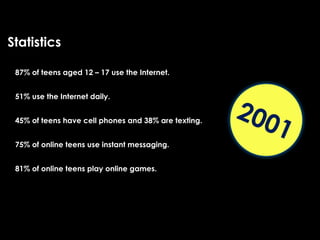
Statistics

 87% of teens aged 12 – 17 use the Internet.


 51% use the Internet daily.

                                                      200
 45% of teens have cell phones and 38% are texting.


 75% of online teens use instant messaging.
                                                            1
 81% of online teens play online games.
Understand the NET
an d possible risks to
you... they are REAL!
“Instill a sense of caution, not a sense of fear.”
Internet
 Safety
Introduction

    Online Relationships

    Keep Personal Information Private

    Protect Your Reputation

    Cyber Bullying

    Safety Tips
Online
Relationships
You may not know the truth about someone
you first meet online.
Time does not equal trust or knowing the
person.
You can be lied to or betrayed.
Warning Signs

 If someone tries to isolate you from your family or friends.

 Turn you against your parents.

 Make you keep secrets.

 Send inappropriate materials or talks about explicit subjects.

 Threaten you.
Beware when someone says...
 “Let’s go private.”

 “Where’s your computer in the house?”

 “I know someone who can get you a modeling job.”

 “Who’s your favorite band? Designer? Gear?

 “You seem sad. Tell me what’s bothering you.”

 “You are the love of my life.”

 “What’s your phone number?”

 “If you don’t…do what I ask, I’ll … tell your parents OR share your photos in a photo
 blog/Webcam directory/file-sharing network.
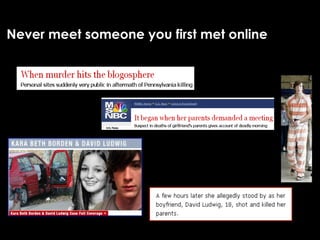
Never meet someone you first met online
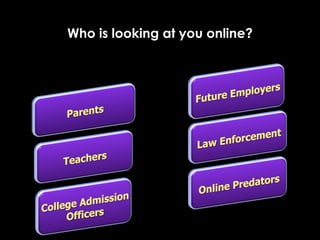
Who is looking at you online?
DO NOT SAY ANYTHING ONLINE
THAT YOU WOULDN’T SAY OFFLINE.
Don’t give out personal information

  Never give out your personal identifying
  information or your families or friends, such
  as name, address, telephone number, and
  school name in any public areas or in email
  unless you are sure you know the person.
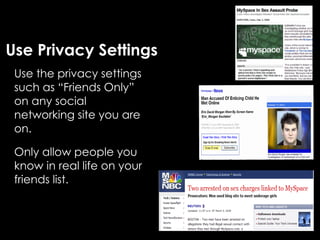
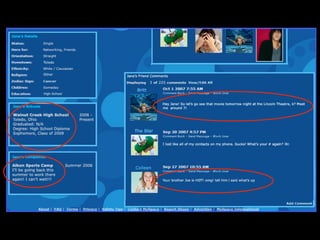
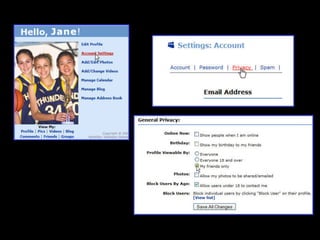
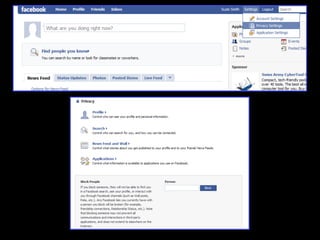
Use Privacy Settings
 Use the privacy settings
 such as “Friends Only”
 on any social
 networking site you are
 on.

 Only allow people you
 know in real life on your
 friends list.
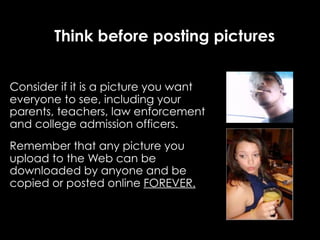
Think before posting pictures


Consider if it is a picture you want
everyone to see, including your
parents, teachers, law enforcement
and college admission officers.
Remember that any picture you
upload to the Web can be
downloaded by anyone and be
copied or posted online FOREVER.
PUBLIC DOMAIN: KNOW YOUR COPYRIGHT LAWS
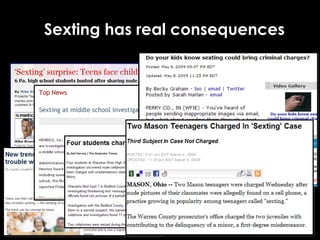
Sexting has real consequences
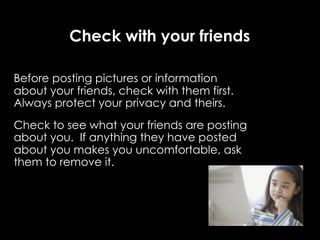
Check with your friends

Before posting pictures or information
about your friends, check with them first.
Always protect your privacy and theirs.
Check to see what your friends are posting
about you. If anything they have posted
about you makes you uncomfortable, ask
them to remove it.
Do not respond to offensive or embarrassing
  comments. Delete them and block that
 person from making additional comments.
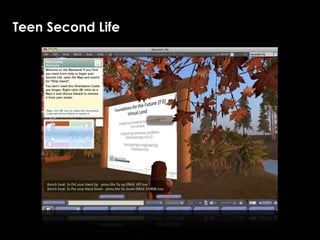
Virtual Reality
Second Life
   Online 3D virtual world imagined and created by its Residents.


                                                                http://www.secondlife.com
Teen Second Life
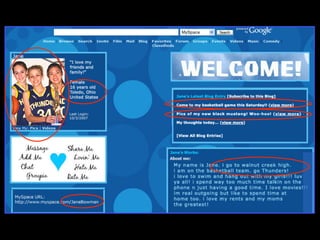
Social Networking
Facebook and MySpace
  Facebook and MySpace are social utilities that connects you with the people around you.


                                                             http://www.facebook.com
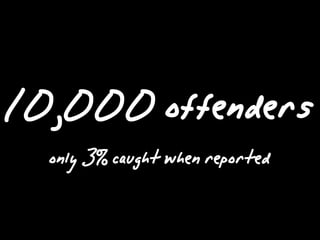
10,000 offenders
  only 3% caught when reported
http://www.facebook.com
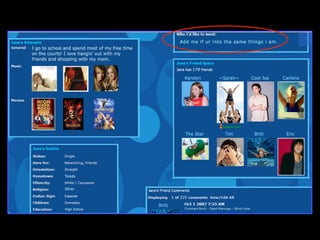
• Facebook has serious consequences

 • Loss of jobs

 • Expulsion from school

 • Reputation, credibility, self-worth
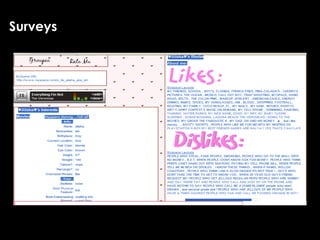
Surveys
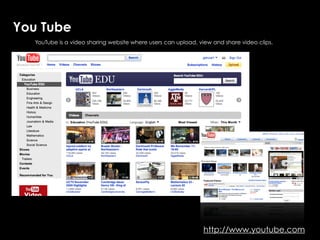
You Tube
   YouTube is a video sharing website where users can upload, view and share video clips.


                                                               YouTube


                                                               http://www.youtube.com
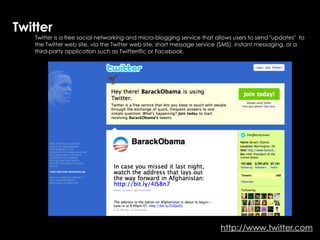
Twitter
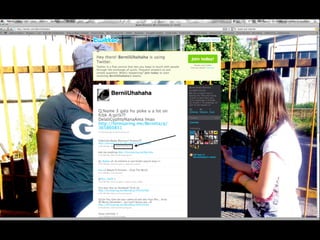
   Twitter is a free social networking and micro-blogging service that allows users to send "updates" to
   the Twitter web site, via the Twitter web site, short message service (SMS), instant messaging, or a
   third-party application such as Twitterrific or Facebook.


                                                                        http://www.twitter.com
Chat
Skype
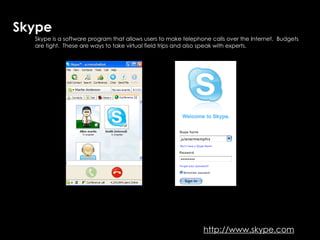
  Skype is a software program that allows users to make telephone calls over the Internet. Budgets
                                                 Skype…talk to the world
  are tight. These are ways to take virtual field trips and also speak with experts.


                                                               http://www.skype.com
iChat A/V with built-in web cams
   iChat AV is an AOL Instant Messenger (AIM), .Mac, ICQ and XMPP client by Apple Inc. for their Mac
   OS X operating system.
Person on the other side can record you...take
what you say out of context.

Saved in the chat log
If a person unknown to you was speaking to
 you in your front yard, what would you do?

If you were communicating with the same
    stranger on-line, what would you do?
Blogs and Wikis
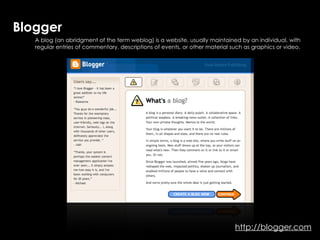
Blogger
                                   Blogging
   A blog (an abridgment of the term weblog) is a website, usually maintained by an individual, with
   regular entries of commentary, descriptions of events, or other material such as graphics or video.


                                                                             http://blogger.com
Free Websites for Creating Blogs
                      •   Monitored or live...
Free websites for creating Blogs...monitored or live...private or public
                      •   Private or public


                          Free Websites for Creating Blogs


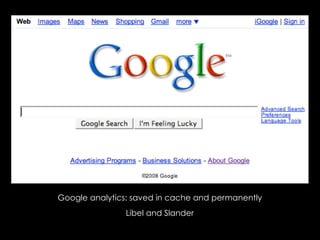
               Search Engines read Blogs
Google analytics: saved in cache and permanently
                Libel and Slander
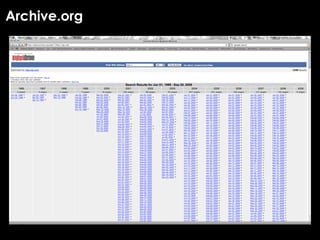
Archive.org
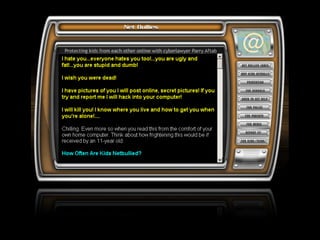
Cyberbullying
• There are several ways that children threaten and/or
  harass others online. They may:
  •Send e-mails or instant messages containing insults
   or threats directly to a person.
  •Spread hurtful comments about a person to others
   through e-mail, instant messaging or postings on
   web sites and blogs.
  •Steal passwords and send out threatening e-mails
   or instant messages using an assumed identity.
Dealing with Cyberbullying

  Preserve evidence – this is crucial for identifying the bully and making a case.


  Attempt to enlist assistance from the service provider.


  If able to identify the bully, contact him or her and/or parents.


  Use available blocking technology (i.e., block the user on IM, email and chat.)


  In serious cases, seek assistance from the police (i.e., threats of physical harm,
  unrelenting or unable to stop.)
Parents
1.   Learn everything you can about computers, the Internet and related
     technology


     •   Develop and maintain proficiency through use.


     •   Ask children to demonstrate.


2.   Communicate with your children.

     •   Take time to discuss concerns; agree on ground rules.

     •   Understand their needs.

     •   Set reasonable expectations.


3.   Place the computer in a “well-trafficked” area, not a child’s bedroom or a
     secluded area.
4. Ensure that they do not divulge detailed personal
   information when completing “profiles” and minimize
   dissemination.

5. Keep ALL accounts in your name.

6. Know your child’s password(s) and screen name(s).

  • Ensure that screen names do not provide information
    about his or her identity (e.g., Sarahsweet16.)
Consider Use of Computer/Internet Management Software:

  •   Age-based access levels – Allows for various levels of access for
      different family members.


  •   Filtering and Blocking (incoming and outgoing.)


  •   Time Restrictions.


  •   Activity Logs - Parents can view logs that list web sites visited, web
      sites blocked, chat sessions… Software can even capture screen
      shots and email messages to you if a rule is violated!
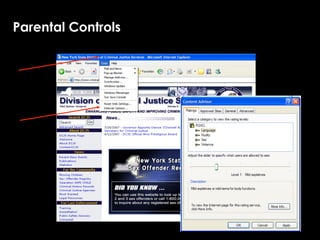
Parental Controls
Age Appropriate

  Under 8 - Children shouldn’t be using IM, chat rooms or
  blogs - period. Email should be restricted to only
  approved senders.

  8-10 - If you add IM or chat, make sure only pre-approved
  senders can send to your child. No blogs!

  10-12 - Give them more privacy, as long as it is with
  people you trust. Block all but pre-approved senders. Still
  no blogs!
13-15 - Respect their privacy even more. Give them more leeway
regarding IM, e-mail, chat and blogs. But check and account for
everyone, in real life, on their buddy lists. No friends of friends!

16 and over - Parental involvement becomes difficult at best – if
good judgment and communication have not been firmly
established by now … all bets are off.

If they have earned your trust, give it to them.

If not, unplug the computer and take away their cell phones and
interactive gaming devices.
Warning Signs
Significantly increases on-line time.

Receives phone calls, email, mail or packages from someone you don't know.

Quickly exits IM, chat, email, websites and other activities when you are near.

Increases use of new slang words, inappropriate sexual knowledge, withdraws
from family and friends.

Begins using new screen names, an online account belonging to someone else,
etc.

Is reluctant to discuss activities or your concerns.
Safety Tips
   Talk to a trusted adult if anything makes you
   feel scared, uncomfortable or confused.

   Do not respond to messages that are rude or
   offensive.

   Save messages that could be used by law
   enforcement as evidence.
Safety Tips

   Do not post personal information.

   Respect copyright laws and check your sources.

   Do not forward emails to “everyone” in your
   address book.

   Secure your password – do not share it, even
   with your best friend.
Safety Tips

  Never download from anyone you don’t know.

  Beware of phishing scams: If you receive an
  email or bulletin that requests your username
  and password or directs you to a website that
  asks personal information, DO NOT respond.
Keep in Mind...the Good Outweighs the Bad
Remember the 4 R’s

  Recognize techniques used by online predators to deceive
  their victims.

  Refuse requests for personal information.

  Respond assertively if you are ever in an uncomfortable
  situation while online. Exit the program, log off or turn off
  the computer…

  Report, to a parent or other trusted adult, any suspicious or
  dangerous contact that makes you uncomfortable.
QUESTIONS?

INTERNET SAFETY

  • 1.
    Learning to Connectand Properly Navigate the Web Cathleen Richardson Apple Distinguished Educator New Media Educational Consultant Atlanta, Georgia
  • 2.
    The Internet: “TheNetwork of All Networks” Nobody really owns it - It is a global collection of networks, both big and small. These networks connect together in many different ways to form the single entity that we know as the Internet. In fact, the very name comes from this idea of interconnected networks.
  • 3.
    What does this mean to me?
  • 4.
    Statistics 87% ofteens aged 12 – 17 use the Internet. 51% use the Internet daily. 200 45% of teens have cell phones and 38% are texting. 75% of online teens use instant messaging. 1 81% of online teens play online games.
  • 5.
    Understand the NET and possible risks to you... they are REAL!
  • 6.
    “Instill a senseof caution, not a sense of fear.”
  • 7.
  • 8.
    Introduction Online Relationships Keep Personal Information Private Protect Your Reputation Cyber Bullying Safety Tips
  • 9.
  • 10.
    You may notknow the truth about someone you first meet online. Time does not equal trust or knowing the person. You can be lied to or betrayed.
  • 11.
    Warning Signs Ifsomeone tries to isolate you from your family or friends. Turn you against your parents. Make you keep secrets. Send inappropriate materials or talks about explicit subjects. Threaten you.
  • 12.
    Beware when someonesays... “Let’s go private.” “Where’s your computer in the house?” “I know someone who can get you a modeling job.” “Who’s your favorite band? Designer? Gear? “You seem sad. Tell me what’s bothering you.” “You are the love of my life.” “What’s your phone number?” “If you don’t…do what I ask, I’ll … tell your parents OR share your photos in a photo blog/Webcam directory/file-sharing network.
  • 13.
    Never meet someoneyou first met online
  • 14.
    Who is lookingat you online?
  • 16.
    DO NOT SAYANYTHING ONLINE THAT YOU WOULDN’T SAY OFFLINE.
  • 17.
    Don’t give outpersonal information Never give out your personal identifying information or your families or friends, such as name, address, telephone number, and school name in any public areas or in email unless you are sure you know the person.
  • 18.
    Use Privacy Settings Use the privacy settings such as “Friends Only” on any social networking site you are on. Only allow people you know in real life on your friends list.
  • 20.
    Think before postingpictures Consider if it is a picture you want everyone to see, including your parents, teachers, law enforcement and college admission officers. Remember that any picture you upload to the Web can be downloaded by anyone and be copied or posted online FOREVER.
  • 21.
    PUBLIC DOMAIN: KNOWYOUR COPYRIGHT LAWS
  • 23.
    Sexting has realconsequences
  • 24.
    Check with yourfriends Before posting pictures or information about your friends, check with them first. Always protect your privacy and theirs. Check to see what your friends are posting about you. If anything they have posted about you makes you uncomfortable, ask them to remove it.
  • 25.
    Do not respondto offensive or embarrassing comments. Delete them and block that person from making additional comments.
  • 26.
  • 27.
    Second Life Online 3D virtual world imagined and created by its Residents. http://www.secondlife.com
  • 28.
  • 29.
  • 30.
    Facebook and MySpace Facebook and MySpace are social utilities that connects you with the people around you. http://www.facebook.com
  • 35.
    10,000 offenders only 3% caught when reported
  • 36.
  • 38.
    • Facebook hasserious consequences • Loss of jobs • Expulsion from school • Reputation, credibility, self-worth
  • 39.
  • 40.
    You Tube YouTube is a video sharing website where users can upload, view and share video clips. YouTube http://www.youtube.com
  • 41.
    Twitter Twitter is a free social networking and micro-blogging service that allows users to send "updates" to the Twitter web site, via the Twitter web site, short message service (SMS), instant messaging, or a third-party application such as Twitterrific or Facebook. http://www.twitter.com
  • 43.
  • 44.
    Skype Skypeis a software program that allows users to make telephone calls over the Internet. Budgets Skype…talk to the world are tight. These are ways to take virtual field trips and also speak with experts. http://www.skype.com
  • 45.
    iChat A/V withbuilt-in web cams iChat AV is an AOL Instant Messenger (AIM), .Mac, ICQ and XMPP client by Apple Inc. for their Mac OS X operating system.
  • 46.
    Person on theother side can record you...take what you say out of context. Saved in the chat log
  • 47.
    If a personunknown to you was speaking to you in your front yard, what would you do? If you were communicating with the same stranger on-line, what would you do?
  • 48.
  • 49.
    Blogger Blogging A blog (an abridgment of the term weblog) is a website, usually maintained by an individual, with regular entries of commentary, descriptions of events, or other material such as graphics or video. http://blogger.com
  • 50.
    Free Websites forCreating Blogs • Monitored or live... Free websites for creating Blogs...monitored or live...private or public • Private or public Free Websites for Creating Blogs Search Engines read Blogs
  • 51.
    Google analytics: savedin cache and permanently Libel and Slander
  • 52.
  • 53.
  • 55.
    • There areseveral ways that children threaten and/or harass others online. They may: •Send e-mails or instant messages containing insults or threats directly to a person. •Spread hurtful comments about a person to others through e-mail, instant messaging or postings on web sites and blogs. •Steal passwords and send out threatening e-mails or instant messages using an assumed identity.
  • 56.
    Dealing with Cyberbullying Preserve evidence – this is crucial for identifying the bully and making a case. Attempt to enlist assistance from the service provider. If able to identify the bully, contact him or her and/or parents. Use available blocking technology (i.e., block the user on IM, email and chat.) In serious cases, seek assistance from the police (i.e., threats of physical harm, unrelenting or unable to stop.)
  • 57.
  • 58.
    1. Learn everything you can about computers, the Internet and related technology • Develop and maintain proficiency through use. • Ask children to demonstrate. 2. Communicate with your children. • Take time to discuss concerns; agree on ground rules. • Understand their needs. • Set reasonable expectations. 3. Place the computer in a “well-trafficked” area, not a child’s bedroom or a secluded area.
  • 59.
    4. Ensure thatthey do not divulge detailed personal information when completing “profiles” and minimize dissemination. 5. Keep ALL accounts in your name. 6. Know your child’s password(s) and screen name(s). • Ensure that screen names do not provide information about his or her identity (e.g., Sarahsweet16.)
  • 60.
    Consider Use ofComputer/Internet Management Software: • Age-based access levels – Allows for various levels of access for different family members. • Filtering and Blocking (incoming and outgoing.) • Time Restrictions. • Activity Logs - Parents can view logs that list web sites visited, web sites blocked, chat sessions… Software can even capture screen shots and email messages to you if a rule is violated!
  • 61.
  • 62.
    Age Appropriate Under 8 - Children shouldn’t be using IM, chat rooms or blogs - period. Email should be restricted to only approved senders. 8-10 - If you add IM or chat, make sure only pre-approved senders can send to your child. No blogs! 10-12 - Give them more privacy, as long as it is with people you trust. Block all but pre-approved senders. Still no blogs!
  • 63.
    13-15 - Respecttheir privacy even more. Give them more leeway regarding IM, e-mail, chat and blogs. But check and account for everyone, in real life, on their buddy lists. No friends of friends! 16 and over - Parental involvement becomes difficult at best – if good judgment and communication have not been firmly established by now … all bets are off. If they have earned your trust, give it to them. If not, unplug the computer and take away their cell phones and interactive gaming devices.
  • 64.
    Warning Signs Significantly increaseson-line time. Receives phone calls, email, mail or packages from someone you don't know. Quickly exits IM, chat, email, websites and other activities when you are near. Increases use of new slang words, inappropriate sexual knowledge, withdraws from family and friends. Begins using new screen names, an online account belonging to someone else, etc. Is reluctant to discuss activities or your concerns.
  • 65.
    Safety Tips Talk to a trusted adult if anything makes you feel scared, uncomfortable or confused. Do not respond to messages that are rude or offensive. Save messages that could be used by law enforcement as evidence.
  • 66.
    Safety Tips Do not post personal information. Respect copyright laws and check your sources. Do not forward emails to “everyone” in your address book. Secure your password – do not share it, even with your best friend.
  • 67.
    Safety Tips Never download from anyone you don’t know. Beware of phishing scams: If you receive an email or bulletin that requests your username and password or directs you to a website that asks personal information, DO NOT respond.
  • 68.
    Keep in Mind...theGood Outweighs the Bad
  • 69.
    Remember the 4R’s Recognize techniques used by online predators to deceive their victims. Refuse requests for personal information. Respond assertively if you are ever in an uncomfortable situation while online. Exit the program, log off or turn off the computer… Report, to a parent or other trusted adult, any suspicious or dangerous contact that makes you uncomfortable.
  • 70.