Internet safety/i-Safe Parent PresentationSpring 2011Kaneland School District #302Presented by:Ms. Carrie SvihlikDetective Keith Smith
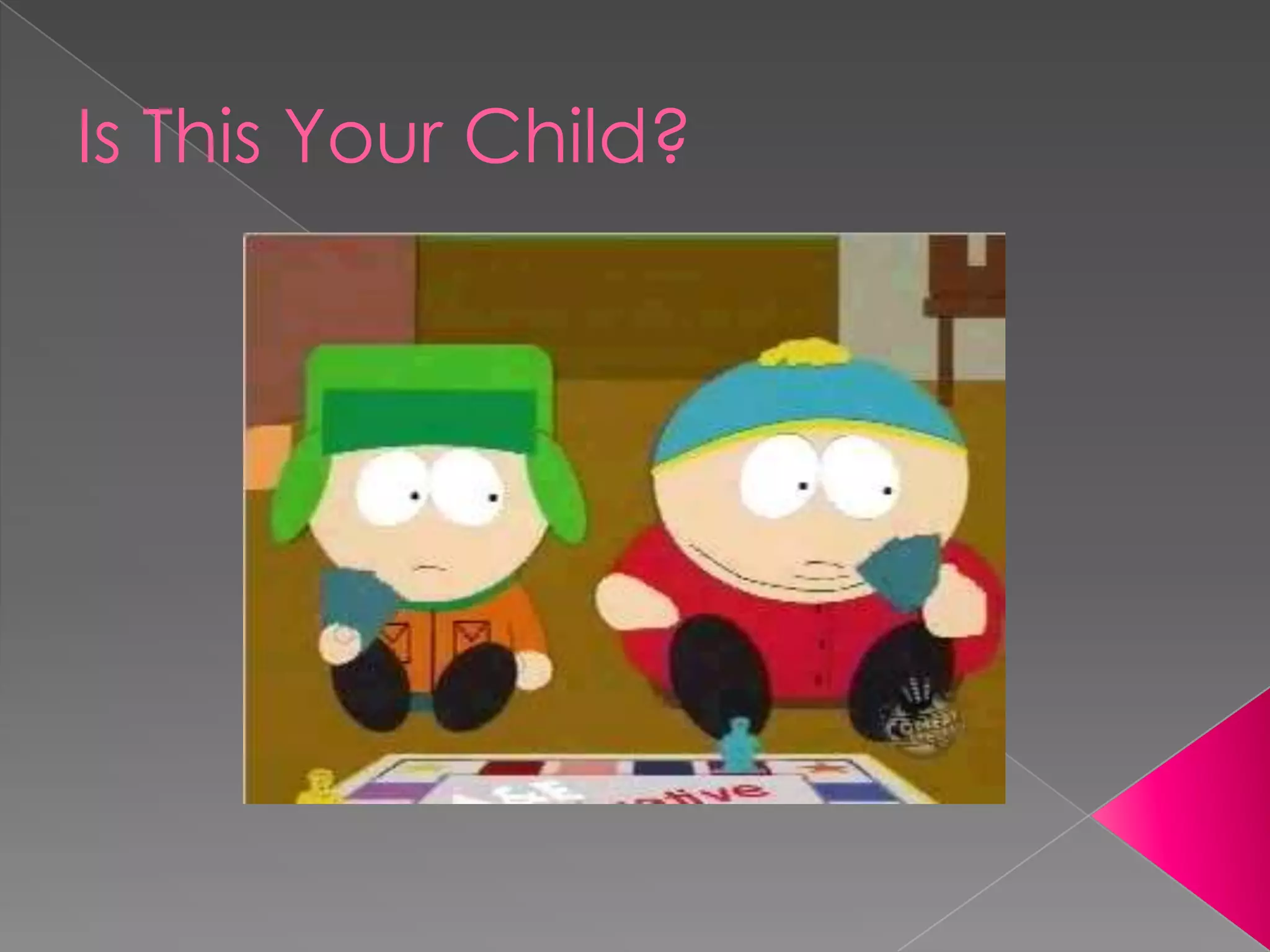
Is This Your Child?
AgendaWelcome
Internet Landscape
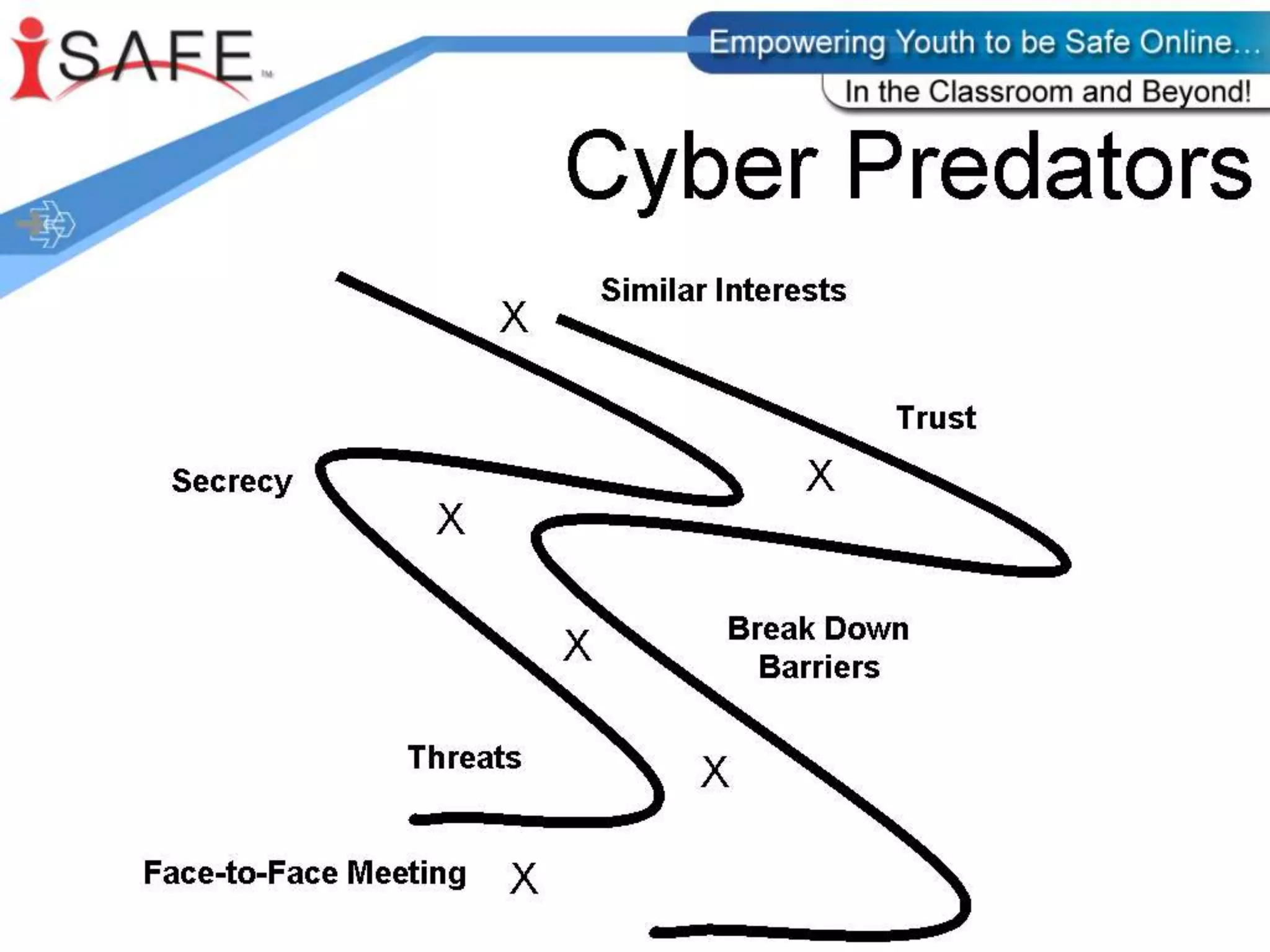
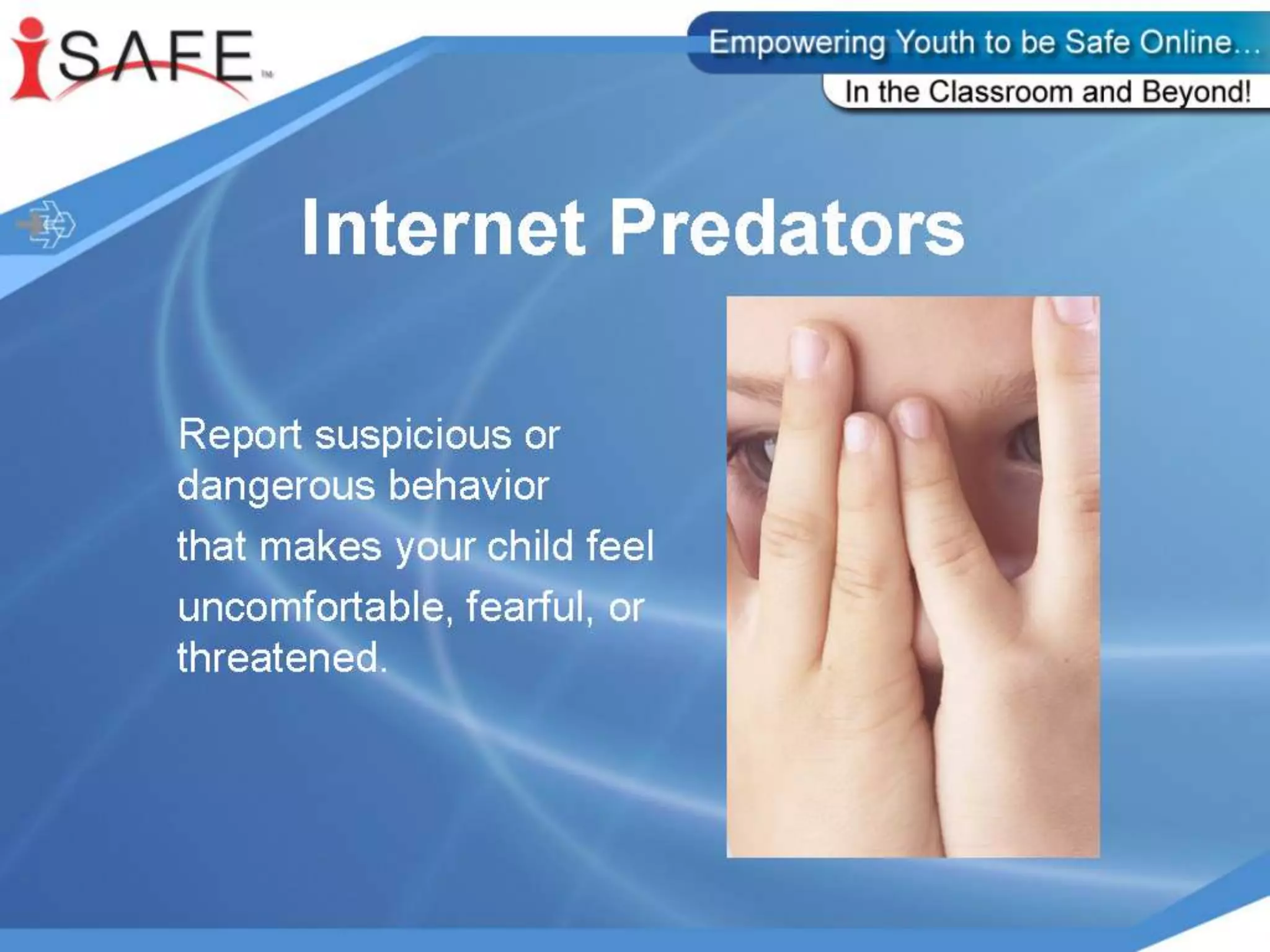
Internet Predators
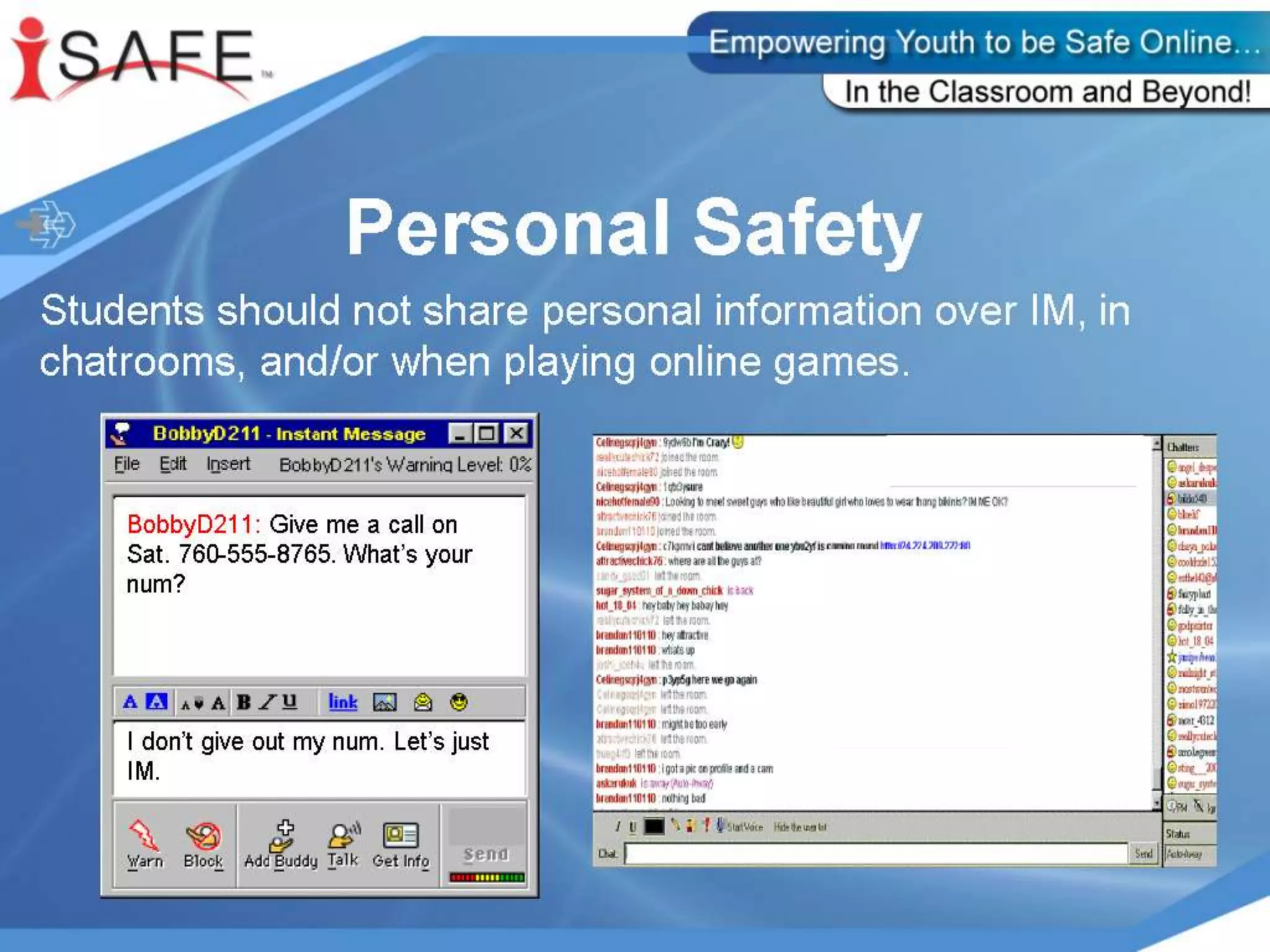
Personal profiles
Internet Chat
Gaming
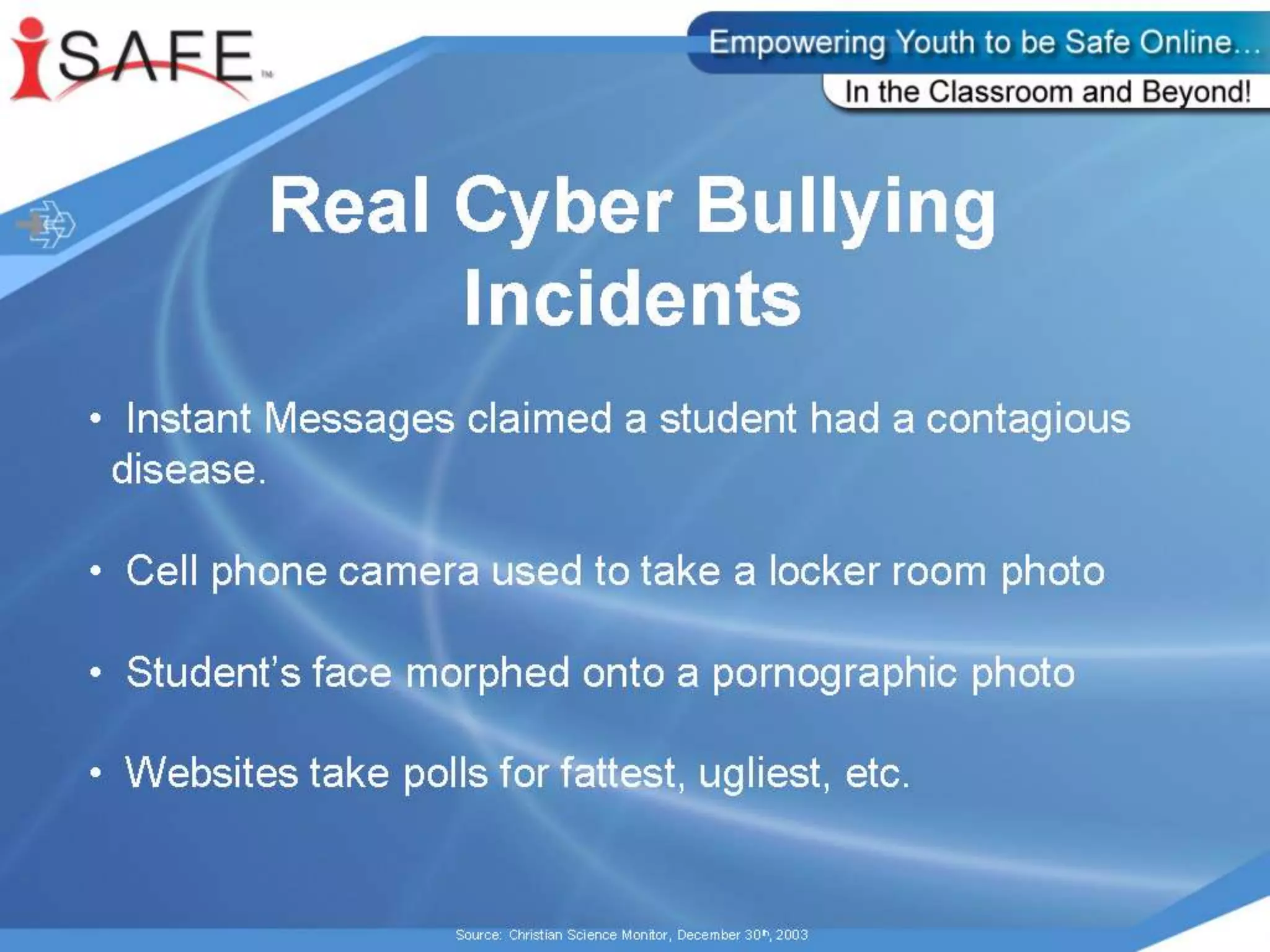
Cyberbullying
Cell phones
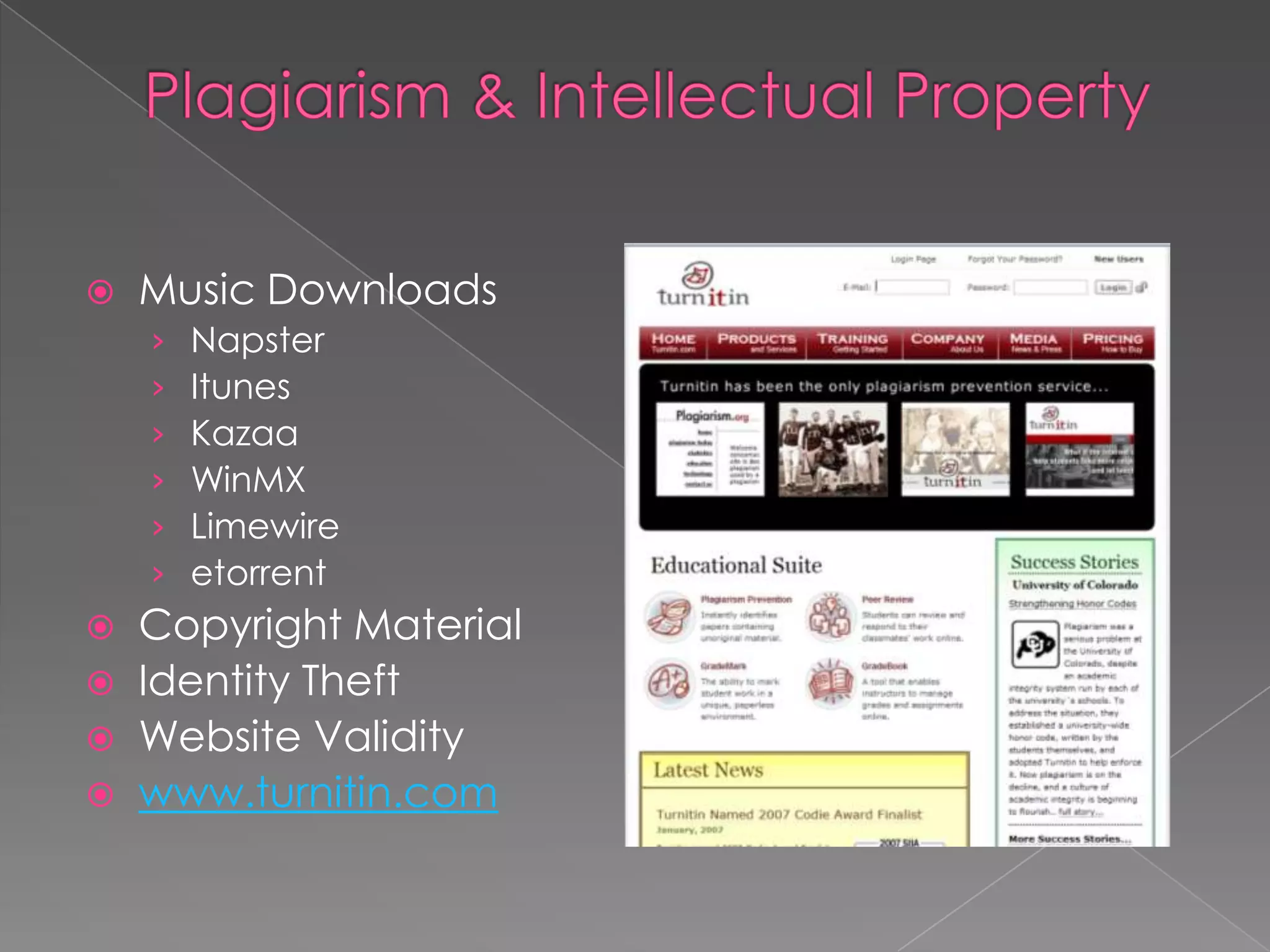
Plagiarism & Intellectual Property
Malicious Codes, Viruses, and Spyware
Parent Tips and resources
Q & A	“everything that’s already in the world when you’re born is just normal; 	 anything that gets invented between then and before you turn thirty is incredibly exciting and creative and with any luck you can make a career out of it; 	 anything that gets invented after you’re thirty is against the natural order of things and the beginning of the end of civilization as we know it until it’s been around for about ten years when it gradually turns out to be alright really.”Quote by Douglas Adams, author
Internet LandscapeThe Internet has dramatically changed our world and is a part of our everyday livesADULTS’ VIEWCommunication – email, textingShopping and servicesFinancial managementNewsEntertainment – videos, music, games
Internet Landscape	The Internet has dramatically changed our world and is a part of our everyday livesSTUDENTS’ VIEWCommunication – texting, instant messaging, emailEntertainment – games, music, videosResearch – homework, colleges
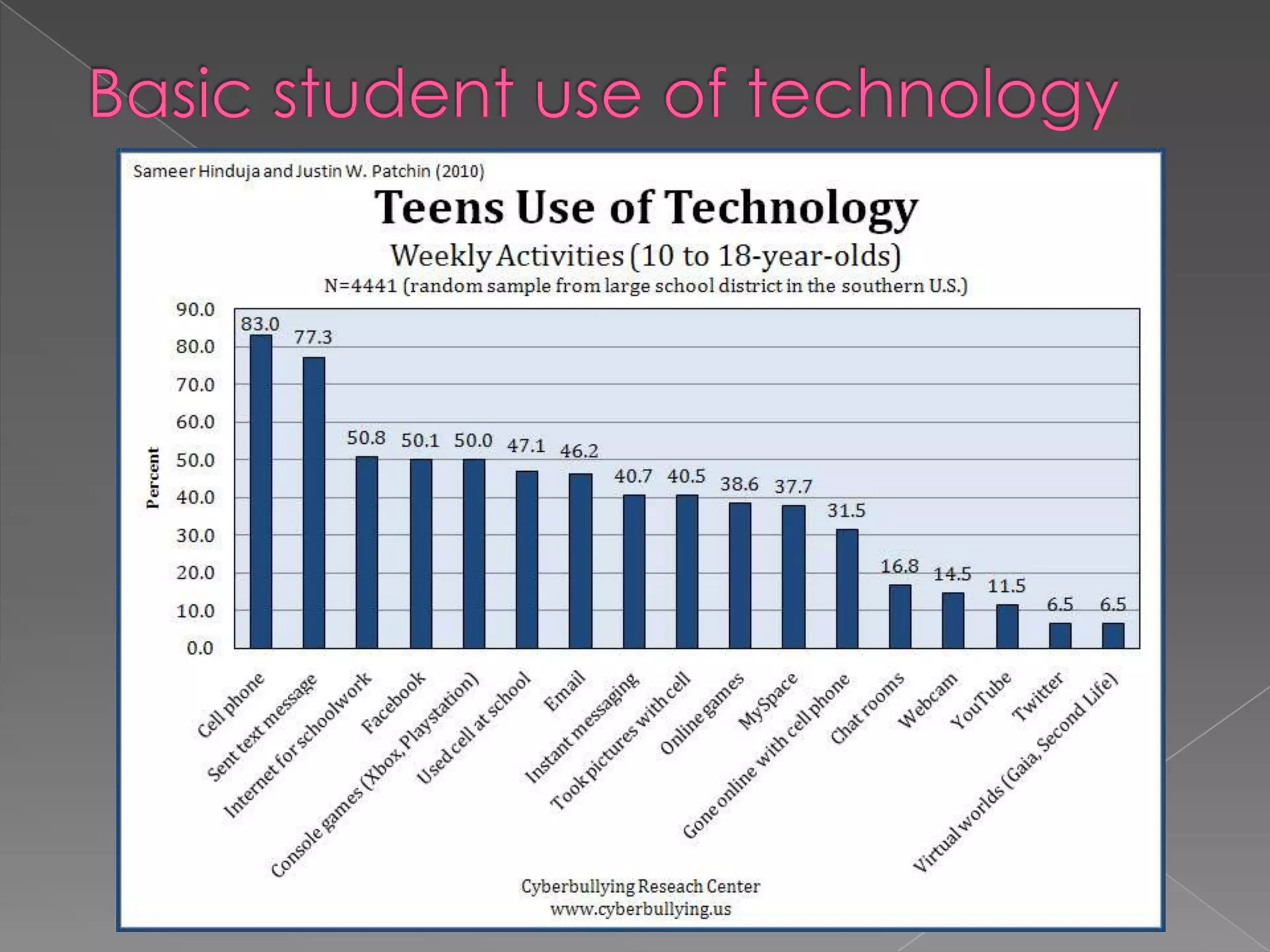
Basic student use of technology
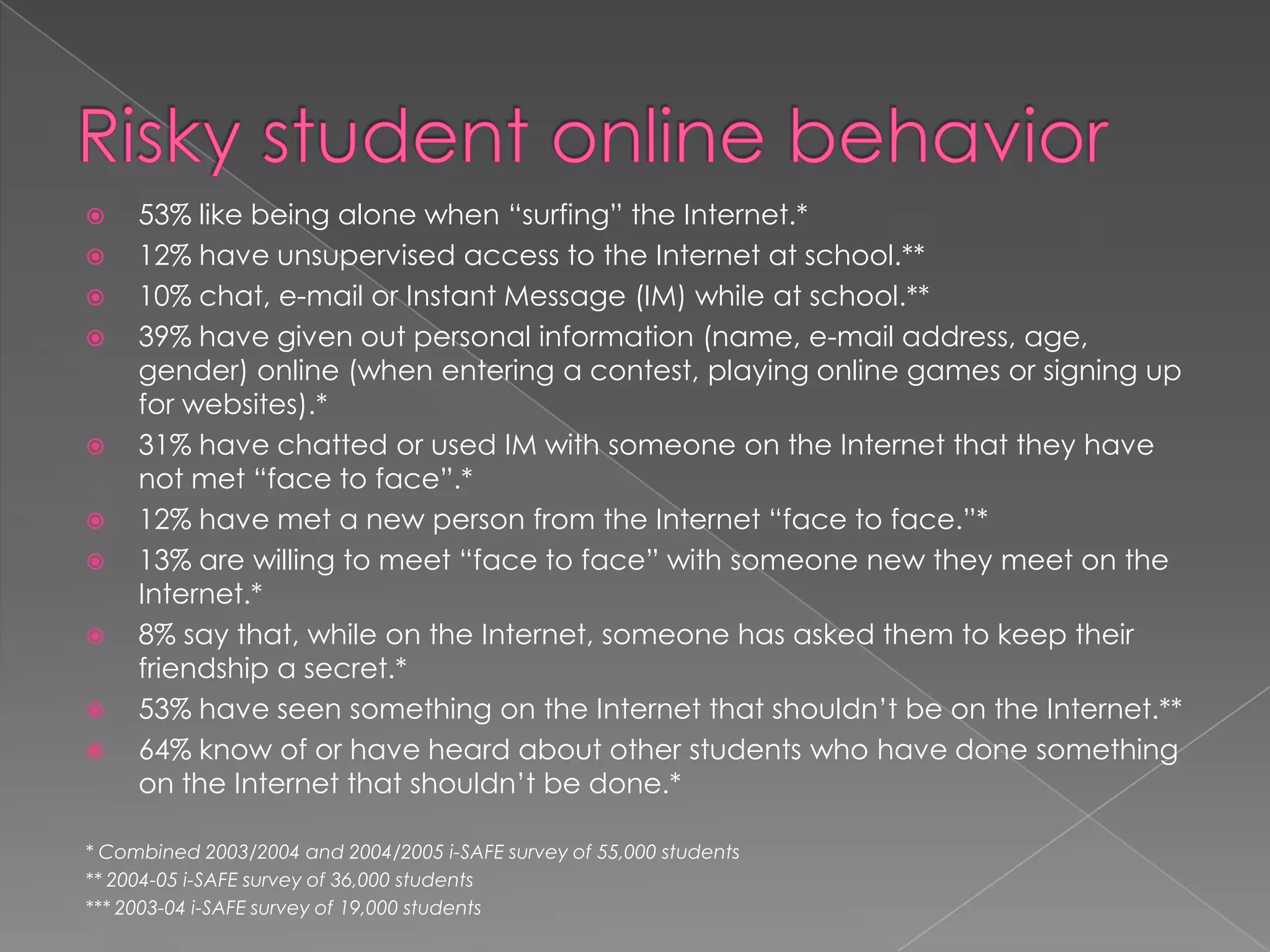
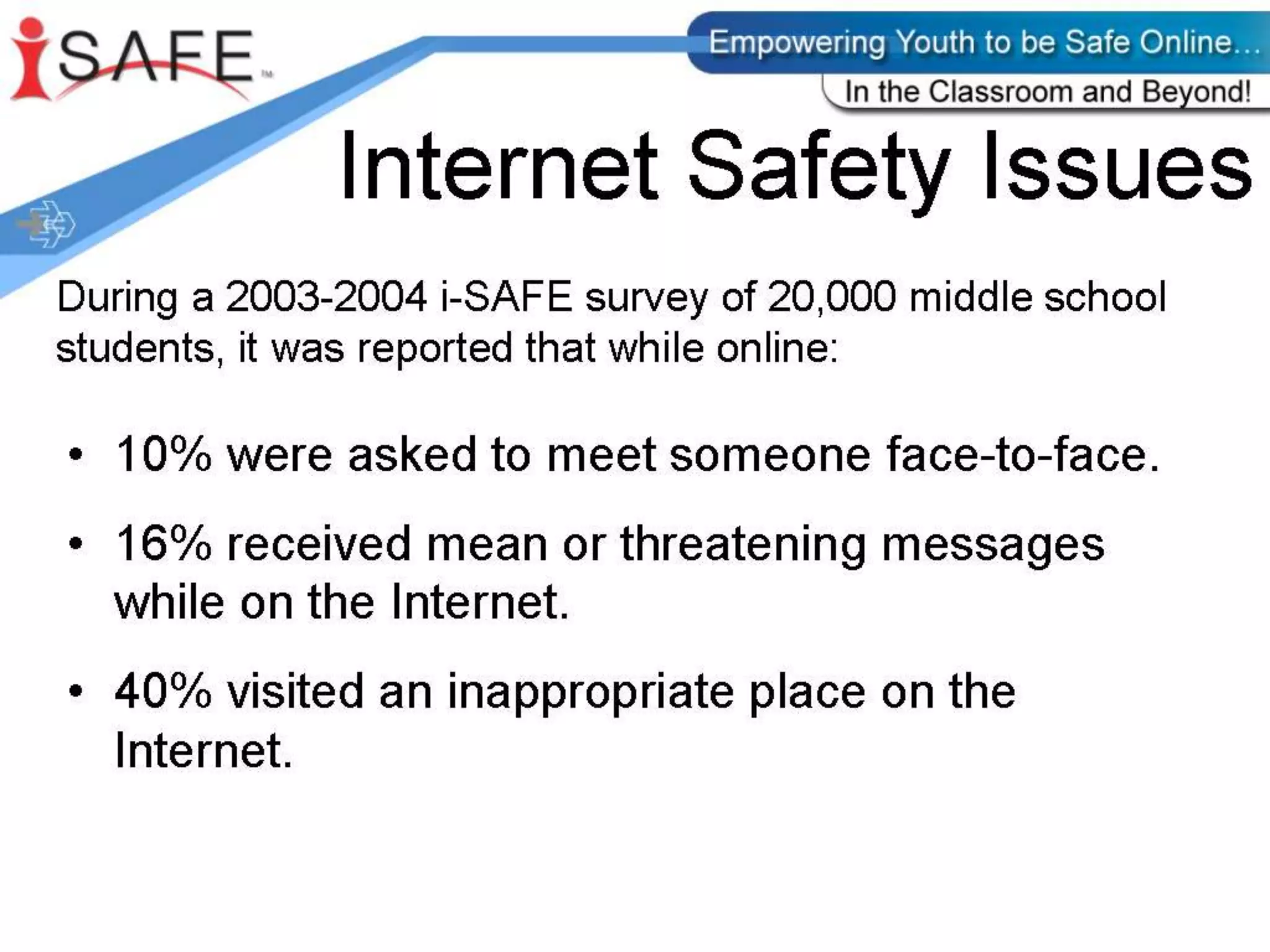
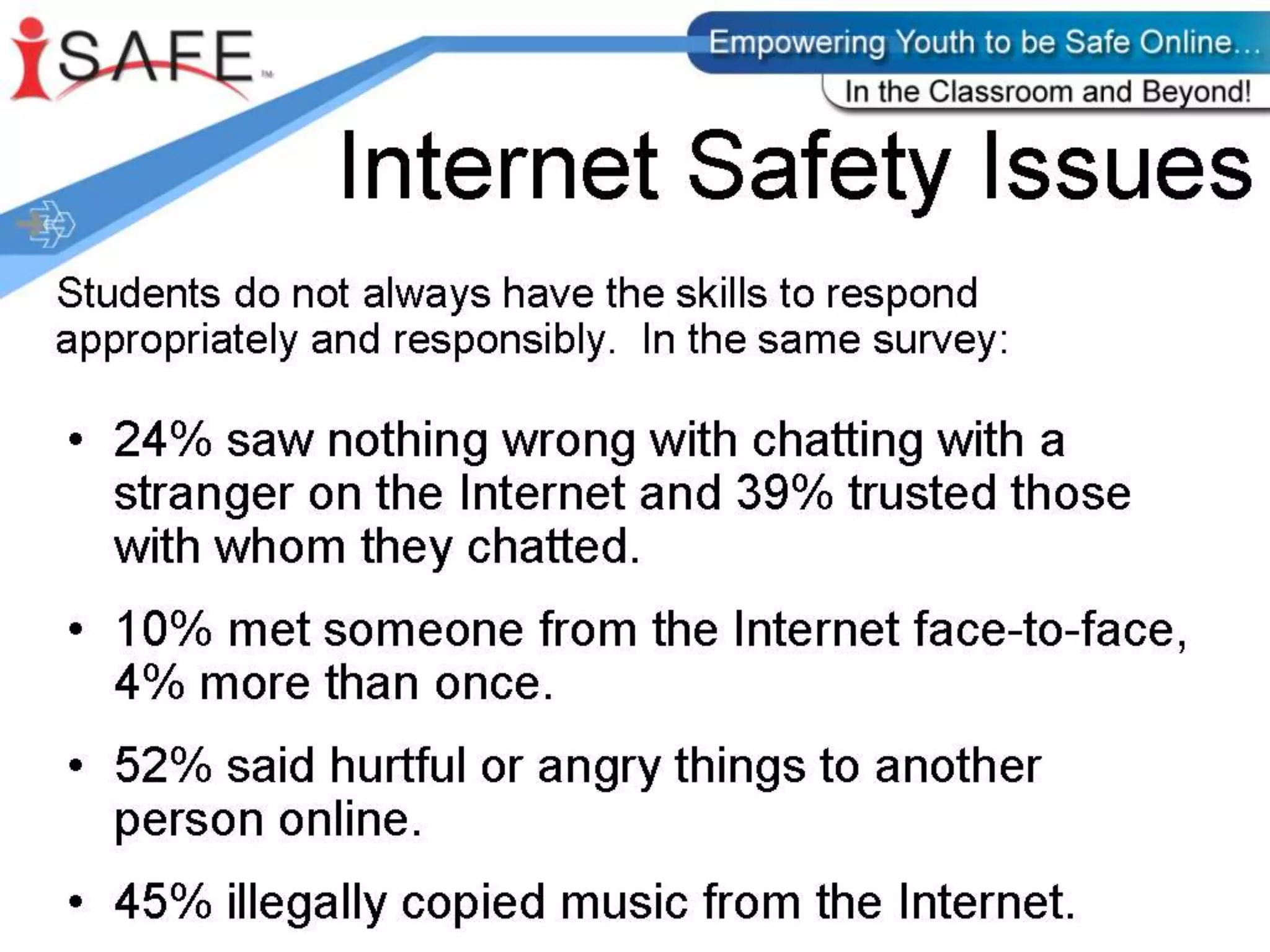
Risky student online behavior53% like being alone when “surfing” the Internet.*12% have unsupervised access to the Internet at school.**10% chat, e-mail or Instant Message (IM) while at school.**39% have given out personal information (name, e-mail address, age, gender) online (when entering a contest, playing online games or signing up for websites).*31% have chatted or used IM with someone on the Internet that they have not met “face to face”.*12% have met a new person from the Internet “face to face.”*13% are willing to meet “face to face” with someone new they meet on the Internet.*8% say that, while on the Internet, someone has asked them to keep their friendship a secret.*53% have seen something on the Internet that shouldn’t be on the Internet.**64% know of or have heard about other students who have done something on the Internet that shouldn’t be done.** Combined 2003/2004 and 2004/2005 i-SAFE survey of 55,000 students** 2004-05 i-SAFE survey of 36,000 students*** 2003-04 i-SAFE survey of 19,000 students
What Do We Do?Educate parentsEducate studentsGet Informed!Teach students to be responsible cyber citizens
Internet PredatorsChristina Long Story
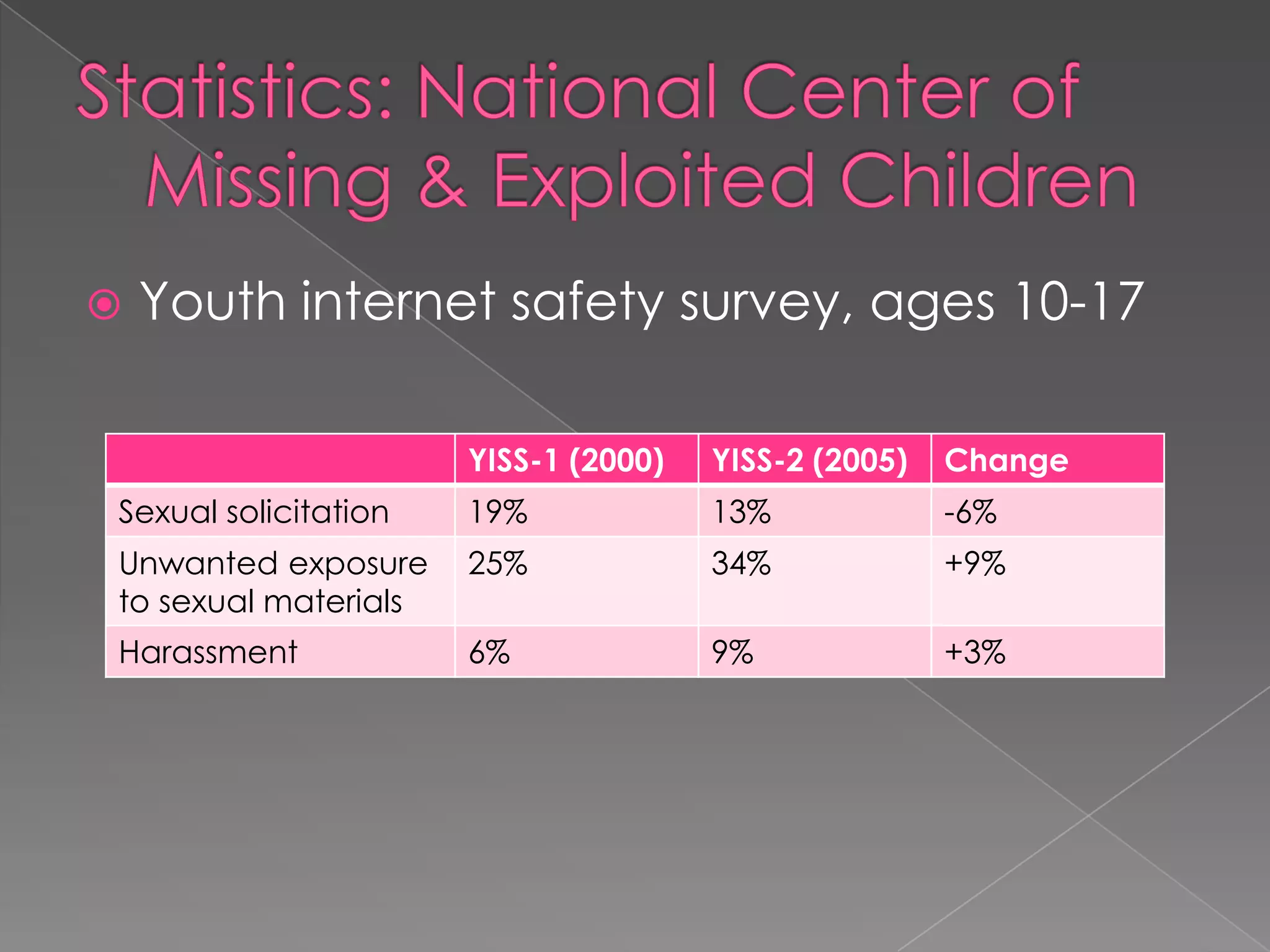
Statistics: National Center of Missing & Exploited ChildrenYouth internet safety survey, ages 10-17
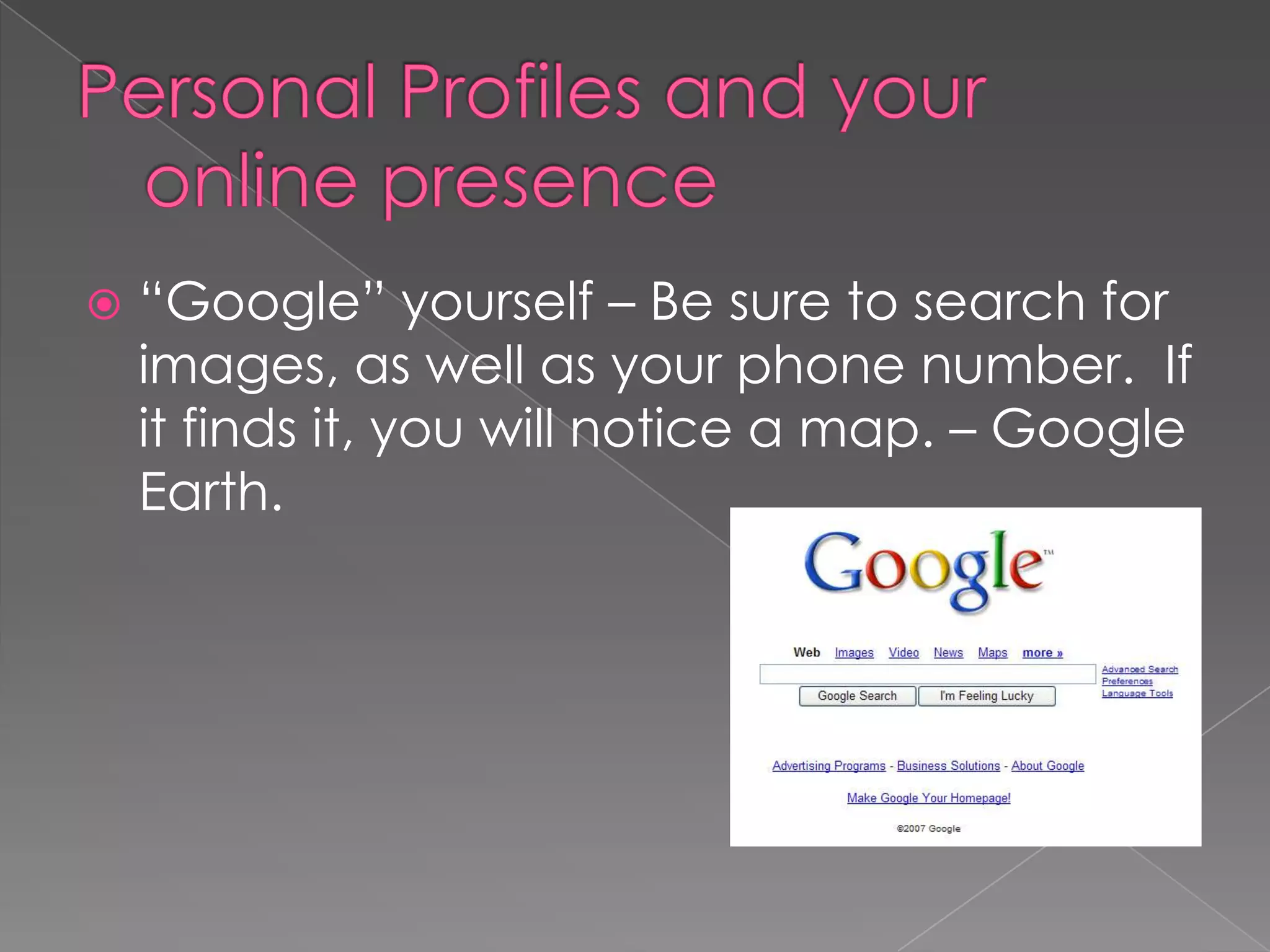
Personal Profiles and your online presence“Google” yourself – Be sure to search for images, as well as your phone number.  If it finds it, you will notice a map. – Google Earth.
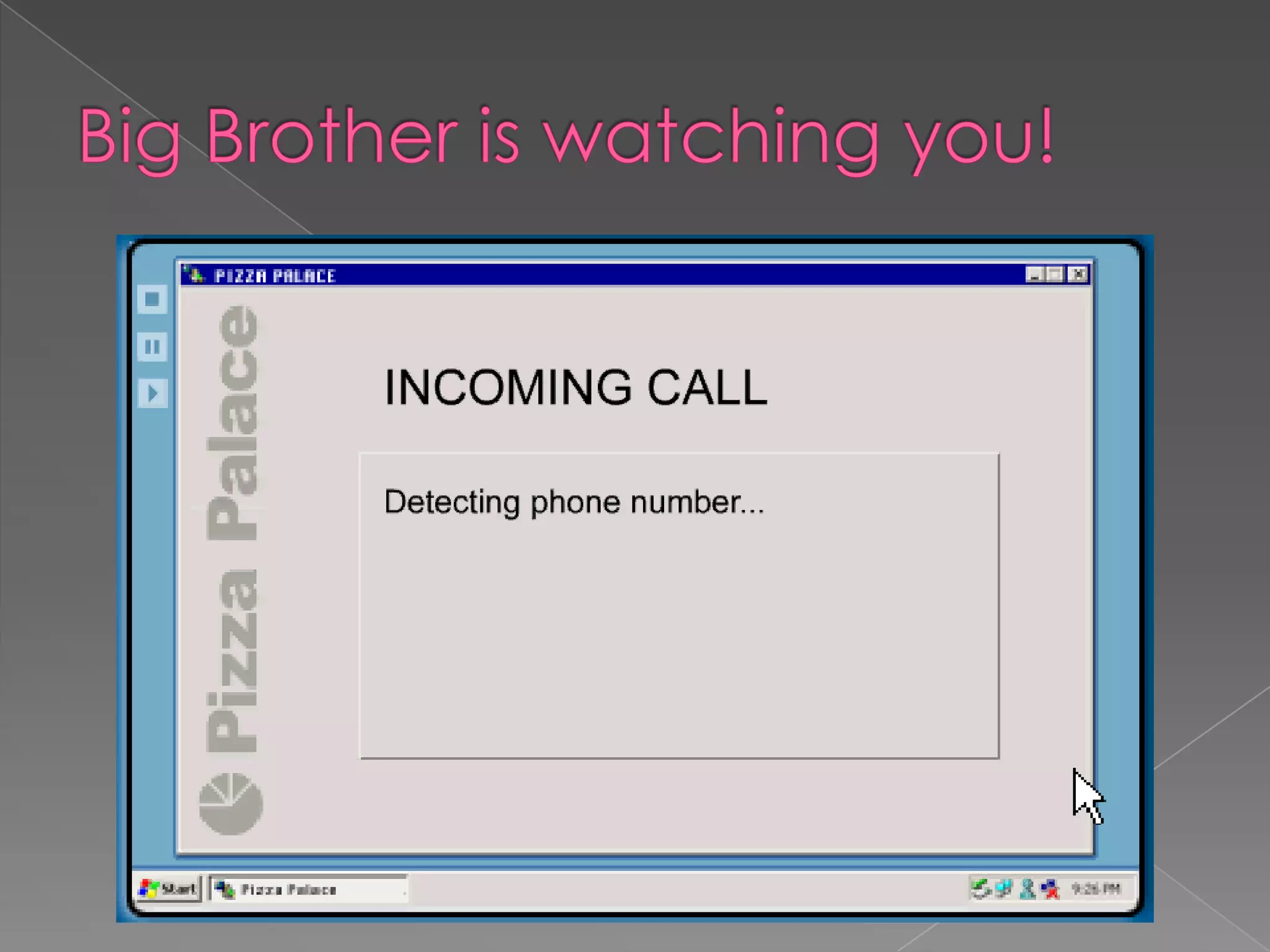
Big Brother is watching you!
Personal Profiles: Social Networking SitesFacebook ,MyspaceAge requirements “No information from children under age 13.”Public vs PrivateKnow who you add: friends vscyberfriendsHave access to your child’s siteBe conscientious of pictures/videosProtecting reputations online, in plain English (commoncraft.com) How You Present Yourself (wiredsafety.org)
Personal Profiles Tips Make sure that your child takes advantage of the privacy settings on social networking sites.Pre-approve the pictures and videos your child posts online.Remind your child never to post e-mail addresses or cell phone numbers.Tell your child that passwords should only be shared with parents and guardians.Teach your child not to respond to any e-mails requesting personal information and to delete e-mails from unknown senders.Discuss how to keep screen names and e-mail addresses gender-neutral, appropriate, and free of any information that could reveal identity.Encourage your child to tell you right away if anything happens online that bothers or frightens him or her.Information from Netsmartz Kids: http://www.netsmartz.org/RevealingTooMuch
CommunicationText messagingChat roomsInstant messaging (‘IMing’)Online gaming – gaming devicesMessage boardsblogs
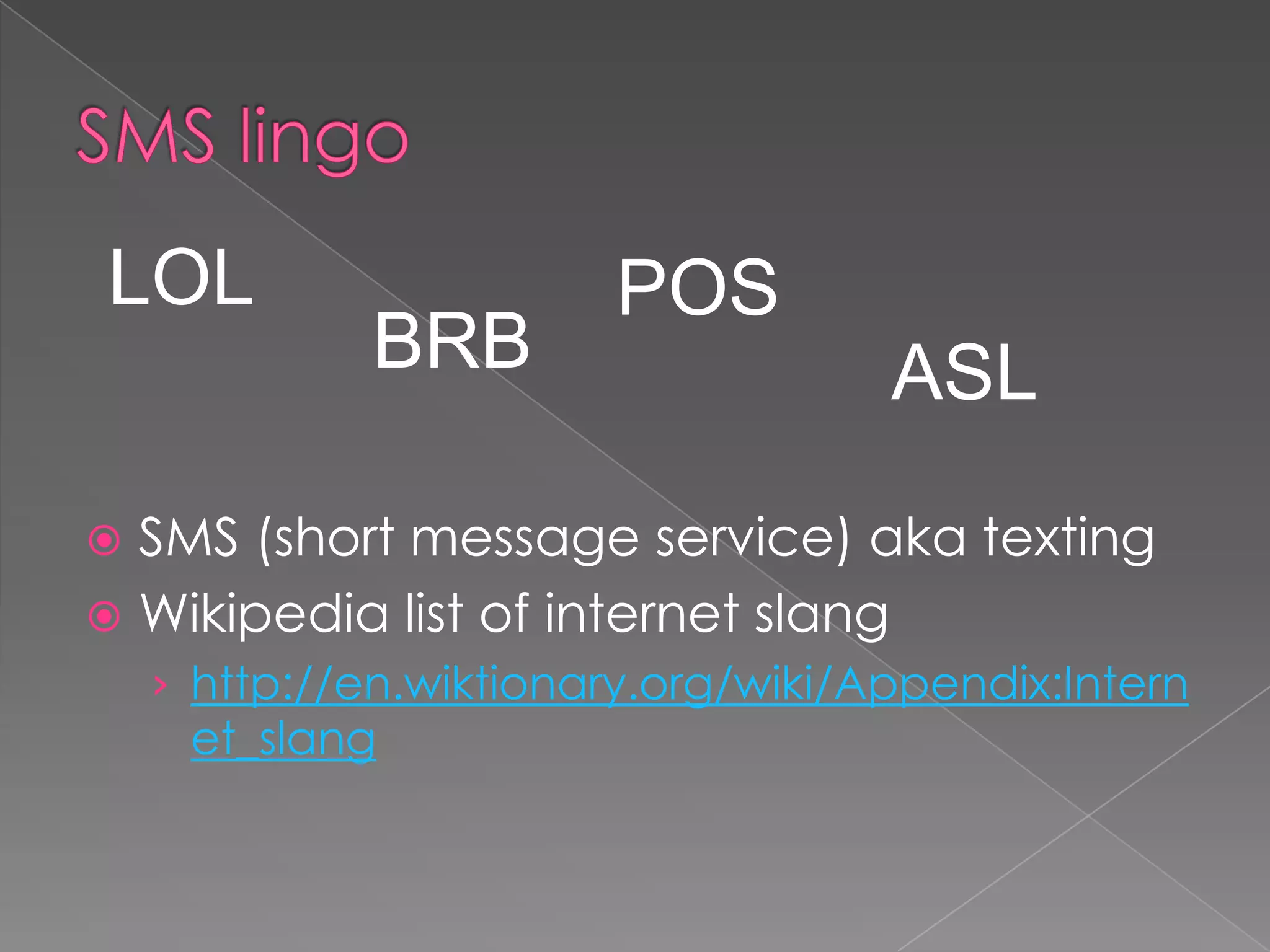
SMS lingoLOLPOSBRBASLSMS (short message service) aka textingWikipedia list of internet slanghttp://en.wiktionary.org/wiki/Appendix:Internet_slang
Gaming	Online: Webkinz, Neopets, Miniclip, Gaming systems: PSP, Xbox Live, PS3, WiiHandheld devices: Ipod touch, Ipad, cell phones
Gaming Tips Know which safety features are available on the gaming equipment that your child uses—a headset may have voice-masking features, for example. Keep gaming consoles in an easy-to-supervise location and be aware of other places where your child may be accessing games. Tell your child never to give out personal information while gaming or agree to meet anyone outside of the game. Teach your child not to respond to anyone who is being rude or bullying while playing the game. Set rules for how long your child may play, what types of games are appropriate, and who else may participate. Have your child check with you before using a credit or debit card online. Check to see if the games your child plays have reporting features or moderators.Information from Netsmartz Kids: http://www.netsmartz.org/Gaming
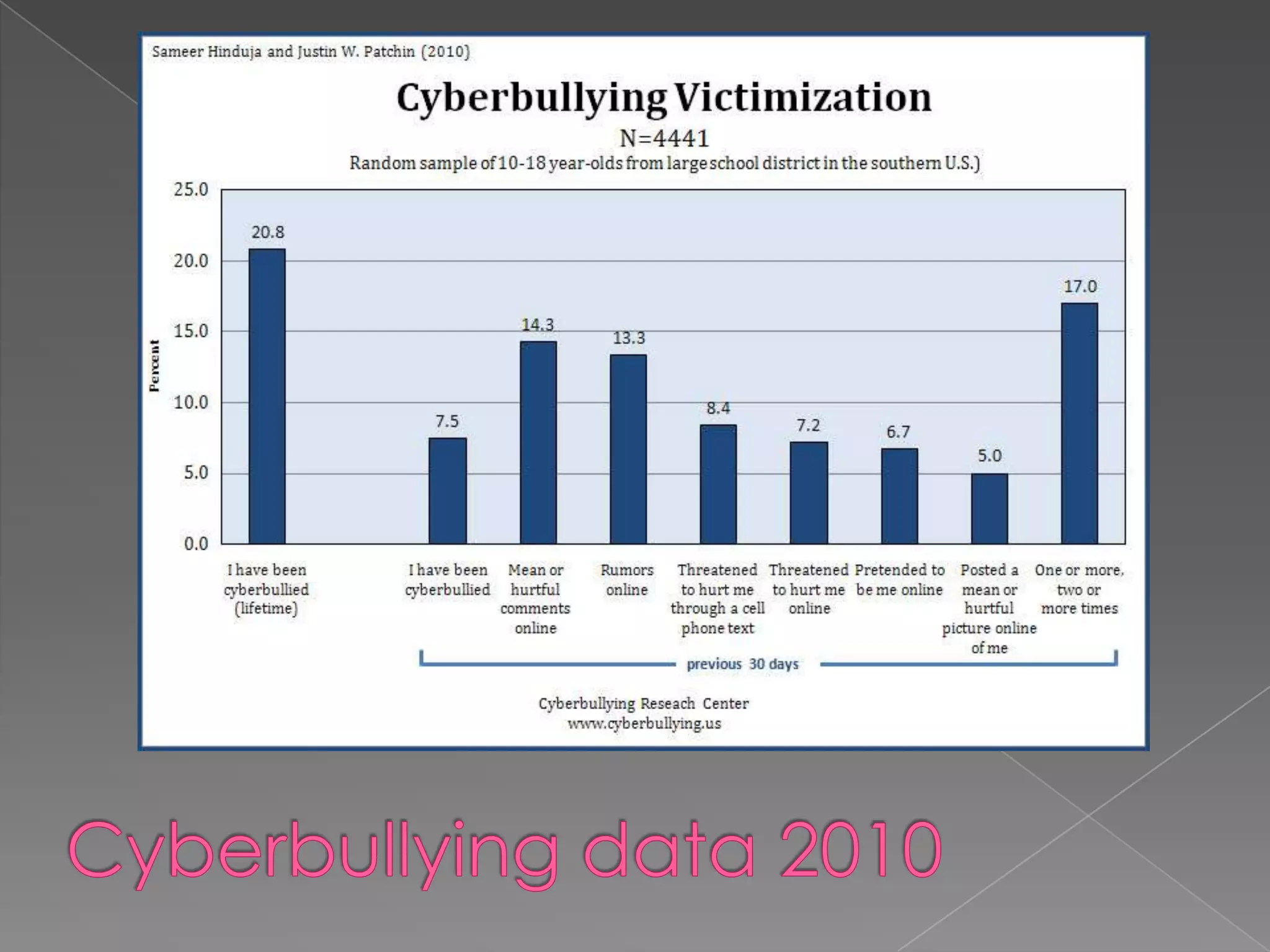
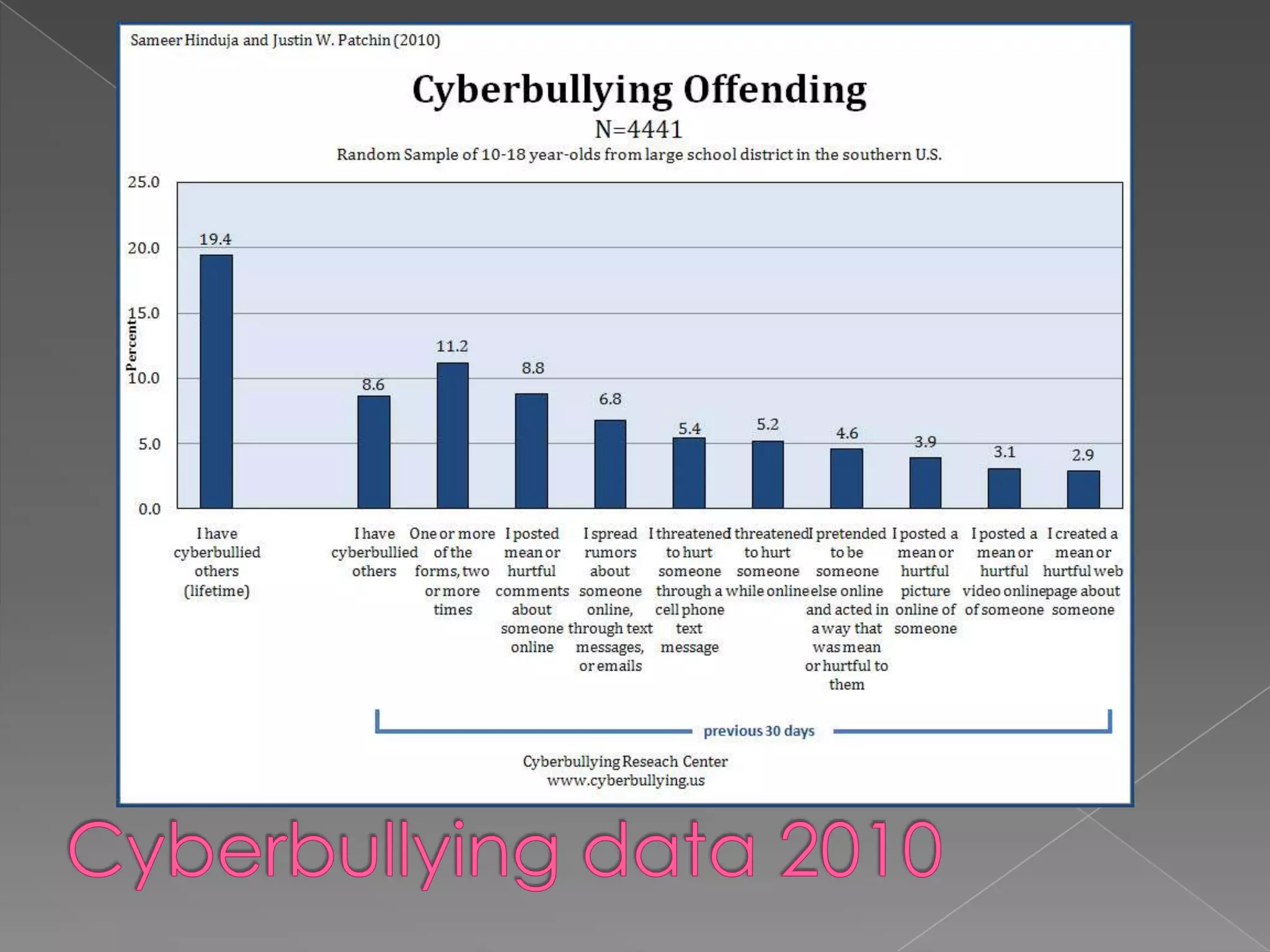
CyberbullyingCyberbullying is emerging as one of the more challenging issues facing educators and parents as young people embrace the Internet and other mobile communication technologies.Cyberbullying video
Cyberbullying data 2010
CyberbullyingFlaming – Online “fights” using electronic messages with inappropriate languageHarassment – Repeatedly sending offensive, rude, and insulting messagesDenigration – Sending or posting gossip or rumors about a person Impersonation – Posing to be someone else and making them look bad
CyberbullyingOuting and Trickery – Sharing someone’s secrets or embarrassing information or images onlineExclusion – Intentionally keeping someone from being able to take part in an online group, such as a “buddy list.”Cyberstalking – Repeatedly sending unwanted messages that may include threats of harm; intimidating
Cyberbullying TipsTell your child not to respond to rude e-mails, messages, and comments. Save the evidence, such as e-mail and text messages, and take screenshots of comments and images. Also, take note of the date and time when the harassment occurs. Contact your Internet service provider (ISP) or cell phone provider. Ask the website administrator or ISP to remove any Web page created to hurt your child. If harassment is via e-mail, social networking sites, IM, and chat rooms, instruct your child to “block” bullies or delete your child’s current account and open a new one. Check out phone features that may allow the number to be blocked. Make a report to www.cybertipline.com, and if you feel something illegal has occurred, inform law enforcementInformation from Netsmartz Kids: http://www.netsmartz.org/Cyberbullying
Cell PhonesAbout 75% of teens (12-17) carry cell phones1 in 3 teens (13-19) use their cell phone to surf the webResults from Teens and Mobile phones, Pew Internet and Americnl Life Project, 2010A Generation Unplugged, Harris Interactive, 2008
Basic Cell Phone rules:Review cell phone records for any unknown numbers and late night phone calls and texts. Remind your child that texting is viral—anything sent in a text can be easily forwarded and shared. Teach your child never to reveal cell phone numbers or passwords online. Talk to your child about the possible consequences of sending sexually explicit or provocative images or text messages. When shopping for a cell phone for your child, research the security settings that are available.From NetsmartzKids : http://www.netsmartz.org/CellPhones
Cell phonesAt+TPhones and internet: http://www.att.net/s/s.dll?ep=1659430&ch=smct/smct_isVerizonhttps://wbillpay.verizonwireless.com/vzw/nos/uc/uc_overview.jspSprinthttp://www.sprint.com/landings/family/safety.html
Plagiarism & Intellectual PropertyMusic DownloadsNapster ItunesKazaaWinMXLimewireetorrentCopyright MaterialIdentity TheftWebsite Validitywww.turnitin.com
Malicious Codes, Viruses, and SpywareComputer systemKeeping bad stuff (predatory software)out– keeping valuables(personal information) inMalicious codes: viruses, worms, trojanParasitical malware: spyware, adware

Internet safety presentation 2011

  • 1.
    Internet safety/i-Safe ParentPresentationSpring 2011Kaneland School District #302Presented by:Ms. Carrie SvihlikDetective Keith Smith
  • 2.
  • 3.
  • 4.
  • 5.
  • 6.
  • 7.
  • 8.
  • 9.
  • 10.
  • 11.
  • 12.
  • 13.
  • 14.
    Q & A “everythingthat’s already in the world when you’re born is just normal; anything that gets invented between then and before you turn thirty is incredibly exciting and creative and with any luck you can make a career out of it; anything that gets invented after you’re thirty is against the natural order of things and the beginning of the end of civilization as we know it until it’s been around for about ten years when it gradually turns out to be alright really.”Quote by Douglas Adams, author
  • 15.
    Internet LandscapeThe Internethas dramatically changed our world and is a part of our everyday livesADULTS’ VIEWCommunication – email, textingShopping and servicesFinancial managementNewsEntertainment – videos, music, games
  • 16.
    Internet Landscape The Internethas dramatically changed our world and is a part of our everyday livesSTUDENTS’ VIEWCommunication – texting, instant messaging, emailEntertainment – games, music, videosResearch – homework, colleges
  • 17.
    Basic student useof technology
  • 18.
    Risky student onlinebehavior53% like being alone when “surfing” the Internet.*12% have unsupervised access to the Internet at school.**10% chat, e-mail or Instant Message (IM) while at school.**39% have given out personal information (name, e-mail address, age, gender) online (when entering a contest, playing online games or signing up for websites).*31% have chatted or used IM with someone on the Internet that they have not met “face to face”.*12% have met a new person from the Internet “face to face.”*13% are willing to meet “face to face” with someone new they meet on the Internet.*8% say that, while on the Internet, someone has asked them to keep their friendship a secret.*53% have seen something on the Internet that shouldn’t be on the Internet.**64% know of or have heard about other students who have done something on the Internet that shouldn’t be done.** Combined 2003/2004 and 2004/2005 i-SAFE survey of 55,000 students** 2004-05 i-SAFE survey of 36,000 students*** 2003-04 i-SAFE survey of 19,000 students
  • 19.
    What Do WeDo?Educate parentsEducate studentsGet Informed!Teach students to be responsible cyber citizens
  • 20.
  • 23.
    Statistics: National Centerof Missing & Exploited ChildrenYouth internet safety survey, ages 10-17
  • 26.
    Personal Profiles andyour online presence“Google” yourself – Be sure to search for images, as well as your phone number. If it finds it, you will notice a map. – Google Earth.
  • 27.
    Big Brother iswatching you!
  • 28.
    Personal Profiles: SocialNetworking SitesFacebook ,MyspaceAge requirements “No information from children under age 13.”Public vs PrivateKnow who you add: friends vscyberfriendsHave access to your child’s siteBe conscientious of pictures/videosProtecting reputations online, in plain English (commoncraft.com) How You Present Yourself (wiredsafety.org)
  • 29.
    Personal Profiles TipsMake sure that your child takes advantage of the privacy settings on social networking sites.Pre-approve the pictures and videos your child posts online.Remind your child never to post e-mail addresses or cell phone numbers.Tell your child that passwords should only be shared with parents and guardians.Teach your child not to respond to any e-mails requesting personal information and to delete e-mails from unknown senders.Discuss how to keep screen names and e-mail addresses gender-neutral, appropriate, and free of any information that could reveal identity.Encourage your child to tell you right away if anything happens online that bothers or frightens him or her.Information from Netsmartz Kids: http://www.netsmartz.org/RevealingTooMuch
  • 30.
    CommunicationText messagingChat roomsInstantmessaging (‘IMing’)Online gaming – gaming devicesMessage boardsblogs
  • 31.
    SMS lingoLOLPOSBRBASLSMS (shortmessage service) aka textingWikipedia list of internet slanghttp://en.wiktionary.org/wiki/Appendix:Internet_slang
  • 33.
    Gaming Online: Webkinz, Neopets,Miniclip, Gaming systems: PSP, Xbox Live, PS3, WiiHandheld devices: Ipod touch, Ipad, cell phones
  • 34.
    Gaming Tips Knowwhich safety features are available on the gaming equipment that your child uses—a headset may have voice-masking features, for example. Keep gaming consoles in an easy-to-supervise location and be aware of other places where your child may be accessing games. Tell your child never to give out personal information while gaming or agree to meet anyone outside of the game. Teach your child not to respond to anyone who is being rude or bullying while playing the game. Set rules for how long your child may play, what types of games are appropriate, and who else may participate. Have your child check with you before using a credit or debit card online. Check to see if the games your child plays have reporting features or moderators.Information from Netsmartz Kids: http://www.netsmartz.org/Gaming
  • 35.
    CyberbullyingCyberbullying is emergingas one of the more challenging issues facing educators and parents as young people embrace the Internet and other mobile communication technologies.Cyberbullying video
  • 36.
  • 37.
  • 38.
    CyberbullyingFlaming – Online“fights” using electronic messages with inappropriate languageHarassment – Repeatedly sending offensive, rude, and insulting messagesDenigration – Sending or posting gossip or rumors about a person Impersonation – Posing to be someone else and making them look bad
  • 39.
    CyberbullyingOuting and Trickery– Sharing someone’s secrets or embarrassing information or images onlineExclusion – Intentionally keeping someone from being able to take part in an online group, such as a “buddy list.”Cyberstalking – Repeatedly sending unwanted messages that may include threats of harm; intimidating
  • 41.
    Cyberbullying TipsTell yourchild not to respond to rude e-mails, messages, and comments. Save the evidence, such as e-mail and text messages, and take screenshots of comments and images. Also, take note of the date and time when the harassment occurs. Contact your Internet service provider (ISP) or cell phone provider. Ask the website administrator or ISP to remove any Web page created to hurt your child. If harassment is via e-mail, social networking sites, IM, and chat rooms, instruct your child to “block” bullies or delete your child’s current account and open a new one. Check out phone features that may allow the number to be blocked. Make a report to www.cybertipline.com, and if you feel something illegal has occurred, inform law enforcementInformation from Netsmartz Kids: http://www.netsmartz.org/Cyberbullying
  • 42.
    Cell PhonesAbout 75%of teens (12-17) carry cell phones1 in 3 teens (13-19) use their cell phone to surf the webResults from Teens and Mobile phones, Pew Internet and Americnl Life Project, 2010A Generation Unplugged, Harris Interactive, 2008
  • 43.
    Basic Cell Phonerules:Review cell phone records for any unknown numbers and late night phone calls and texts. Remind your child that texting is viral—anything sent in a text can be easily forwarded and shared. Teach your child never to reveal cell phone numbers or passwords online. Talk to your child about the possible consequences of sending sexually explicit or provocative images or text messages. When shopping for a cell phone for your child, research the security settings that are available.From NetsmartzKids : http://www.netsmartz.org/CellPhones
  • 44.
    Cell phonesAt+TPhones andinternet: http://www.att.net/s/s.dll?ep=1659430&ch=smct/smct_isVerizonhttps://wbillpay.verizonwireless.com/vzw/nos/uc/uc_overview.jspSprinthttp://www.sprint.com/landings/family/safety.html
  • 45.
    Plagiarism & IntellectualPropertyMusic DownloadsNapster ItunesKazaaWinMXLimewireetorrentCopyright MaterialIdentity TheftWebsite Validitywww.turnitin.com
  • 46.
    Malicious Codes, Viruses,and SpywareComputer systemKeeping bad stuff (predatory software)out– keeping valuables(personal information) inMalicious codes: viruses, worms, trojanParasitical malware: spyware, adware
  • 48.
    Software ResourcesAnti spywareand adware programswww.spybot.com (Spybot S &D)
  • 49.
  • 51.
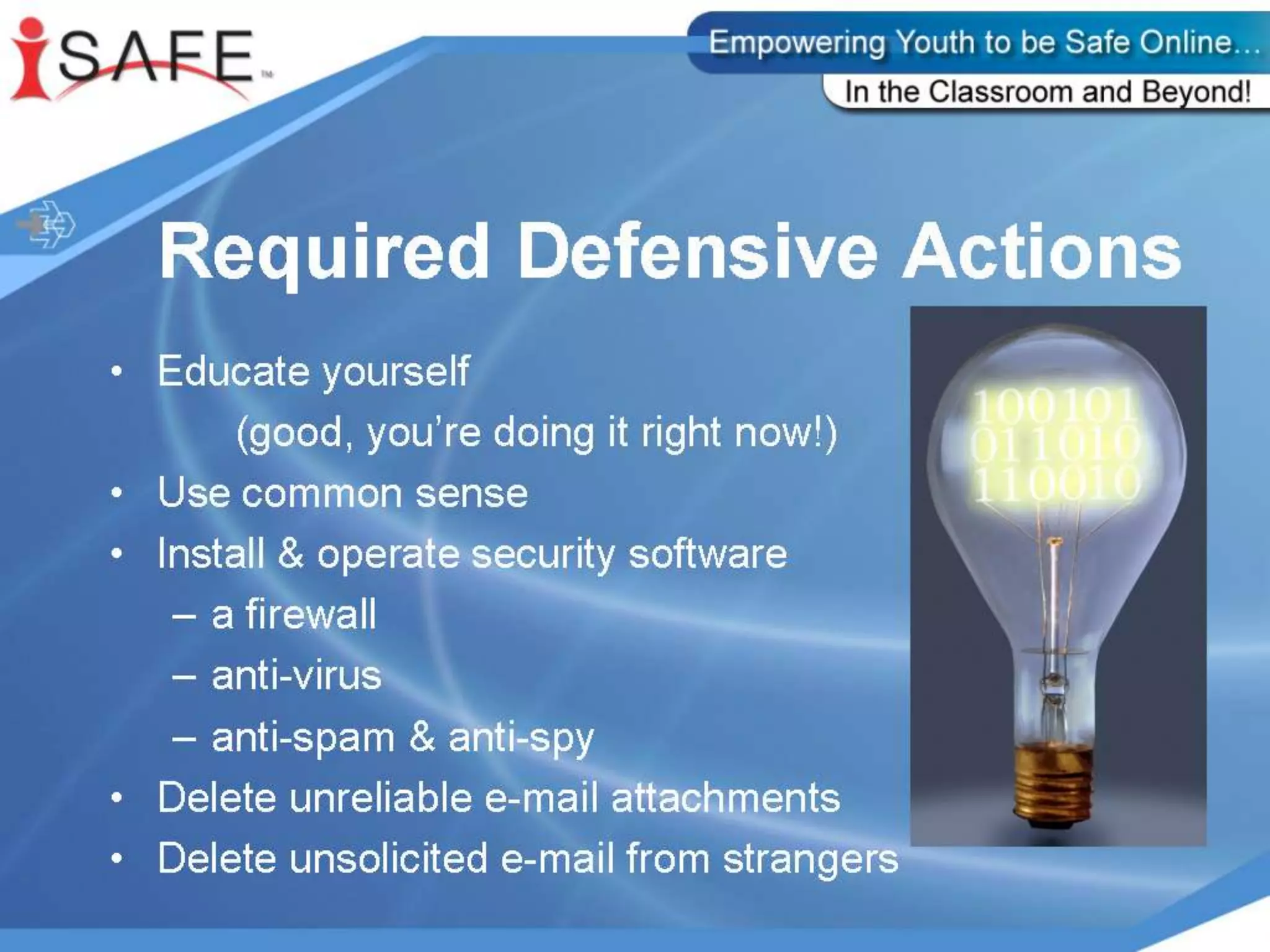
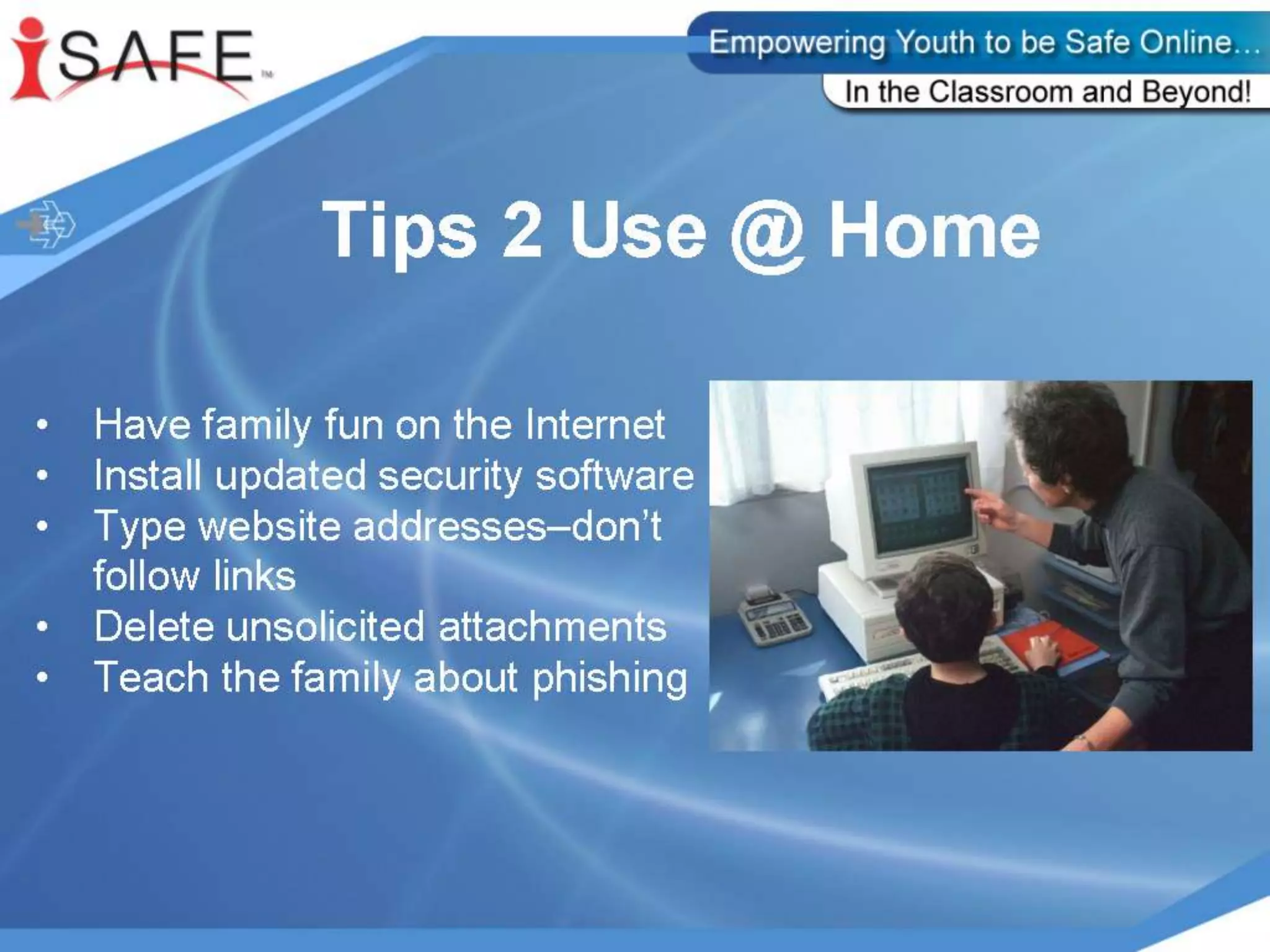
    Parent TipsGuard youridentityMake username generic and anonymousLittle information is needed to get to know youMonitor your child’s computer useUse favoritesUnderstand the services your child usesKnow usernames, passwords, and e-mail
  • 52.
    Parent TipsKnow child’s“online friends”Don’t overreact to anything your child tells you (fear you will take computer away)Never meet anyone met onlineKeep your computer up-to-datewindowsupdate.microsoft.comVirus protectionFirewall
  • 54.
  • 55.
  • 56.
  • 57.
    Q & AThankyou for your attendance at today’s presentation! Make sure you have signed in before you leaveWe hope you found it useful.