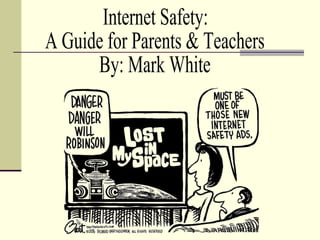
Internet Safety: A Guide for Parents & Teachers By: Mark White
Unlimited Educational Resources  Learning about other places and cultures  Stay in touch with family and friends Web Pages, Chat Rooms, Email, Video Conferencing & Sharing, Photo Sharing (Flickr, Picasa, etc.), Blogging Make new friends  Chat Rooms, Video Sharing (YouTube, etc.), Photo Sharing, Blogs Work from home More can be accomplished in less time Business Transactions  Researching Communication Purchasing Monitoring Bank Accounts & Stocks Some Positives  About the Internet
Communicating the  Generation Y Way
Communicating the Generation Y Way
Can You Hear Me Now?
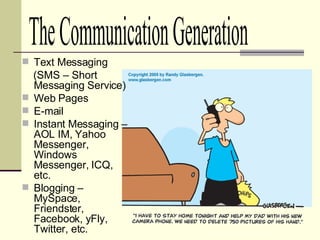
Text Messaging  (SMS – Short Messaging Service) Web Pages E-mail Instant Messaging – AOL IM, Yahoo Messenger, Windows Messenger, ICQ, etc. Blogging – MySpace, Friendster, Facebook, yFly, Twitter, etc. The Communication Generation
Podcasting – iTunes, Podcast Directory.com, etc. Video Sharing – YouTube, Google Video, Yahoo Video, etc. Wikis – Wikipedia, PB Wiki, etc. Gaming Communities – Runescape, etc. The Communication Generation
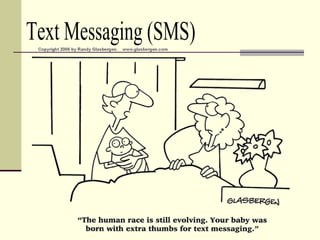
Text Messaging (SMS)
Also known as Short Message Service (SMS), a service available on most digital  mobile phones  and other mobile devices that permits the sending of short text messages. “ Ooh look, his first text message.” www.wikipedia.com Text Messaging (SMS)
Instant  Messaging Also known as  IM , a form of  real-time  communication between two or more people based on typed text. The text is conveyed via computers connected over a network such as the  Internet .   www.wikipedia.com
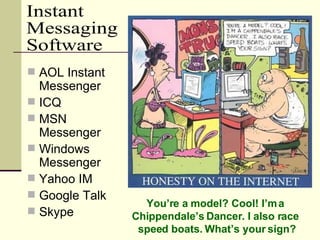
AOL Instant Messenger ICQ MSN Messenger Windows Messenger Yahoo IM Google Talk Skype Instant  Messaging Software You’re a model? Cool! I’m a  Chippendale’s Dancer. I also race  speed boats. What’s your sign?
Blog A  user-generated  website where entries are made in  journal  style. Blogs often provide commentary or news on a particular subject, such as food, politics, or local news. www.wikipedia.com
MySpace Xanga Friendster Facebook Tagged yFly Bebo YouTube  (video sharing) Flickr (photo sharing) Some Blog Sites
Podcast A media file that is  distributed over the  Internet  using  syndication   feeds  (RSS), for  playback on  portable media players   and  personal computers . www.wikipedia.com
iTunes Podcasts Podcast Net The Podcast Network Podcast  Directory Podcast Alley Podcast Pickle iPodder.org Yahoo Podcasts Podcasting  News Some Podcast Sites
Wiki A  website  that allows the visitors themselves to easily add, remove, and otherwise  edit  and change available content. http://en.wikipedia.org/wiki/Wiki
Wikipedia PBwiki TWiki Yu-Gi-Oh! Wikia FlexWiki Wikia WikiBios Some Wiki Sites
Surfing the Web...
Are your children getting in over their heads surfing the Web? Are Your Children Aware  of the Dangers That Lurk?
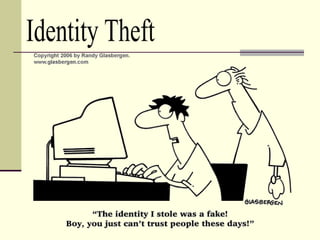
Identity Theft
How is an Identity Stolen? Attempting to  fraudulently  acquire sensitive information, such as usernames,  passwords  and  credit card  details, by masquerading as a trustworthy entity in an electronic communication. Phishing Typically carried out using  email  or an  instant message , and often directs users to a website.
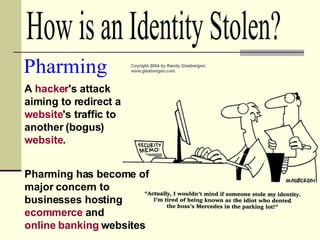
A  hacker 's attack aiming to redirect a  website 's traffic to another (bogus)  website .  Pharming Pharming has become of major concern to businesses hosting  ecommerce  and  online banking  websites  How is an Identity Stolen?
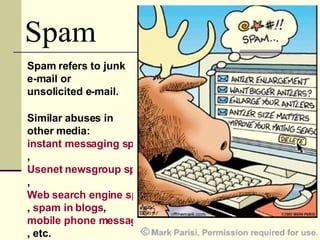
Spam Spam refers to junk e-mail or unsolicited e-mail. Similar abuses in other media:  instant messaging spam ,  Usenet newsgroup spam ,  Web search engine spam ,  spam in  blogs ,  mobile phone messaging spam , etc.
Cyberbullying Bullying  and  harassment  by use of electronic devices though means of  e-mail ,  instant messaging ,  text messages ,  blogs ,  mobile phones ,  pagers , and websites .
Cyberbullying : Feathers in the Wind Cyberbullying Video Clip
Peer-to-peer or file-sharing programs allow you to share you files with others on the Internet – and vice versa. Be wary about downloading files just as you would an e-mail attachment from a stranger File-sharing networks create a risk for computer viruses or harmful code to be shared Movies, songs, video games and other items on the Web are protected by copyright laws If misconfigured, some file-sharing programs may expose your entire hard drive to all other users of the file-sharing software. File-Sharing
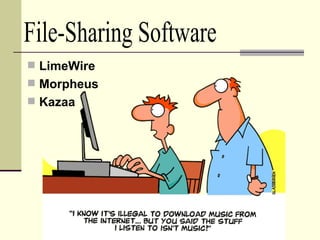
LimeWire Morpheus Kazaa File-Sharing Software
Pornography and  Your Children
Make sure your computer is located in a high-traffic area in the house. This includes laptops and other wireless devices  Communicate with your children about what pornography is and why it is inappropriate for them. Teach your child “Internal Filtering Mechanisms” and how to avoid pornography on the Web.  Check your home computer for signs that these types of sites have visited Basic Things that Parents Can Do
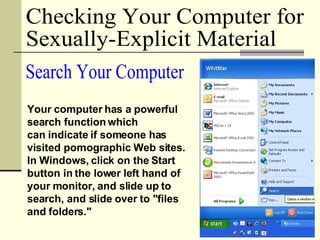
Checking Your Computer for  Sexually-Explicit Material Your computer has a powerful search function which  can indicate if someone has visited pornographic Web sites. In Windows, click on the Start button in the lower left hand of your monitor, and slide up to search, and slide over to "files and folders."  Search Your Computer
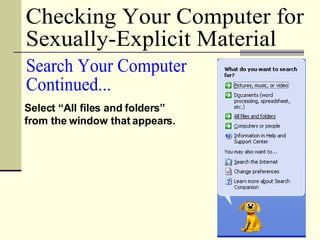
Checking Your Computer for  Sexually-Explicit Material Select “All files and folders” from the window that appears. Search Your Computer Continued...
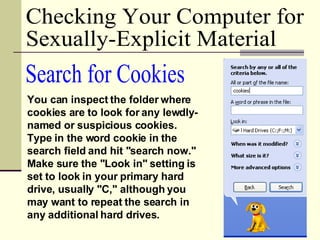
Search for Cookies You can inspect the folder where cookies are to look for any lewdly-named or suspicious cookies. Type in the word cookie in the search field and hit "search now." Make sure the "Look in" setting is set to look in your primary hard drive, usually "C," although you may want to repeat the search in any additional hard drives.  Checking Your Computer for  Sexually-Explicit Material
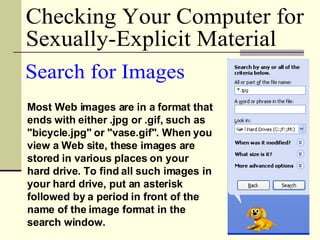
Most Web images are in a format that ends with either .jpg or .gif, such as "bicycle.jpg" or "vase.gif". When you view a Web site, these images are stored in various places on your hard drive. To find all such images in your hard drive, put an asterisk followed by a period in front of the name of the image format in the search window.  Search for Images Checking Your Computer for  Sexually-Explicit Material
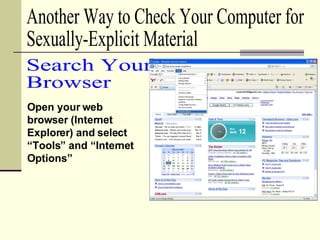
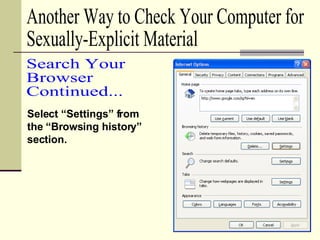
Open your web browser (Internet Explorer) and select “Tools” and “Internet Options” Search Your  Browser Another Way to Check Your Computer for  Sexually-Explicit Material
Select “Settings” from the “Browsing history” section. Search Your  Browser Continued... Another Way to Check Your Computer for  Sexually-Explicit Material
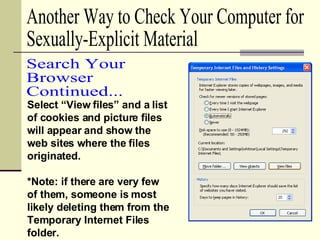
Select “View files” and a list of cookies and picture files will appear and show the web sites where the files originated. *Note: if there are very few of them, someone is most likely deleting them from the Temporary Internet Files folder. Another Way to Check Your Computer for  Sexually-Explicit Material Search Your  Browser Continued...
Explain that there is explicit material on the Internet, but it is not appropriate for the child to view or seek it out Search engine results, even for innocent topics, may occasionally include links to inappropriate Web sites Teach your child to recognize lewd wording and other clues to avoid actually viewing the sites Teach them to recognize and avoid opening sexually-explicit spam email Techniques for Teaching  Your Child How to Use the Web Responsibly
Bookmark child-safe Web sites – Yahooligans, Ask Kids, Kids Click, etc. Teach children to never open e-mail from someone they don't know. If you or your child receives a message that is harassing, of a sexual nature, or threatening, forward a copy of the message to your ISP, and ask for assistance. Techniques for Teaching  Your Child How to Use the Web Responsibly
Develop household rules for use of the computer: How much time is allowed on the Web Acceptable vs. unacceptable activities What information should not be given out What the child should do if something makes him or her uncomfortable Be a good role model; technology savvy children may be able to tell if a parent has visited sexually-explicit sites Create an environment where the child can confide in you without fear of being punished Techniques for Teaching  Your Child How to Use the Web Responsibly
Your Web browser software (Internet Explorer, Firefox, Opera, etc.) contains very little or NO history. There are several Web browsers installed on your computer. Temporary files are deleted from the temporary folder Web Browser search bar history is deleted Less Obvious Signs that Internet No, No's are Taking Place
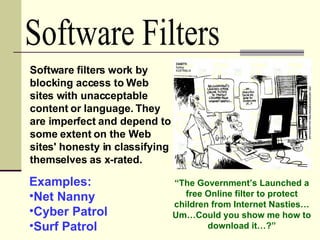
Software Filters Software filters work by blocking access to Web sites with unacceptable content or language. They are imperfect and depend to some extent on the Web sites' honesty in classifying themselves as x-rated.  Examples: Net Nanny Cyber Patrol Surf Patrol “ The Government’s Launched a free Online filter to protect children from Internet Nasties…Um…Could you show me how to download it…?”
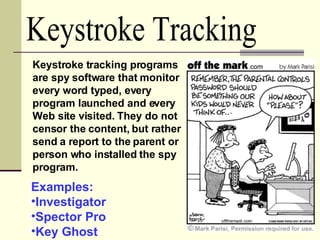
Keystroke Tracking Keystroke tracking programs are spy software that monitor every word typed, every program launched and every Web site visited. They do not censor the content, but rather send a report to the parent or person who installed the spy program.  Examples: Investigator Spector Pro Key Ghost
“ I just can’t communicate  with my child anymore.  It’s like she speaks  another language.” What Else Can  Parents & Teachers Do?
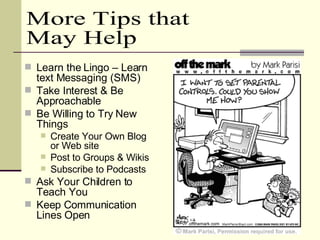
Learn the Lingo – Learn text Messaging (SMS) Take Interest & Be Approachable Be Willing to Try New Things Create Your Own Blog or Web site Post to Groups & Wikis Subscribe to Podcasts Ask Your Children to Teach You Keep Communication Lines Open  More Tips that May Help
“Amy’s Choice”  “Julie’s Journey” True Stories About  Online Predators
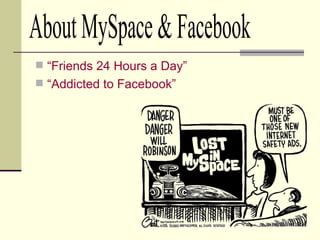
“Friends 24 Hours a Day” “Addicted to  Facebook ” About MySpace & Facebook
What Can Parents Do About Their Child's Blogs MySpace  Parent Site http://www.myspace.com/Modules/Common/ Pages/SafetyTips.aspx# Facebook  Parent Site http://www.facebook.com/help.php?tab=safety
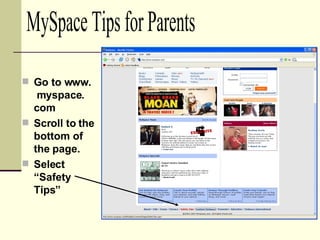
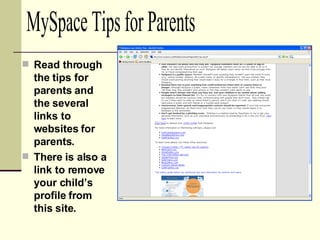
Go to www.  myspace. com Scroll to the bottom of the page. Select “Safety Tips” MySpace Tips for Parents
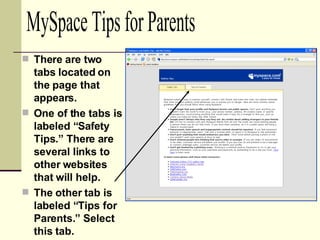
There are two tabs located on the page that appears. One of the tabs is labeled “Safety Tips.” There are several links to other websites that will help. The other tab is labeled “Tips for Parents.” Select this tab. MySpace Tips for Parents
Read through the tips for parents and the several links to websites for parents. There is also a link to remove your child’s profile from this site. MySpace Tips for Parents
For More Information Visit My Internet Safety Website http://markwhite85.googlepages.com/internetsafety
Credits http://fashiontribes.typepad.com/main/images/text_messaging.gif http://www.cartoonstock.com/directory/t/text_messaging.asp   http://www.cambridgeweb.ie/images/podcast.jpg http://www.cartoons.nytimages.com/wieck_preview_page_CNG2007021417541   http://www.cartoons.nytimages.com/portal/wieck_preview_page_059568 http://www.offthemarkcartoons.com/search-results/key/computer/   http://www.offthemarkcartoons.com/search-results.php?topic=none&keywords=computer&resultsfrom=11&browseall=false
Credits Continued http://www.cartoons.nytimages.com/portal/wieck_preview_page_064165 http://www.cartoons.nytimages.com/portal/wieck_preview_page_057810 http://www.cartoons.nytimages.com/portal/wieck_preview_page_002226 http://www.glasbergen.com/idbook.html   http://www.borg.com/~rjgtoons/edu.html   http://www.glasbergen.com/cat.html http://www.borg.com/~rjgtoons/images/aps8.gif http://www.borg.com/~rjgtoons/images/aps9.gif http://www.borg.com/~rjgtoons/images/aps12.gif http://static.flickr.com/27/61778794_6b7b79c92b.jpg http://www.familysafemedia.com/internet_safety_tips.html

Internet Safety; A Guide for Parents & Teachers

  • 1.
    Internet Safety: AGuide for Parents & Teachers By: Mark White
  • 2.
    Unlimited Educational Resources Learning about other places and cultures Stay in touch with family and friends Web Pages, Chat Rooms, Email, Video Conferencing & Sharing, Photo Sharing (Flickr, Picasa, etc.), Blogging Make new friends Chat Rooms, Video Sharing (YouTube, etc.), Photo Sharing, Blogs Work from home More can be accomplished in less time Business Transactions Researching Communication Purchasing Monitoring Bank Accounts & Stocks Some Positives About the Internet
  • 3.
    Communicating the Generation Y Way
  • 4.
  • 5.
  • 6.
  • 7.
    Can You HearMe Now?
  • 8.
    Text Messaging (SMS – Short Messaging Service) Web Pages E-mail Instant Messaging – AOL IM, Yahoo Messenger, Windows Messenger, ICQ, etc. Blogging – MySpace, Friendster, Facebook, yFly, Twitter, etc. The Communication Generation
  • 9.
    Podcasting – iTunes,Podcast Directory.com, etc. Video Sharing – YouTube, Google Video, Yahoo Video, etc. Wikis – Wikipedia, PB Wiki, etc. Gaming Communities – Runescape, etc. The Communication Generation
  • 10.
  • 11.
    Also known asShort Message Service (SMS), a service available on most digital mobile phones and other mobile devices that permits the sending of short text messages. “ Ooh look, his first text message.” www.wikipedia.com Text Messaging (SMS)
  • 12.
    Instant MessagingAlso known as IM , a form of real-time communication between two or more people based on typed text. The text is conveyed via computers connected over a network such as the Internet . www.wikipedia.com
  • 13.
    AOL Instant MessengerICQ MSN Messenger Windows Messenger Yahoo IM Google Talk Skype Instant Messaging Software You’re a model? Cool! I’m a Chippendale’s Dancer. I also race speed boats. What’s your sign?
  • 14.
    Blog A user-generated website where entries are made in journal style. Blogs often provide commentary or news on a particular subject, such as food, politics, or local news. www.wikipedia.com
  • 15.
    MySpace Xanga FriendsterFacebook Tagged yFly Bebo YouTube (video sharing) Flickr (photo sharing) Some Blog Sites
  • 16.
    Podcast A mediafile that is distributed over the Internet using syndication feeds (RSS), for playback on portable media players and personal computers . www.wikipedia.com
  • 17.
    iTunes Podcasts PodcastNet The Podcast Network Podcast Directory Podcast Alley Podcast Pickle iPodder.org Yahoo Podcasts Podcasting News Some Podcast Sites
  • 18.
    Wiki A website that allows the visitors themselves to easily add, remove, and otherwise edit and change available content. http://en.wikipedia.org/wiki/Wiki
  • 19.
    Wikipedia PBwiki TWikiYu-Gi-Oh! Wikia FlexWiki Wikia WikiBios Some Wiki Sites
  • 20.
  • 21.
    Are your childrengetting in over their heads surfing the Web? Are Your Children Aware of the Dangers That Lurk?
  • 22.
  • 23.
    How is anIdentity Stolen? Attempting to fraudulently acquire sensitive information, such as usernames, passwords and credit card details, by masquerading as a trustworthy entity in an electronic communication. Phishing Typically carried out using email or an instant message , and often directs users to a website.
  • 24.
    A hacker's attack aiming to redirect a website 's traffic to another (bogus) website . Pharming Pharming has become of major concern to businesses hosting ecommerce and online banking websites How is an Identity Stolen?
  • 25.
    Spam Spam refersto junk e-mail or unsolicited e-mail. Similar abuses in other media: instant messaging spam , Usenet newsgroup spam , Web search engine spam , spam in blogs , mobile phone messaging spam , etc.
  • 26.
    Cyberbullying Bullying and harassment by use of electronic devices though means of e-mail , instant messaging , text messages , blogs , mobile phones , pagers , and websites .
  • 27.
    Cyberbullying : Feathersin the Wind Cyberbullying Video Clip
  • 28.
    Peer-to-peer or file-sharingprograms allow you to share you files with others on the Internet – and vice versa. Be wary about downloading files just as you would an e-mail attachment from a stranger File-sharing networks create a risk for computer viruses or harmful code to be shared Movies, songs, video games and other items on the Web are protected by copyright laws If misconfigured, some file-sharing programs may expose your entire hard drive to all other users of the file-sharing software. File-Sharing
  • 29.
    LimeWire Morpheus KazaaFile-Sharing Software
  • 30.
    Pornography and Your Children
  • 31.
    Make sure yourcomputer is located in a high-traffic area in the house. This includes laptops and other wireless devices Communicate with your children about what pornography is and why it is inappropriate for them. Teach your child “Internal Filtering Mechanisms” and how to avoid pornography on the Web. Check your home computer for signs that these types of sites have visited Basic Things that Parents Can Do
  • 32.
    Checking Your Computerfor Sexually-Explicit Material Your computer has a powerful search function which can indicate if someone has visited pornographic Web sites. In Windows, click on the Start button in the lower left hand of your monitor, and slide up to search, and slide over to "files and folders." Search Your Computer
  • 33.
    Checking Your Computerfor Sexually-Explicit Material Select “All files and folders” from the window that appears. Search Your Computer Continued...
  • 34.
    Search for CookiesYou can inspect the folder where cookies are to look for any lewdly-named or suspicious cookies. Type in the word cookie in the search field and hit "search now." Make sure the "Look in" setting is set to look in your primary hard drive, usually "C," although you may want to repeat the search in any additional hard drives. Checking Your Computer for Sexually-Explicit Material
  • 35.
    Most Web imagesare in a format that ends with either .jpg or .gif, such as "bicycle.jpg" or "vase.gif". When you view a Web site, these images are stored in various places on your hard drive. To find all such images in your hard drive, put an asterisk followed by a period in front of the name of the image format in the search window. Search for Images Checking Your Computer for Sexually-Explicit Material
  • 36.
    Open your webbrowser (Internet Explorer) and select “Tools” and “Internet Options” Search Your Browser Another Way to Check Your Computer for Sexually-Explicit Material
  • 37.
    Select “Settings” fromthe “Browsing history” section. Search Your Browser Continued... Another Way to Check Your Computer for Sexually-Explicit Material
  • 38.
    Select “View files”and a list of cookies and picture files will appear and show the web sites where the files originated. *Note: if there are very few of them, someone is most likely deleting them from the Temporary Internet Files folder. Another Way to Check Your Computer for Sexually-Explicit Material Search Your Browser Continued...
  • 39.
    Explain that thereis explicit material on the Internet, but it is not appropriate for the child to view or seek it out Search engine results, even for innocent topics, may occasionally include links to inappropriate Web sites Teach your child to recognize lewd wording and other clues to avoid actually viewing the sites Teach them to recognize and avoid opening sexually-explicit spam email Techniques for Teaching Your Child How to Use the Web Responsibly
  • 40.
    Bookmark child-safe Websites – Yahooligans, Ask Kids, Kids Click, etc. Teach children to never open e-mail from someone they don't know. If you or your child receives a message that is harassing, of a sexual nature, or threatening, forward a copy of the message to your ISP, and ask for assistance. Techniques for Teaching Your Child How to Use the Web Responsibly
  • 41.
    Develop household rulesfor use of the computer: How much time is allowed on the Web Acceptable vs. unacceptable activities What information should not be given out What the child should do if something makes him or her uncomfortable Be a good role model; technology savvy children may be able to tell if a parent has visited sexually-explicit sites Create an environment where the child can confide in you without fear of being punished Techniques for Teaching Your Child How to Use the Web Responsibly
  • 42.
    Your Web browsersoftware (Internet Explorer, Firefox, Opera, etc.) contains very little or NO history. There are several Web browsers installed on your computer. Temporary files are deleted from the temporary folder Web Browser search bar history is deleted Less Obvious Signs that Internet No, No's are Taking Place
  • 43.
    Software Filters Softwarefilters work by blocking access to Web sites with unacceptable content or language. They are imperfect and depend to some extent on the Web sites' honesty in classifying themselves as x-rated. Examples: Net Nanny Cyber Patrol Surf Patrol “ The Government’s Launched a free Online filter to protect children from Internet Nasties…Um…Could you show me how to download it…?”
  • 44.
    Keystroke Tracking Keystroketracking programs are spy software that monitor every word typed, every program launched and every Web site visited. They do not censor the content, but rather send a report to the parent or person who installed the spy program. Examples: Investigator Spector Pro Key Ghost
  • 45.
    “ I justcan’t communicate with my child anymore. It’s like she speaks another language.” What Else Can Parents & Teachers Do?
  • 46.
    Learn the Lingo– Learn text Messaging (SMS) Take Interest & Be Approachable Be Willing to Try New Things Create Your Own Blog or Web site Post to Groups & Wikis Subscribe to Podcasts Ask Your Children to Teach You Keep Communication Lines Open More Tips that May Help
  • 47.
    “Amy’s Choice” “Julie’s Journey” True Stories About Online Predators
  • 48.
    “Friends 24 Hoursa Day” “Addicted to Facebook ” About MySpace & Facebook
  • 49.
    What Can ParentsDo About Their Child's Blogs MySpace Parent Site http://www.myspace.com/Modules/Common/ Pages/SafetyTips.aspx# Facebook Parent Site http://www.facebook.com/help.php?tab=safety
  • 50.
    Go to www. myspace. com Scroll to the bottom of the page. Select “Safety Tips” MySpace Tips for Parents
  • 51.
    There are twotabs located on the page that appears. One of the tabs is labeled “Safety Tips.” There are several links to other websites that will help. The other tab is labeled “Tips for Parents.” Select this tab. MySpace Tips for Parents
  • 52.
    Read through thetips for parents and the several links to websites for parents. There is also a link to remove your child’s profile from this site. MySpace Tips for Parents
  • 53.
    For More InformationVisit My Internet Safety Website http://markwhite85.googlepages.com/internetsafety
  • 54.
    Credits http://fashiontribes.typepad.com/main/images/text_messaging.gif http://www.cartoonstock.com/directory/t/text_messaging.asp http://www.cambridgeweb.ie/images/podcast.jpg http://www.cartoons.nytimages.com/wieck_preview_page_CNG2007021417541 http://www.cartoons.nytimages.com/portal/wieck_preview_page_059568 http://www.offthemarkcartoons.com/search-results/key/computer/ http://www.offthemarkcartoons.com/search-results.php?topic=none&keywords=computer&resultsfrom=11&browseall=false
  • 55.
    Credits Continued http://www.cartoons.nytimages.com/portal/wieck_preview_page_064165http://www.cartoons.nytimages.com/portal/wieck_preview_page_057810 http://www.cartoons.nytimages.com/portal/wieck_preview_page_002226 http://www.glasbergen.com/idbook.html http://www.borg.com/~rjgtoons/edu.html http://www.glasbergen.com/cat.html http://www.borg.com/~rjgtoons/images/aps8.gif http://www.borg.com/~rjgtoons/images/aps9.gif http://www.borg.com/~rjgtoons/images/aps12.gif http://static.flickr.com/27/61778794_6b7b79c92b.jpg http://www.familysafemedia.com/internet_safety_tips.html