 Welcome
 Internet Landscape
 Devices and usage
 Dangers on the
Internet
 Internet Predators
 Cyberbullying
 Personal profiles
 Apps and
communication
 Gaming
 Cell phones and
mobile devices
 Plagiarism &
Intellectual Property
 Malicious Codes,
Viruses, and Spyware
 Parent Tips and
resources
https://youtu.be/eCRR9R2B_Pw
ADULTS’ VIEW
 Communication – email, texting
 Shopping and services
 Financial management
 News and product research
 Entertainment – videos, music, games
STUDENTS’ VIEW
 Communication – texting, instant
messaging, email
 Entertainment – games, music, videos
 Research – homework, study sites
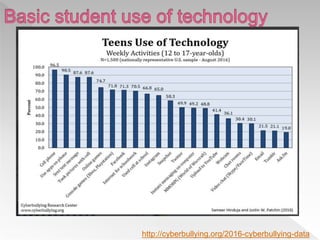
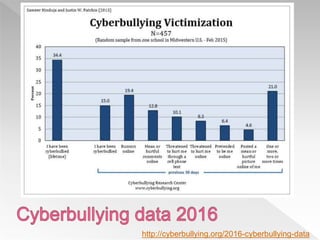
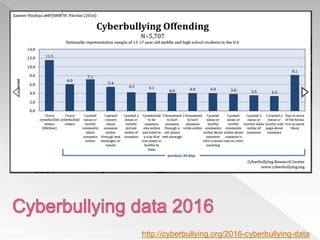
http://cyberbullying.org/2016-cyberbullying-data
Educate parents
Educate students
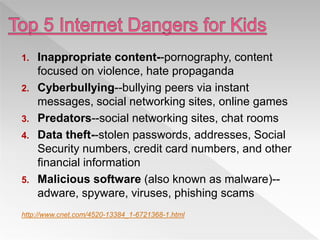
1. Inappropriate content--pornography, content
focused on violence, hate propaganda
2. Cyberbullying--bullying peers via instant
messages, social networking sites, online games
3. Predators--social networking sites, chat rooms
4. Data theft--stolen passwords, addresses, Social
Security numbers, credit card numbers, and other
financial information
5. Malicious software (also known as malware)--
adware, spyware, viruses, phishing scams
http://www.cnet.com/4520-13384_1-6721368-1.html
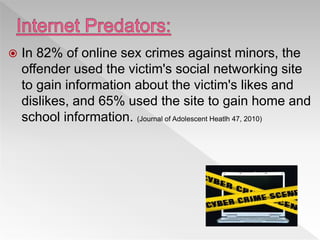
 In 82% of online sex crimes against minors, the
offender used the victim's social networking site
to gain information about the victim's likes and
dislikes, and 65% used the site to gain home and
school information. (Journal of Adolescent Heatlh 47, 2010)
https://www.youtube.com/watch?v=9waE2A-uIxQ
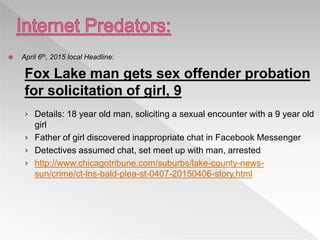
 April 6th, 2015 local Headline:
Fox Lake man gets sex offender probation
for solicitation of girl, 9
› Details: 18 year old man, soliciting a sexual encounter with a 9 year old
girl
› Father of girl discovered inappropriate chat in Facebook Messenger
› Detectives assumed chat, set meet up with man, arrested
› http://www.chicagotribune.com/suburbs/lake-county-news-
sun/crime/ct-lns-bald-plea-st-0407-20150406-story.html
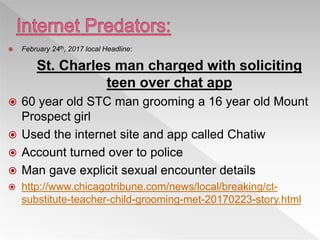
 February 24th, 2017 local Headline:
St. Charles man charged with soliciting
teen over chat app
 60 year old STC man grooming a 16 year old Mount
Prospect girl
 Used the internet site and app called Chatiw
 Account turned over to police
 Man gave explicit sexual encounter details
 http://www.chicagotribune.com/news/local/breaking/ct-
substitute-teacher-child-grooming-met-20170223-story.html
 February 15th, 2017 Indianapolis Headline:
Four men arrested after meeting teen for sex in
Monroe County
 4 Men, ages 21-25 and a 13 year old girl
 Girl met them at their homes and in an elementary
school parking lot for sexual encounters
 Used the app Whisper to communicate
 Men were aware of the girl’s REAL age
 http://www.wthr.com/article/four-men-arrested-after-meeting-
teen-for-sex-in-monroe-county
https://www.youtube.com/watch?v=6jMhMVEjEQg&feature=youtu.be
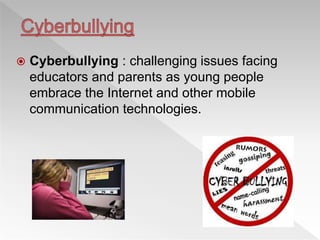
 Cyberbullying : challenging issues facing
educators and parents as young people
embrace the Internet and other mobile
communication technologies.
http://cyberbullying.org/2016-cyberbullying-data
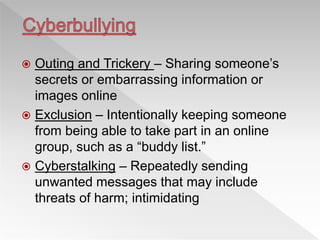
 Outing and Trickery – Sharing someone’s
secrets or embarrassing information or
images online
 Exclusion – Intentionally keeping someone
from being able to take part in an online
group, such as a “buddy list.”
 Cyberstalking – Repeatedly sending
unwanted messages that may include
threats of harm; intimidating
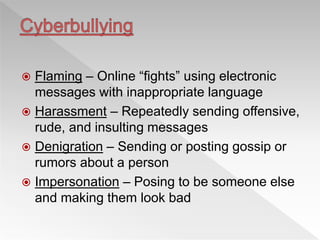
 Flaming – Online “fights” using electronic
messages with inappropriate language
 Harassment – Repeatedly sending offensive,
rude, and insulting messages
 Denigration – Sending or posting gossip or
rumors about a person
 Impersonation – Posing to be someone else
and making them look bad
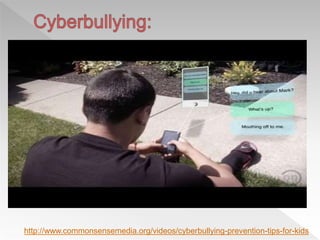
http://www.commonsensemedia.org/videos/cyberbullying-prevention-tips-for-kids
 Tell your child not to respond to rude e-mails, messages, and
comments.
 Save the evidence, such as e-mail and text messages, and take
screenshots of comments and images. Also, take note of the date
and time when the harassment occurs.
 Contact your Internet service provider (ISP) or cell phone provider.
Ask the website administrator or ISP to remove any Web page
created to hurt your child.
 If harassment is via e-mail, social networking sites, IM, and chat
rooms, instruct your child to “block” bullies or delete your child’s
current account and open a new one.
 Check out phone features that may allow the number to be
blocked.

 Make a report to www.cybertipline.com, and if you feel something
illegal has occurred, inform law enforcement
 Information from Netsmartz Kids: http://www.netsmartz.org/Cyberbullying
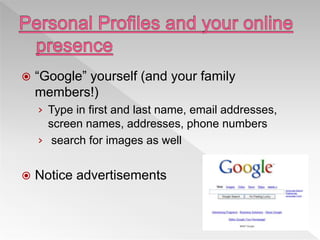
 “Google” yourself (and your family
members!)
› Type in first and last name, email addresses,
screen names, addresses, phone numbers
› search for images as well
 Notice advertisements
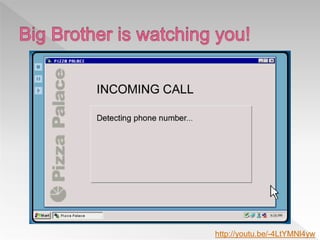
http://youtu.be/-4LtYMNl4yw
 Facebook , Twitter, Instagram
› Age requirements
 “No information from children under age 13.”
› Public vs Private
› Know who you add: friends vs cyberfriends
› Have access to your child’s site
› Be conscientious of pictures/videos
 Protecting reputations online, in plain English
(commoncraft.com)
 Privacy settings
 Parent pre-approve of all pictures/videos
 Remind your child
› Don’t post e-mail addresses or cell phone numbers
› Don’t share passwords
› Do not respond to any e-mails requesting personal
information ,delete e-mails from unknown senders.
 Discuss how to keep screen names and e-mail addresses
gender-neutral, appropriate, and free of any information that
could reveal identity.
 Encourage your child to tell you right away if anything
happens online that bothers or frightens him or her.
 Information from Netsmartz Kids: http://www.netsmartz.org/RevealingTooMuch
 It’s not all bad:
› https://www.commonsensemedia.org/blog/5-reasons-you-dont-need-to-worry-about-kids-and-
social-media?utm_source=042415+Parent+Default&utm_medium=email&utm_campaign=weekly
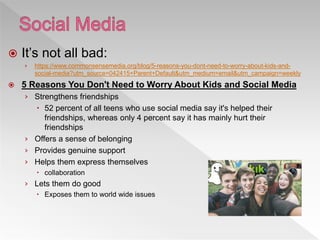
 5 Reasons You Don't Need to Worry About Kids and Social Media
› Strengthens friendships
 52 percent of all teens who use social media say it's helped their
friendships, whereas only 4 percent say it has mainly hurt their
friendships
› Offers a sense of belonging
› Provides genuine support
› Helps them express themselves
 collaboration
› Lets them do good
 Exposes them to world wide issues
 Wikipedia and netlingo.com list of internet
slang
› http://en.wiktionary.org/wiki/Appendix:Internet_sl
ang
› http://www.netlingo.com/acronyms.php
 Sexting acronyms:
› http://m.y102reading.iheart.com/photos/ad-
31514/23-sexting-acronyms-every-parent-
should-411956/
LOL
BRB
POS
NIFOC
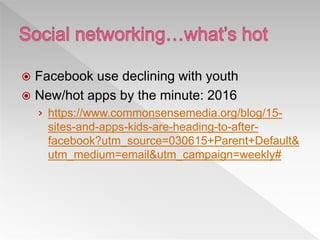
 Facebook use declining with youth
 New/hot apps by the minute: 2016
› https://www.commonsensemedia.org/blog/15-
sites-and-apps-kids-are-heading-to-after-
facebook?utm_source=030615+Parent+Default&
utm_medium=email&utm_campaign=weekly#
http://www.joshdrean.com/
 Instagram: edit and share photos and 15-second videos, publicly or private network
of followers.
› Concern: obsession/depression because of ‘likes, photos are public unless
settings adjusted, private messaging capability
 Tumblr: streaming scrapbook of text, photos, and/or videos and audio clips
› Concern: inappropriate materials easily searchable, privacy available but
process is difficult, posts are copied by others and shared to non followers
“reblogging”
 Twitter: is a microblogging site that allows users to post brief, 140-character
messages
› Updates appear immediately.
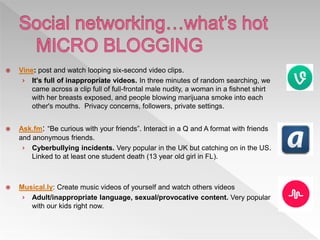
 Vine: post and watch looping six-second video clips.
› It's full of inappropriate videos. In three minutes of random searching, we
came across a clip full of full-frontal male nudity, a woman in a fishnet shirt
with her breasts exposed, and people blowing marijuana smoke into each
other's mouths. Privacy concerns, followers, private settings.
 Ask.fm: “Be curious with your friends”. Interact in a Q and A format with friends
and anonymous friends.
› Cyberbullying incidents. Very popular in the UK but catching on in the US.
Linked to at least one student death (13 year old girl in FL).
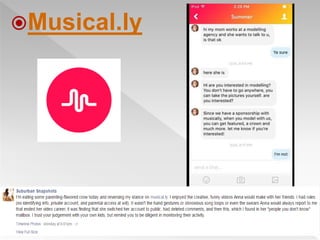
 Musical.ly: Create music videos of yourself and watch others videos
› Adult/inappropriate language, sexual/provocative content. Very popular
with our kids right now.
Musical.ly
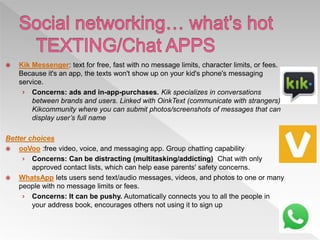
 Kik Messenger: text for free, fast with no message limits, character limits, or fees.
Because it's an app, the texts won't show up on your kid's phone's messaging
service.
› Concerns: ads and in-app-purchases. Kik specializes in conversations
between brands and users. Linked with OinkText (communicate with strangers),
Kikcommunity where you can submit photos/screenshots of messages that can
display user’s full name
Better choices
 ooVoo :free video, voice, and messaging app. Group chatting capability
› Concerns: Can be distracting (multitasking/addicting) Chat with only
approved contact lists, which can help ease parents' safety concerns.
 WhatsApp lets users send text/audio messages, videos, and photos to one or many
people with no message limits or fees.
› Concerns: It can be pushy. Automatically connects you to all the people in
your address book, encourages others not using it to sign up
 Chatiw: Free chat Now! , you can have live chat and chat with
strangers. text and send pics :) instant messaging and more.
Anonymous, free and requires no registration
› Concerns: See above
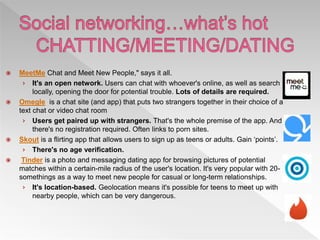
 MeetMe Chat and Meet New People," says it all.
› It's an open network. Users can chat with whoever's online, as well as search
locally, opening the door for potential trouble. Lots of details are required.
 Omegle is a chat site (and app) that puts two strangers together in their choice of a
text chat or video chat room
› Users get paired up with strangers. That's the whole premise of the app. And
there's no registration required. Often links to porn sites.
 Skout is a flirting app that allows users to sign up as teens or adults. Gain ‘points’.
› There's no age verification.
 Tinder is a photo and messaging dating app for browsing pictures of potential
matches within a certain-mile radius of the user's location. It's very popular with 20-
somethings as a way to meet new people for casual or long-term relationships.
› It's location-based. Geolocation means it's possible for teens to meet up with
nearby people, which can be very dangerous.
 YouNow
› 'the best way to broadcast live and get an audience
to watch you.‘
› Apple, Google, computer/phone
› requires no registration, age verification, or
identification of any sort.
› Viewers communicate with the broadcaster through
written comments.
› www.younow.com
 Facebook Live
 Live stream
 Twitch
 gaming.youtube.com
 ustream
 https://adcoock.com/sites/top-7-best-free-live-video-
streaming-websites.html
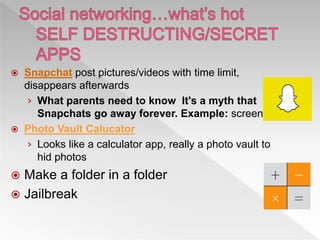
 Snapchat post pictures/videos with time limit,
disappears afterwards
› What parents need to know It's a myth that
Snapchats go away forever. Example: screenshot
 Photo Vault Calucator
› Looks like a calculator app, really a photo vault to
hid photos
 Make a folder in a folder
 Jailbreak
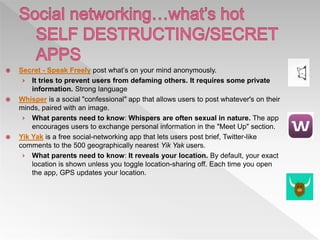
 Secret - Speak Freely post what’s on your mind anonymously.
› It tries to prevent users from defaming others. It requires some private
information. Strong language
 Whisper is a social "confessional" app that allows users to post whatever's on their
minds, paired with an image.
› What parents need to know: Whispers are often sexual in nature. The app
encourages users to exchange personal information in the "Meet Up" section.
 Yik Yak is a free social-networking app that lets users post brief, Twitter-like
comments to the 500 geographically nearest Yik Yak users.
› What parents need to know: It reveals your location. By default, your exact
location is shown unless you toggle location-sharing off. Each time you open
the app, GPS updates your location.
 Online: Animal Jam, Roblox
 Gaming systems: PSP, Xbox Live, PS3, Wii
 Handheld devices: iPod touch, iPad, cell
phones
 Smartphones/tables
› apps
 Know the safety features on the gaming equipment that your child
uses—a headset may have voice-masking features, for example.
 Keep gaming consoles in an easy-to-supervise location
 Be aware of other places where your child may be accessing
games.
 Tell your child never to give out personal information while
gaming or agree to meet anyone outside of the game.
 Teach your child not to respond to anyone who is being rude or
bullying while playing the game.
 Set rules for how long your child may play, what types of games
are appropriate, and who else may participate.
 Have your child check with you before using a credit or debit card
online.
 Check to see if the games your child plays have reporting features
or moderators.
 Information from Netsmartz Kids: http://www.netsmartz.org/Gaming
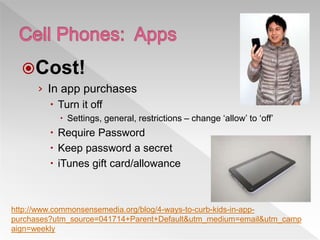
Cost!
› In app purchases
 Turn it off
 Settings, general, restrictions – change ‘allow’ to ‘off’
 Require Password
 Keep password a secret
 iTunes gift card/allowance
http://www.commonsensemedia.org/blog/4-ways-to-curb-kids-in-app-
purchases?utm_source=041714+Parent+Default&utm_medium=email&utm_camp
aign=weekly
 Videos, photos, texts
› Sexting
› Child pornography
› Distribution of Child Pornography
 Gallery Guardian and Selfie Cop
› https://www.selfiecop.com/
› https://www.galleryguardian.co.uk/
 Review cell phone records for any unknown numbers
and late night phone calls and texts.
 Remind your child that texting is viral—anything sent
in a text can be easily forwarded and shared.
 Teach your child never to reveal cell phone numbers or
passwords online.
 Talk to your child about the possible consequences of
sending sexually explicit or provocative images or text
messages.
 When shopping for a cell phone for your child, research
the security settings that are available.
 From Netsmartz Kids : http://www.netsmartz.org/CellPhones
 At+T
› Phones and internet:
http://www.att.net/parentalcontrols
 Verizon
› https://wbillpay.verizonwireless.com/vzw/nos/safe
guards/safeguardLandingPage.action
 Sprint
› http://support.sprint.com/support/service/categor
y/Parental_controls-Parental_controls
 iPhone/iPad/iPod settings
› https://support.apple.com/en-us/HT201304
 Apple Classroom
› Pros:
 Lock devices
 View screen on device
 Restrict downloads
 Restrict apps
 Free
› Cons:
 proximity
 Music/movie Downloads
 Copyright Material
› Images
› Text
 Identity Theft
 Website Validity
 www.turnitin.com
 Computer system
› Keeping bad stuff (predatory software) out –
keeping valuables(personal information) in
 Malicious codes: viruses, worms, Trojan
 Parasitical malware: spyware, adware
 Email scams
› Downloads
› Personal information
 Identity fraud
 Family Link
› With the Family Link app from Google, you can stay in the loop as your kid
explores on their Android* device. Family Link lets you create a Google Account
for your kid that’s like your account, while also helping you set certain digital
ground rules that work for your family — like managing the apps your kid can
use, keeping an eye on screen time, and setting a bedtime on your kid’s device.
› https://families.google.com/familylink/
 http://www.mercurynews.com/2017/03/15/go
ogle-now-letting-parents-set-up-accounts-
for-kids-under-13/
 https://netsanity.net/
 www.commonsense.org
 Guard your identity
› Make username generic and anonymous
› Little information is needed to get to know you
 Monitor your child’s technology use
 Use favorites
 Understand the services your child uses
 Know usernames, passwords, and e-mail
 Know child’s “online friends”
 Don’t overreact to anything your child tells
you (fear you will take computer away)
 Never meet anyone met online
 Keep your computer up-to-date
› windowsupdate.microsoft.com
› Virus protection
› Firewall
 www.cyberpatrol.com
 www.netnanny.com
 www.spectorsoft.com
 www.cybersitter.com
 www.covenanteyes.com
Anti spyware and adware programs
 www.spybot.com (Spybot S &D)
 www.adaware.com (lavasoft product)
 http://www.internetsafety101.org/Pre
datorstatistics.htm
 www.netsmartz.org
 www.isafe.org
 http://www.commonsensemedia.org/
educators/parent-media-education
 http://www.kidsmart.org.uk/
 http://www.thinkuknow.co.uk/default.aspx
 www.illinoisicac.org
 www.internet-safety.org
 www.safekids.com
 Twitter information:
http://theinnovativeeducator.blogspot.com
/2013/06/does-twitter-have-minimum-
age.html
 http://www.bbc.co.uk/cbbc/help/safesurfin
g/
 www.wiredkids.org/index.html
 www.wiredsafety.org
 www.fbi.gov/publications/pguide/pguidee.
htm
 www.staysafe.org
 http://www.cyberbullying.us/research.php
 Bullying, Beyond the Schoolyard, by Hinduja and
Patchin
 http://www.cnet.com/4520-13384_1-6721368-1.html Top
5 Dangers article
 http://www.cnet.com/4520-13384_1-6721401-
1.html?tag=lwt;lcol Think Before You Click Worksheet
 What’s Hot apps 2015:
https://www.commonsensemedia.org/blog/15-sites-and-
apps-kids-are-heading-to-after-
facebook?utm_source=030615+Parent+Default&utm_m
edium=email&utm_campaign=weekly#
https://www.youtube.com/watch?v=PF7EpEnglgk
Thank you for your attendance at
today’s presentation!
Make sure you signed in before you leave
Powerpoint link:
http://www.slideshare.net/Kaneland
Svihlik/internet-safety-presentation-
2017

Internet Safety for Parents presentation 2017

  • 2.
     Welcome  InternetLandscape  Devices and usage  Dangers on the Internet  Internet Predators  Cyberbullying  Personal profiles  Apps and communication  Gaming  Cell phones and mobile devices  Plagiarism & Intellectual Property  Malicious Codes, Viruses, and Spyware  Parent Tips and resources
  • 3.
  • 4.
    ADULTS’ VIEW  Communication– email, texting  Shopping and services  Financial management  News and product research  Entertainment – videos, music, games
  • 5.
    STUDENTS’ VIEW  Communication– texting, instant messaging, email  Entertainment – games, music, videos  Research – homework, study sites
  • 7.
  • 8.
  • 9.
    1. Inappropriate content--pornography,content focused on violence, hate propaganda 2. Cyberbullying--bullying peers via instant messages, social networking sites, online games 3. Predators--social networking sites, chat rooms 4. Data theft--stolen passwords, addresses, Social Security numbers, credit card numbers, and other financial information 5. Malicious software (also known as malware)-- adware, spyware, viruses, phishing scams http://www.cnet.com/4520-13384_1-6721368-1.html
  • 10.
     In 82%of online sex crimes against minors, the offender used the victim's social networking site to gain information about the victim's likes and dislikes, and 65% used the site to gain home and school information. (Journal of Adolescent Heatlh 47, 2010)
  • 11.
  • 12.
     April 6th,2015 local Headline: Fox Lake man gets sex offender probation for solicitation of girl, 9 › Details: 18 year old man, soliciting a sexual encounter with a 9 year old girl › Father of girl discovered inappropriate chat in Facebook Messenger › Detectives assumed chat, set meet up with man, arrested › http://www.chicagotribune.com/suburbs/lake-county-news- sun/crime/ct-lns-bald-plea-st-0407-20150406-story.html
  • 13.
     February 24th,2017 local Headline: St. Charles man charged with soliciting teen over chat app  60 year old STC man grooming a 16 year old Mount Prospect girl  Used the internet site and app called Chatiw  Account turned over to police  Man gave explicit sexual encounter details  http://www.chicagotribune.com/news/local/breaking/ct- substitute-teacher-child-grooming-met-20170223-story.html
  • 14.
     February 15th,2017 Indianapolis Headline: Four men arrested after meeting teen for sex in Monroe County  4 Men, ages 21-25 and a 13 year old girl  Girl met them at their homes and in an elementary school parking lot for sexual encounters  Used the app Whisper to communicate  Men were aware of the girl’s REAL age  http://www.wthr.com/article/four-men-arrested-after-meeting- teen-for-sex-in-monroe-county
  • 15.
  • 17.
     Cyberbullying :challenging issues facing educators and parents as young people embrace the Internet and other mobile communication technologies.
  • 18.
  • 19.
  • 20.
     Outing andTrickery – Sharing someone’s secrets or embarrassing information or images online  Exclusion – Intentionally keeping someone from being able to take part in an online group, such as a “buddy list.”  Cyberstalking – Repeatedly sending unwanted messages that may include threats of harm; intimidating
  • 21.
     Flaming –Online “fights” using electronic messages with inappropriate language  Harassment – Repeatedly sending offensive, rude, and insulting messages  Denigration – Sending or posting gossip or rumors about a person  Impersonation – Posing to be someone else and making them look bad
  • 22.
  • 23.
     Tell yourchild not to respond to rude e-mails, messages, and comments.  Save the evidence, such as e-mail and text messages, and take screenshots of comments and images. Also, take note of the date and time when the harassment occurs.  Contact your Internet service provider (ISP) or cell phone provider. Ask the website administrator or ISP to remove any Web page created to hurt your child.  If harassment is via e-mail, social networking sites, IM, and chat rooms, instruct your child to “block” bullies or delete your child’s current account and open a new one.  Check out phone features that may allow the number to be blocked.  Make a report to www.cybertipline.com, and if you feel something illegal has occurred, inform law enforcement  Information from Netsmartz Kids: http://www.netsmartz.org/Cyberbullying
  • 24.
     “Google” yourself(and your family members!) › Type in first and last name, email addresses, screen names, addresses, phone numbers › search for images as well  Notice advertisements
  • 25.
  • 26.
     Facebook ,Twitter, Instagram › Age requirements  “No information from children under age 13.” › Public vs Private › Know who you add: friends vs cyberfriends › Have access to your child’s site › Be conscientious of pictures/videos  Protecting reputations online, in plain English (commoncraft.com)
  • 27.
     Privacy settings Parent pre-approve of all pictures/videos  Remind your child › Don’t post e-mail addresses or cell phone numbers › Don’t share passwords › Do not respond to any e-mails requesting personal information ,delete e-mails from unknown senders.  Discuss how to keep screen names and e-mail addresses gender-neutral, appropriate, and free of any information that could reveal identity.  Encourage your child to tell you right away if anything happens online that bothers or frightens him or her.  Information from Netsmartz Kids: http://www.netsmartz.org/RevealingTooMuch
  • 28.
     It’s notall bad: › https://www.commonsensemedia.org/blog/5-reasons-you-dont-need-to-worry-about-kids-and- social-media?utm_source=042415+Parent+Default&utm_medium=email&utm_campaign=weekly  5 Reasons You Don't Need to Worry About Kids and Social Media › Strengthens friendships  52 percent of all teens who use social media say it's helped their friendships, whereas only 4 percent say it has mainly hurt their friendships › Offers a sense of belonging › Provides genuine support › Helps them express themselves  collaboration › Lets them do good  Exposes them to world wide issues
  • 30.
     Wikipedia andnetlingo.com list of internet slang › http://en.wiktionary.org/wiki/Appendix:Internet_sl ang › http://www.netlingo.com/acronyms.php  Sexting acronyms: › http://m.y102reading.iheart.com/photos/ad- 31514/23-sexting-acronyms-every-parent- should-411956/ LOL BRB POS NIFOC
  • 31.
     Facebook usedeclining with youth  New/hot apps by the minute: 2016 › https://www.commonsensemedia.org/blog/15- sites-and-apps-kids-are-heading-to-after- facebook?utm_source=030615+Parent+Default& utm_medium=email&utm_campaign=weekly#
  • 32.
  • 33.
     Instagram: editand share photos and 15-second videos, publicly or private network of followers. › Concern: obsession/depression because of ‘likes, photos are public unless settings adjusted, private messaging capability  Tumblr: streaming scrapbook of text, photos, and/or videos and audio clips › Concern: inappropriate materials easily searchable, privacy available but process is difficult, posts are copied by others and shared to non followers “reblogging”  Twitter: is a microblogging site that allows users to post brief, 140-character messages › Updates appear immediately.
  • 34.
     Vine: postand watch looping six-second video clips. › It's full of inappropriate videos. In three minutes of random searching, we came across a clip full of full-frontal male nudity, a woman in a fishnet shirt with her breasts exposed, and people blowing marijuana smoke into each other's mouths. Privacy concerns, followers, private settings.  Ask.fm: “Be curious with your friends”. Interact in a Q and A format with friends and anonymous friends. › Cyberbullying incidents. Very popular in the UK but catching on in the US. Linked to at least one student death (13 year old girl in FL).  Musical.ly: Create music videos of yourself and watch others videos › Adult/inappropriate language, sexual/provocative content. Very popular with our kids right now.
  • 35.
  • 36.
     Kik Messenger:text for free, fast with no message limits, character limits, or fees. Because it's an app, the texts won't show up on your kid's phone's messaging service. › Concerns: ads and in-app-purchases. Kik specializes in conversations between brands and users. Linked with OinkText (communicate with strangers), Kikcommunity where you can submit photos/screenshots of messages that can display user’s full name Better choices  ooVoo :free video, voice, and messaging app. Group chatting capability › Concerns: Can be distracting (multitasking/addicting) Chat with only approved contact lists, which can help ease parents' safety concerns.  WhatsApp lets users send text/audio messages, videos, and photos to one or many people with no message limits or fees. › Concerns: It can be pushy. Automatically connects you to all the people in your address book, encourages others not using it to sign up
  • 37.
     Chatiw: Freechat Now! , you can have live chat and chat with strangers. text and send pics :) instant messaging and more. Anonymous, free and requires no registration › Concerns: See above
  • 38.
     MeetMe Chatand Meet New People," says it all. › It's an open network. Users can chat with whoever's online, as well as search locally, opening the door for potential trouble. Lots of details are required.  Omegle is a chat site (and app) that puts two strangers together in their choice of a text chat or video chat room › Users get paired up with strangers. That's the whole premise of the app. And there's no registration required. Often links to porn sites.  Skout is a flirting app that allows users to sign up as teens or adults. Gain ‘points’. › There's no age verification.  Tinder is a photo and messaging dating app for browsing pictures of potential matches within a certain-mile radius of the user's location. It's very popular with 20- somethings as a way to meet new people for casual or long-term relationships. › It's location-based. Geolocation means it's possible for teens to meet up with nearby people, which can be very dangerous.
  • 39.
     YouNow › 'thebest way to broadcast live and get an audience to watch you.‘ › Apple, Google, computer/phone › requires no registration, age verification, or identification of any sort. › Viewers communicate with the broadcaster through written comments. › www.younow.com
  • 40.
     Facebook Live Live stream  Twitch  gaming.youtube.com  ustream  https://adcoock.com/sites/top-7-best-free-live-video- streaming-websites.html
  • 41.
     Snapchat postpictures/videos with time limit, disappears afterwards › What parents need to know It's a myth that Snapchats go away forever. Example: screenshot  Photo Vault Calucator › Looks like a calculator app, really a photo vault to hid photos  Make a folder in a folder  Jailbreak
  • 42.
     Secret -Speak Freely post what’s on your mind anonymously. › It tries to prevent users from defaming others. It requires some private information. Strong language  Whisper is a social "confessional" app that allows users to post whatever's on their minds, paired with an image. › What parents need to know: Whispers are often sexual in nature. The app encourages users to exchange personal information in the "Meet Up" section.  Yik Yak is a free social-networking app that lets users post brief, Twitter-like comments to the 500 geographically nearest Yik Yak users. › What parents need to know: It reveals your location. By default, your exact location is shown unless you toggle location-sharing off. Each time you open the app, GPS updates your location.
  • 43.
     Online: AnimalJam, Roblox  Gaming systems: PSP, Xbox Live, PS3, Wii  Handheld devices: iPod touch, iPad, cell phones  Smartphones/tables › apps
  • 44.
     Know thesafety features on the gaming equipment that your child uses—a headset may have voice-masking features, for example.  Keep gaming consoles in an easy-to-supervise location  Be aware of other places where your child may be accessing games.  Tell your child never to give out personal information while gaming or agree to meet anyone outside of the game.  Teach your child not to respond to anyone who is being rude or bullying while playing the game.  Set rules for how long your child may play, what types of games are appropriate, and who else may participate.  Have your child check with you before using a credit or debit card online.  Check to see if the games your child plays have reporting features or moderators.  Information from Netsmartz Kids: http://www.netsmartz.org/Gaming
  • 46.
    Cost! › In apppurchases  Turn it off  Settings, general, restrictions – change ‘allow’ to ‘off’  Require Password  Keep password a secret  iTunes gift card/allowance http://www.commonsensemedia.org/blog/4-ways-to-curb-kids-in-app- purchases?utm_source=041714+Parent+Default&utm_medium=email&utm_camp aign=weekly
  • 47.
     Videos, photos,texts › Sexting › Child pornography › Distribution of Child Pornography  Gallery Guardian and Selfie Cop › https://www.selfiecop.com/ › https://www.galleryguardian.co.uk/
  • 48.
     Review cellphone records for any unknown numbers and late night phone calls and texts.  Remind your child that texting is viral—anything sent in a text can be easily forwarded and shared.  Teach your child never to reveal cell phone numbers or passwords online.  Talk to your child about the possible consequences of sending sexually explicit or provocative images or text messages.  When shopping for a cell phone for your child, research the security settings that are available.  From Netsmartz Kids : http://www.netsmartz.org/CellPhones
  • 49.
     At+T › Phonesand internet: http://www.att.net/parentalcontrols  Verizon › https://wbillpay.verizonwireless.com/vzw/nos/safe guards/safeguardLandingPage.action  Sprint › http://support.sprint.com/support/service/categor y/Parental_controls-Parental_controls
  • 50.
     iPhone/iPad/iPod settings ›https://support.apple.com/en-us/HT201304
  • 51.
     Apple Classroom ›Pros:  Lock devices  View screen on device  Restrict downloads  Restrict apps  Free › Cons:  proximity
  • 52.
     Music/movie Downloads Copyright Material › Images › Text  Identity Theft  Website Validity  www.turnitin.com
  • 53.
     Computer system ›Keeping bad stuff (predatory software) out – keeping valuables(personal information) in  Malicious codes: viruses, worms, Trojan  Parasitical malware: spyware, adware
  • 54.
     Email scams ›Downloads › Personal information  Identity fraud
  • 55.
     Family Link ›With the Family Link app from Google, you can stay in the loop as your kid explores on their Android* device. Family Link lets you create a Google Account for your kid that’s like your account, while also helping you set certain digital ground rules that work for your family — like managing the apps your kid can use, keeping an eye on screen time, and setting a bedtime on your kid’s device. › https://families.google.com/familylink/  http://www.mercurynews.com/2017/03/15/go ogle-now-letting-parents-set-up-accounts- for-kids-under-13/
  • 56.
  • 57.
  • 58.
     Guard youridentity › Make username generic and anonymous › Little information is needed to get to know you  Monitor your child’s technology use  Use favorites  Understand the services your child uses  Know usernames, passwords, and e-mail
  • 59.
     Know child’s“online friends”  Don’t overreact to anything your child tells you (fear you will take computer away)  Never meet anyone met online  Keep your computer up-to-date › windowsupdate.microsoft.com › Virus protection › Firewall
  • 60.
     www.cyberpatrol.com  www.netnanny.com www.spectorsoft.com  www.cybersitter.com  www.covenanteyes.com Anti spyware and adware programs  www.spybot.com (Spybot S &D)  www.adaware.com (lavasoft product)
  • 61.
     http://www.internetsafety101.org/Pre datorstatistics.htm  www.netsmartz.org www.isafe.org  http://www.commonsensemedia.org/ educators/parent-media-education  http://www.kidsmart.org.uk/
  • 62.
     http://www.thinkuknow.co.uk/default.aspx  www.illinoisicac.org www.internet-safety.org  www.safekids.com  Twitter information: http://theinnovativeeducator.blogspot.com /2013/06/does-twitter-have-minimum- age.html
  • 63.
     http://www.bbc.co.uk/cbbc/help/safesurfin g/  www.wiredkids.org/index.html www.wiredsafety.org  www.fbi.gov/publications/pguide/pguidee. htm  www.staysafe.org
  • 64.
     http://www.cyberbullying.us/research.php  Bullying,Beyond the Schoolyard, by Hinduja and Patchin  http://www.cnet.com/4520-13384_1-6721368-1.html Top 5 Dangers article  http://www.cnet.com/4520-13384_1-6721401- 1.html?tag=lwt;lcol Think Before You Click Worksheet  What’s Hot apps 2015: https://www.commonsensemedia.org/blog/15-sites-and- apps-kids-are-heading-to-after- facebook?utm_source=030615+Parent+Default&utm_m edium=email&utm_campaign=weekly#
  • 65.
  • 66.
    Thank you foryour attendance at today’s presentation! Make sure you signed in before you leave Powerpoint link: http://www.slideshare.net/Kaneland Svihlik/internet-safety-presentation- 2017

Editor's Notes

  • #2 9th year presenting on this topic
  • #4 Read slide
  • #5 to understand this complex issue, it is important to start with perspective. Brief uses by adults
  • #6 Brief uses by students
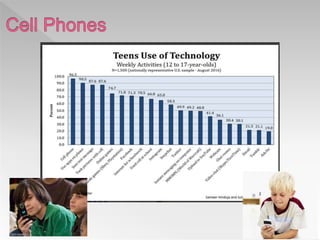
  • #8 Points: cell phone is highest. 96% of kids 12 -17
  • #10 An article on Cnet stated it very concisely, the tope 5 dangers for kids….
  • #11 Unfortunately the exposure to sexual and pornographic materials have become more of a problem as internet access becomes easier Harassment via digital devices has also increased
  • #13 Unfortunately the exposure to sexual and pornographic materials have become more of a problem as internet access becomes easier Harassment via digital devices has also increased
  • #14 Unfortunately the exposure to sexual and pornographic materials have become more of a problem as internet access becomes easier Harassment via digital devices has also increased
  • #15 Unfortunately the exposure to sexual and pornographic materials have become more of a problem as internet access becomes easier Harassment via digital devices has also increased
  • #17 What do we tell our kids to do?
  • #19 Went up from 20% in 2010 to 34% in 2016
  • #20 Went down from 19% in 2010 to 12% in 2016