Internet Do’s & Don’ts
For kids
Children Library Discovery Center
Maya C.
Video on Internet Safety
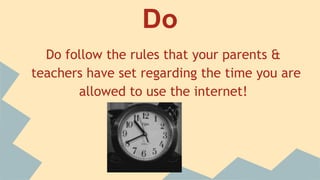
Do
Do follow the rules that your parents &
teachers have set regarding the time you are
allowed to use the internet!
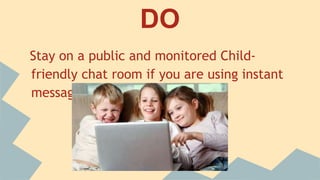
DO
Stay on a public and monitored Child-friendly
chat room if you are using instant messaging
Do
Close the web browser immediately if you see
any images and other content that aren’t right
for your age. Do tell your parents about this
immediately
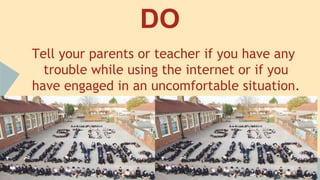
DO
Tell your parents or teacher if you have any
trouble while using the internet or if you have
engaged in an uncomfortable situation.
DO
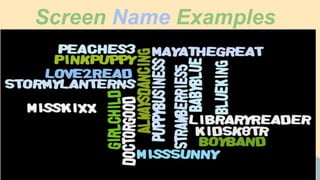
Use an alias or nickname
every time you enter chat
rooms and forums
Screen Name Examples
Don’t
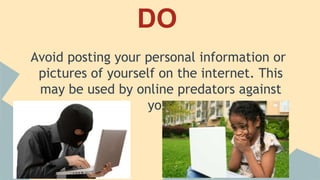
Post your personal information or pictures of
yourself on the internet. This may be used
by online predators against you.
Don’t
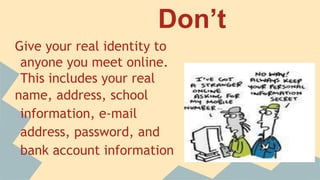
Give your real identity to
anyone you meet online.
This includes your real
name, address, school
information, e-mail address,
password, and bank account
information
Don’t
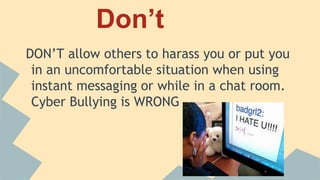
DON’T allow others to harass you or put you in
an uncomfortable situation when using instant
messaging or while in a chat room. Cyber
Bullying is WRONG
Don’t
Don’t fill out any survey, membership, or
application forms asking for your
personal information from an unsecured site.
Don’t
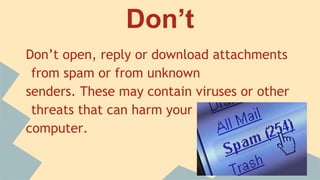
Don’t open, reply or download attachments
from spam or from unknown
senders. These may contain viruses or other
threats that can harm your
computer.
Most importantly
Do practice honesty and
DON’T hide anything from
your
parents or teachers
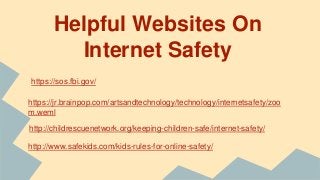
Helpful Websites On
Internet Safety
https://sos.fbi.gov/
https://jr.brainpop.com/artsandtechnology/technology/internetsafety/zoo
m.weml
http://childrescuenetwork.org/keeping-children-safe/internet-safety/
http://www.safekids.com/kids-rules-for-online-safety/

Internet do's and don'ts. Kids safety on the Internet

  • 1.
    Internet Do’s &Don’ts For kids Children Library Discovery Center Maya C.
  • 3.
  • 4.
    Do Do follow therules that your parents & teachers have set regarding the time you are allowed to use the internet!
  • 5.
    DO Stay on apublic and monitored Child-friendly chat room if you are using instant messaging
  • 6.
    Do Close the webbrowser immediately if you see any images and other content that aren’t right for your age. Do tell your parents about this immediately
  • 7.
    DO Tell your parentsor teacher if you have any trouble while using the internet or if you have engaged in an uncomfortable situation.
  • 8.
    DO Use an aliasor nickname every time you enter chat rooms and forums
  • 9.
  • 10.
    Don’t Post your personalinformation or pictures of yourself on the internet. This may be used by online predators against you.
  • 11.
    Don’t Give your realidentity to anyone you meet online. This includes your real name, address, school information, e-mail address, password, and bank account information
  • 12.
    Don’t DON’T allow othersto harass you or put you in an uncomfortable situation when using instant messaging or while in a chat room. Cyber Bullying is WRONG
  • 14.
    Don’t Don’t fill outany survey, membership, or application forms asking for your personal information from an unsecured site.
  • 15.
    Don’t Don’t open, replyor download attachments from spam or from unknown senders. These may contain viruses or other threats that can harm your computer.
  • 16.
    Most importantly Do practicehonesty and DON’T hide anything from your parents or teachers
  • 19.
    Helpful Websites On InternetSafety https://sos.fbi.gov/ https://jr.brainpop.com/artsandtechnology/technology/internetsafety/zoo m.weml http://childrescuenetwork.org/keeping-children-safe/internet-safety/ http://www.safekids.com/kids-rules-for-online-safety/