Unit 4—Lesson 6:
Intermediate Table Views
Custom table view cells
Go beyond the four predefined styles of UITableViewCell objects 

(Basic, Subtitle, Right Detail, and Left Detail)

• Display additional text or buttons

• Change the location of cell objects

• Add custom row actions

• Make your apps stand out
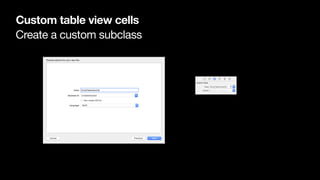
Create a custom subclass
Custom table view cells
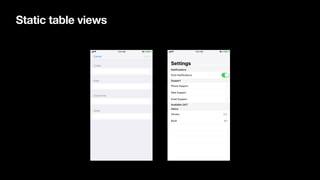
Static table views
Edit table views
.none No control
.delete Delete control
.insert Insert control
Edit table views
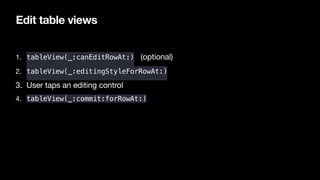
1. tableView(_:canEditRowAt:) (optional) 

2. tableView(_:editingStyleForRowAt:) 

3. User taps an editing control

4. tableView(_:commit:forRowAt:)
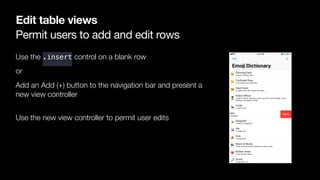
Permit users to add and edit rows
Edit table views
Use the .insert control on a blank row
or
Add an Add (+) button to the navigation bar and present a
new view controller

Use the new view controller to permit user edits
Row actions
UITableView
Automatic row height
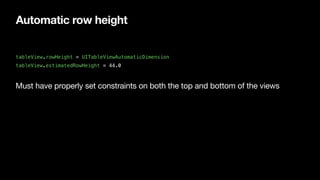
tableView.rowHeight = UITableViewAutomaticDimension
tableView.estimatedRowHeight = 44.0
Must have properly set constraints on both the top and bottom of the views
Compression resistance
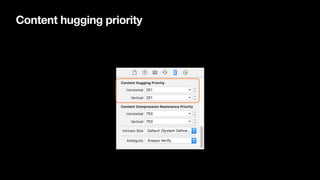
Content hugging priority
Intermediate Table Views
Unit 4—Lesson 6
Continue to build on the EmojiDictionary project, creating custom cells to display
Lab: Favorite Books
Unit 4—Lesson 6
Implement intermediate table view features into an app that keeps track of your
favorite books.
© 2017 Apple Inc. 

This work is licensed by Apple Inc. under the Creative Commons Attribution-NonCommercial-ShareAlike 4.0 International license.

Intermediate table views