ICS3211 - Intelligent
Interfaces II
Combining design with technology for effective human-
computer interaction
Study Unit Aims
At the end of this unit you should be able to:
• Reason about explicit and implicit user models,
take into account ethics, and evaluate them;
• Design systems that adapt to different users and
contexts;
• Evaluate systems that maintain an interaction with
the user using smart and innovative technologies;
Learning Outcomes
• Identify different user models for specific contexts;
• Apply and justify the use of a specific model,
adapted to a particular situation;
• Discuss how AI techniques can contribute to a
system optimisation for a more effective HCI;
• Design and test user interfaces for different
purposes;
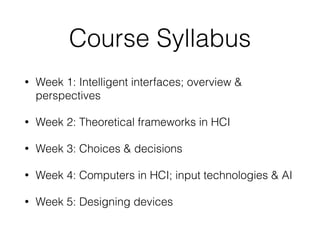
Course Syllabus
• Week 1: Intelligent interfaces; overview &
perspectives
• Week 2: Theoretical frameworks in HCI
• Week 3: Choices & decisions
• Week 4: Computers in HCI; input technologies & AI
• Week 5: Designing devices
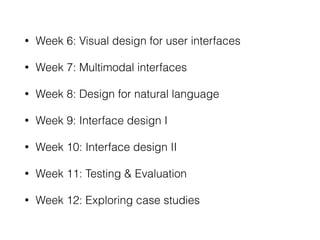
• Week 6: Visual design for user interfaces
• Week 7: Multimodal interfaces
• Week 8: Design for natural language
• Week 9: Interface design I
• Week 10: Interface design II
• Week 11: Testing & Evaluation
• Week 12: Exploring case studies
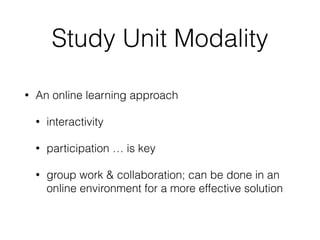
Study Unit Modality
• An online learning approach
• interactivity
• participation … is key
• group work & collaboration; can be done in an
online environment for a more effective solution
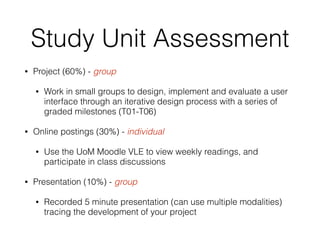
Study Unit Assessment
• Project (60%) - group
• Work in small groups to design, implement and evaluate a user
interface through an iterative design process with a series of
graded milestones (T01-T06)
• Online postings (30%) - individual
• Use the UoM Moodle VLE to view weekly readings, and
participate in class discussions
• Presentation (10%) - group
• Recorded 5 minute presentation (can use multiple modalities)
tracing the development of your project
The Project
• Contains 6 gradable tasks (T01-T06);
• Milestones will be announced via VLE calendar;
• Milestones will be spread across the semester;
• Online discussions will also involve your project
design & development;
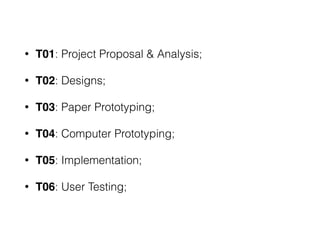
• T01: Project Proposal & Analysis;
• T02: Designs;
• T03: Paper Prototyping;
• T04: Computer Prototyping;
• T05: Implementation;
• T06: User Testing;
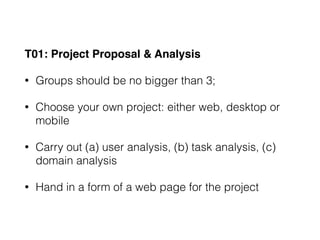
T01: Project Proposal & Analysis
• Groups should be no bigger than 3;
• Choose your own project: either web, desktop or
mobile
• Carry out (a) user analysis, (b) task analysis, (c)
domain analysis
• Hand in a form of a web page for the project
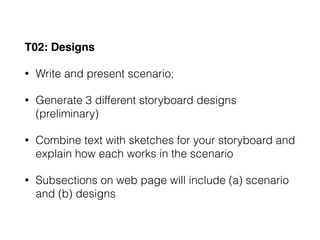
T02: Designs
• Write and present scenario;
• Generate 3 different storyboard designs
(preliminary)
• Combine text with sketches for your storyboard and
explain how each works in the scenario
• Subsections on web page will include (a) scenario
and (b) designs
T03: Paper Prototyping
• Prototype building (hand sketching can work);
• Draw static background, menu, and decide on the
dynamic parts of the interface;
• Prototype testing will include: user debriefing, three
tasks for your users to carry out, practice paper
prototype;
• Subsections on web page will include (a) prototype
photos/videos,(b) briefing, (c) scenario tasks and (d)
observations;
T04: Computer Prototype
• Your prototype should be:
• High fidelity in Look
• Medium fidelity in Feel
• Low fidelity in Breadth & Depth;
• This prototype will be distributed amongst your class mates so that
they can do a heuristic evaluation. Therefore make sure that your
prototype can run on Windows, Mac or Linux;
• On your project webpage, include a subsection called computer
prototype with (a) platform, (b) brief instructions, (c) which parts are
shallow, and (d) prototype link downloaded in a single file;
T05: Implementation
• Due by presentation (end of semester);
• Brief on application purpose and user population;
• Walk through of interface;
• Answer questions about your design decisions and
development process;
T06: User Testing
• At least 3 representative users from your
population;
• Prepare briefing and tasks;
• Provide a formative evaluation including : (a)
briefing, (b) tasks and (c) observation;
• On your website make sure you have the following:
(a) final design (including screenshots), (b)
implementation, (c) evaluation and (d) reflection;
Online Postings
• A combination of discussions on selected papers &
publications as well as project discussions;
• In project discussions, you are expected to
participate in forum discussion boards to highlight
challenges and share strategies with other groups
and collaborators;
Online Tasks
• Week 1: Project discussion
• Week 2: Readings + discussion tasks [T01]
• Week 3: Project discussion
• Week 4: Readings + discussion tasks [T02]
• Week 5: Project discussion
• Week 6: Readings + discussion tasks [T03]
• Week 7: Project Discussion
• Week 8: Project Discussion
• Week 9: Project Discussion [T04]
• Week 10: Readings + Discussion Task
• Week 11: Project Discussion [T06]
• Week 12: Readings + Discussion Task [T05 to be
presented in class]
The Presentation
• To be delivered at the end of the semester;
• Presentation should feature a 5 min run through of
the application as well as possible 5 mins briefing
+ questions as per T05;
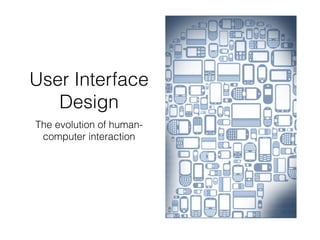
User Interface
Design
The evolution of human-
computer interaction
• The human side of human-computer interaction
changes very slowly;
• Much of what was learned about our perceptual,
cognitive, social and emotional processes when we
interacted with the older technologies applies to
our interaction with the emerging technologies;
HCI vs. CHI
• HCI covers research areas of:
• human factors & ergonomics
• information systems
• computer science
• library & information systems
• CHI is narrower with a specific focus on computer
science
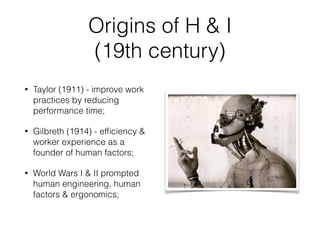
Origins of H & I
(19th century)
• Taylor (1911) - improve work
practices by reducing
performance time;
• Gilbreth (1914) - efficiency &
worker experience as a
founder of human factors;
• World Wars I & II prompted
human engineering, human
factors & ergonomics;
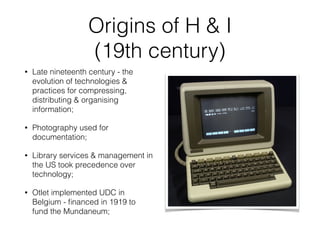
Origins of H & I
(19th century)
• Late nineteenth century - the
evolution of technologies &
practices for compressing,
distributing & organising
information;
• Photography used for
documentation;
• Library services & management in
the US took precedence over
technology;
• Otlet implemented UDC in
Belgium - financed in 1919 to
fund the Mundaneum;
• HCI has evolved from the memex, vacuum tubes,
and early computing, to new systemic research
based on vision and computer graphics,
interconnectedness, and information science.
• More recent evolution of computer science, AI, &
computer graphics and the Internet era
Why HCI?
• contribution to the design of new systems and tools
• by understanding behaviour we identify user
techniques and preferences
• a deep understanding of human behaviour and
needs will lead to improvements in HCI
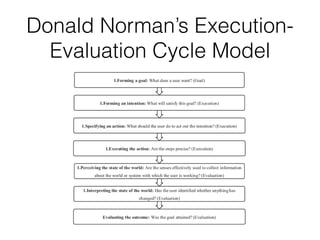
Donald Norman’s Execution-
Evaluation Cycle Model
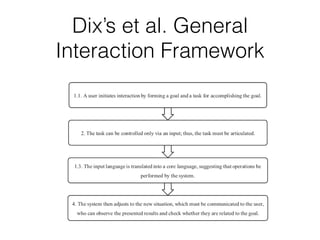
Dix’s et al. General
Interaction Framework
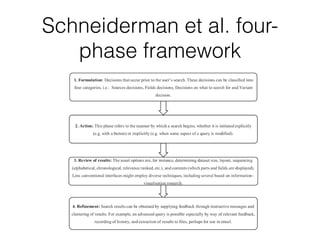
Schneiderman et al. four-
phase framework
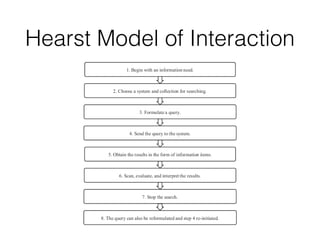
Hearst Model of Interaction
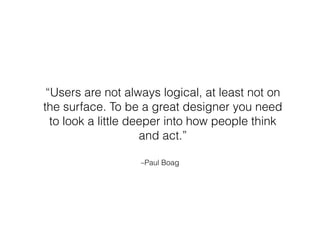
–Paul Boag
“Users are not always logical, at least not on
the surface. To be a great designer you need
to look a little deeper into how people think
and act.”

Intelligent Interfaces ICS3211

  • 1.
    ICS3211 - Intelligent InterfacesII Combining design with technology for effective human- computer interaction
  • 2.
    Study Unit Aims Atthe end of this unit you should be able to: • Reason about explicit and implicit user models, take into account ethics, and evaluate them; • Design systems that adapt to different users and contexts; • Evaluate systems that maintain an interaction with the user using smart and innovative technologies;
  • 3.
    Learning Outcomes • Identifydifferent user models for specific contexts; • Apply and justify the use of a specific model, adapted to a particular situation; • Discuss how AI techniques can contribute to a system optimisation for a more effective HCI; • Design and test user interfaces for different purposes;
  • 4.
    Course Syllabus • Week1: Intelligent interfaces; overview & perspectives • Week 2: Theoretical frameworks in HCI • Week 3: Choices & decisions • Week 4: Computers in HCI; input technologies & AI • Week 5: Designing devices
  • 5.
    • Week 6:Visual design for user interfaces • Week 7: Multimodal interfaces • Week 8: Design for natural language • Week 9: Interface design I • Week 10: Interface design II • Week 11: Testing & Evaluation • Week 12: Exploring case studies
  • 6.
    Study Unit Modality •An online learning approach • interactivity • participation … is key • group work & collaboration; can be done in an online environment for a more effective solution
  • 7.
    Study Unit Assessment •Project (60%) - group • Work in small groups to design, implement and evaluate a user interface through an iterative design process with a series of graded milestones (T01-T06) • Online postings (30%) - individual • Use the UoM Moodle VLE to view weekly readings, and participate in class discussions • Presentation (10%) - group • Recorded 5 minute presentation (can use multiple modalities) tracing the development of your project
  • 9.
    The Project • Contains6 gradable tasks (T01-T06); • Milestones will be announced via VLE calendar; • Milestones will be spread across the semester; • Online discussions will also involve your project design & development;
  • 10.
    • T01: ProjectProposal & Analysis; • T02: Designs; • T03: Paper Prototyping; • T04: Computer Prototyping; • T05: Implementation; • T06: User Testing;
  • 11.
    T01: Project Proposal& Analysis • Groups should be no bigger than 3; • Choose your own project: either web, desktop or mobile • Carry out (a) user analysis, (b) task analysis, (c) domain analysis • Hand in a form of a web page for the project
  • 12.
    T02: Designs • Writeand present scenario; • Generate 3 different storyboard designs (preliminary) • Combine text with sketches for your storyboard and explain how each works in the scenario • Subsections on web page will include (a) scenario and (b) designs
  • 13.
    T03: Paper Prototyping •Prototype building (hand sketching can work); • Draw static background, menu, and decide on the dynamic parts of the interface; • Prototype testing will include: user debriefing, three tasks for your users to carry out, practice paper prototype; • Subsections on web page will include (a) prototype photos/videos,(b) briefing, (c) scenario tasks and (d) observations;
  • 14.
    T04: Computer Prototype •Your prototype should be: • High fidelity in Look • Medium fidelity in Feel • Low fidelity in Breadth & Depth; • This prototype will be distributed amongst your class mates so that they can do a heuristic evaluation. Therefore make sure that your prototype can run on Windows, Mac or Linux; • On your project webpage, include a subsection called computer prototype with (a) platform, (b) brief instructions, (c) which parts are shallow, and (d) prototype link downloaded in a single file;
  • 15.
    T05: Implementation • Dueby presentation (end of semester); • Brief on application purpose and user population; • Walk through of interface; • Answer questions about your design decisions and development process;
  • 16.
    T06: User Testing •At least 3 representative users from your population; • Prepare briefing and tasks; • Provide a formative evaluation including : (a) briefing, (b) tasks and (c) observation; • On your website make sure you have the following: (a) final design (including screenshots), (b) implementation, (c) evaluation and (d) reflection;
  • 17.
    Online Postings • Acombination of discussions on selected papers & publications as well as project discussions; • In project discussions, you are expected to participate in forum discussion boards to highlight challenges and share strategies with other groups and collaborators;
  • 18.
    Online Tasks • Week1: Project discussion • Week 2: Readings + discussion tasks [T01] • Week 3: Project discussion • Week 4: Readings + discussion tasks [T02] • Week 5: Project discussion
  • 19.
    • Week 6:Readings + discussion tasks [T03] • Week 7: Project Discussion • Week 8: Project Discussion • Week 9: Project Discussion [T04] • Week 10: Readings + Discussion Task • Week 11: Project Discussion [T06] • Week 12: Readings + Discussion Task [T05 to be presented in class]
  • 20.
    The Presentation • Tobe delivered at the end of the semester; • Presentation should feature a 5 min run through of the application as well as possible 5 mins briefing + questions as per T05;
  • 21.
    User Interface Design The evolutionof human- computer interaction
  • 22.
    • The humanside of human-computer interaction changes very slowly; • Much of what was learned about our perceptual, cognitive, social and emotional processes when we interacted with the older technologies applies to our interaction with the emerging technologies;
  • 23.
    HCI vs. CHI •HCI covers research areas of: • human factors & ergonomics • information systems • computer science • library & information systems • CHI is narrower with a specific focus on computer science
  • 25.
    Origins of H& I (19th century) • Taylor (1911) - improve work practices by reducing performance time; • Gilbreth (1914) - efficiency & worker experience as a founder of human factors; • World Wars I & II prompted human engineering, human factors & ergonomics;
  • 26.
    Origins of H& I (19th century) • Late nineteenth century - the evolution of technologies & practices for compressing, distributing & organising information; • Photography used for documentation; • Library services & management in the US took precedence over technology; • Otlet implemented UDC in Belgium - financed in 1919 to fund the Mundaneum;
  • 27.
    • HCI hasevolved from the memex, vacuum tubes, and early computing, to new systemic research based on vision and computer graphics, interconnectedness, and information science. • More recent evolution of computer science, AI, & computer graphics and the Internet era
  • 28.
    Why HCI? • contributionto the design of new systems and tools • by understanding behaviour we identify user techniques and preferences • a deep understanding of human behaviour and needs will lead to improvements in HCI
  • 29.
  • 30.
    Dix’s et al.General Interaction Framework
  • 31.
    Schneiderman et al.four- phase framework
  • 32.
    Hearst Model ofInteraction
  • 33.
    –Paul Boag “Users arenot always logical, at least not on the surface. To be a great designer you need to look a little deeper into how people think and act.”