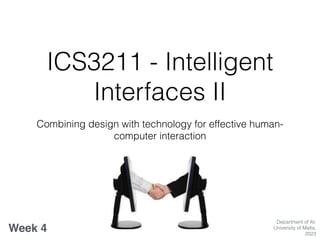
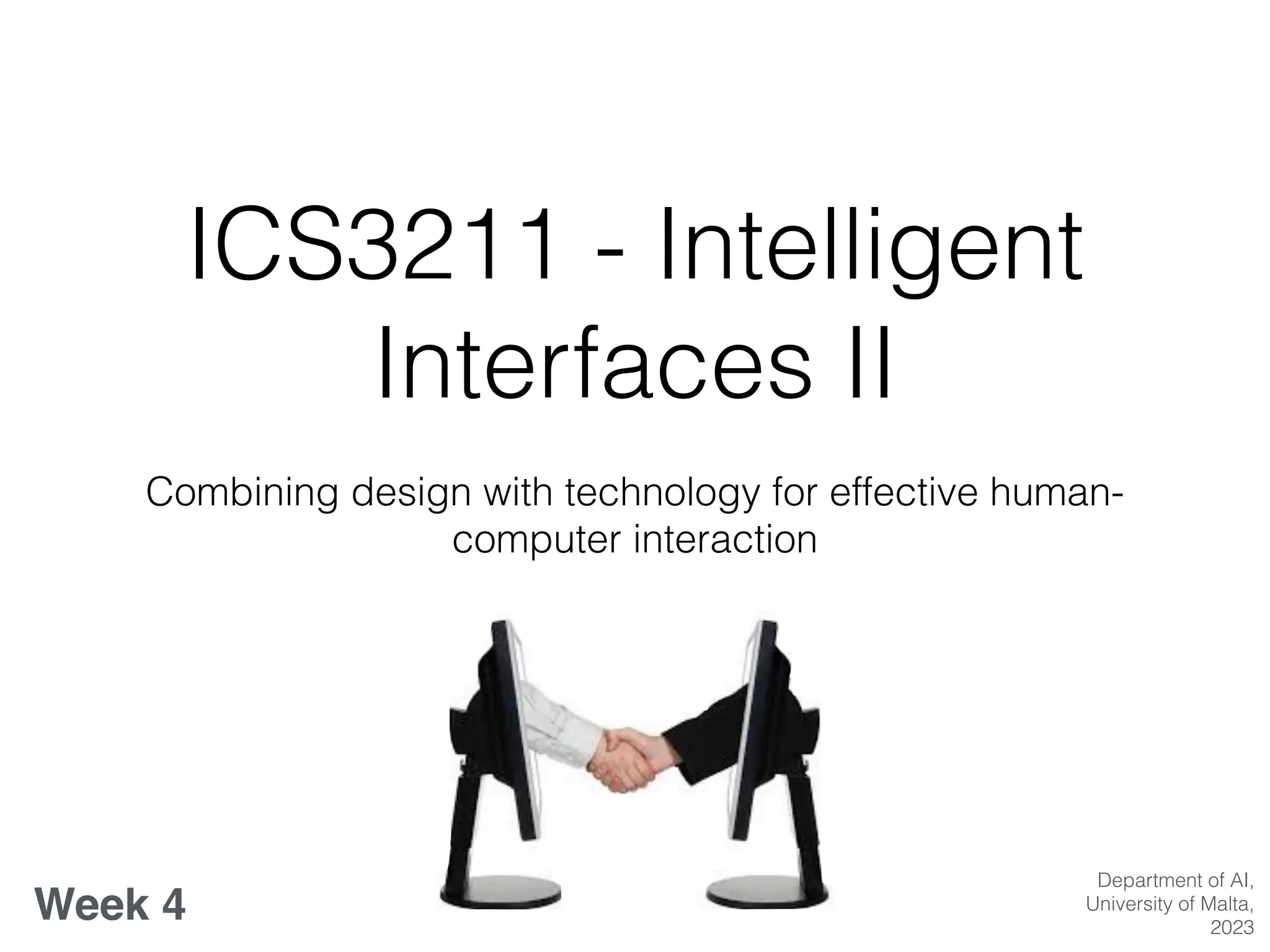
ICS3211 - Intelligent
Interfaces II
Combining design with technology for effective human-
computer interaction
Week 4
Department of AI,
University of Malta,
2023
Evaluation Methods & User
Choices
Week 4 overview:
• Usability
• Interface Evaluation Methods & Applications
• User Choices & Preferences for Its
Learning Outcomes
At the end of this session you should be able to:
• Describe different evaluation methods for different case
study applications;
• Carry out a usability analysis of a platform or application
• Apply heuristic evaluation to a chosen platform/
application
• Understand the signi
fi
cance of capturing user choices
and preferences in the context of intelligent interfaces
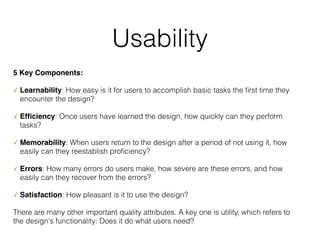
Usability
5 Key Components:
✓ Learnability: How easy is it for users to accomplish basic tasks the
fi
rst time they
encounter the design?
✓ Ef
fi
ciency: Once users have learned the design, how quickly can they perform
tasks?
✓ Memorability: When users return to the design after a period of not using it, how
easily can they reestablish pro
fi
ciency?
✓ Errors: How many errors do users make, how severe are these errors, and how
easily can they recover from the errors?
✓ Satisfaction: How pleasant is it to use the design?
There are many other important quality attributes. A key one is utility, which refers to
the design's functionality: Does it do what users need?
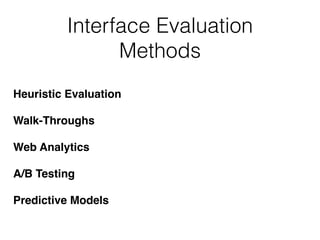
Interface Evaluation
Methods
Heuristic Evaluation
Walk-Throughs
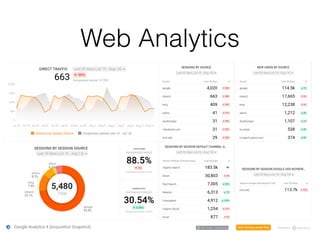
Web Analytics
A/B Testing
Predictive Models
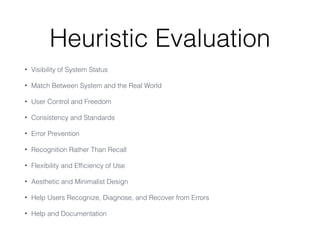
Heuristic Evaluation
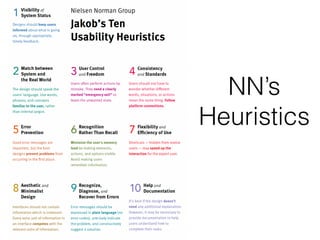
• Visibility of System Status
• Match Between System and the Real World
• User Control and Freedom
• Consistency and Standards
• Error Prevention
• Recognition Rather Than Recall
• Flexibility and Ef
fi
ciency of Use
• Aesthetic and Minimalist Design
• Help Users Recognize, Diagnose, and Recover from Errors
• Help and Documentation
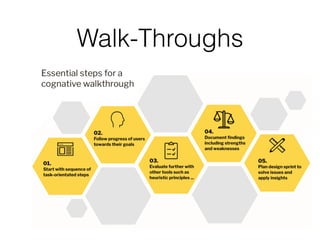
Walk-Throughs
Web Analytics
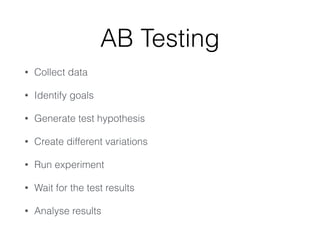
AB Testing
• Collect data
• Identify goals
• Generate test hypothesis
• Create different variations
• Run experiment
• Wait for the test results
• Analyse results
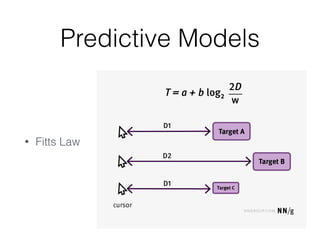
Predictive Models
• Fitts Law
Discussion Point
• Hands on activity: Usability Analysis of an App
• Carry out a usability analysis of an app of your
choice, making notes of any usability issues that
you encounter.
NN’s
Heuristics
Discussion Point
• Group Activity: Evaluate an app of your choice
using the provided heuristics (Nielsen Group).
• Present your
fi
ndings to the class and identify
common issues discovered.
User Choices & Preferences
in Intelligent Interfaces
Why User Preferences
Matter
• Personalisation improves user experience.
• Capturing preferences can guide interface
adaptability.
• Real-world examples of AI-driven user preference
capture (e.g., Net
fl
ix recommendations, Spotify
playlists).
Dynamics of Capturing User
Choices
• Explicit vs. Implicit Preferences
• Feedback loops and reinforcement learning
• Challenges: privacy concerns, preference change
over time
Impacts on Intelligent
Interface Design
• Adaptive interfaces
• Personalised content delivery
• Enhanced user engagement
Discussion Point
• Objective: Create an Interface Preference Pro
fi
ler
• Work in a class collective google doc; work in groups of 2.
• Choose 4 Interfaces per group and list them in a table in the doc.
Each group will pick up 2 interfaces that you haven’t chosen and
explore them to identify key interface designs.
• Document your preferences (explicit or implicit)- what you like or
what you don’t like and the interactions (time spent on interfaces
and how).
• Identify patterns in the preferences by you and your peers and
predict what sort of preferences an intelligent interface might
gather from the interactions documented.
“Intelligent user interfaces speci
fi
cally aim to
enhance the
fl
exibility, usability, and power of human-
computer interaction for all users. In doing so, they
exploit knowledge of users, tasks, tools, and content,
as well as devices for supporting interaction within
differing contexts of use.”
[Maybury 2001]
The
fi
eld of intelligent interfaces is vast. While we've
only touched upon user preferences, it's a crucial
part of the puzzle. The more an interface understands
its user, the more effective it can be.
The balance between personalisation and privacy is
delicate. Ethical implications need to be considered
when diving deep into user data.

ICS3211_lecture 04 2023.pdf

  • 1.
    ICS3211 - Intelligent InterfacesII Combining design with technology for effective human- computer interaction Week 4 Department of AI, University of Malta, 2023
  • 2.
    Evaluation Methods &User Choices Week 4 overview: • Usability • Interface Evaluation Methods & Applications • User Choices & Preferences for Its
  • 3.
    Learning Outcomes At theend of this session you should be able to: • Describe different evaluation methods for different case study applications; • Carry out a usability analysis of a platform or application • Apply heuristic evaluation to a chosen platform/ application • Understand the signi fi cance of capturing user choices and preferences in the context of intelligent interfaces
  • 4.
    Usability 5 Key Components: ✓Learnability: How easy is it for users to accomplish basic tasks the fi rst time they encounter the design? ✓ Ef fi ciency: Once users have learned the design, how quickly can they perform tasks? ✓ Memorability: When users return to the design after a period of not using it, how easily can they reestablish pro fi ciency? ✓ Errors: How many errors do users make, how severe are these errors, and how easily can they recover from the errors? ✓ Satisfaction: How pleasant is it to use the design? There are many other important quality attributes. A key one is utility, which refers to the design's functionality: Does it do what users need?
  • 5.
  • 6.
    Heuristic Evaluation • Visibilityof System Status • Match Between System and the Real World • User Control and Freedom • Consistency and Standards • Error Prevention • Recognition Rather Than Recall • Flexibility and Ef fi ciency of Use • Aesthetic and Minimalist Design • Help Users Recognize, Diagnose, and Recover from Errors • Help and Documentation
  • 7.
  • 8.
  • 9.
    AB Testing • Collectdata • Identify goals • Generate test hypothesis • Create different variations • Run experiment • Wait for the test results • Analyse results
  • 10.
  • 11.
    Discussion Point • Handson activity: Usability Analysis of an App • Carry out a usability analysis of an app of your choice, making notes of any usability issues that you encounter.
  • 12.
  • 13.
    Discussion Point • GroupActivity: Evaluate an app of your choice using the provided heuristics (Nielsen Group). • Present your fi ndings to the class and identify common issues discovered.
  • 14.
    User Choices &Preferences in Intelligent Interfaces
  • 15.
    Why User Preferences Matter •Personalisation improves user experience. • Capturing preferences can guide interface adaptability. • Real-world examples of AI-driven user preference capture (e.g., Net fl ix recommendations, Spotify playlists).
  • 16.
    Dynamics of CapturingUser Choices • Explicit vs. Implicit Preferences • Feedback loops and reinforcement learning • Challenges: privacy concerns, preference change over time
  • 17.
    Impacts on Intelligent InterfaceDesign • Adaptive interfaces • Personalised content delivery • Enhanced user engagement
  • 18.
    Discussion Point • Objective:Create an Interface Preference Pro fi ler • Work in a class collective google doc; work in groups of 2. • Choose 4 Interfaces per group and list them in a table in the doc. Each group will pick up 2 interfaces that you haven’t chosen and explore them to identify key interface designs. • Document your preferences (explicit or implicit)- what you like or what you don’t like and the interactions (time spent on interfaces and how). • Identify patterns in the preferences by you and your peers and predict what sort of preferences an intelligent interface might gather from the interactions documented.
  • 19.
    “Intelligent user interfacesspeci fi cally aim to enhance the fl exibility, usability, and power of human- computer interaction for all users. In doing so, they exploit knowledge of users, tasks, tools, and content, as well as devices for supporting interaction within differing contexts of use.” [Maybury 2001]
  • 20.
    The fi eld of intelligentinterfaces is vast. While we've only touched upon user preferences, it's a crucial part of the puzzle. The more an interface understands its user, the more effective it can be. The balance between personalisation and privacy is delicate. Ethical implications need to be considered when diving deep into user data.