Input and Output Devices

    Jessica Pinijarom 10A
What is it?
• Input devices are like raw data entered
  into the computer
• Then it processes the data and produces
  outputs that we can understand
• Processing is mainly handled by the CPU
  (Central Processing Unit)
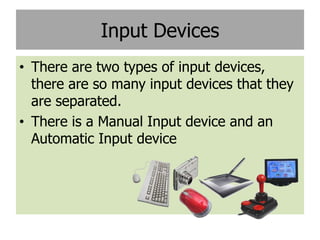
Input Devices
• There are two types of input devices,
  there are so many input devices that they
  are separated.
• There is a Manual Input device and an
  Automatic Input device
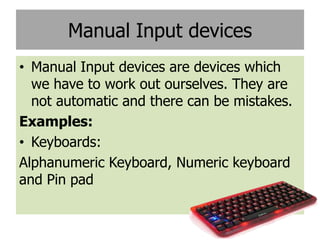
Manual Input devices
• Manual Input devices are devices which
  we have to work out ourselves. They are
  not automatic and there can be mistakes.
Examples:
• Keyboards:
Alphanumeric Keyboard, Numeric keyboard
and Pin pad
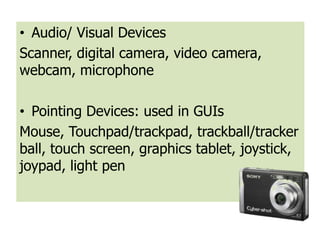
• Audio/ Visual Devices
Scanner, digital camera, video camera,
webcam, microphone

• Pointing Devices: used in GUIs
Mouse, Touchpad/trackpad, trackball/tracker
ball, touch screen, graphics tablet, joystick,
joypad, light pen
Automatic Input Devices
All data can be put into a computer using a
keyboard, but would often be slow and
there could be mistakes. Automatic input
devices can never be wrong, because it is
accurate.
Examples:
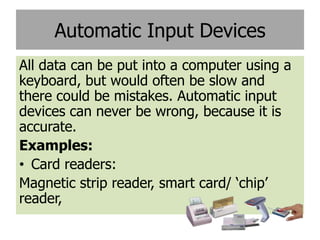
• Card readers:
Magnetic strip reader, smart card/ ‘chip’
reader,
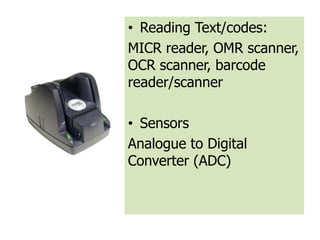
• Reading Text/codes:
MICR reader, OMR scanner,
OCR scanner, barcode
reader/scanner

• Sensors
Analogue to Digital
Converter (ADC)
Output Devices
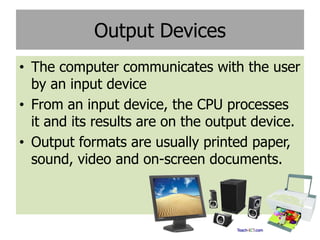
• The computer communicates with the user
  by an input device
• From an input device, the CPU processes
  it and its results are on the output device.
• Output formats are usually printed paper,
  sound, video and on-screen documents.
Examples
• Audio Visual:
CRT monitor, Flat-screen Monitor (TFT or
LCD), digital/multimedia projector, speakers.

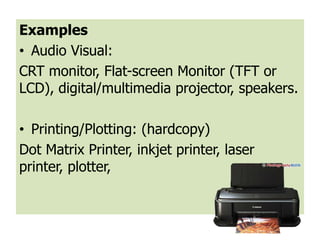
• Printing/Plotting: (hardcopy)
Dot Matrix Printer, inkjet printer, laser
printer, plotter,
• Control Actuators: An actuator is a device
  controlled by the computer that can affect
  the real-world
Motor, pumps, buzzer, lights, heaters/coolers

Input and output devices

  • 1.
    Input and OutputDevices Jessica Pinijarom 10A
  • 2.
    What is it? •Input devices are like raw data entered into the computer • Then it processes the data and produces outputs that we can understand • Processing is mainly handled by the CPU (Central Processing Unit)
  • 3.
    Input Devices • Thereare two types of input devices, there are so many input devices that they are separated. • There is a Manual Input device and an Automatic Input device
  • 4.
    Manual Input devices •Manual Input devices are devices which we have to work out ourselves. They are not automatic and there can be mistakes. Examples: • Keyboards: Alphanumeric Keyboard, Numeric keyboard and Pin pad
  • 5.
    • Audio/ VisualDevices Scanner, digital camera, video camera, webcam, microphone • Pointing Devices: used in GUIs Mouse, Touchpad/trackpad, trackball/tracker ball, touch screen, graphics tablet, joystick, joypad, light pen
  • 6.
    Automatic Input Devices Alldata can be put into a computer using a keyboard, but would often be slow and there could be mistakes. Automatic input devices can never be wrong, because it is accurate. Examples: • Card readers: Magnetic strip reader, smart card/ ‘chip’ reader,
  • 7.
    • Reading Text/codes: MICRreader, OMR scanner, OCR scanner, barcode reader/scanner • Sensors Analogue to Digital Converter (ADC)
  • 8.
    Output Devices • Thecomputer communicates with the user by an input device • From an input device, the CPU processes it and its results are on the output device. • Output formats are usually printed paper, sound, video and on-screen documents.
  • 9.
    Examples • Audio Visual: CRTmonitor, Flat-screen Monitor (TFT or LCD), digital/multimedia projector, speakers. • Printing/Plotting: (hardcopy) Dot Matrix Printer, inkjet printer, laser printer, plotter,
  • 10.
    • Control Actuators:An actuator is a device controlled by the computer that can affect the real-world Motor, pumps, buzzer, lights, heaters/coolers