Ron Jesus  Villacampa's Masterpiece
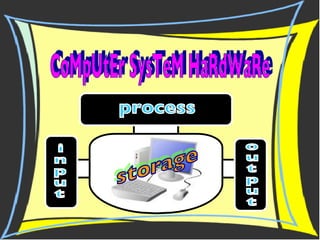
CoMpUtEr SysTeM HaRdWaRe i n p u t process storage o u t p u t
Input Devices An input device lets you communicate with a computer.  You can use input devices to enter information and issue commands. Most common input devices are: Keyboard Scanner Digital   Camera Pointing   Devices
>used to type data into the computer. >has special keys for giving the computer commands. >commands tell the computer to do something, like save the file.   K E Y B O A R D
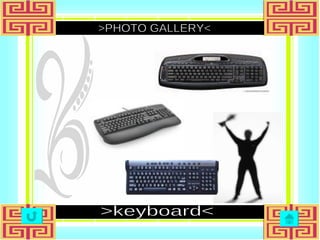
>PHOTO GALLERY< >keyboard<
>allows you to scan documents, pictures, or graphics and view them on the computer.  >converts an image into dots that the computer can understand  S C A N N E R
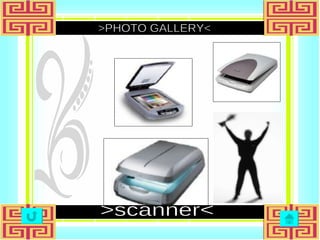
>PHOTO GALLERY< >scanner<
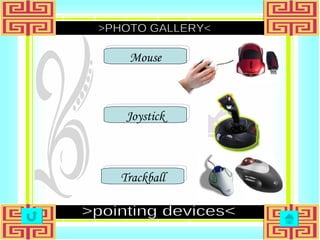
>pointing devices move some object on the screen and can do some action  Example: P O I N T I N G devices Mouse Trackball Joystick
Mouse Trackball Joystick   >   a pointing device that rolls around on a flat surface and controls the location of the pointer  on the screen.     > consist of a metal or plastic handle mounted on a base that you can move in any direction to move the pointer or other object. > it is rolling a ball around with your fingers to control the location of the pointer.
>PHOTO GALLERY< >pointing devices< Mouse Joystick Trackball
Processing Central Processing Unit / Processor Microprocessor
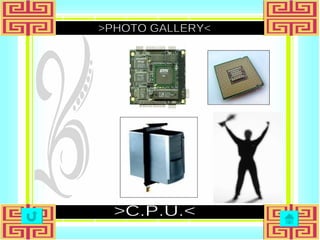
> the portion of a computer system that carries out the instructions of a computer program > it is the primary element carrying out the computer's functions.   P R O C E S S I N G unit central
>PHOTO GALLERY< >C.P.U.<
>incorporates most or all of the functions of a central processing unit (CPU) on a single integrated circuit  M I C R O P R O C E S S O R >constructed out of small and medium-scale ICs containing the equivalent of a few to a few hundred transistors.
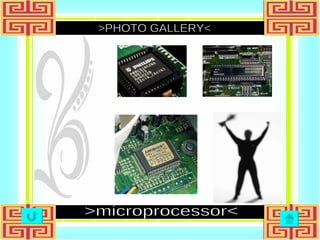
>PHOTO GALLERY< >microprocessor<
Storage Hard Drive Floppy Drive CD-ROM Drive Removable Hard Disk
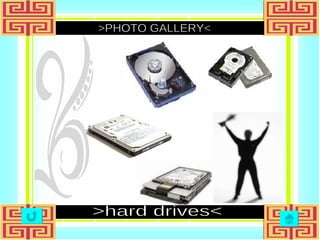
>it is the primary device that a computer uses to store information  and stores programs, data files, saves files, and organizes files.  >it magnetically stores data on stacks of rotating disks called platters.   H A R D D R I V E
>PHOTO GALLERY< >hard drives<
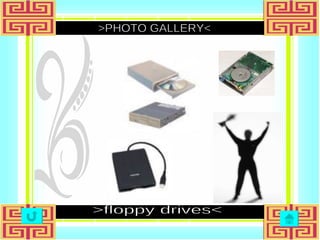
>small, portable disks that hold a limited amount of data > it stores and retrieves information on a floppy disk. F L O P P Y D R I V E
>PHOTO GALLERY< >floppy drives<
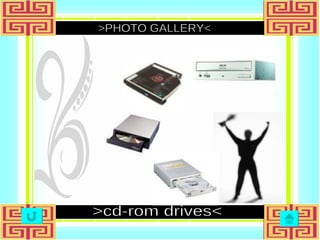
>it is a device that reads information stored on a compact disc.  >it stands for CD Read Only Memory.  >it can hold large amounts of data, but is read-only access. C D - R O M D R I V E
>PHOTO GALLERY< >cd-rom drives<
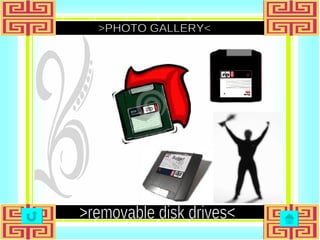
>a zip disk is a removable disk that holds a large amount of information. >it can be used to achieve, protect and transfer large amounts of data.  >auxiliary storage devices that can be portable.   R E M O V A B L E hard disk
>PHOTO GALLERY< >removable disk drives<
Output Devices Monitor Printer Speaker An output device displays information on a screen, creates printed copies or generates sound. It enable the computer to give or show you the results of its processing. Examples are:
>shows the processed information on a screen and used to display video output to a user. >uses a Picture Tube like a television with the image displayed on the front of the tube, which is called the screen.    M O N I T O R S
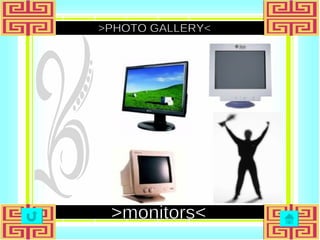
>PHOTO GALLERY< >monitors<
>used to produce a hard copy  >the information is printed on paper and can be used when the device is off. It is also called a printout. >Dot Matrix, Ink Jet and Laser are types of printers. P R I N T E R S
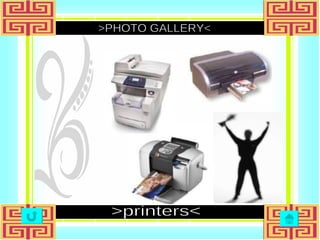
>PHOTO GALLERY< >printers<
> used to output sound   S P E A K E R S >used to connect analog audio and video components  >also called a &quot;phono connector&quot;
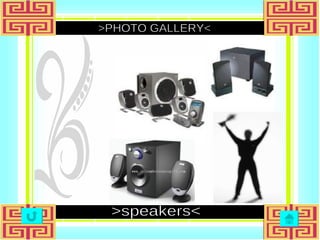
>PHOTO GALLERY< >speakers<
=The END= rjmv '09 Gracias!

Computer System Hardware

  • 1.
    Ron Jesus Villacampa's Masterpiece
  • 2.
    CoMpUtEr SysTeM HaRdWaRei n p u t process storage o u t p u t
  • 3.
    Input Devices Aninput device lets you communicate with a computer.  You can use input devices to enter information and issue commands. Most common input devices are: Keyboard Scanner Digital Camera Pointing Devices
  • 4.
    >used to typedata into the computer. >has special keys for giving the computer commands. >commands tell the computer to do something, like save the file. K E Y B O A R D
  • 5.
  • 6.
    >allows you toscan documents, pictures, or graphics and view them on the computer.  >converts an image into dots that the computer can understand S C A N N E R
  • 7.
  • 8.
    >pointing devices movesome object on the screen and can do some action Example: P O I N T I N G devices Mouse Trackball Joystick
  • 9.
    Mouse Trackball Joystick > a pointing device that rolls around on a flat surface and controls the location of the pointer on the screen. > consist of a metal or plastic handle mounted on a base that you can move in any direction to move the pointer or other object. > it is rolling a ball around with your fingers to control the location of the pointer.
  • 10.
    >PHOTO GALLERY< >pointingdevices< Mouse Joystick Trackball
  • 11.
    Processing Central ProcessingUnit / Processor Microprocessor
  • 12.
    > the portionof a computer system that carries out the instructions of a computer program > it is the primary element carrying out the computer's functions. P R O C E S S I N G unit central
  • 13.
  • 14.
    >incorporates most orall of the functions of a central processing unit (CPU) on a single integrated circuit M I C R O P R O C E S S O R >constructed out of small and medium-scale ICs containing the equivalent of a few to a few hundred transistors.
  • 15.
  • 16.
    Storage Hard DriveFloppy Drive CD-ROM Drive Removable Hard Disk
  • 17.
    >it is theprimary device that a computer uses to store information and stores programs, data files, saves files, and organizes files.  >it magnetically stores data on stacks of rotating disks called platters. H A R D D R I V E
  • 18.
  • 19.
    >small, portable disksthat hold a limited amount of data > it stores and retrieves information on a floppy disk. F L O P P Y D R I V E
  • 20.
  • 21.
    >it is adevice that reads information stored on a compact disc.  >it stands for CD Read Only Memory. >it can hold large amounts of data, but is read-only access. C D - R O M D R I V E
  • 22.
  • 23.
    >a zip diskis a removable disk that holds a large amount of information. >it can be used to achieve, protect and transfer large amounts of data. >auxiliary storage devices that can be portable. R E M O V A B L E hard disk
  • 24.
  • 25.
    Output Devices MonitorPrinter Speaker An output device displays information on a screen, creates printed copies or generates sound. It enable the computer to give or show you the results of its processing. Examples are:
  • 26.
    >shows the processedinformation on a screen and used to display video output to a user. >uses a Picture Tube like a television with the image displayed on the front of the tube, which is called the screen.  M O N I T O R S
  • 27.
  • 28.
    >used to producea hard copy >the information is printed on paper and can be used when the device is off. It is also called a printout. >Dot Matrix, Ink Jet and Laser are types of printers. P R I N T E R S
  • 29.
  • 30.
    > used tooutput sound S P E A K E R S >used to connect analog audio and video components >also called a &quot;phono connector&quot;
  • 31.
  • 32.
    =The END= rjmv'09 Gracias!