IN-VEHICLE INFOTAINMENT
SYSTEM
Presented by
M.Brundha Sholaganga
CONTENTS
• Introduction
• Infotainment network system
• Entertainment services
• Phone services
• Information services
• Conclusion
• References
1)The first entertainment system in the car is …
 Radio
2) The first information providing system in the
car is ….
 Radio Data System i.e Traffic
Announcements from Radio stations
INTRODUCTION
 Initially in 1960’s the cars are provided with the audio system i.e
radio later traffic information is provided through Radio stations
 Advancements in Technology lead to efficient infotainment system
we can have a tablet equipped in the car for better user interface
INFOTAINMENT NETWORK SYSTEM
HU Processors
SERVICES OF INFOTAINMENT SYSTEM
• Entertainment services
• Information services
• Phone services
ENTERTAINMENT SERVICES
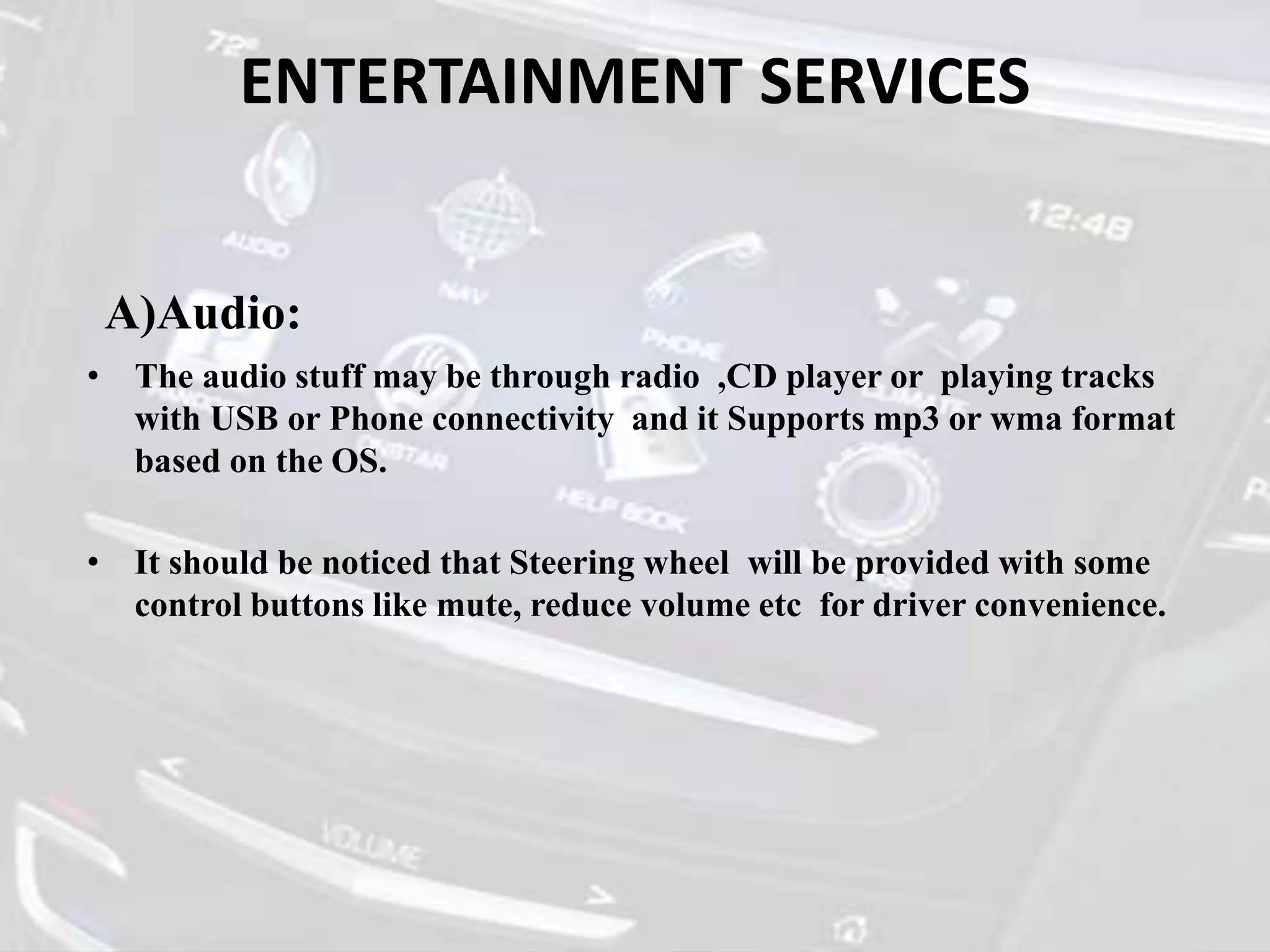
A)Audio:
• The audio stuff may be through radio ,CD player or playing tracks
with USB or Phone connectivity and it Supports mp3 or wma format
based on the OS.
• It should be noticed that Steering wheel will be provided with some
control buttons like mute, reduce volume etc for driver convenience.
ENTERTAINMENT SERVICES contd…
Radio: Receiving antenna gets activated on selection of Radio option
over Audio.
 Manual Tuning
 Auto Tuning
ENTERTAINMENT SERVICES contd…
• U.S.B/C.D:
Majorly Playing Tracks using CD is being replaced
with USB connectivity.
• Bluetooth:
we can turn Bluetooth on and allow the system to
recognize device like Phone the audio from Phone is
transmitted to the infotainment system and the sound
is played through car stereo system.
ENTERTAINMENT SERVICES contd……
B) Video:
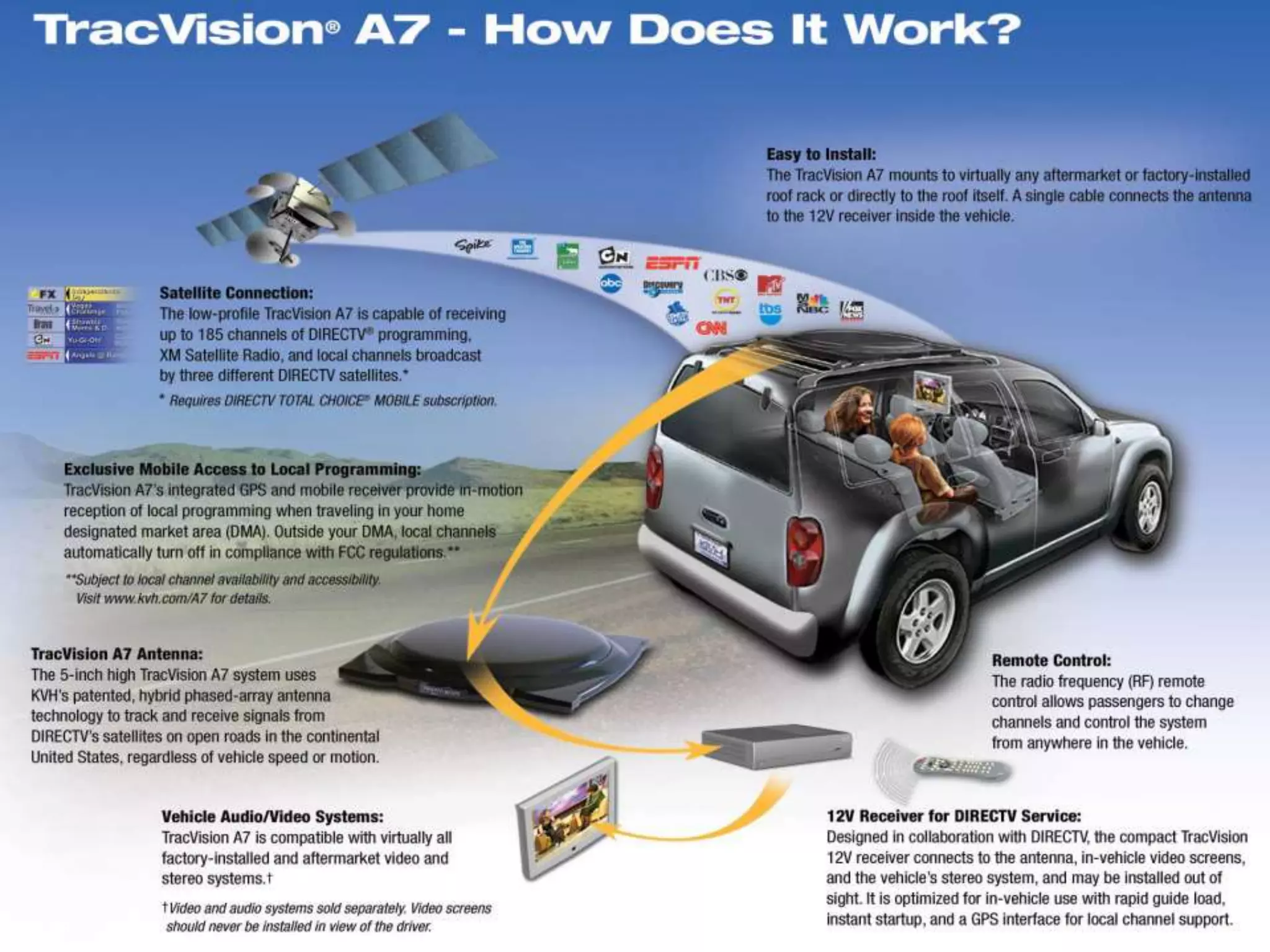
• Television : Having a TV in the car Dates back to 1970’s.Now a days we can have
Internet TV and there is also an other option for mobile TV achieved through
satellite.
• Powered by inverter
• Bad signal reception under
motion
• Picture will not be clear
We can also have a video played through
• DVD player: The other way in which we can play MP4 or
AVI content is through DVD
• USB/SD card:
We can have video played through USB or SD card.
Rear seat entertainment:
 Tablet installed at the rear part.
 Headphones are provided separately .
 They can access the required application or media of their choice.
ENTERTAINMENT SERVICES contd…
PHONE SERVICES:
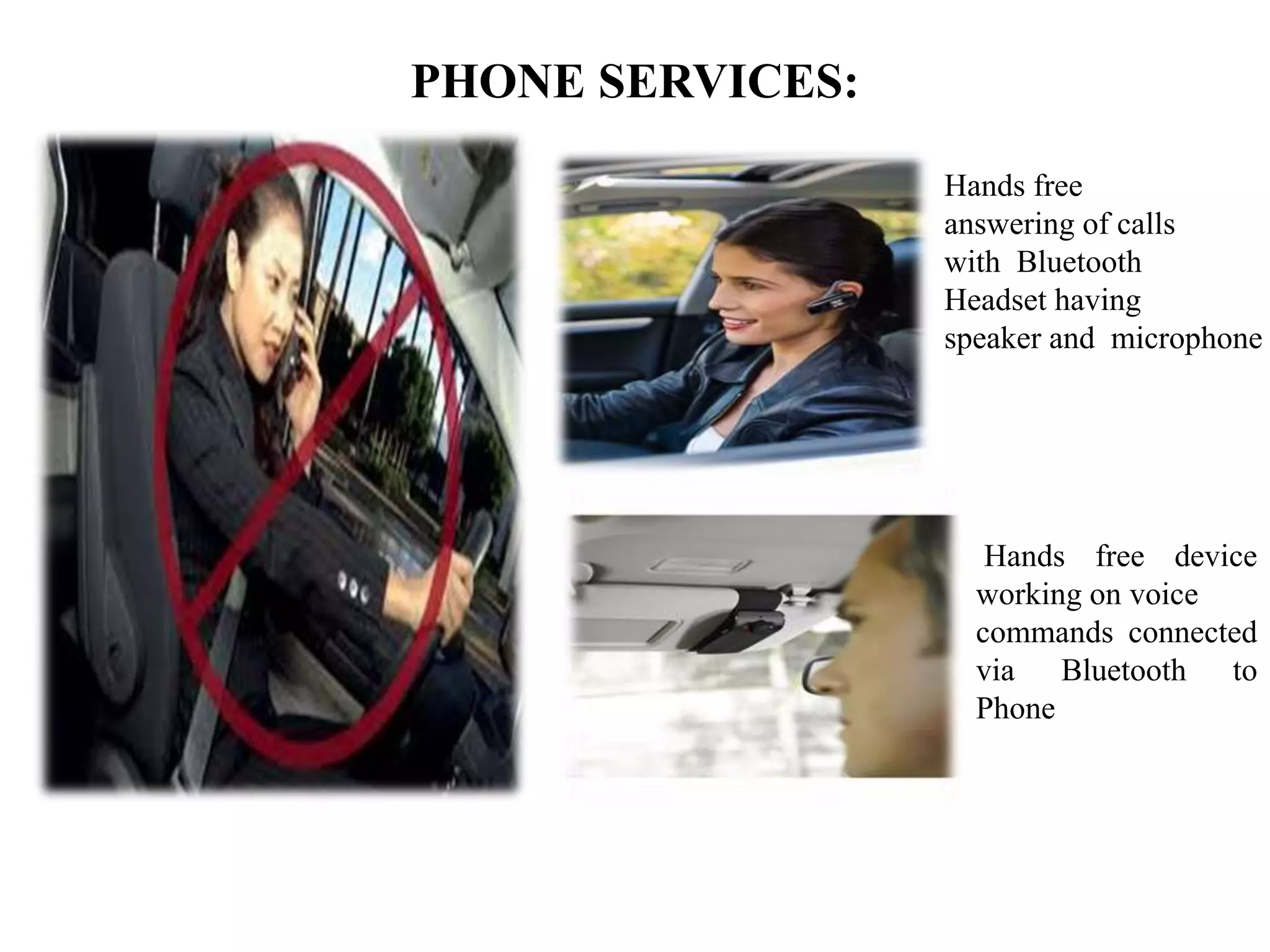
Hands free
answering of calls
with Bluetooth
Headset having
speaker and microphone
Hands free device
working on voice
commands connected
via Bluetooth to
Phone
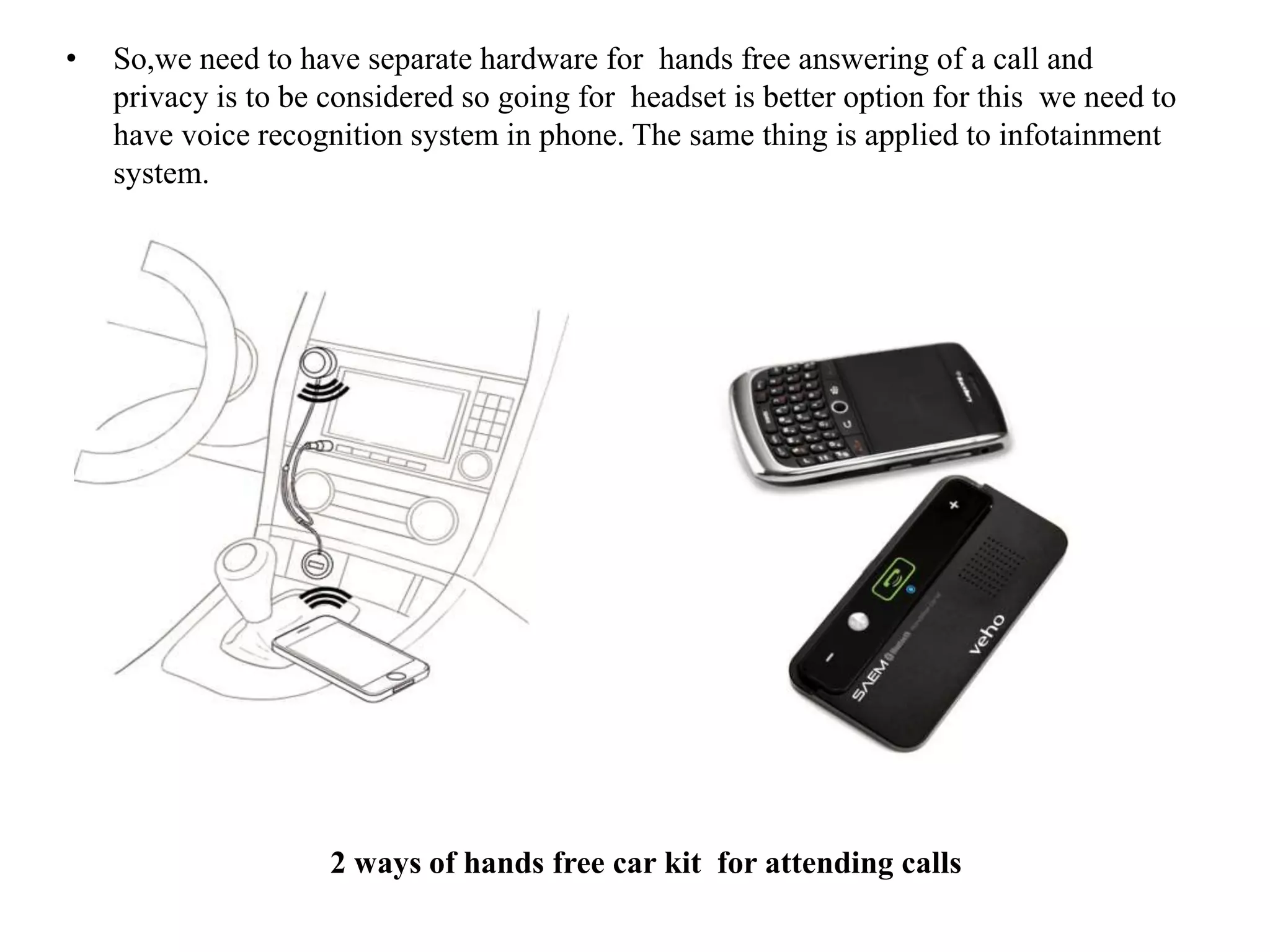
• So,we need to have separate hardware for hands free answering of a call and
privacy is to be considered so going for headset is better option for this we need to
have voice recognition system in phone. The same thing is applied to infotainment
system.
2 ways of hands free car kit for attending calls
PHONE SERVICES contd…
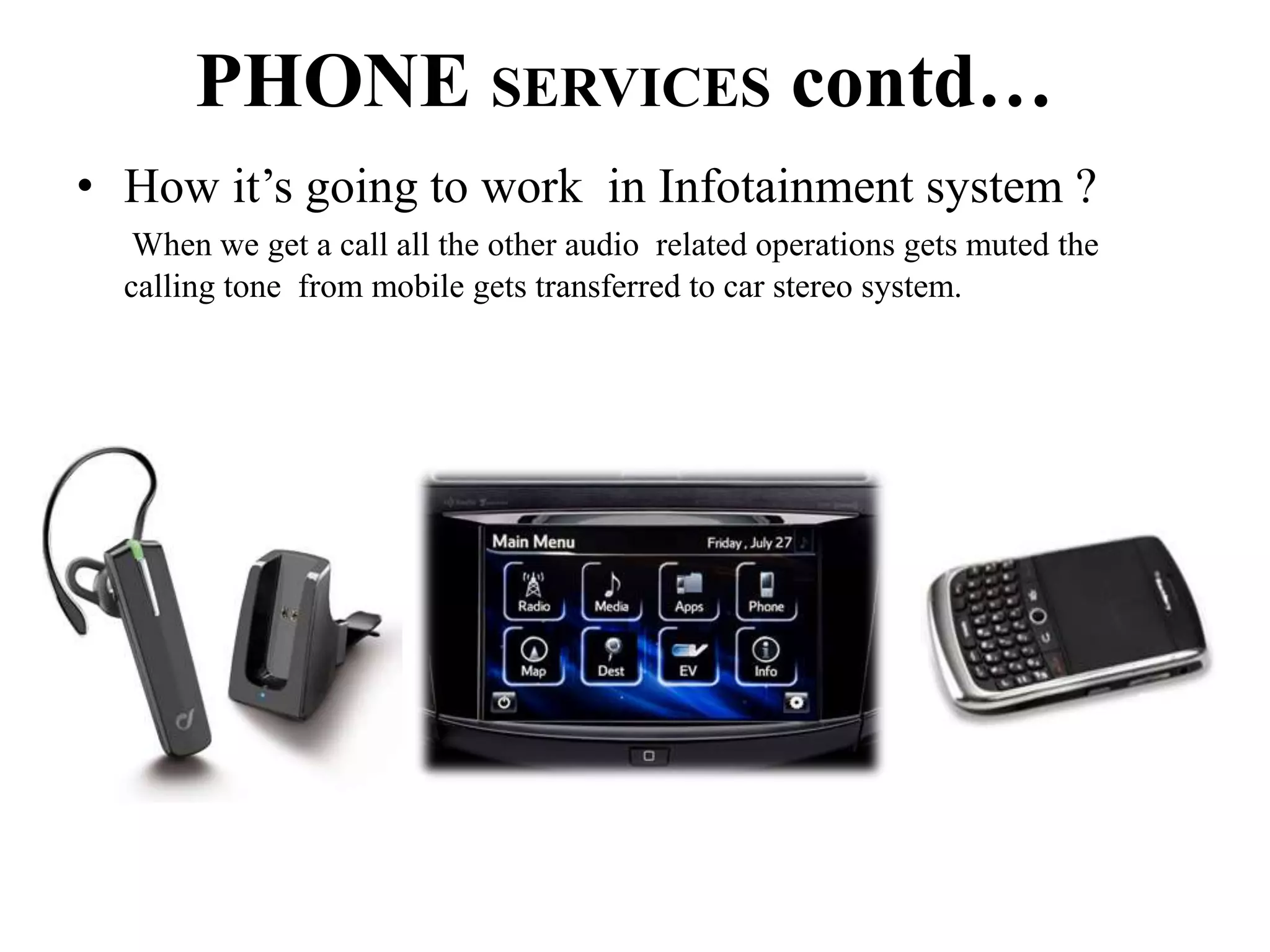
• How it’s going to work in Infotainment system ?
When we get a call all the other audio related operations gets muted the
calling tone from mobile gets transferred to car stereo system.
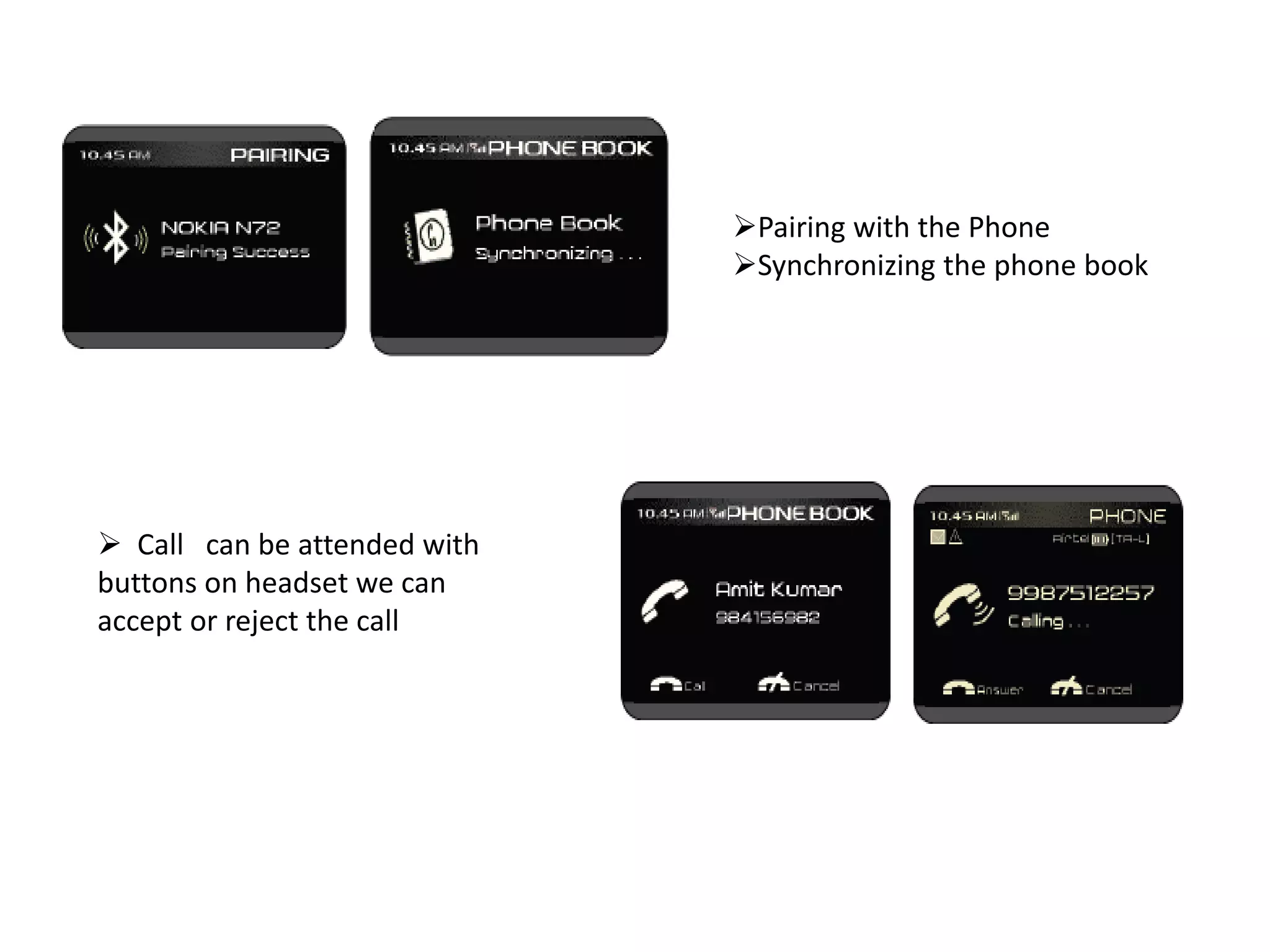
Pairing with the Phone
Synchronizing the phone book
 Call can be attended with
buttons on headset we can
accept or reject the call
 Dialing a number on
voice command basis
Message alerts:
We can enable or disable the message alerts.
Text to speech conversion is used to read the message
INFORMATION SERVICES
• Rear parking assistance: we can have a radar at the back which detects the
presence of vehicle and warns the driver or we can have a camera which records
the objects at the rear part of vehicle and displays over the screen accordingly.
• Navigation system:
INFORMATION SERVICES contd….
RDS (Radio Data System):
 The Radio Data System (RDS) is used to extract additional radio station
information with the FM signal.
 RDS data provides the following information:
• Radio station name
• Traffic announcement broadcasts
 We can enable or disable the traffic alerts
 When we receive traffic alerts the other
audio systems get interrupted and continues
after the alert
INFORMATION SERVICES contd..
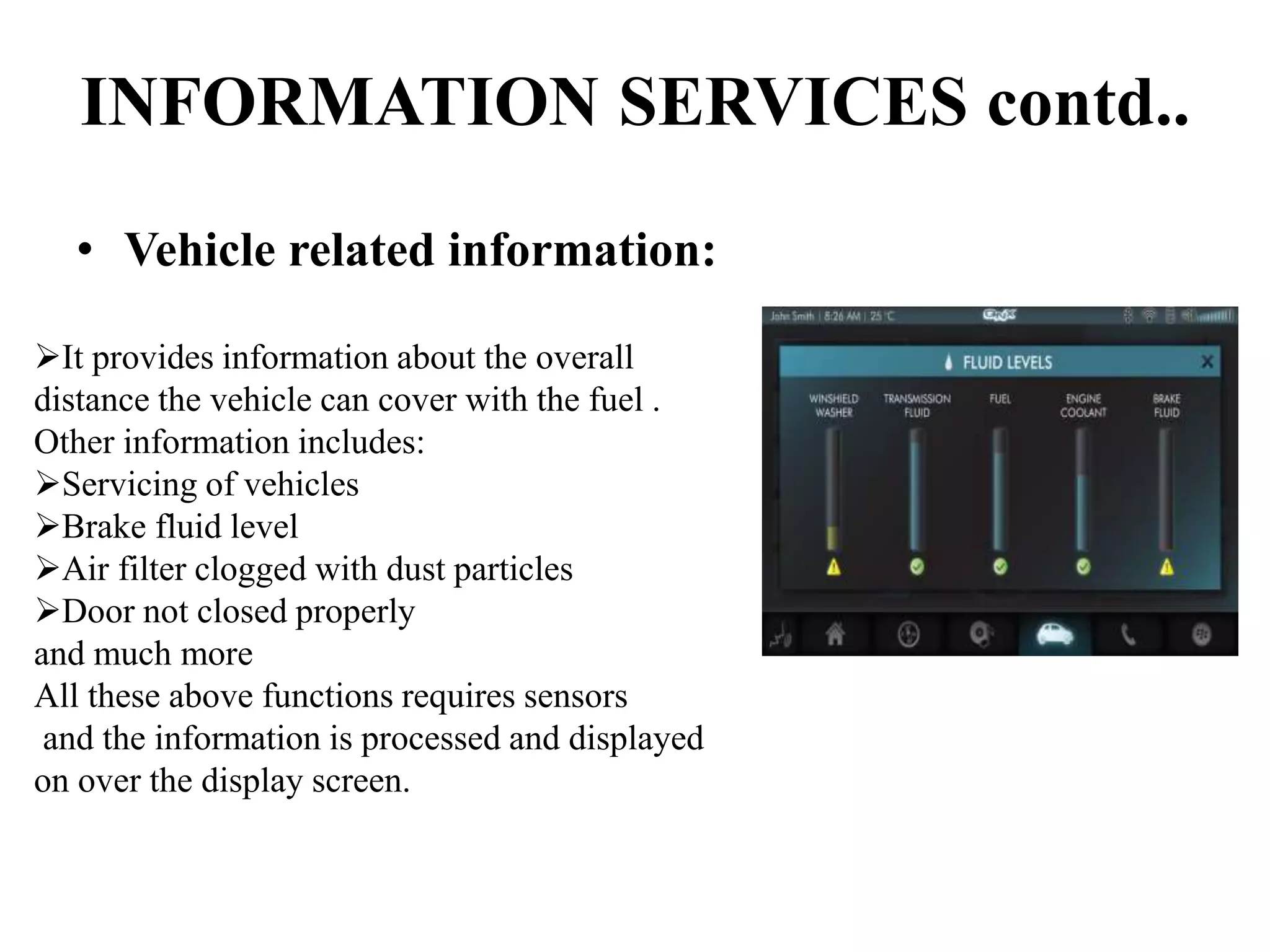
• Vehicle related information:
It provides information about the overall
distance the vehicle can cover with the fuel .
Other information includes:
Servicing of vehicles
Brake fluid level
Air filter clogged with dust particles
Door not closed properly
and much more
All these above functions requires sensors
and the information is processed and displayed
on over the display screen.
CONCLUSION
• The infotainment part forms the better access for media and
information with the display screen. We can have advancement in
the system by having WIFI capability ( instead of sharing the
internet) and 3G dongle providence.
REFERENCES
• Infotainment for Better driving - Intel in Automotive
• Infotainment Manual - Mahindra XUV500
• Top 10 infotainment systems - Auto Guide.com
• Infotainment system - Harman Industries
• Rear parking assist system -Kia Sorento Features
• Smart Parking assistance system -Hyundai Australia
• Satellite approach for Mobile T.V. -Tracvision
• Hands free way of attending calls -Driver-lexus.com
• In vehicle infotainment and Navigation
a new direction in automotive interaction - Nvidia
• Infotainment Features - Volkswagen

Infotainment system of car

  • 1.
  • 2.
    CONTENTS • Introduction • Infotainmentnetwork system • Entertainment services • Phone services • Information services • Conclusion • References
  • 3.
    1)The first entertainmentsystem in the car is …  Radio 2) The first information providing system in the car is ….  Radio Data System i.e Traffic Announcements from Radio stations
  • 4.
    INTRODUCTION  Initially in1960’s the cars are provided with the audio system i.e radio later traffic information is provided through Radio stations  Advancements in Technology lead to efficient infotainment system we can have a tablet equipped in the car for better user interface
  • 5.
  • 6.
    SERVICES OF INFOTAINMENTSYSTEM • Entertainment services • Information services • Phone services
  • 7.
    ENTERTAINMENT SERVICES A)Audio: • Theaudio stuff may be through radio ,CD player or playing tracks with USB or Phone connectivity and it Supports mp3 or wma format based on the OS. • It should be noticed that Steering wheel will be provided with some control buttons like mute, reduce volume etc for driver convenience.
  • 8.
    ENTERTAINMENT SERVICES contd… Radio:Receiving antenna gets activated on selection of Radio option over Audio.  Manual Tuning  Auto Tuning
  • 9.
    ENTERTAINMENT SERVICES contd… •U.S.B/C.D: Majorly Playing Tracks using CD is being replaced with USB connectivity. • Bluetooth: we can turn Bluetooth on and allow the system to recognize device like Phone the audio from Phone is transmitted to the infotainment system and the sound is played through car stereo system.
  • 10.
    ENTERTAINMENT SERVICES contd…… B)Video: • Television : Having a TV in the car Dates back to 1970’s.Now a days we can have Internet TV and there is also an other option for mobile TV achieved through satellite. • Powered by inverter • Bad signal reception under motion • Picture will not be clear
  • 12.
    We can alsohave a video played through • DVD player: The other way in which we can play MP4 or AVI content is through DVD • USB/SD card: We can have video played through USB or SD card.
  • 13.
    Rear seat entertainment: Tablet installed at the rear part.  Headphones are provided separately .  They can access the required application or media of their choice. ENTERTAINMENT SERVICES contd…
  • 14.
    PHONE SERVICES: Hands free answeringof calls with Bluetooth Headset having speaker and microphone Hands free device working on voice commands connected via Bluetooth to Phone
  • 15.
    • So,we needto have separate hardware for hands free answering of a call and privacy is to be considered so going for headset is better option for this we need to have voice recognition system in phone. The same thing is applied to infotainment system. 2 ways of hands free car kit for attending calls
  • 16.
    PHONE SERVICES contd… •How it’s going to work in Infotainment system ? When we get a call all the other audio related operations gets muted the calling tone from mobile gets transferred to car stereo system.
  • 17.
    Pairing with thePhone Synchronizing the phone book  Call can be attended with buttons on headset we can accept or reject the call
  • 18.
     Dialing anumber on voice command basis Message alerts: We can enable or disable the message alerts. Text to speech conversion is used to read the message
  • 19.
    INFORMATION SERVICES • Rearparking assistance: we can have a radar at the back which detects the presence of vehicle and warns the driver or we can have a camera which records the objects at the rear part of vehicle and displays over the screen accordingly.
  • 20.
  • 21.
    INFORMATION SERVICES contd…. RDS(Radio Data System):  The Radio Data System (RDS) is used to extract additional radio station information with the FM signal.  RDS data provides the following information: • Radio station name • Traffic announcement broadcasts  We can enable or disable the traffic alerts  When we receive traffic alerts the other audio systems get interrupted and continues after the alert
  • 22.
    INFORMATION SERVICES contd.. •Vehicle related information: It provides information about the overall distance the vehicle can cover with the fuel . Other information includes: Servicing of vehicles Brake fluid level Air filter clogged with dust particles Door not closed properly and much more All these above functions requires sensors and the information is processed and displayed on over the display screen.
  • 24.
    CONCLUSION • The infotainmentpart forms the better access for media and information with the display screen. We can have advancement in the system by having WIFI capability ( instead of sharing the internet) and 3G dongle providence.
  • 25.
    REFERENCES • Infotainment forBetter driving - Intel in Automotive • Infotainment Manual - Mahindra XUV500 • Top 10 infotainment systems - Auto Guide.com • Infotainment system - Harman Industries • Rear parking assist system -Kia Sorento Features • Smart Parking assistance system -Hyundai Australia • Satellite approach for Mobile T.V. -Tracvision • Hands free way of attending calls -Driver-lexus.com • In vehicle infotainment and Navigation a new direction in automotive interaction - Nvidia • Infotainment Features - Volkswagen