


Improving your
Productivity using
Microsoft Flow and
PowerApps in Office 365
By
Vignesh Ganesan | MCP, MCITP,MCTS &
ITIL V3
Technical Manager - SharePoint & Office
365
&
Jayanthi P | MCTS
SharePoint & Office 365 Developer
Who are we?
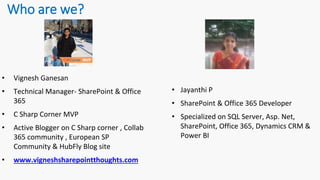
• Vignesh Ganesan
• Technical Manager- SharePoint & Office
365
• C Sharp Corner MVP
• Active Blogger on C Sharp corner , Collab
365 community , European SP
Community & HubFly Blog site
• www.vigneshsharepointthoughts.com
• Jayanthi P
• SharePoint & Office 365 Developer
• Specialized on SQL Server, Asp. Net,
SharePoint, Office 365, Dynamics CRM &
Power BI
Targeted Audiences
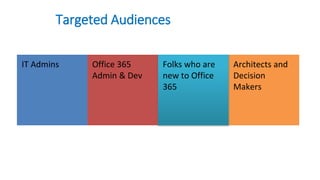
IT Admins Office 365
Admin & Dev
Architects and
Decision
Makers
Folks who are
new to Office
365
Today Agenda
We’ll look at two new offerings for Office 365:
• PowerApps – Custom apps for business needs
• Flow – Automated workflows between apps and services
Review these products and walk through creating SharePoint focused
example.
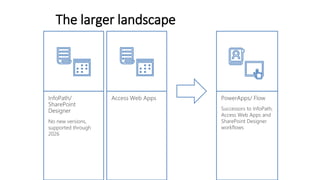
The larger landscape
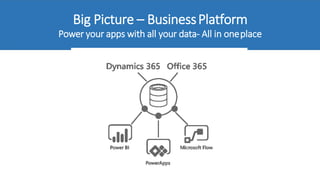
Big Picture – BusinessPlatform
Power your apps with all your data- All in oneplace
Business Application PlatformInnovation
• Power BI
• Power Apps
• Microsoft Flow
• https://businessplatform.microsoft.com
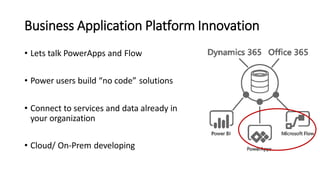
Business Application Platform Innovation
• Lets talk PowerApps and Flow
• Power users build “no code” solutions
• Connect to services and data already in
your organization
• Cloud/ On-Prem developing
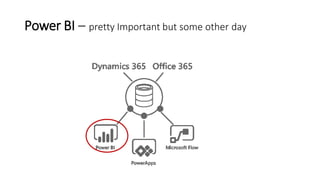
Power BI – pretty Important but some other day
Microsoft Flow
Automate your Business Processes + Tasks
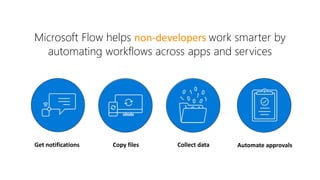
Microsoft Flow helps non-developers work smarter by
automating workflows across apps and services
Get notifications Copy files Collect data Automate approvals
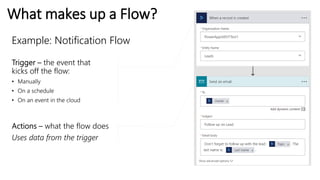
What makes up a Flow?
Example: Notification Flow
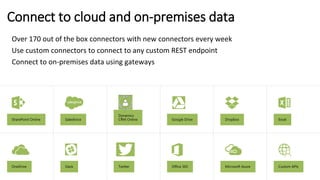
Connect to cloud and on-premises data
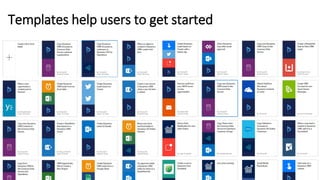
Templates help users to get started
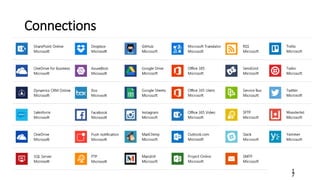
Connections
1
7
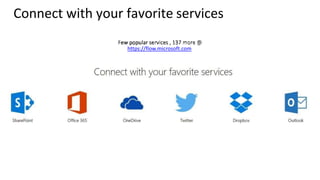
Connect with your favorite services
https://flow.microsoft.com
Modern Approvals in Flow
• Streamline business processes for data in SharePoint,
Dynamics 365, Forms, SQL, etc.
• View sent and received requests in a unified approvals
center
• Do approvals on the go - from your phone or directly from
your inbox
• Customize to fit your business process:
Sequential or hierarchical approvals
Parallel approvals
All Assigned Must Approve
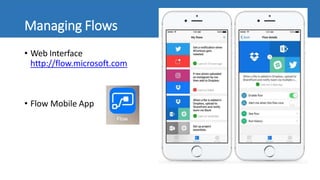
Managing Flows
• Web Interface
http://flow.microsoft.com
• Flow Mobile App
Microsoft Flow roadmap - highlights
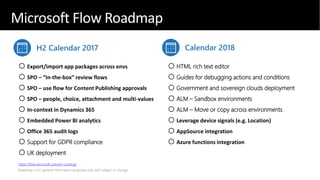
H2 Calendar 2017 Calendar 2018
oExport/import app packages across envs
oSPO – “In-the-box” review flows
oSPO – use flow for Content Publishing approvals
oSPO – people, choice, attachment and multi-values
oIn-context in Dynamics 365
oEmbedded Power BI analytics
oOffice 365 audit logs
oSupport for GDPR compliance
oUK deployment
oHTML rich text editor
oGuides for debugging actions and conditions
oGovernment and sovereign clouds deployment
oALM – Sandbox environments
oALM – Move or copy across environments
oLeverage device signals (e.g. Location)
oAppSource integration
oAzure functions integration
https://flow.microsoft.com/en-us/blog/
Microsoft Flow Roadmap
Microsoft PowerApps
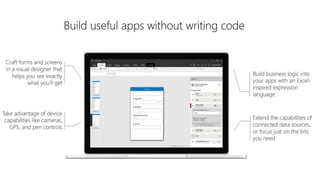
Build custom business mobile apps
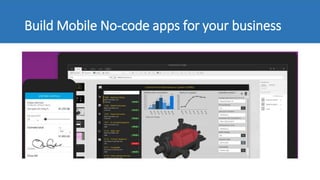
Build Mobile No-code apps for your business
What are PowerApps?
• Stand-alone apps
• Targeted at mobile platforms: Phones and tablets
• Works hand in hand with Microsoft Flow to automate business processes
• Cloud-based tool which allows you to create online forms and mobile apps
that interact with your data across platforms with little or no code.
Notes:
• Solid Integration with SharePoint and several other O365 offerings
• Might be like InfoPath but for mobile platforms
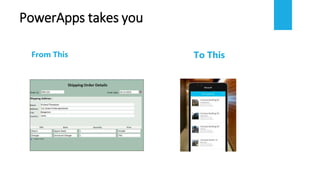
PowerApps takes you
From This To This
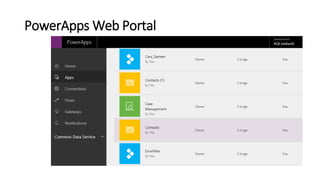
PowerApps Web Portal
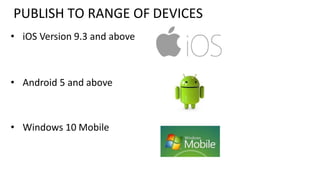
PUBLISH TO RANGE OF DEVICES
• iOS Version 9.3 and above
• Android 5 and above
• Windows 10 Mobile
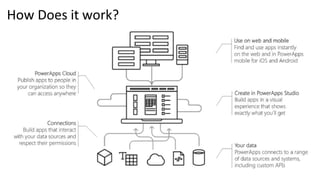
How Does it work?
 Share with anyone on your AD tenant
 Need own credentials for SPO
 SQL as long as you are able to access data
 DropBox/Box access – need own credentials
 Explicit consent every time can be specified
More…
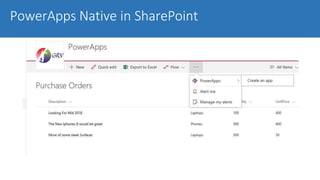
PowerApps Native in SharePoint
Common Datasource to use
3
6
• SharePoint Online
• The CDM
• Sql Server database
• Salesforce
• Dynamics 365
• Excel workbook
Sharing
• NOT public-facing
• Can be shared and accessed across the organization
• Can be shared with all, or specific users
PowerApp Vs InfoPath
• Form Layout like InfoPath does not exist in PowerApp yet… but
Microsoft Ignite 2017 said it will be there in next release.
• Cannot share PowerApp with external users, it can only be used by
users in Office 365 environment
• PowerApps is currently only offered as software as a service (SaaS).
As of now, there have not been any announcement about offering an
On-Premise version.
• PowerApp doesn’t handle printing ... Yet.
Microsoft Flow roadmap - highlights
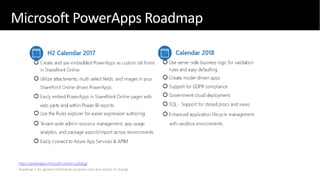
https://powerapps.microsoft.com/en-us/blog/
Microsoft PowerApps Roadmap
Pricing
PowerApps & Flow
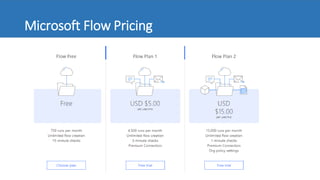
Microsoft Flow Pricing
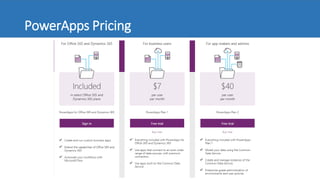
PowerApps Pricing
Conclusion:
“Going forward , it’s a mobile first , cloud
first world “
Digital Transformation

Improving your productivity using Microsoft Flow and PowerApps in Office 365

  • 1.
    Improving your Productivity using MicrosoftFlow and PowerApps in Office 365 By Vignesh Ganesan | MCP, MCITP,MCTS & ITIL V3 Technical Manager - SharePoint & Office 365 & Jayanthi P | MCTS SharePoint & Office 365 Developer
  • 3.
    Who are we? •Vignesh Ganesan • Technical Manager- SharePoint & Office 365 • C Sharp Corner MVP • Active Blogger on C Sharp corner , Collab 365 community , European SP Community & HubFly Blog site • www.vigneshsharepointthoughts.com • Jayanthi P • SharePoint & Office 365 Developer • Specialized on SQL Server, Asp. Net, SharePoint, Office 365, Dynamics CRM & Power BI
  • 4.
    Targeted Audiences IT AdminsOffice 365 Admin & Dev Architects and Decision Makers Folks who are new to Office 365
  • 6.
    Today Agenda We’ll lookat two new offerings for Office 365: • PowerApps – Custom apps for business needs • Flow – Automated workflows between apps and services Review these products and walk through creating SharePoint focused example.
  • 7.
  • 8.
    Big Picture –BusinessPlatform Power your apps with all your data- All in oneplace
  • 9.
    Business Application PlatformInnovation •Power BI • Power Apps • Microsoft Flow • https://businessplatform.microsoft.com
  • 10.
    Business Application PlatformInnovation • Lets talk PowerApps and Flow • Power users build “no code” solutions • Connect to services and data already in your organization • Cloud/ On-Prem developing
  • 11.
    Power BI –pretty Important but some other day
  • 12.
    Microsoft Flow Automate yourBusiness Processes + Tasks
  • 13.
    Microsoft Flow helpsnon-developers work smarter by automating workflows across apps and services Get notifications Copy files Collect data Automate approvals
  • 14.
    What makes upa Flow? Example: Notification Flow
  • 15.
    Connect to cloudand on-premises data
  • 16.
    Templates help usersto get started
  • 17.
  • 18.
    Connect with yourfavorite services https://flow.microsoft.com
  • 19.
    Modern Approvals inFlow • Streamline business processes for data in SharePoint, Dynamics 365, Forms, SQL, etc. • View sent and received requests in a unified approvals center • Do approvals on the go - from your phone or directly from your inbox • Customize to fit your business process: Sequential or hierarchical approvals Parallel approvals All Assigned Must Approve
  • 20.
    Managing Flows • WebInterface http://flow.microsoft.com • Flow Mobile App
  • 24.
    Microsoft Flow roadmap- highlights H2 Calendar 2017 Calendar 2018 oExport/import app packages across envs oSPO – “In-the-box” review flows oSPO – use flow for Content Publishing approvals oSPO – people, choice, attachment and multi-values oIn-context in Dynamics 365 oEmbedded Power BI analytics oOffice 365 audit logs oSupport for GDPR compliance oUK deployment oHTML rich text editor oGuides for debugging actions and conditions oGovernment and sovereign clouds deployment oALM – Sandbox environments oALM – Move or copy across environments oLeverage device signals (e.g. Location) oAppSource integration oAzure functions integration https://flow.microsoft.com/en-us/blog/ Microsoft Flow Roadmap
  • 25.
  • 26.
    Build Mobile No-codeapps for your business
  • 27.
    What are PowerApps? •Stand-alone apps • Targeted at mobile platforms: Phones and tablets • Works hand in hand with Microsoft Flow to automate business processes • Cloud-based tool which allows you to create online forms and mobile apps that interact with your data across platforms with little or no code. Notes: • Solid Integration with SharePoint and several other O365 offerings • Might be like InfoPath but for mobile platforms
  • 28.
  • 29.
  • 31.
    PUBLISH TO RANGEOF DEVICES • iOS Version 9.3 and above • Android 5 and above • Windows 10 Mobile
  • 32.
  • 33.
     Share withanyone on your AD tenant  Need own credentials for SPO  SQL as long as you are able to access data  DropBox/Box access – need own credentials  Explicit consent every time can be specified More…
  • 34.
  • 36.
    Common Datasource touse 3 6 • SharePoint Online • The CDM • Sql Server database • Salesforce • Dynamics 365 • Excel workbook
  • 37.
    Sharing • NOT public-facing •Can be shared and accessed across the organization • Can be shared with all, or specific users
  • 38.
    PowerApp Vs InfoPath •Form Layout like InfoPath does not exist in PowerApp yet… but Microsoft Ignite 2017 said it will be there in next release. • Cannot share PowerApp with external users, it can only be used by users in Office 365 environment • PowerApps is currently only offered as software as a service (SaaS). As of now, there have not been any announcement about offering an On-Premise version. • PowerApp doesn’t handle printing ... Yet.
  • 39.
    Microsoft Flow roadmap- highlights https://powerapps.microsoft.com/en-us/blog/ Microsoft PowerApps Roadmap
  • 40.
  • 41.
  • 42.
  • 44.
    Conclusion: “Going forward ,it’s a mobile first , cloud first world “ Digital Transformation

Editor's Notes