


ICT in teaching and
learning
PDST Technology in Education
Seán Gallagher – seangallagher@pdst.ie
www.pdst.ie
www.pdsttechnologyineducation.ie
@sgpdst
Scoilnet Launch 27/5/2014
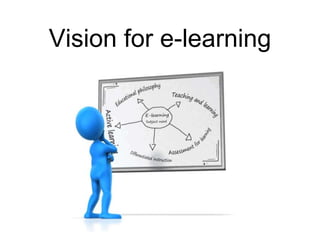
Vision for e-learning
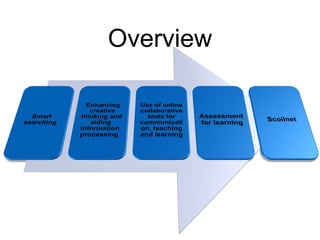
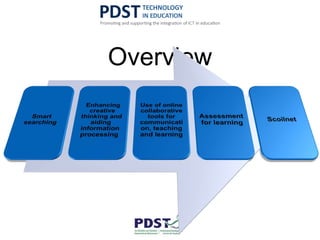
Overview
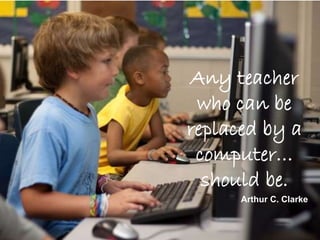
Any teacher
who can be
replaced by a
computer…
should be.
Arthur C. Clarke
SMART SEARCHING
“The meaning of ‘knowing’ has shifted from being
able to remember and repeat information to being
able to find and use it” – Dr. Herbert Simon
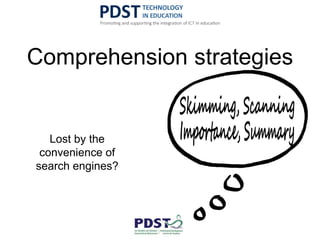
Comprehension strategies
Lost by the
convenience of
search engines?
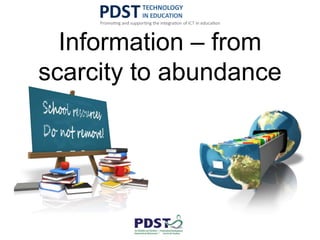
Information – from
scarcity to abundance
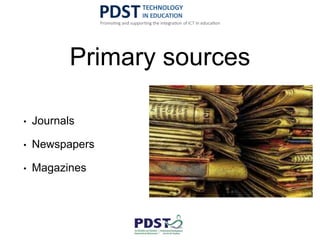
Primary sources
• Journals
• Newspapers
• Magazines
Online tools – from a
teaching/learning
perspective
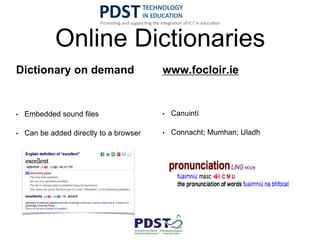
Online Dictionaries
Dictionary on demand
• Embedded sound files
• Can be added directly to a browser
www.focloir.ie
• Canuintí
• Connacht; Mumhan; Uladh
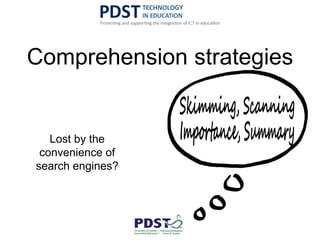
Comprehension strategies
Lost by the
convenience of
search engines?
How to search
• Trusted source
• Reference the source
• Start with one source
initially
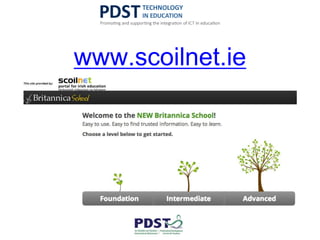
www.scoilnet.ie
• Age appropriate resources
• Factual information; related multimedia and
interactivity
• Text to speech for reluctant readers
• Double click a word to initiate inbuilt dictionary
• Learn the skills of searching safely
Search engines for students
• www.sweetsearch.com
• www.refseek.com
• duckduckgo.com
• www.instagrok.com
We are drowning in information, while starving for
wisdom. The world henceforth will be run by synthesisers,
people able to put together the right information at the
right time, think critically about it, and make important
choices wisely…….. E.O Wilson
Conducting a well-executed search on Google
Using search ‘operators’ can lead to more specific
results. We will explore some of the more useful
ones now!
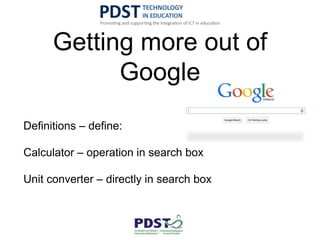
Getting more out of
Google
Definitions – define:
Calculator – operation in search box
Unit converter – directly in search box
Operators
• Use ‘site:’ followed by a website name to confine your
search to a given site
• Use quotations marks “ “ around words to search for use
of those words together
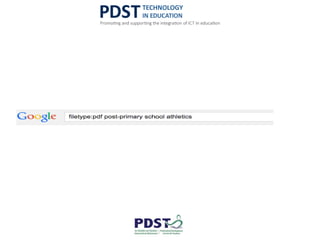
• Search for a specific filetype by using ‘filetype:’ followed
by the extension to specify the file required – pdf, doc,
docx etc
Example…
Find an article in pdf format detailing post-primary
school athletics
ASSESSMENT FOR LEARNING
How do you currently use ICT in your school?
http://padlet.com/seangallagher/scoilnetlaunch
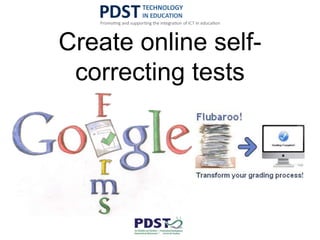
Create online self-
correcting tests
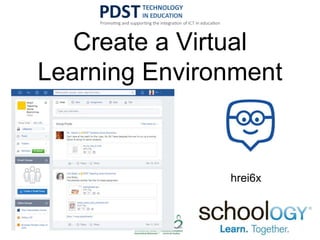
Create a Virtual
Learning Environment
hrei6x
ENHANCING CREATIVE THINKING AND
AIDING INFORMATION PROCESSING
StudyStack
● Useful resource to improve subject specific literacy
and keyword acquisition for students
● Stacks can be created and shared by teachers
and/or students
● Sample stacks set up for:
○ pdstbusiness
○ pdst biology
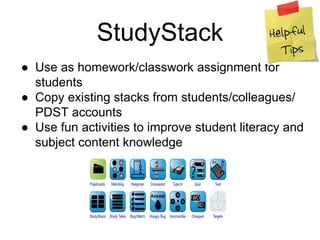
StudyStack
● Use as homework/classwork assignment for
students
● Copy existing stacks from students/colleagues/
PDST accounts
● Use fun activities to improve student literacy and
subject content knowledge
Digital Storytelling
● Digital learners prefer processing pictures,
sounds, colours and video as opposed to static
text
● Animoto is a web 2.0 tool that allows students
and/or teachers to create visually appealing and
memorable videos which can be created in
minutes
● It can be used to improve subject specific
vocabulary, develop understanding and show
evidence of learning
Animoto
Animoto
● Suggestions for use:
o Introducing a new topic
o Revision/recap at the end of a class
o Student/group project work
o Portfolio content
● Subject-specific post-primary videos created by
Irish students and teachers available at
http://tinyurl.com/animotos
● Share yours (or your students) at this link
USE OF ONLINE COLLABORATIVE TOOLS
FOR COMMUNICATION, TEACHING AND
LEARNING
Tools for working
collaboratively
Google Docs explained Office 365 explained
Video Conferencing
Google Hangouts Skype
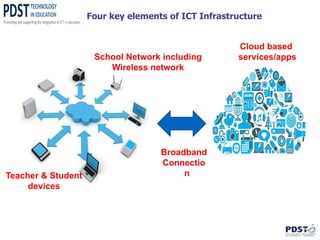
Cloud based
services/apps
Broadband
Connectio
n
School Network including
Wireless network
Teacher & Student
devices
Four key elements of ICT Infrastructure
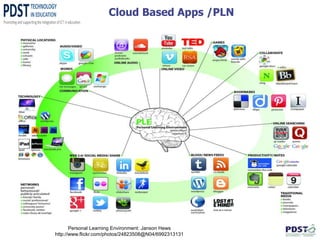
Cloud Based Apps /PLN
Personal Learning Environment: Janson Hews
http://www.flickr.com/photos/24823508@N04/6992313131
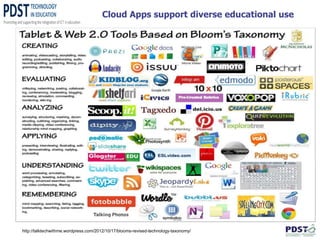
Cloud Apps support diverse educational use
http://talktechwithme.wordpress.com/2012/10/17/blooms-revised-technology-taxonomy/
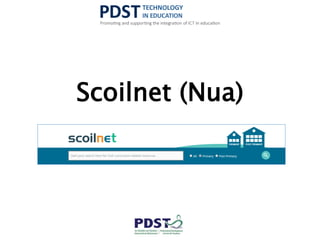
Scoilnet (Nua)
Rationale for current work:
• Findings from user research
• Clear need to create a space where teachers can
resources and quality assess these
• Clear need to make our existing 10,000+ weblinks
• Clear need to engage with the European agenda on
Education, specifically with regard to open
educational resources (OER)
New Scoilnet Website
 New uncluttered design, responsive on all devices
 Simple, universal search box that searches 10,000+ resources
 Dedicated “hub” page for post-primary sector
 All resources have been mapped to the Irish curriculum
 All teachers can now add resources to the website in 3 simple steps
 Website goes live mid-May 2014
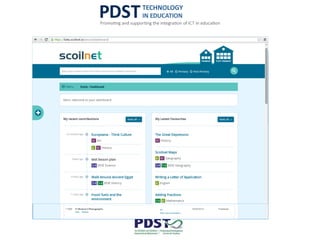
Preview
Scoilnet – What next?
• Give us your feedback
• Spread the news to other teachers
• Register for your Scoilnet Account
• Make it better… add resources, rate resources,
mark your favourites
• Consider it yours
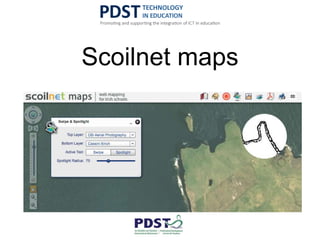
Scoilnet maps
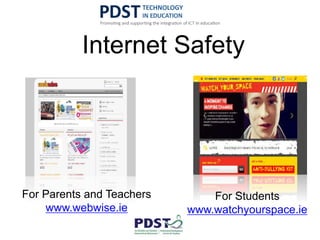
Internet Safety
For Students
www.watchyourspace.ie
For Parents and Teachers
www.webwise.ie
Some prompt questions
• How does the school view ICT?
• What role do you envisage for teachers in your
school in using ICT?
• How do you envisage teachers preparing
curriculum materials in your school?
• Will teachers have access to ICT to prepare
resources?
• Will teachers have access to ICT in classrooms?
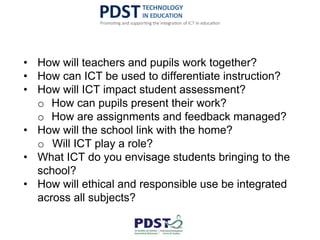
• How will teachers and pupils work together?
• How can ICT be used to differentiate instruction?
• How will ICT impact student assessment?
o How can pupils present their work?
o How are assignments and feedback managed?
• How will the school link with the home?
o Will ICT play a role?
• What ICT do you envisage students bringing to the
school?
• How will ethical and responsible use be integrated
across all subjects?
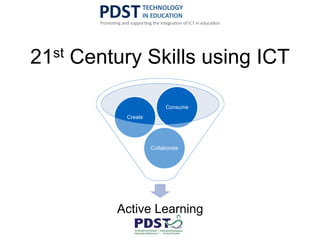
21st Century Skills using ICT
Active Learning
Collaborate
Create
Consume
Overview
Where to next?
http://padlet.com/seangallagher/tomorrow
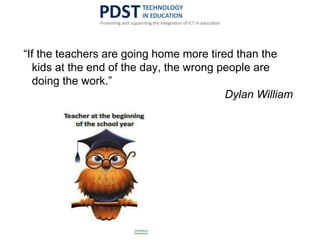
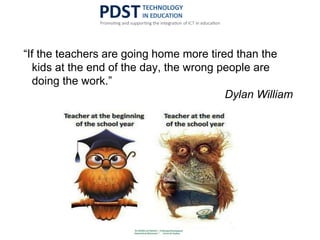
“If the teachers are going home more tired than the
kids at the end of the day, the wrong people are
doing the work.”
Dylan William
“If the teachers are going home more tired than the
kids at the end of the day, the wrong people are
doing the work.”
Dylan William
“If the teachers are going home more tired than the
kids at the end of the day, the wrong people are
doing the work.”
Dylan William
ICT in teaching and
learning
PDST Technology in Education
Seán Gallagher – seangallagher@pdst.ie
www.pdst.ie
www.pdsttechnologyineducation.ie
@sgpdst
Scoilnet Launch 27/5/2014

ICT in teaching and learning 27052014

  • 1.
    ICT in teachingand learning PDST Technology in Education Seán Gallagher – seangallagher@pdst.ie www.pdst.ie www.pdsttechnologyineducation.ie @sgpdst Scoilnet Launch 27/5/2014
  • 2.
  • 3.
  • 4.
    Any teacher who canbe replaced by a computer… should be. Arthur C. Clarke
  • 5.
  • 6.
    “The meaning of‘knowing’ has shifted from being able to remember and repeat information to being able to find and use it” – Dr. Herbert Simon
  • 7.
    Comprehension strategies Lost bythe convenience of search engines?
  • 8.
  • 11.
    Primary sources • Journals •Newspapers • Magazines
  • 12.
    Online tools –from a teaching/learning perspective
  • 13.
    Online Dictionaries Dictionary ondemand • Embedded sound files • Can be added directly to a browser www.focloir.ie • Canuintí • Connacht; Mumhan; Uladh
  • 14.
    Comprehension strategies Lost bythe convenience of search engines?
  • 15.
  • 16.
    • Trusted source •Reference the source • Start with one source initially
  • 17.
  • 18.
    • Age appropriateresources • Factual information; related multimedia and interactivity • Text to speech for reluctant readers • Double click a word to initiate inbuilt dictionary • Learn the skills of searching safely
  • 19.
    Search engines forstudents • www.sweetsearch.com • www.refseek.com • duckduckgo.com • www.instagrok.com
  • 21.
    We are drowningin information, while starving for wisdom. The world henceforth will be run by synthesisers, people able to put together the right information at the right time, think critically about it, and make important choices wisely…….. E.O Wilson
  • 22.
    Conducting a well-executedsearch on Google Using search ‘operators’ can lead to more specific results. We will explore some of the more useful ones now!
  • 23.
    Getting more outof Google Definitions – define: Calculator – operation in search box Unit converter – directly in search box
  • 24.
    Operators • Use ‘site:’followed by a website name to confine your search to a given site • Use quotations marks “ “ around words to search for use of those words together • Search for a specific filetype by using ‘filetype:’ followed by the extension to specify the file required – pdf, doc, docx etc
  • 25.
    Example… Find an articlein pdf format detailing post-primary school athletics
  • 28.
  • 29.
    How do youcurrently use ICT in your school? http://padlet.com/seangallagher/scoilnetlaunch
  • 30.
  • 31.
    Create a Virtual LearningEnvironment hrei6x
  • 33.
    ENHANCING CREATIVE THINKINGAND AIDING INFORMATION PROCESSING
  • 35.
    StudyStack ● Useful resourceto improve subject specific literacy and keyword acquisition for students ● Stacks can be created and shared by teachers and/or students ● Sample stacks set up for: ○ pdstbusiness ○ pdst biology
  • 36.
    StudyStack ● Use ashomework/classwork assignment for students ● Copy existing stacks from students/colleagues/ PDST accounts ● Use fun activities to improve student literacy and subject content knowledge
  • 37.
    Digital Storytelling ● Digitallearners prefer processing pictures, sounds, colours and video as opposed to static text ● Animoto is a web 2.0 tool that allows students and/or teachers to create visually appealing and memorable videos which can be created in minutes ● It can be used to improve subject specific vocabulary, develop understanding and show evidence of learning
  • 38.
  • 39.
    Animoto ● Suggestions foruse: o Introducing a new topic o Revision/recap at the end of a class o Student/group project work o Portfolio content ● Subject-specific post-primary videos created by Irish students and teachers available at http://tinyurl.com/animotos ● Share yours (or your students) at this link
  • 41.
    USE OF ONLINECOLLABORATIVE TOOLS FOR COMMUNICATION, TEACHING AND LEARNING
  • 42.
    Tools for working collaboratively GoogleDocs explained Office 365 explained
  • 43.
  • 44.
    Cloud based services/apps Broadband Connectio n School Networkincluding Wireless network Teacher & Student devices Four key elements of ICT Infrastructure
  • 45.
    Cloud Based Apps/PLN Personal Learning Environment: Janson Hews http://www.flickr.com/photos/24823508@N04/6992313131
  • 46.
    Cloud Apps supportdiverse educational use http://talktechwithme.wordpress.com/2012/10/17/blooms-revised-technology-taxonomy/
  • 47.
  • 48.
    Rationale for currentwork: • Findings from user research • Clear need to create a space where teachers can resources and quality assess these • Clear need to make our existing 10,000+ weblinks • Clear need to engage with the European agenda on Education, specifically with regard to open educational resources (OER)
  • 49.
    New Scoilnet Website New uncluttered design, responsive on all devices  Simple, universal search box that searches 10,000+ resources  Dedicated “hub” page for post-primary sector  All resources have been mapped to the Irish curriculum  All teachers can now add resources to the website in 3 simple steps  Website goes live mid-May 2014
  • 50.
  • 51.
    Scoilnet – Whatnext? • Give us your feedback • Spread the news to other teachers • Register for your Scoilnet Account • Make it better… add resources, rate resources, mark your favourites • Consider it yours
  • 52.
  • 53.
    Internet Safety For Students www.watchyourspace.ie ForParents and Teachers www.webwise.ie
  • 54.
    Some prompt questions •How does the school view ICT? • What role do you envisage for teachers in your school in using ICT? • How do you envisage teachers preparing curriculum materials in your school? • Will teachers have access to ICT to prepare resources? • Will teachers have access to ICT in classrooms?
  • 55.
    • How willteachers and pupils work together? • How can ICT be used to differentiate instruction? • How will ICT impact student assessment? o How can pupils present their work? o How are assignments and feedback managed? • How will the school link with the home? o Will ICT play a role? • What ICT do you envisage students bringing to the school? • How will ethical and responsible use be integrated across all subjects?
  • 57.
    21st Century Skillsusing ICT Active Learning Collaborate Create Consume
  • 58.
  • 59.
  • 60.
    “If the teachersare going home more tired than the kids at the end of the day, the wrong people are doing the work.” Dylan William
  • 61.
    “If the teachersare going home more tired than the kids at the end of the day, the wrong people are doing the work.” Dylan William
  • 62.
    “If the teachersare going home more tired than the kids at the end of the day, the wrong people are doing the work.” Dylan William
  • 63.
    ICT in teachingand learning PDST Technology in Education Seán Gallagher – seangallagher@pdst.ie www.pdst.ie www.pdsttechnologyineducation.ie @sgpdst Scoilnet Launch 27/5/2014

Editor's Notes

  • #3 During the course of our session this morning/afternoon, I want to afford you an opportunity to explore your vision for e-learning in your school? Rather than jumping into this exercise at this stage, I want to explore a range of online tools and applications and how they might be used to enhance teaching and learning Consider the philosophy for education in the school – the school mission statement How will online tools be used in teaching, learning? Assessment for learning – ongoing feedback; paper based submissions? Differentiated instruction – Active learning
  • #7 Dr. Simon is wisely regarded as the founder of the field of artificial intelligence
  • #8 We often marvel at the ability of children today to use technology for games and communication but it cannot be guaranteed that they know how to find and evaluate the suitability of information. When I was at school and indeed when I embarked on my teaching career, it was far easier to develop these comprehension strategies but we had limited sources of information. They are inextricably linked to the comprehension strategies of skimming, scanning, determining importance and summarising. These are skills worth developing with an array of ICT tools and applications to assist us.
  • #9 For definitions, we traditionally consulted a dictionary; more detailed information for projects required access to an encyclopedia and primary sources were journals, newspapers and magazines. In a few short years, we have moved from scarcity of sources of information to an abundance of information through a variety of devices.
  • #10 The source of all information seemed to be in books and physical objects
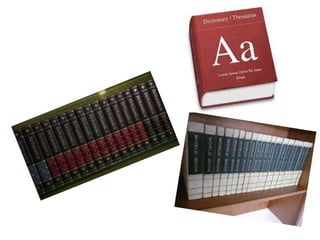
  • #11 World Book, Britannica and Dictionaries were often the main resources we had in our schools/homes.
  • #12 The teachers of yesteryear could tell what encyclopaedia a pupil accessed through the language register alone. Our primary sources were often unearthed with the assistance of a skilled librarian. The Internet and a variety of applications can now provide a variety of dictionaries, encyclopaedias and primary sources.
  • #14 Instead of carrying a dictionary, we can access online dictionaries – often loaded directly in a browser Foras na Gaeilge has developed a fantastic online Irish-English/Gaeilge - Béarla Dictionary with sound files for the various canúintí – Connacht; Mumhan; Uladh. This dictionary is being completed on a phased basis and is due for completion by the end of 2014.
  • #15 We often marvel at the ability of children today to use technology for games and communication but it cannot be guaranteed that they know how to find and evaluate the suitability of information. When I was at school and indeed when I embarked on my teaching career, it was far easier to develop these comprehension strategies but we had limited sources of information. They are inextricably linked to the comprehension strategies of skimming, scanning, determining importance and summarising. These are skills worth developing with an array of ICT tools and applications to assist us.
  • #16 For many of the pupils of today, the first port of call for information relating to a teacher assigned project may be ‘Google’ or any other search engine. Without skills to find and select appropriate information, this maybe a futile exercise and a more developmental approach can be taken. The items returned on the first page of the search may not have immediate relevance to the topic and more importantly, may not be suitable for a post-primary school pupil.
  • #18 In their initial forays into research, pupils can be taught to look for information from a trusted source. It is also a great way to ensure pupils reference the source of their material – they will only have one source initially. In Ireland, all post-primary pupils and teachers have school and home access to Britannica online through the Scoilnet portal – this is a fantastic place to start.
  • #19 There are age appropriate resources containing factual information, related multimedia and interactivity at three levels. – Foundation (ages 5-10); Intermediate (ages 10-14); Advanced (14 onwards). All levels provide the option of text to speech for reluctant readers thus providing immediate added value over a book bound encyclopedia. The additional multimedia provide for differing learning styles. By double clicking any word, the inbuilt dictionary is activated to provide the meaning of the word if required by the pupil. A wide range of engaging multimedia resources that complement lessons are available for all teachers. Furthermore, parents can support learning at home knowing that children can pursue topics of interest in a safe learning environment.
  • #20 Customised search engines exist for student use and they are a great place to start. “Sweet Search” draws information from a variety of student friendly sources including the Britannica website but also shows pupils that they can access information from other sources also. – http://www.sweetsearch.com “Refseek” mainly draws on reference material with a web and document search facility. Any documents found can be opened in the refseek site - http://www.refseek.com/ . “DuckDuckGo” at https://duckduckgo.com has a very clear layout and does not track previous searches A search facility with an interesting visual element is at http://www.instagrok.com/ where the search is presented as a mind map with a number of links – core information, images and videos. Once logged in, the pupil can make notes and keep a journal of the their entire project. The subscription based classroom version allows the teacher to view all the research being undertaken by the pupils aligned to this subscription.
  • #24 With Google, we can access information we needed separate devices for previously – calculator/unit converter
  • #31 Google forms is a free tool – either as part of a regular gmail/Drive account or as part of Google Apps for Education. Pupil assignments can be created, accepted and corrected using a script called Flubaroo
  • #34 Edmodo and Schoology Managing pupil feedback and distribution of digital resources
  • #43 Google Drive is a free, web-based office suite and data storage service offered by Google. It enables users to create online documents and edit them collaboratively. As well as word processing, spreadsheets and presentations, Google Drive offers a “forms” option that can be used to generate online surveys, collate them and present the results. Google Drive is a valuable tool for evaluating students especially for literacy and numeracy. You can easily set and evaluate student questionnaires. The results of these questionnaires can be used to set actions for literacy and numeracy. The new name for Google Docs is Google Drive and can be accessed when you log into a gmail account. An alternative is Microsoft Office 365, which has many of the same features.
  • #44 Hangouts are free video conferencing calls with up to 10 people, done through the Google+ website or mobile app. You are also able to use many apps inside the hangout, allowing users to share and manipulate documents on a google drive or share their screens with other users. Hangouts lets you send messages photos, and make video calls. It is available in Gmail, Google+, on iOS and Android devices, and as a Chrome extension and helps you stay connected no matter where you are or what device you are using. Hangouts are synced automatically, so you can start a Hangout on one device and continue it on another.
  • #45 p
  • #46 p
  • #47 p
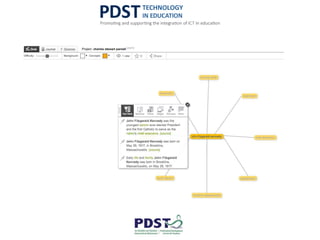
  • #49 User research in Summer 2013 involving 7 focus groups and 680 quantitative questionnaires with teachers. Some of the salient findings: Scoilnet is seen as cluttered, outdated and not user-friendly. Much more use of images, colour coding and graphic symbols and less text – introductory text and ‘more’ buttons only are required Ease of navigation and the facility to search a website by topic or theme, closely followed by how up to date the site content is. Post primary teachers are more concerned about how up to date it is, with navigation and searching by topic or theme close behind. The facility to upload content by teachers More teacher guidance resources, drawing on PDST, NCCA, Education.ie and other ‘Department’ resources, to centralise supports on one site. Opening Up Education communication from the EC outlines some clear transformative actions -- High-quality OER must become more visible and accessible to all citizens. -- The rights and obligations of users of educational materials under copyright should be more transparent across borders.
  • #55 REMOVE LAST TWO QUESTIONS……
  • #56 Google Apps for Education Edmodo Animoto StudyStack