Integration of Technology into the  Curriculum   08/09/2010 Yezenia López
Agenda A Vision of K-12 Students Video AECT's Educational Technology Definition National Educational Technology Standards (NETS) ISD Model: ROAAR Resources available at St Ann Web 2.0 Resources Resources that help avoid distraction Assessment Technological Tools Personal Learning Network .
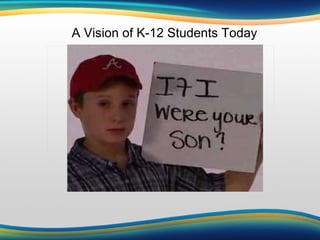
A Vision of K-12 Students Today
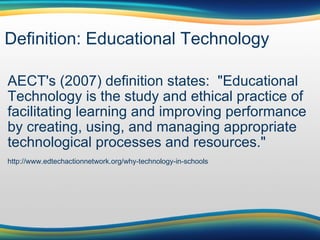
Definition: Educational Technology AECT's (2007) definition states:  "Educational Technology is the study and ethical practice of facilitating learning and improving performance by creating, using, and managing appropriate technological processes and resources." http://www.edtechactionnetwork.org/why-technology-in-schools
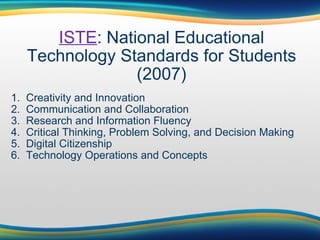
ISTE : National Educational Technology Standards for Students (2007) 1.  C reativity and Innovation 2.  Communication and Collaboration 3.  Research and Information Fluency 4.  Critical Thinking, Problem Solving, and Decision Making 5.  Digital Citizenship 6.  Technology Operations and Concepts
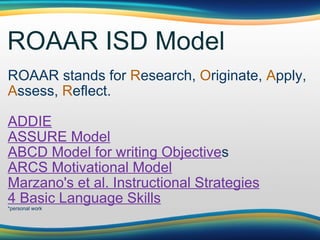
ROAAR ISD Model ROAAR stands for  R esearch,  O riginate,  A pply,  A ssess,  R eflect.  ADDIE ASSURE Model ABCD Model for writing Objective s ARCS Motivational Model Marzano's et al. Instructional Strategies 4 Basic Language Skill s *personal work
Activity: Collaborative word document Create a word document where all of you can share great class management ideas.  Instructions: 1. Please use: Gmail  account  or  TypeWith 2. Time limit: 10-15 minutes
Assignments Create a Glogster of a concept that your students are having problems grasping.  Include at a least one video, 2-links, and text. Send me the link of the HW and the instructional objective that you aimed to accomplish. For inspiration, Listen to the video  You Tube in the Classroom . Now, write 5 technologies that you would like to learn how to implement in your lesson plans, and why.  One paragraph per each technology.  Create one of the following teaching resources: Webquest,  podcast, wiki, video, Screencast, or blog. Send me the link of the HW and the instructional objective that you aimed to accomplish.
Resources
Available and Web-based Resources Available at St Ann:      SMARTboard                          Games      Inspiration             Accelerated Reader                          AlphaSmart                                Web-based Tools      Blogs              Glogster            Webquest        Picnik      Podcast          Schoology          Games            Jing      Wiki                TypeWith           Wordle            Screencast      Videos            Google                Animoto          LiveBinder                                 
Alpha Smart 3000 Word processing device released in 2000 Recharges connects with a USB to the computer Allows for 100 pgs of writing Lightweight and Portable Has applets (mini software) Great for research (with hard copy resources at the library/classroom) Take quiz
SMARTBoard/Mimio What is Smartboard? Interactive whiteboard that projects your computer screen. What can you do with it?      Digital storytelling      Brainstorm ideas      Reinforce skills      Show students how to navigate      Show video tutorials      Students can participate/do exercises      Show presentations      Show Glogster
LiveBinders Online binder which collects, organizes, and shares resources. LiveBinders for Teachers Examples I created: Military Families Resources for Teachers
Blogs (a)  How to Use Kidblog.org (b)  Kid Blog *Kidblog Use:   Screenflow-Introduction to Kidblog.org                                                                                          Website:   Kidblog Teacher can post class-related information (e.g. assignments, calendars, etc), use it as a portfolio communicate with parents,  show class work examples,  provide useful sites, publish good student writing showcase creative writing, be dynamic, build a newsletter
Picnik Free photo editing made simple and fun What You Can do with Picnik Using Picnik Photo Editor With Your SMART Board
EDU Glogster (a)  Discovery Education Recommends Glogster                            (b)  Glogster EDU Tutorial                           ** Glogster Use :   Students Read “Esperanza Rising”                            Website:   Glogster
Google Docs (a)  Teachers and Principals Talk about Google Docs              (b)  Google Docs in Plain English                                                    Website:   Gmail
Video You Tube Teacher Tube Animoto Student Tube
Wiki   Wikispaces Wikispaces Tutorial Using Wikis in the Classroom
Webquest Definition: an inquiry-oriented online projects promotes cooperative learning,  integrates meaningful learning with instructional methods,  gets students motivated,  develops higher order thinking skills Websites: http://webquest. org   http://questgarden.com/search /   Example of a webquest for  teachers
Class Activity Due the  Webquest
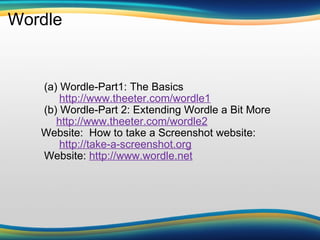
Wordle                           (a) Wordle-Part1: The Basics                   http://www.theeter.com/wordle1                (b) Wordle-Part 2: Extending Wordle a Bit More                  http://www.theeter.com/wordle2             Website:  How to take a Screenshot website:                    http://take-a-screenshot.org                Website:  http://www.wordle.net
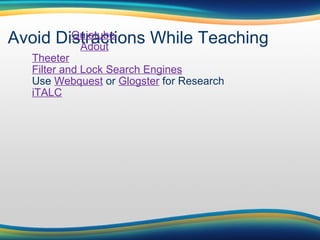
Avoid Distractions While Teaching                       Quietube                          Adout          Theeter          Filter and Lock Search Engines          Use  Webquest  or  Glogster  for Research          iTALC  
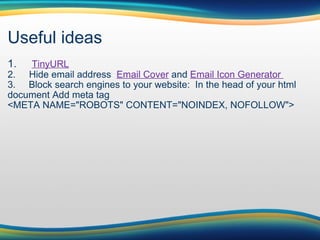
Useful ideas 1.      TinyURL 2.     Hide email address   Email Cover  and  Email Icon Generator  3.       Block search engines to your website:  In the head of your html document Add meta tag  <META NAME=&quot;ROBOTS&quot; CONTENT=&quot;NOINDEX, NOFOLLOW&quot;>
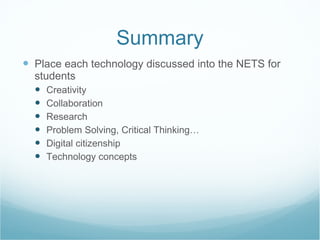
Summary Place each technology discussed into the NETS for students Creativity Collaboration  Research Problem Solving, Critical Thinking… Digital citizenship  Technology concepts
Useful ideas 1.      TinyURL 2.     Hide email address   Email Cover  and  Email Icon Generator  3.       Block search engines to your website:  In the head of your html document Add meta tag  <META NAME=&quot;ROBOTS&quot; CONTENT=&quot;NOINDEX, NOFOLLOW&quot;> 4.  Google Custom Search Engine
Personal Learning Network  for Teachers
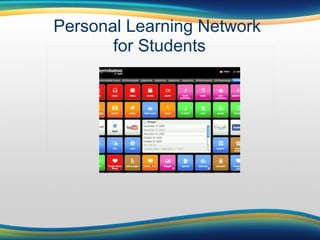
Personal Learning Network  for Students
Personal Learning Network:  Why??? inspires to become better teachers ask questions/answer questions learn what others are doing avoid restrictions share ideas and resources strengthen your weaknesses  access dynamic resources leads to students learning
Personal Learning Network: How Subscribe to receive newsletters:      Edutopia Follow Educational Blogs      The Edublogger by Sue Waters Join Social Networks      Ning: Classroom 2.0 See other virtual classrooms      Oakridge Sixth Grade Class  or  Oakridge Second Grade Class Multimedia Resources/Lesson Plans      Merlot Subscribe to a Professional Association      ISTE
Assessment Technological Tools QuizStar Smart 3000 Webquest for problem solving Blogs as a portfolio Tools can be used as practice exercises and as quizzes .   Instructional Strategy that works. It could be interactive/collaborative work. Remember to assess the process, not only the product.

Integration of technology_into_the_curriculum

  • 1.
    Integration of Technologyinto the  Curriculum   08/09/2010 Yezenia López
  • 2.
    Agenda A Visionof K-12 Students Video AECT's Educational Technology Definition National Educational Technology Standards (NETS) ISD Model: ROAAR Resources available at St Ann Web 2.0 Resources Resources that help avoid distraction Assessment Technological Tools Personal Learning Network .
  • 3.
    A Vision ofK-12 Students Today
  • 4.
    Definition: Educational TechnologyAECT's (2007) definition states:  &quot;Educational Technology is the study and ethical practice of facilitating learning and improving performance by creating, using, and managing appropriate technological processes and resources.&quot; http://www.edtechactionnetwork.org/why-technology-in-schools
  • 5.
    ISTE : NationalEducational Technology Standards for Students (2007) 1.  C reativity and Innovation 2.  Communication and Collaboration 3.  Research and Information Fluency 4.  Critical Thinking, Problem Solving, and Decision Making 5.  Digital Citizenship 6.  Technology Operations and Concepts
  • 6.
    ROAAR ISD ModelROAAR stands for R esearch, O riginate, A pply, A ssess, R eflect.  ADDIE ASSURE Model ABCD Model for writing Objective s ARCS Motivational Model Marzano's et al. Instructional Strategies 4 Basic Language Skill s *personal work
  • 7.
    Activity: Collaborative worddocument Create a word document where all of you can share great class management ideas. Instructions: 1. Please use: Gmail  account  or  TypeWith 2. Time limit: 10-15 minutes
  • 8.
    Assignments Create aGlogster of a concept that your students are having problems grasping.  Include at a least one video, 2-links, and text. Send me the link of the HW and the instructional objective that you aimed to accomplish. For inspiration, Listen to the video  You Tube in the Classroom . Now, write 5 technologies that you would like to learn how to implement in your lesson plans, and why.  One paragraph per each technology.  Create one of the following teaching resources: Webquest,  podcast, wiki, video, Screencast, or blog. Send me the link of the HW and the instructional objective that you aimed to accomplish.
  • 9.
  • 10.
    Available and Web-basedResources Available at St Ann:      SMARTboard                         Games      Inspiration             Accelerated Reader                          AlphaSmart                                Web-based Tools      Blogs              Glogster            Webquest        Picnik      Podcast          Schoology          Games            Jing      Wiki                TypeWith           Wordle            Screencast      Videos            Google                Animoto          LiveBinder                                 
  • 11.
    Alpha Smart 3000Word processing device released in 2000 Recharges connects with a USB to the computer Allows for 100 pgs of writing Lightweight and Portable Has applets (mini software) Great for research (with hard copy resources at the library/classroom) Take quiz
  • 12.
    SMARTBoard/Mimio What isSmartboard? Interactive whiteboard that projects your computer screen. What can you do with it?      Digital storytelling      Brainstorm ideas      Reinforce skills      Show students how to navigate      Show video tutorials      Students can participate/do exercises      Show presentations      Show Glogster
  • 13.
    LiveBinders Online binderwhich collects, organizes, and shares resources. LiveBinders for Teachers Examples I created: Military Families Resources for Teachers
  • 14.
    Blogs (a) How to Use Kidblog.org (b) Kid Blog *Kidblog Use:  Screenflow-Introduction to Kidblog.org                                                                                         Website:   Kidblog Teacher can post class-related information (e.g. assignments, calendars, etc), use it as a portfolio communicate with parents, show class work examples, provide useful sites, publish good student writing showcase creative writing, be dynamic, build a newsletter
  • 15.
    Picnik Free photoediting made simple and fun What You Can do with Picnik Using Picnik Photo Editor With Your SMART Board
  • 16.
    EDU Glogster (a) Discovery Education Recommends Glogster                            (b) Glogster EDU Tutorial                           ** Glogster Use :  Students Read “Esperanza Rising”                            Website:   Glogster
  • 17.
    Google Docs (a) Teachers and Principals Talk about Google Docs              (b) Google Docs in Plain English                                                    Website:   Gmail
  • 18.
    Video You TubeTeacher Tube Animoto Student Tube
  • 19.
    Wiki   WikispacesWikispaces Tutorial Using Wikis in the Classroom
  • 20.
    Webquest Definition: aninquiry-oriented online projects promotes cooperative learning,  integrates meaningful learning with instructional methods,  gets students motivated,  develops higher order thinking skills Websites: http://webquest. org http://questgarden.com/search / Example of a webquest for teachers
  • 21.
    Class Activity Duethe Webquest
  • 22.
    Wordle                         (a) Wordle-Part1: The Basics                   http://www.theeter.com/wordle1             (b) Wordle-Part 2: Extending Wordle a Bit More                  http://www.theeter.com/wordle2             Website:  How to take a Screenshot website:                   http://take-a-screenshot.org             Website: http://www.wordle.net
  • 23.
    Avoid Distractions WhileTeaching                       Quietube                          Adout          Theeter          Filter and Lock Search Engines          Use  Webquest  or Glogster  for Research          iTALC  
  • 24.
    Useful ideas 1.     TinyURL 2.     Hide email address   Email Cover  and Email Icon Generator  3.     Block search engines to your website:  In the head of your html document Add meta tag <META NAME=&quot;ROBOTS&quot; CONTENT=&quot;NOINDEX, NOFOLLOW&quot;>
  • 25.
    Summary Place eachtechnology discussed into the NETS for students Creativity Collaboration Research Problem Solving, Critical Thinking… Digital citizenship Technology concepts
  • 26.
    Useful ideas 1.     TinyURL 2.     Hide email address   Email Cover  and Email Icon Generator  3.     Block search engines to your website:  In the head of your html document Add meta tag <META NAME=&quot;ROBOTS&quot; CONTENT=&quot;NOINDEX, NOFOLLOW&quot;> 4. Google Custom Search Engine
  • 27.
  • 28.
  • 29.
    Personal Learning Network: Why??? inspires to become better teachers ask questions/answer questions learn what others are doing avoid restrictions share ideas and resources strengthen your weaknesses  access dynamic resources leads to students learning
  • 30.
    Personal Learning Network:How Subscribe to receive newsletters:      Edutopia Follow Educational Blogs     The Edublogger by Sue Waters Join Social Networks      Ning: Classroom 2.0 See other virtual classrooms      Oakridge Sixth Grade Class or Oakridge Second Grade Class Multimedia Resources/Lesson Plans      Merlot Subscribe to a Professional Association      ISTE
  • 31.
    Assessment Technological ToolsQuizStar Smart 3000 Webquest for problem solving Blogs as a portfolio Tools can be used as practice exercises and as quizzes .   Instructional Strategy that works. It could be interactive/collaborative work. Remember to assess the process, not only the product.

Editor's Notes

  • #3 Icebreaker: Divide into 2 groups and write 5 most versatile technologies that could be used across the curriculum. 5 web-based tools that you would like to learn how to incorporate 
  • #4 How many of you have young children?  Do they use technology? How do they use technology? The video shows different technologies that our students probably have access to. They expect to use technology, so don&apos;t be afraid to try new technologies. Take advantage of their skills.  Students can help each other out.  At the end, I like how one can see their creativity when they write: engage me
  • #5 AECT stands for Association of Educational Communications and Technology  Definition is constantly revised to include the characteristics and limitations of the field. 1920 focus on visual instruction 1940 focus on audiovisual  1950-60 focus on instruction as a process to solve instructional problems *Definition highlights that educators should provide resources for their own learning process. Emphasizes ethics Teachers as facilitators Some instructional Strategies: (1) homework, (2) compare and contrast, (3) summary, (cooperative learning...
  • #6 This is what we should be doing with the curriculum. Teachers as facilitators, help them develop all those skills.  As you can see, the focus of the Internet changes...  Students can do research but now with web 2.0 tools, they can create, publish what they created with blogs, wikis, podcasts, etc  It is more engaging, more student centered,  more FUN
  • #7 ISD stands for Instructional Systems Design ISD Models are used when creating instruction to maximize the efficiency, effectiveness, and appeal of instruction to enhance the learning experience.  example of how I created a lg instruction.  
  • #8 think of it as formative evaluation