Operators and
Expressions
in C
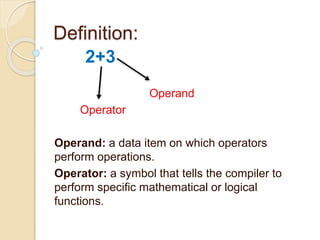
2+3
Operand
Operator
Operand: a data item on which operators
perform operations.
Operator: a symbol that tells the compiler to
perform specific mathematical or logical
functions.
Definition:
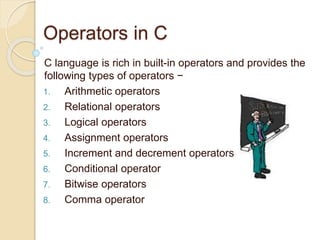
Operators in C
C language is rich in built-in operators and provides the
following types of operators −
1. Arithmetic operators
2. Relational operators
3. Logical operators
4. Assignment operators
5. Increment and decrement operators
6. Conditional operator
7. Bitwise operators
8. Comma operator
Properties of Operators
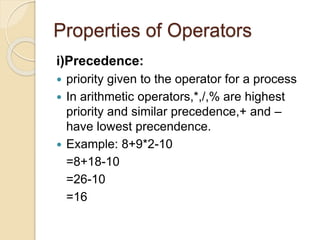
i)Precedence:
 priority given to the operator for a process
 In arithmetic operators,*,/,% are highest
priority and similar precedence,+ and –
have lowest precendence.
 Example: 8+9*2-10
=8+18-10
=26-10
=16
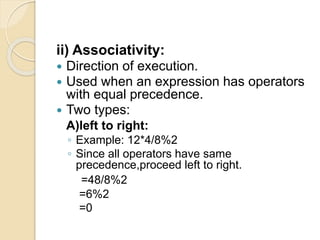
ii) Associativity:
 Direction of execution.
 Used when an expression has operators
with equal precedence.
 Two types:
A)left to right:
◦ Example: 12*4/8%2
◦ Since all operators have same
precedence,proceed left to right.
=48/8%2
=6%2
=0
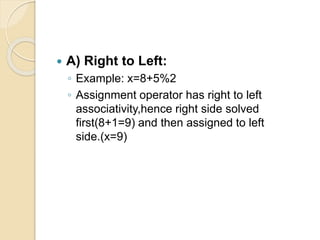
 A) Right to Left:
◦ Example: x=8+5%2
◦ Assignment operator has right to left
associativity,hence right side solved
first(8+1=9) and then assigned to left
side.(x=9)
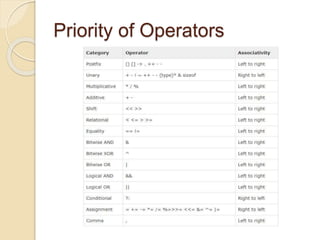
Priority of Operators
Rules for evaluation of
expression
1. First parenthesized sub expression from left to
right are evaluated.
2. If parentheses are nested, the evaluation begins
with the innermost sub expression
3. The precedence rule is applied in determining the
order of application of operators in evaluating sub
expressions
4. The associatively rule is applied when 2 or more
operators of the same precedence level appear
in a sub expression.
5. Arithmetic expressions are evaluated from left to
right using the rules of precedence
6. When parentheses are used, the expressions
within parentheses assume highest priority
Examples
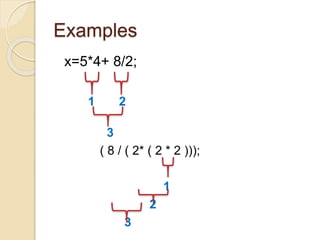
x=5*4+ 8/2;
1 2
3
( 8 / ( 2* ( 2 * 2 )));
1
2
3
Example
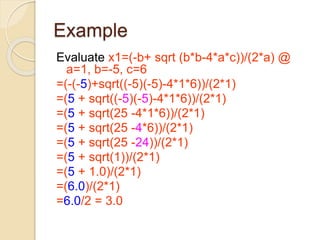
Evaluate x1=(-b+ sqrt (b*b-4*a*c))/(2*a) @
a=1, b=-5, c=6
=(-(-5)+sqrt((-5)(-5)-4*1*6))/(2*1)
=(5 + sqrt((-5)(-5)-4*1*6))/(2*1)
=(5 + sqrt(25 -4*1*6))/(2*1)
=(5 + sqrt(25 -4*6))/(2*1)
=(5 + sqrt(25 -24))/(2*1)
=(5 + sqrt(1))/(2*1)
=(5 + 1.0)/(2*1)
=(6.0)/(2*1)
=6.0/2 = 3.0
Comma Operator(,)
 Used to separate two or more
expressions.
 Lowest priority
 Not essential to parenthesise.
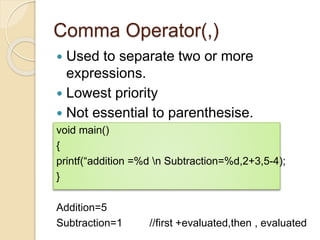
void main()
{
printf(“addition =%d n Subtraction=%d,2+3,5-4);
}
Addition=5
Subtraction=1 //first +evaluated,then , evaluated
Conditional Operator(? :)
 Contains condition followed by two
statement or values.
 Ternary operator:takes 3 arguments.
 If condition true,first statement
executed,otherwise second executed.
 Syntax:
Condition? (expression1): (expression2)
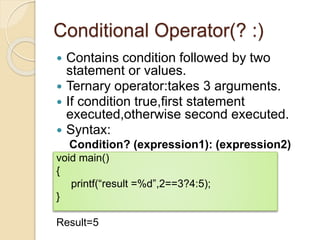
void main()
{
printf(“result =%d”,2==3?4:5);
}
Result=5
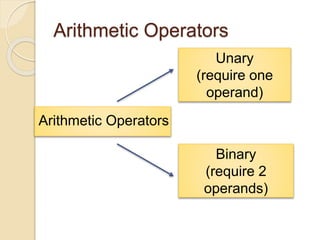
Arithmetic Operators
Unary
(require one
operand)
Binary
(require 2
operands)
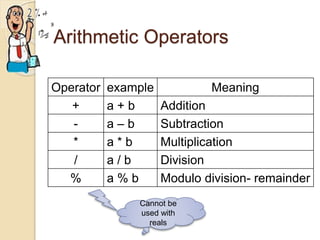
Arithmetic Operators
Operator example Meaning
+ a + b Addition
- a – b Subtraction
* a * b Multiplication
/ a / b Division
% a % b Modulo division- remainder
Cannot be
used with
reals
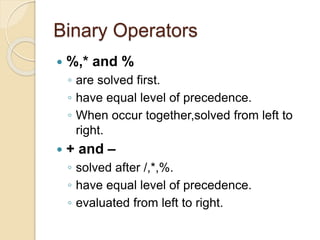
Binary Operators
 %,* and %
◦ are solved first.
◦ have equal level of precedence.
◦ When occur together,solved from left to
right.
 + and –
◦ solved after /,*,%.
◦ have equal level of precedence.
◦ evaluated from left to right.
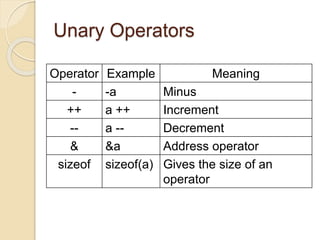
Unary Operators
Operator Example Meaning
- -a Minus
++ a ++ Increment
-- a -- Decrement
& &a Address operator
sizeof sizeof(a) Gives the size of an
operator
 A)minus(-):
• used for indicating or changing the
algebraic sign of a value.
• Example:
int x=-50 assigns the value of -50 to x.
• No unary plus(+) in C,even though a
value assigned with + sign is valid,still not
used in practice.
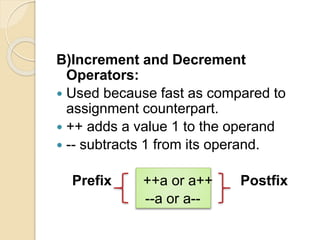
B)Increment and Decrement
Operators:
 Used because fast as compared to
assignment counterpart.
 ++ adds a value 1 to the operand
 -- subtracts 1 from its operand.
Prefix ++a or a++ Postfix
--a or a--
Rules for ++ & -- operators
1. These require variables as their
operands
2. When postfix either ++ or -- is used
with the variable in a given expression,
the expression is evaluated first and
then it is incremented or decremented
by one
3. When prefix either ++ or – is used with
the variable in a given expression, it is
incremented or decremented by one
first and then the expression is
evaluated with the new value
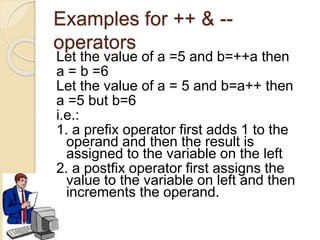
Examples for ++ & --
operators
Let the value of a =5 and b=++a then
a = b =6
Let the value of a = 5 and b=a++ then
a =5 but b=6
i.e.:
1. a prefix operator first adds 1 to the
operand and then the result is
assigned to the variable on the left
2. a postfix operator first assigns the
value to the variable on left and then
increments the operand.
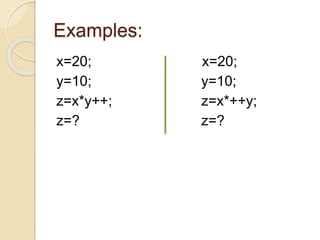
Examples:
x=20; x=20;
y=10; y=10;
z=x*y++; z=x*++y;
z=? z=?
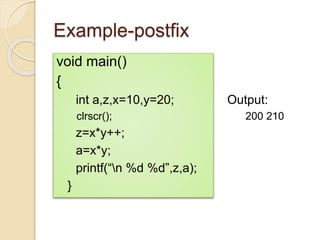
Example-postfix
void main()
{
int a,z,x=10,y=20; Output:
clrscr(); 200 210
z=x*y++;
a=x*y;
printf(“n %d %d”,z,a);
}
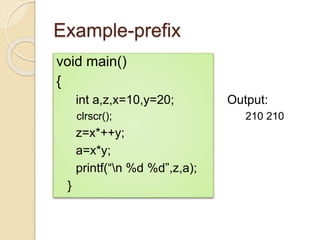
Example-prefix
void main()
{
int a,z,x=10,y=20; Output:
clrscr(); 210 210
z=x*++y;
a=x*y;
printf(“n %d %d”,z,a);
}
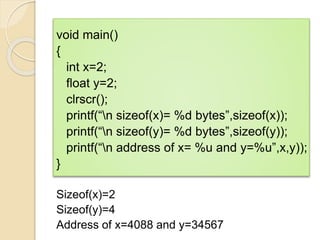
C)sizeof and ‘&’Operator:
 Sizeof gives the bytes occupied by a
variable.
 Size of a variable depends upon its
datatype.
 ‘&’ prints address of the variable in
memory.
void main()
{
int x=2;
float y=2;
clrscr();
printf(“n sizeof(x)= %d bytes”,sizeof(x));
printf(“n sizeof(y)= %d bytes”,sizeof(y));
printf(“n address of x= %u and y=%u”,x,y));
}
Sizeof(x)=2
Sizeof(y)=4
Address of x=4088 and y=34567
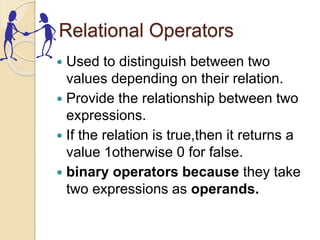
Relational Operators
 Used to distinguish between two
values depending on their relation.
 Provide the relationship between two
expressions.
 If the relation is true,then it returns a
value 1otherwise 0 for false.
 binary operators because they take
two expressions as operands.
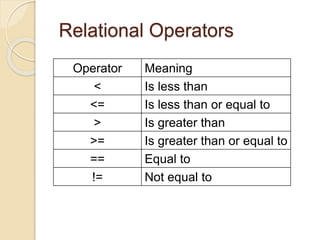
Relational Operators
Operator Meaning
< Is less than
<= Is less than or equal to
> Is greater than
>= Is greater than or equal to
== Equal to
!= Not equal to
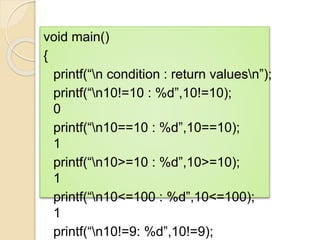
void main()
{
printf(“n condition : return valuesn”);
printf(“n10!=10 : %d”,10!=10);
0
printf(“n10==10 : %d”,10==10);
1
printf(“n10>=10 : %d”,10>=10);
1
printf(“n10<=100 : %d”,10<=100);
1
printf(“n10!=9: %d”,10!=9);
Assignment Operator(=)
 Used for assigning a value.
 Syntax:
v op = exp;
where v = variable,
op = shorthand assignment
operator
exp = expression
 Ex: x=x+3
x+=3
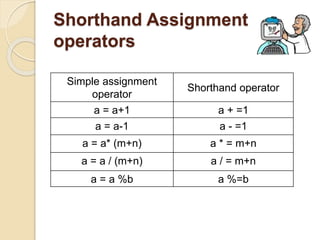
Shorthand Assignment
operators
Simple assignment
operator
Shorthand operator
a = a+1 a + =1
a = a-1 a - =1
a = a* (m+n) a * = m+n
a = a / (m+n) a / = m+n
a = a %b a %=b
Logical Operators
 The logical relationship between the
two expressions is tested with logical
operators.
 Can be used to join two expressions.
 After checking the conditions,it
provides logical true(1) or false(0)
status.
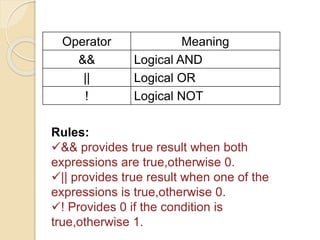
Operator Meaning
&& Logical AND
|| Logical OR
! Logical NOT
Rules:
&& provides true result when both
expressions are true,otherwise 0.
|| provides true result when one of the
expressions is true,otherwise 0.
! Provides 0 if the condition is
true,otherwise 1.
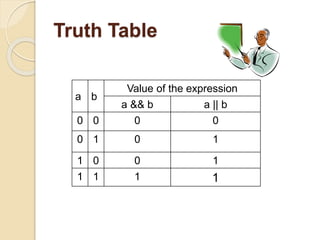
Truth Table
a b
Value of the expression
a && b a || b
0 0 0 0
0 1 0 1
1 0 0 1
1 1 1 1
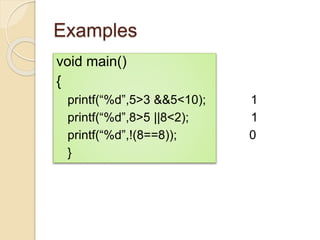
Examples
void main()
{
printf(“%d”,5>3 &&5<10); 1
printf(“%d”,8>5 ||8<2); 1
printf(“%d”,!(8==8)); 0
}
Practice questions
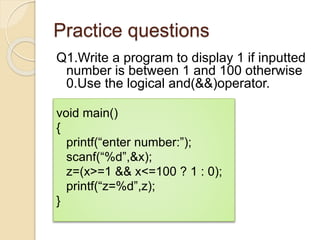
Q1.Write a program to display 1 if inputted
number is between 1 and 100 otherwise
0.Use the logical and(&&)operator.
void main()
{
printf(“enter number:”);
scanf(“%d”,&x);
z=(x>=1 && x<=100 ? 1 : 0);
printf(“z=%d”,z);
}
Practice questions
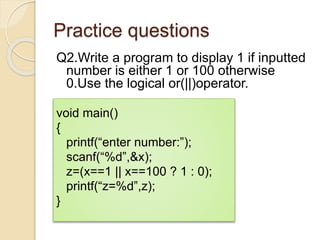
Q2.Write a program to display 1 if inputted
number is either 1 or 100 otherwise
0.Use the logical or(||)operator.
void main()
{
printf(“enter number:”);
scanf(“%d”,&x);
z=(x==1 || x==100 ? 1 : 0);
printf(“z=%d”,z);
}
Practice questions
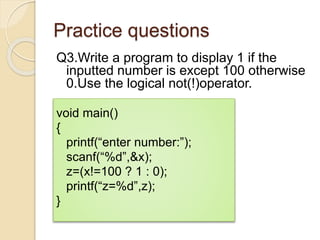
Q3.Write a program to display 1 if the
inputted number is except 100 otherwise
0.Use the logical not(!)operator.
void main()
{
printf(“enter number:”);
scanf(“%d”,&x);
z=(x!=100 ? 1 : 0);
printf(“z=%d”,z);
}
Bitwise Operators
 These operators allow manipulation of
data at the bit level.
 These operators can operate only on
integer operands such as
int,char,short,long.
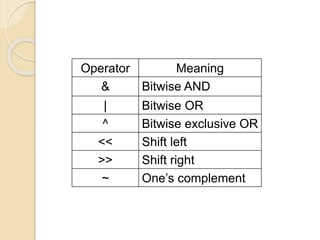
Operator Meaning
& Bitwise AND
| Bitwise OR
^ Bitwise exclusive OR
<< Shift left
>> Shift right
~ One’s complement
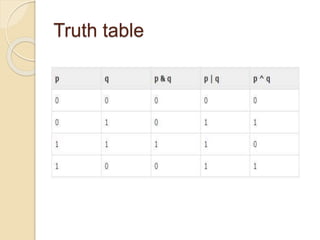
Truth table
Example
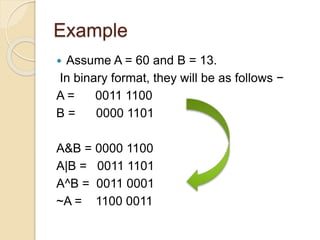
 Assume A = 60 and B = 13.
In binary format, they will be as follows −
A = 0011 1100
B = 0000 1101
A&B = 0000 1100
A|B = 0011 1101
A^B = 0011 0001
~A = 1100 0011
Right Shift
 It is denoted by >>
 Bit Pattern of the data can be shifted by
specified number of Positions to Right
 When Data is Shifted Right , leading zero’s
are filled with zero.
 Right shift Operator is Binary Operator [Bi –
two]
Right shift
Q.Write a program to shift inputted data by two
bits rights.
void main()
{
int x,y;
printf(“read the integer from the keyboard:”);
scanf(“%d”,&x);
x>>=2;
y=x;
printf(“the right shifted data is : %d”,y);
}
Left Shift
 It is denoted by <<
 Bit Pattern of the data can be shifted by
specified number of Positions to Left
 When Data is Shifted Left , trailing zero’s
are filled with zero.
 Left shift Operator is Binary Operator [Bi –
two]
Left shift
Q.Write a program to shift inputted data by two
bits left.
void main()
{
int x,y;
printf(“read the integer from the keyboard:”);
scanf(“%d”,&x);
x<<=2;
y=x;
printf(“the right shifted data is : %d”,y);
}
Operators and expressions in c language

Operators and expressions in c language

  • 1.
  • 2.
    2+3 Operand Operator Operand: a dataitem on which operators perform operations. Operator: a symbol that tells the compiler to perform specific mathematical or logical functions. Definition:
  • 3.
    Operators in C Clanguage is rich in built-in operators and provides the following types of operators − 1. Arithmetic operators 2. Relational operators 3. Logical operators 4. Assignment operators 5. Increment and decrement operators 6. Conditional operator 7. Bitwise operators 8. Comma operator
  • 4.
    Properties of Operators i)Precedence: priority given to the operator for a process  In arithmetic operators,*,/,% are highest priority and similar precedence,+ and – have lowest precendence.  Example: 8+9*2-10 =8+18-10 =26-10 =16
  • 5.
    ii) Associativity:  Directionof execution.  Used when an expression has operators with equal precedence.  Two types: A)left to right: ◦ Example: 12*4/8%2 ◦ Since all operators have same precedence,proceed left to right. =48/8%2 =6%2 =0
  • 6.
     A) Rightto Left: ◦ Example: x=8+5%2 ◦ Assignment operator has right to left associativity,hence right side solved first(8+1=9) and then assigned to left side.(x=9)
  • 7.
  • 8.
    Rules for evaluationof expression 1. First parenthesized sub expression from left to right are evaluated. 2. If parentheses are nested, the evaluation begins with the innermost sub expression 3. The precedence rule is applied in determining the order of application of operators in evaluating sub expressions 4. The associatively rule is applied when 2 or more operators of the same precedence level appear in a sub expression. 5. Arithmetic expressions are evaluated from left to right using the rules of precedence 6. When parentheses are used, the expressions within parentheses assume highest priority
  • 9.
    Examples x=5*4+ 8/2; 1 2 3 (8 / ( 2* ( 2 * 2 ))); 1 2 3
  • 10.
    Example Evaluate x1=(-b+ sqrt(b*b-4*a*c))/(2*a) @ a=1, b=-5, c=6 =(-(-5)+sqrt((-5)(-5)-4*1*6))/(2*1) =(5 + sqrt((-5)(-5)-4*1*6))/(2*1) =(5 + sqrt(25 -4*1*6))/(2*1) =(5 + sqrt(25 -4*6))/(2*1) =(5 + sqrt(25 -24))/(2*1) =(5 + sqrt(1))/(2*1) =(5 + 1.0)/(2*1) =(6.0)/(2*1) =6.0/2 = 3.0
  • 11.
    Comma Operator(,)  Usedto separate two or more expressions.  Lowest priority  Not essential to parenthesise. void main() { printf(“addition =%d n Subtraction=%d,2+3,5-4); } Addition=5 Subtraction=1 //first +evaluated,then , evaluated
  • 12.
    Conditional Operator(? :) Contains condition followed by two statement or values.  Ternary operator:takes 3 arguments.  If condition true,first statement executed,otherwise second executed.  Syntax: Condition? (expression1): (expression2) void main() { printf(“result =%d”,2==3?4:5); } Result=5
  • 13.
    Arithmetic Operators Arithmetic Operators Unary (requireone operand) Binary (require 2 operands)
  • 14.
    Arithmetic Operators Operator exampleMeaning + a + b Addition - a – b Subtraction * a * b Multiplication / a / b Division % a % b Modulo division- remainder Cannot be used with reals
  • 15.
    Binary Operators  %,*and % ◦ are solved first. ◦ have equal level of precedence. ◦ When occur together,solved from left to right.  + and – ◦ solved after /,*,%. ◦ have equal level of precedence. ◦ evaluated from left to right.
  • 16.
    Unary Operators Operator ExampleMeaning - -a Minus ++ a ++ Increment -- a -- Decrement & &a Address operator sizeof sizeof(a) Gives the size of an operator
  • 17.
     A)minus(-): • usedfor indicating or changing the algebraic sign of a value. • Example: int x=-50 assigns the value of -50 to x. • No unary plus(+) in C,even though a value assigned with + sign is valid,still not used in practice.
  • 18.
    B)Increment and Decrement Operators: Used because fast as compared to assignment counterpart.  ++ adds a value 1 to the operand  -- subtracts 1 from its operand. Prefix ++a or a++ Postfix --a or a--
  • 19.
    Rules for ++& -- operators 1. These require variables as their operands 2. When postfix either ++ or -- is used with the variable in a given expression, the expression is evaluated first and then it is incremented or decremented by one 3. When prefix either ++ or – is used with the variable in a given expression, it is incremented or decremented by one first and then the expression is evaluated with the new value
  • 20.
    Examples for ++& -- operators Let the value of a =5 and b=++a then a = b =6 Let the value of a = 5 and b=a++ then a =5 but b=6 i.e.: 1. a prefix operator first adds 1 to the operand and then the result is assigned to the variable on the left 2. a postfix operator first assigns the value to the variable on left and then increments the operand.
  • 21.
  • 22.
    Example-postfix void main() { int a,z,x=10,y=20;Output: clrscr(); 200 210 z=x*y++; a=x*y; printf(“n %d %d”,z,a); }
  • 23.
    Example-prefix void main() { int a,z,x=10,y=20;Output: clrscr(); 210 210 z=x*++y; a=x*y; printf(“n %d %d”,z,a); }
  • 24.
    C)sizeof and ‘&’Operator: Sizeof gives the bytes occupied by a variable.  Size of a variable depends upon its datatype.  ‘&’ prints address of the variable in memory.
  • 25.
    void main() { int x=2; floaty=2; clrscr(); printf(“n sizeof(x)= %d bytes”,sizeof(x)); printf(“n sizeof(y)= %d bytes”,sizeof(y)); printf(“n address of x= %u and y=%u”,x,y)); } Sizeof(x)=2 Sizeof(y)=4 Address of x=4088 and y=34567
  • 26.
    Relational Operators  Usedto distinguish between two values depending on their relation.  Provide the relationship between two expressions.  If the relation is true,then it returns a value 1otherwise 0 for false.  binary operators because they take two expressions as operands.
  • 27.
    Relational Operators Operator Meaning <Is less than <= Is less than or equal to > Is greater than >= Is greater than or equal to == Equal to != Not equal to
  • 28.
    void main() { printf(“n condition: return valuesn”); printf(“n10!=10 : %d”,10!=10); 0 printf(“n10==10 : %d”,10==10); 1 printf(“n10>=10 : %d”,10>=10); 1 printf(“n10<=100 : %d”,10<=100); 1 printf(“n10!=9: %d”,10!=9);
  • 29.
    Assignment Operator(=)  Usedfor assigning a value.  Syntax: v op = exp; where v = variable, op = shorthand assignment operator exp = expression  Ex: x=x+3 x+=3
  • 30.
    Shorthand Assignment operators Simple assignment operator Shorthandoperator a = a+1 a + =1 a = a-1 a - =1 a = a* (m+n) a * = m+n a = a / (m+n) a / = m+n a = a %b a %=b
  • 31.
    Logical Operators  Thelogical relationship between the two expressions is tested with logical operators.  Can be used to join two expressions.  After checking the conditions,it provides logical true(1) or false(0) status.
  • 32.
    Operator Meaning && LogicalAND || Logical OR ! Logical NOT Rules: && provides true result when both expressions are true,otherwise 0. || provides true result when one of the expressions is true,otherwise 0. ! Provides 0 if the condition is true,otherwise 1.
  • 33.
    Truth Table a b Valueof the expression a && b a || b 0 0 0 0 0 1 0 1 1 0 0 1 1 1 1 1
  • 34.
    Examples void main() { printf(“%d”,5>3 &&5<10);1 printf(“%d”,8>5 ||8<2); 1 printf(“%d”,!(8==8)); 0 }
  • 35.
    Practice questions Q1.Write aprogram to display 1 if inputted number is between 1 and 100 otherwise 0.Use the logical and(&&)operator. void main() { printf(“enter number:”); scanf(“%d”,&x); z=(x>=1 && x<=100 ? 1 : 0); printf(“z=%d”,z); }
  • 36.
    Practice questions Q2.Write aprogram to display 1 if inputted number is either 1 or 100 otherwise 0.Use the logical or(||)operator. void main() { printf(“enter number:”); scanf(“%d”,&x); z=(x==1 || x==100 ? 1 : 0); printf(“z=%d”,z); }
  • 37.
    Practice questions Q3.Write aprogram to display 1 if the inputted number is except 100 otherwise 0.Use the logical not(!)operator. void main() { printf(“enter number:”); scanf(“%d”,&x); z=(x!=100 ? 1 : 0); printf(“z=%d”,z); }
  • 38.
    Bitwise Operators  Theseoperators allow manipulation of data at the bit level.  These operators can operate only on integer operands such as int,char,short,long.
  • 39.
    Operator Meaning & BitwiseAND | Bitwise OR ^ Bitwise exclusive OR << Shift left >> Shift right ~ One’s complement
  • 40.
  • 41.
    Example  Assume A= 60 and B = 13. In binary format, they will be as follows − A = 0011 1100 B = 0000 1101 A&B = 0000 1100 A|B = 0011 1101 A^B = 0011 0001 ~A = 1100 0011
  • 42.
    Right Shift  Itis denoted by >>  Bit Pattern of the data can be shifted by specified number of Positions to Right  When Data is Shifted Right , leading zero’s are filled with zero.  Right shift Operator is Binary Operator [Bi – two]
  • 43.
    Right shift Q.Write aprogram to shift inputted data by two bits rights. void main() { int x,y; printf(“read the integer from the keyboard:”); scanf(“%d”,&x); x>>=2; y=x; printf(“the right shifted data is : %d”,y); }
  • 44.
    Left Shift  Itis denoted by <<  Bit Pattern of the data can be shifted by specified number of Positions to Left  When Data is Shifted Left , trailing zero’s are filled with zero.  Left shift Operator is Binary Operator [Bi – two]
  • 45.
    Left shift Q.Write aprogram to shift inputted data by two bits left. void main() { int x,y; printf(“read the integer from the keyboard:”); scanf(“%d”,&x); x<<=2; y=x; printf(“the right shifted data is : %d”,y); }