1. Hamad Zia (7102)
2. M.Arslan Qadir (7103)
3. Saad Ullah Zain (8374)
BSSE-B
3rd Semester
HUMAN COMPUTER INTERACTION
INTRODUCTION
HUMAN COMPUTER INTERACTION
Study of Interaction between Human & Computer to Design Human-Centered Skills, So
that there are Principles & Methods to Create Excellent Interfaces with any Technology.
Interaction between Users & Computers occurs at the User Interface, which Includes both
Hardware & Software.
Interface is a point where the Human can Tell the Computer what to do.
CONT.
Human-Computer Interaction is a Discipline Concerned with the Design, Evaluation &
Implementation of Interactive Computing Systems for Human Use.
HCI is also Referred to as Man Machine Interaction.
• It is the HottestTopic among IT Professionals of Today.
• HCI would Play a Leading Role in the Creation of Tomorrow's Exciting New User
Interface Software.
• Face-Key Detector
• Finger Print Detector
• Flexible Smartphone
• Brain-Computer Interface (BCI) tech
➢ Brainternet etc.
EXAMPLES:
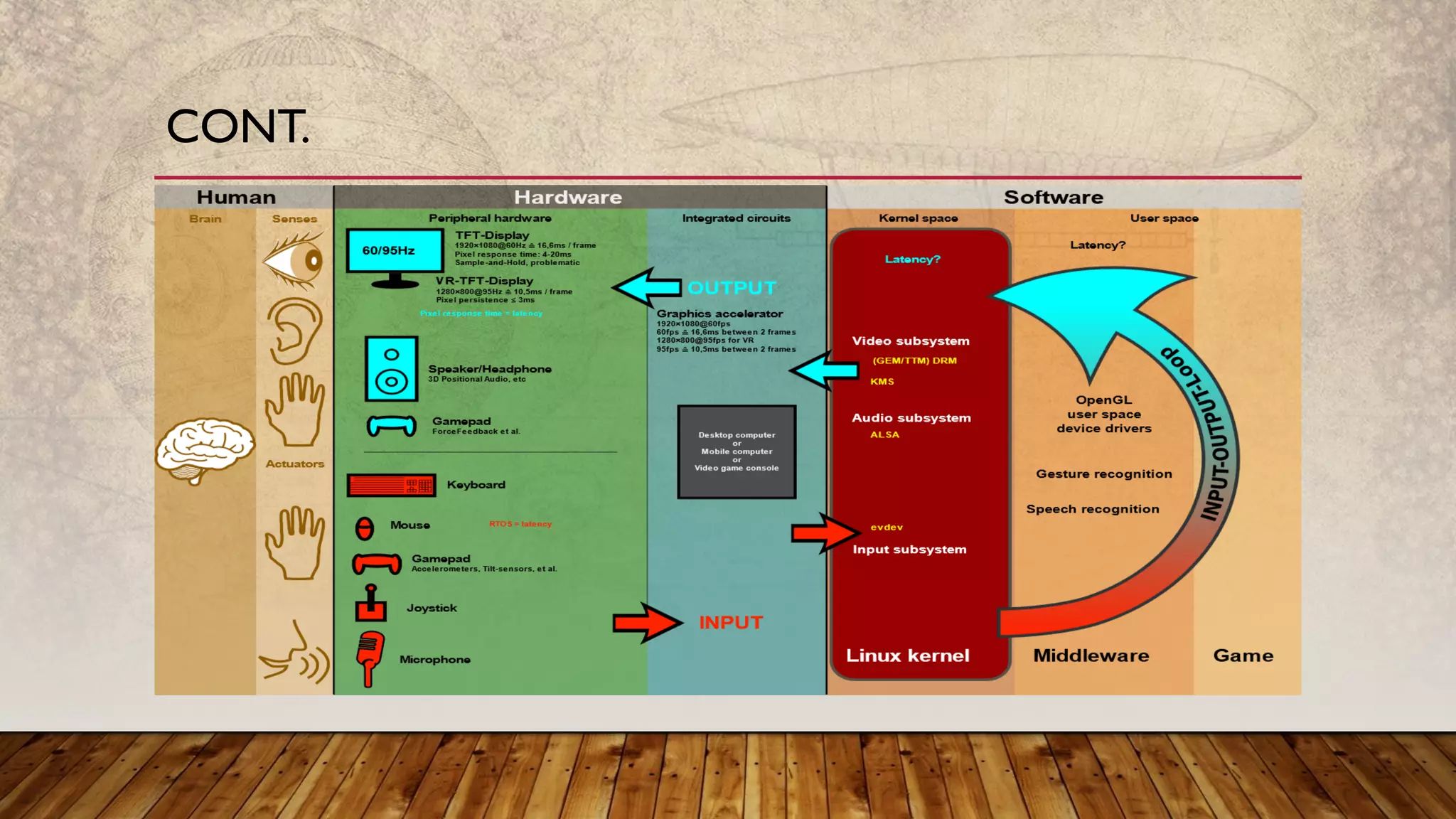
The User Interacts Directly with Hardware for the Human Input & Output Such as
Displays, e.g. through a Graphical User Interface.The User Interacts with the Computer
over this Software Interface using the Given Input & Output (I/O) Hardware.
Software & Hardware must be Matched, so that the Processing of the User Input is Fast
Enough, the Latency of the Computer Output is not Disruptive to theWorkflow.
WORKING:
CONT.
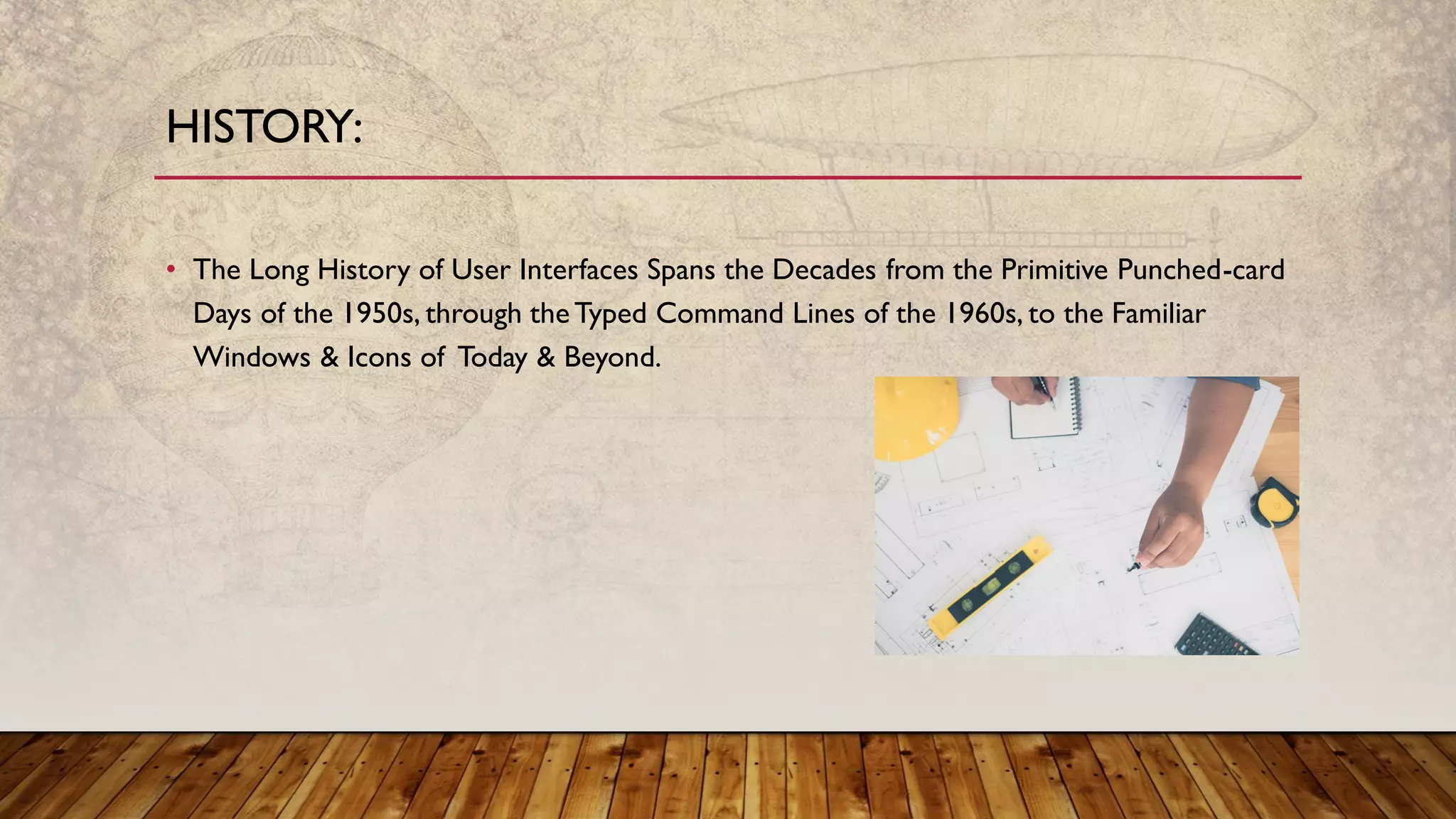
• The Long History of User Interfaces Spans the Decades from the Primitive Punched-card
Days of the 1950s, through theTyped Command Lines of the 1960s, to the Familiar
Windows & Icons of Today & Beyond.
HISTORY:
ADVANTAGES:
• Changing Computers:- Internet, PC & Web Browser were Three Big Inventions of HCI
without these three ourToday would not have been Possible.
• The new Advances in HCI can be categorized in 3 sections wearable devices, wireless
devices, & virtual devices.
• Recent Advances of Research in HCI are in these areas:
➢Intelligent & Adaptive Interfaces
➢Ubiquitous Computing (UbiComp)
Intelligent & Adaptive Interfaces:
Intelligent HCI Designs are Interfaces that Incorporate at Least Some Kind of Intelligence in
Perception from &/or Response to Users:
Ex: Speech Enabled Interfaces that Use Natural Language to Interact with Users & Devices.
Adaptive HCI Designs, on the Other Hand, may not Use Intelligence in the Creation of Interface
but use it to Interact with Users.
Ex:A website using GUI for SellingVarious Products.
CONT.
Ubiquitous Computing:
The Idea of Ubiquitous Computing was to Embed Computers Everywhere in the
Environment & Everyday Objects so that People could Interact with many Computers.
CONT.
• It cannot work without Power/Voltage.
• It is more Expensive & Complex than other Methods.
• Requires the User to learn “Complex” Commands or Language.
• “Hidden Features i.e. if you don’t know the commands you won’t know
the features are there!
DISADVANTAGES:
• Quality of System Depends on How it is Represented & Used by User.
• Therefore, Enormous Amount of Attention has been Paid to Better Designs of HCI.
• Virtual Reality can be the Common Interface in Future.
• UbiComp is Trying to Embed theTechnology in the Environment & make it Invisible at
the Same Time.
• Natural & Neural Interfaces are the Future of Human-Computer Input Interfaces.
CONCLUSION:
• http://www.slideshare.net/AyushaPatnaik/human-computer-interaction-
24766146?from_m_app=android
• https://www.123helpme.com
• https://en.wikipedia.org/wiki/Human%E2%80%93computer_interaction
• http://www.slideshare.net/gsantosh031/1204-hci-new?from_m_app=android
REFERENCES:
THANKYOU!!

Human Computer Interaction (HCI)

  • 2.
    1. Hamad Zia(7102) 2. M.Arslan Qadir (7103) 3. Saad Ullah Zain (8374) BSSE-B 3rd Semester
  • 3.
  • 4.
    INTRODUCTION HUMAN COMPUTER INTERACTION Studyof Interaction between Human & Computer to Design Human-Centered Skills, So that there are Principles & Methods to Create Excellent Interfaces with any Technology. Interaction between Users & Computers occurs at the User Interface, which Includes both Hardware & Software. Interface is a point where the Human can Tell the Computer what to do.
  • 5.
    CONT. Human-Computer Interaction isa Discipline Concerned with the Design, Evaluation & Implementation of Interactive Computing Systems for Human Use. HCI is also Referred to as Man Machine Interaction. • It is the HottestTopic among IT Professionals of Today. • HCI would Play a Leading Role in the Creation of Tomorrow's Exciting New User Interface Software.
  • 6.
    • Face-Key Detector •Finger Print Detector • Flexible Smartphone • Brain-Computer Interface (BCI) tech ➢ Brainternet etc. EXAMPLES:
  • 7.
    The User InteractsDirectly with Hardware for the Human Input & Output Such as Displays, e.g. through a Graphical User Interface.The User Interacts with the Computer over this Software Interface using the Given Input & Output (I/O) Hardware. Software & Hardware must be Matched, so that the Processing of the User Input is Fast Enough, the Latency of the Computer Output is not Disruptive to theWorkflow. WORKING:
  • 8.
  • 9.
    • The LongHistory of User Interfaces Spans the Decades from the Primitive Punched-card Days of the 1950s, through theTyped Command Lines of the 1960s, to the Familiar Windows & Icons of Today & Beyond. HISTORY:
  • 10.
    ADVANTAGES: • Changing Computers:-Internet, PC & Web Browser were Three Big Inventions of HCI without these three ourToday would not have been Possible. • The new Advances in HCI can be categorized in 3 sections wearable devices, wireless devices, & virtual devices. • Recent Advances of Research in HCI are in these areas: ➢Intelligent & Adaptive Interfaces ➢Ubiquitous Computing (UbiComp)
  • 11.
    Intelligent & AdaptiveInterfaces: Intelligent HCI Designs are Interfaces that Incorporate at Least Some Kind of Intelligence in Perception from &/or Response to Users: Ex: Speech Enabled Interfaces that Use Natural Language to Interact with Users & Devices. Adaptive HCI Designs, on the Other Hand, may not Use Intelligence in the Creation of Interface but use it to Interact with Users. Ex:A website using GUI for SellingVarious Products. CONT.
  • 12.
    Ubiquitous Computing: The Ideaof Ubiquitous Computing was to Embed Computers Everywhere in the Environment & Everyday Objects so that People could Interact with many Computers. CONT.
  • 13.
    • It cannotwork without Power/Voltage. • It is more Expensive & Complex than other Methods. • Requires the User to learn “Complex” Commands or Language. • “Hidden Features i.e. if you don’t know the commands you won’t know the features are there! DISADVANTAGES:
  • 14.
    • Quality ofSystem Depends on How it is Represented & Used by User. • Therefore, Enormous Amount of Attention has been Paid to Better Designs of HCI. • Virtual Reality can be the Common Interface in Future. • UbiComp is Trying to Embed theTechnology in the Environment & make it Invisible at the Same Time. • Natural & Neural Interfaces are the Future of Human-Computer Input Interfaces. CONCLUSION:
  • 15.
    • http://www.slideshare.net/AyushaPatnaik/human-computer-interaction- 24766146?from_m_app=android • https://www.123helpme.com •https://en.wikipedia.org/wiki/Human%E2%80%93computer_interaction • http://www.slideshare.net/gsantosh031/1204-hci-new?from_m_app=android REFERENCES:
  • 16.