Human Resource MIS
 Concerned with all of the activities related to
employees and potential employees of the
organization
The Evolution of the HRIS
 First, paper files were located in the Personnel
department.
 Then, punched card and magnetic media files
were located in IS.
 Government legislation in the 1960s and 70s
eventually called management's attention to the
importance of HR data.
 In the late 1970's the concept of an HRIS was
born.
HR IS
 Planning to meet the personnel needs of the
business
 Development of employees to their full
potential
 Control of all personnel policies and programs
The HRIS Database
Type of data:
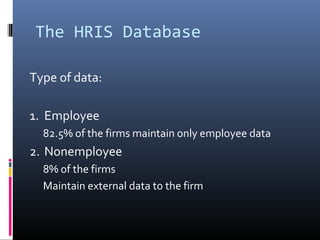
1. Employee
82.5% of the firms maintain only employee data
2. Nonemployee
8% of the firms
Maintain external data to the firm
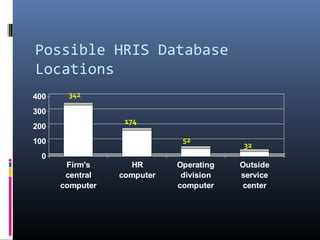
Possible HRIS Database
Locations
Firm's
central
computer
HR
computer
Operating
division
computer
Outside
service
center
0
100
200
300
400
Firm's
central
computer
HR
computer
Operating
division
computer
Outside
service
center
342
174
52
32
Database Location
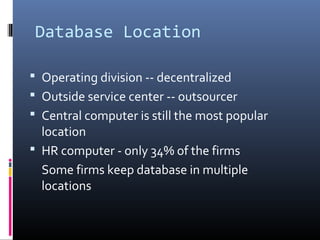
 Operating division -- decentralized
 Outside service center -- outsourcer
 Central computer is still the most popular
location
 HR computer - only 34% of the firms
Some firms keep database in multiple
locations
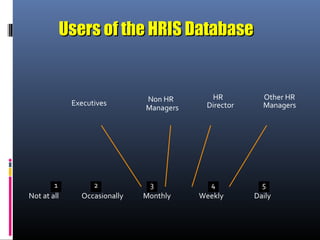
Executives Non HR
10 3 41 12 3 4 5
Managers
HR
Director
Other HR
Managers
Not at all Occasionally Monthly Weekly Daily
Users of the HRIS DatabaseUsers of the HRIS Database
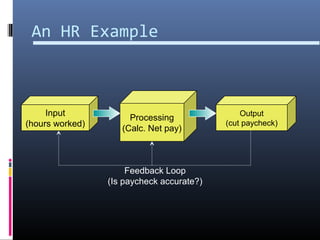
Processing
(Calc. Net pay)
An HR Example
Output
(cut paycheck)
Input
(hours worked)
Feedback Loop
(Is paycheck accurate?)
Inputs to the Human
Resource MIS
 Strategic plan or corporate policies
 The TPS:
 Payroll data
 Order processing data
 Personnel data
 External sources
Human Resource MIS
Subsystems and Outputs
 Human resource planning
 Personnel selection and recruiting
 Training and skills inventory
 Scheduling and job placement
 Wage and salary administration
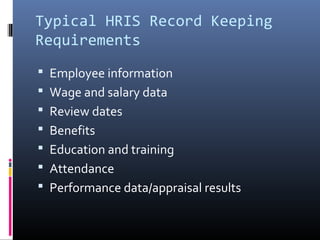
Typical HRIS Record Keeping
Requirements
 Employee information
 Wage and salary data
 Review dates
 Benefits
 Education and training
 Attendance
 Performance data/appraisal results
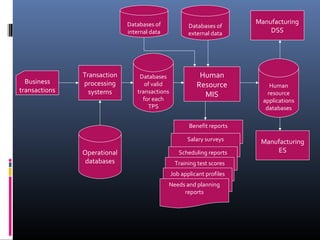
Benefit reports
Salary surveys
Scheduling reportsOperational
databases
Databases
of valid
transactions
for each
TPS
Transaction
processing
systems
Business
transactions
Human
Resource
MIS
Databases of
external data
Databases of
internal data
Manufacturing
DSS
Manufacturing
ES
Human
resource
applications
databases
Training test scores
Job applicant profiles
Needs and planning
reports
Performance of HRIS
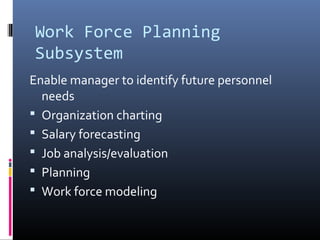
Work Force Planning
Subsystem
Enable manager to identify future personnel
needs
 Organization charting
 Salary forecasting
 Job analysis/evaluation
 Planning
 Work force modeling
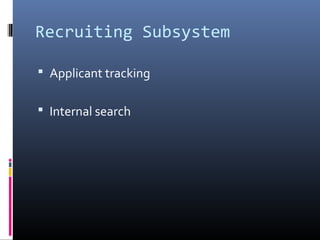
Recruiting Subsystem
 Applicant tracking
 Internal search
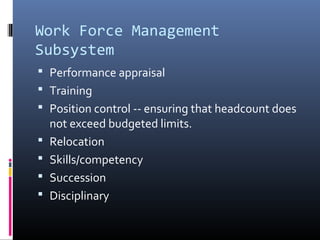
Work Force Management
Subsystem
 Performance appraisal
 Training
 Position control -- ensuring that headcount does
not exceed budgeted limits.
 Relocation
 Skills/competency
 Succession
 Disciplinary
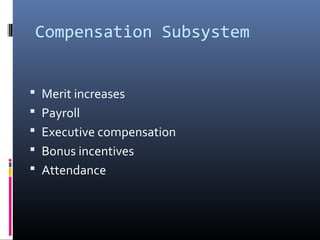
Compensation Subsystem
 Merit increases
 Payroll
 Executive compensation
 Bonus incentives
 Attendance
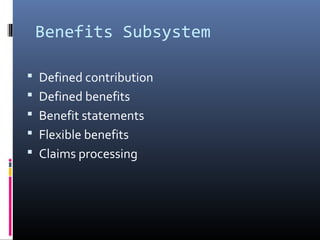
Benefits Subsystem
 Defined contribution
 Defined benefits
 Benefit statements
 Flexible benefits
 Claims processing
Financial MIS
Financial MIS
 Provides financial information to all financial
managers within an organization.
Financial Information Systems
 The finance function of a business is
responsible for obtaining money needed by
the business and for planning the use of that
money.
 Financial information systems provide the
necessary support for the finance function.
 Accounting and financial information systems
often are grouped together.
Some common financial information systems are:
Cash management: This system balances the needs of the
business for cash with the expected cash availability.
Capital expenditure analysis: The purpose of this system is to
analyze the effect on the business of large expenditures
such as those associated with building a new factory or
replacing major equipment.
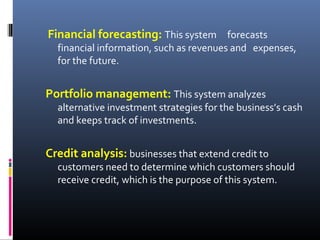
Financial forecasting: This system forecasts
financial information, such as revenues and expenses,
for the future.
Portfolio management: This system analyzes
alternative investment strategies for the business’s cash
and keeps track of investments.
Credit analysis: businesses that extend credit to
customers need to determine which customers should
receive credit, which is the purpose of this system.
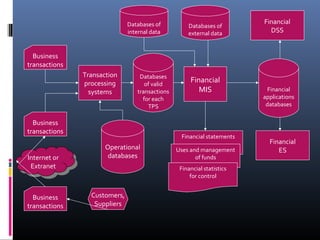
Financial statements
Uses and management
of funds
Financial statistics
for control
Operational
databases
Databases
of valid
transactions
for each
TPS
Transaction
processing
systems
Business
transactions
Business
transactions
Internet or
Extranet
Internet or
Extranet
Financial
MIS
Business
transactions
Databases of
external data
Databases of
internal data
Financial
DSS
Financial
ES
Financial
applications
databases
Customers,
Suppliers
Inputs to the Financial
Information System
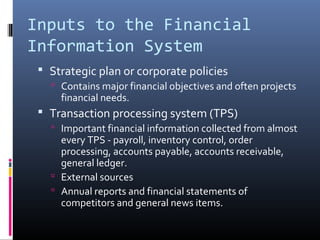
 Strategic plan or corporate policies
 Contains major financial objectives and often projects
financial needs.
 Transaction processing system (TPS)
 Important financial information collected from almost
every TPS - payroll, inventory control, order
processing, accounts payable, accounts receivable,
general ledger.
 External sources
 Annual reports and financial statements of
competitors and general news items.
Financial MIS Subsystems
and Outputs
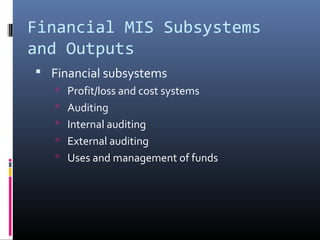
 Financial subsystems
 Profit/loss and cost systems
 Auditing
 Internal auditing
 External auditing
 Uses and management of funds
29
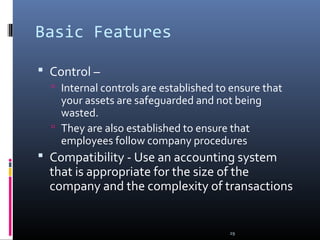
Basic Features
 Control –
 Internal controls are established to ensure that
your assets are safeguarded and not being
wasted.
 They are also established to ensure that
employees follow company procedures
 Compatibility - Use an accounting system
that is appropriate for the size of the
company and the complexity of transactions
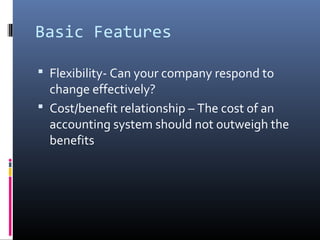
Basic Features
 Flexibility- Can your company respond to
change effectively?
 Cost/benefit relationship – The cost of an
accounting system should not outweigh the
benefits
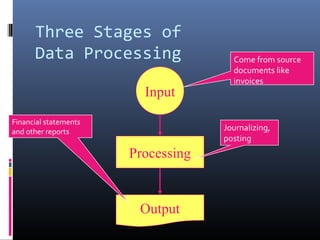
Processing
Input
Output
Three Stages of
Data Processing Come from source
documents like
invoices
Journalizing,
posting
Financial statements
and other reports
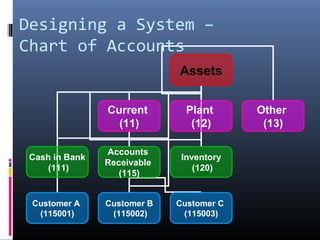
Assets
Current
(11)
Plant
(12)
Other
(13)
Cash in Bank
(111)
Accounts
Receivable
(115)
Inventory
(120)
Customer A
(115001)
Customer B
(115002)
Customer C
(115003)
Designing a System –
Chart of Accounts
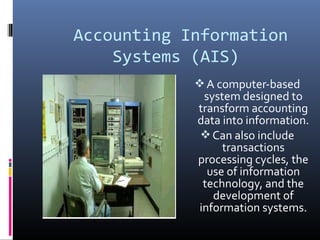
Accounting Information
Systems (AIS)
A computer-based
system designed to
transform accounting
data into information.
Can also include
transactions
processing cycles, the
use of information
technology, and the
development of
information systems.
Transaction Processing
Cycles
A. Revenue Cycle
B. Expenditure Cycle
C. Production Cycle
D. Finance Cycle
E. Financial Reporting Cycle
The transaction processing
cycles provide a means of
viewing the activities of a
business.
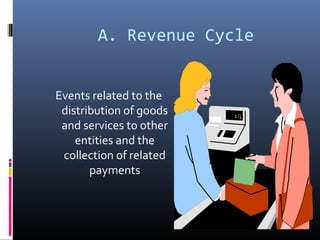
A. Revenue Cycle
Events related to the
distribution of goods
and services to other
entities and the
collection of related
payments
B. Expenditure Cycle
Events related to the
acquisition of goods
and services from
other entities and the
settlement of related
obligations.
C. Production Cycle
Events related to the
transformation of
resources into goods
and services.
D. Finance Cycle
Events related to the
acquisition and
management of
capital funds,
including cash. The
treasurer is
responsible for the
finances of the
business.
E. Financial Reporting
Cycle
 Not an operating cycle
 This cycle obtains
accounting and
operating data from
other cycles and
processes this data so
that financial reports can
be prepared.
 A controller is in charge
of the accounting
function.

Hr mis

  • 2.
    Human Resource MIS Concerned with all of the activities related to employees and potential employees of the organization
  • 3.
    The Evolution ofthe HRIS  First, paper files were located in the Personnel department.  Then, punched card and magnetic media files were located in IS.  Government legislation in the 1960s and 70s eventually called management's attention to the importance of HR data.  In the late 1970's the concept of an HRIS was born.
  • 4.
    HR IS  Planningto meet the personnel needs of the business  Development of employees to their full potential  Control of all personnel policies and programs
  • 5.
    The HRIS Database Typeof data: 1. Employee 82.5% of the firms maintain only employee data 2. Nonemployee 8% of the firms Maintain external data to the firm
  • 6.
  • 7.
    Database Location  Operatingdivision -- decentralized  Outside service center -- outsourcer  Central computer is still the most popular location  HR computer - only 34% of the firms Some firms keep database in multiple locations
  • 8.
    Executives Non HR 103 41 12 3 4 5 Managers HR Director Other HR Managers Not at all Occasionally Monthly Weekly Daily Users of the HRIS DatabaseUsers of the HRIS Database
  • 9.
    Processing (Calc. Net pay) AnHR Example Output (cut paycheck) Input (hours worked) Feedback Loop (Is paycheck accurate?)
  • 10.
    Inputs to theHuman Resource MIS  Strategic plan or corporate policies  The TPS:  Payroll data  Order processing data  Personnel data  External sources
  • 11.
    Human Resource MIS Subsystemsand Outputs  Human resource planning  Personnel selection and recruiting  Training and skills inventory  Scheduling and job placement  Wage and salary administration
  • 12.
    Typical HRIS RecordKeeping Requirements  Employee information  Wage and salary data  Review dates  Benefits  Education and training  Attendance  Performance data/appraisal results
  • 13.
    Benefit reports Salary surveys SchedulingreportsOperational databases Databases of valid transactions for each TPS Transaction processing systems Business transactions Human Resource MIS Databases of external data Databases of internal data Manufacturing DSS Manufacturing ES Human resource applications databases Training test scores Job applicant profiles Needs and planning reports
  • 14.
  • 15.
    Work Force Planning Subsystem Enablemanager to identify future personnel needs  Organization charting  Salary forecasting  Job analysis/evaluation  Planning  Work force modeling
  • 16.
    Recruiting Subsystem  Applicanttracking  Internal search
  • 17.
    Work Force Management Subsystem Performance appraisal  Training  Position control -- ensuring that headcount does not exceed budgeted limits.  Relocation  Skills/competency  Succession  Disciplinary
  • 18.
    Compensation Subsystem  Meritincreases  Payroll  Executive compensation  Bonus incentives  Attendance
  • 19.
    Benefits Subsystem  Definedcontribution  Defined benefits  Benefit statements  Flexible benefits  Claims processing
  • 20.
  • 21.
    Financial MIS  Providesfinancial information to all financial managers within an organization.
  • 22.
    Financial Information Systems The finance function of a business is responsible for obtaining money needed by the business and for planning the use of that money.  Financial information systems provide the necessary support for the finance function.  Accounting and financial information systems often are grouped together.
  • 23.
    Some common financialinformation systems are: Cash management: This system balances the needs of the business for cash with the expected cash availability. Capital expenditure analysis: The purpose of this system is to analyze the effect on the business of large expenditures such as those associated with building a new factory or replacing major equipment.
  • 24.
    Financial forecasting: Thissystem forecasts financial information, such as revenues and expenses, for the future. Portfolio management: This system analyzes alternative investment strategies for the business’s cash and keeps track of investments. Credit analysis: businesses that extend credit to customers need to determine which customers should receive credit, which is the purpose of this system.
  • 25.
    Financial statements Uses andmanagement of funds Financial statistics for control Operational databases Databases of valid transactions for each TPS Transaction processing systems Business transactions Business transactions Internet or Extranet Internet or Extranet Financial MIS Business transactions Databases of external data Databases of internal data Financial DSS Financial ES Financial applications databases Customers, Suppliers
  • 26.
    Inputs to theFinancial Information System  Strategic plan or corporate policies  Contains major financial objectives and often projects financial needs.  Transaction processing system (TPS)  Important financial information collected from almost every TPS - payroll, inventory control, order processing, accounts payable, accounts receivable, general ledger.  External sources  Annual reports and financial statements of competitors and general news items.
  • 27.
    Financial MIS Subsystems andOutputs  Financial subsystems  Profit/loss and cost systems  Auditing  Internal auditing  External auditing  Uses and management of funds
  • 29.
    29 Basic Features  Control–  Internal controls are established to ensure that your assets are safeguarded and not being wasted.  They are also established to ensure that employees follow company procedures  Compatibility - Use an accounting system that is appropriate for the size of the company and the complexity of transactions
  • 30.
    Basic Features  Flexibility-Can your company respond to change effectively?  Cost/benefit relationship – The cost of an accounting system should not outweigh the benefits
  • 31.
    Processing Input Output Three Stages of DataProcessing Come from source documents like invoices Journalizing, posting Financial statements and other reports
  • 32.
    Assets Current (11) Plant (12) Other (13) Cash in Bank (111) Accounts Receivable (115) Inventory (120) CustomerA (115001) Customer B (115002) Customer C (115003) Designing a System – Chart of Accounts
  • 33.
    Accounting Information Systems (AIS) Acomputer-based system designed to transform accounting data into information. Can also include transactions processing cycles, the use of information technology, and the development of information systems.
  • 34.
    Transaction Processing Cycles A. RevenueCycle B. Expenditure Cycle C. Production Cycle D. Finance Cycle E. Financial Reporting Cycle The transaction processing cycles provide a means of viewing the activities of a business.
  • 35.
    A. Revenue Cycle Eventsrelated to the distribution of goods and services to other entities and the collection of related payments
  • 36.
    B. Expenditure Cycle Eventsrelated to the acquisition of goods and services from other entities and the settlement of related obligations.
  • 37.
    C. Production Cycle Eventsrelated to the transformation of resources into goods and services.
  • 38.
    D. Finance Cycle Eventsrelated to the acquisition and management of capital funds, including cash. The treasurer is responsible for the finances of the business.
  • 39.
    E. Financial Reporting Cycle Not an operating cycle  This cycle obtains accounting and operating data from other cycles and processes this data so that financial reports can be prepared.  A controller is in charge of the accounting function.

Editor's Notes

  • #4 7
  • #6 14
  • #7 15
  • #8 16
  • #9 17
  • #10 Here is a classic HR example: Processes: - Get hourly rate - Multiply hours by rate - If over 40 hours determine overtime pay - Deduct taxes and employee charges (parking, investment, benefits) - Print paycheck Can be manual or automated
  • #16 20
  • #17 22
  • #18 24
  • #19 26
  • #20 28