Robert Vidal, ABCP OSCP OSWP
robert.vidal@infotransec.com
http://www.infotransec.com
WordPress Security and
Best Practices
• Robert Vidal, ABCP OSCP OSWP Cert. IS-CF
• Associate Business Continuity Professional (ABCP)
• Certified Vulnerability and Penetration Testing Professional (OSCP)
• Certified Wireless Security Professional (OSWP)
• Certificate Information Security and Computer Forensics (Cert. IS-CF)
• Information Security Analyst – InfoTransec (Hamilton)
• Specializing in Network and Application Security
• Industry Compliance and Governance
• IT Industry since 2005
• Focused on Security since 2008
• Working with WordPress since 2011
About Me:
• Our focus is always on delivering high quality solutions to our clients
through current industry standards and recognized frameworks and
benchmarks.
• Services include:
• Network and Web Application Vulnerability Assessments and Penetration
Testing
• Information Security Services
• Managed IT
• Computer Forensics
• Data Recovery
• eDiscovery
• CyberStalking / CyberBullying
About InfoTransec:
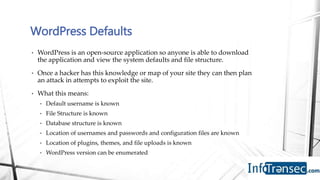
• WordPress is an open-source application so anyone is able to download
the application and view the system defaults and file structure.
• Once a hacker has this knowledge or map of your site they can then plan
an attack in attempts to exploit the site.
• What this means:
• Default username is known
• File Structure is known
• Database structure is known
• Location of usernames and passwords and configuration files are known
• Location of plugins, themes, and file uploads is known
• WordPress version can be enumerated
WordPress Defaults
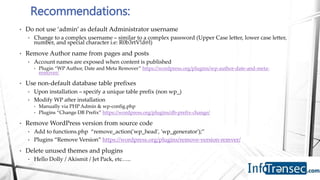
• Do not use ‘admin’ as default Administrator username
• Change to a complex username – similar to a complex password (Upper Case letter, lower case letter,
number, and special character i.e: R0b3rtV!d@l)
• Remove Author name from pages and posts
• Account names are exposed when content is published
• Plugin “WP Author, Date and Meta Remover” https://wordpress.org/plugins/wp-author-date-and-meta-
remover/
• Use non-default database table prefixes
• Upon installation – specify a unique table prefix (non wp_)
• Modify WP after installation
• Manually via PHP Admin & wp-config.php
• Plugins “Change DB Prefix” https://wordpress.org/plugins/db-prefix-change/
• Remove WordPress version from source code
• Add to functions.php “remove_action('wp_head', 'wp_generator');”
• Plugins “Remove Version” https://wordpress.org/plugins/remove-version-remver/
• Delete unused themes and plugins
• Hello Dolly / Akismit / Jet Pack, etc…..
Recommendations:
Q: Who is Hacking your site?
A: Everyone
• Everyone from your competitors, to Black Hat SEO enthusiasts, to hackers and
script kiddies.
• Hackers use automated scanners and GoogleDork search techniques to locate
vulnerable WordPress installations, plugins or themes, which they can exploit.
• Google Dork : Search techniques used to locate websites or information that is not
intended to be indexed by google
• inurl:wp-content/”
• inurl:"/wp-content/plugins/wp-shopping-cart/”
• inurl:”wp-content/plugins/wp-dbmanager/”
• What this means:
• Malware can be injected into the site
• Brute force login attempts can be done over time
• Your site may become slow or unresponsive due to handling the excessive requests
• Tools can be used to scan your site and enumerate information about your site and what
is installed.
• WPScan
• Nmap (http-wordpress-enum - nmap plugin)
• Think Like a Hacker
• Limit search exposure and restrict access to foreign visitors
• If you are offering products and services to people or businesses in the Hamilton area
why do you need to allow visitors from Russia, Ukraine, China?
• via webmaster tools to set a preferred location
• Use IP Blocker plugins to restrict access
• Block information your visitors do not need to see
• Modify the robot.txt file of the webpage to prevent bots from accessing sensitive
information
• Modify the htaccess file to ensure secure file and folder permissions are set
• Take Pro-active measures:
• Installed lockout plugins to lock a user out after a number of failed attempts
• Scan site regularly for Malware
• Sucuri site check
• Use WPScan and nmap to identify what hackers can enumerate.
Recommendations
• Identify Vulnerable Plugins and themes and update
• http://www.wordpressexploit.com/ (WordPress Exploits)
• https://wpvulndb.com/ (WordPress Vulnerability DataBase)
• http://www.cvedetails.com/vulnerability-list/vendor_id-2337/product_id-4096/
(Common Vulnerability Exploit – Details)
• Security Plug-ins:
• https://wordpress.org/plugins/wordfence/ (WordFence)
• Blocking Features, Login Security, Security Scanning, Firewall, Monitoring
• https://wordpress.org/plugins/sucuri-scanner/ (Sucuri Scanner)
• Security Activity Auditing, File Integrity Monitoring, Remote Malware Scanning, Blacklist
Monitoring, Effective Security Hardening, Post-Hack Security Actions, Security
Notifications, Website Firewall
• https://wordpress.org/plugins/all-in-one-wp-security-and-firewall/ (All-In-One)
• User Accounts Security, Login, Registration, Database, File System Security, IP Blocking,
Firewall and more…
Q: If a hacker gains access to your
site, what can they do?
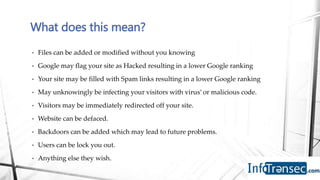
A: Anything they want
• Files can be added or modified without you knowing
• Google may flag your site as Hacked resulting in a lower Google ranking
• Your site may be filled with Spam links resulting in a lower Google ranking
• May unknowingly be infecting your visitors with virus’ or malicious code.
• Visitors may be immediately redirected off your site.
• Website can be defaced.
• Backdoors can be added which may lead to future problems.
• Users can be lock you out.
• Anything else they wish.
What does this mean?
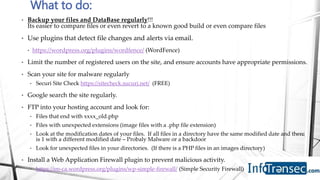
• Backup your files and DataBase regularly!!!
Its easier to compare files or even revert to a known good build or even compare files
• Use plugins that detect file changes and alerts via email.
• https://wordpress.org/plugins/wordfence/ (WordFence)
• Limit the number of registered users on the site, and ensure accounts have appropriate permissions.
• Scan your site for malware regularly
• Securi Site Check https://sitecheck.sucuri.net/ (FREE)
• Google search the site regularly.
• FTP into your hosting account and look for:
• Files that end with xxxx_old.php
• Files with unexpected extensions (image files with a .php file extension)
• Look at the modification dates of your files. If all files in a directory have the same modified date and there
is 1 with a different modified date – Probaly Malware or a backdoor
• Look for unexpected files in your directories. (If there is a PHP files in an images directory)
• Install a Web Application Firewall plugin to prevent malicious activity.
• https://en-ca.wordpress.org/plugins/wp-simple-firewall/ (Simple Security Firewall)
What to do:
Q: Comments – Good or Bad ?
A: Good - Comments are great for
allowing interactivity with your
visitors.
But...
You are also allowing user input into your
site.
What does this mean?
• A visitor can instead of a text comment inject malicious script or links into
your site.
• <script type="text/javascript">alert("Hello");</script>
• I love your site I also found <a href=“http://badwebsite.com”> this link </a> for
more information.
• Visitors can promote their own site or links that may go against the
reputation of your site
• Online Pharmacy’s, Adult content, Profanity
• This can lower your Google Ranking and SEO Reputation
• This can also cause your site to be flagged by google as hacked
• Disable Comments on all pages and posts
• If you wish to allow comments on your site manually approve them or
only allow them on certain pages
• Modify functions.php to NOT allow HTML based comments.
• Review the front end of your site regularly
• Google search your site regularly to ensure Google has not flagged your
site due to malicious comments.
• Install plugins
• That allow users / visitors to report malicious or offensive comments
• Block all comments
• Do not allow HTML comments
What to do:
Q: What is the best method to
protect my site?
A1: Keep the WordPress Core,
Themes and Plugins up to date.
And…
A2: Backup, Backup Backup
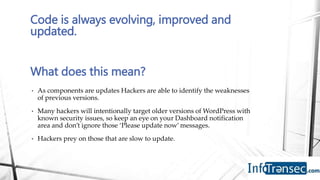
• As components are updates Hackers are able to identify the weaknesses
of previous versions.
• Many hackers will intentionally target older versions of WordPress with
known security issues, so keep an eye on your Dashboard notification
area and don’t ignore those ‘Please update now’ messages.
• Hackers prey on those that are slow to update.
Code is always evolving, improved and
updated.
What does this mean?
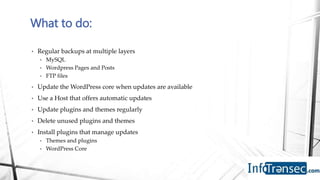
• Regular backups at multiple layers
• MySQL
• Wordpress Pages and Posts
• FTP files
• Update the WordPress core when updates are available
• Use a Host that offers automatic updates
• Update plugins and themes regularly
• Delete unused plugins and themes
• Install plugins that manage updates
• Themes and plugins
• WordPress Core
What to do:
• There is no one-stop solution to secure your site.
• There is no single way to recover / restore a website.
• Use multiple tools and tactics to protect your site.
• Ensure you know what is going on in your site.
• “DON’T SET IT AND FORGET IT”
• Setup email alerts
• Visit and test your own site regularly
• Use Google regularly to search your own site
In Closing:
• Phone: +1 855-INFOSEC (463 6732)
• Email: infosec@infotransec.com
• Web: https://www.infotransec.com
Social Media:
• Twitter: @InfoTransec
• Linkedin: https://www.linkedin.com/company/infotransec
• Facebook: https://www.facebook.com/infotransec/
• Google+: https://plus.google.com/113904412258542168822/
Office Location:
• The Atrium @ McMaster Innovation Park
• 175 Longwood Road South, Suite 416A-8
• Hamilton, Ontario
• L8P 0A1
Connect with InfoTransec:

WordPress Security and Best Practices

  • 1.
    Robert Vidal, ABCPOSCP OSWP robert.vidal@infotransec.com http://www.infotransec.com WordPress Security and Best Practices
  • 2.
    • Robert Vidal,ABCP OSCP OSWP Cert. IS-CF • Associate Business Continuity Professional (ABCP) • Certified Vulnerability and Penetration Testing Professional (OSCP) • Certified Wireless Security Professional (OSWP) • Certificate Information Security and Computer Forensics (Cert. IS-CF) • Information Security Analyst – InfoTransec (Hamilton) • Specializing in Network and Application Security • Industry Compliance and Governance • IT Industry since 2005 • Focused on Security since 2008 • Working with WordPress since 2011 About Me:
  • 3.
    • Our focusis always on delivering high quality solutions to our clients through current industry standards and recognized frameworks and benchmarks. • Services include: • Network and Web Application Vulnerability Assessments and Penetration Testing • Information Security Services • Managed IT • Computer Forensics • Data Recovery • eDiscovery • CyberStalking / CyberBullying About InfoTransec:
  • 4.
    • WordPress isan open-source application so anyone is able to download the application and view the system defaults and file structure. • Once a hacker has this knowledge or map of your site they can then plan an attack in attempts to exploit the site. • What this means: • Default username is known • File Structure is known • Database structure is known • Location of usernames and passwords and configuration files are known • Location of plugins, themes, and file uploads is known • WordPress version can be enumerated WordPress Defaults
  • 5.
    • Do notuse ‘admin’ as default Administrator username • Change to a complex username – similar to a complex password (Upper Case letter, lower case letter, number, and special character i.e: R0b3rtV!d@l) • Remove Author name from pages and posts • Account names are exposed when content is published • Plugin “WP Author, Date and Meta Remover” https://wordpress.org/plugins/wp-author-date-and-meta- remover/ • Use non-default database table prefixes • Upon installation – specify a unique table prefix (non wp_) • Modify WP after installation • Manually via PHP Admin & wp-config.php • Plugins “Change DB Prefix” https://wordpress.org/plugins/db-prefix-change/ • Remove WordPress version from source code • Add to functions.php “remove_action('wp_head', 'wp_generator');” • Plugins “Remove Version” https://wordpress.org/plugins/remove-version-remver/ • Delete unused themes and plugins • Hello Dolly / Akismit / Jet Pack, etc….. Recommendations:
  • 6.
    Q: Who isHacking your site?
  • 7.
  • 8.
    • Everyone fromyour competitors, to Black Hat SEO enthusiasts, to hackers and script kiddies. • Hackers use automated scanners and GoogleDork search techniques to locate vulnerable WordPress installations, plugins or themes, which they can exploit. • Google Dork : Search techniques used to locate websites or information that is not intended to be indexed by google • inurl:wp-content/” • inurl:"/wp-content/plugins/wp-shopping-cart/” • inurl:”wp-content/plugins/wp-dbmanager/” • What this means: • Malware can be injected into the site • Brute force login attempts can be done over time • Your site may become slow or unresponsive due to handling the excessive requests • Tools can be used to scan your site and enumerate information about your site and what is installed. • WPScan • Nmap (http-wordpress-enum - nmap plugin)
  • 9.
    • Think Likea Hacker • Limit search exposure and restrict access to foreign visitors • If you are offering products and services to people or businesses in the Hamilton area why do you need to allow visitors from Russia, Ukraine, China? • via webmaster tools to set a preferred location • Use IP Blocker plugins to restrict access • Block information your visitors do not need to see • Modify the robot.txt file of the webpage to prevent bots from accessing sensitive information • Modify the htaccess file to ensure secure file and folder permissions are set • Take Pro-active measures: • Installed lockout plugins to lock a user out after a number of failed attempts • Scan site regularly for Malware • Sucuri site check • Use WPScan and nmap to identify what hackers can enumerate. Recommendations
  • 10.
    • Identify VulnerablePlugins and themes and update • http://www.wordpressexploit.com/ (WordPress Exploits) • https://wpvulndb.com/ (WordPress Vulnerability DataBase) • http://www.cvedetails.com/vulnerability-list/vendor_id-2337/product_id-4096/ (Common Vulnerability Exploit – Details) • Security Plug-ins: • https://wordpress.org/plugins/wordfence/ (WordFence) • Blocking Features, Login Security, Security Scanning, Firewall, Monitoring • https://wordpress.org/plugins/sucuri-scanner/ (Sucuri Scanner) • Security Activity Auditing, File Integrity Monitoring, Remote Malware Scanning, Blacklist Monitoring, Effective Security Hardening, Post-Hack Security Actions, Security Notifications, Website Firewall • https://wordpress.org/plugins/all-in-one-wp-security-and-firewall/ (All-In-One) • User Accounts Security, Login, Registration, Database, File System Security, IP Blocking, Firewall and more…
  • 11.
    Q: If ahacker gains access to your site, what can they do?
  • 12.
  • 13.
    • Files canbe added or modified without you knowing • Google may flag your site as Hacked resulting in a lower Google ranking • Your site may be filled with Spam links resulting in a lower Google ranking • May unknowingly be infecting your visitors with virus’ or malicious code. • Visitors may be immediately redirected off your site. • Website can be defaced. • Backdoors can be added which may lead to future problems. • Users can be lock you out. • Anything else they wish. What does this mean?
  • 14.
    • Backup yourfiles and DataBase regularly!!! Its easier to compare files or even revert to a known good build or even compare files • Use plugins that detect file changes and alerts via email. • https://wordpress.org/plugins/wordfence/ (WordFence) • Limit the number of registered users on the site, and ensure accounts have appropriate permissions. • Scan your site for malware regularly • Securi Site Check https://sitecheck.sucuri.net/ (FREE) • Google search the site regularly. • FTP into your hosting account and look for: • Files that end with xxxx_old.php • Files with unexpected extensions (image files with a .php file extension) • Look at the modification dates of your files. If all files in a directory have the same modified date and there is 1 with a different modified date – Probaly Malware or a backdoor • Look for unexpected files in your directories. (If there is a PHP files in an images directory) • Install a Web Application Firewall plugin to prevent malicious activity. • https://en-ca.wordpress.org/plugins/wp-simple-firewall/ (Simple Security Firewall) What to do:
  • 15.
    Q: Comments –Good or Bad ?
  • 16.
    A: Good -Comments are great for allowing interactivity with your visitors. But...
  • 17.
    You are alsoallowing user input into your site. What does this mean? • A visitor can instead of a text comment inject malicious script or links into your site. • <script type="text/javascript">alert("Hello");</script> • I love your site I also found <a href=“http://badwebsite.com”> this link </a> for more information. • Visitors can promote their own site or links that may go against the reputation of your site • Online Pharmacy’s, Adult content, Profanity • This can lower your Google Ranking and SEO Reputation • This can also cause your site to be flagged by google as hacked
  • 18.
    • Disable Commentson all pages and posts • If you wish to allow comments on your site manually approve them or only allow them on certain pages • Modify functions.php to NOT allow HTML based comments. • Review the front end of your site regularly • Google search your site regularly to ensure Google has not flagged your site due to malicious comments. • Install plugins • That allow users / visitors to report malicious or offensive comments • Block all comments • Do not allow HTML comments What to do:
  • 19.
    Q: What isthe best method to protect my site?
  • 20.
    A1: Keep theWordPress Core, Themes and Plugins up to date. And…
  • 21.
  • 22.
    • As componentsare updates Hackers are able to identify the weaknesses of previous versions. • Many hackers will intentionally target older versions of WordPress with known security issues, so keep an eye on your Dashboard notification area and don’t ignore those ‘Please update now’ messages. • Hackers prey on those that are slow to update. Code is always evolving, improved and updated. What does this mean?
  • 23.
    • Regular backupsat multiple layers • MySQL • Wordpress Pages and Posts • FTP files • Update the WordPress core when updates are available • Use a Host that offers automatic updates • Update plugins and themes regularly • Delete unused plugins and themes • Install plugins that manage updates • Themes and plugins • WordPress Core What to do:
  • 24.
    • There isno one-stop solution to secure your site. • There is no single way to recover / restore a website. • Use multiple tools and tactics to protect your site. • Ensure you know what is going on in your site. • “DON’T SET IT AND FORGET IT” • Setup email alerts • Visit and test your own site regularly • Use Google regularly to search your own site In Closing:
  • 25.
    • Phone: +1855-INFOSEC (463 6732) • Email: infosec@infotransec.com • Web: https://www.infotransec.com Social Media: • Twitter: @InfoTransec • Linkedin: https://www.linkedin.com/company/infotransec • Facebook: https://www.facebook.com/infotransec/ • Google+: https://plus.google.com/113904412258542168822/ Office Location: • The Atrium @ McMaster Innovation Park • 175 Longwood Road South, Suite 416A-8 • Hamilton, Ontario • L8P 0A1 Connect with InfoTransec: