










Props @tweetsfromchris
Who Am I?

Brad Williams
Co-Founder of WebDevStudios.com
Organizer NJ/Philly WordPress Meetup
Co-Host SitePoint Podcast


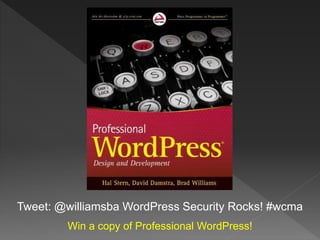
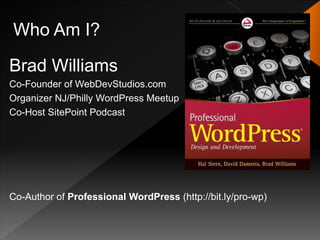
Co-Author of Professional WordPress (http://bit.ly/pro-wp)
The Goal of this Presentation…


   …Is to scare the crap out of you!
The Goal of this Presentation…


   …and then make everything better
   with the best security tips!
Topics

 Example  WordPress Hacks
 Securing Your WordPress Website
 How to Clean Up a Hacked Site
 Hosting Considerations
 Recommended Plugins
Who Do Hackers Target?


  YOU
Who Is Safe?
Who Is Safe?


NO ONE
Scared Yet?
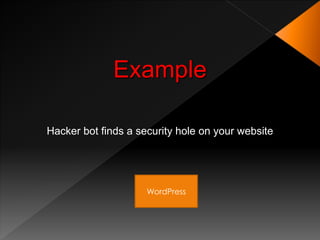
Example

Hacker bot finds a security hole on your website


                     WordPress
Example

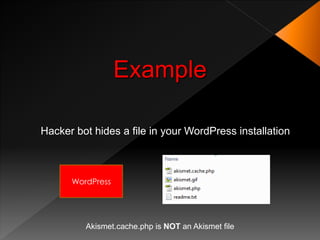
Hacker bot hides a file in your WordPress installation


      WordPress


         Akismet.cache.php is NOT an Akismet file
Example

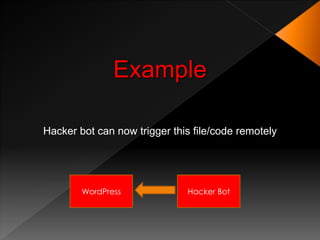
Hacker bot can now trigger this file/code remotely


        WordPress             Hacker Bot
Example
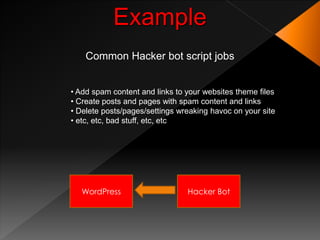
    Common Hacker bot script jobs


• Add spam content and links to your websites theme files
• Create posts and pages with spam content and links
• Delete posts/pages/settings wreaking havoc on your site
• etc, etc, bad stuff, etc, etc


   WordPress                    Hacker Bot
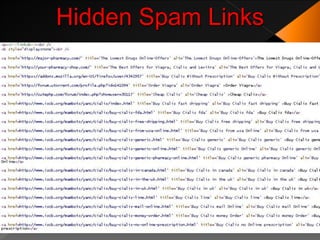
CSS Hides the Spam

<b style=“display:none”>Any text you want to hide</b>
Hidden Spam Links
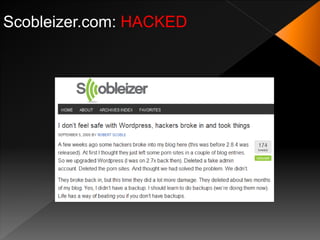
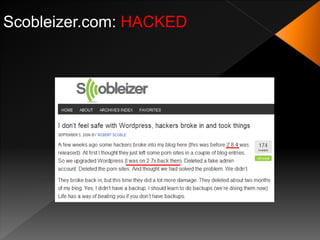
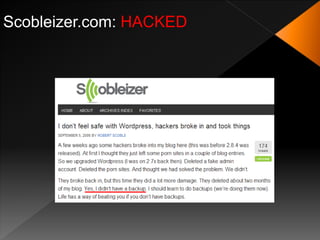
Only Noobs Get Hacked
WRONG!
Only Noobs Get Hacked
Scobleizer.com: HACKED
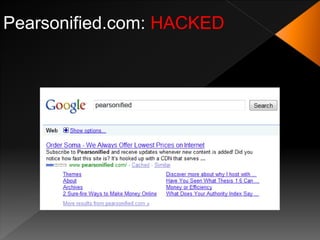
Pearsonified.com: HACKED
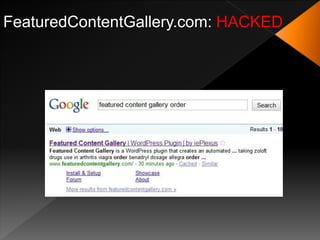
FeaturedContentGallery.com: HACKED
Make it Stop!
Palette Cleanser
Securing WordPress
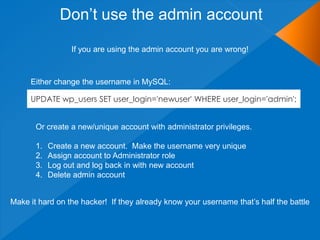
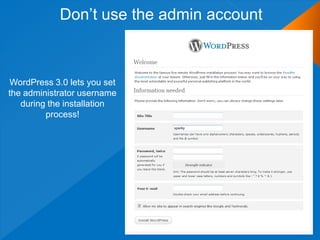
Don‟t use the admin account

                  If you are using the admin account you are wrong!


     Either change the username in MySQL:

     UPDATE wp_users SET user_login='newuser' WHERE user_login='admin';


       Or create a new/unique account with administrator privileges.

       1.   Create a new account. Make the username very unique
       2.   Assign account to Administrator role
       3.   Log out and log back in with new account
       4.   Delete admin account


Make it hard on the hacker! If they already know your username that‟s half the battle
Don‟t use the admin account


WordPress 3.0 lets you set
the administrator username
   during the installation
         process!
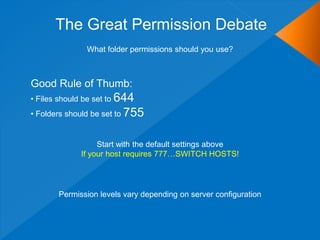
The Great Permission Debate
               What folder permissions should you use?


Good Rule of Thumb:
• Files should be set to 644
• Folders should be set to 755


                  Start with the default settings above
             If your host requires 777…SWITCH HOSTS!


       Permission levels vary depending on server configuration
The Great Permission Debate

Permissions can be set via FTP


Or via SSH with the following commands

find [your path here] -type d -exec chmod 755 {} ;
find [your path here] -type f -exec chmod 644 {} ;
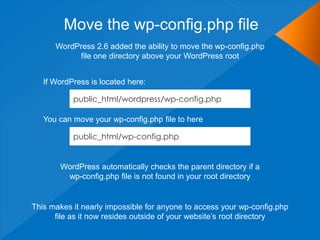
Move the wp-config.php file
      WordPress 2.6 added the ability to move the wp-config.php
           file one directory above your WordPress root


   If WordPress is located here:

           public_html/wordpress/wp-config.php

   You can move your wp-config.php file to here

           public_html/wp-config.php


       WordPress automatically checks the parent directory if a
        wp-config.php file is not found in your root directory


This makes it nearly impossible for anyone to access your wp-config.php
      file as it now resides outside of your website‟s root directory
Move the wp-content Directory
        WordPress 2.6 added the ability to move the wp-content directory


1. Move your wp-content directory
2. Make two additions to wp-config.php

define( 'WP_CONTENT_DIR', $_SERVER['DOCUMENT_ROOT'] . '/blog/wp-content' );
define( 'WP_CONTENT_URL', 'http://domain.com/blog/wp-content');


 If you have compatibility issues with plugins there are two optional settings

define( 'WP_PLUGIN_DIR', $_SERVER['DOCUMENT_ROOT'] . '/blog/wp-content/plugins' );
define( 'WP_PLUGIN_URL', 'http://domain.com/blog/wp-content/plugins');


          If hackers can‟t find your wp-content folder, they can‟t hack it!
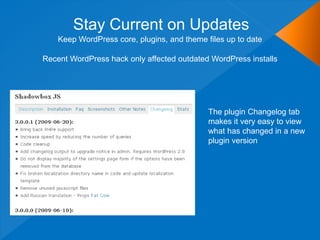
Stay Current on Updates
    Keep WordPress core, plugins, and theme files up to date

Recent WordPress hack only affected outdated WordPress installs


                                             The plugin Changelog tab
                                             makes it very easy to view
                                             what has changed in a new
                                             plugin version
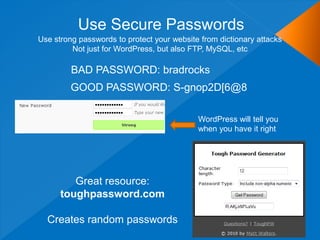
Use Secure Passwords
Use strong passwords to protect your website from dictionary attacks
         Not just for WordPress, but also FTP, MySQL, etc

         BAD PASSWORD: bradrocks
         GOOD PASSWORD: S-gnop2D[6@8

                                            WordPress will tell you
                                            when you have it right


         Great resource:
      toughpassword.com

  Creates random passwords
Use Secret Keys
              A secret key is a hashing salt which makes your site harder to
                   hack by adding random elements to the password.
1. Edit wp-config.php
2. Visit this URL to get your secret keys: https://api.wordpress.org/secret-key/1.1/salt
  BEFORE
   define('AUTH_KEY',   'put your unique phrase here');
   define('SECURE_AUTH_KEY', 'put your unique phrase here');
   define('LOGGED_IN_KEY', 'put your unique phrase here');
   define('NONCE_KEY',    'put your unique phrase here');
   define('AUTH_SALT',   'put your unique phrase here');
   define('SECURE_AUTH_SALT', 'put your unique phrase here');
   define('LOGGED_IN_SALT', 'put your unique phrase here');
   define('NONCE_SALT',    'put your unique phrase here');

  AFTER
   define('AUTH_KEY',   '*8`:Balq!`,-j.JTl~sP%&>@ON,t(}S6)IG|nG1JIfY(,y=][-3$!N6be]-af|BD');
   define('SECURE_AUTH_KEY', 'q+i-|3S~d?];6$[$!ZOXbw6c]0 !k/,UxOod>fqV!sWCkvBihF2#hI=CDt_}WaH1');
   define('LOGGED_IN_KEY', 'D/QoRf{=&OC=CrT/^Zq}M9MPT&49^O}G+m2L{ItpX_jh(-I&-?pkeC_SaF0nw;m+');
   define('NONCE_KEY',     'oJo8C&sc+ C7Yc,W1v o5}.FR,Zk!J<]vaCa%2D9nj8otj5z8UnJ_q.Q!hgpQ*-H');
   define('AUTH_SALT',   'r>O/;U|xg~I5v.u(Nq+JMfYHk.*[p8!baAsb1DKa8.0}q/@V5snU1hV2eR!|whmt');
   define('SECURE_AUTH_SALT', '3s1|cIj d7y<?]Z1n# i1^FQ *L(Kax)Y%r(mp[DUX.1a3!jv(;P_H6Q7|y.!7|-');
   define('LOGGED_IN_SALT', '`@>+QdZhD!|AKk09*mr~-F]/F39Sxjl31FX8uw+wxUYI;U{NWx|y|+bKJ*4`uF`*');
   define('NONCE_SALT',     'O+#iqcPw#]O4TcC%Kz_DAf:mK!Zy@Zt*Kmm^C25U|T!|?ldOf/l1TZ6Tw$9y[M/6');

                      You can add/change secret keys at anytime.
     This will invalidate all existing cookies and require your users to login again
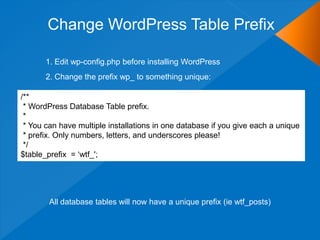
Change WordPress Table Prefix

       1. Edit wp-config.php before installing WordPress
       2. Change the prefix wp_ to something unique:

/**
 * WordPress Database Table prefix.
 *
 * You can have multiple installations in one database if you give each a unique
 * prefix. Only numbers, letters, and underscores please!
 */
$table_prefix = „wtf_';


        All database tables will now have a unique prefix (ie wtf_posts)
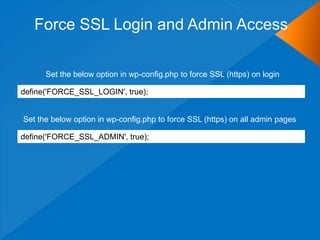
Force SSL Login and Admin Access

      Set the below option in wp-config.php to force SSL (https) on login

define('FORCE_SSL_LOGIN', true);


Set the below option in wp-config.php to force SSL (https) on all admin pages

define('FORCE_SSL_ADMIN', true);
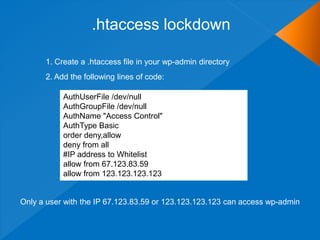
.htaccess lockdown

      1. Create a .htaccess file in your wp-admin directory
      2. Add the following lines of code:

           AuthUserFile /dev/null
           AuthGroupFile /dev/null
           AuthName "Access Control"
           AuthType Basic
           order deny,allow
           deny from all
           #IP address to Whitelist
           allow from 67.123.83.59
           allow from 123.123.123.123


Only a user with the IP 67.123.83.59 or 123.123.123.123 can access wp-admin
Hosting Considerations
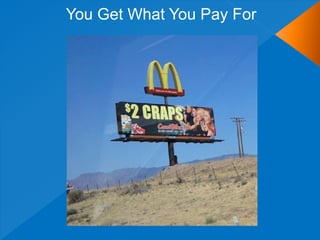
You Get What You Pay For
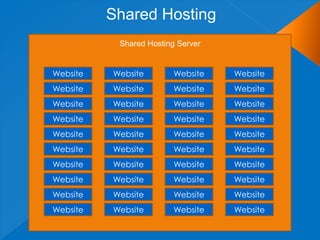
Shared Hosting
           Shared Hosting Server


Website   Website        Website   Website
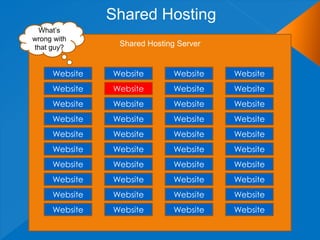
Shared Hosting
 What‟s
wrong with
that guy?       Shared Hosting Server


     Website   Website        Website   Website
     Website   Website        Website   Website
     Website   Website        Website   Website
     Website   Website        Website   Website
     Website   Website        Website   Website
     Website   Website        Website   Website
     Website   Website        Website   Website
     Website   Website        Website   Website
     Website   Website        Website   Website
     Website   Website        Website   Website
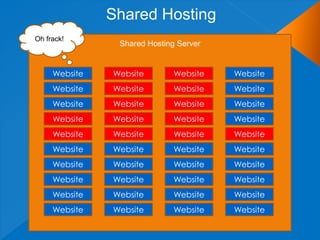
Shared Hosting
Oh frack!
                Shared Hosting Server


     Website   Website        Website   Website
     Website   Website        Website   Website
     Website   Website        Website   Website
     Website   Website        Website   Website
     Website   Website        Website   Website
     Website   Website        Website   Website
     Website   Website        Website   Website
     Website   Website        Website   Website
     Website   Website        Website   Website
     Website   Website        Website   Website
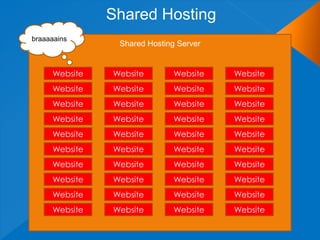
Shared Hosting
braaaaains
                Shared Hosting Server


     Website   Website        Website   Website
     Website   Website        Website   Website
     Website   Website        Website   Website
     Website   Website        Website   Website
     Website   Website        Website   Website
     Website   Website        Website   Website
     Website   Website        Website   Website
     Website   Website        Website   Website
     Website   Website        Website   Website
     Website   Website        Website   Website
#protip
Invest In Your Website


Go VPS or Dedicated
Clean Up a Hacked Site
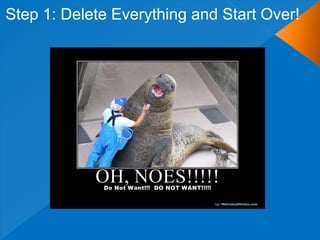
Step 1: Delete Everything and Start Over!
OR
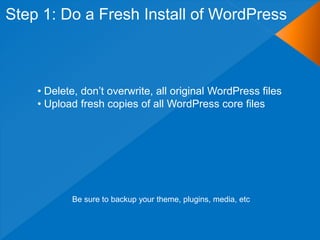
Step 1: Do a Fresh Install of WordPress


    • Delete, don‟t overwrite, all original WordPress files
    • Upload fresh copies of all WordPress core files


           Be sure to backup your theme, plugins, media, etc
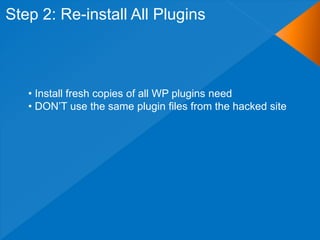
Step 2: Re-install All Plugins


   • Install fresh copies of all WP plugins need
   • DON‟T use the same plugin files from the hacked site
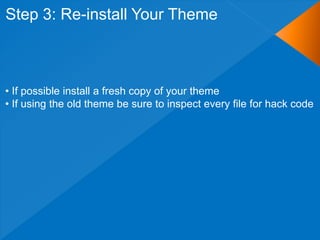
Step 3: Re-install Your Theme


• If possible install a fresh copy of your theme
• If using the old theme be sure to inspect every file for hack code
Step 4: Change all Passwords and Keys


• Change your passwords: WordPress, FTP, MySQL
• Verify the hacker didn‟t create another user, if so delete it
• Update your secret keys in wp-config.php (as shown earlier)
Step 5: Scan Database for Malicious Code


• Look for common hack keywords:
    • eval, base64, strrev, iframe, noscript, display
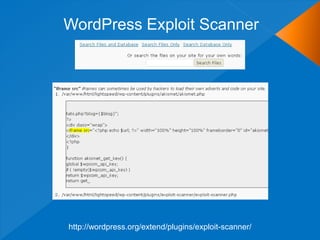
• Use WordPress Exploit Scanner plugin (discussed later)


Example SQL: SELECT * FROM wp_posts WHERE post_content LIKE '%eval%'
Step 6: Verify folder/file permissions


• Check all folder and file permissions are correct
• Reset to 755 on folders and 644 on files if needed
Step 7: Pray
Recommended Security Plugins
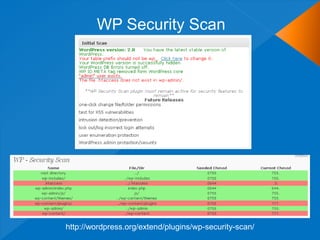
WP Security Scan


http://wordpress.org/extend/plugins/wp-security-scan/
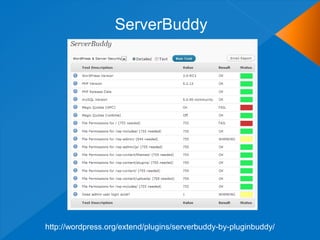
ServerBuddy


http://wordpress.org/extend/plugins/serverbuddy-by-pluginbuddy/
WordPress Exploit Scanner


http://wordpress.org/extend/plugins/exploit-scanner/
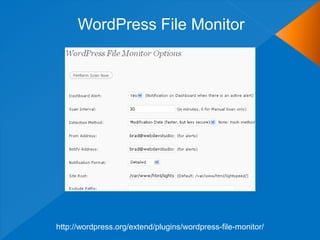
WordPress File Monitor


http://wordpress.org/extend/plugins/wordpress-file-monitor/
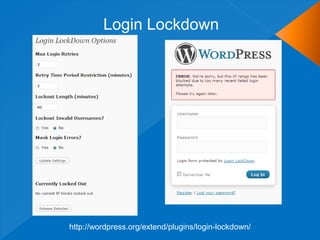
Login Lockdown


http://wordpress.org/extend/plugins/login-lockdown/
WordPress Security Resources
   Security Related Codex Articles
    ›   http://codex.wordpress.org/Hardening_WordPress
    ›   http://codex.wordpress.org/Changing_File_Permissions
    ›   http://codex.wordpress.org/Editing_wp-config.php
    ›   http://codex.wordpress.org/htaccess_for_subdirectories
   Blog Security Articles
    ›   http://www.wpbeginner.com/wp-tutorials/11-vital-tips-and-hacks-to-protect-your-
        wordpress-admin-area/
    ›   http://www.growmap.com/wordpress-exploits/
    ›   http://lorelle.wordpress.com/2009/03/07/firewalling-and-hack-proofing-your-wordpress-
        blog/
    ›   http://semlabs.co.uk/journal/how-to-stop-your-wordpress-blog-getting-hacked/
    ›   http://www.makeuseof.com/tag/18-useful-plugins-and-hacks-to-protect-your-wordpress-
        blog/
    ›   http://www.catswhocode.com/blog/10-easy-ways-to-secure-your-wordpress-blog
   Clean A Hacked Site
    ›   http://codex.wordpress.org/FAQ_My_site_was_hacked
    ›   http://ottodestruct.com/blog/2009/hacked-wordpress-backdoors/
    ›   http://ocaoimh.ie/did-your-wordpress-site-get-hacked/
    ›   http://smackdown.blogsblogsblogs.com/2008/06/24/how-to-completely-clean-your-hacked-
        wordpress-installation/
    ›   http://blog.sucuri.net/2010/02/removing-malware-from-wordpress-blog.html
Contact

Brad Williams
brad@webdevstudios.com

Blog: strangework.com
Twitter: @williamsba
IRC: WDS-Brad

       http://www.slideshare.net/williamsba
Tweet: @williamsba WordPress Security Rocks! #wcma
        Win a copy of Professional WordPress!

WordCamp Mid-Atlantic WordPress Security

  • 1.
  • 2.
    Who Am I? BradWilliams Co-Founder of WebDevStudios.com Organizer NJ/Philly WordPress Meetup Co-Host SitePoint Podcast Co-Author of Professional WordPress (http://bit.ly/pro-wp)
  • 3.
    The Goal ofthis Presentation…
  • 4.
    The Goal ofthis Presentation… …Is to scare the crap out of you!
  • 5.
    The Goal ofthis Presentation… …and then make everything better with the best security tips!
  • 6.
    Topics  Example WordPress Hacks  Securing Your WordPress Website  How to Clean Up a Hacked Site  Hosting Considerations  Recommended Plugins
  • 7.
  • 8.
    Who Do HackersTarget? YOU
  • 9.
  • 10.
  • 11.
  • 12.
    Example Hacker bot findsa security hole on your website WordPress
  • 13.
    Example Hacker bot hidesa file in your WordPress installation WordPress Akismet.cache.php is NOT an Akismet file
  • 14.
    Example Hacker bot cannow trigger this file/code remotely WordPress Hacker Bot
  • 15.
    Example Common Hacker bot script jobs • Add spam content and links to your websites theme files • Create posts and pages with spam content and links • Delete posts/pages/settings wreaking havoc on your site • etc, etc, bad stuff, etc, etc WordPress Hacker Bot
  • 16.
    CSS Hides theSpam <b style=“display:none”>Any text you want to hide</b>
  • 17.
  • 18.
  • 19.
  • 20.
  • 21.
  • 22.
  • 23.
  • 24.
  • 25.
  • 26.
  • 27.
  • 28.
    Don‟t use theadmin account If you are using the admin account you are wrong! Either change the username in MySQL: UPDATE wp_users SET user_login='newuser' WHERE user_login='admin'; Or create a new/unique account with administrator privileges. 1. Create a new account. Make the username very unique 2. Assign account to Administrator role 3. Log out and log back in with new account 4. Delete admin account Make it hard on the hacker! If they already know your username that‟s half the battle
  • 30.
    Don‟t use theadmin account WordPress 3.0 lets you set the administrator username during the installation process!
  • 31.
    The Great PermissionDebate What folder permissions should you use? Good Rule of Thumb: • Files should be set to 644 • Folders should be set to 755 Start with the default settings above If your host requires 777…SWITCH HOSTS! Permission levels vary depending on server configuration
  • 32.
    The Great PermissionDebate Permissions can be set via FTP Or via SSH with the following commands find [your path here] -type d -exec chmod 755 {} ; find [your path here] -type f -exec chmod 644 {} ;
  • 33.
    Move the wp-config.phpfile WordPress 2.6 added the ability to move the wp-config.php file one directory above your WordPress root If WordPress is located here: public_html/wordpress/wp-config.php You can move your wp-config.php file to here public_html/wp-config.php WordPress automatically checks the parent directory if a wp-config.php file is not found in your root directory This makes it nearly impossible for anyone to access your wp-config.php file as it now resides outside of your website‟s root directory
  • 34.
    Move the wp-contentDirectory WordPress 2.6 added the ability to move the wp-content directory 1. Move your wp-content directory 2. Make two additions to wp-config.php define( 'WP_CONTENT_DIR', $_SERVER['DOCUMENT_ROOT'] . '/blog/wp-content' ); define( 'WP_CONTENT_URL', 'http://domain.com/blog/wp-content'); If you have compatibility issues with plugins there are two optional settings define( 'WP_PLUGIN_DIR', $_SERVER['DOCUMENT_ROOT'] . '/blog/wp-content/plugins' ); define( 'WP_PLUGIN_URL', 'http://domain.com/blog/wp-content/plugins'); If hackers can‟t find your wp-content folder, they can‟t hack it!
  • 35.
    Stay Current onUpdates Keep WordPress core, plugins, and theme files up to date Recent WordPress hack only affected outdated WordPress installs The plugin Changelog tab makes it very easy to view what has changed in a new plugin version
  • 36.
    Use Secure Passwords Usestrong passwords to protect your website from dictionary attacks Not just for WordPress, but also FTP, MySQL, etc BAD PASSWORD: bradrocks GOOD PASSWORD: S-gnop2D[6@8 WordPress will tell you when you have it right Great resource: toughpassword.com Creates random passwords
  • 37.
    Use Secret Keys A secret key is a hashing salt which makes your site harder to hack by adding random elements to the password. 1. Edit wp-config.php 2. Visit this URL to get your secret keys: https://api.wordpress.org/secret-key/1.1/salt BEFORE define('AUTH_KEY', 'put your unique phrase here'); define('SECURE_AUTH_KEY', 'put your unique phrase here'); define('LOGGED_IN_KEY', 'put your unique phrase here'); define('NONCE_KEY', 'put your unique phrase here'); define('AUTH_SALT', 'put your unique phrase here'); define('SECURE_AUTH_SALT', 'put your unique phrase here'); define('LOGGED_IN_SALT', 'put your unique phrase here'); define('NONCE_SALT', 'put your unique phrase here'); AFTER define('AUTH_KEY', '*8`:Balq!`,-j.JTl~sP%&>@ON,t(}S6)IG|nG1JIfY(,y=][-3$!N6be]-af|BD'); define('SECURE_AUTH_KEY', 'q+i-|3S~d?];6$[$!ZOXbw6c]0 !k/,UxOod>fqV!sWCkvBihF2#hI=CDt_}WaH1'); define('LOGGED_IN_KEY', 'D/QoRf{=&OC=CrT/^Zq}M9MPT&49^O}G+m2L{ItpX_jh(-I&-?pkeC_SaF0nw;m+'); define('NONCE_KEY', 'oJo8C&sc+ C7Yc,W1v o5}.FR,Zk!J<]vaCa%2D9nj8otj5z8UnJ_q.Q!hgpQ*-H'); define('AUTH_SALT', 'r>O/;U|xg~I5v.u(Nq+JMfYHk.*[p8!baAsb1DKa8.0}q/@V5snU1hV2eR!|whmt'); define('SECURE_AUTH_SALT', '3s1|cIj d7y<?]Z1n# i1^FQ *L(Kax)Y%r(mp[DUX.1a3!jv(;P_H6Q7|y.!7|-'); define('LOGGED_IN_SALT', '`@>+QdZhD!|AKk09*mr~-F]/F39Sxjl31FX8uw+wxUYI;U{NWx|y|+bKJ*4`uF`*'); define('NONCE_SALT', 'O+#iqcPw#]O4TcC%Kz_DAf:mK!Zy@Zt*Kmm^C25U|T!|?ldOf/l1TZ6Tw$9y[M/6'); You can add/change secret keys at anytime. This will invalidate all existing cookies and require your users to login again
  • 38.
    Change WordPress TablePrefix 1. Edit wp-config.php before installing WordPress 2. Change the prefix wp_ to something unique: /** * WordPress Database Table prefix. * * You can have multiple installations in one database if you give each a unique * prefix. Only numbers, letters, and underscores please! */ $table_prefix = „wtf_'; All database tables will now have a unique prefix (ie wtf_posts)
  • 39.
    Force SSL Loginand Admin Access Set the below option in wp-config.php to force SSL (https) on login define('FORCE_SSL_LOGIN', true); Set the below option in wp-config.php to force SSL (https) on all admin pages define('FORCE_SSL_ADMIN', true);
  • 40.
    .htaccess lockdown 1. Create a .htaccess file in your wp-admin directory 2. Add the following lines of code: AuthUserFile /dev/null AuthGroupFile /dev/null AuthName "Access Control" AuthType Basic order deny,allow deny from all #IP address to Whitelist allow from 67.123.83.59 allow from 123.123.123.123 Only a user with the IP 67.123.83.59 or 123.123.123.123 can access wp-admin
  • 41.
  • 42.
    You Get WhatYou Pay For
  • 43.
    Shared Hosting Shared Hosting Server Website Website Website Website Website Website Website Website Website Website Website Website Website Website Website Website Website Website Website Website Website Website Website Website Website Website Website Website Website Website Website Website Website Website Website Website Website Website Website Website
  • 44.
    Shared Hosting What‟s wrongwith that guy? Shared Hosting Server Website Website Website Website Website Website Website Website Website Website Website Website Website Website Website Website Website Website Website Website Website Website Website Website Website Website Website Website Website Website Website Website Website Website Website Website Website Website Website Website
  • 45.
    Shared Hosting Oh frack! Shared Hosting Server Website Website Website Website Website Website Website Website Website Website Website Website Website Website Website Website Website Website Website Website Website Website Website Website Website Website Website Website Website Website Website Website Website Website Website Website Website Website Website Website
  • 46.
    Shared Hosting braaaaains Shared Hosting Server Website Website Website Website Website Website Website Website Website Website Website Website Website Website Website Website Website Website Website Website Website Website Website Website Website Website Website Website Website Website Website Website Website Website Website Website Website Website Website Website
  • 47.
  • 48.
    Invest In YourWebsite Go VPS or Dedicated
  • 49.
    Clean Up aHacked Site
  • 50.
    Step 1: DeleteEverything and Start Over!
  • 51.
  • 52.
    Step 1: Doa Fresh Install of WordPress • Delete, don‟t overwrite, all original WordPress files • Upload fresh copies of all WordPress core files Be sure to backup your theme, plugins, media, etc
  • 53.
    Step 2: Re-installAll Plugins • Install fresh copies of all WP plugins need • DON‟T use the same plugin files from the hacked site
  • 54.
    Step 3: Re-installYour Theme • If possible install a fresh copy of your theme • If using the old theme be sure to inspect every file for hack code
  • 55.
    Step 4: Changeall Passwords and Keys • Change your passwords: WordPress, FTP, MySQL • Verify the hacker didn‟t create another user, if so delete it • Update your secret keys in wp-config.php (as shown earlier)
  • 56.
    Step 5: ScanDatabase for Malicious Code • Look for common hack keywords: • eval, base64, strrev, iframe, noscript, display • Use WordPress Exploit Scanner plugin (discussed later) Example SQL: SELECT * FROM wp_posts WHERE post_content LIKE '%eval%'
  • 57.
    Step 6: Verifyfolder/file permissions • Check all folder and file permissions are correct • Reset to 755 on folders and 644 on files if needed
  • 58.
  • 59.
  • 60.
  • 61.
  • 62.
  • 63.
  • 64.
  • 65.
    WordPress Security Resources  Security Related Codex Articles › http://codex.wordpress.org/Hardening_WordPress › http://codex.wordpress.org/Changing_File_Permissions › http://codex.wordpress.org/Editing_wp-config.php › http://codex.wordpress.org/htaccess_for_subdirectories  Blog Security Articles › http://www.wpbeginner.com/wp-tutorials/11-vital-tips-and-hacks-to-protect-your- wordpress-admin-area/ › http://www.growmap.com/wordpress-exploits/ › http://lorelle.wordpress.com/2009/03/07/firewalling-and-hack-proofing-your-wordpress- blog/ › http://semlabs.co.uk/journal/how-to-stop-your-wordpress-blog-getting-hacked/ › http://www.makeuseof.com/tag/18-useful-plugins-and-hacks-to-protect-your-wordpress- blog/ › http://www.catswhocode.com/blog/10-easy-ways-to-secure-your-wordpress-blog  Clean A Hacked Site › http://codex.wordpress.org/FAQ_My_site_was_hacked › http://ottodestruct.com/blog/2009/hacked-wordpress-backdoors/ › http://ocaoimh.ie/did-your-wordpress-site-get-hacked/ › http://smackdown.blogsblogsblogs.com/2008/06/24/how-to-completely-clean-your-hacked- wordpress-installation/ › http://blog.sucuri.net/2010/02/removing-malware-from-wordpress-blog.html
  • 66.
    Contact Brad Williams brad@webdevstudios.com Blog: strangework.com Twitter:@williamsba IRC: WDS-Brad http://www.slideshare.net/williamsba
  • 67.
    Tweet: @williamsba WordPressSecurity Rocks! #wcma Win a copy of Professional WordPress!