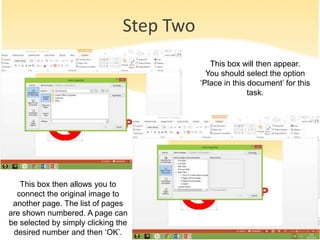
To create internal hyperlinks in PowerPoint, first right click the object or text to be linked and select "Hyperlink." Choose to place the link within the current document. This will open a box where the linked slide can be selected by number. Finally, test the link during a slideshow by clicking the hyperlinked item and verifying it takes you to the correct slide. Both images and text can be hyperlinked internally to navigate between slides.