The document provides an overview of PowerPoint, including its uses, features, and how to create internal and external hyperlinks and branching within a PowerPoint presentation. It also discusses posting PowerPoint presentations to blogs.
What is PowerPoint?Is a complete presentation graphics package It gives you everything you need to produce a professional-looking presentation PowerPoint offers word processing, outlining, drawing, graphing, and presentation management tools
What can bedone in PowerPoint Hyperlinks Internal External Branching Posting to a blog Last slide viewed
5.
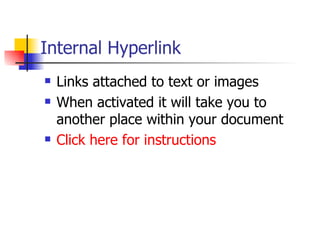
Internal Hyperlink Linksattached to text or images When activated it will take you to another place within your document Click here for instructions
6.
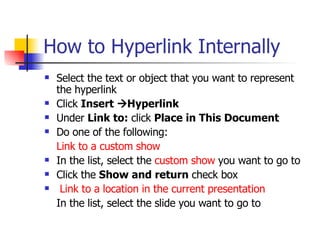
How to HyperlinkInternally Select the text or object that you want to represent the hyperlink Click Insert Hyperlink Under Link to: click Place in This Document Do one of the following: Link to a custom show In the list, select the custom show you want to go to Click the Show and return check box Link to a location in the current presentation In the list, select the slide you want to go to
7.
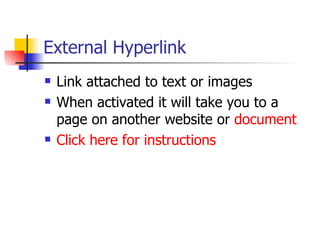
External Hyperlink Linkattached to text or images When activated it will take you to a page on another website or document Click here for instructions
8.
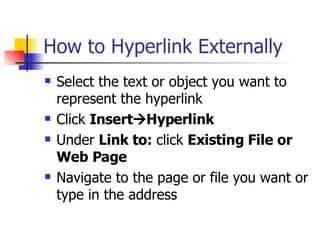
How to HyperlinkExternally Select the text or object you want to represent the hyperlink Click Insert Hyperlink Under Link to: click Existing File or Web Page Navigate to the page or file you want or type in the address
Quiz Time! Clickthis example; close out the window after viewing: www.msn.com What type of link is the above link? Internal External
11.
TRY AGAIN Didthe link stay inside the document, or go outside the document?
12.
RIGHT!!! Thatwas an external link, because you saw a website, which is something OUTSIDE this document.
13.
Branching Branching allowsyou to move to slides which are hidden in your presentation Instructions for Branching (click below) http://www.uwec.edu/help/PPointXP/lnkbrch.htm#branching
14.
Posting PowerPoint toa Blog Blog: A frequent, chronological publication of personal thoughts and Web links. To post to a blog use: www.slideshare.net
15.
Resources PPT tutorialhttp://einstein.cs.uri.edu/tutorials/csc101/powerpoint/ppt.html PPT Tips and Tricks http://www.bitbetter.com/powertips.htm Microsoft Help