The 21 st  Century +  Harvard Map ( + just in time) www.map.harvard.edu/mapserver/campusmap.htm ABCD-WWW December 9, 2009 Presented by Peter Siebert University Planning Office [email_address]
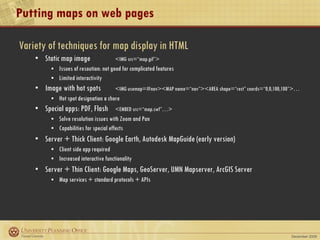
Putting maps on web pages Variety of techniques for map display in HTML Static map image   <IMG src=“map.gif”> Issues of resoution: not good for complicated features Limited interactivity Image with hot spots   <IMG usemap=#nav><MAP name=“nav”><AREA shape=“rect” coords=“0,0,100,100”>… Hot spot designation a chore Special apps: PDF, Flash <EMBED src=“map.swf”…> Solve resolution issues with Zoom and Pan Capabilities for special effects  Server + Thick Client: Google Earth, Autodesk MapGuide (early version) Client side app required Increased interactive functionality Server + Thin Client: Google Maps, GeoServer, UMN Mapserver, ArcGIS Server Map services + standard protocols + APIs
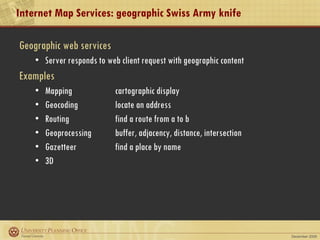
Internet Map Services: geographic Swiss Army knife Geographic web services Server responds to web client request with geographic content Examples Mapping  cartographic display Geocoding  locate an address Routing find a route from a to b Geoprocessing  buffer, adjacency, distance, intersection Gazetteer find a place by name 3D
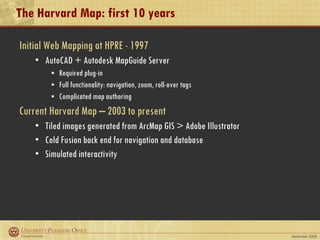
The Harvard Map: first 10 years Initial Web Mapping at HPRE - 1997 AutoCAD + Autodesk MapGuide Server Required plug-in Full functionality: navigation, zoom, roll-over tags Complicated map authoring Current Harvard Map – 2003 to present Tiled images generated from ArcMap GIS > Adobe Illustrator Cold Fusion back end for navigation and database Simulated interactivity
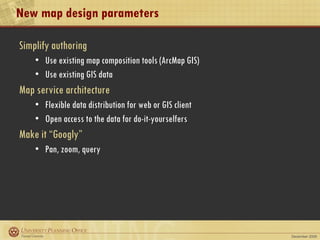
New map design parameters Simplify authoring Use existing map composition tools (ArcMap GIS) Use existing GIS data Map service architecture  Flexible data distribution for web or GIS client Open access to the data for do-it-yourselfers Make it “Googly” Pan, zoom, query
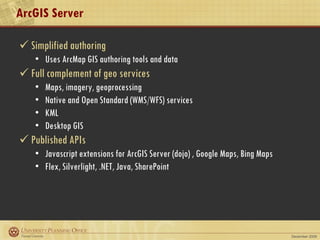
ArcGIS Server Simplified authoring Uses ArcMap GIS authoring tools and data Full complement of geo services Maps, imagery, geoprocessing Native and Open Standard (WMS/WFS) services KML Desktop GIS  Published APIs  Javascript extensions for ArcGIS Server (dojo) , Google Maps, Bing Maps Flex, Silverlight, .NET, Java, SharePoint
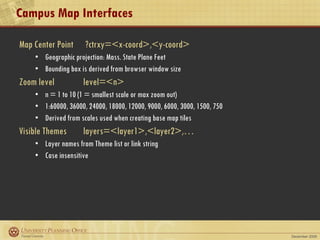
Campus Map Interfaces Map Center Point   ?ctrxy=<x-coord>,<y-coord> Geographic projection: Mass. State Plane Feet  Bounding box is derived from browser window size Zoom level level=<n> n = 1 to 10 (1 = smallest scale or max zoom out) 1:60000, 36000, 24000, 18000, 12000, 9000, 6000, 3000, 1500, 750 Derived from scales used when creating base map tiles Visible Themes layers=<layer1>,<layer2>,… Layer names from Theme list or link string Case insensitive
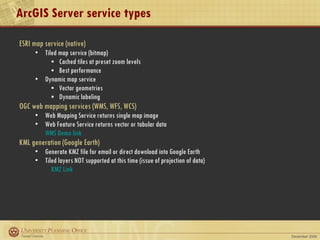
ArcGIS Server service types ESRI map service (native) Tiled map service (bitmap) Cached tiles at preset zoom levels Best performance Dynamic map service Vector geometries Dynamic labeling OGC web mapping services (WMS, WFS, WCS) Web Mapping Service returns single map image Web Feature Service returns vector or tabular data WMS Demo link KML generation (Google Earth) Generate KMZ file for email or direct download into Google Earth Tiled layers NOT supported at this time (issue of projection of data) KMZ Link
Direct API calls Map Server URL:  http://upo-srv2.cadm.harvard.edu/ArcGIS/rest/services Map Service URL:   http:// < mapserver-url > / <svc name>/MapServer/ Export Map http:// < mapservice-url > /export Response format: f = html | json | image | kmz  Bounding box: bbox = <xmin>, <ymin>, <xmax>, <ymax>  Image size: size = <width>, <height>  (default = 400x400) Image format: png | png8 | png24 | jpg | pdf | bmp | gif | svg | png32  DPI: dpi = <n> (default = 96) Set visible layers: layers = [show | hide | include | exclude]:layerId1,layerId2  Filter features by layer: layerDefs = layerId1:layerDef1;layerId2:layerDef2  example for Alternative Energy: layerDefs=0:TYPE=‘Solar’ Background transparency: transparent = true | false Img Spatial Ref (projection): imageSR = <wkid> (default = map projection) Bbox Spatial Ref: bboxSR = <wkid> Sample Export Request
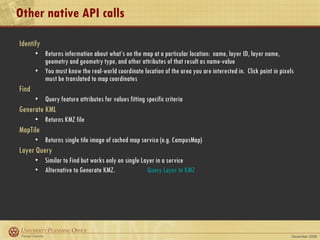
Other native API calls Identify Returns information about what’s on the map at a particular location:  name, layer ID, layer name, geometry and geometry type, and other attributes of that result as name-value  You must know the real-world coordinate location of the area you are interested in.  Click point in pixels must be translated to map coordinates Find Query feature attributes for values fitting specific criteria Generate KML Returns KMZ file MapTile Returns single tile image of cached map service (e.g. CampusMap) Layer Query Similar to Find but works only on single Layer in a service Alternative to Generate KMZ.  Query Layer to KMZ
Current map status Fine tuning Tinkering with page design Cleaning up maps Additional data layers: Libraries, Event venues, Trees, Parking, Dining facilities Rounding out core functionality Map legends Printing Metadata Enhancements Queries Theme ordering Autocompletion for Search Mobile compatible version “ Bare-naked” map page (for embedding) Your suggestions?
On-line references Overview of ArcGIS Server web interfaces http://resources.esri.com/arcgisserver/index.cfm?fa=applications ArcGIS Server REST API http://resources.esri.com/help/9.3/arcgisserver/apis/rest/index.html Open Geospatial Consortium (OGC) WMS spec http://www.opengeospatial.org/standards/wms Harvard Map Blog http://www.map.harvard.edu/blog

The 21st Century Harvard Map

  • 1.
    The 21 st Century + Harvard Map ( + just in time) www.map.harvard.edu/mapserver/campusmap.htm ABCD-WWW December 9, 2009 Presented by Peter Siebert University Planning Office [email_address]
  • 2.
    Putting maps onweb pages Variety of techniques for map display in HTML Static map image <IMG src=“map.gif”> Issues of resoution: not good for complicated features Limited interactivity Image with hot spots <IMG usemap=#nav><MAP name=“nav”><AREA shape=“rect” coords=“0,0,100,100”>… Hot spot designation a chore Special apps: PDF, Flash <EMBED src=“map.swf”…> Solve resolution issues with Zoom and Pan Capabilities for special effects Server + Thick Client: Google Earth, Autodesk MapGuide (early version) Client side app required Increased interactive functionality Server + Thin Client: Google Maps, GeoServer, UMN Mapserver, ArcGIS Server Map services + standard protocols + APIs
  • 3.
    Internet Map Services:geographic Swiss Army knife Geographic web services Server responds to web client request with geographic content Examples Mapping cartographic display Geocoding locate an address Routing find a route from a to b Geoprocessing buffer, adjacency, distance, intersection Gazetteer find a place by name 3D
  • 4.
    The Harvard Map:first 10 years Initial Web Mapping at HPRE - 1997 AutoCAD + Autodesk MapGuide Server Required plug-in Full functionality: navigation, zoom, roll-over tags Complicated map authoring Current Harvard Map – 2003 to present Tiled images generated from ArcMap GIS > Adobe Illustrator Cold Fusion back end for navigation and database Simulated interactivity
  • 5.
    New map designparameters Simplify authoring Use existing map composition tools (ArcMap GIS) Use existing GIS data Map service architecture Flexible data distribution for web or GIS client Open access to the data for do-it-yourselfers Make it “Googly” Pan, zoom, query
  • 6.
    ArcGIS Server Simplifiedauthoring Uses ArcMap GIS authoring tools and data Full complement of geo services Maps, imagery, geoprocessing Native and Open Standard (WMS/WFS) services KML Desktop GIS Published APIs Javascript extensions for ArcGIS Server (dojo) , Google Maps, Bing Maps Flex, Silverlight, .NET, Java, SharePoint
  • 7.
    Campus Map InterfacesMap Center Point ?ctrxy=<x-coord>,<y-coord> Geographic projection: Mass. State Plane Feet Bounding box is derived from browser window size Zoom level level=<n> n = 1 to 10 (1 = smallest scale or max zoom out) 1:60000, 36000, 24000, 18000, 12000, 9000, 6000, 3000, 1500, 750 Derived from scales used when creating base map tiles Visible Themes layers=<layer1>,<layer2>,… Layer names from Theme list or link string Case insensitive
  • 8.
    ArcGIS Server servicetypes ESRI map service (native) Tiled map service (bitmap) Cached tiles at preset zoom levels Best performance Dynamic map service Vector geometries Dynamic labeling OGC web mapping services (WMS, WFS, WCS) Web Mapping Service returns single map image Web Feature Service returns vector or tabular data WMS Demo link KML generation (Google Earth) Generate KMZ file for email or direct download into Google Earth Tiled layers NOT supported at this time (issue of projection of data) KMZ Link
  • 9.
    Direct API callsMap Server URL: http://upo-srv2.cadm.harvard.edu/ArcGIS/rest/services Map Service URL: http:// < mapserver-url > / <svc name>/MapServer/ Export Map http:// < mapservice-url > /export Response format: f = html | json | image | kmz Bounding box: bbox = <xmin>, <ymin>, <xmax>, <ymax> Image size: size = <width>, <height> (default = 400x400) Image format: png | png8 | png24 | jpg | pdf | bmp | gif | svg | png32 DPI: dpi = <n> (default = 96) Set visible layers: layers = [show | hide | include | exclude]:layerId1,layerId2 Filter features by layer: layerDefs = layerId1:layerDef1;layerId2:layerDef2 example for Alternative Energy: layerDefs=0:TYPE=‘Solar’ Background transparency: transparent = true | false Img Spatial Ref (projection): imageSR = <wkid> (default = map projection) Bbox Spatial Ref: bboxSR = <wkid> Sample Export Request
  • 10.
    Other native APIcalls Identify Returns information about what’s on the map at a particular location: name, layer ID, layer name, geometry and geometry type, and other attributes of that result as name-value You must know the real-world coordinate location of the area you are interested in. Click point in pixels must be translated to map coordinates Find Query feature attributes for values fitting specific criteria Generate KML Returns KMZ file MapTile Returns single tile image of cached map service (e.g. CampusMap) Layer Query Similar to Find but works only on single Layer in a service Alternative to Generate KMZ. Query Layer to KMZ
  • 11.
    Current map statusFine tuning Tinkering with page design Cleaning up maps Additional data layers: Libraries, Event venues, Trees, Parking, Dining facilities Rounding out core functionality Map legends Printing Metadata Enhancements Queries Theme ordering Autocompletion for Search Mobile compatible version “ Bare-naked” map page (for embedding) Your suggestions?
  • 12.
    On-line references Overviewof ArcGIS Server web interfaces http://resources.esri.com/arcgisserver/index.cfm?fa=applications ArcGIS Server REST API http://resources.esri.com/help/9.3/arcgisserver/apis/rest/index.html Open Geospatial Consortium (OGC) WMS spec http://www.opengeospatial.org/standards/wms Harvard Map Blog http://www.map.harvard.edu/blog

Editor's Notes

  • #3 No interactivity: simple linking Not suitable for complicated features: limited by screen resolution Hotspots must be recalculated when geometry changes
  • #4 Best suited for static data