Web Mapping at the
Massachusetts Historical
     Commission
         NEURISA
     November 16th, 2009

         Joshua Rosenthal
 Massachusetts Historical Commission
What is the Massachusetts
Historical Commission?
• Founded in 1963 by the State
  Legislature “to identify, evaluate, and protect
  important historical and archaeological assets of
  the Commonwealth”
• 17 member Commission is the State Review
  Board for state and federal preservation programs
• State Historic Preservation Office
• Office of the State Archaeologist
• A division of the Office of the Secretary of the
  Commonwealth
What does the MHC do?
• Review state and federally licensed, permitted, or
  funded projects to determine impact on historic or
  archaeological properties

• Maintain Inventory of Historic and Archaeological
  Assets of the Commonwealth

• Administer state and federal grants for historic
  preservation and rehabilitation

• … and other things, but this is the GIS-Centric view
The Inventory of Historic and
      Archaeological Assets of the
            Commonwealth
• Historic Resources ~42% complete
  ~ 185,000 Properties, Areas, Structures, Objects,
    etc.

• Archaeological Sites ~100% complete
  ~ 12,000 Sites

• Archaeological Surveys ~85% complete
  ~ 3,000 Surveys
MHC (web)GIS Goals
• Get all of our inventory into our GIS
  – 4+ more years at current speeds
  – Alter data acquisition flow so that new data
    always has adequate spatial information, and
    gets into our GIS immediately, without backlog

• Facilitate exploring the inventory
  – For project review, preservation planning,
    sensitivity modeling, tourism, and research
  – Improve our WebGIS, allowing access to MHC
    data alongside other analytically relevant data
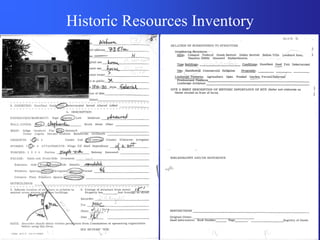
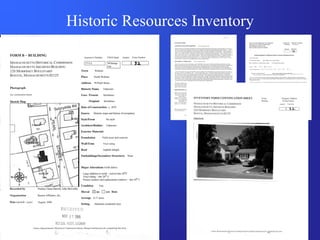
Historic Resources Inventory
• What is the Historic Resources Inventory ?
  – Researched Forms documenting the presence
    and significance of historical resources

• Where does the Inventory come from?
  – Mostly, its produced by consultants, hired by
    towns, often paid for in part through a grant
    from the Massachusetts Historical Commission
  – Also produced by a volunteers, local historical
    commissions, and other sources.
Historic Resources Inventory
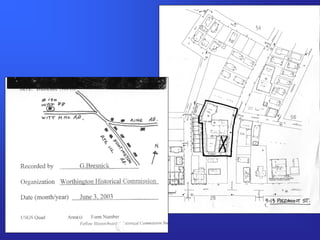
Map Guidelines
• Ideally…
  – GIS produced maps, including parcels,
    footprints, street labels, an intersection, and
    accompanying shapefiles
• Unfortunately…
  – Towns don’t always have GIS resources, or
    resources aren’t available to consultants
  – Sometimes forms are produced by volunteers,
    not consultants
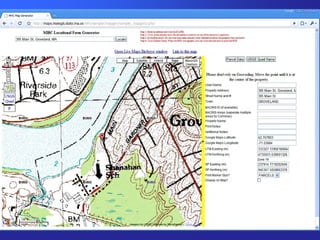
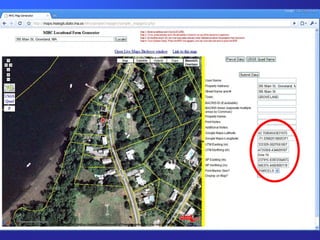
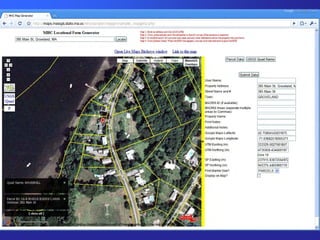
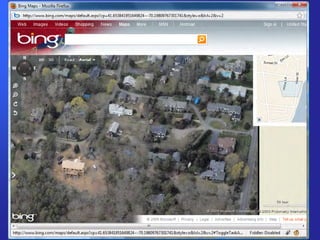
Map Generator
        WebApplication Concept
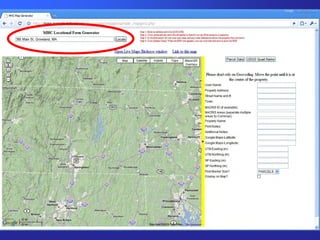
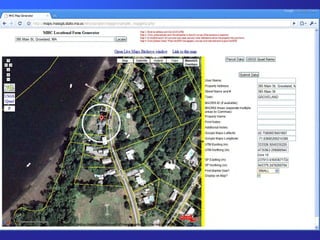
• Search for an Address
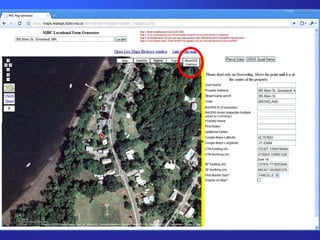
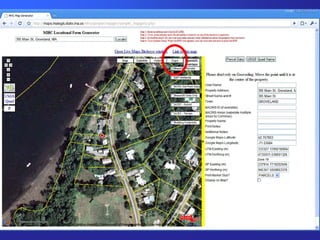
• Get a marker on an aerial photo, with parcel
  lines and streets
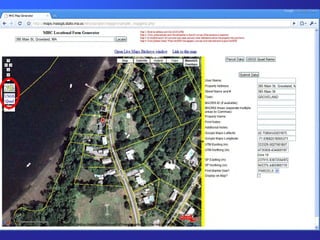
• Move the marker to refine location
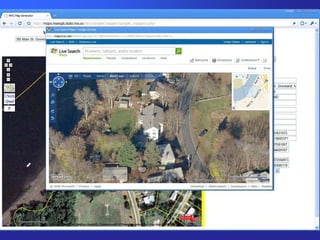
• Link to Live Local Birdseye Views to check
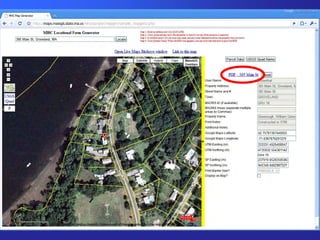
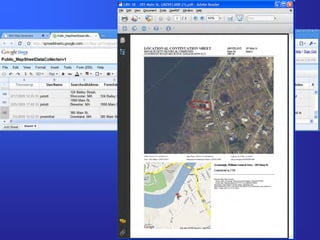
• Submit/Save results
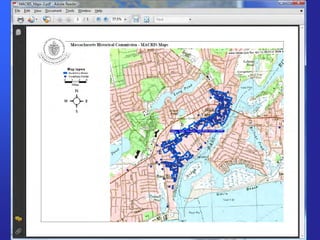
• Create a printable map with Orthos, Parcels
  and some form of marker
Google Maps API & Google
                Spreadsheets
• Why Google Maps API?
  –   Demo on MassGIS Wiki
  –   Speed
  –   Familiarity of interface to users
  –   Really active and helpful email list
• Why use Google Spreadsheets?
  – A demo on the Google Maps usergroup
    showing how to publish data to a Google
    Spreadsheet without any server side scripting.
• Answer: Because it was really easy.
Success!
• Time to build proof of concept:
  – less than 2 days
• Time to flesh out application:
  – spare time, over the course of a month
  – (and lots of ongoing experimentation and
    development since then)
• Time to train consultant:
  – an afternoon… but only because we had
    technical difficulties
• Hearing her ask to use it again on her next
  project:
                 PRICELESS
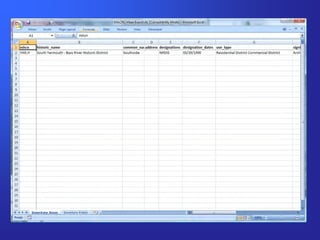
Live demo… Mapping                     >

– Locational Data Submission Tool

– Locational Data Submission Tool - Data
Or, an offline tour
Map Generator - The Good…
• We have a tool that allows quick and easy
  production of pretty good, standardized
  maps, while recording data.
• We have a very simple tool that allows the
  recording of point data for someone without
  GIS resources/knowledge.
• We have a tool that is easily adapted to
  querying MassGIS data, tailored to our
  needs.
Map Generator - The Bad…
• Not our ideal map (parcels + footprints).
  Aerial photos don’t b/w photocopy well.
• MassGIS doesn’t have parcels for all towns,
  and thus we don’t have adequate data for
  many towns.
• We’re stuck with paper, and files that
  simply produce the paper… currently MS
  Word templates. These are yet another file.
Map Generator - The Ugly…
   Thoughts on Using Google Frameworks

• Pros:
  –   Familiar
  –   Fast
  –   Great user base
  –   Very Easy to learn and use
Map Generator - The Ugly…
  Thoughts on Using Google Frameworks
• Cons
  – Terms of Use are very confusing
     • 9.1 “Free, Public Accessibility to Your Maps API
       Implementation.”
  – Stability?
     • Will it be there tomorrow?
     • Will it work the same tomorrow?
  – Is it ‘appropriate’ for an agency to use a Google
    Map, with Logo, for something official?
  – Spherical Mercator
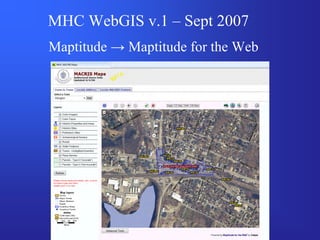
MHC WebGIS v.1 – Sept 2007
Maptitude → Maptitude for the Web
MHC WebGIS v.1 – Sept 2007

• On paper it met all of our needs
  – Some custom built functions by Caliper
  – Some MHC built functions
  – Some DHTML tricks

• But…. Slow
  – One lonely underpowered server (in Texas)
  – Full Set of 2005 Color Orthos, USGS Topos,
    Parcels
  – Trying to do too much
MHC WebGIS v.2 –2009
• Complete redesign
  – Use Maptitude for the Web for our data ONLY

• OpenLayers
  – More complicated, but much more flexible
  – Why not Google Maps? ToS + Spherical
    Mercator
• jQuery/jQuery UI + jQuery plugins

• Data Source: MassGIS Webservices
• Data Source: Terraserver (USGS/Microsoft)
MHC WebGIS v.2 – Winter 2009

• Design/Development Goals
  – Keep it Simple
     • Complexity can (should) exist, but it shouldn’t be
       needed
     • Default options are good
     • Remembering changed options is good (logins or
       cookies)
  – Encourage Browsing
     • Queries should be cheap in time and effort
  – Release minor updates often
  – Get feedback often
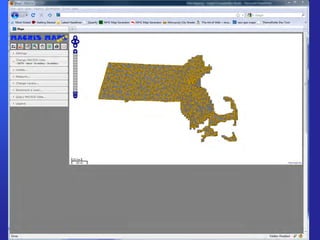
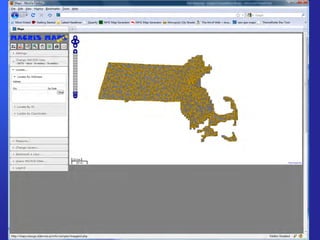
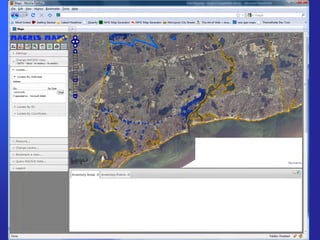
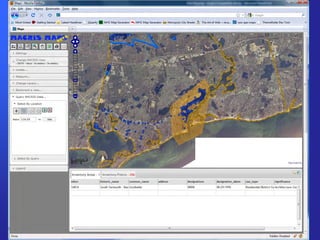
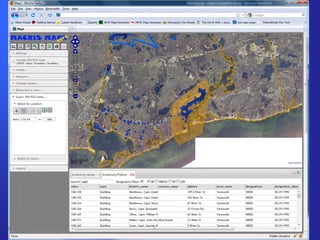
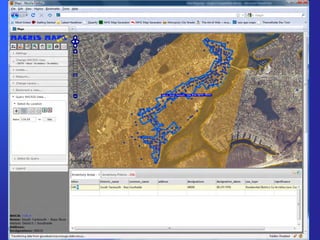
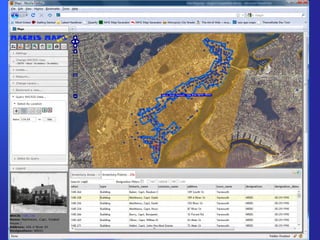
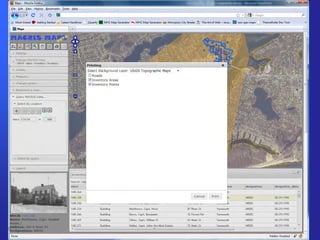
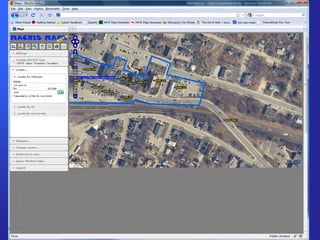
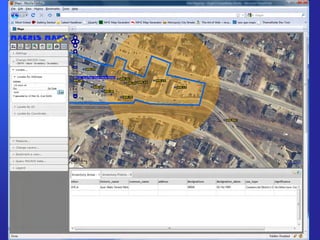
Live demo… WebGIS   >

– WebGIS
MHC WebGIS – The Good…
• Allows users to view, query, print imagery
  and export attributes selections
• Fast and Responsive
• Efficient – MHC only hosts our data, while
  including other analytic data sets
• Controlled / Predictable
  – Front end is static, our data is static, everything
    out of our control is based on open standards
    (WMS/WFS)
• Easily expandable as MassGIS makes
  available more relevant data
MHC WebGIS – The Bad…
• It’s not finished yet
• Lack of control over additional data sets
  – We don’t control which datasets are available
  – We don’t control the fields the datasets have
  – We don’t control how up to date the datasets
    are
• Learning as we go means variation in
  quality of our code
  – Inefficient snippets, Unsecure snippets
  – Just plain broken snippets that haven’t been
    discovered yet
MHC WebGIS – The Ugly…
Issues of Multiplicity

• Many potential points of failure
  – Our server, MassGIS, Terraserver, User’s
    connection (& Proxy/Security), User’s browser
  – WebGIS needs to either compensate for these
    failures, or inform user if necessary
  – How to monitor and let users know when one
    set of background data isn’t working for 5 min,
    and then let them know when the dataset is
    available
  – Regular maintenance to adapt to changes in
    data sources
MHC WebGIS – The Ugly…
Issues of Multiplicity
• Multiple backends to learn and watch
  – Not necessary… but huge efficiency gains
    (DWITHIN vs. Intersect Polygon in Geoserver)
• Complexity of Libraries
  – Lots of libraries/packages/languages involved
  – OpenLayers, jQuery (+ jQuery UI, SlickGrid,
    jQuery-jsonp) MT4W, PHPExcel, FPDF
  – Modular also means more projects you need to
    watch
  – (Simpler options: OpenGeo’s stack? MapFish?)
Taxonomy of Web Mapping - Review

Front End Libraries
• Google Maps API
• OpenLayers

Data sources - Hosting everything vs. the
 hosting the bare minimum and pulling from
 preexisting ‘Cloud’ resources
Front End Libraries
Google Maps API
• Pros:
  – Easy to learn - very active user list, lots of
    tutorials, very well documented
  – Familiar UI for your users
  – Fast built-in background datasets
• Cons:
  – Code subject to change
  – Terms of Use – Complex, subject to change,
    may limit your application’s design
  – Spherical Mercator may cause problems for
    some data sources
Front End Libraries
OpenLayers
• Pros:
  – Very flexible, designed for custom controls
  – Robust – Integrates with a variety of backend
    data sources, and easy to add more
  – Projection support via ProjJS
  – You host your code = Stability
• Cons:
  – Not as easy to learn – less active user group,
    out of date examples… good, but not great
  – Shortage of tutorial examples
  – Changes between versions can get confusing

neurisa_11_09_rosenthal

  • 1.
    Web Mapping atthe Massachusetts Historical Commission NEURISA November 16th, 2009 Joshua Rosenthal Massachusetts Historical Commission
  • 2.
    What is theMassachusetts Historical Commission? • Founded in 1963 by the State Legislature “to identify, evaluate, and protect important historical and archaeological assets of the Commonwealth” • 17 member Commission is the State Review Board for state and federal preservation programs • State Historic Preservation Office • Office of the State Archaeologist • A division of the Office of the Secretary of the Commonwealth
  • 3.
    What does theMHC do? • Review state and federally licensed, permitted, or funded projects to determine impact on historic or archaeological properties • Maintain Inventory of Historic and Archaeological Assets of the Commonwealth • Administer state and federal grants for historic preservation and rehabilitation • … and other things, but this is the GIS-Centric view
  • 4.
    The Inventory ofHistoric and Archaeological Assets of the Commonwealth • Historic Resources ~42% complete ~ 185,000 Properties, Areas, Structures, Objects, etc. • Archaeological Sites ~100% complete ~ 12,000 Sites • Archaeological Surveys ~85% complete ~ 3,000 Surveys
  • 5.
    MHC (web)GIS Goals •Get all of our inventory into our GIS – 4+ more years at current speeds – Alter data acquisition flow so that new data always has adequate spatial information, and gets into our GIS immediately, without backlog • Facilitate exploring the inventory – For project review, preservation planning, sensitivity modeling, tourism, and research – Improve our WebGIS, allowing access to MHC data alongside other analytically relevant data
  • 6.
    Historic Resources Inventory •What is the Historic Resources Inventory ? – Researched Forms documenting the presence and significance of historical resources • Where does the Inventory come from? – Mostly, its produced by consultants, hired by towns, often paid for in part through a grant from the Massachusetts Historical Commission – Also produced by a volunteers, local historical commissions, and other sources.
  • 7.
  • 8.
  • 9.
    Map Guidelines • Ideally… – GIS produced maps, including parcels, footprints, street labels, an intersection, and accompanying shapefiles • Unfortunately… – Towns don’t always have GIS resources, or resources aren’t available to consultants – Sometimes forms are produced by volunteers, not consultants
  • 11.
    Map Generator WebApplication Concept • Search for an Address • Get a marker on an aerial photo, with parcel lines and streets • Move the marker to refine location • Link to Live Local Birdseye Views to check • Submit/Save results • Create a printable map with Orthos, Parcels and some form of marker
  • 12.
    Google Maps API& Google Spreadsheets • Why Google Maps API? – Demo on MassGIS Wiki – Speed – Familiarity of interface to users – Really active and helpful email list • Why use Google Spreadsheets? – A demo on the Google Maps usergroup showing how to publish data to a Google Spreadsheet without any server side scripting. • Answer: Because it was really easy.
  • 13.
    Success! • Time tobuild proof of concept: – less than 2 days • Time to flesh out application: – spare time, over the course of a month – (and lots of ongoing experimentation and development since then) • Time to train consultant: – an afternoon… but only because we had technical difficulties • Hearing her ask to use it again on her next project: PRICELESS
  • 14.
    Live demo… Mapping > – Locational Data Submission Tool – Locational Data Submission Tool - Data
  • 15.
  • 26.
    Map Generator -The Good… • We have a tool that allows quick and easy production of pretty good, standardized maps, while recording data. • We have a very simple tool that allows the recording of point data for someone without GIS resources/knowledge. • We have a tool that is easily adapted to querying MassGIS data, tailored to our needs.
  • 27.
    Map Generator -The Bad… • Not our ideal map (parcels + footprints). Aerial photos don’t b/w photocopy well. • MassGIS doesn’t have parcels for all towns, and thus we don’t have adequate data for many towns. • We’re stuck with paper, and files that simply produce the paper… currently MS Word templates. These are yet another file.
  • 28.
    Map Generator -The Ugly… Thoughts on Using Google Frameworks • Pros: – Familiar – Fast – Great user base – Very Easy to learn and use
  • 29.
    Map Generator -The Ugly… Thoughts on Using Google Frameworks • Cons – Terms of Use are very confusing • 9.1 “Free, Public Accessibility to Your Maps API Implementation.” – Stability? • Will it be there tomorrow? • Will it work the same tomorrow? – Is it ‘appropriate’ for an agency to use a Google Map, with Logo, for something official? – Spherical Mercator
  • 30.
    MHC WebGIS v.1– Sept 2007 Maptitude → Maptitude for the Web
  • 31.
    MHC WebGIS v.1– Sept 2007 • On paper it met all of our needs – Some custom built functions by Caliper – Some MHC built functions – Some DHTML tricks • But…. Slow – One lonely underpowered server (in Texas) – Full Set of 2005 Color Orthos, USGS Topos, Parcels – Trying to do too much
  • 32.
    MHC WebGIS v.2–2009 • Complete redesign – Use Maptitude for the Web for our data ONLY • OpenLayers – More complicated, but much more flexible – Why not Google Maps? ToS + Spherical Mercator • jQuery/jQuery UI + jQuery plugins • Data Source: MassGIS Webservices • Data Source: Terraserver (USGS/Microsoft)
  • 33.
    MHC WebGIS v.2– Winter 2009 • Design/Development Goals – Keep it Simple • Complexity can (should) exist, but it shouldn’t be needed • Default options are good • Remembering changed options is good (logins or cookies) – Encourage Browsing • Queries should be cheap in time and effort – Release minor updates often – Get feedback often
  • 34.
    Live demo… WebGIS > – WebGIS
  • 48.
    MHC WebGIS –The Good… • Allows users to view, query, print imagery and export attributes selections • Fast and Responsive • Efficient – MHC only hosts our data, while including other analytic data sets • Controlled / Predictable – Front end is static, our data is static, everything out of our control is based on open standards (WMS/WFS) • Easily expandable as MassGIS makes available more relevant data
  • 49.
    MHC WebGIS –The Bad… • It’s not finished yet • Lack of control over additional data sets – We don’t control which datasets are available – We don’t control the fields the datasets have – We don’t control how up to date the datasets are • Learning as we go means variation in quality of our code – Inefficient snippets, Unsecure snippets – Just plain broken snippets that haven’t been discovered yet
  • 50.
    MHC WebGIS –The Ugly… Issues of Multiplicity • Many potential points of failure – Our server, MassGIS, Terraserver, User’s connection (& Proxy/Security), User’s browser – WebGIS needs to either compensate for these failures, or inform user if necessary – How to monitor and let users know when one set of background data isn’t working for 5 min, and then let them know when the dataset is available – Regular maintenance to adapt to changes in data sources
  • 51.
    MHC WebGIS –The Ugly… Issues of Multiplicity • Multiple backends to learn and watch – Not necessary… but huge efficiency gains (DWITHIN vs. Intersect Polygon in Geoserver) • Complexity of Libraries – Lots of libraries/packages/languages involved – OpenLayers, jQuery (+ jQuery UI, SlickGrid, jQuery-jsonp) MT4W, PHPExcel, FPDF – Modular also means more projects you need to watch – (Simpler options: OpenGeo’s stack? MapFish?)
  • 52.
    Taxonomy of WebMapping - Review Front End Libraries • Google Maps API • OpenLayers Data sources - Hosting everything vs. the hosting the bare minimum and pulling from preexisting ‘Cloud’ resources
  • 53.
    Front End Libraries GoogleMaps API • Pros: – Easy to learn - very active user list, lots of tutorials, very well documented – Familiar UI for your users – Fast built-in background datasets • Cons: – Code subject to change – Terms of Use – Complex, subject to change, may limit your application’s design – Spherical Mercator may cause problems for some data sources
  • 54.
    Front End Libraries OpenLayers •Pros: – Very flexible, designed for custom controls – Robust – Integrates with a variety of backend data sources, and easy to add more – Projection support via ProjJS – You host your code = Stability • Cons: – Not as easy to learn – less active user group, out of date examples… good, but not great – Shortage of tutorial examples – Changes between versions can get confusing