





Performance and
Scalability for Maps API
Sites


 Ossama Alami
 Developer Advocate, Google
 @ossamaalami
 @googlemapsapi
“Every millisecond
counts”


Google User Experience Guidelines
http://www.google.com/corporate/ux.html
Loading the JavaScript API
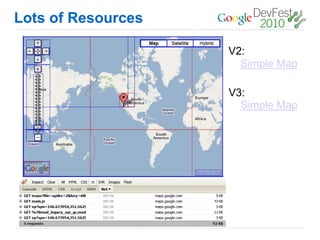
Lots of Resources

                    V2:
                      Simple Map

                    V3:
                      Simple Map
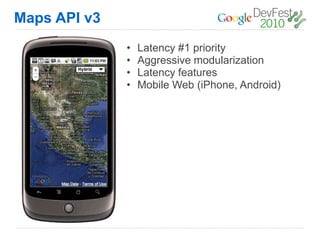
Maps API v3
              •   Latency #1 priority
              •   Aggressive modularization
              •   Latency features
              •   Mobile Web (iPhone, Android)
Displaying Many Markers
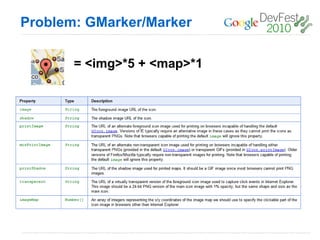
Problem: GMarker/Marker

       = <img>*5 + <map>*1
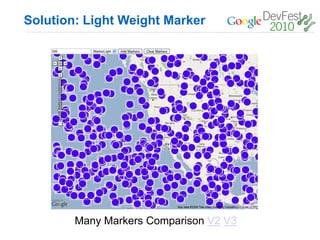
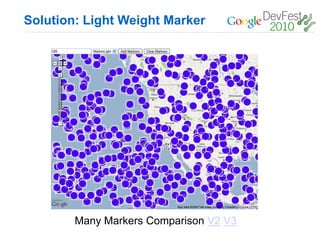
Solution: Light Weight Marker


        Many Markers Comparison V2 V3
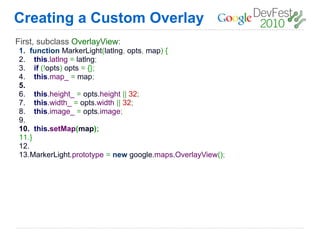
Creating a Custom Overlay
First, subclass OverlayView:
1. function MarkerLight(latlng, opts, map) {
2. this.latlng = latlng;
3. if (!opts) opts = {};
4. this.map_ = map;
5.
6. this.height_ = opts.height || 32;
7. this.width_ = opts.width || 32;
8. this.image_ = opts.image;
9.
10. this.setMap(map);
11.}
12.
13.MarkerLight.prototype = new google.maps.OverlayView();
Creating a Custom Overlay
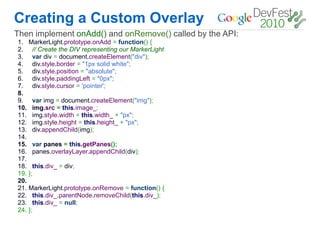
Then implement onAdd() and onRemove() called by the API:
1.    MarkerLight.prototype.onAdd = function() {
2.     // Create the DIV representing our MarkerLight
3.     var div = document.createElement("div");
4.     div.style.border = "1px solid white";
5.     div.style.position = "absolute";
6.     div.style.paddingLeft = "0px";
7.     div.style.cursor = 'pointer';
8.
9.     var img = document.createElement("img");
10.    img.src = this.image_;
11.    img.style.width = this.width_ + "px";
12.    img.style.height = this.height_ + "px";
13.    div.appendChild(img);
14.
15.    var panes = this.getPanes();
16.    panes.overlayLayer.appendChild(div);
17.
18.     this.div_ = div;
19.   };
20.
21.   MarkerLight.prototype.onRemove = function() {
22.     this.div_.parentNode.removeChild(this.div_);
23.     this.div_ = null;
24.   };
Creating a Custom Overlay
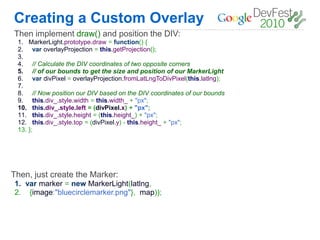
Then implement draw() and position the DIV:
 1.    MarkerLight.prototype.draw = function() {
 2.     var overlayProjection = this.getProjection();
 3.
 4.     // Calculate the DIV coordinates of two opposite corners
 5.     // of our bounds to get the size and position of our MarkerLight
 6.     var divPixel = overlayProjection.fromLatLngToDivPixel(this.latlng);
 7.
 8.      // Now position our DIV based on the DIV coordinates of our bounds
 9.      this.div_.style.width = this.width_ + "px";
 10.     this.div_.style.left = (divPixel.x) + "px";
 11.     this.div_.style.height = (this.height_) + "px";
 12.     this.div_.style.top = (divPixel.y) - this.height_ + "px";
 13.   };


Then, just create the Marker:
1. var marker = new MarkerLight(latlng,
2. {image:"bluecirclemarker.png"}, map));
Solution: Light Weight Marker


        Many Markers Comparison V2 V3
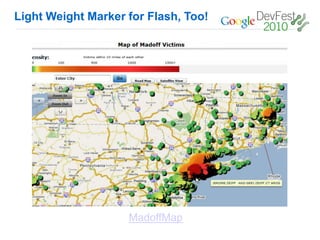
Light Weight Marker for Flash, Too!


                    MadoffMap
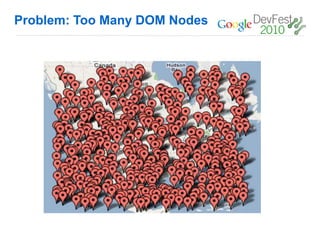
Problem: Too Many DOM Nodes
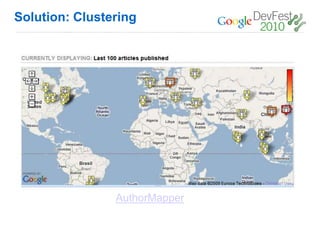
Solution: Clustering


                AuthorMapper
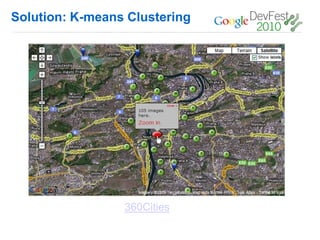
Solution: K-means Clustering


                 360Cities
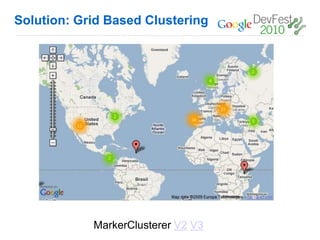
Solution: Grid Based Clustering


            MarkerClusterer V2 V3
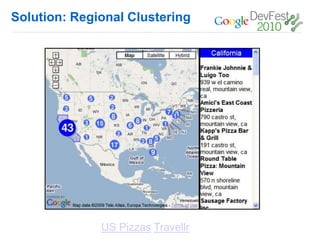
Solution: Regional Clustering


              US Pizzas Travellr
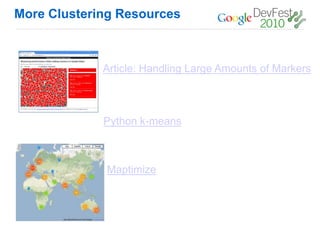
More Clustering Resources


             Article: Handling Large Amounts of Markers


             Python k-means


             Maptimize
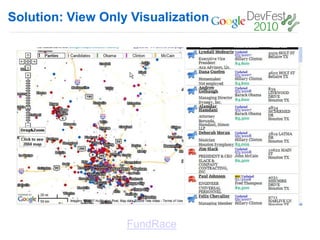
Solution: View Only Visualization


                   FundRace
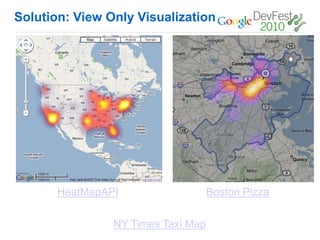
Solution: View Only Visualization


       HeatMapAPI                   Boston Pizza

                NY Times Taxi Map
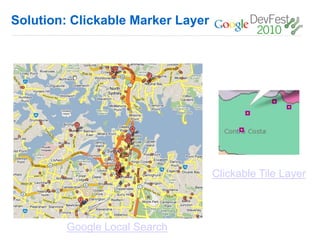
Solution: Clickable Marker Layer


                                   Clickable Tile Layer


        Google Local Search
Rendering Large Polys
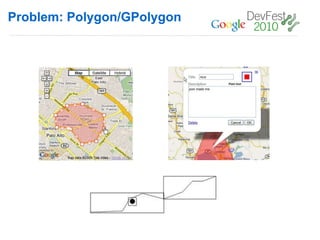
Problem: Polygon/GPolygon
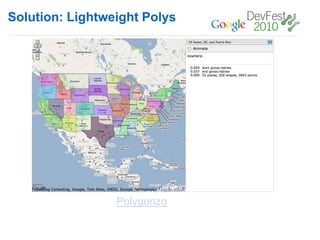
Solution: Lightweight Polys


                 Polygonzo
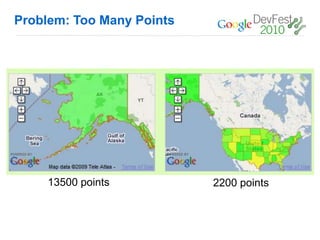
Problem: Too Many Points


     13500 points          2200 points
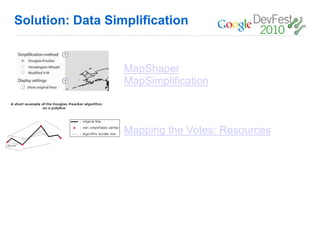
Solution: Data Simplification


                  MapShaper
                  MapSimplification


                  Mapping the Votes: Resources
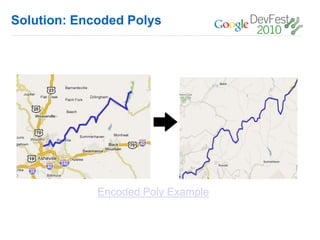
Solution: Encoded Polys


             Encoded Poly Example
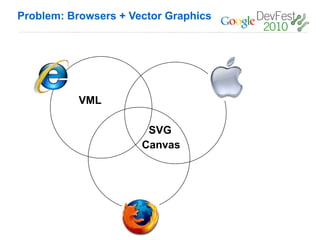
Problem: Browsers + Vector Graphics


           VML

                       SVG
                      Canvas
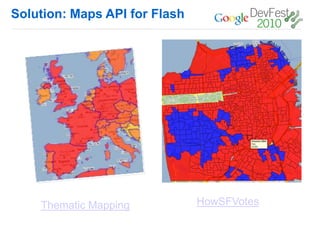
Solution: Maps API for Flash


    Thematic Mapping           HowSFVotes
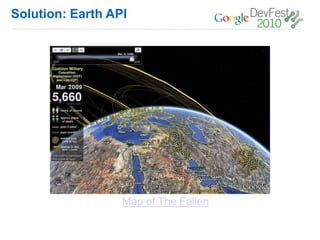
Solution: Earth API


                  Map of The Fallen
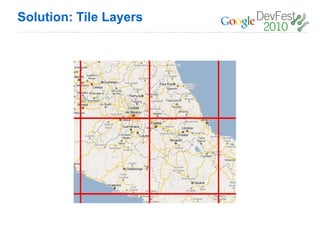
Solution: Tile Layers
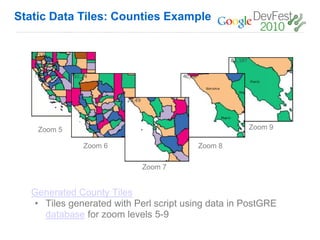
Static Data Tiles: Counties Example


    Zoom 5                                          Zoom 9

              Zoom 6                     Zoom 8

                            Zoom 7


   Generated County Tiles
   • Tiles generated with Perl script using data in PostGRE
     database for zoom levels 5-9
Hosting Geo Data
Hosting Geo Data
Google Maps Data API
 • Stores geo data and associated attributes.
 • Supports geospatial and attribute queries
 • Storage scales simply with usage.
 • Geodata is accessible across platforms and devices.
 • Geodata from the Google Maps Data API can be instantly
   indexed and made searchable in Google Maps.
App Engine
 • Host and run your web applications on Google's infrastructure.
 • Easy to build, maintain and scale. Highly customizable.
 • Supports Python and Java
 • Libraries available to make geospatial queries easier on App
   Engine
    o   http://code.google.com/p/geodatastore/
    o   http://code.google.com/p/geomodel/
Developer Qualification


          Community Driven.
Q&A
Thanks!

Performance and Scalability for Maps API Sites (Dev Fest '10 Mexico)

  • 1.
    Performance and Scalability forMaps API Sites Ossama Alami Developer Advocate, Google @ossamaalami @googlemapsapi
  • 2.
    “Every millisecond counts” Google UserExperience Guidelines http://www.google.com/corporate/ux.html
  • 3.
  • 4.
    Lots of Resources V2: Simple Map V3: Simple Map
  • 5.
    Maps API v3 • Latency #1 priority • Aggressive modularization • Latency features • Mobile Web (iPhone, Android)
  • 6.
  • 7.
    Problem: GMarker/Marker = <img>*5 + <map>*1
  • 8.
    Solution: Light WeightMarker Many Markers Comparison V2 V3
  • 9.
    Creating a CustomOverlay First, subclass OverlayView: 1. function MarkerLight(latlng, opts, map) { 2. this.latlng = latlng; 3. if (!opts) opts = {}; 4. this.map_ = map; 5. 6. this.height_ = opts.height || 32; 7. this.width_ = opts.width || 32; 8. this.image_ = opts.image; 9. 10. this.setMap(map); 11.} 12. 13.MarkerLight.prototype = new google.maps.OverlayView();
  • 10.
    Creating a CustomOverlay Then implement onAdd() and onRemove() called by the API: 1. MarkerLight.prototype.onAdd = function() { 2. // Create the DIV representing our MarkerLight 3. var div = document.createElement("div"); 4. div.style.border = "1px solid white"; 5. div.style.position = "absolute"; 6. div.style.paddingLeft = "0px"; 7. div.style.cursor = 'pointer'; 8. 9. var img = document.createElement("img"); 10. img.src = this.image_; 11. img.style.width = this.width_ + "px"; 12. img.style.height = this.height_ + "px"; 13. div.appendChild(img); 14. 15. var panes = this.getPanes(); 16. panes.overlayLayer.appendChild(div); 17. 18. this.div_ = div; 19. }; 20. 21. MarkerLight.prototype.onRemove = function() { 22. this.div_.parentNode.removeChild(this.div_); 23. this.div_ = null; 24. };
  • 11.
    Creating a CustomOverlay Then implement draw() and position the DIV: 1. MarkerLight.prototype.draw = function() { 2. var overlayProjection = this.getProjection(); 3. 4. // Calculate the DIV coordinates of two opposite corners 5. // of our bounds to get the size and position of our MarkerLight 6. var divPixel = overlayProjection.fromLatLngToDivPixel(this.latlng); 7. 8. // Now position our DIV based on the DIV coordinates of our bounds 9. this.div_.style.width = this.width_ + "px"; 10. this.div_.style.left = (divPixel.x) + "px"; 11. this.div_.style.height = (this.height_) + "px"; 12. this.div_.style.top = (divPixel.y) - this.height_ + "px"; 13. }; Then, just create the Marker: 1. var marker = new MarkerLight(latlng, 2. {image:"bluecirclemarker.png"}, map));
  • 12.
    Solution: Light WeightMarker Many Markers Comparison V2 V3
  • 13.
    Light Weight Markerfor Flash, Too! MadoffMap
  • 14.
  • 15.
  • 16.
  • 17.
    Solution: Grid BasedClustering MarkerClusterer V2 V3
  • 18.
  • 19.
    More Clustering Resources Article: Handling Large Amounts of Markers Python k-means Maptimize
  • 20.
    Solution: View OnlyVisualization FundRace
  • 21.
    Solution: View OnlyVisualization HeatMapAPI Boston Pizza NY Times Taxi Map
  • 22.
    Solution: Clickable MarkerLayer Clickable Tile Layer Google Local Search
  • 23.
  • 24.
  • 25.
  • 26.
    Problem: Too ManyPoints 13500 points 2200 points
  • 27.
    Solution: Data Simplification MapShaper MapSimplification Mapping the Votes: Resources
  • 28.
    Solution: Encoded Polys Encoded Poly Example
  • 29.
    Problem: Browsers +Vector Graphics VML SVG Canvas
  • 30.
    Solution: Maps APIfor Flash Thematic Mapping HowSFVotes
  • 31.
    Solution: Earth API Map of The Fallen
  • 32.
  • 33.
    Static Data Tiles:Counties Example Zoom 5 Zoom 9 Zoom 6 Zoom 8 Zoom 7 Generated County Tiles • Tiles generated with Perl script using data in PostGRE database for zoom levels 5-9
  • 34.
  • 35.
    Hosting Geo Data GoogleMaps Data API • Stores geo data and associated attributes. • Supports geospatial and attribute queries • Storage scales simply with usage. • Geodata is accessible across platforms and devices. • Geodata from the Google Maps Data API can be instantly indexed and made searchable in Google Maps. App Engine • Host and run your web applications on Google's infrastructure. • Easy to build, maintain and scale. Highly customizable. • Supports Python and Java • Libraries available to make geospatial queries easier on App Engine o http://code.google.com/p/geodatastore/ o http://code.google.com/p/geomodel/
  • 36.
    Developer Qualification Community Driven.
  • 37.