ELEMENTS OF A COMPUTER SYSTEM
A.Hardware
Hardware maybe classified into input
devices, output devices, the central
processing unit (CPU) and secondary storage.
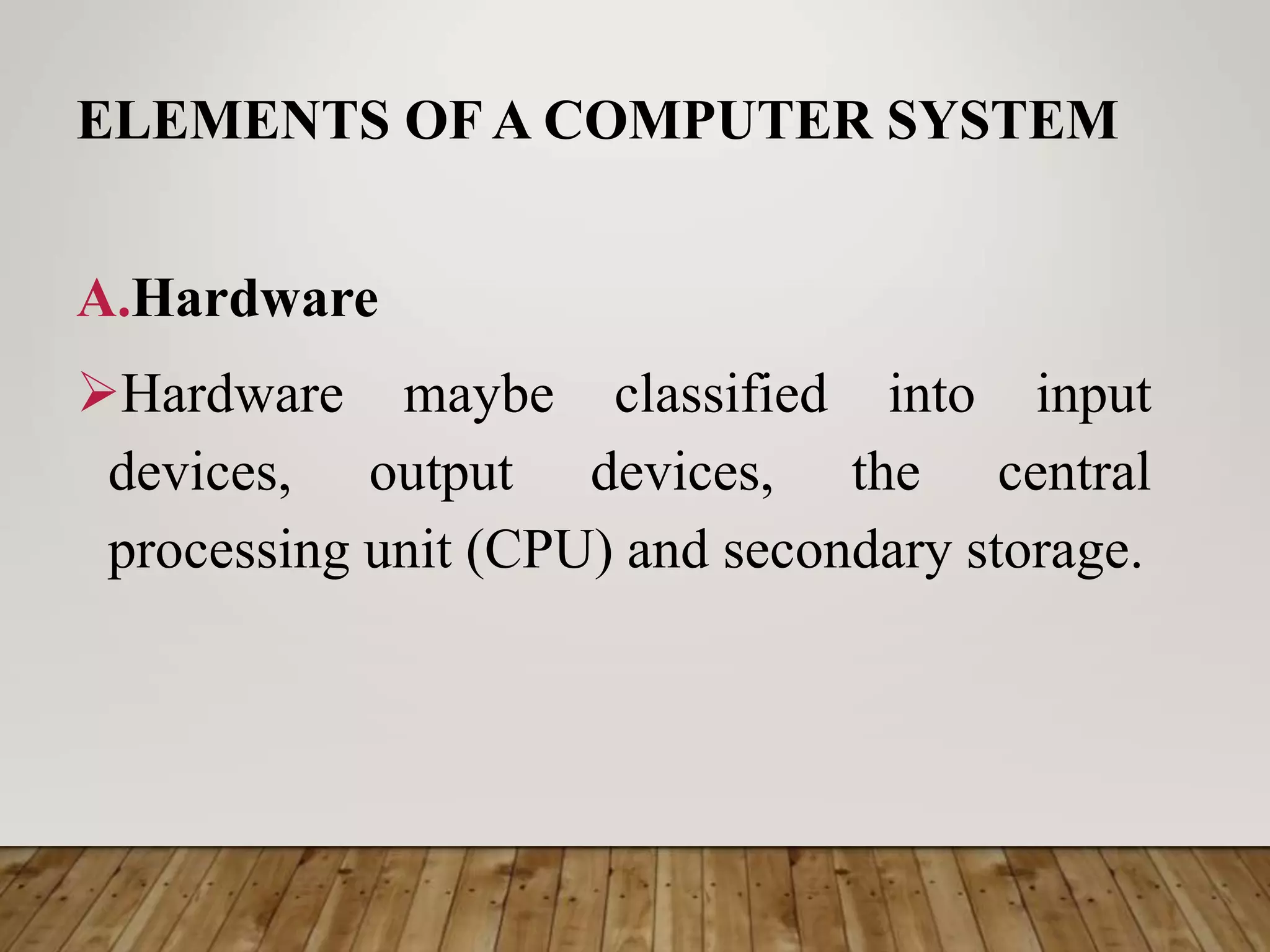
Hardware
Physical parts of the
computer, including
processor and memory
chips, input/output
devices, tapes, disks,
modems, cable, etc.
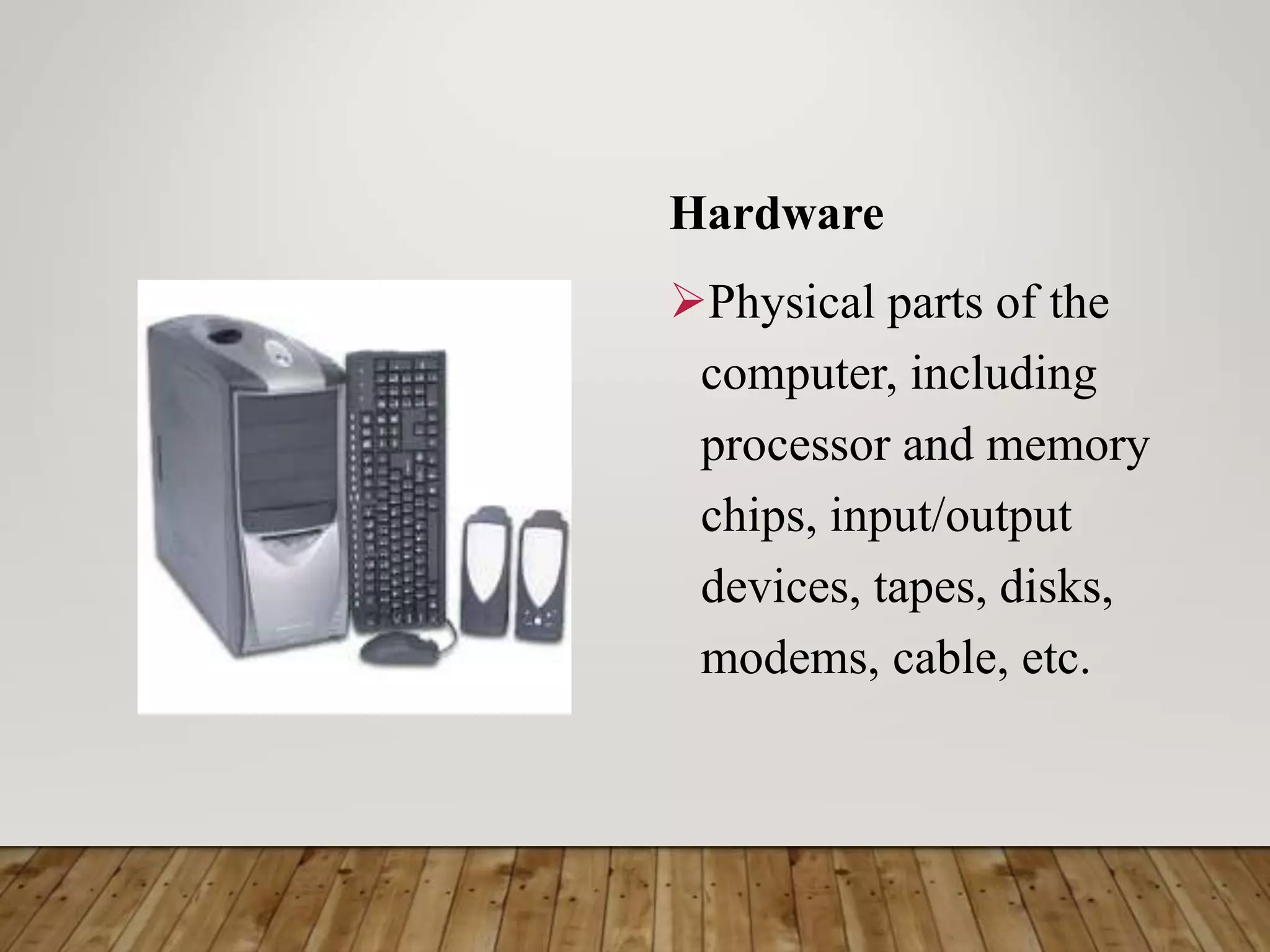
COMPUTER PARTS
There are many
parts that work
together to
make a
computer work.
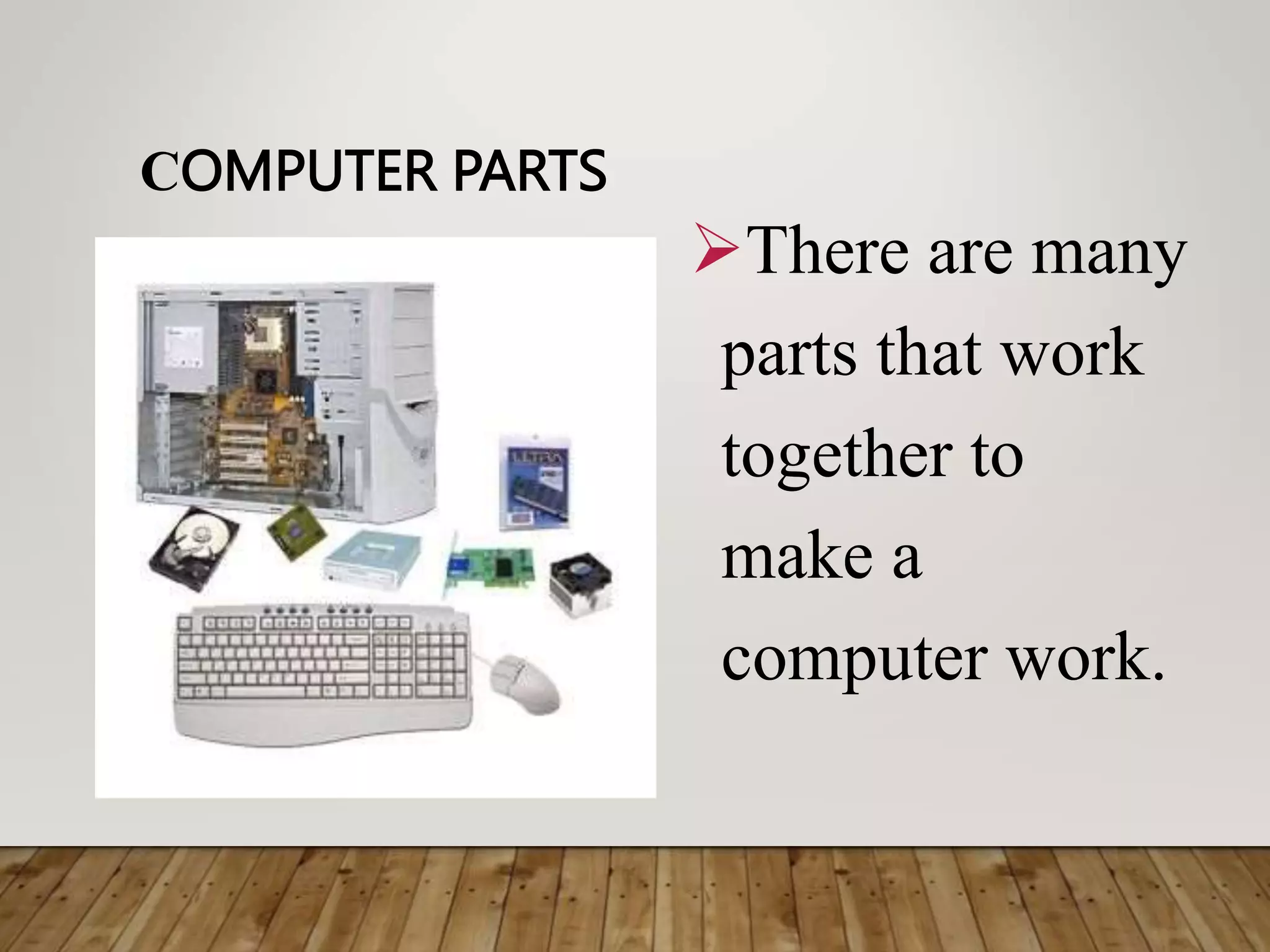
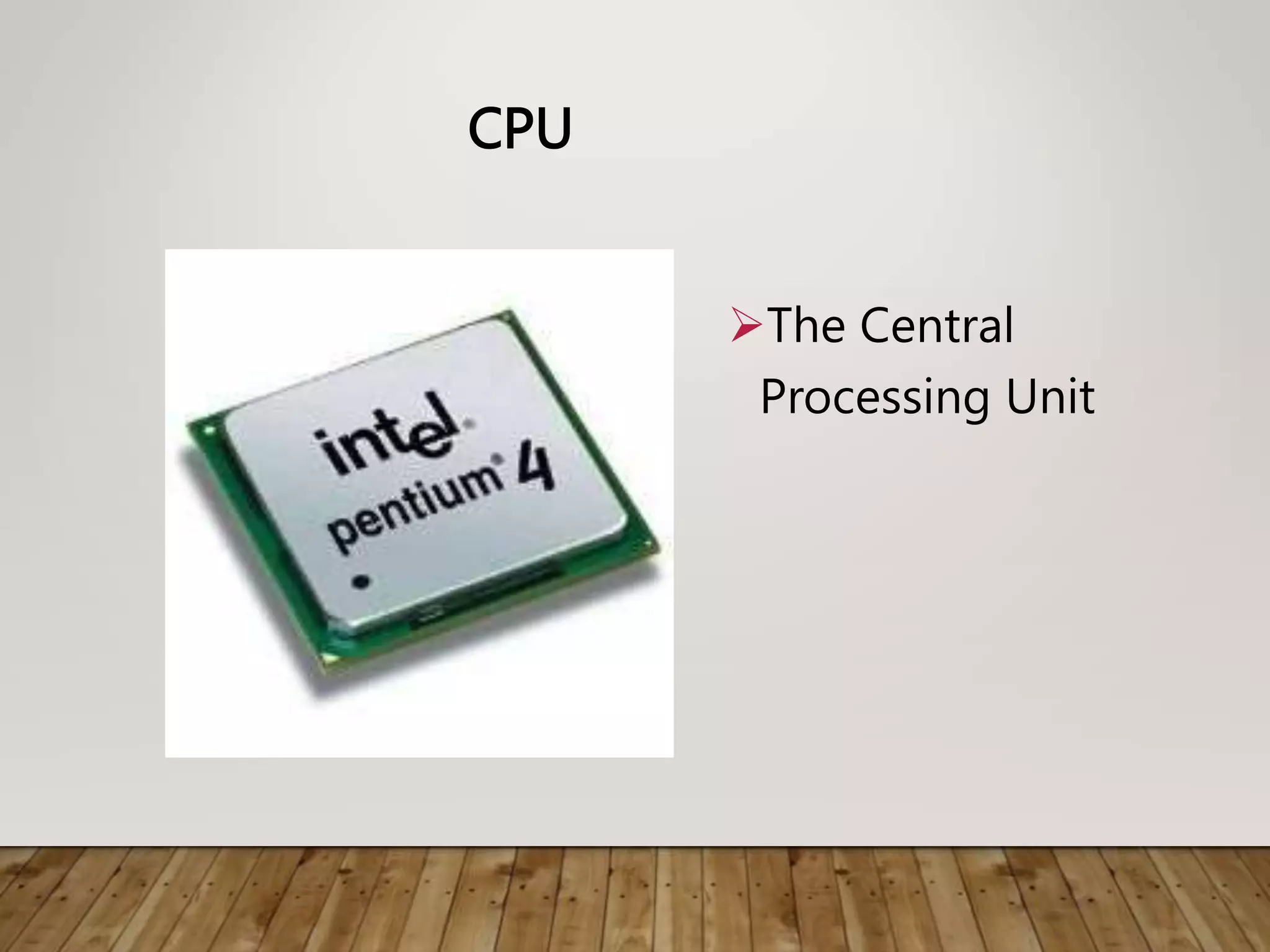
CPU
The Central
Processing Unit
PROCESSOR
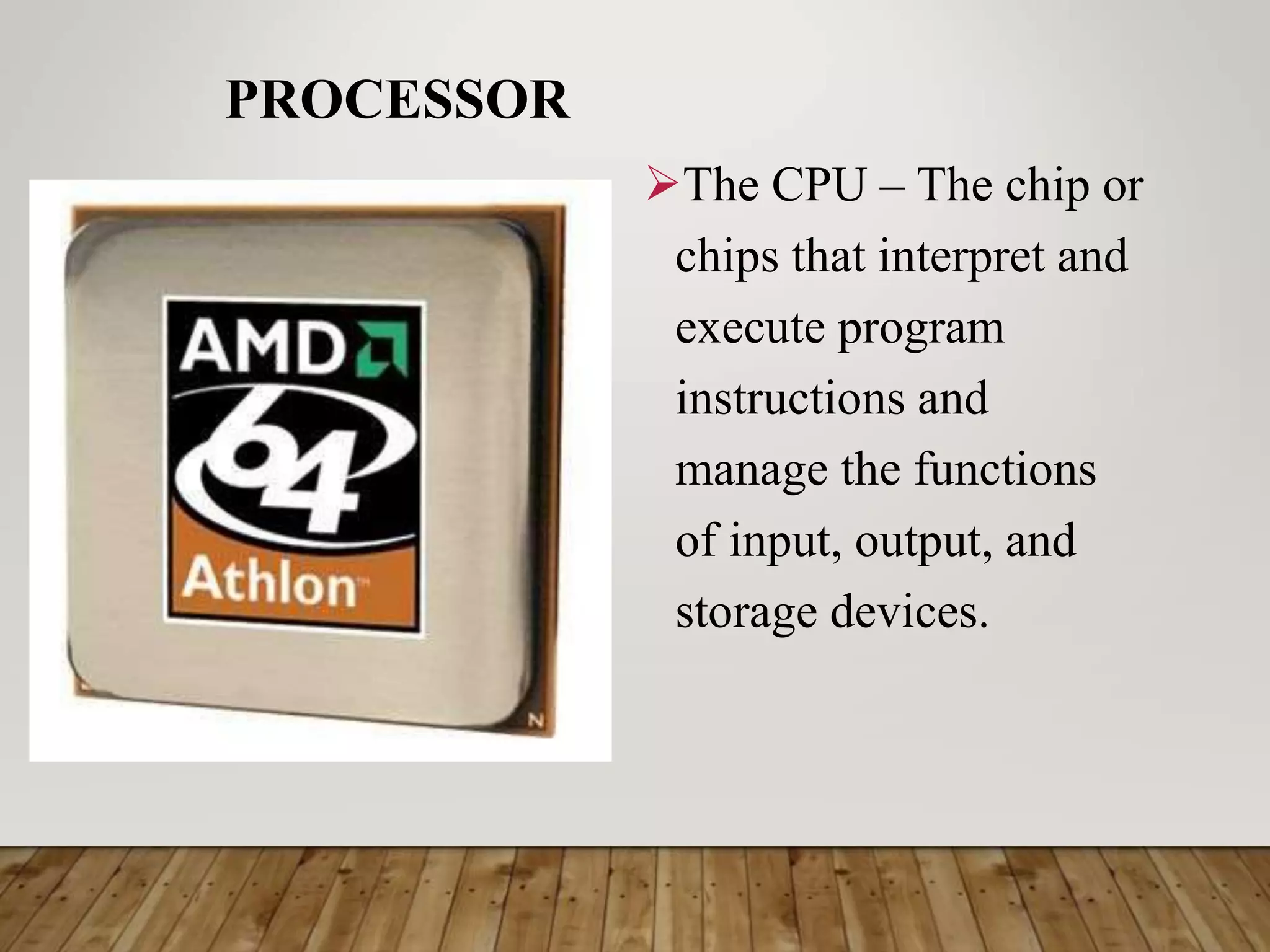
The CPU – The chip or
chips that interpret and
execute program
instructions and
manage the functions
of input, output, and
storage devices.
COMPUTER CASE
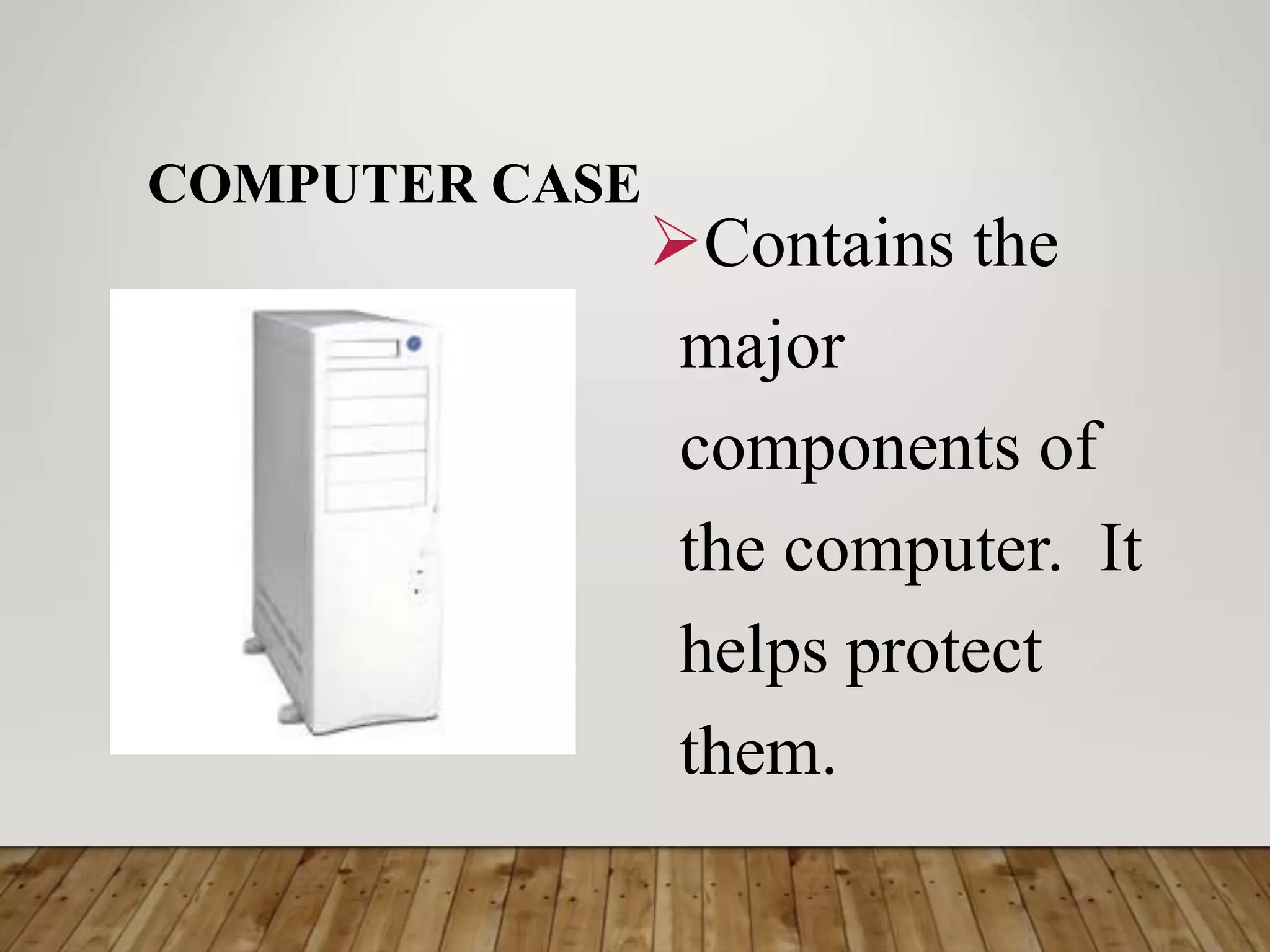
Contains the
major
components of
the computer. It
helps protect
them.
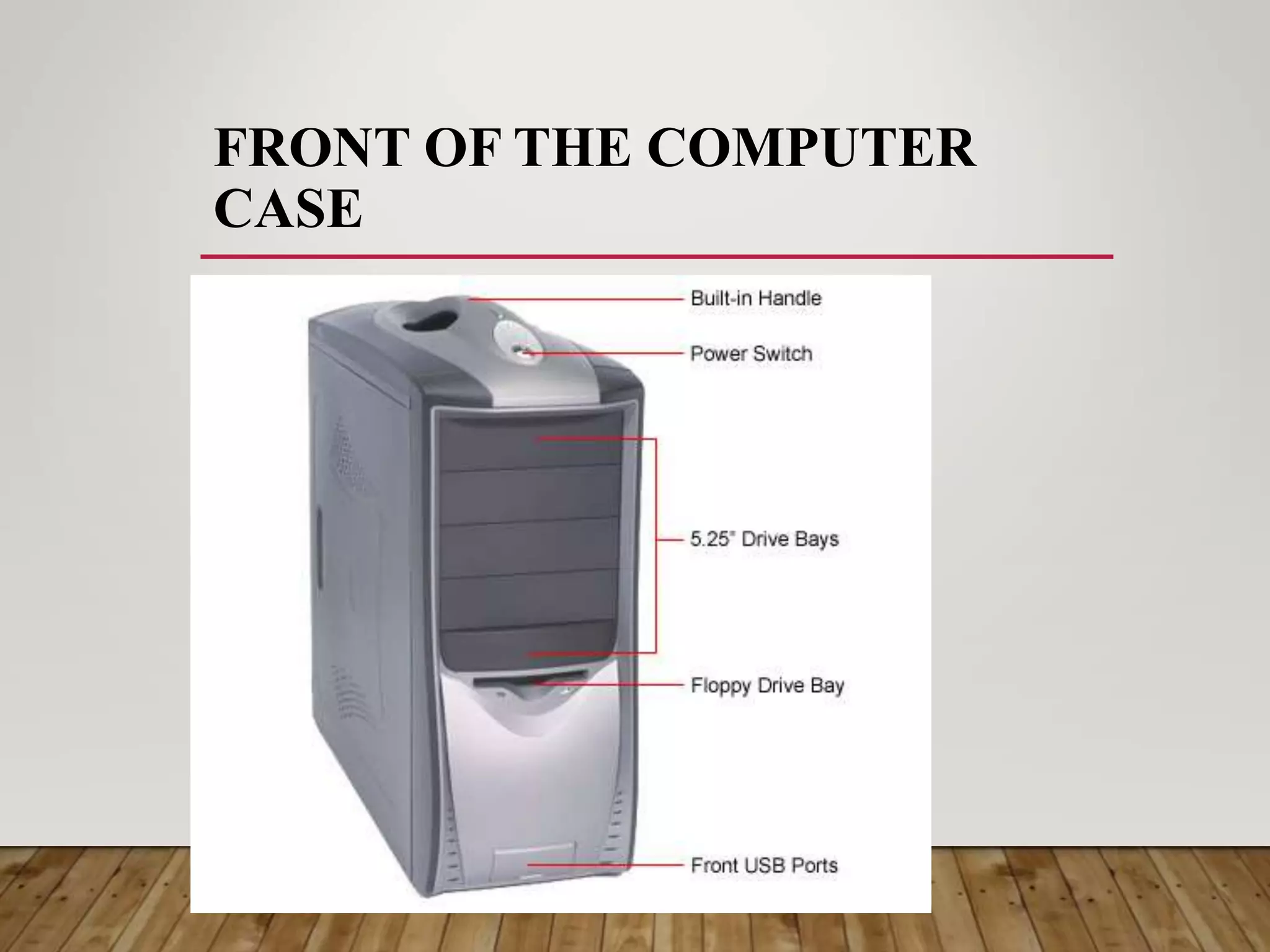
FRONT OF THE COMPUTER
CASE
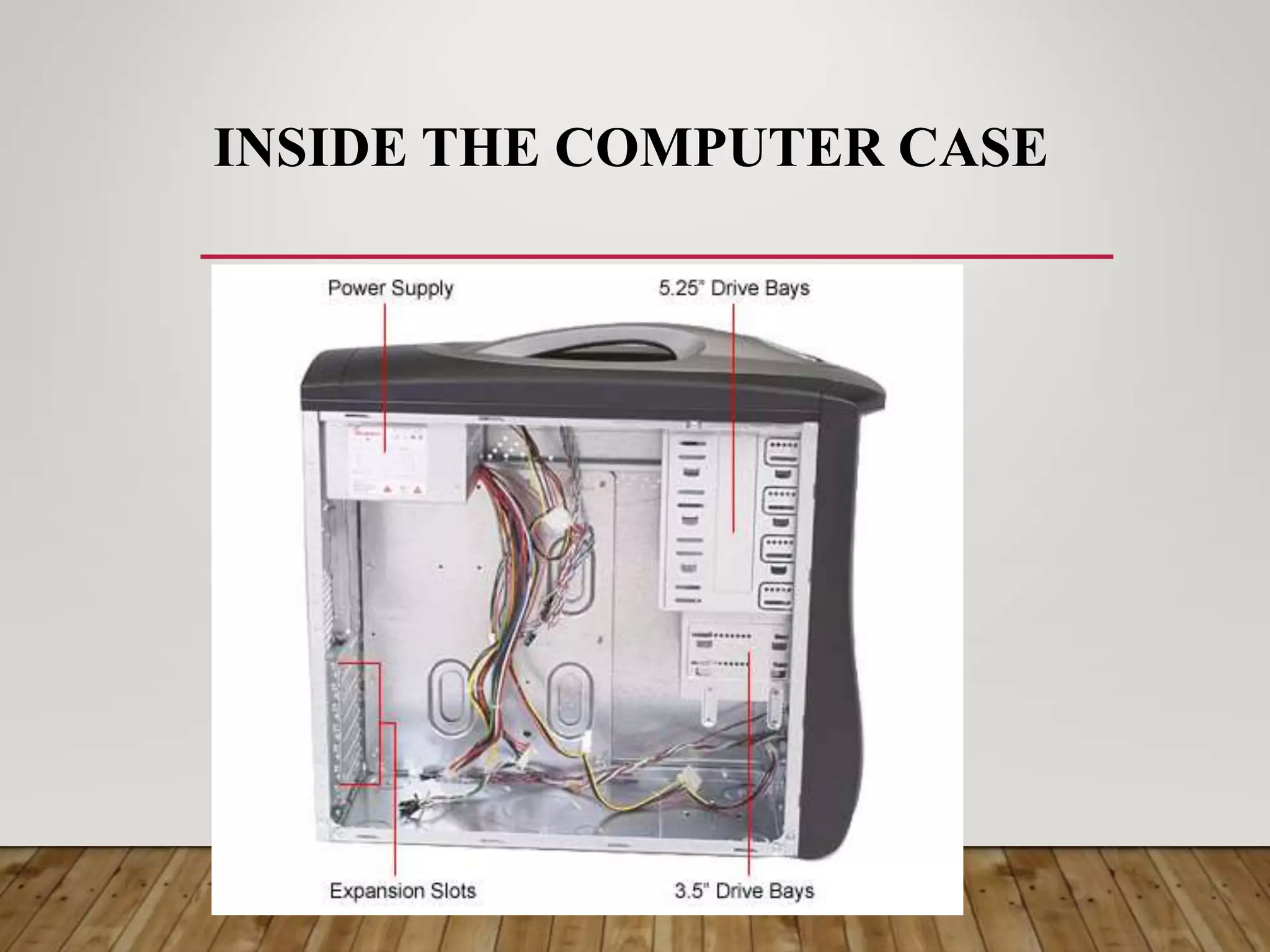
INSIDE THE COMPUTER CASE
1. Input Devices
Input hardware consists of external devices – that is,
components outside of the computer’s CPU – that
provide information and instructions to the computer.
There are different types of hardware that serve as input
devices. Some devices are pre – installed with the
monitor and the CPU when you by the computer set (like
the keyboard and mouse) but the most are bought
separately. Some of the devices are affordable but some
are quite expensive
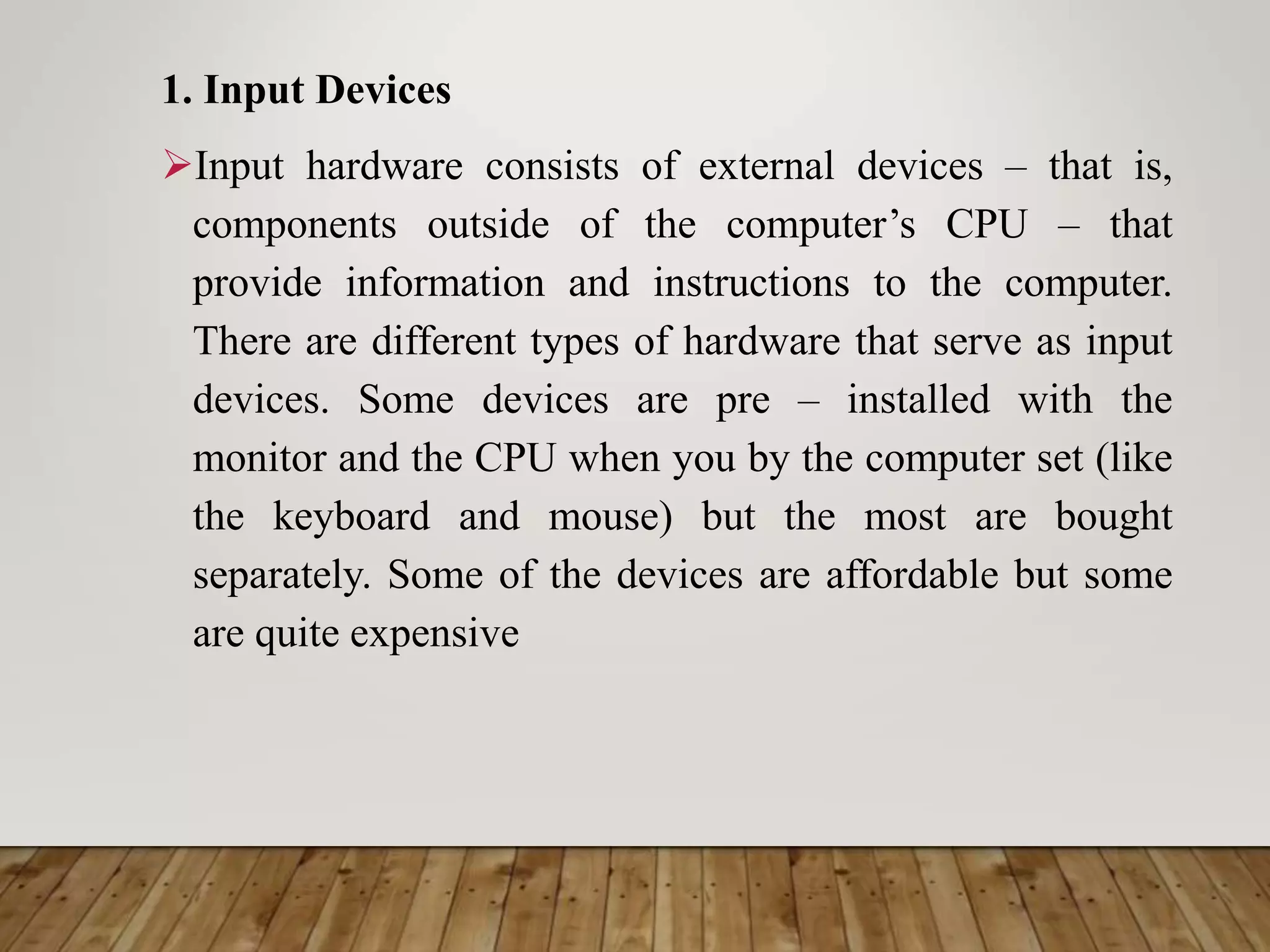
Keyboard
Used to enter
information into
the computer and
for giving
commands.
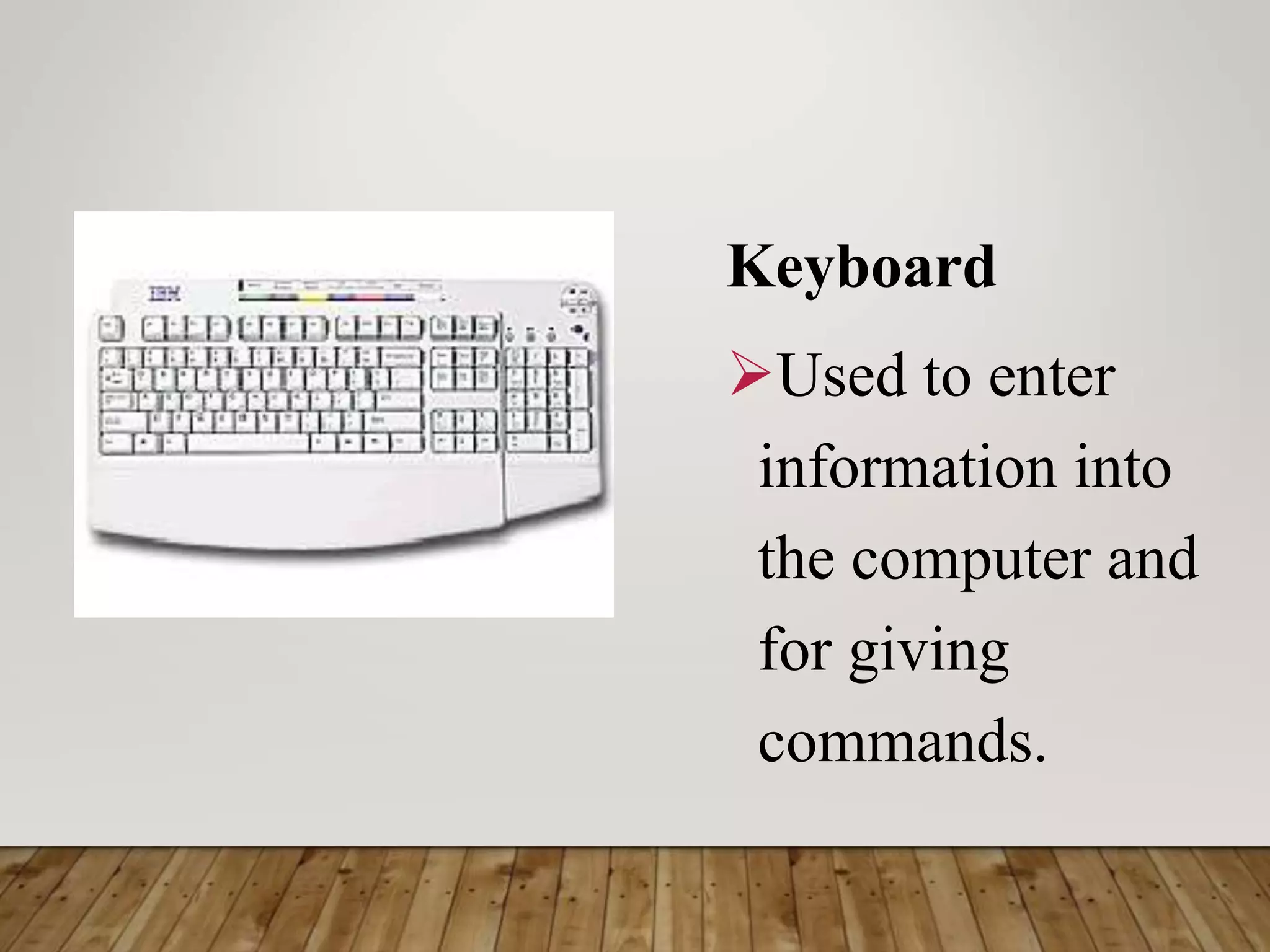
Terminal
Consists of a monitor,
keyboard and communication
lines attached to a computer
system. It accepts customer
inputs for processing.
Touch one device
Accepts data when telephone
buttons are pushed. This triggers
the telephone, which in turn
sends signals to the computer.
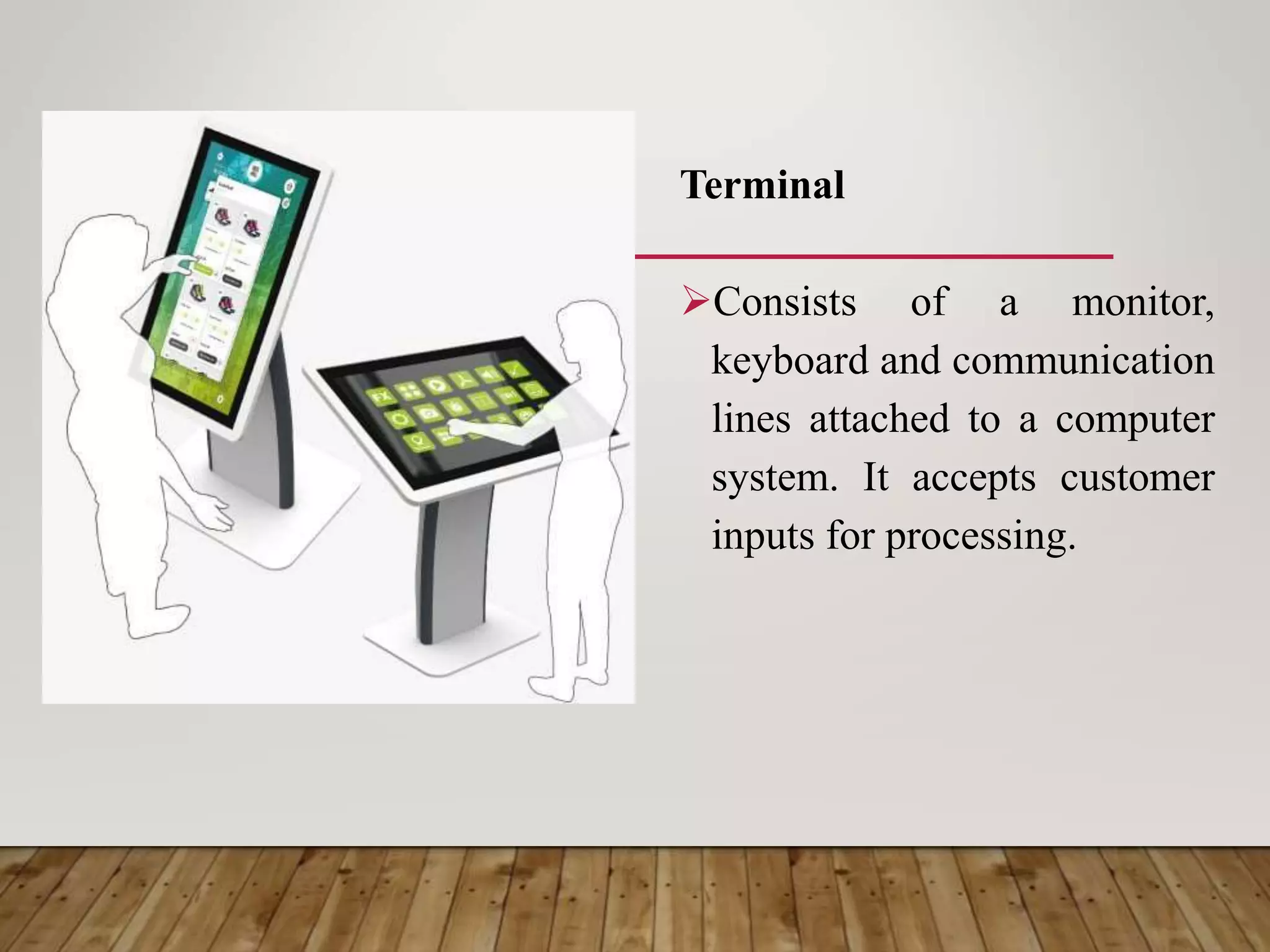
Set – up boxes
Enable the user to
request for a specific
program to be aired
through a cable box
triggered by a remote
control.
Mouse
An input device operated by
rolling its ball across a flat
surface. The mouse is used to
control the on-screen pointer
by pointing and clicking,
double-clicking, or dragging
objects on the screen.
Trackball
Similar to a mouse but
the ball is the one
directly moved to
control the movement
of the pointer.
Joystick
Pointing device
with a base and vertical
handle that pivots in all
directions. This is
usually used in playing
computer games.
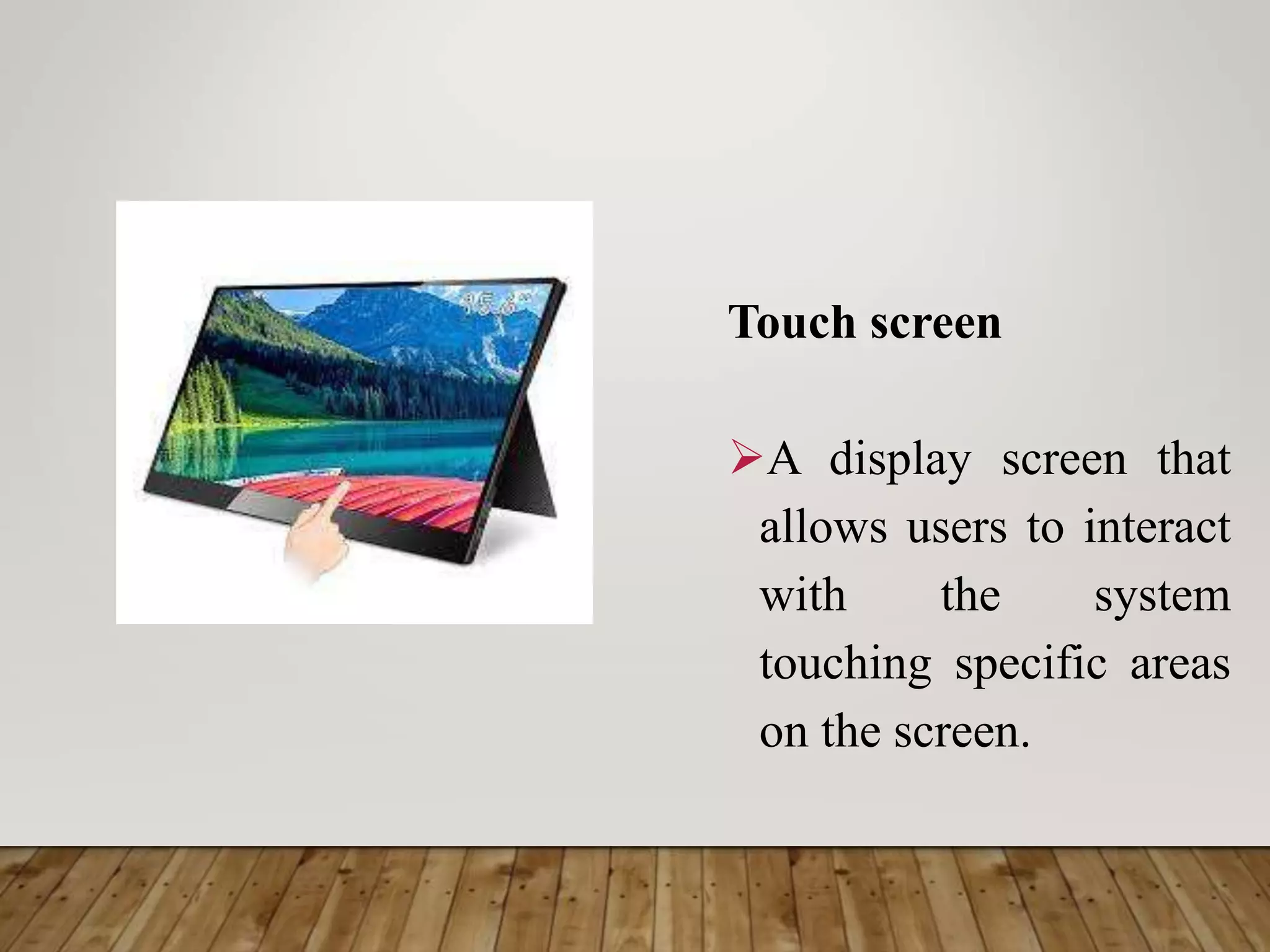
Touch screen
A display screen that
allows users to interact
with the system
touching specific areas
on the screen.
Light pen
It is a sensitive stylus or
pen device that used by
engineers, illustrators and
graphics designers. It
serves as a virtual pen that
allows freehand drawing.
Graphics Tablet
Sometimes called
digitizing tablet,
connected by a wire to
a light pen through
which the user can
sketch images.
Scanning devices
Translates images of text,
photo and other graphics
into digital form. The
digitized image can then be
manipulated or reproduced
using a computer.
Barcode Reader
An input device that
converts a pattern of
printed bars into a
number that a computer
can read. They are
often used by
businesses to quickly
input price and product
information.
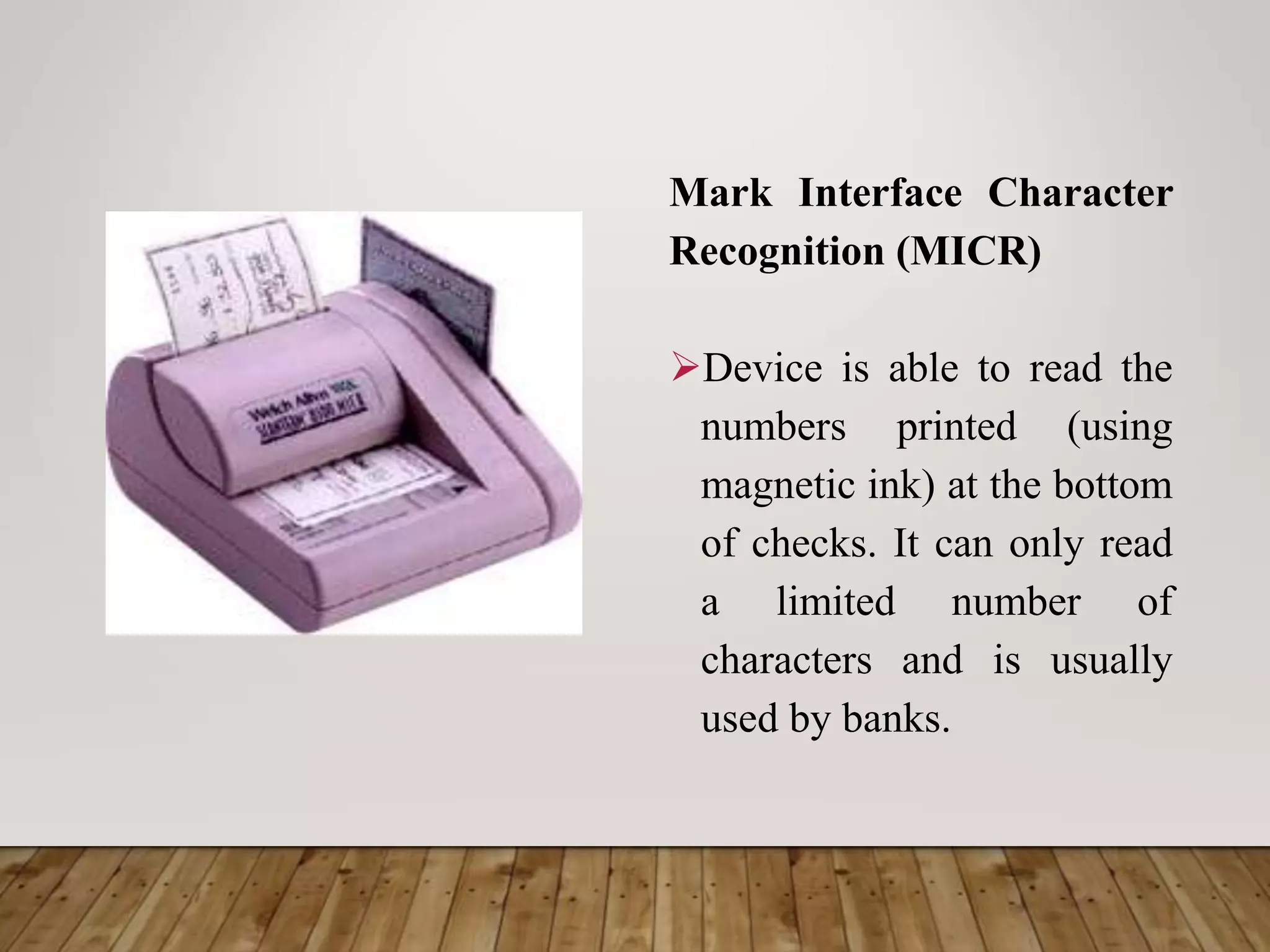
Mark Interface Character
Recognition (MICR)
Device is able to read the
numbers printed (using
magnetic ink) at the bottom
of checks. It can only read
a limited number of
characters and is usually
used by banks.
Optical Mark Recognition
(OMR)
Device use a device that
reads pencil and ink marks
and converts them into data
that can be read and
manipulated by the
computer.
Wand Reader
Is a common scanning
device used in price tags. It
uses a device that reads
preprinted characters and
converts them into digital
code.
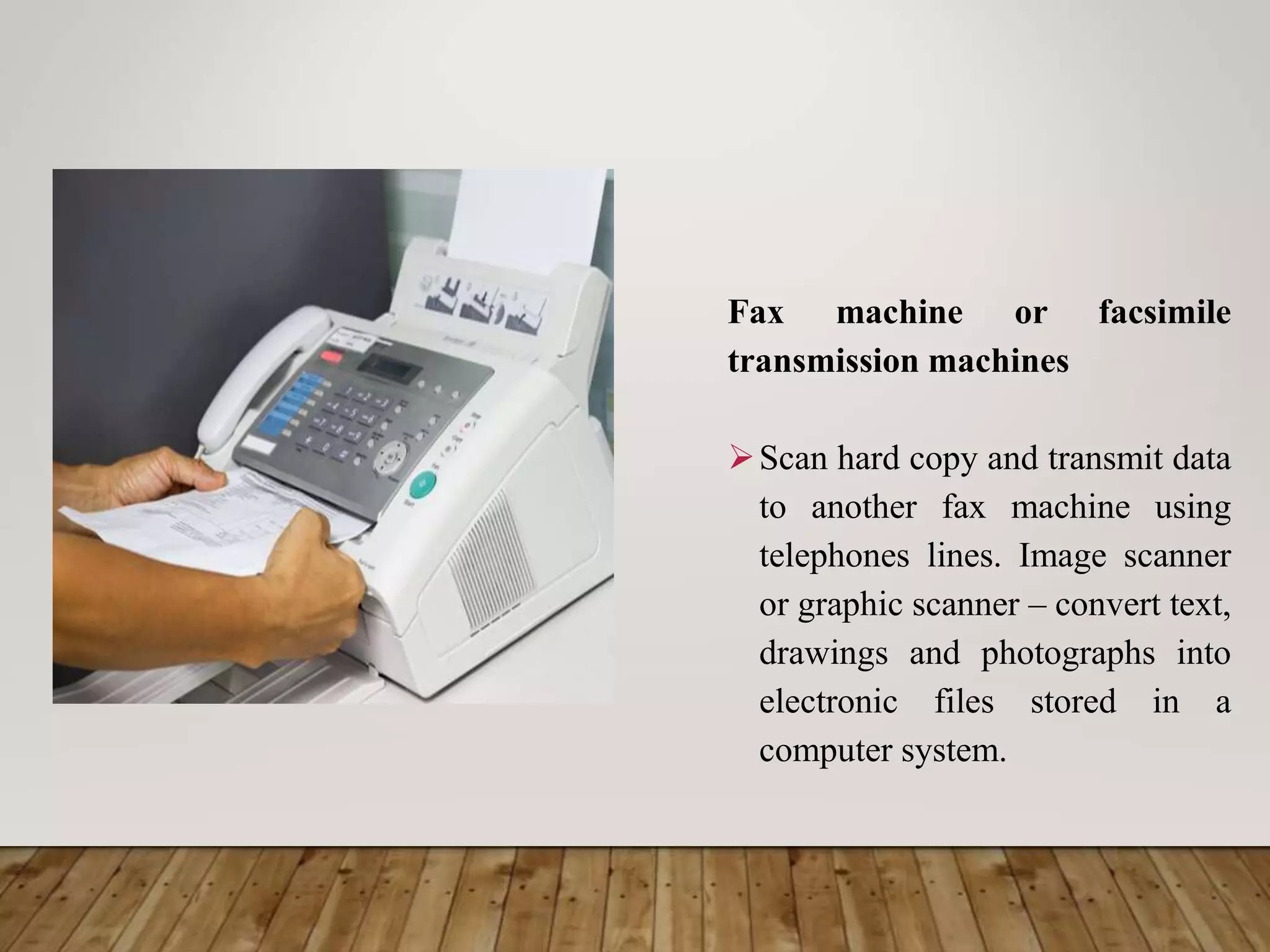
Fax machine or facsimile
transmission machines
Scan hard copy and transmit data
to another fax machine using
telephones lines. Image scanner
or graphic scanner – convert text,
drawings and photographs into
electronic files stored in a
computer system.
Magnetic strip card
Contains data encoded and
stored on magnetic strips. It
is usually used in credit
cards, ATM cards and
identification card. It
usually holds half a page of
data.
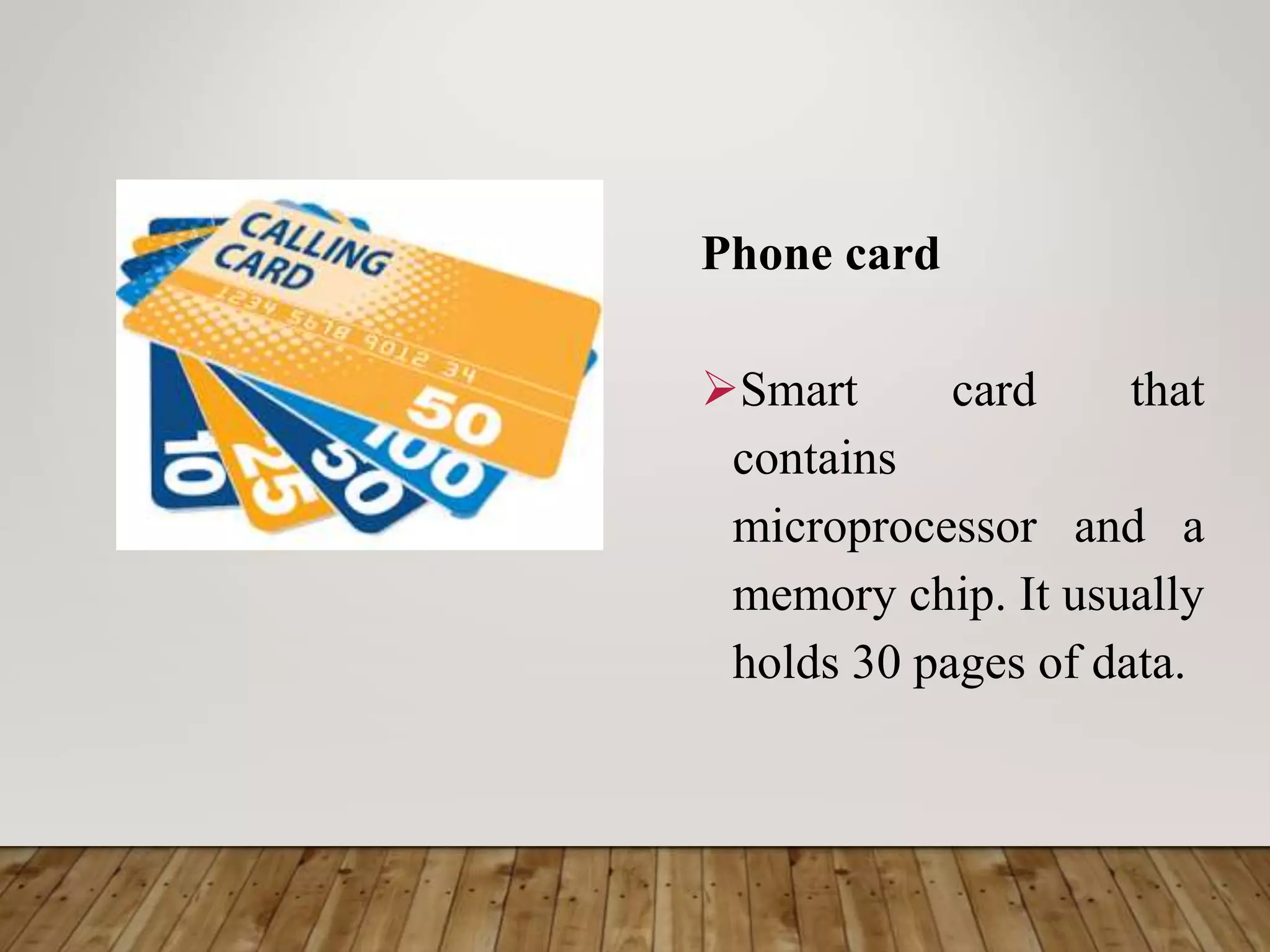
Phone card
Smart card that
contains
microprocessor and a
memory chip. It usually
holds 30 pages of data.
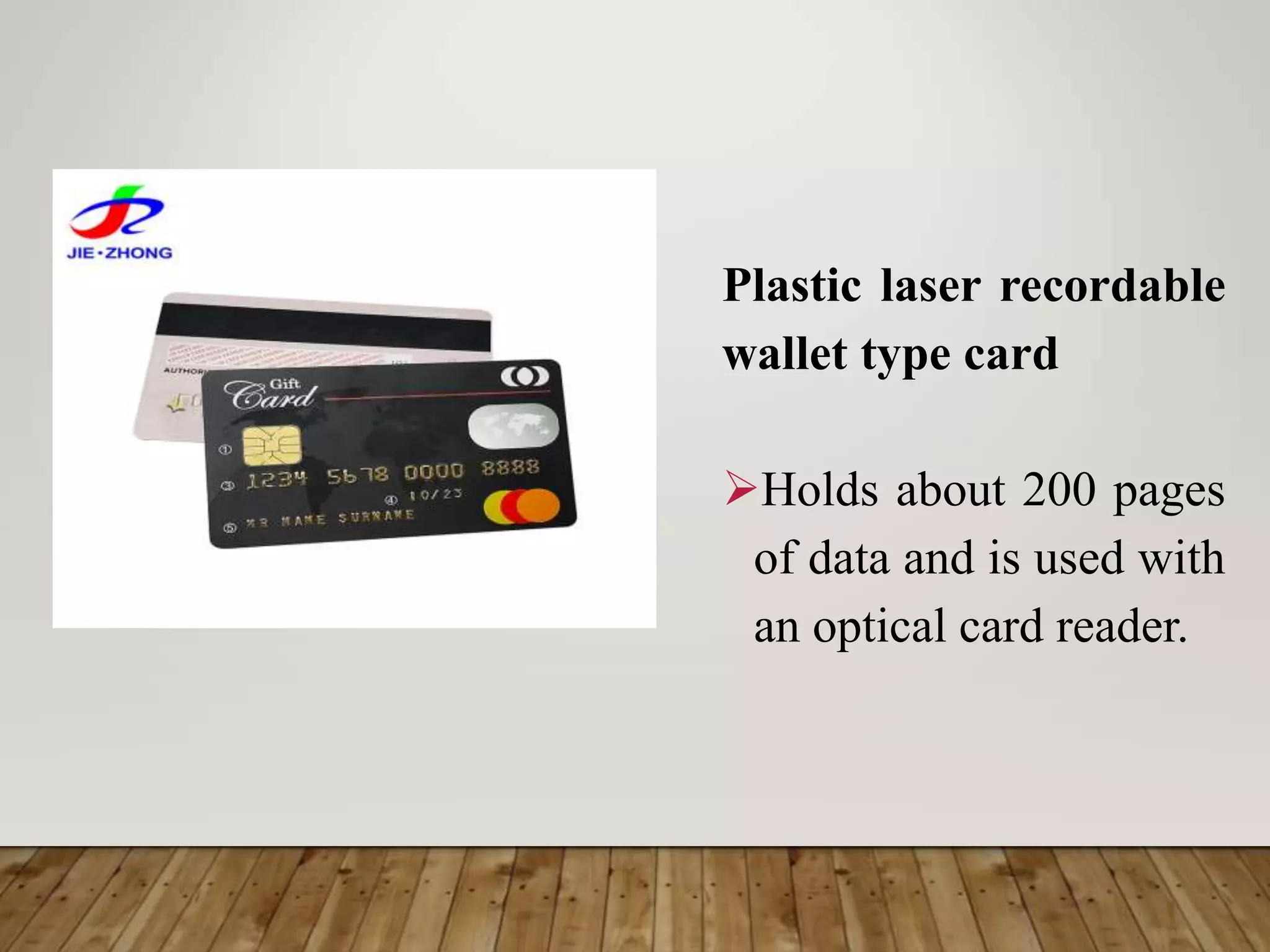
Plastic laser recordable
wallet type card
Holds about 200 pages
of data and is used with
an optical card reader.
Speech synthesizers
Convert human speech
into digital form. The
data can then be
transformed back into
human speech.
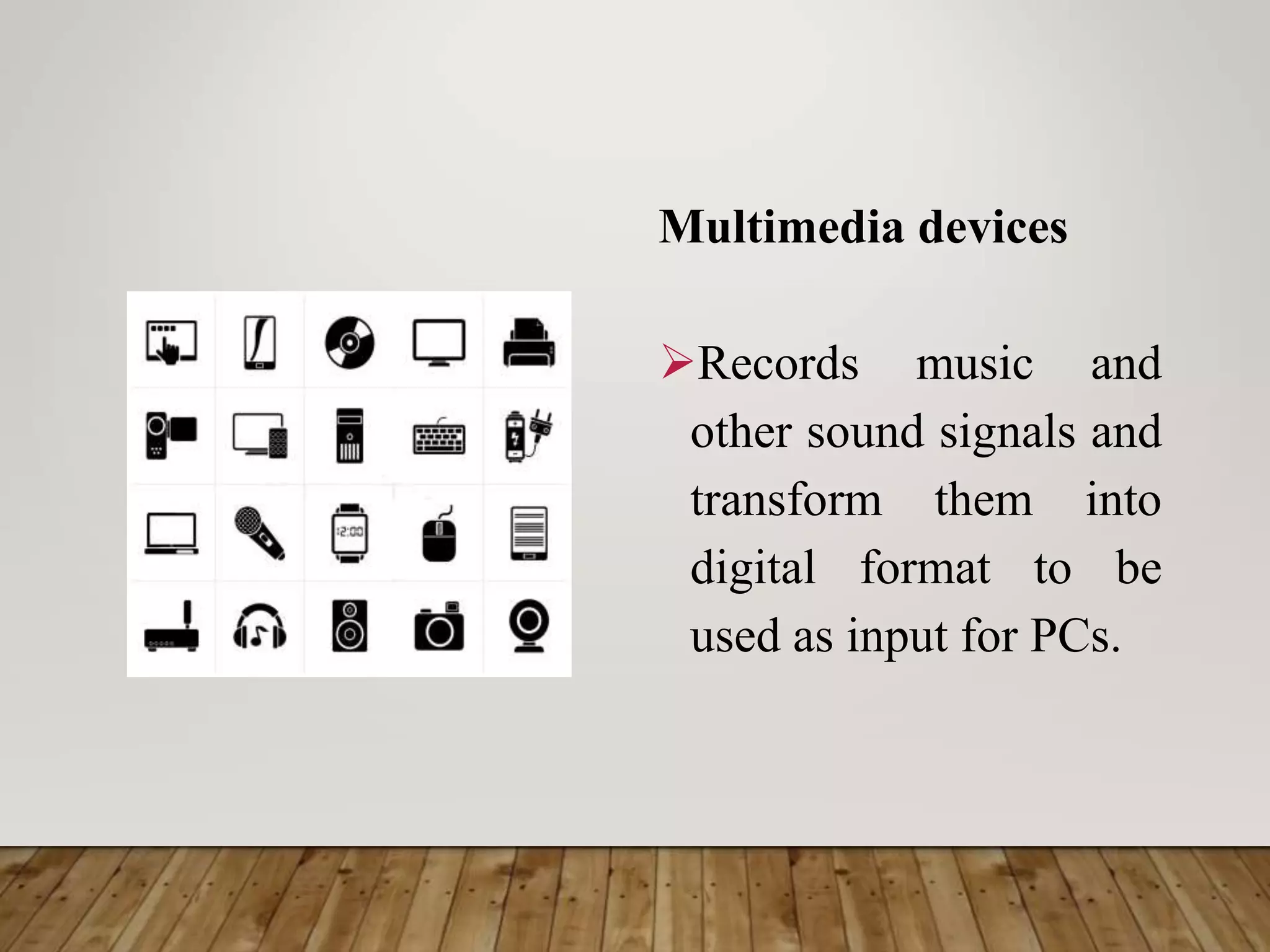
Multimedia devices
Records music and
other sound signals and
transform them into
digital format to be
used as input for PCs.
Digital cameras
Capture images in
electronic form for
immediate viewing on
computer screen or TV.
These images can be stored
and manipulated using
computers.
Video converters
 Transform video or films into digital format.
 Signals coming from videocassette recorders,
laser disk or camcorder are converted into
digital form through a video card installed in
the computer.
 Sensor- collects specific kinds of data from the
environment and converts these into computer
readable data. Examples include sensors that
measure the temperature, humidity, smoke, gas
and light.
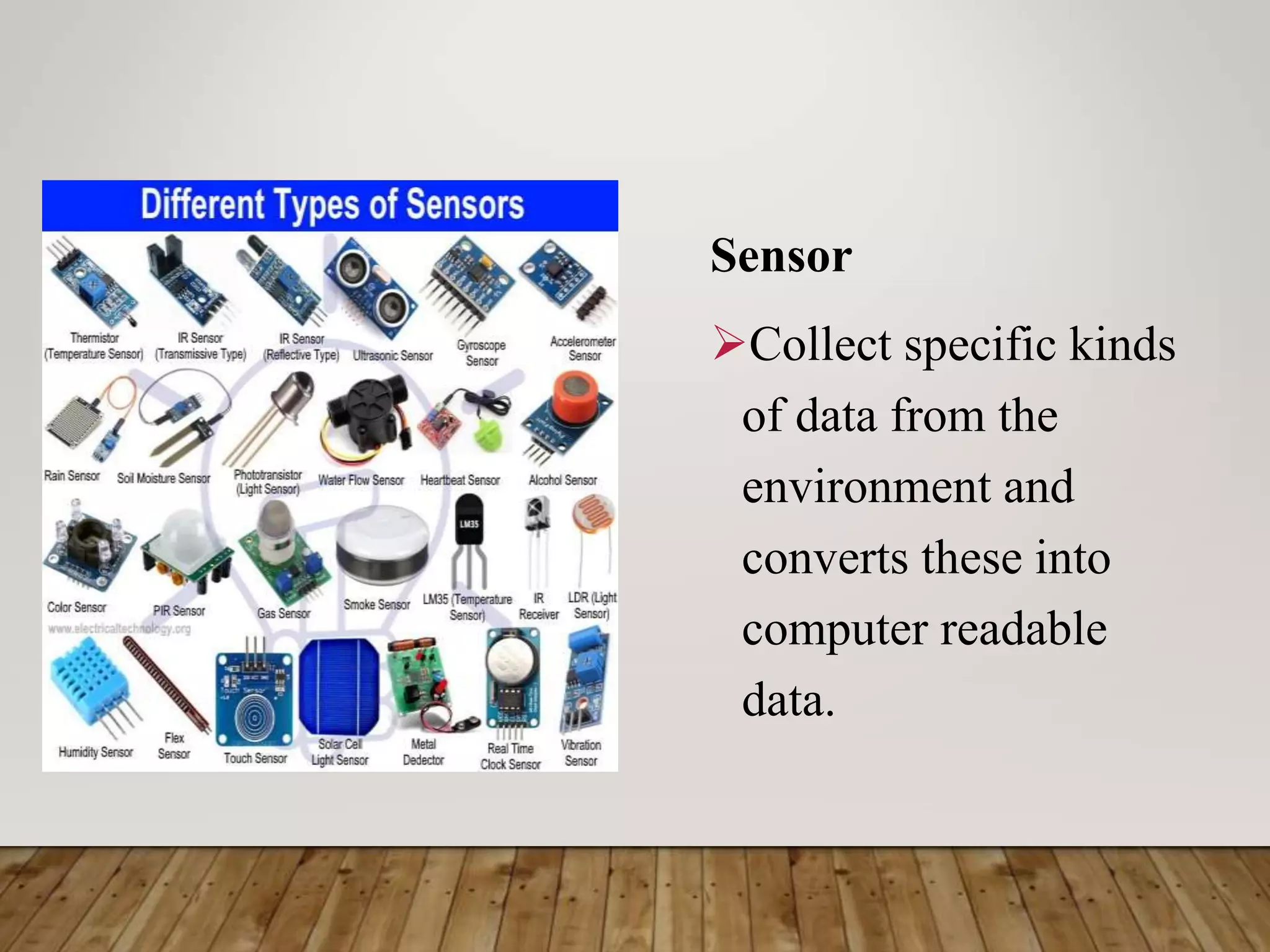
Sensor
Collect specific kinds
of data from the
environment and
converts these into
computer readable
data.
Touchpad
A pressure-
sensitive and
motion sensitive
device used in
place of a mouse.
2. Output Devices
Output hardware consists of devices which communicate the result
of processing back to the user by converting electrical signals from the
Arithmetic/ Logic Unit into a form recognizable by a human operator.
The most common output devices include video displays, high- speed
printers and console typewriters. A recent development in output
equipment is an audio response unit that can construct sentences with
human speakers’ words that have been digitalized and stored in a
memory device. Others synthesize human speech, providing the
appropriate response by generating signals similar to those produced
in regular speech.
Monitor
• A display screen to
provide “output” to the
user. It is where you
view the information
your are working on.
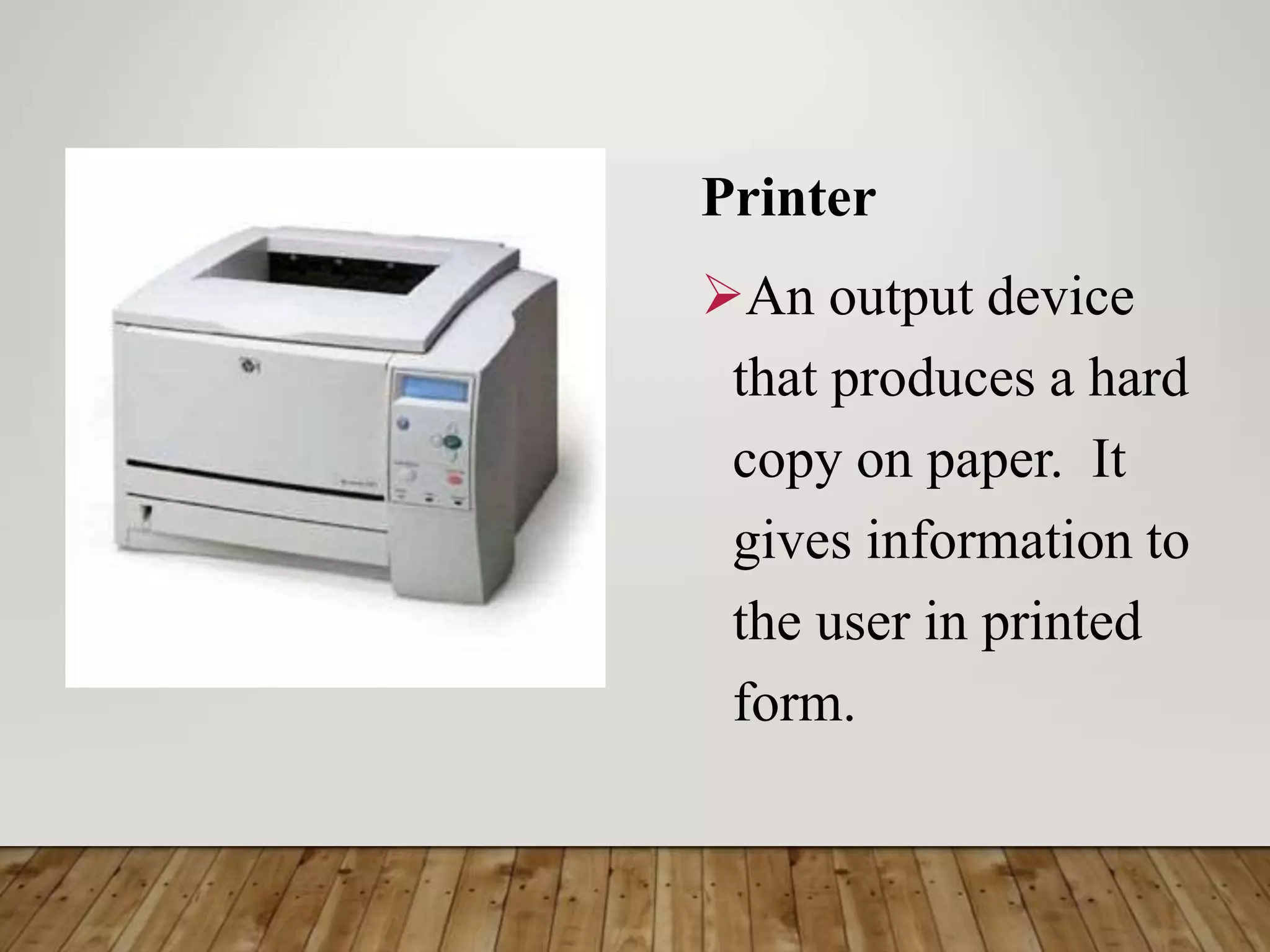
Printer
An output device
that produces a hard
copy on paper. It
gives information to
the user in printed
form.
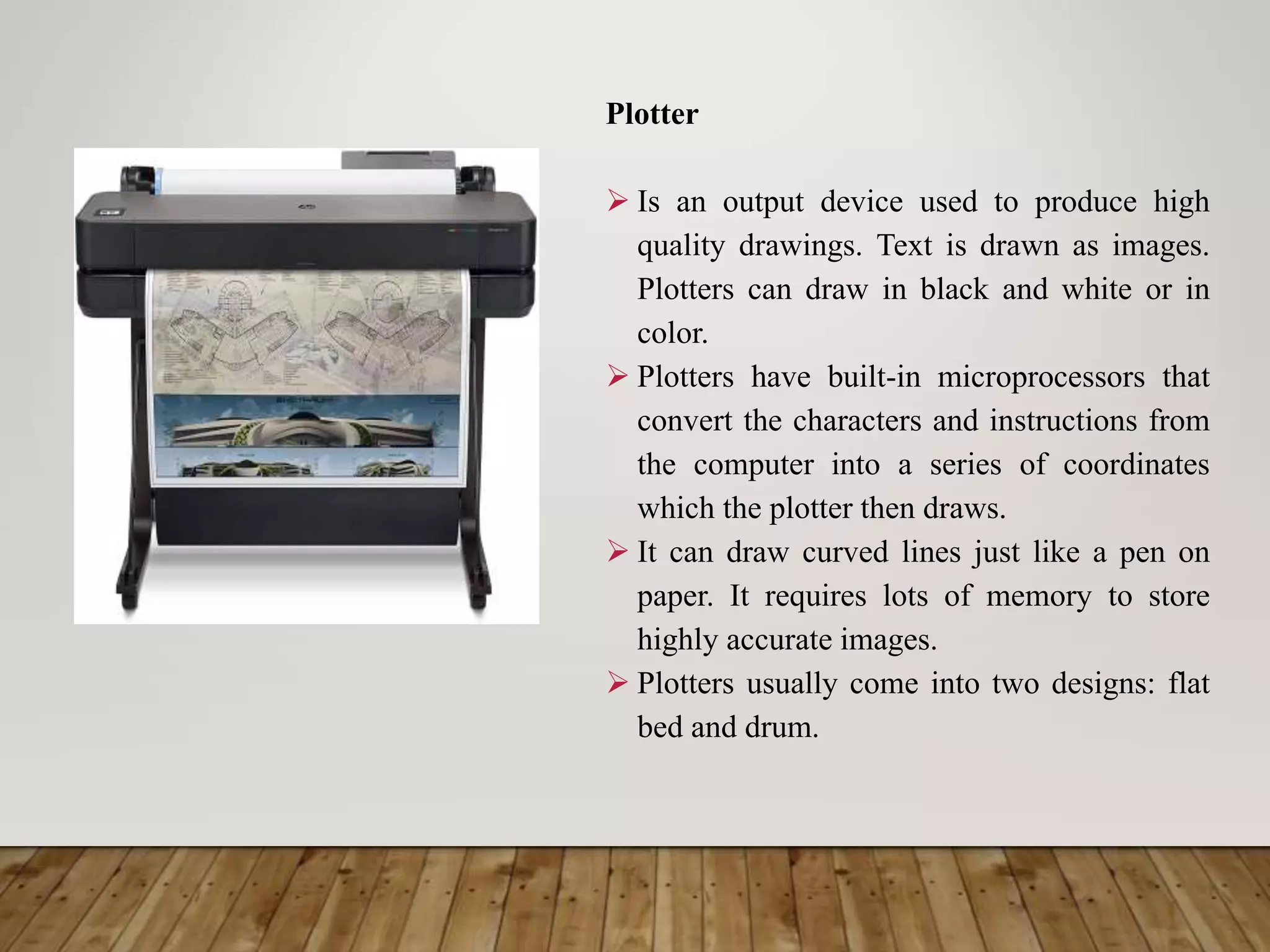
Plotter
 Is an output device used to produce high
quality drawings. Text is drawn as images.
Plotters can draw in black and white or in
color.
 Plotters have built-in microprocessors that
convert the characters and instructions from
the computer into a series of coordinates
which the plotter then draws.
 It can draw curved lines just like a pen on
paper. It requires lots of memory to store
highly accurate images.
 Plotters usually come into two designs: flat
bed and drum.
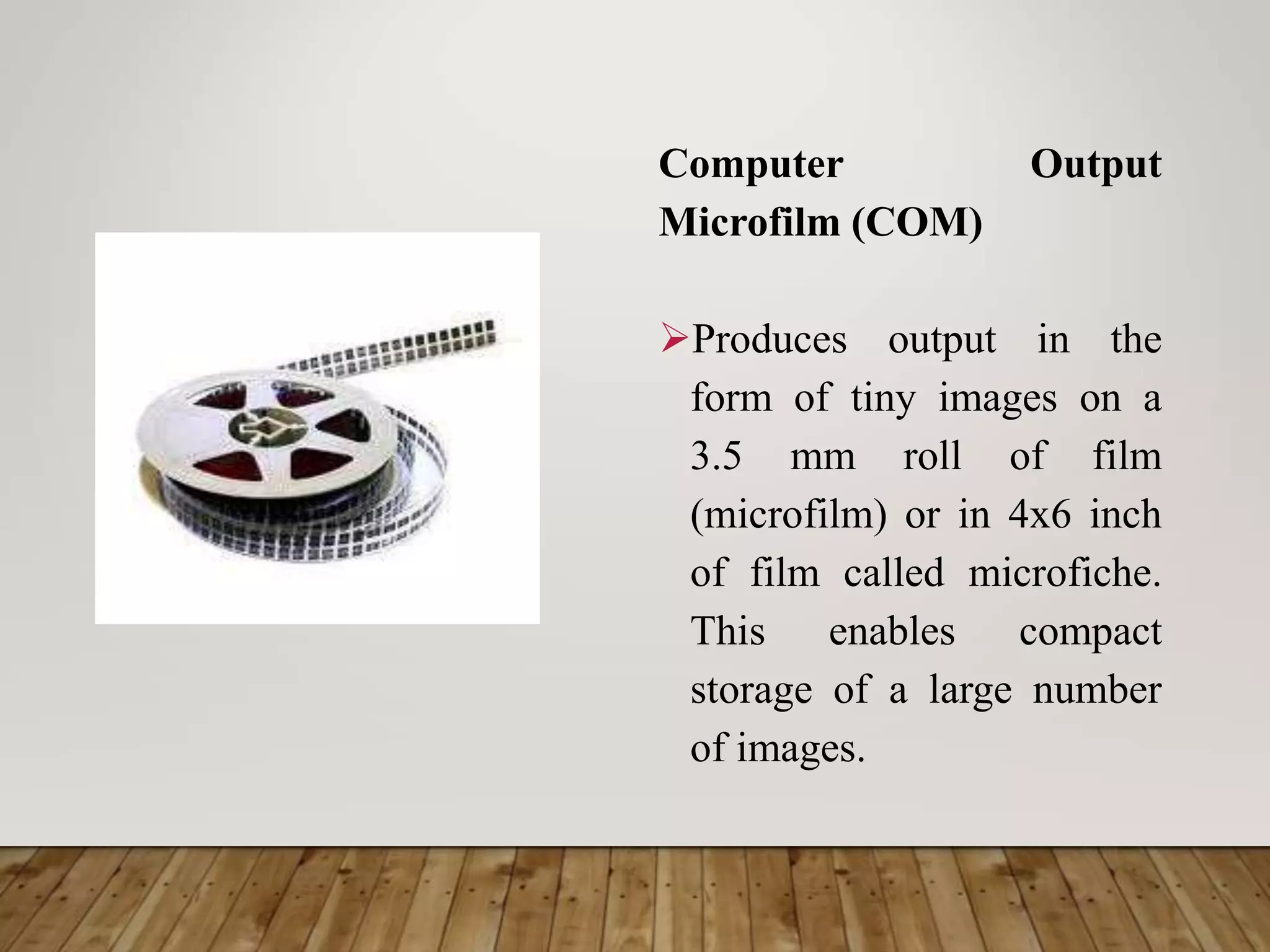
Computer Output
Microfilm (COM)
Produces output in the
form of tiny images on a
3.5 mm roll of film
(microfilm) or in 4x6 inch
of film called microfiche.
This enables compact
storage of a large number
of images.
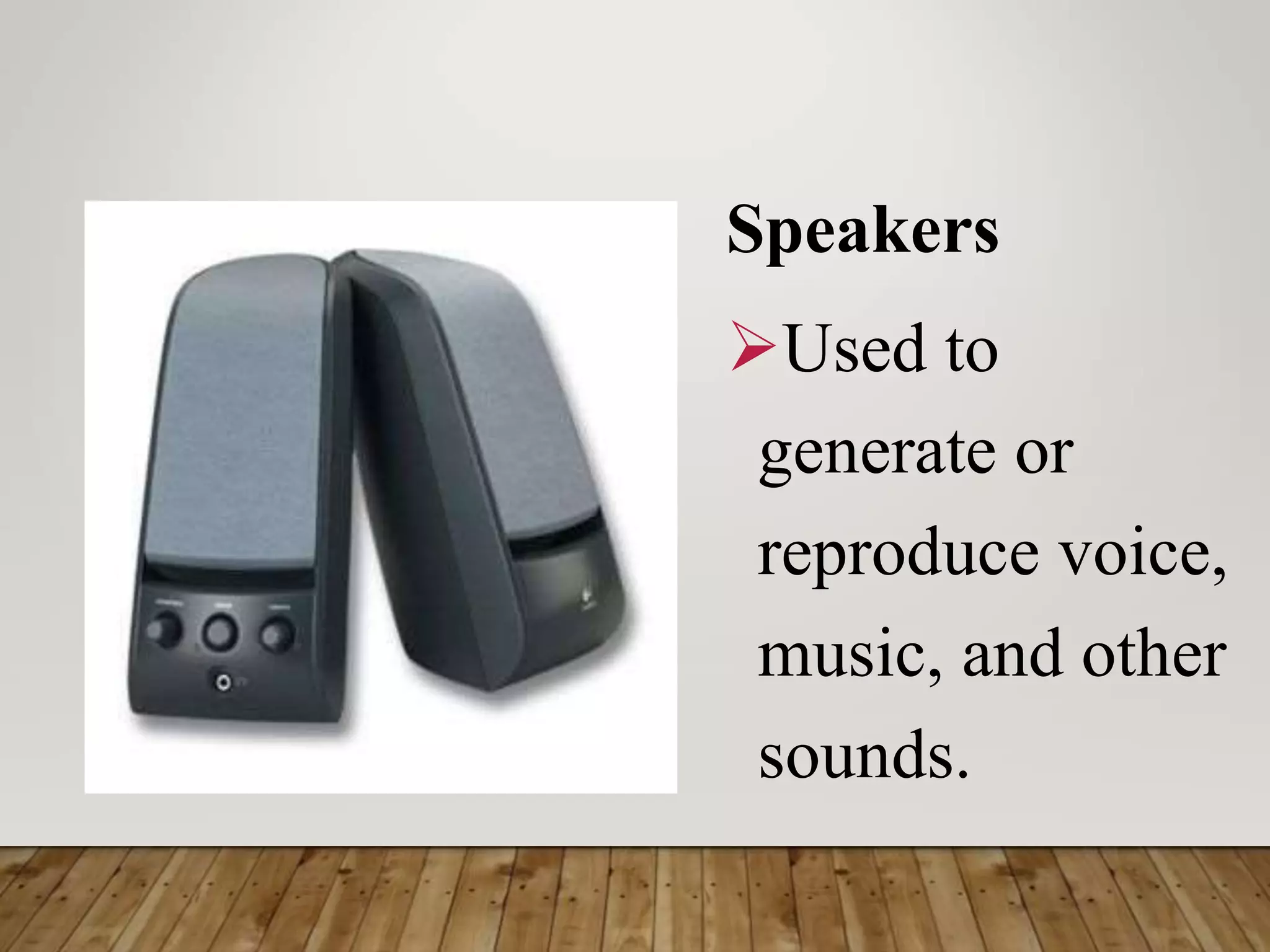
Speakers
Used to
generate or
reproduce voice,
music, and other
sounds.
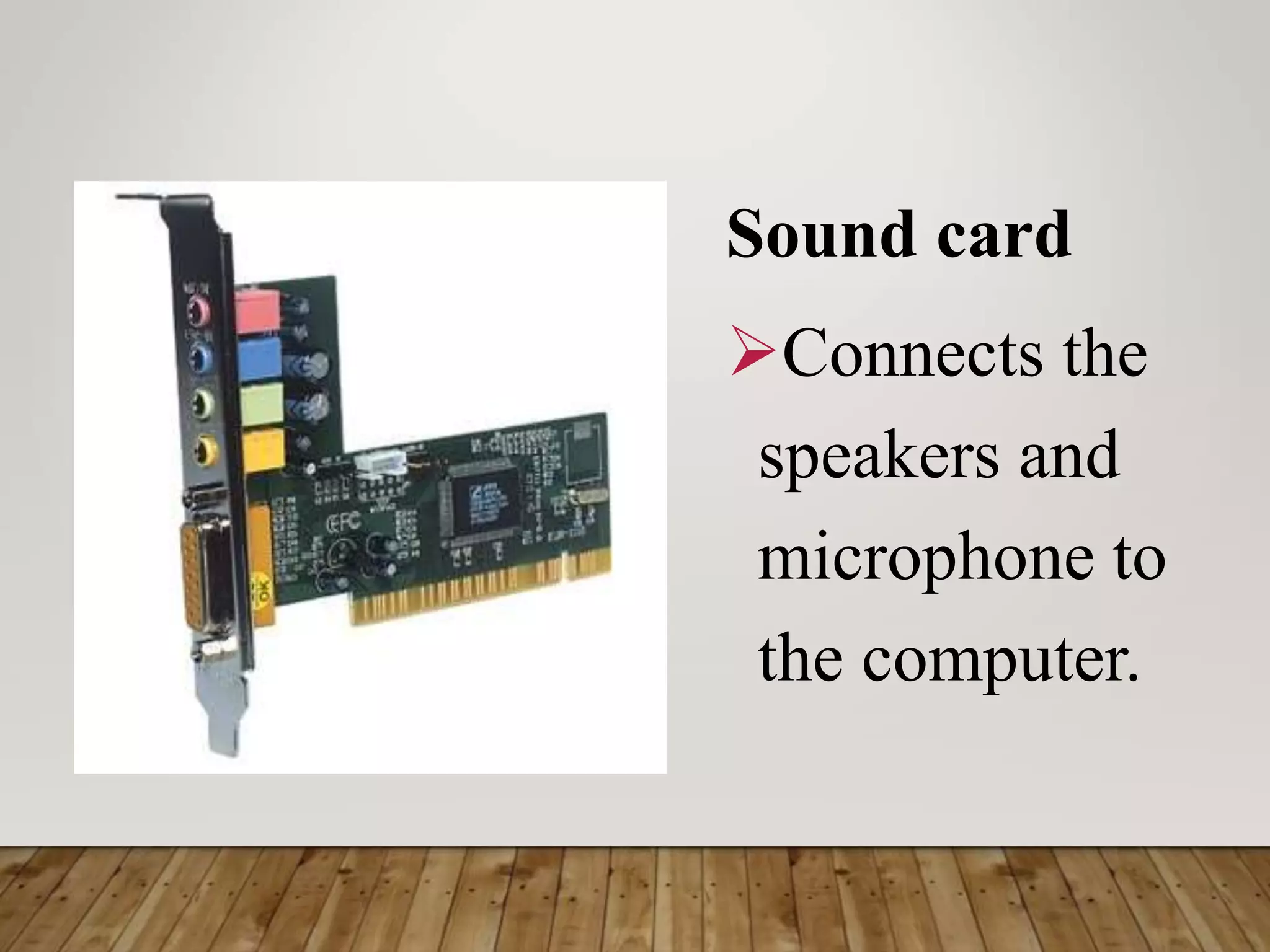
Sound card
Connects the
speakers and
microphone to
the computer.
Picture Phone
Is the newer version of a telephone
with a TV – like screen and a built-
in camera that allows you to see the
person you are exchanging messages
with directly on screen.
This device is used in video
conferencing or teleconferencing,
where television, sound and
computer technology are used to
follow people in different sites to see
each other and talk with one another.
3. Central Processing Unit (CPU)
The processing and conversion of data from
input to output is done in the central processing
unit (CPU). Its main function is to perform
arithmetic and logical operations on data taken
from the primary storage or on information
entered through any input device.
The CPU is composed of five basic
components: main storage, registers, buses, ALU
and the control unit.
Main Storage RAM and ROM
The main storage (also called memory or
primary storage) is where instructions and data
are stored usually given unique addresses or
memory locations to facilitate storage and
retrieval. The CPU usually accesses the data
through its addresses the two types of me
memory inside the main storage are the RAM
and the ROM.
Random Access Memory
RAM is a computer’s
temporary memory,
which exists as chips on
the motherboard near the
CPU. It stores data or
programs while they are
being used and requires
power.
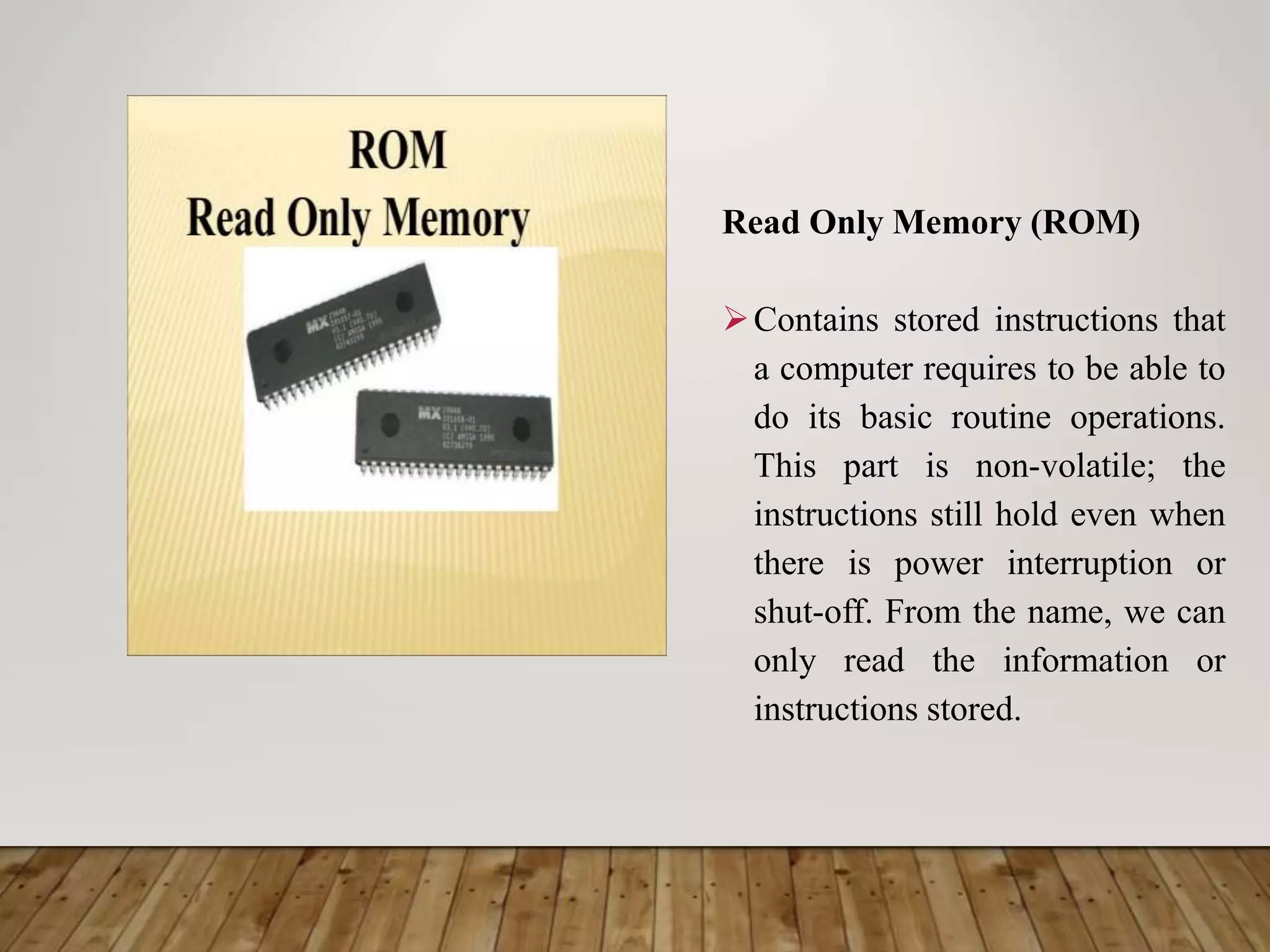
Read Only Memory (ROM)
Contains stored instructions that
a computer requires to be able to
do its basic routine operations.
This part is non-volatile; the
instructions still hold even when
there is power interruption or
shut-off. From the name, we can
only read the information or
instructions stored.
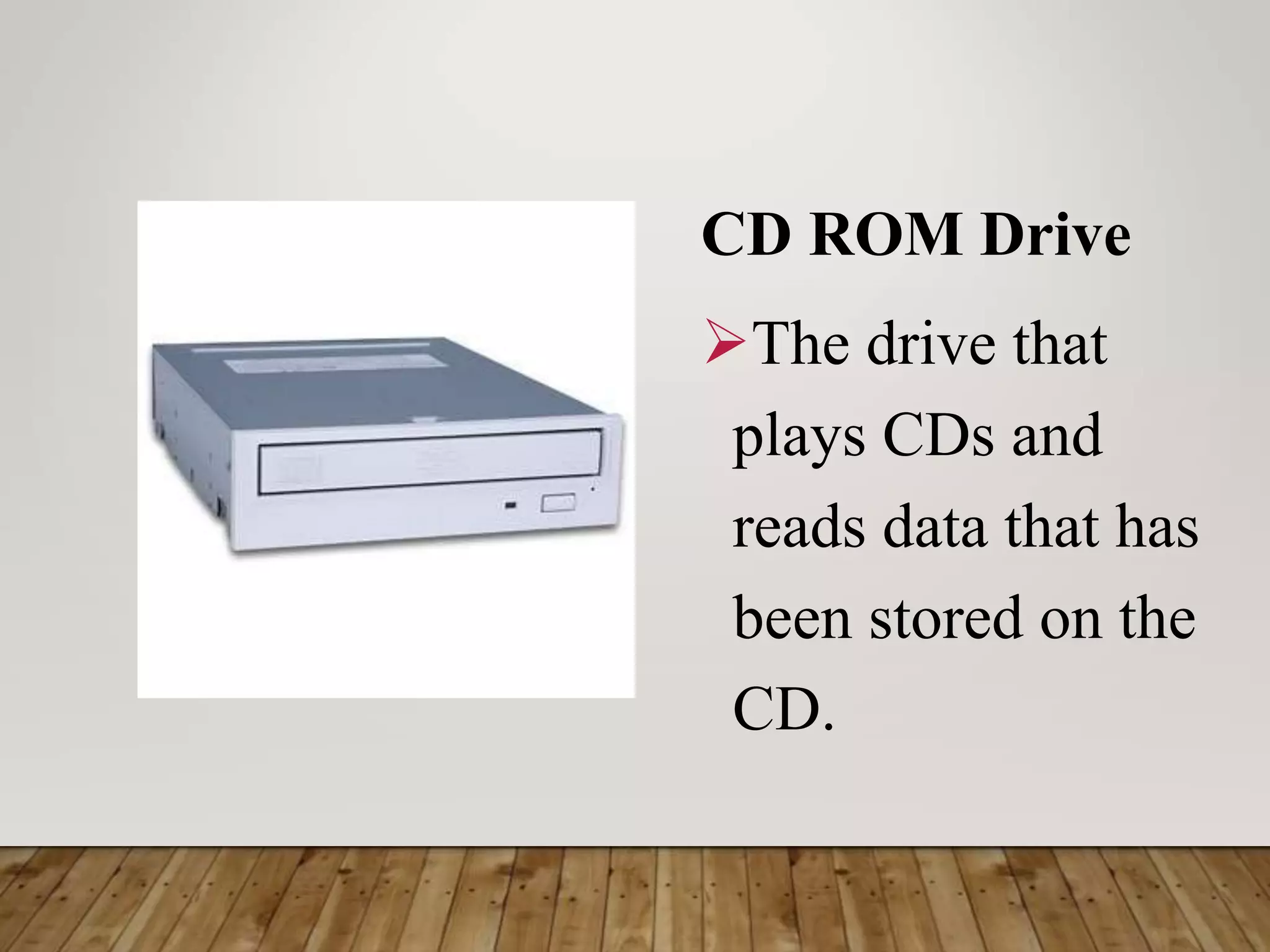
CD ROM Drive
The drive that
plays CDs and
reads data that has
been stored on the
CD.
Registers
Part of the CPU that function as fast-accessed temporary
memory locations. The bits of information taken from the
main memory and those that will be placed in the main
memory are temporarily held in the registers while
computations are being performed.
Buses
Are bundles of tiny wires that serve as the communication
path between components of the CPU. The three most
important buses are the address, data and control buses.
ALU
Arithmetic Logic Unit (ALU) performs all the arithmetic and logical
calculations of the CPU. The arithmetic operations consist of addition,
subtraction, division and multiplication. Logical calculations involve
comparisons of two or more numbers.
Control Unit
Responsible for directing the flow of instructions and data within the
CPU. It fetches the instructions from the main memory for execution
in the CPU. Aside from controlling the input and output devices, it
also passes data to the ALU for computation.
4. Secondary Storage
The secondary storage is where data are stored permanently. It is
outside the primary storage and serves just like a filing cabinet. There are two
reasons why we need to store data in an auxiliary or secondary storage device.
First, the primary storage can only store a limited amount of data. Second, the
data stored in the primary storage are volatile and temporary. If we use a
secondary storage area, then a limitless amount of data can be stored
permanently. In short, secondary storage provides cheap, non – volatile high
capacity storage.
The two classes of secondary storage media are direct access media
and sequential access storage media. Direct access media (e.g., floppy disk)
supports sequential or random access where data can be accessed directly,
unlike sequential accessed media (e.g., magnetic tape)
Magnetic Tape
A sequential access storage media where blocks of
data are stored serially along the length of the tape
and can only be accessed in a serial manner. This is
the old traditional medium which is sound, robust,
with high capacity and the cheapest storage
medium. It is still popular for long – term/high.
Volume storage even though it is the slowest in
terms of retrieval of data.
Magnetic disk
A direct access storage media which, like a phonograph record, is
divided into tracks and sectors.
Common types are the hard disks and floppy disks. The hard disks
are stacks of rigid magnetic disks that are permanently mounted in a
unit that may be internal or external to the computer and are often
used as virtual memory or extension of RAM. They have relatively
high capacity fast retrieval speed but very fragile.
Floppy disks are much slower than the hard disks and have less
capacity ranging from 1.44 Mb to 200 Mb. Newcomer to the scene is
the super floppy disks which has a capacity of 120 Mb.
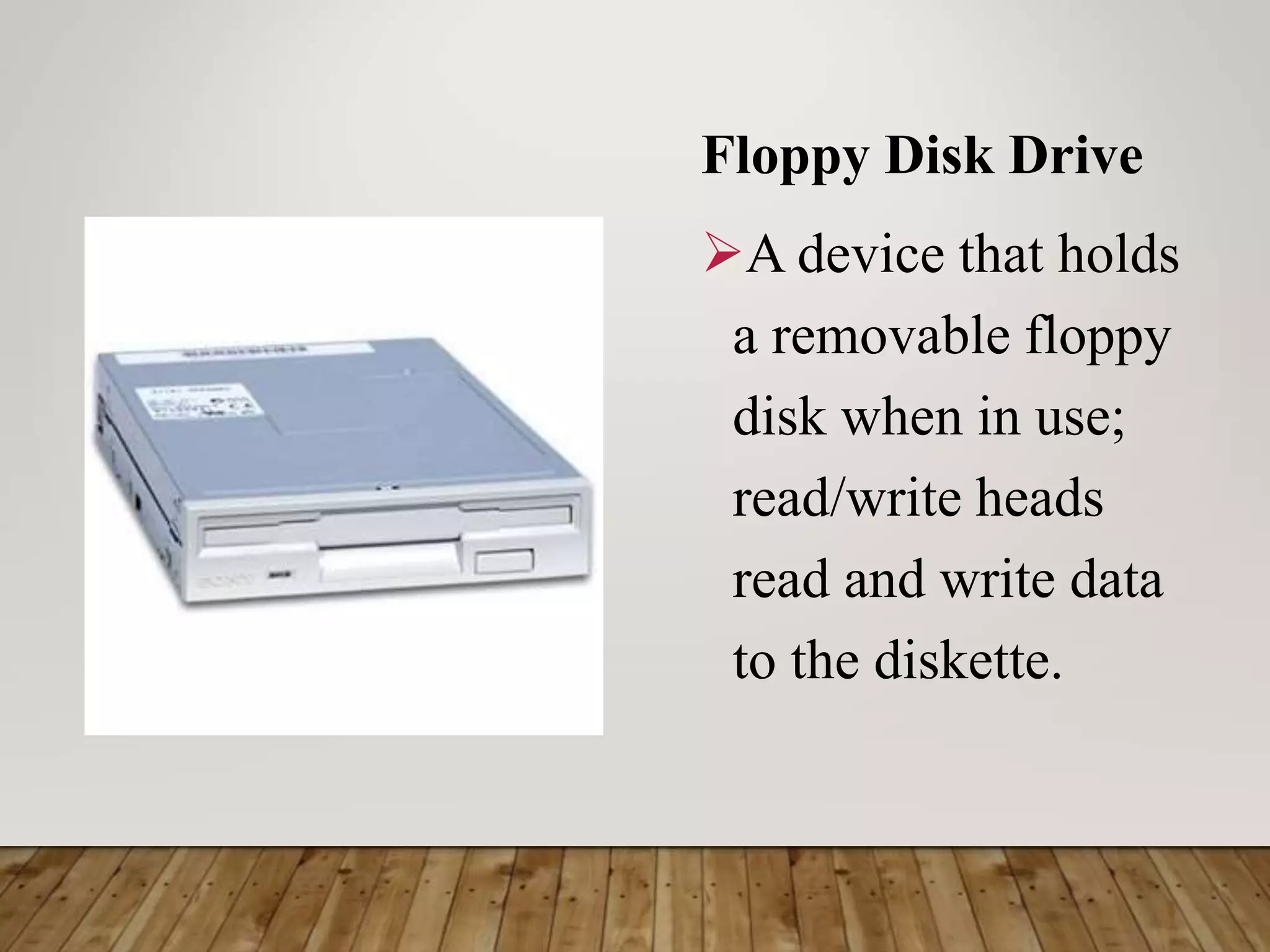
Floppy Disk Drive
A device that holds
a removable floppy
disk when in use;
read/write heads
read and write data
to the diskette.
Hard Disk
Magnetic
storage device
in the
computer.
Optical disks
Rigid disks of plastic onto which data are
recorded by special lasers that physically burn
pits into the disk. Optical disk has the same
technology as the music CD. They can usually
contain about 650 Mb of data. Some common
forms of optical disks are CD-ROM, CD-R,
CD-RW, DVD, DVD-R, DVD-RW and
magneto-Optical Disk.
Compact Disk
A type of
optical storage
device.
Digital Versatile Disk (DVD)
Contains digitized and compressed video
information, as well as large volumes of other
digital data in both 8 and 12 cm. diameter
disks. It also has its own Read – Only (DVD),
Recordable (DVD-R) and rewritable (DVD-
RW) versions. Some have double – sided
capacity of up to 15.9 Gb.
Magneto-Optical disks (MOD)
A hybrid between magnetic disk and optical disk,
uses optical technology for read and magnetic
recording technique assisted by optical focusing.
It comes in 3.25 – inch and 5.25 – inch disks with
capacities of 5 Gb and above. The principal
advantage of the MO Media over a purely optical
CD media is its longetivity and cheaper cost per
megabyte.
Video Card
Connects the computer to
the monitor. It is a circuit
board attached to the
motherboard that contains
the memory and other
circuitry necessary to send
information to the monitor
for display on screen.
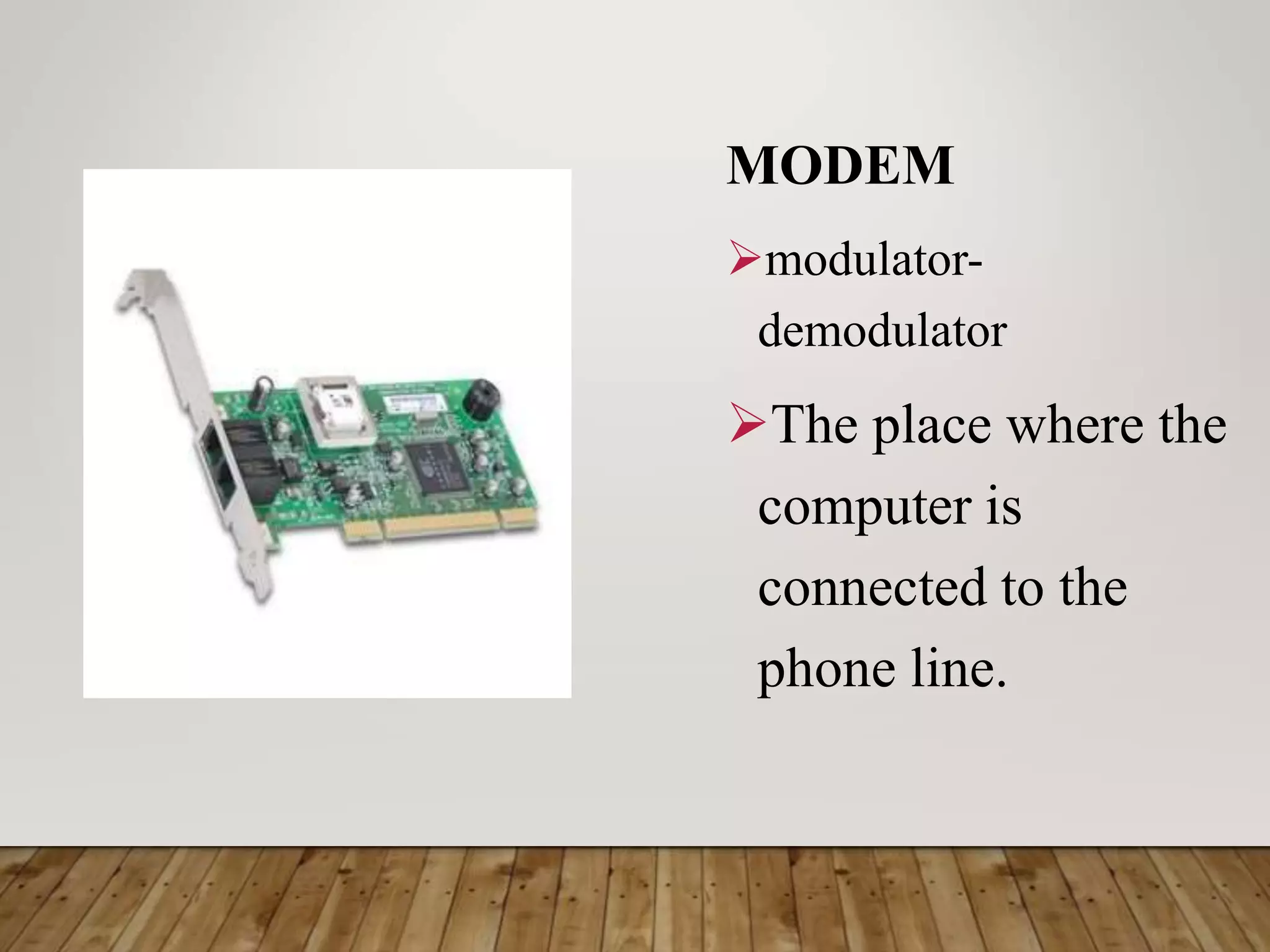
MODEM
modulator-
demodulator
The place where the
computer is
connected to the
phone line.
Network Card
A circuit board that
connects the
computer to the rest
of the network
usually using special
cables.
SOFTWARE
Programs that tell the
computer what to do. It
provides instructions that
the CPU will need to carry
out.
It refers to computer
programs or library file
whose purpose is to help
run the computer system.
System Software
Performs tasks necessary to the efficient
management of the hardware.
It refers to computer programs or library file
whose purpose is to help run the computer system.
These programs are usually made available to the
user by the manufacturers of the computer system.
It includes operating systems, utility programs,
compilers and interpreters.
Output Device Description Example
Operating
system
A set of programs which
controls and coordinates the
whole operation of the
computer system. It acts as
the computer’s internal
government, controller and
resource manager. It is the
first program loaded in
memory to ensure the
convenience of the user and
the efficiency of the whole
computer system. The
operating system provides
the interface among the
hardware, application
programs, files and the user.
OS/2
UNIX
LINUX
DOS/MVS
Macos
Javaos
Windows NT
Windows XP
Windows CE
Windows 2000
Windows 98
Windows 95
Windows 3.1
Novel
Netware
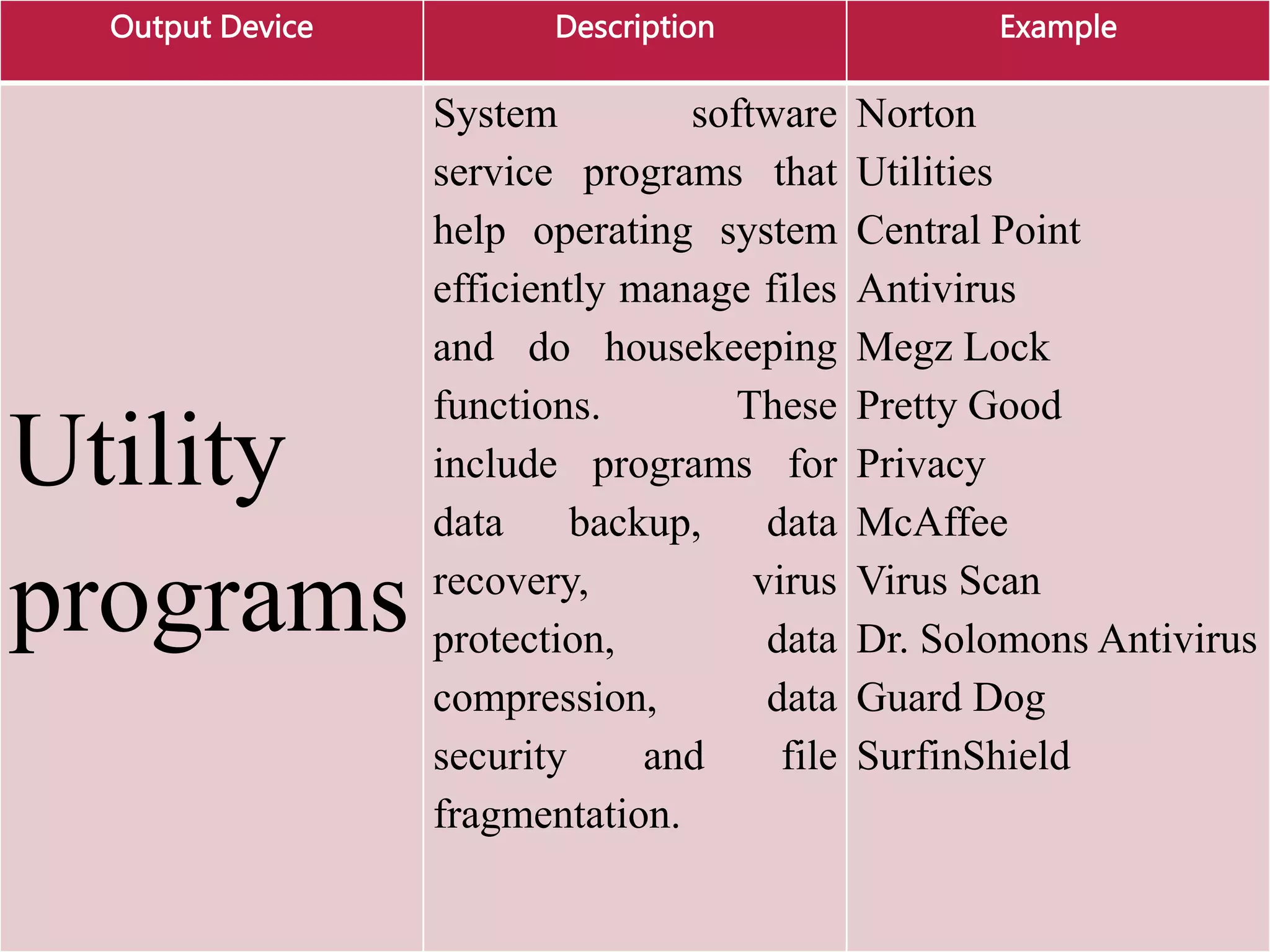
Output Device Description Example
Utility
programs
System software
service programs that
help operating system
efficiently manage files
and do housekeeping
functions. These
include programs for
data backup, data
recovery, virus
protection, data
compression, data
security and file
fragmentation.
Norton
Utilities
Central Point
Antivirus
Megz Lock
Pretty Good
Privacy
McAffee
Virus Scan
Dr. Solomons Antivirus
Guard Dog
SurfinShield
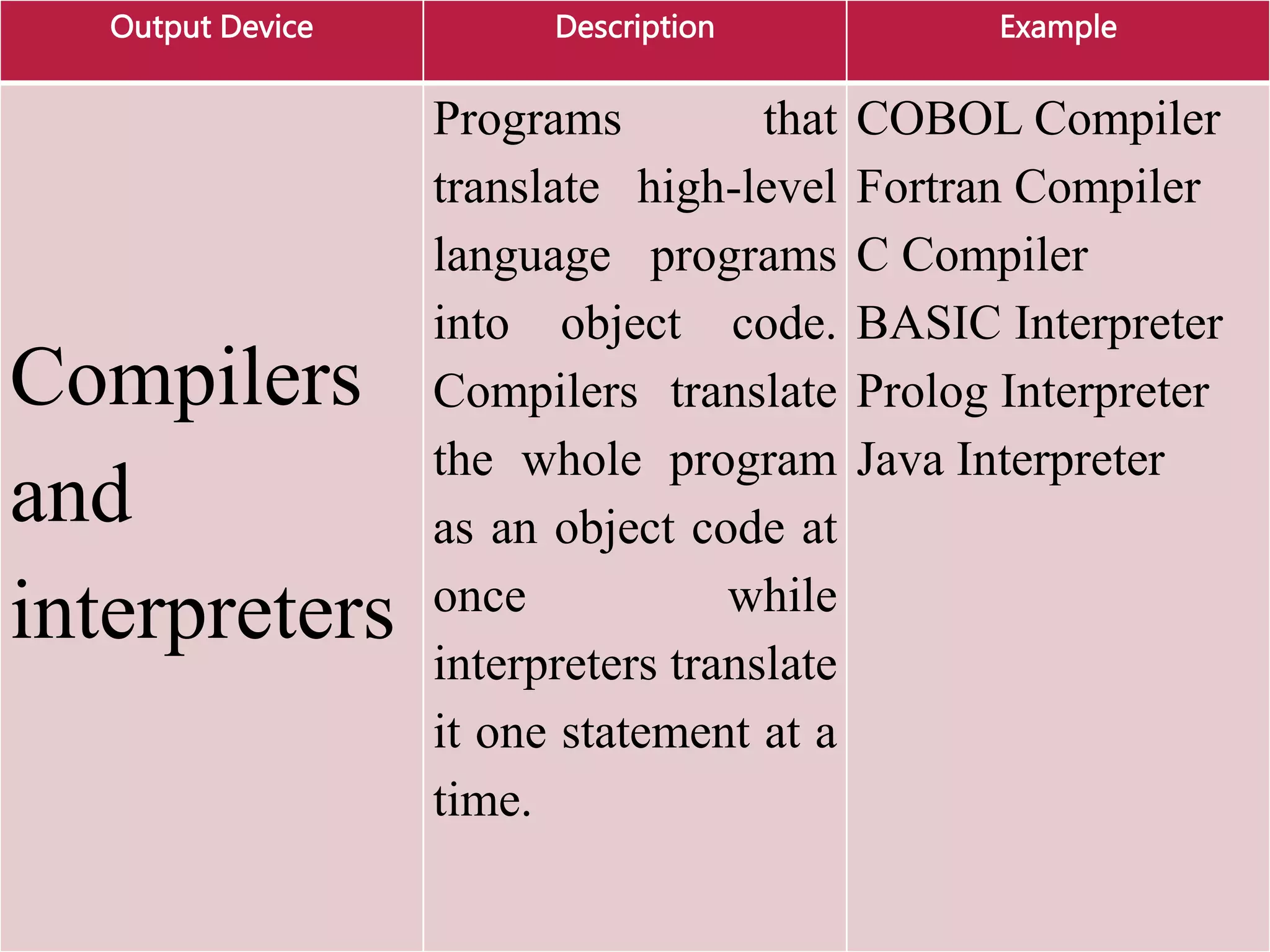
Output Device Description Example
Compilers
and
interpreters
Programs that
translate high-level
language programs
into object code.
Compilers translate
the whole program
as an object code at
once while
interpreters translate
it one statement at a
time.
COBOL Compiler
Fortran Compiler
C Compiler
BASIC Interpreter
Prolog Interpreter
Java Interpreter
Application software
Programs that help solve and meet user
problems and needs directly. They are
designed to performed specific functions,
which make daily activities easier and
facilitate the performance of work efficiently
and effectively.
Application software can serve as
productivity tools; assist in graphics and
multimedia projects; support home, personal
and educational use, and facilitate
communication.
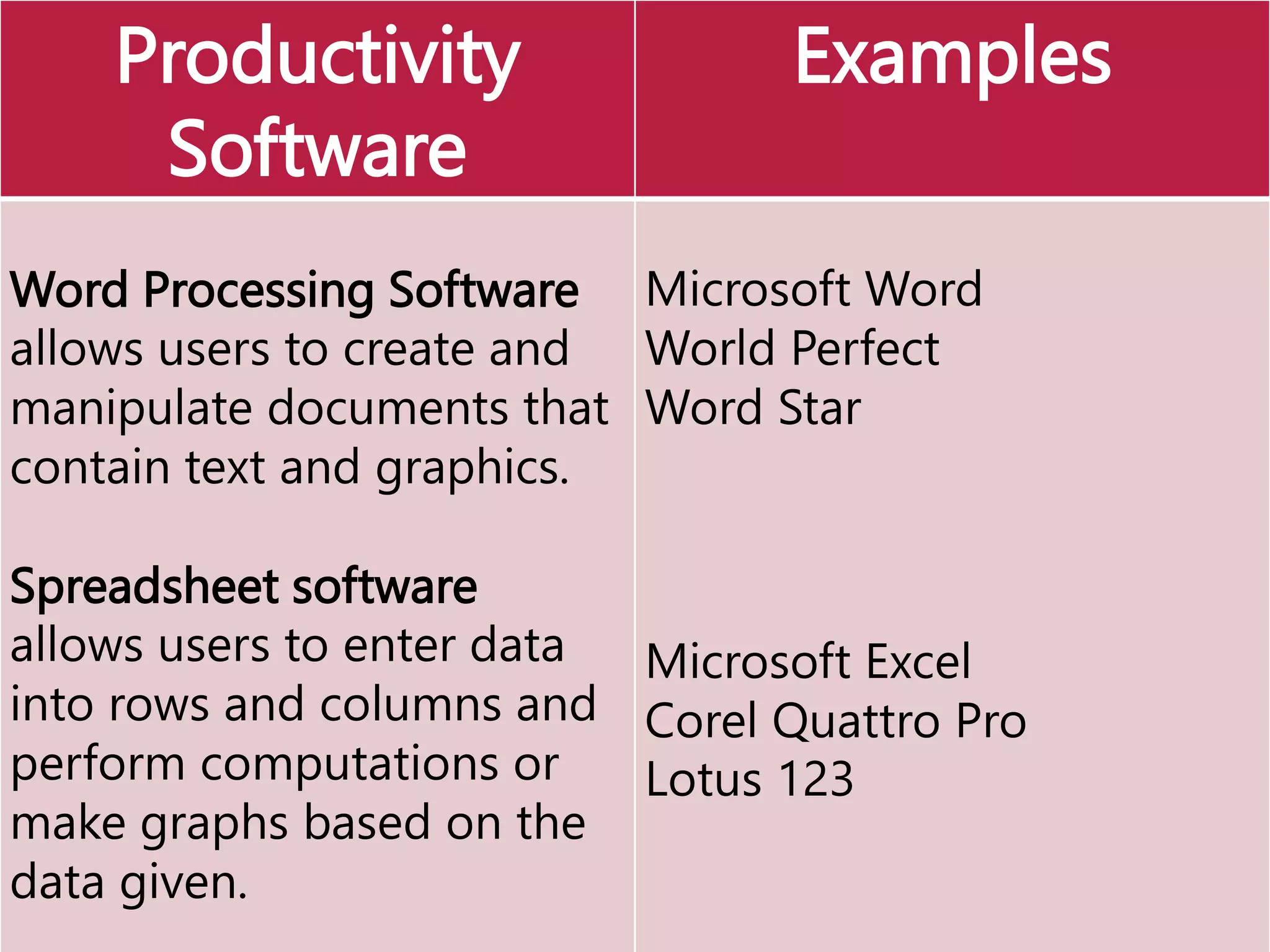
Productivity
Software
Examples
Word Processing Software
allows users to create and
manipulate documents that
contain text and graphics.
Spreadsheet software
allows users to enter data
into rows and columns and
perform computations or
make graphs based on the
data given.
Microsoft Word
World Perfect
Word Star
Microsoft Excel
Corel Quattro Pro
Lotus 123
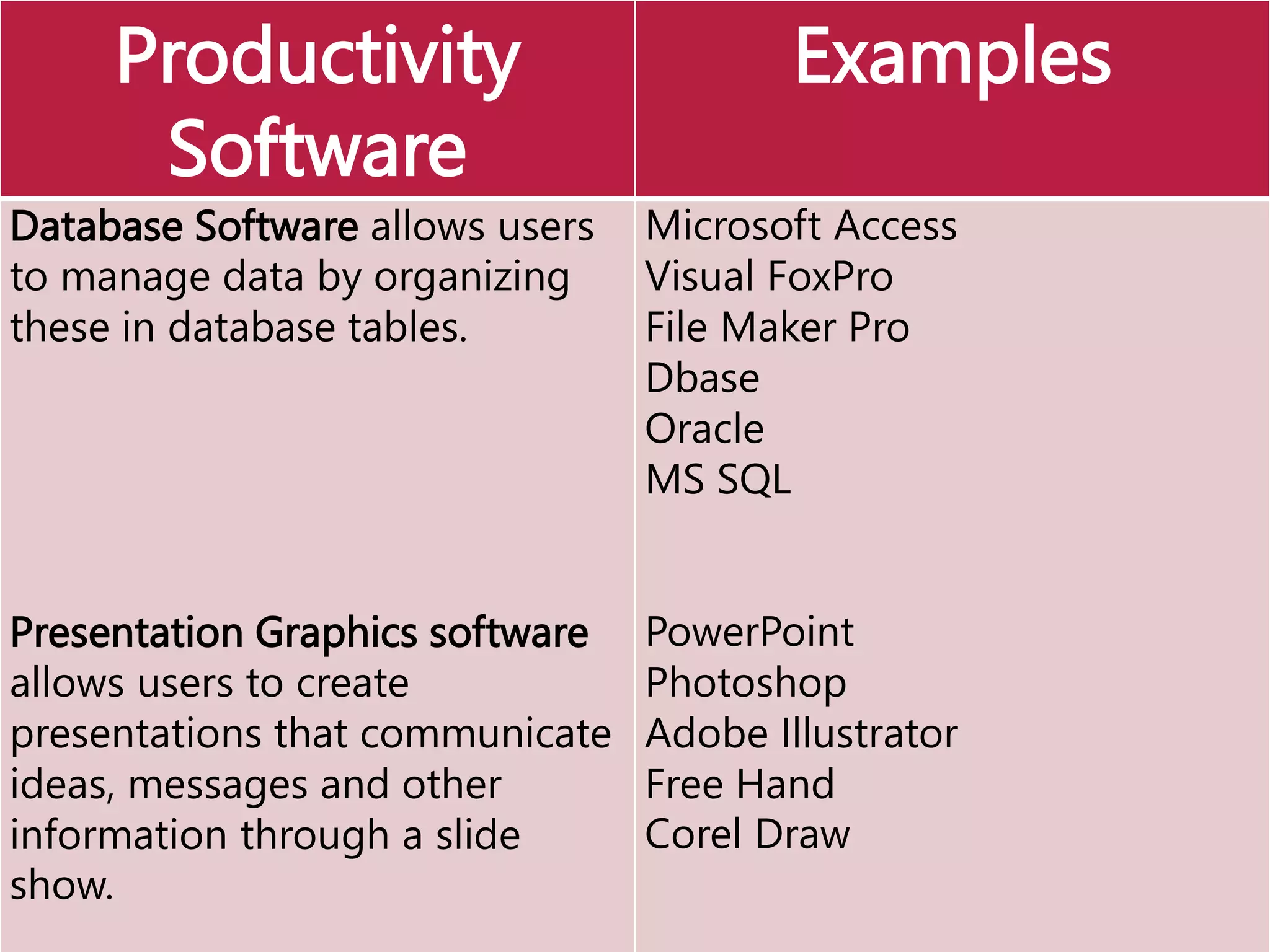
Productivity
Software
Examples
Database Software allows users
to manage data by organizing
these in database tables.
Presentation Graphics software
allows users to create
presentations that communicate
ideas, messages and other
information through a slide
show.
Microsoft Access
Visual FoxPro
File Maker Pro
Dbase
Oracle
MS SQL
PowerPoint
Photoshop
Adobe Illustrator
Free Hand
Corel Draw
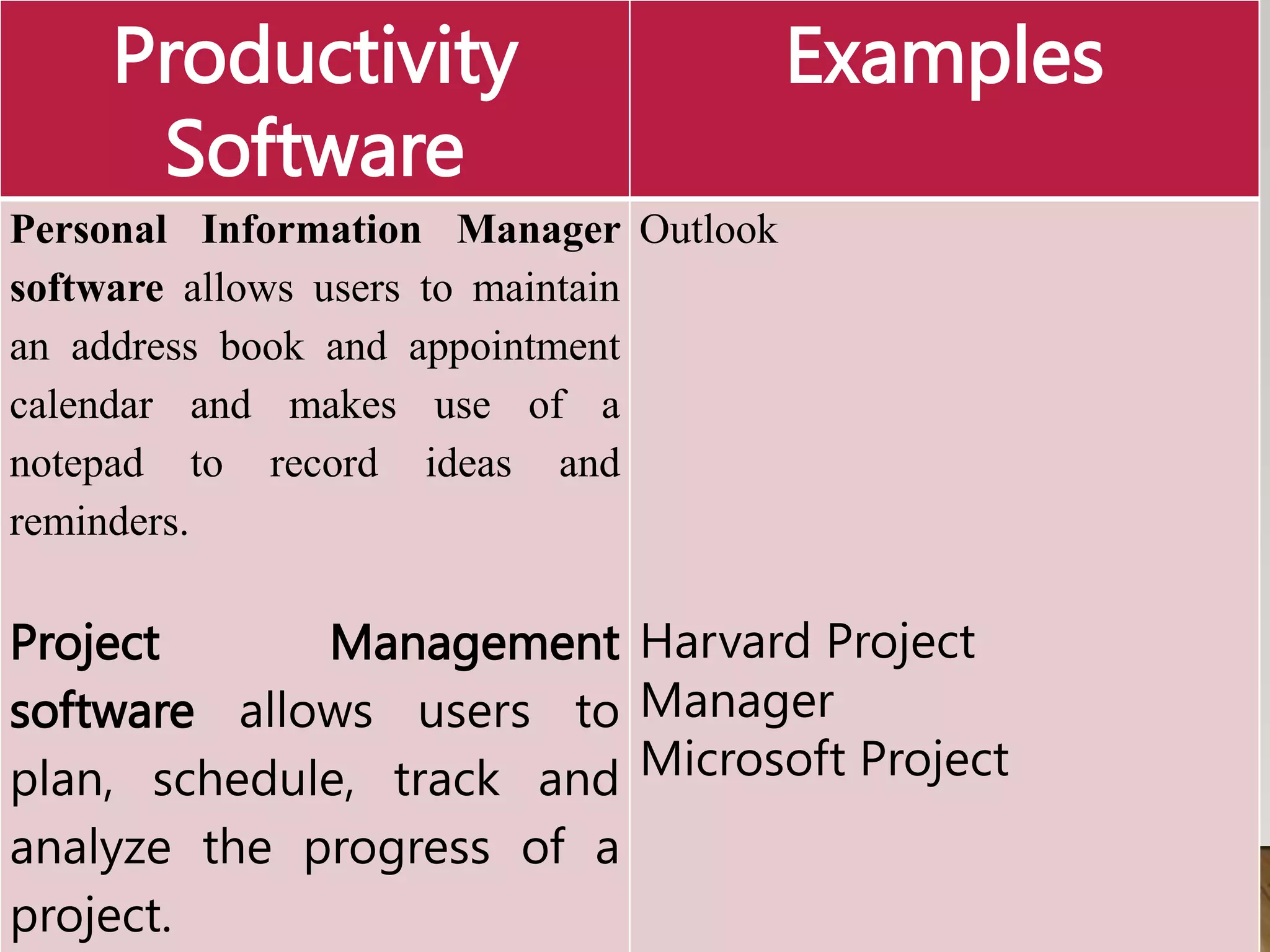
Productivity
Software
Examples
Personal Information Manager
software allows users to maintain
an address book and appointment
calendar and makes use of a
notepad to record ideas and
reminders.
Project Management
software allows users to
plan, schedule, track and
analyze the progress of a
project.
Outlook
Harvard Project
Manager
Microsoft Project
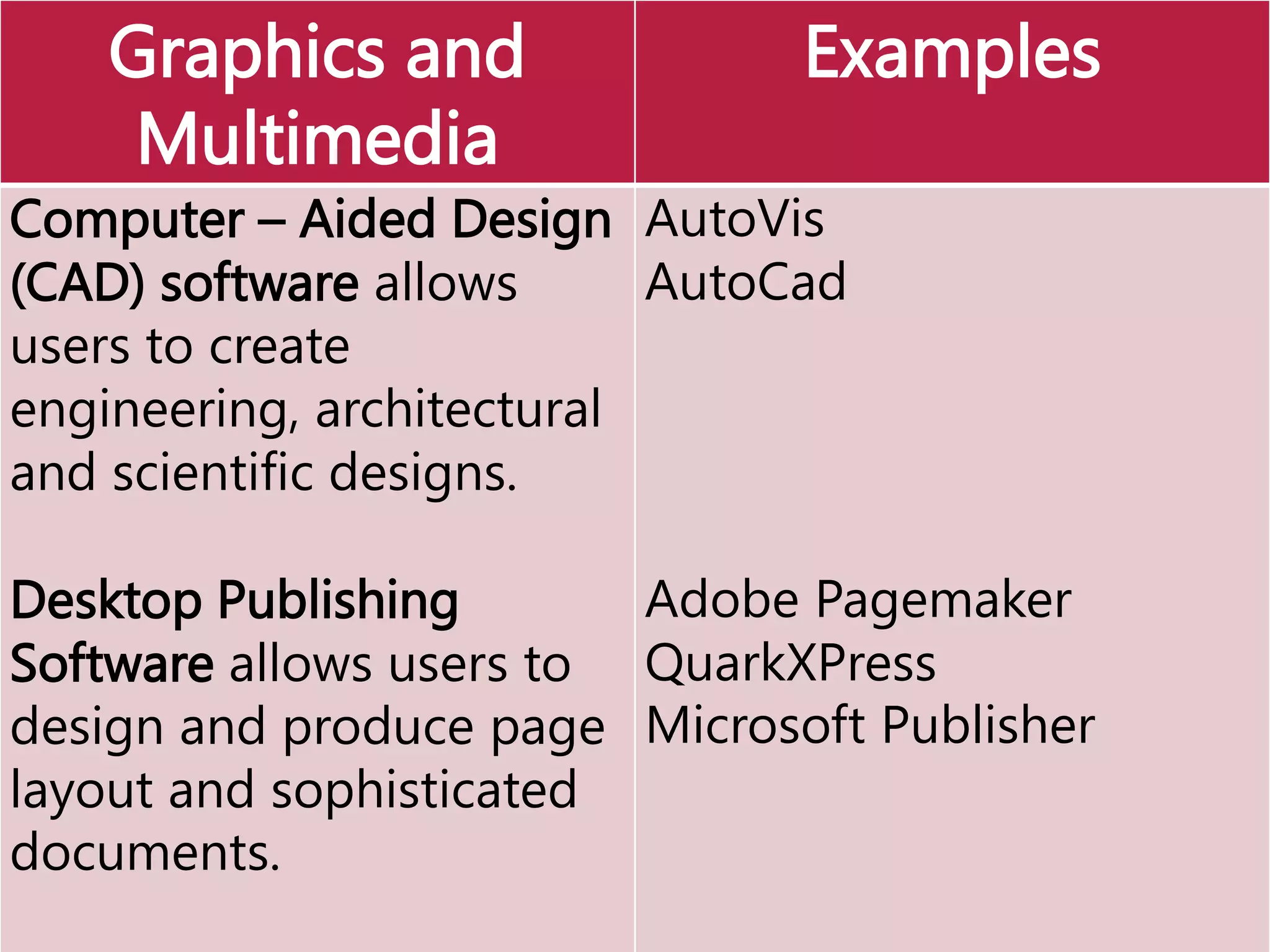
Graphics and
Multimedia
Examples
Computer – Aided Design
(CAD) software allows
users to create
engineering, architectural
and scientific designs.
Desktop Publishing
Software allows users to
design and produce page
layout and sophisticated
documents.
AutoVis
AutoCad
Adobe Pagemaker
QuarkXPress
Microsoft Publisher
Graphics and
Multimedia
Examples
Web Page design
software gives users to
design produce web
pages.
Image Editing software
gives users the
capability to modify
existing images.
DreamWeaver
FrontPage
HyperStudio
Photodraw
Director
Photoshop
Graphics and
Multimedia
Examples
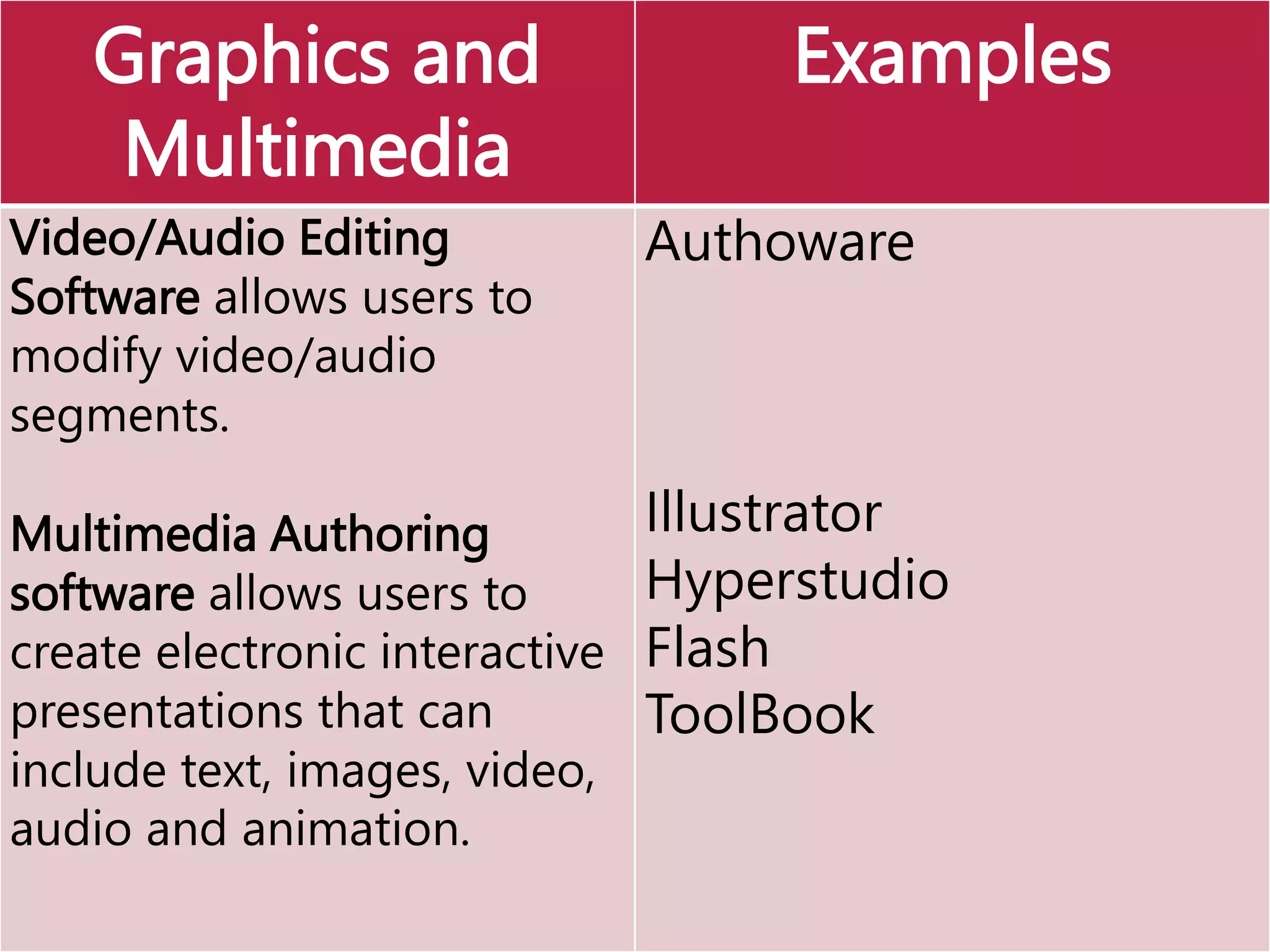
Video/Audio Editing
Software allows users to
modify video/audio
segments.
Multimedia Authoring
software allows users to
create electronic interactive
presentations that can
include text, images, video,
audio and animation.
Authoware
Illustrator
Hyperstudio
Flash
ToolBook
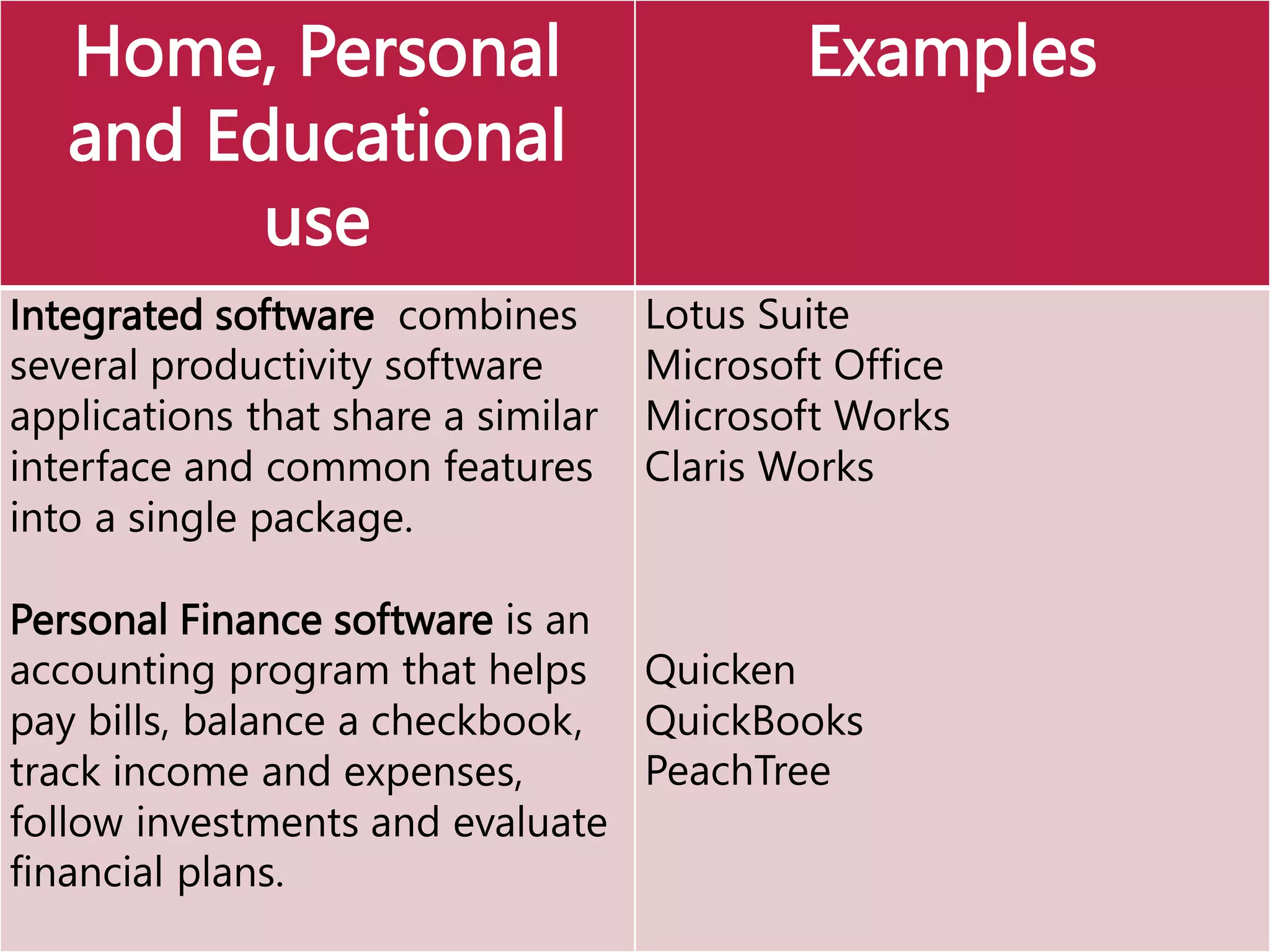
Home, Personal
and Educational
use
Examples
Integrated software combines
several productivity software
applications that share a similar
interface and common features
into a single package.
Personal Finance software is an
accounting program that helps
pay bills, balance a checkbook,
track income and expenses,
follow investments and evaluate
financial plans.
Lotus Suite
Microsoft Office
Microsoft Works
Claris Works
Quicken
QuickBooks
PeachTree
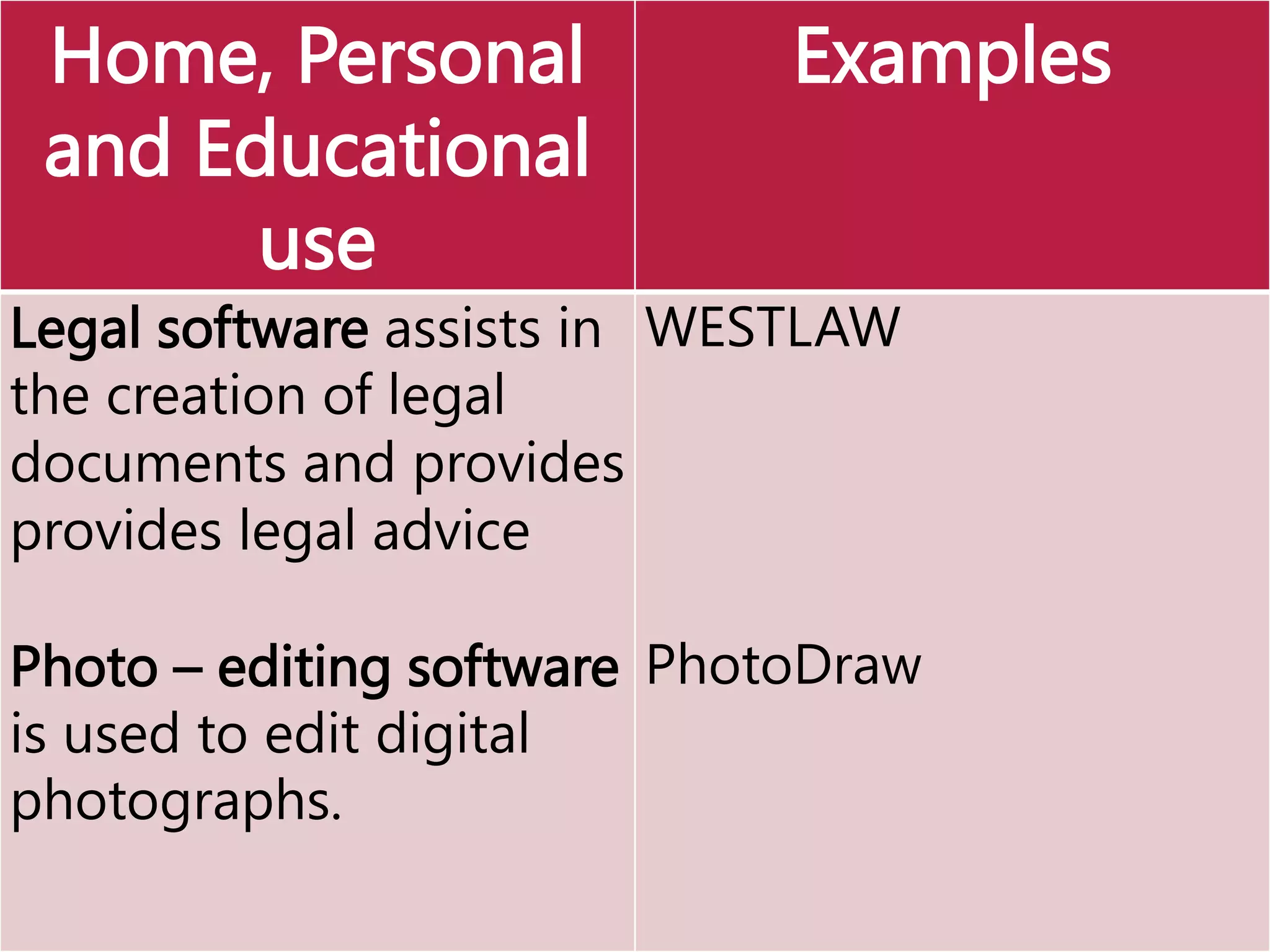
Home, Personal
and Educational
use
Examples
Legal software assists in
the creation of legal
documents and provides
provides legal advice
Photo – editing software
is used to edit digital
photographs.
WESTLAW
PhotoDraw
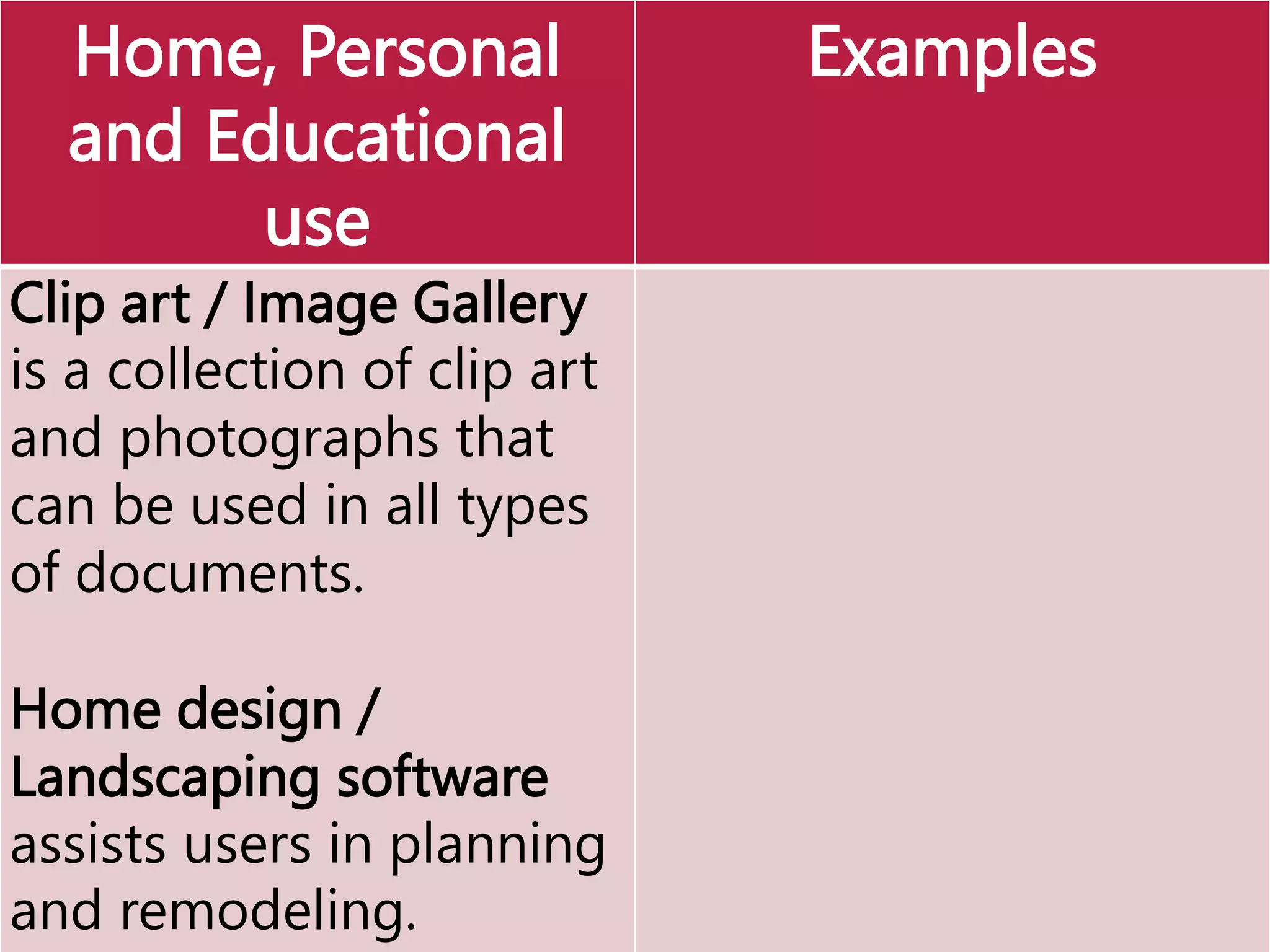
Home, Personal
and Educational
use
Examples
Clip art / Image Gallery
is a collection of clip art
and photographs that
can be used in all types
of documents.
Home design /
Landscaping software
assists users in planning
and remodeling.
Home, Personal
and Educational
use
Examples
Educational software teaches uses a
particular skill and give lessons about any
subject.
Entertainment software includes interactive
games, videos and other programs
designed to support a hobby or provide
amusement.
MATLAB
Medical
Insurance
& Coding
Activity
Software
AgriScience
Activity Software
Final Fantasy
StarCraft
CounterStrike
RedAlert
BattleRealm
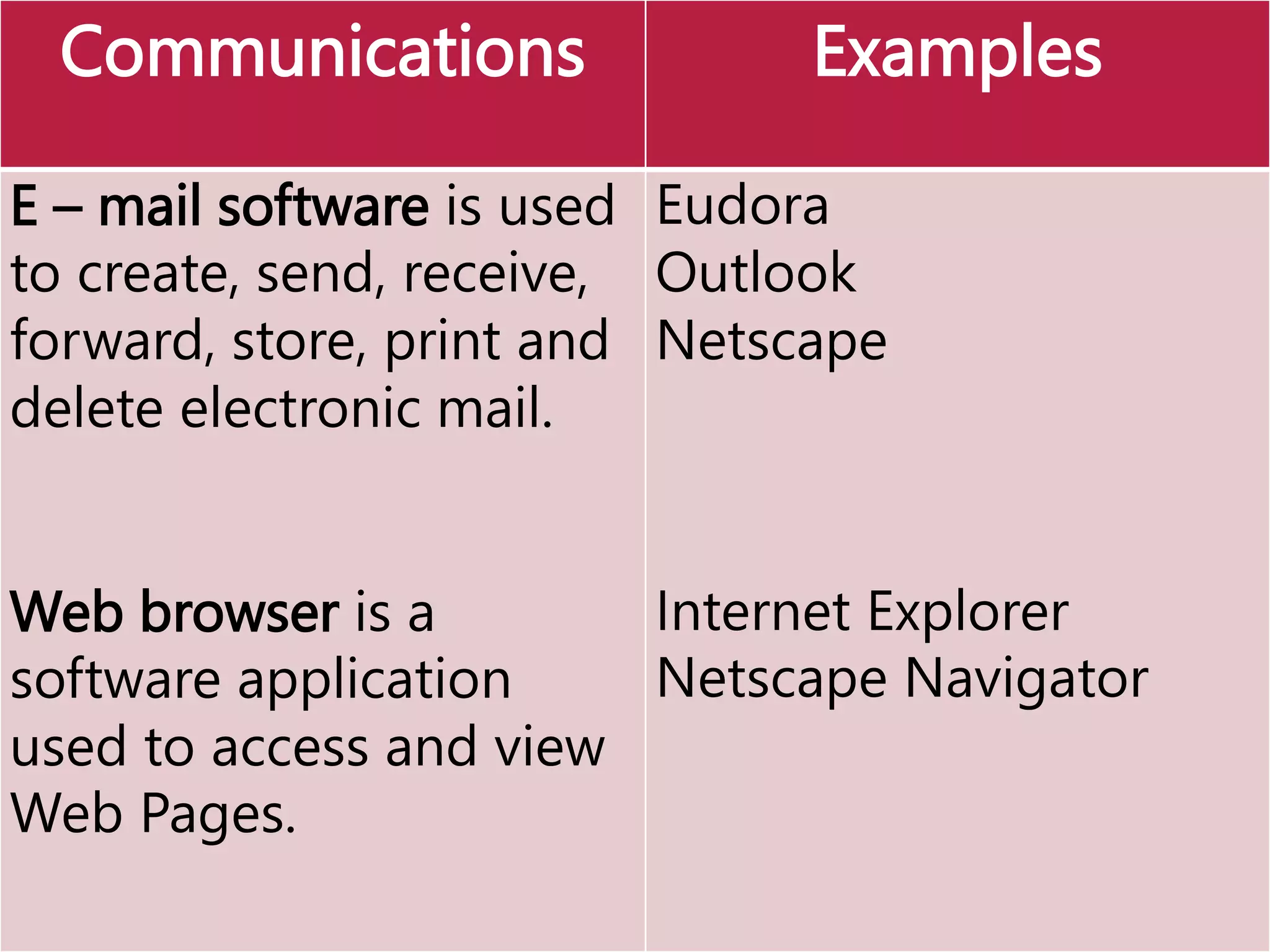
Communications Examples
E – mail software is used
to create, send, receive,
forward, store, print and
delete electronic mail.
Web browser is a
software application
used to access and view
Web Pages.
Eudora
Outlook
Netscape
Internet Explorer
Netscape Navigator
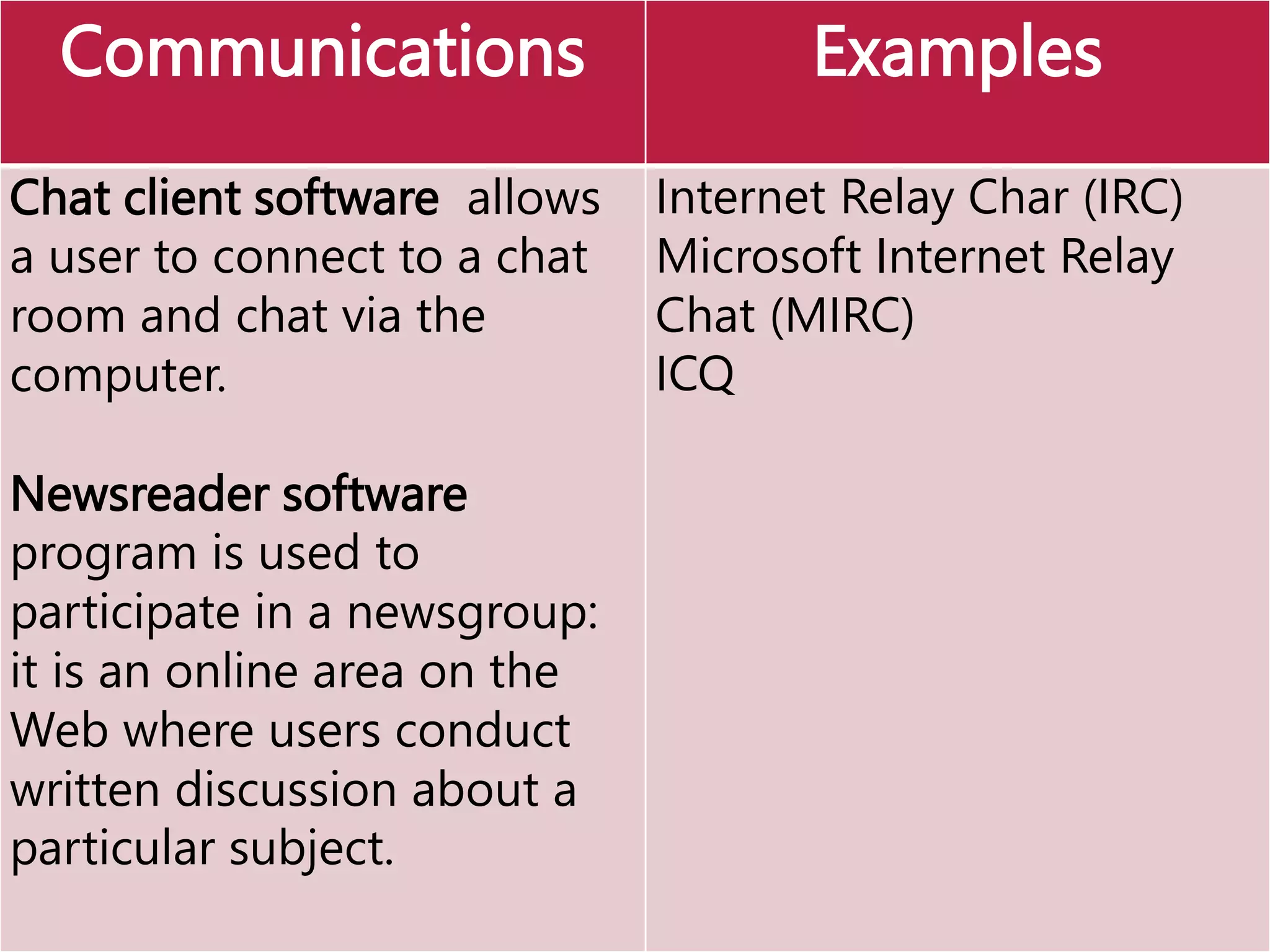
Communications Examples
Chat client software allows
a user to connect to a chat
room and chat via the
computer.
Newsreader software
program is used to
participate in a newsgroup:
it is an online area on the
Web where users conduct
written discussion about a
particular subject.
Internet Relay Char (IRC)
Microsoft Internet Relay
Chat (MIRC)
ICQ
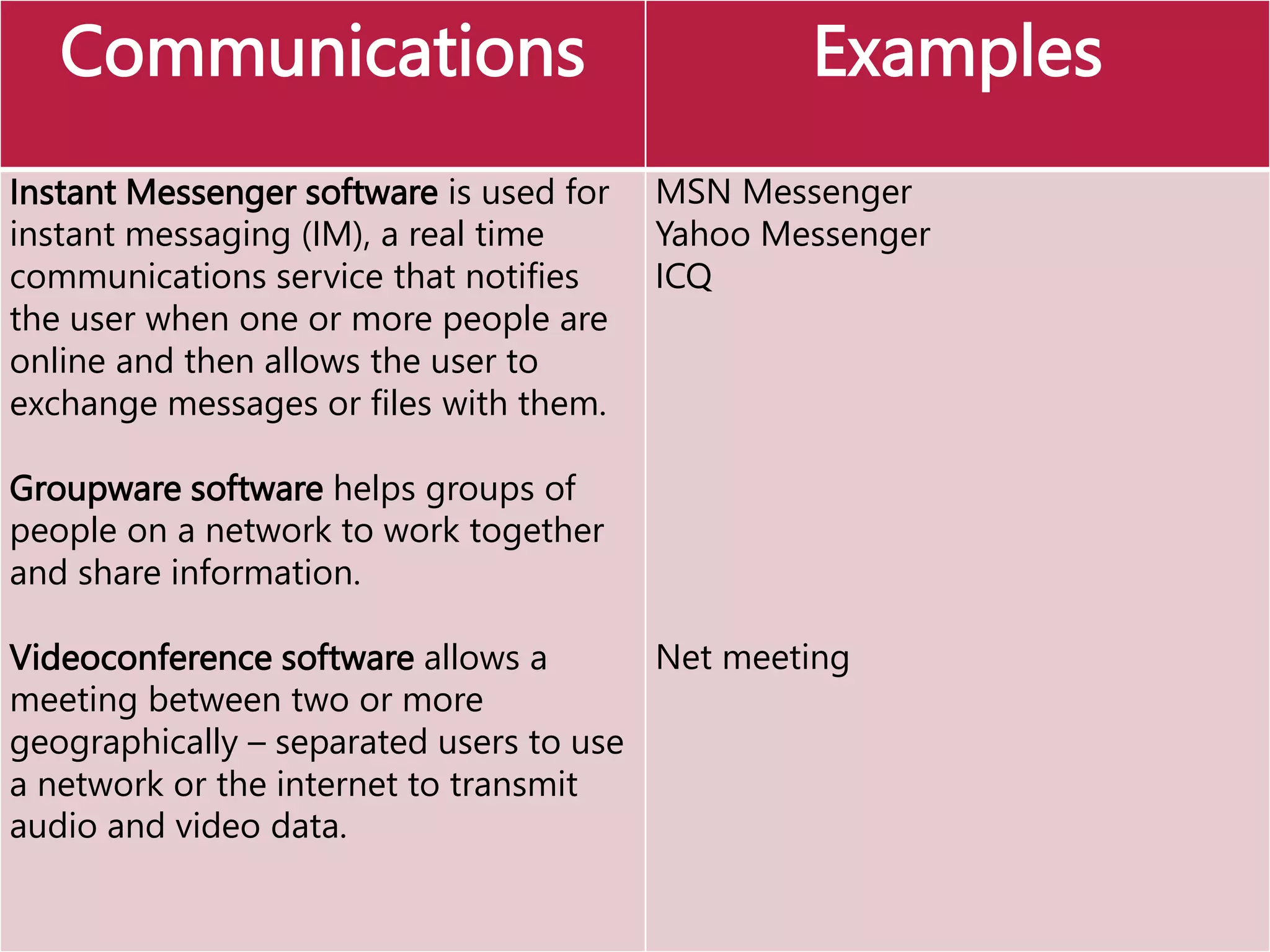
Communications Examples
Instant Messenger software is used for
instant messaging (IM), a real time
communications service that notifies
the user when one or more people are
online and then allows the user to
exchange messages or files with them.
Groupware software helps groups of
people on a network to work together
and share information.
Videoconference software allows a
meeting between two or more
geographically – separated users to use
a network or the internet to transmit
audio and video data.
MSN Messenger
Yahoo Messenger
ICQ
Net meeting
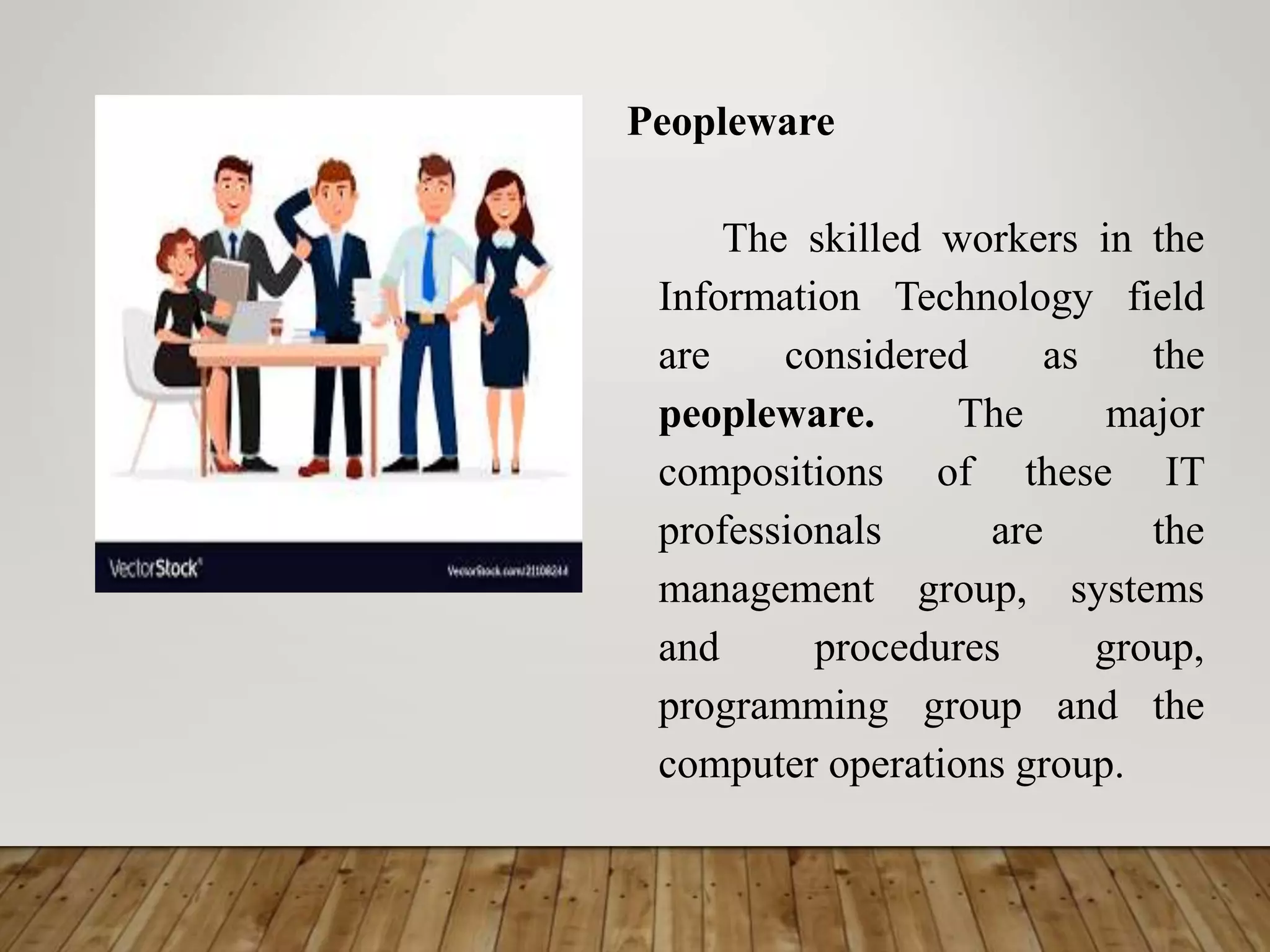
Peopleware
The skilled workers in the
Information Technology field
are considered as the
peopleware. The major
compositions of these IT
professionals are the
management group, systems
and procedures group,
programming group and the
computer operations group.
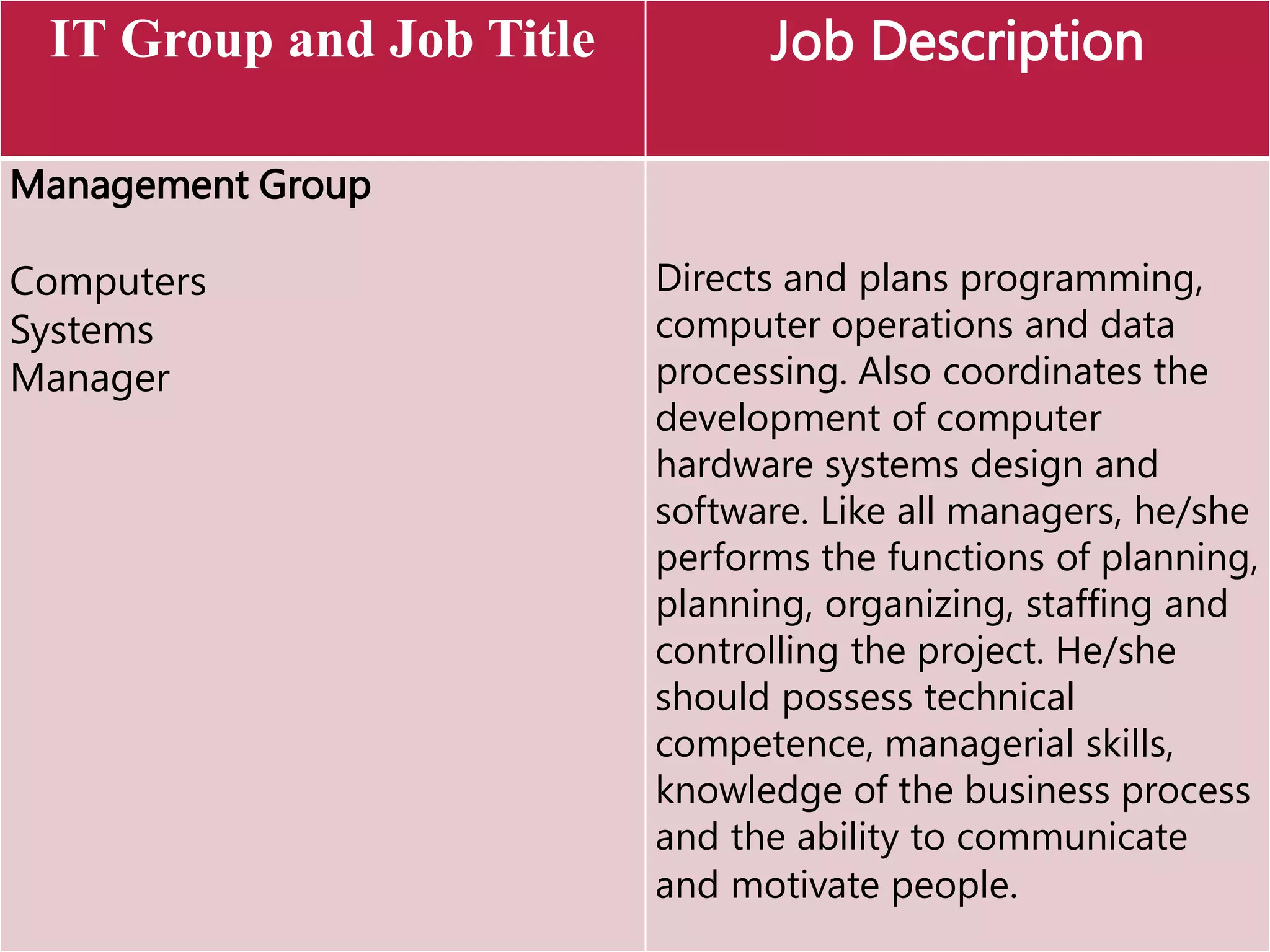
IT Group and Job Title Job Description
Management Group
Computers
Systems
Manager
Directs and plans programming,
computer operations and data
processing. Also coordinates the
development of computer
hardware systems design and
software. Like all managers, he/she
performs the functions of planning,
planning, organizing, staffing and
controlling the project. He/she
should possess technical
competence, managerial skills,
knowledge of the business process
and the ability to communicate
and motivate people.
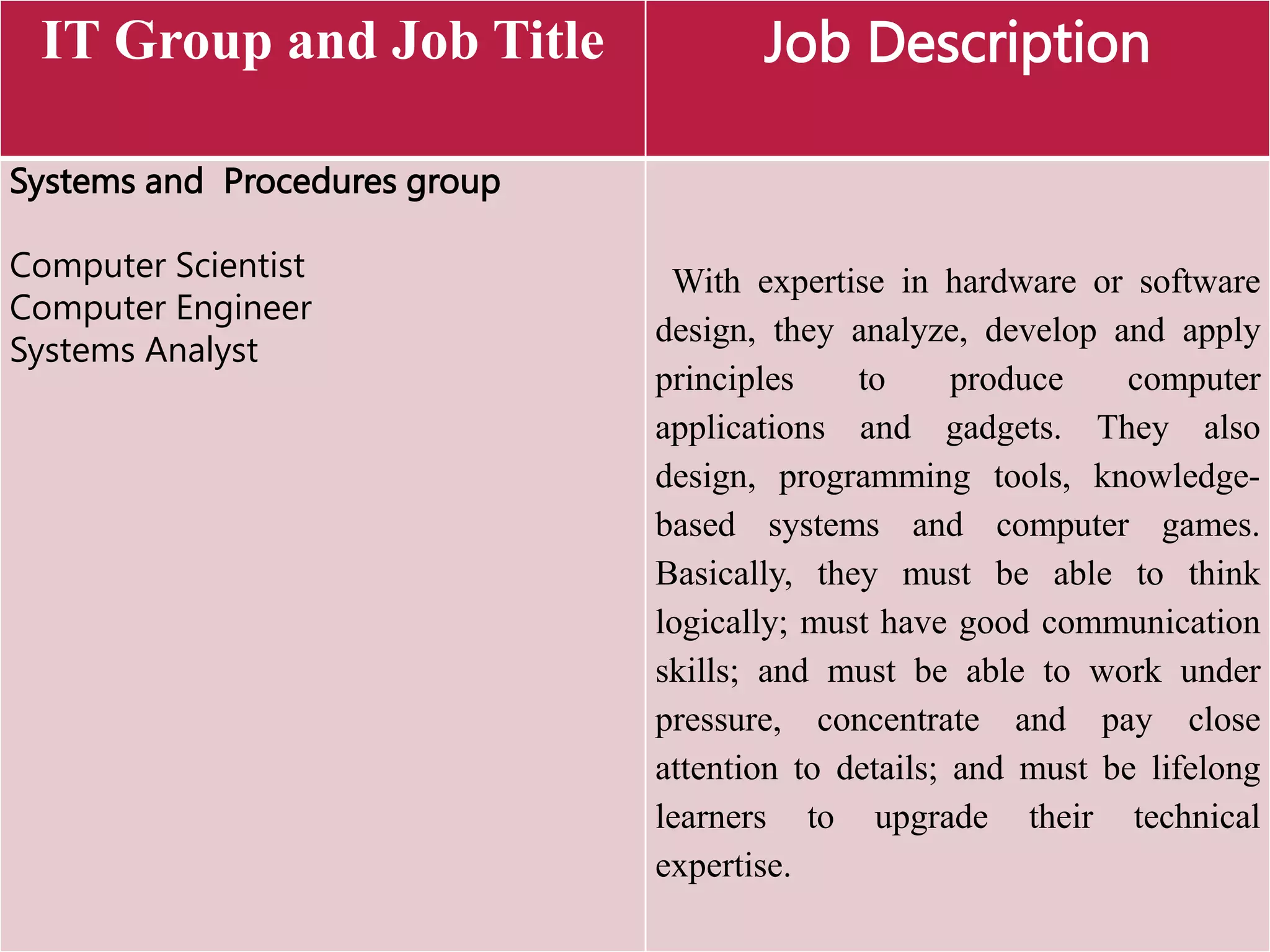
IT Group and Job Title Job Description
Systems and Procedures group
Computer Scientist
Computer Engineer
Systems Analyst
With expertise in hardware or software
design, they analyze, develop and apply
principles to produce computer
applications and gadgets. They also
design, programming tools, knowledge-
based systems and computer games.
Basically, they must be able to think
logically; must have good communication
skills; and must be able to work under
pressure, concentrate and pay close
attention to details; and must be lifelong
learners to upgrade their technical
expertise.
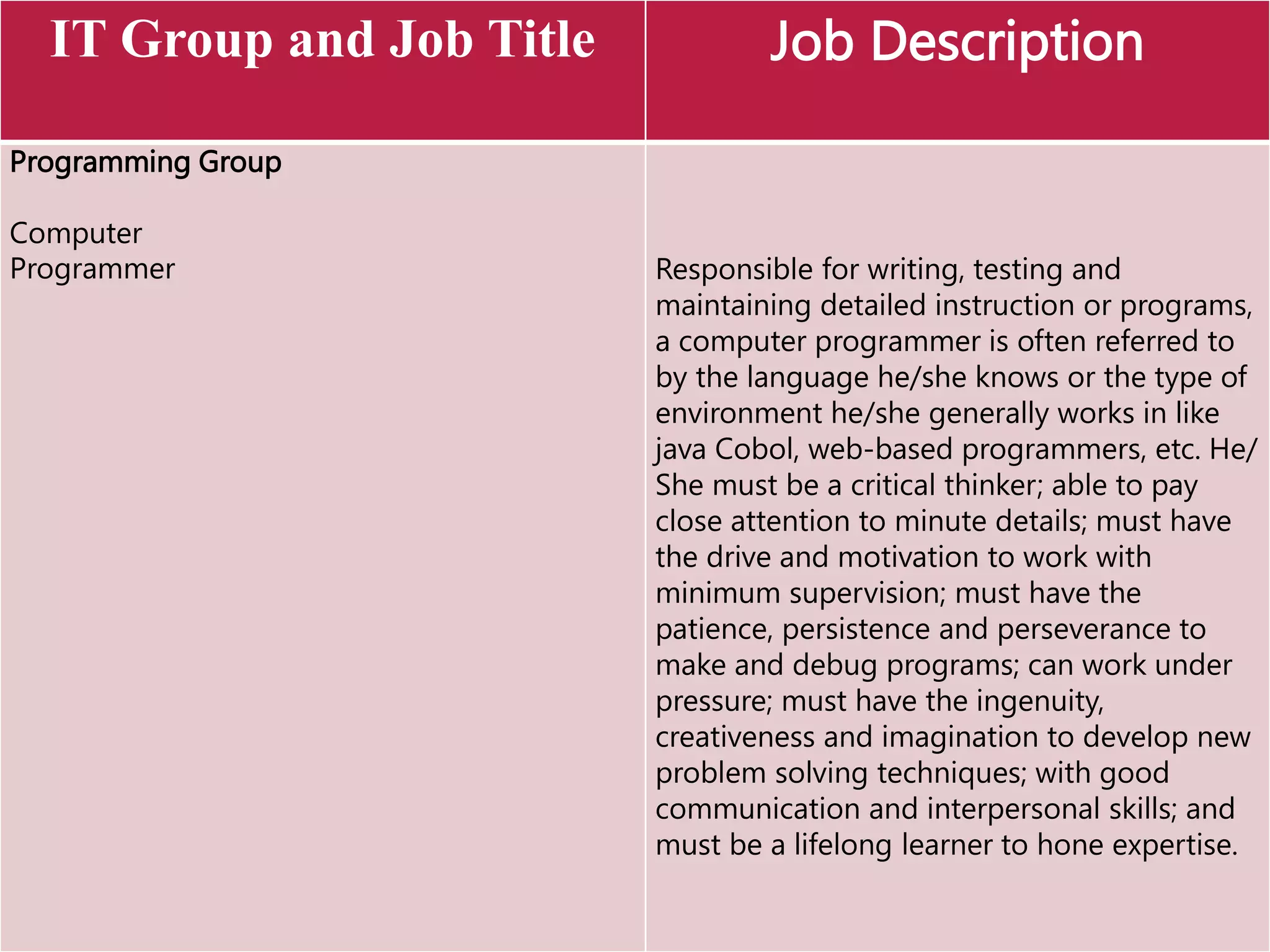
IT Group and Job Title Job Description
Programming Group
Computer
Programmer Responsible for writing, testing and
maintaining detailed instruction or programs,
a computer programmer is often referred to
by the language he/she knows or the type of
environment he/she generally works in like
java Cobol, web-based programmers, etc. He/
She must be a critical thinker; able to pay
close attention to minute details; must have
the drive and motivation to work with
minimum supervision; must have the
patience, persistence and perseverance to
make and debug programs; can work under
pressure; must have the ingenuity,
creativeness and imagination to develop new
problem solving techniques; with good
communication and interpersonal skills; and
must be a lifelong learner to hone expertise.
IT Group and Job Title Job Description
Computer Operation Group
Computer Operator
Data Encoder
Data Entry
Operator
Computer Librarian
The computer operator sets up the
processor and related equipment,
loads and unloads programs, and
ensures proper and correct operations
of the computer.
A data encoder prepares and encodes
documents to transform source
document into machine readable and
acceptable inputs.
Responsible for cataloguing, storing
and securing processed storage media
like desks and tapes.
Computer_Parts.ppt

Computer_Parts.ppt

  • 1.
    ELEMENTS OF ACOMPUTER SYSTEM A.Hardware Hardware maybe classified into input devices, output devices, the central processing unit (CPU) and secondary storage.
  • 2.
    Hardware Physical parts ofthe computer, including processor and memory chips, input/output devices, tapes, disks, modems, cable, etc.
  • 3.
    COMPUTER PARTS There aremany parts that work together to make a computer work.
  • 4.
  • 5.
    PROCESSOR The CPU –The chip or chips that interpret and execute program instructions and manage the functions of input, output, and storage devices.
  • 6.
    COMPUTER CASE Contains the major componentsof the computer. It helps protect them.
  • 7.
    FRONT OF THECOMPUTER CASE
  • 8.
  • 9.
    1. Input Devices Inputhardware consists of external devices – that is, components outside of the computer’s CPU – that provide information and instructions to the computer. There are different types of hardware that serve as input devices. Some devices are pre – installed with the monitor and the CPU when you by the computer set (like the keyboard and mouse) but the most are bought separately. Some of the devices are affordable but some are quite expensive
  • 10.
    Keyboard Used to enter informationinto the computer and for giving commands.
  • 11.
    Terminal Consists of amonitor, keyboard and communication lines attached to a computer system. It accepts customer inputs for processing.
  • 12.
    Touch one device Acceptsdata when telephone buttons are pushed. This triggers the telephone, which in turn sends signals to the computer.
  • 13.
    Set – upboxes Enable the user to request for a specific program to be aired through a cable box triggered by a remote control.
  • 14.
    Mouse An input deviceoperated by rolling its ball across a flat surface. The mouse is used to control the on-screen pointer by pointing and clicking, double-clicking, or dragging objects on the screen.
  • 15.
    Trackball Similar to amouse but the ball is the one directly moved to control the movement of the pointer.
  • 16.
    Joystick Pointing device with abase and vertical handle that pivots in all directions. This is usually used in playing computer games.
  • 17.
    Touch screen A displayscreen that allows users to interact with the system touching specific areas on the screen.
  • 18.
    Light pen It isa sensitive stylus or pen device that used by engineers, illustrators and graphics designers. It serves as a virtual pen that allows freehand drawing.
  • 19.
    Graphics Tablet Sometimes called digitizingtablet, connected by a wire to a light pen through which the user can sketch images.
  • 20.
    Scanning devices Translates imagesof text, photo and other graphics into digital form. The digitized image can then be manipulated or reproduced using a computer.
  • 21.
    Barcode Reader An inputdevice that converts a pattern of printed bars into a number that a computer can read. They are often used by businesses to quickly input price and product information.
  • 22.
    Mark Interface Character Recognition(MICR) Device is able to read the numbers printed (using magnetic ink) at the bottom of checks. It can only read a limited number of characters and is usually used by banks.
  • 23.
    Optical Mark Recognition (OMR) Deviceuse a device that reads pencil and ink marks and converts them into data that can be read and manipulated by the computer.
  • 24.
    Wand Reader Is acommon scanning device used in price tags. It uses a device that reads preprinted characters and converts them into digital code.
  • 25.
    Fax machine orfacsimile transmission machines Scan hard copy and transmit data to another fax machine using telephones lines. Image scanner or graphic scanner – convert text, drawings and photographs into electronic files stored in a computer system.
  • 26.
    Magnetic strip card Containsdata encoded and stored on magnetic strips. It is usually used in credit cards, ATM cards and identification card. It usually holds half a page of data.
  • 27.
    Phone card Smart cardthat contains microprocessor and a memory chip. It usually holds 30 pages of data.
  • 28.
    Plastic laser recordable wallettype card Holds about 200 pages of data and is used with an optical card reader.
  • 29.
    Speech synthesizers Convert humanspeech into digital form. The data can then be transformed back into human speech.
  • 30.
    Multimedia devices Records musicand other sound signals and transform them into digital format to be used as input for PCs.
  • 31.
    Digital cameras Capture imagesin electronic form for immediate viewing on computer screen or TV. These images can be stored and manipulated using computers.
  • 32.
    Video converters  Transformvideo or films into digital format.  Signals coming from videocassette recorders, laser disk or camcorder are converted into digital form through a video card installed in the computer.  Sensor- collects specific kinds of data from the environment and converts these into computer readable data. Examples include sensors that measure the temperature, humidity, smoke, gas and light.
  • 33.
    Sensor Collect specific kinds ofdata from the environment and converts these into computer readable data.
  • 34.
    Touchpad A pressure- sensitive and motionsensitive device used in place of a mouse.
  • 35.
    2. Output Devices Outputhardware consists of devices which communicate the result of processing back to the user by converting electrical signals from the Arithmetic/ Logic Unit into a form recognizable by a human operator. The most common output devices include video displays, high- speed printers and console typewriters. A recent development in output equipment is an audio response unit that can construct sentences with human speakers’ words that have been digitalized and stored in a memory device. Others synthesize human speech, providing the appropriate response by generating signals similar to those produced in regular speech.
  • 36.
    Monitor • A displayscreen to provide “output” to the user. It is where you view the information your are working on.
  • 37.
    Printer An output device thatproduces a hard copy on paper. It gives information to the user in printed form.
  • 38.
    Plotter  Is anoutput device used to produce high quality drawings. Text is drawn as images. Plotters can draw in black and white or in color.  Plotters have built-in microprocessors that convert the characters and instructions from the computer into a series of coordinates which the plotter then draws.  It can draw curved lines just like a pen on paper. It requires lots of memory to store highly accurate images.  Plotters usually come into two designs: flat bed and drum.
  • 39.
    Computer Output Microfilm (COM) Producesoutput in the form of tiny images on a 3.5 mm roll of film (microfilm) or in 4x6 inch of film called microfiche. This enables compact storage of a large number of images.
  • 40.
    Speakers Used to generate or reproducevoice, music, and other sounds.
  • 41.
    Sound card Connects the speakersand microphone to the computer.
  • 42.
    Picture Phone Is thenewer version of a telephone with a TV – like screen and a built- in camera that allows you to see the person you are exchanging messages with directly on screen. This device is used in video conferencing or teleconferencing, where television, sound and computer technology are used to follow people in different sites to see each other and talk with one another.
  • 43.
    3. Central ProcessingUnit (CPU) The processing and conversion of data from input to output is done in the central processing unit (CPU). Its main function is to perform arithmetic and logical operations on data taken from the primary storage or on information entered through any input device. The CPU is composed of five basic components: main storage, registers, buses, ALU and the control unit.
  • 44.
    Main Storage RAMand ROM The main storage (also called memory or primary storage) is where instructions and data are stored usually given unique addresses or memory locations to facilitate storage and retrieval. The CPU usually accesses the data through its addresses the two types of me memory inside the main storage are the RAM and the ROM.
  • 45.
    Random Access Memory RAMis a computer’s temporary memory, which exists as chips on the motherboard near the CPU. It stores data or programs while they are being used and requires power.
  • 46.
    Read Only Memory(ROM) Contains stored instructions that a computer requires to be able to do its basic routine operations. This part is non-volatile; the instructions still hold even when there is power interruption or shut-off. From the name, we can only read the information or instructions stored.
  • 47.
    CD ROM Drive Thedrive that plays CDs and reads data that has been stored on the CD.
  • 48.
    Registers Part of theCPU that function as fast-accessed temporary memory locations. The bits of information taken from the main memory and those that will be placed in the main memory are temporarily held in the registers while computations are being performed. Buses Are bundles of tiny wires that serve as the communication path between components of the CPU. The three most important buses are the address, data and control buses.
  • 49.
    ALU Arithmetic Logic Unit(ALU) performs all the arithmetic and logical calculations of the CPU. The arithmetic operations consist of addition, subtraction, division and multiplication. Logical calculations involve comparisons of two or more numbers. Control Unit Responsible for directing the flow of instructions and data within the CPU. It fetches the instructions from the main memory for execution in the CPU. Aside from controlling the input and output devices, it also passes data to the ALU for computation.
  • 50.
    4. Secondary Storage Thesecondary storage is where data are stored permanently. It is outside the primary storage and serves just like a filing cabinet. There are two reasons why we need to store data in an auxiliary or secondary storage device. First, the primary storage can only store a limited amount of data. Second, the data stored in the primary storage are volatile and temporary. If we use a secondary storage area, then a limitless amount of data can be stored permanently. In short, secondary storage provides cheap, non – volatile high capacity storage. The two classes of secondary storage media are direct access media and sequential access storage media. Direct access media (e.g., floppy disk) supports sequential or random access where data can be accessed directly, unlike sequential accessed media (e.g., magnetic tape)
  • 51.
    Magnetic Tape A sequentialaccess storage media where blocks of data are stored serially along the length of the tape and can only be accessed in a serial manner. This is the old traditional medium which is sound, robust, with high capacity and the cheapest storage medium. It is still popular for long – term/high. Volume storage even though it is the slowest in terms of retrieval of data.
  • 52.
    Magnetic disk A directaccess storage media which, like a phonograph record, is divided into tracks and sectors. Common types are the hard disks and floppy disks. The hard disks are stacks of rigid magnetic disks that are permanently mounted in a unit that may be internal or external to the computer and are often used as virtual memory or extension of RAM. They have relatively high capacity fast retrieval speed but very fragile. Floppy disks are much slower than the hard disks and have less capacity ranging from 1.44 Mb to 200 Mb. Newcomer to the scene is the super floppy disks which has a capacity of 120 Mb.
  • 53.
    Floppy Disk Drive Adevice that holds a removable floppy disk when in use; read/write heads read and write data to the diskette.
  • 54.
  • 55.
    Optical disks Rigid disksof plastic onto which data are recorded by special lasers that physically burn pits into the disk. Optical disk has the same technology as the music CD. They can usually contain about 650 Mb of data. Some common forms of optical disks are CD-ROM, CD-R, CD-RW, DVD, DVD-R, DVD-RW and magneto-Optical Disk.
  • 56.
    Compact Disk A typeof optical storage device.
  • 57.
    Digital Versatile Disk(DVD) Contains digitized and compressed video information, as well as large volumes of other digital data in both 8 and 12 cm. diameter disks. It also has its own Read – Only (DVD), Recordable (DVD-R) and rewritable (DVD- RW) versions. Some have double – sided capacity of up to 15.9 Gb.
  • 58.
    Magneto-Optical disks (MOD) Ahybrid between magnetic disk and optical disk, uses optical technology for read and magnetic recording technique assisted by optical focusing. It comes in 3.25 – inch and 5.25 – inch disks with capacities of 5 Gb and above. The principal advantage of the MO Media over a purely optical CD media is its longetivity and cheaper cost per megabyte.
  • 59.
    Video Card Connects thecomputer to the monitor. It is a circuit board attached to the motherboard that contains the memory and other circuitry necessary to send information to the monitor for display on screen.
  • 60.
    MODEM modulator- demodulator The place wherethe computer is connected to the phone line.
  • 61.
    Network Card A circuitboard that connects the computer to the rest of the network usually using special cables.
  • 63.
    SOFTWARE Programs that tellthe computer what to do. It provides instructions that the CPU will need to carry out. It refers to computer programs or library file whose purpose is to help run the computer system.
  • 64.
    System Software Performs tasksnecessary to the efficient management of the hardware. It refers to computer programs or library file whose purpose is to help run the computer system. These programs are usually made available to the user by the manufacturers of the computer system. It includes operating systems, utility programs, compilers and interpreters.
  • 65.
    Output Device DescriptionExample Operating system A set of programs which controls and coordinates the whole operation of the computer system. It acts as the computer’s internal government, controller and resource manager. It is the first program loaded in memory to ensure the convenience of the user and the efficiency of the whole computer system. The operating system provides the interface among the hardware, application programs, files and the user. OS/2 UNIX LINUX DOS/MVS Macos Javaos Windows NT Windows XP Windows CE Windows 2000 Windows 98 Windows 95 Windows 3.1 Novel Netware
  • 66.
    Output Device DescriptionExample Utility programs System software service programs that help operating system efficiently manage files and do housekeeping functions. These include programs for data backup, data recovery, virus protection, data compression, data security and file fragmentation. Norton Utilities Central Point Antivirus Megz Lock Pretty Good Privacy McAffee Virus Scan Dr. Solomons Antivirus Guard Dog SurfinShield
  • 67.
    Output Device DescriptionExample Compilers and interpreters Programs that translate high-level language programs into object code. Compilers translate the whole program as an object code at once while interpreters translate it one statement at a time. COBOL Compiler Fortran Compiler C Compiler BASIC Interpreter Prolog Interpreter Java Interpreter
  • 68.
    Application software Programs thathelp solve and meet user problems and needs directly. They are designed to performed specific functions, which make daily activities easier and facilitate the performance of work efficiently and effectively. Application software can serve as productivity tools; assist in graphics and multimedia projects; support home, personal and educational use, and facilitate communication.
  • 69.
    Productivity Software Examples Word Processing Software allowsusers to create and manipulate documents that contain text and graphics. Spreadsheet software allows users to enter data into rows and columns and perform computations or make graphs based on the data given. Microsoft Word World Perfect Word Star Microsoft Excel Corel Quattro Pro Lotus 123
  • 70.
    Productivity Software Examples Database Software allowsusers to manage data by organizing these in database tables. Presentation Graphics software allows users to create presentations that communicate ideas, messages and other information through a slide show. Microsoft Access Visual FoxPro File Maker Pro Dbase Oracle MS SQL PowerPoint Photoshop Adobe Illustrator Free Hand Corel Draw
  • 71.
    Productivity Software Examples Personal Information Manager softwareallows users to maintain an address book and appointment calendar and makes use of a notepad to record ideas and reminders. Project Management software allows users to plan, schedule, track and analyze the progress of a project. Outlook Harvard Project Manager Microsoft Project
  • 72.
    Graphics and Multimedia Examples Computer –Aided Design (CAD) software allows users to create engineering, architectural and scientific designs. Desktop Publishing Software allows users to design and produce page layout and sophisticated documents. AutoVis AutoCad Adobe Pagemaker QuarkXPress Microsoft Publisher
  • 73.
    Graphics and Multimedia Examples Web Pagedesign software gives users to design produce web pages. Image Editing software gives users the capability to modify existing images. DreamWeaver FrontPage HyperStudio Photodraw Director Photoshop
  • 74.
    Graphics and Multimedia Examples Video/Audio Editing Softwareallows users to modify video/audio segments. Multimedia Authoring software allows users to create electronic interactive presentations that can include text, images, video, audio and animation. Authoware Illustrator Hyperstudio Flash ToolBook
  • 75.
    Home, Personal and Educational use Examples Integratedsoftware combines several productivity software applications that share a similar interface and common features into a single package. Personal Finance software is an accounting program that helps pay bills, balance a checkbook, track income and expenses, follow investments and evaluate financial plans. Lotus Suite Microsoft Office Microsoft Works Claris Works Quicken QuickBooks PeachTree
  • 76.
    Home, Personal and Educational use Examples Legalsoftware assists in the creation of legal documents and provides provides legal advice Photo – editing software is used to edit digital photographs. WESTLAW PhotoDraw
  • 77.
    Home, Personal and Educational use Examples Clipart / Image Gallery is a collection of clip art and photographs that can be used in all types of documents. Home design / Landscaping software assists users in planning and remodeling.
  • 78.
    Home, Personal and Educational use Examples Educationalsoftware teaches uses a particular skill and give lessons about any subject. Entertainment software includes interactive games, videos and other programs designed to support a hobby or provide amusement. MATLAB Medical Insurance & Coding Activity Software AgriScience Activity Software Final Fantasy StarCraft CounterStrike RedAlert BattleRealm
  • 79.
    Communications Examples E –mail software is used to create, send, receive, forward, store, print and delete electronic mail. Web browser is a software application used to access and view Web Pages. Eudora Outlook Netscape Internet Explorer Netscape Navigator
  • 80.
    Communications Examples Chat clientsoftware allows a user to connect to a chat room and chat via the computer. Newsreader software program is used to participate in a newsgroup: it is an online area on the Web where users conduct written discussion about a particular subject. Internet Relay Char (IRC) Microsoft Internet Relay Chat (MIRC) ICQ
  • 81.
    Communications Examples Instant Messengersoftware is used for instant messaging (IM), a real time communications service that notifies the user when one or more people are online and then allows the user to exchange messages or files with them. Groupware software helps groups of people on a network to work together and share information. Videoconference software allows a meeting between two or more geographically – separated users to use a network or the internet to transmit audio and video data. MSN Messenger Yahoo Messenger ICQ Net meeting
  • 82.
    Peopleware The skilled workersin the Information Technology field are considered as the peopleware. The major compositions of these IT professionals are the management group, systems and procedures group, programming group and the computer operations group.
  • 83.
    IT Group andJob Title Job Description Management Group Computers Systems Manager Directs and plans programming, computer operations and data processing. Also coordinates the development of computer hardware systems design and software. Like all managers, he/she performs the functions of planning, planning, organizing, staffing and controlling the project. He/she should possess technical competence, managerial skills, knowledge of the business process and the ability to communicate and motivate people.
  • 84.
    IT Group andJob Title Job Description Systems and Procedures group Computer Scientist Computer Engineer Systems Analyst With expertise in hardware or software design, they analyze, develop and apply principles to produce computer applications and gadgets. They also design, programming tools, knowledge- based systems and computer games. Basically, they must be able to think logically; must have good communication skills; and must be able to work under pressure, concentrate and pay close attention to details; and must be lifelong learners to upgrade their technical expertise.
  • 85.
    IT Group andJob Title Job Description Programming Group Computer Programmer Responsible for writing, testing and maintaining detailed instruction or programs, a computer programmer is often referred to by the language he/she knows or the type of environment he/she generally works in like java Cobol, web-based programmers, etc. He/ She must be a critical thinker; able to pay close attention to minute details; must have the drive and motivation to work with minimum supervision; must have the patience, persistence and perseverance to make and debug programs; can work under pressure; must have the ingenuity, creativeness and imagination to develop new problem solving techniques; with good communication and interpersonal skills; and must be a lifelong learner to hone expertise.
  • 86.
    IT Group andJob Title Job Description Computer Operation Group Computer Operator Data Encoder Data Entry Operator Computer Librarian The computer operator sets up the processor and related equipment, loads and unloads programs, and ensures proper and correct operations of the computer. A data encoder prepares and encodes documents to transform source document into machine readable and acceptable inputs. Responsible for cataloguing, storing and securing processed storage media like desks and tapes.