HACKING 101
Umons
3ème bachelier en Sciences Informatique
1ère et 2ème Master en Sciences Informatiques
Master en Sciences Informatiques en 1 an
1ère ET 2ème Master ingénieur Civil en Informatique de gestion
Séminaire d’informatique
25 février 2015
Olivier Houyoux
Technology Security Architect @ Nitroxis Sprl
SCHEDULE FOR THE DAY
1. Why are we here?
2. Real Life Examples
3. Owasp – Top 10 (2013)
4. Demo Web Hacking Simulation Walkthrough
5. Summary
6. Questions
DO WE NEED WEB APP.
SECURITY?
 Well managed infrastructure
 Important data on web applications
 Malware spreading
EXAMPLES
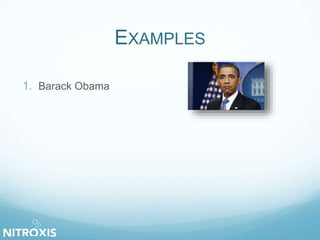
1. Barack Obama
EXAMPLES
1. Barack Obama
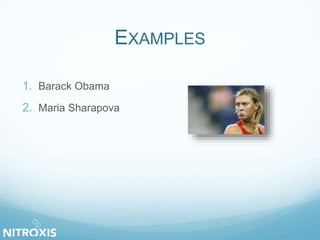
2. Maria Sharapova
EXAMPLES
1. Barack Obama
2. Maria Sharapova
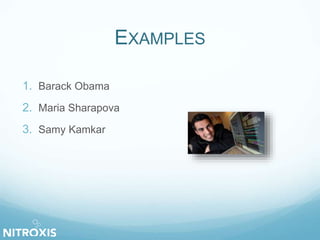
3. Samy Kamkar
EXAMPLES
1. Barack Obama
2. Maria Sharapova
3. Samy Kamkar
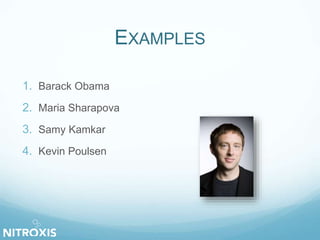
4. Kevin Poulsen
EXAMPLES
1. Barack Obama
2. Maria Sharapova
3. Samy Kamkar
4. Kevin Poulsen
5. …
OPEN WEB APPLICATION
SECURITY PROJECT
Make software security visible
 Cheat Sheets, Tutorials, Testing guides…
 Tools (WebGoat, WebScarab, …)
 Library (ESAPI)
 …
OWASP TOP 10
Broad consensus about what the most critical web
application security flaws are.
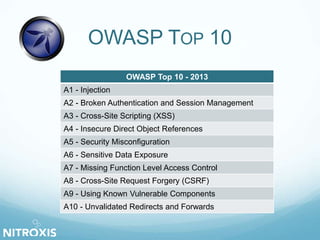
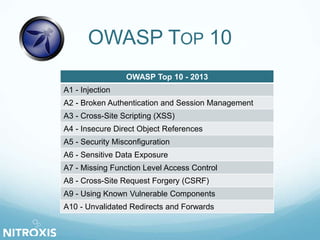
OWASP TOP 10
OWASP Top 10 - 2013
A1 - Injection
A2 - Broken Authentication and Session Management
A3 - Cross-Site Scripting (XSS)
A4 - Insecure Direct Object References
A5 - Security Misconfiguration
A6 - Sensitive Data Exposure
A7 - Missing Function Level Access Control
A8 - Cross-Site Request Forgery (CSRF)
A9 - Using Known Vulnerable Components
A10 - Unvalidated Redirects and Forwards
A1 – INJECTION
User input injected without checking
 SQL
 LDAP
 Command
 XPath
 …
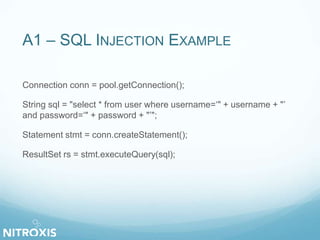
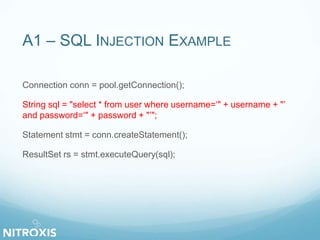
A1 – SQL INJECTION EXAMPLE
Connection conn = pool.getConnection();
String sql = "select * from user where username=‘" + username + "’
and password=‘" + password + "’";
Statement stmt = conn.createStatement();
ResultSet rs = stmt.executeQuery(sql);
A1 – SQL INJECTION EXAMPLE
Connection conn = pool.getConnection();
String sql = "select * from user where username=‘" + username + "’
and password=‘" + password + "’";
Statement stmt = conn.createStatement();
ResultSet rs = stmt.executeQuery(sql);
A2 – BROKEN AUTHENTICATION
 User / Password
Brute force attack
 Birthday paradox
 Weak management functions
Change or recover password
A2 – SESSION MANAGEMENT
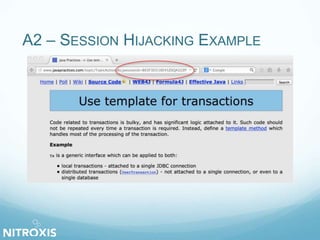
1. Session Hijacking
 Stealing authenticated user’s session ID
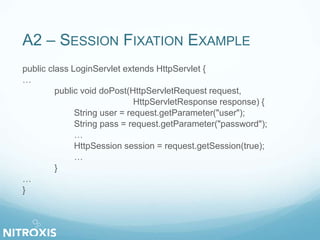
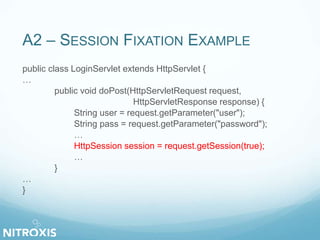
2. Session Fixation
 Forcing user’s session ID
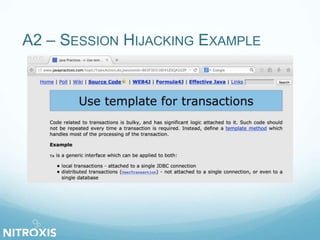
A2 – SESSION HIJACKING EXAMPLE
A2 – SESSION FIXATION EXAMPLE
public class LoginServlet extends HttpServlet {
…
public void doPost(HttpServletRequest request,
HttpServletResponse response) {
String user = request.getParameter("user");
String pass = request.getParameter("password");
…
HttpSession session = request.getSession(true);
…
}
…
}
A2 – SESSION FIXATION EXAMPLE
public class LoginServlet extends HttpServlet {
…
public void doPost(HttpServletRequest request,
HttpServletResponse response) {
String user = request.getParameter("user");
String pass = request.getParameter("password");
…
HttpSession session = request.getSession(true);
…
}
…
}
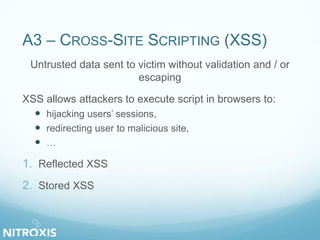
A3 – CROSS-SITE SCRIPTING (XSS)
Untrusted data sent to victim without validation and / or
escaping
XSS allows attackers to execute script in browsers to:
 hijacking users’ sessions,
 redirecting user to malicious site,
 …
1. Reflected XSS
2. Stored XSS
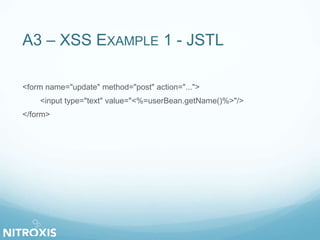
A3 – XSS EXAMPLE 1 - JSTL
<form name="update" method="post" action="...">
<input type="text" value="<%=userBean.getName()%>"/>
</form>
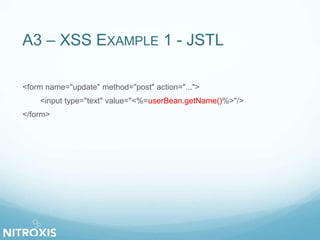
A3 – XSS EXAMPLE 1 - JSTL
<form name="update" method="post" action="...">
<input type="text" value="<%=userBean.getName()%>"/>
</form>
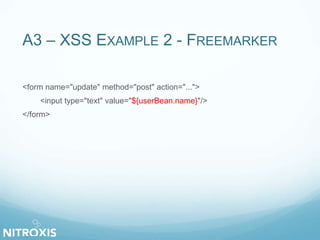
A3 – XSS EXAMPLE 2 - FREEMARKER
<form name="update" method="post" action="...">
<input type="text" value="${userBean.name}"/>
</form>
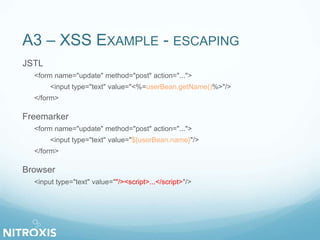
A3 – XSS EXAMPLE - ESCAPING
JSTL
<form name="update" method="post" action="...">
<input type="text" value="<%=userBean.getName()%>"/>
</form>
Freemarker
<form name="update" method="post" action="...">
<input type="text" value="${userBean.name}"/>
</form>
Browser
<input type="text" value=""/><script>...</script>"/>
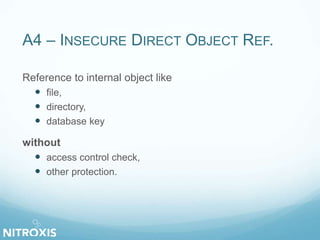
A4 – INSECURE DIRECT OBJECT REF.
Reference to internal object like
 file,
 directory,
 database key
without
 access control check,
 other protection.
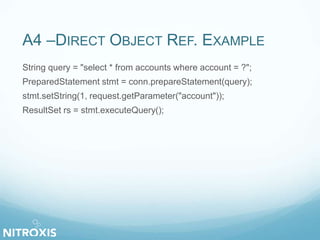
A4 –DIRECT OBJECT REF. EXAMPLE
String query = "select * from accounts where account = ?";
PreparedStatement stmt = conn.prepareStatement(query);
stmt.setString(1, request.getParameter("account"));
ResultSet rs = stmt.executeQuery();
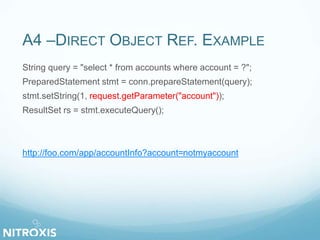
A4 –DIRECT OBJECT REF. EXAMPLE
String query = "select * from accounts where account = ?";
PreparedStatement stmt = conn.prepareStatement(query);
stmt.setString(1, request.getParameter("account"));
ResultSet rs = stmt.executeQuery();
http://foo.com/app/accountInfo?account=notmyaccount
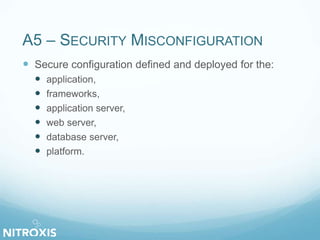
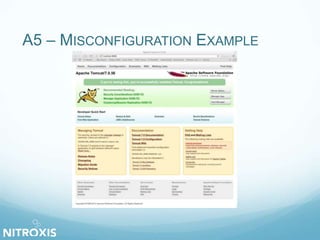
A5 – SECURITY MISCONFIGURATION
 Secure configuration defined and deployed for the:
 application,
 frameworks,
 application server,
 web server,
 database server,
 platform.
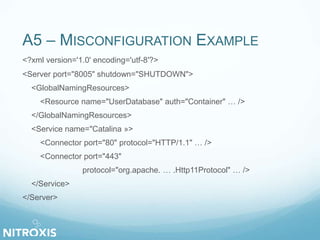
A5 – MISCONFIGURATION EXAMPLE
<?xml version='1.0' encoding='utf-8'?>
<Server port="8005" shutdown="SHUTDOWN">
<GlobalNamingResources>
<Resource name="UserDatabase" auth="Container" … />
</GlobalNamingResources>
<Service name="Catalina »>
<Connector port="80" protocol="HTTP/1.1" … />
<Connector port="443"
protocol="org.apache. … .Http11Protocol" … />
</Service>
</Server>
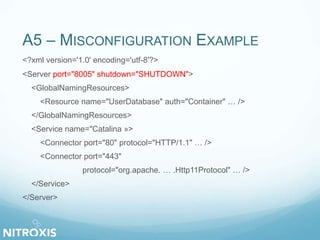
A5 – MISCONFIGURATION EXAMPLE
<?xml version='1.0' encoding='utf-8'?>
<Server port="8005" shutdown="SHUTDOWN">
<GlobalNamingResources>
<Resource name="UserDatabase" auth="Container" … />
</GlobalNamingResources>
<Service name="Catalina »>
<Connector port="80" protocol="HTTP/1.1" … />
<Connector port="443"
protocol="org.apache. … .Http11Protocol" … />
</Service>
</Server>
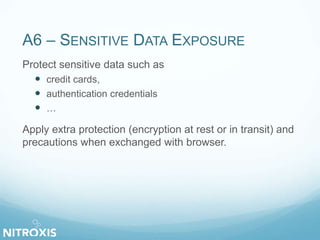
A6 – SENSITIVE DATA EXPOSURE
Protect sensitive data such as
 credit cards,
 authentication credentials
 …
Apply extra protection (encryption at rest or in transit) and
precautions when exchanged with browser.
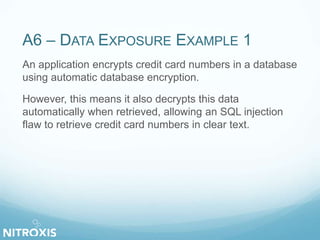
A6 – DATA EXPOSURE EXAMPLE 1
An application encrypts credit card numbers in a database
using automatic database encryption.
However, this means it also decrypts this data
automatically when retrieved, allowing an SQL injection
flaw to retrieve credit card numbers in clear text.
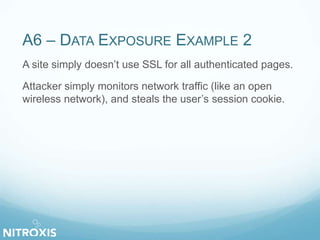
A6 – DATA EXPOSURE EXAMPLE 2
A site simply doesn’t use SSL for all authenticated pages.
Attacker simply monitors network traffic (like an open
wireless network), and steals the user’s session cookie.
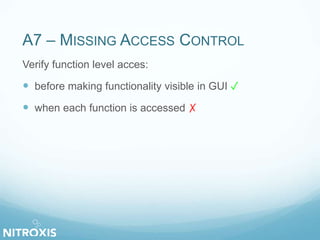
A7 – MISSING ACCESS CONTROL
Verify function level acces:
 before making functionality visible in GUI ✓
 when each function is accessed ✗
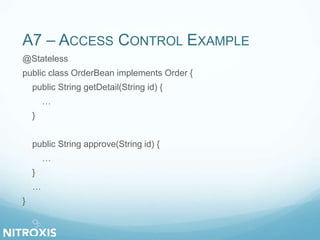
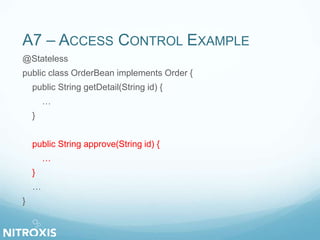
A7 – ACCESS CONTROL EXAMPLE
@Stateless
public class OrderBean implements Order {
public String getDetail(String id) {
…
}
public String approve(String id) {
…
}
…
}
A7 – ACCESS CONTROL EXAMPLE
@Stateless
public class OrderBean implements Order {
public String getDetail(String id) {
…
}
public String approve(String id) {
…
}
…
}
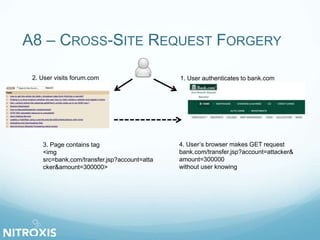
A8 – CROSS-SITE REQUEST FORGERY
1. User authenticates to bank.com2. User visits forum.com
3. Page contains tag
<img
src=bank.com/transfer.jsp?account=atta
cker&amount=300000>
4. User’s browser makes GET request
bank.com/transfer.jsp?account=attacker&
amount=300000
without user knowing
A8 – CSRF EXAMPLE
Nearly everything is susceptible to CSRF, so no need to
hunt the bug …
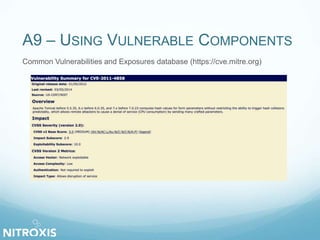
A9 – USING VULNERABLE COMPONENTS
Common Vulnerabilities and Exposures database (https://cve.mitre.org)
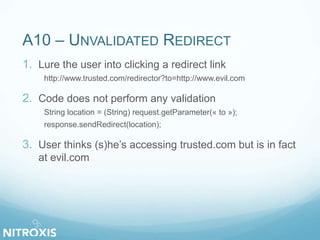
A10 – UNVALIDATED REDIRECT
1. Lure the user into clicking a redirect link
http://www.trusted.com/redirector?to=http://www.evil.com
2. Code does not perform any validation
String location = (String) request.getParameter(« to »);
response.sendRedirect(location);
3. User thinks (s)he’s accessing trusted.com but is in fact
at evil.com
OWASP TOP 10
OWASP Top 10 - 2013
A1 - Injection
A2 - Broken Authentication and Session Management
A3 - Cross-Site Scripting (XSS)
A4 - Insecure Direct Object References
A5 - Security Misconfiguration
A6 - Sensitive Data Exposure
A7 - Missing Function Level Access Control
A8 - Cross-Site Request Forgery (CSRF)
A9 - Using Known Vulnerable Components
A10 - Unvalidated Redirects and Forwards
WEBGOAT
is a deliberately insecure web application designed to
teach web application security lessons.
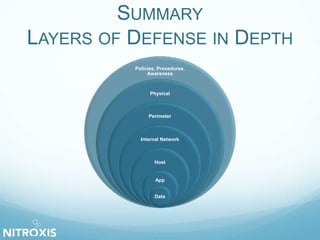
SUMMARY
LAYERS OF DEFENSE IN DEPTH
Policies, Procedures,
Awareness
Physical
Perimeter
Internal Network
Host
App
Data
AND NOW …
 bWAPP
 OWASP Top 10
 CWE 25
 Mitigations (SANS, OWASP Cheat Sheets, …)
 Web Services (SOAP & REST)
 Mobile
 And more …
QUESTIONS ?
FOLLOW US ON …
@Nitroxis_sprl
nitroxis Nitroxis.BE
Training and Certification for
information Security
Professionals
Nitroxis sprl
ADD DEPTH TO YOUR INFORMATION SYSTEM
Olivier Houyoux Technology Security Architect
Version 1.2
Date 25/02/2015
Mail Contact (at) nitroxis.be
Website www.nitroxis.be

Hacking 101 3

  • 1.
    HACKING 101 Umons 3ème bachelieren Sciences Informatique 1ère et 2ème Master en Sciences Informatiques Master en Sciences Informatiques en 1 an 1ère ET 2ème Master ingénieur Civil en Informatique de gestion Séminaire d’informatique 25 février 2015 Olivier Houyoux Technology Security Architect @ Nitroxis Sprl
  • 2.
    SCHEDULE FOR THEDAY 1. Why are we here? 2. Real Life Examples 3. Owasp – Top 10 (2013) 4. Demo Web Hacking Simulation Walkthrough 5. Summary 6. Questions
  • 3.
    DO WE NEEDWEB APP. SECURITY?  Well managed infrastructure  Important data on web applications  Malware spreading
  • 4.
  • 5.
  • 6.
    EXAMPLES 1. Barack Obama 2.Maria Sharapova 3. Samy Kamkar
  • 7.
    EXAMPLES 1. Barack Obama 2.Maria Sharapova 3. Samy Kamkar 4. Kevin Poulsen
  • 8.
    EXAMPLES 1. Barack Obama 2.Maria Sharapova 3. Samy Kamkar 4. Kevin Poulsen 5. …
  • 9.
    OPEN WEB APPLICATION SECURITYPROJECT Make software security visible  Cheat Sheets, Tutorials, Testing guides…  Tools (WebGoat, WebScarab, …)  Library (ESAPI)  …
  • 10.
    OWASP TOP 10 Broadconsensus about what the most critical web application security flaws are.
  • 11.
    OWASP TOP 10 OWASPTop 10 - 2013 A1 - Injection A2 - Broken Authentication and Session Management A3 - Cross-Site Scripting (XSS) A4 - Insecure Direct Object References A5 - Security Misconfiguration A6 - Sensitive Data Exposure A7 - Missing Function Level Access Control A8 - Cross-Site Request Forgery (CSRF) A9 - Using Known Vulnerable Components A10 - Unvalidated Redirects and Forwards
  • 12.
    A1 – INJECTION Userinput injected without checking  SQL  LDAP  Command  XPath  …
  • 13.
    A1 – SQLINJECTION EXAMPLE Connection conn = pool.getConnection(); String sql = "select * from user where username=‘" + username + "’ and password=‘" + password + "’"; Statement stmt = conn.createStatement(); ResultSet rs = stmt.executeQuery(sql);
  • 14.
    A1 – SQLINJECTION EXAMPLE Connection conn = pool.getConnection(); String sql = "select * from user where username=‘" + username + "’ and password=‘" + password + "’"; Statement stmt = conn.createStatement(); ResultSet rs = stmt.executeQuery(sql);
  • 15.
    A2 – BROKENAUTHENTICATION  User / Password Brute force attack  Birthday paradox  Weak management functions Change or recover password
  • 16.
    A2 – SESSIONMANAGEMENT 1. Session Hijacking  Stealing authenticated user’s session ID 2. Session Fixation  Forcing user’s session ID
  • 17.
    A2 – SESSIONHIJACKING EXAMPLE
  • 18.
    A2 – SESSIONHIJACKING EXAMPLE
  • 19.
    A2 – SESSIONFIXATION EXAMPLE public class LoginServlet extends HttpServlet { … public void doPost(HttpServletRequest request, HttpServletResponse response) { String user = request.getParameter("user"); String pass = request.getParameter("password"); … HttpSession session = request.getSession(true); … } … }
  • 20.
    A2 – SESSIONFIXATION EXAMPLE public class LoginServlet extends HttpServlet { … public void doPost(HttpServletRequest request, HttpServletResponse response) { String user = request.getParameter("user"); String pass = request.getParameter("password"); … HttpSession session = request.getSession(true); … } … }
  • 21.
    A3 – CROSS-SITESCRIPTING (XSS) Untrusted data sent to victim without validation and / or escaping XSS allows attackers to execute script in browsers to:  hijacking users’ sessions,  redirecting user to malicious site,  … 1. Reflected XSS 2. Stored XSS
  • 22.
    A3 – XSSEXAMPLE 1 - JSTL <form name="update" method="post" action="..."> <input type="text" value="<%=userBean.getName()%>"/> </form>
  • 23.
    A3 – XSSEXAMPLE 1 - JSTL <form name="update" method="post" action="..."> <input type="text" value="<%=userBean.getName()%>"/> </form>
  • 24.
    A3 – XSSEXAMPLE 2 - FREEMARKER <form name="update" method="post" action="..."> <input type="text" value="${userBean.name}"/> </form>
  • 25.
    A3 – XSSEXAMPLE - ESCAPING JSTL <form name="update" method="post" action="..."> <input type="text" value="<%=userBean.getName()%>"/> </form> Freemarker <form name="update" method="post" action="..."> <input type="text" value="${userBean.name}"/> </form> Browser <input type="text" value=""/><script>...</script>"/>
  • 26.
    A4 – INSECUREDIRECT OBJECT REF. Reference to internal object like  file,  directory,  database key without  access control check,  other protection.
  • 27.
    A4 –DIRECT OBJECTREF. EXAMPLE String query = "select * from accounts where account = ?"; PreparedStatement stmt = conn.prepareStatement(query); stmt.setString(1, request.getParameter("account")); ResultSet rs = stmt.executeQuery();
  • 28.
    A4 –DIRECT OBJECTREF. EXAMPLE String query = "select * from accounts where account = ?"; PreparedStatement stmt = conn.prepareStatement(query); stmt.setString(1, request.getParameter("account")); ResultSet rs = stmt.executeQuery(); http://foo.com/app/accountInfo?account=notmyaccount
  • 29.
    A5 – SECURITYMISCONFIGURATION  Secure configuration defined and deployed for the:  application,  frameworks,  application server,  web server,  database server,  platform.
  • 30.
  • 31.
    A5 – MISCONFIGURATIONEXAMPLE <?xml version='1.0' encoding='utf-8'?> <Server port="8005" shutdown="SHUTDOWN"> <GlobalNamingResources> <Resource name="UserDatabase" auth="Container" … /> </GlobalNamingResources> <Service name="Catalina »> <Connector port="80" protocol="HTTP/1.1" … /> <Connector port="443" protocol="org.apache. … .Http11Protocol" … /> </Service> </Server>
  • 32.
    A5 – MISCONFIGURATIONEXAMPLE <?xml version='1.0' encoding='utf-8'?> <Server port="8005" shutdown="SHUTDOWN"> <GlobalNamingResources> <Resource name="UserDatabase" auth="Container" … /> </GlobalNamingResources> <Service name="Catalina »> <Connector port="80" protocol="HTTP/1.1" … /> <Connector port="443" protocol="org.apache. … .Http11Protocol" … /> </Service> </Server>
  • 33.
    A6 – SENSITIVEDATA EXPOSURE Protect sensitive data such as  credit cards,  authentication credentials  … Apply extra protection (encryption at rest or in transit) and precautions when exchanged with browser.
  • 34.
    A6 – DATAEXPOSURE EXAMPLE 1 An application encrypts credit card numbers in a database using automatic database encryption. However, this means it also decrypts this data automatically when retrieved, allowing an SQL injection flaw to retrieve credit card numbers in clear text.
  • 35.
    A6 – DATAEXPOSURE EXAMPLE 2 A site simply doesn’t use SSL for all authenticated pages. Attacker simply monitors network traffic (like an open wireless network), and steals the user’s session cookie.
  • 36.
    A7 – MISSINGACCESS CONTROL Verify function level acces:  before making functionality visible in GUI ✓  when each function is accessed ✗
  • 37.
    A7 – ACCESSCONTROL EXAMPLE @Stateless public class OrderBean implements Order { public String getDetail(String id) { … } public String approve(String id) { … } … }
  • 38.
    A7 – ACCESSCONTROL EXAMPLE @Stateless public class OrderBean implements Order { public String getDetail(String id) { … } public String approve(String id) { … } … }
  • 39.
    A8 – CROSS-SITEREQUEST FORGERY 1. User authenticates to bank.com2. User visits forum.com 3. Page contains tag <img src=bank.com/transfer.jsp?account=atta cker&amount=300000> 4. User’s browser makes GET request bank.com/transfer.jsp?account=attacker& amount=300000 without user knowing
  • 40.
    A8 – CSRFEXAMPLE Nearly everything is susceptible to CSRF, so no need to hunt the bug …
  • 41.
    A9 – USINGVULNERABLE COMPONENTS Common Vulnerabilities and Exposures database (https://cve.mitre.org)
  • 42.
    A10 – UNVALIDATEDREDIRECT 1. Lure the user into clicking a redirect link http://www.trusted.com/redirector?to=http://www.evil.com 2. Code does not perform any validation String location = (String) request.getParameter(« to »); response.sendRedirect(location); 3. User thinks (s)he’s accessing trusted.com but is in fact at evil.com
  • 43.
    OWASP TOP 10 OWASPTop 10 - 2013 A1 - Injection A2 - Broken Authentication and Session Management A3 - Cross-Site Scripting (XSS) A4 - Insecure Direct Object References A5 - Security Misconfiguration A6 - Sensitive Data Exposure A7 - Missing Function Level Access Control A8 - Cross-Site Request Forgery (CSRF) A9 - Using Known Vulnerable Components A10 - Unvalidated Redirects and Forwards
  • 44.
    WEBGOAT is a deliberatelyinsecure web application designed to teach web application security lessons.
  • 45.
    SUMMARY LAYERS OF DEFENSEIN DEPTH Policies, Procedures, Awareness Physical Perimeter Internal Network Host App Data
  • 46.
    AND NOW … bWAPP  OWASP Top 10  CWE 25  Mitigations (SANS, OWASP Cheat Sheets, …)  Web Services (SOAP & REST)  Mobile  And more …
  • 47.
  • 48.
    FOLLOW US ON… @Nitroxis_sprl nitroxis Nitroxis.BE Training and Certification for information Security Professionals Nitroxis sprl
  • 49.
    ADD DEPTH TOYOUR INFORMATION SYSTEM Olivier Houyoux Technology Security Architect Version 1.2 Date 25/02/2015 Mail Contact (at) nitroxis.be Website www.nitroxis.be