Webinar 
Delivering Great User Experiences 
in a Multi-Device World 
October 16, 2014
2 
Hello. 
Christian Linsey 
Creative Director at Catalyst Group 
clinsey@catalystnyc.com 
Christian Linsey has worn many hats as a designer, 
coder, project manager, producer, and art director. 
He has a Bachelor degree in English and has been 
making digital things for more than 10 years. 
SPECIALTIES 
Visual Design, Branding 
UX Design 
Design Systems 
CSS, WordPress 
Michael Callari 
Project Manager for NorthPoint Digital 
mcallari@northpointdigital.com 
Michael has been has been working as a full-stack web 
developer since 2001. Starting as front-end developer 
and designer, Michael soon focused on developing 
database web applications in Flash and PHP. 
SPECIALTIES 
Technical Architect, Project Manager 
PHP, Wordpress, Drupal, Python, Django 
JavaScript, Angular, jQuery 
Data Integration across Applications 
Continuous Integration and Deployment
3 
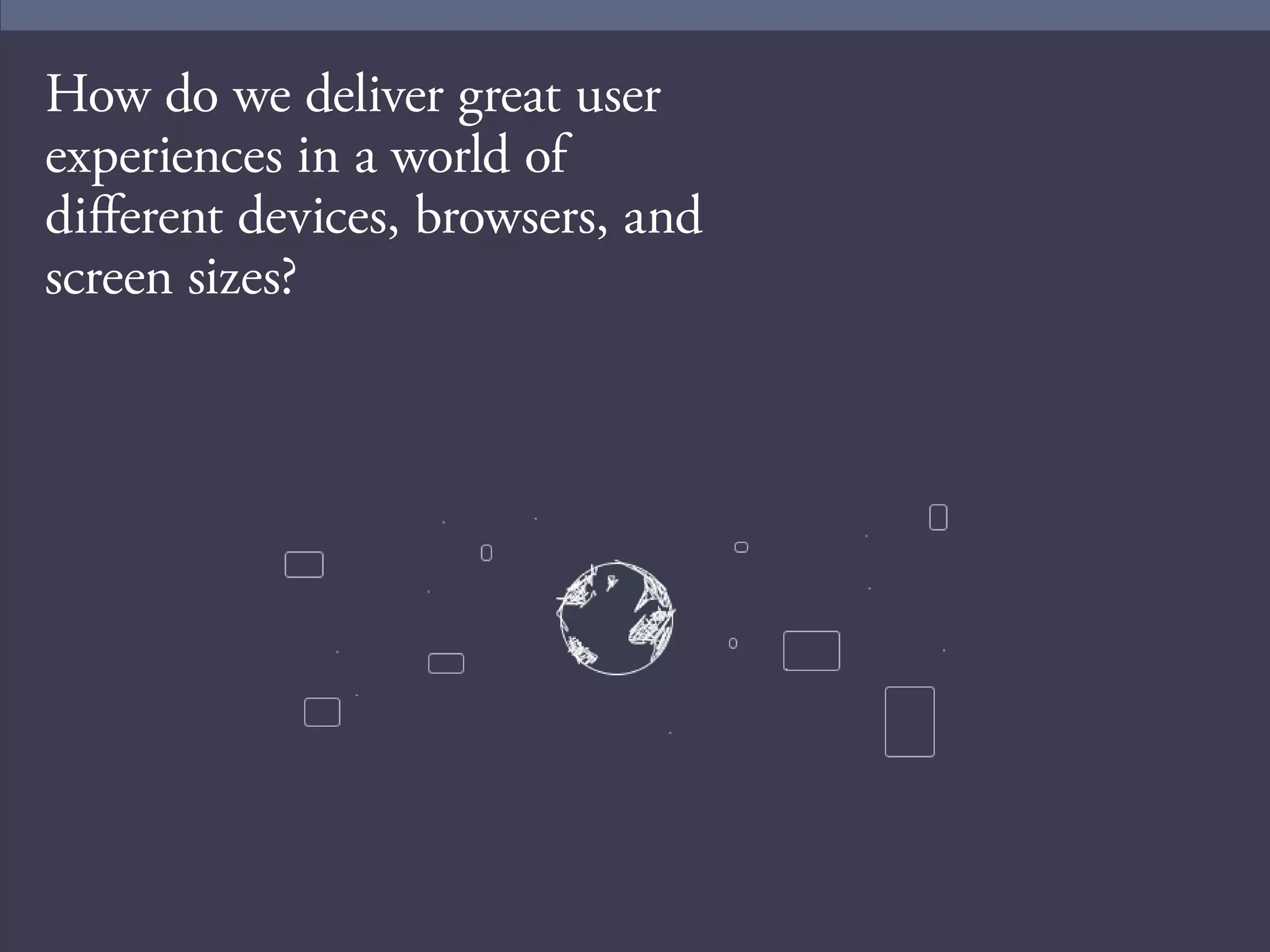
How do we deliver great user 
experiences in a world of 
different devices, browsers, and 
screen sizes?
4 
What Is User Experience? 
“Most people believe that User Experience is just 
about finding the best solution for your users–but 
it’s not. UX is about defining the problem that 
needs to be solved (the why), defining the types of 
people who need it to be solved (the who), and 
defining the way in which it should be solved to be 
relevant to those people (the how).” 
- Whitney Hess 
http://www.inspireux.com/2010/08/04/user-experience-about-more-than-just-finding-best-solution-for-your- 
users/
5 
User Experience Is Not 
• Making things look pretty 
• Applying the latest design trends 
• The job of one person or department 
• Easy
6 
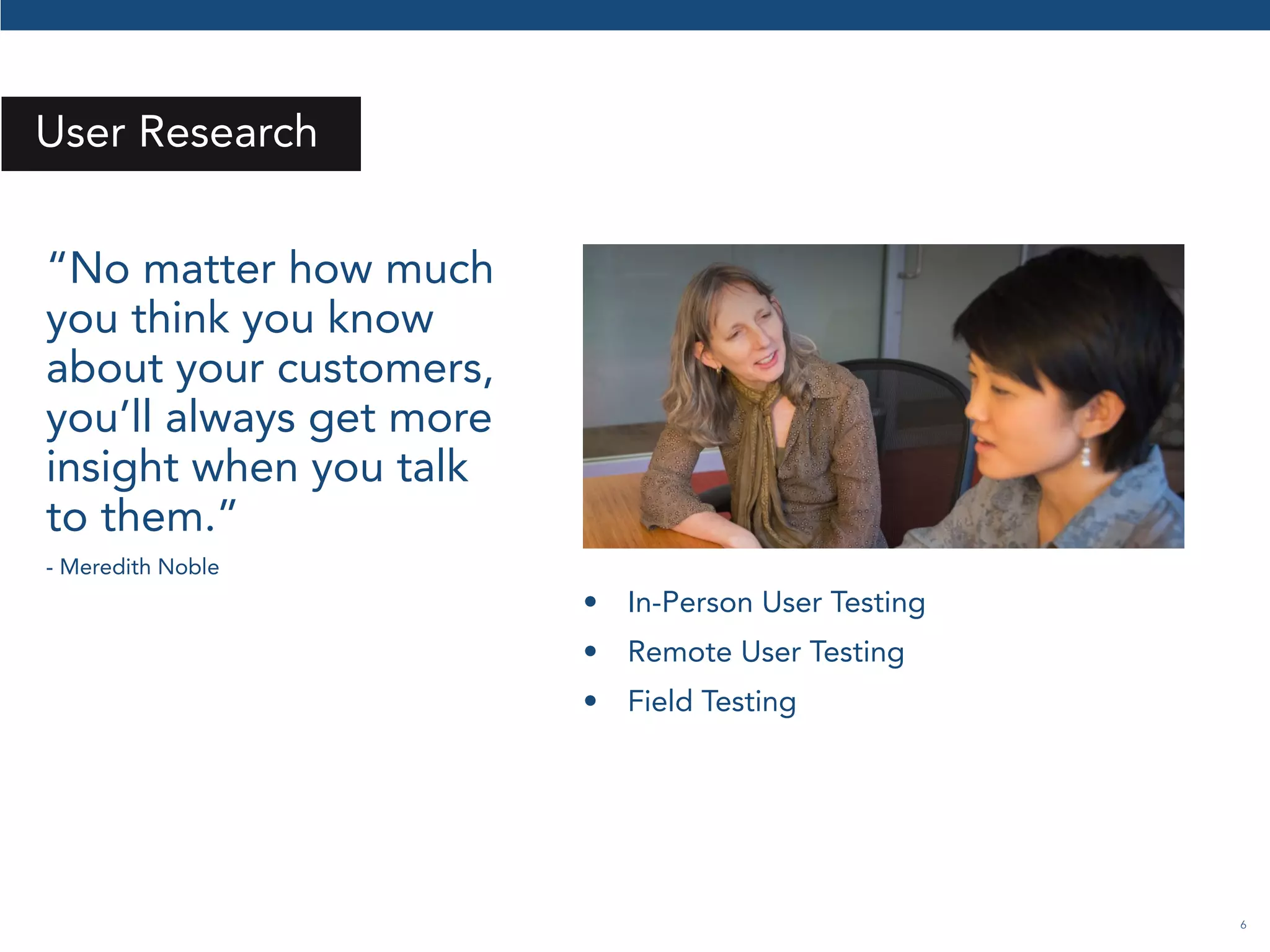
User Research 
“No matter how much 
you think you know 
about your customers, 
you’ll always get more 
insight when you talk 
to them.” 
- Meredith Noble 
• In-Person User Testing 
• Remote User Testing 
• Field Testing
7 
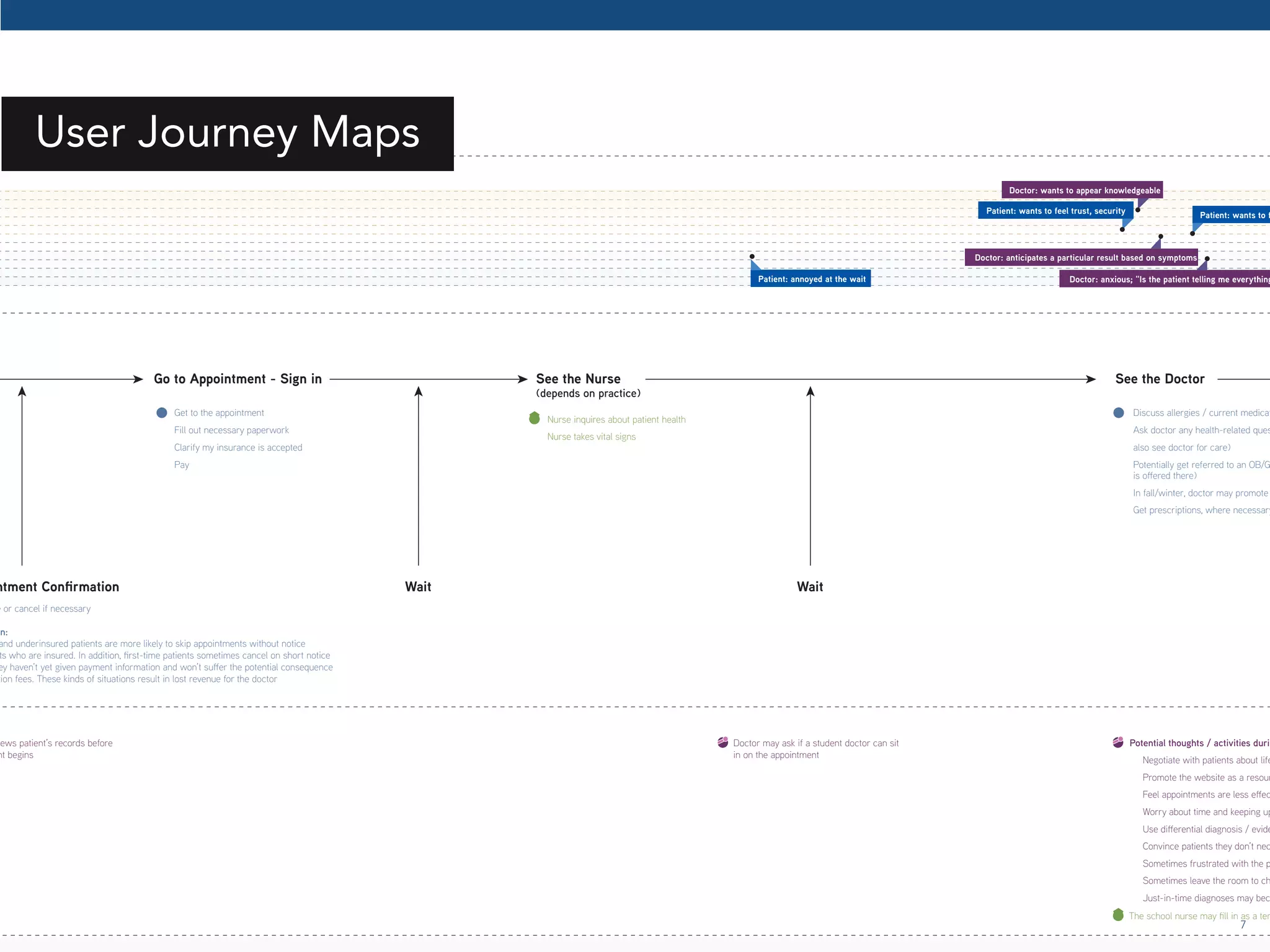
Get to the appointment 
Fill out necessary paperwork 
Clarify my insurance is accepted 
Pay 
Nurse inquires about patient health 
Nurse takes vital signs 
Discuss allergies / current medications Ask doctor any health-related questions also see doctor for care) 
Potentially get referred to an OB/GYN is oered there) 
In fall/winter, doctor may promote Get prescriptions, where necessary 
Reschedule or cancel if necessary 
Cancellation: 
and underinsured patients are more likely to skip appointments without notice 
patients who are insured. In addition, ‘rst-time patients sometimes cancel on short notice 
they haven’t yet given payment information and won’t suer the potential consequence 
cancellation fees. These kinds of situations result in lost revenue for the doctor 
Go to Appointment - Sign in 
Appointment Conrmation 
See the Nurse 
(depends on practice) 
See the Doctor The school nurse may ‘ll in as a temporary reviews patient’s records before 
appointment begins 
Doctor may ask if a student doctor can sit 
in on the appointment 
Potential thoughts / activities during Negotiate with patients about lifestyle Promote the website as a resource Feel appointments are less eective Worry about time and keeping up Use dierential diagnosis / evidence-Convince patients they don’t necessarily Sometimes frustrated with the practice’s Sometimes leave the room to check Just-in-time diagnoses may become Wait Wait 
Patient: annoyed at the wait 
Patient: wants to feel trust, security Patient: wants to feel Doctor: anxious; “Is the patient telling me everything?” 
Doctor: anticipates a particular result based on symptoms 
Doctor: wants to appear knowledgeable 
User Journey Maps
8 
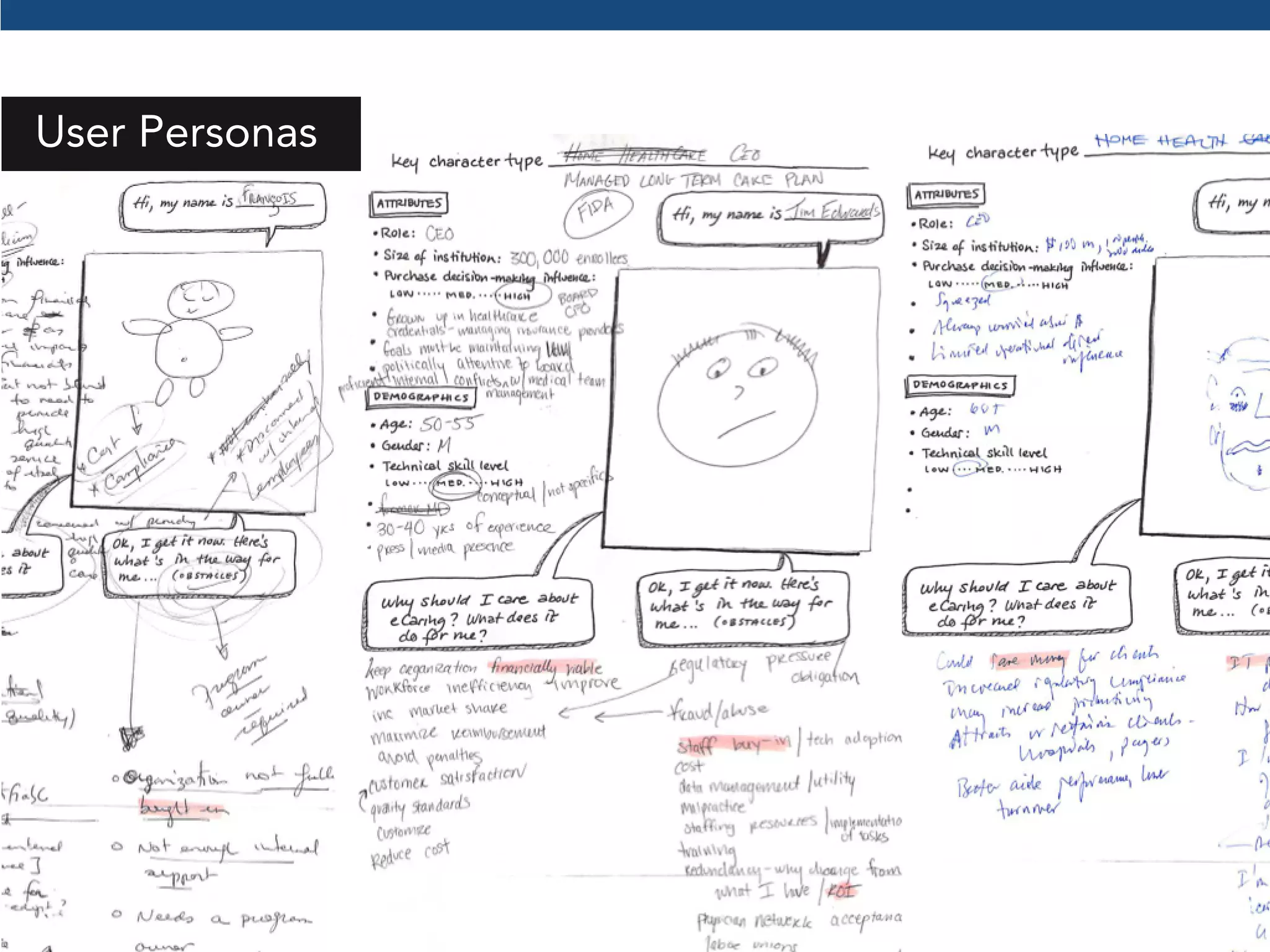
User Personas
9 
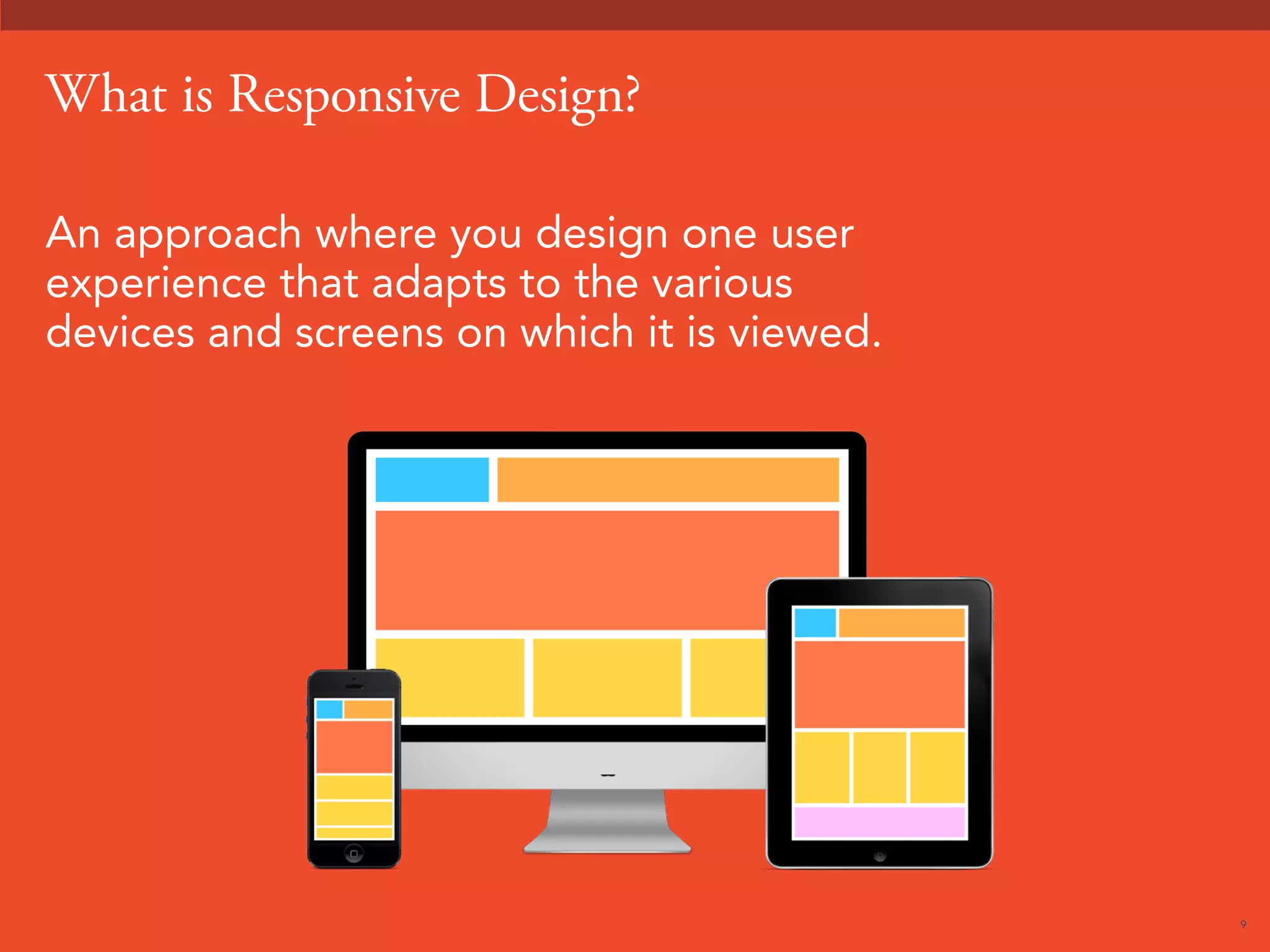
What is Responsive Design? 
An approach where you design one user 
experience that adapts to the various 
devices and screens on which it is viewed.
10 
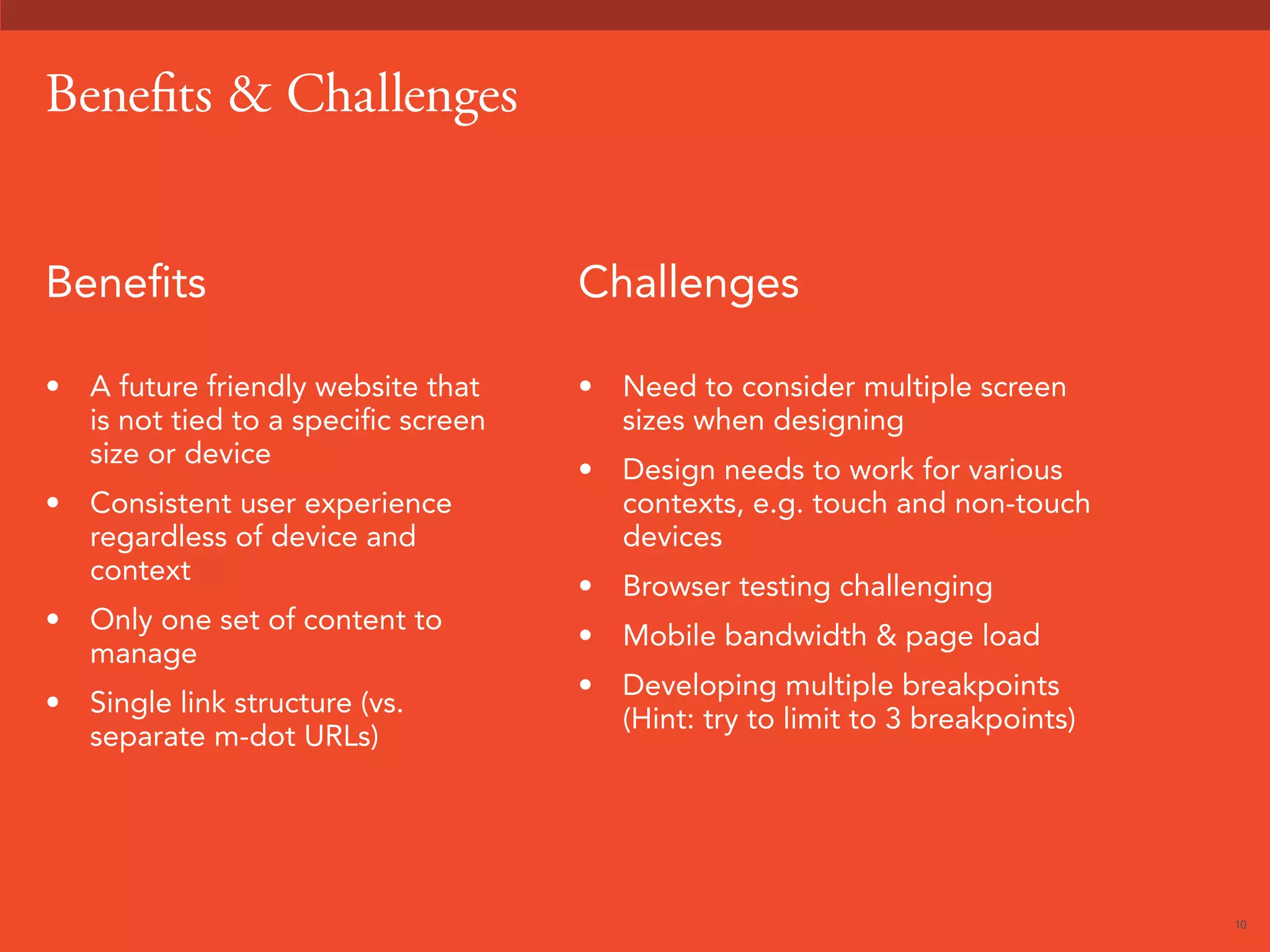
Benefits  Challenges 
Benefits 
• A future friendly website that 
is not tied to a specific screen 
size or device 
• Consistent user experience 
regardless of device and 
context 
• Only one set of content to 
manage 
• Single link structure (vs. 
separate m-dot URLs) 
Challenges 
• Need to consider multiple screen 
sizes when designing 
• Design needs to work for various 
contexts, e.g. touch and non-touch 
devices 
• Browser testing challenging 
• Mobile bandwidth  page load 
• Developing multiple breakpoints 
(Hint: try to limit to 3 breakpoints)
11 
7 Responsive Design Tips
12 
Responsive Design Tips 
Tip #1 
When in doubt, start designing mobile 
first. It will force you to prioritize content 
because of the small screen.
13 
Responsive Design Tips 
Tip #2 
Identify key objectives for each page you 
are designing.
14 
Responsive Design Tips 
Tip #3 
Look at website analytics to identify 
traffic patterns that might help drive 
design decisions.
15 
Responsive Design Tips 
Tip #4 
Make sure your design is touch-friendly.
16 
Responsive Design Tips 
Tip #5 
Keep the content objects in a consistent, 
collapsable order across breakpoints to 
help performance.
17 
Responsive Design Tips 
Tip #6 
Create content objects which will fit 
templates and integrate well with your 
CMS.
18 
Responsive Design Tips 
Tip #7 
Test your navigation and content 
organization with users.
19 
“Ultimately, mobile navigation should be like a 
good friend: there when you need them, but cool 
enough to give you your space. A bad friend is 
someone who’s not there when you need someone 
to talk to (when navigation is absent or hard to 
find), or someone who’s obnoxious because 
they’re always around and taking up space (dude, 
get off my couch).” 
- Brad Frost 
http://bradfrostweb.com/blog/web/responsive-nav-patterns/
20 
Responsive Design Process 
• Create a high-level breakpoint strategy to define the 
number of major breakpoints and where they occur. 
• Use a breakpoint diagram to design the various 
breakpoints side by side 
• Design with a grid to help production 
• Collaborate with your developers so you can get 
feedback during each design review
21 
The mythical “hand-off” 
• Ideally the developers were involved in the 
design process 
• Walk the developers through your design 
deliverables and thinking 
• Designers, be prepared and willing to 
answer questions 
• There will always be things that you didn’t 
think of, and that’s okay. 
• Build time into your project plan to provide 
ongoing design support. 
• Use a responsive framework for 
development like Bootstrap 3, Foundation, 
etc.
22 
Sometimes, it’s not realistic to do a full 
responsive redesign. 
• You might have just redesigned your desktop site 
• You might not have time or budget to undertake an 
entire redesign but you want your site to work better on 
mobile and tablet devices
23 
With a retrofit, 
• You don’t have to consider desktop (already done) - you 
are essentially “starting with a pallette” 
• Navigation and information architecture is already defined. 
• Design look  feel already defined 
• You are constrained by pre-existing code base  CMS 
Note: 
• If your current design doesn’t fit in a grid layout, it might 
not be an easy retrofit. 
• Poorly organized HTML template structure might will make 
it harder to retrofit 
You might need a responsive retrofit.
24 
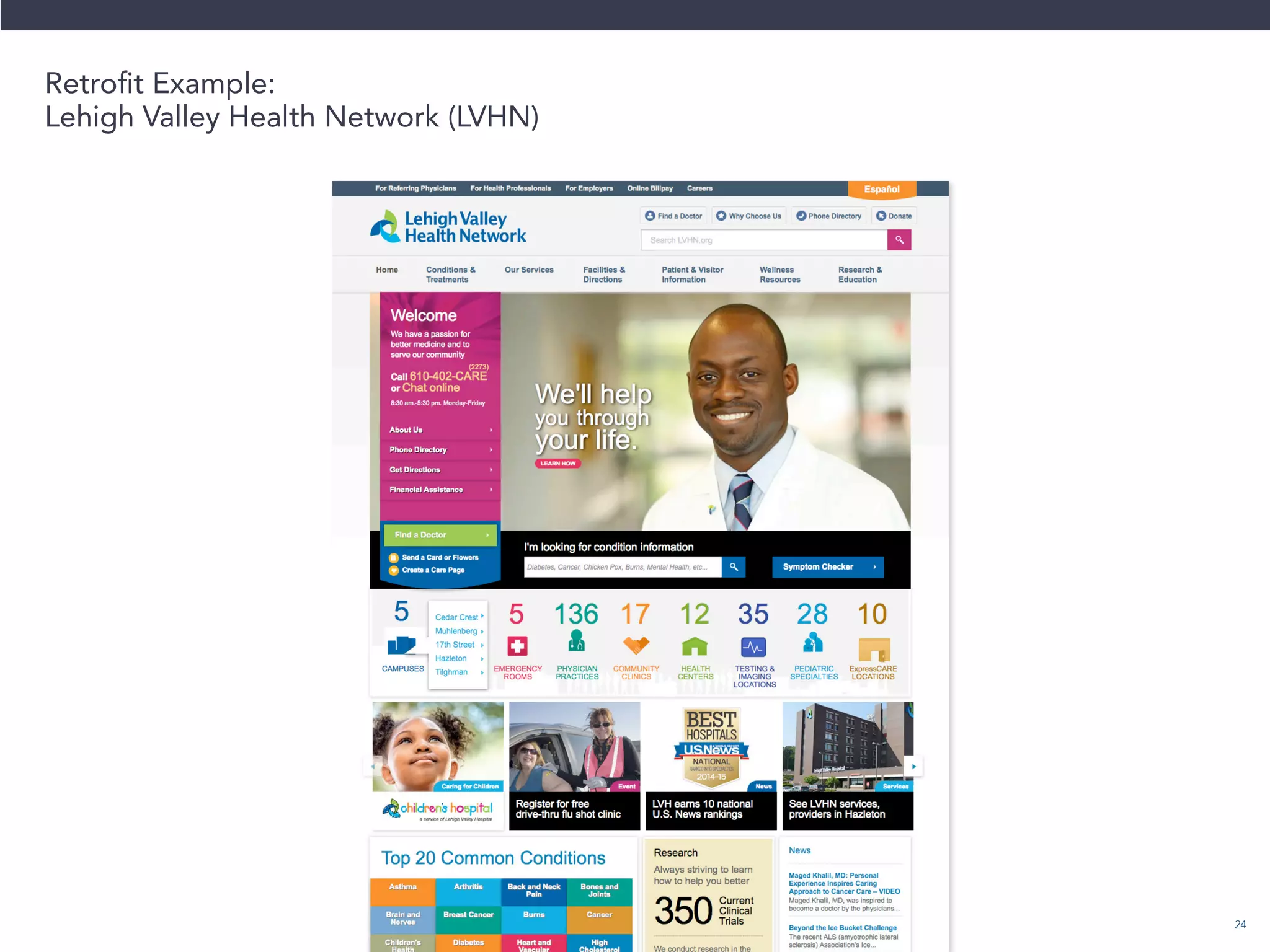
Retrofit Example: 
Lehigh Valley Health Network (LVHN)
25 
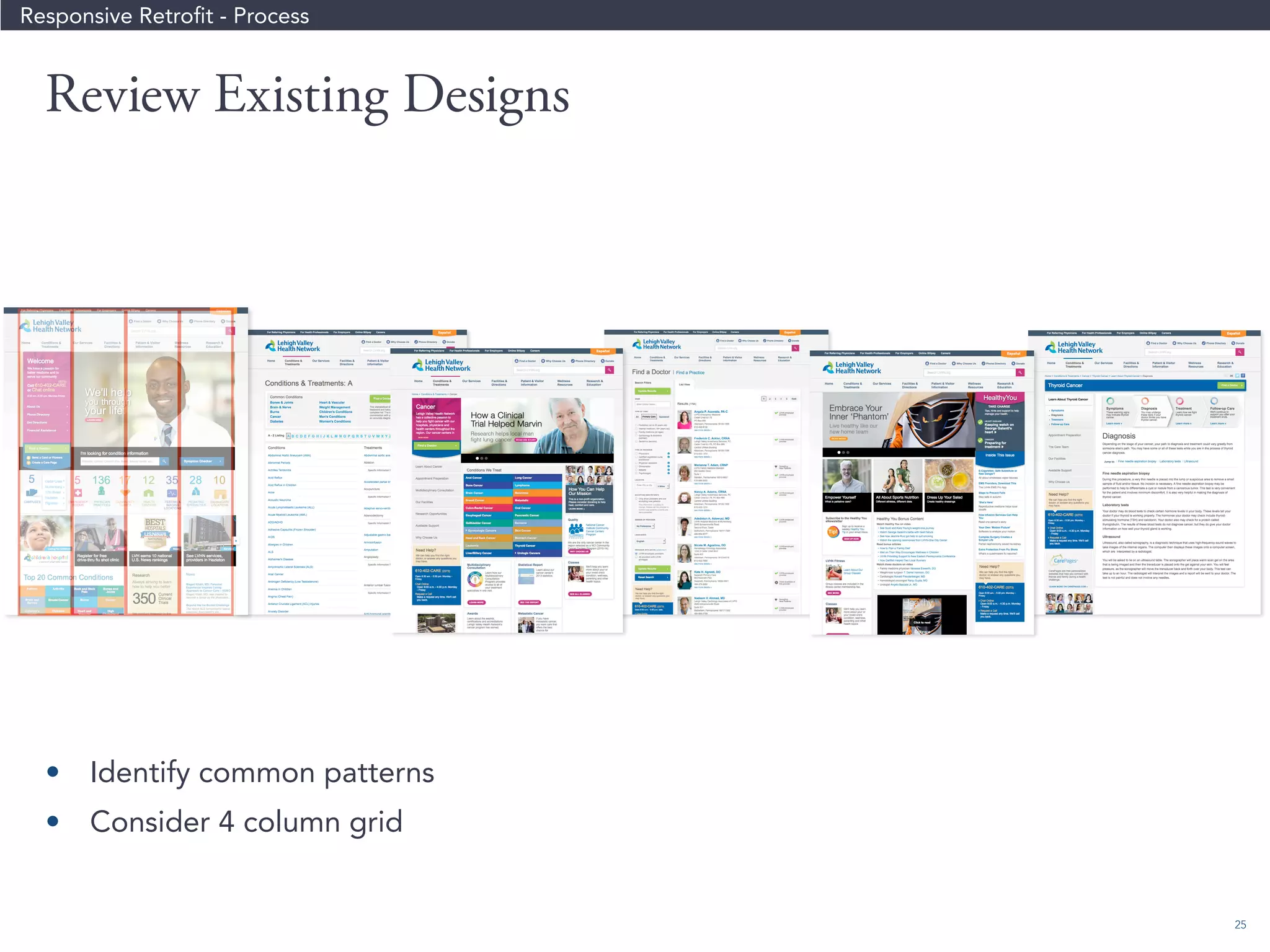
Review Existing Designs 
Responsive Retrofit - Process 
• Identify common patterns 
• Consider 4 column grid
26 
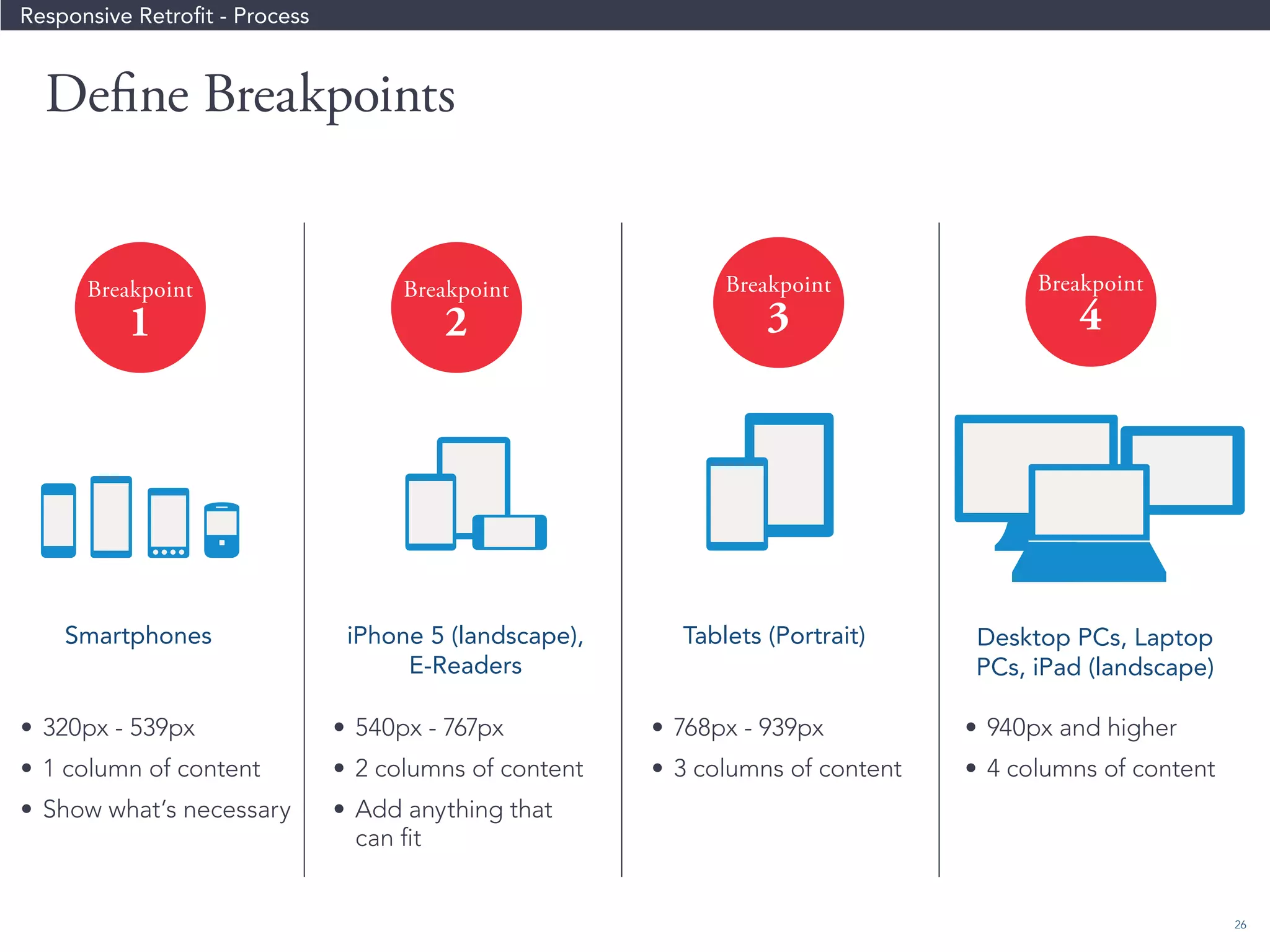
Define Breakpoints 
Breakpoint 
4 
Breakpoint 
3 
Breakpoint 
2 
Breakpoint 
1 
• 320px - 539px 
• 1 column of content 
• Show what’s necessary 
• 540px - 767px 
• 2 columns of content 
• Add anything that 
can fit 
• 768px - 939px 
• 3 columns of content 
• 940px and higher 
• 4 columns of content 
Desktop PCs, Laptop 
PCs, iPad (landscape) 
iPhone 5 (landscape), 
E-Readers 
Smartphones Tablets (Portrait) 
Responsive Retrofit - Process
27 
Responsive Retrofit - Process 
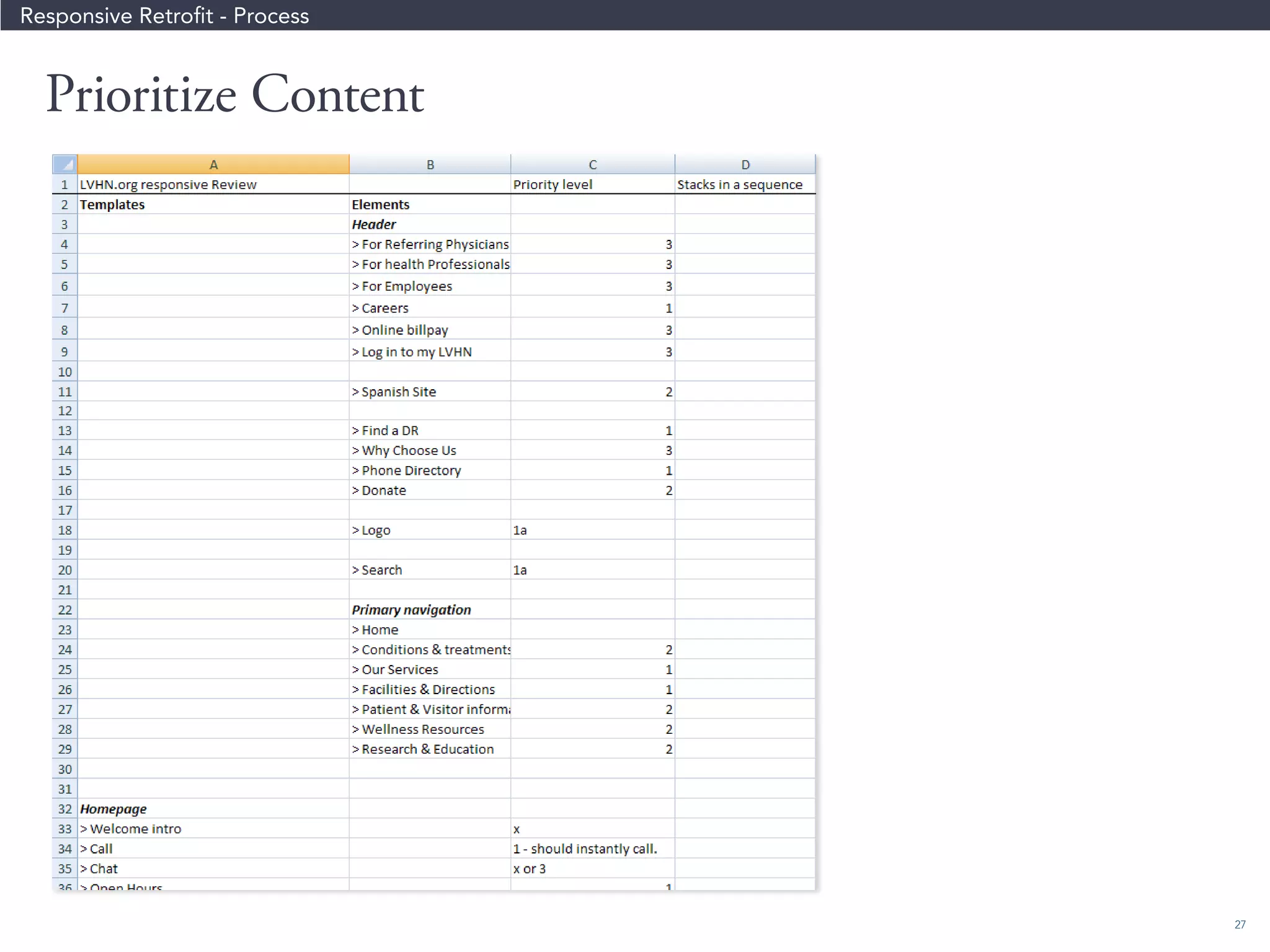
Prioritize Content
28 
MIN 
540 px 
MAX 
767 px 
MIN 
768 px 
MAX 
939 px 
940 MAX 
539 px 
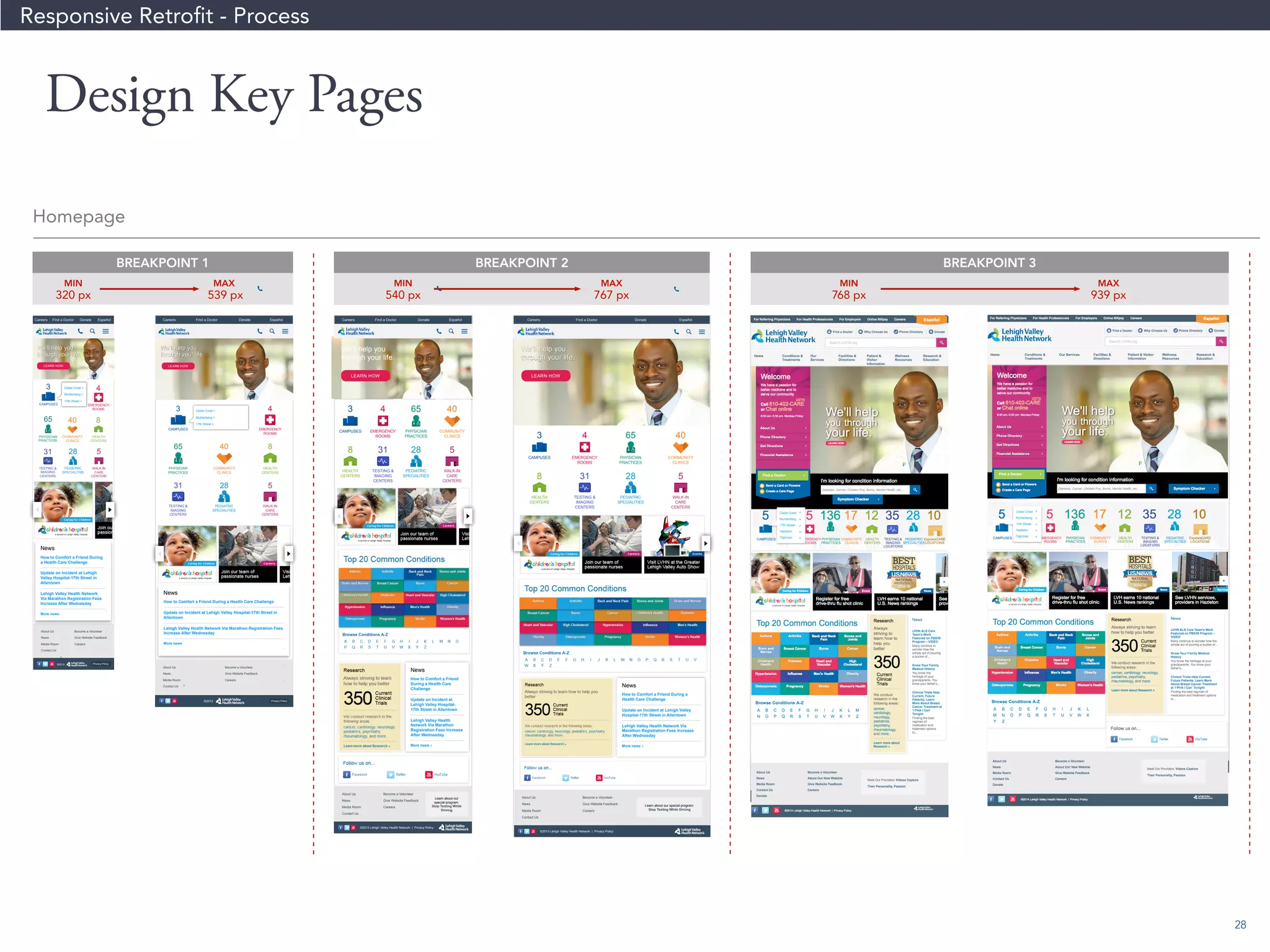
BREAKPOINT 1 BREAKPOINT 2 BREAKPOINT 3 
MIN 
320 px 
Careers Find a Doctor Donate Español Careers Find a Doctor Donate Español Careers Find a Doctor Donate Español Careers Find a Doctor Donate Español 
©2013 
©2013 Lehigh Valley Health Network | Privacy Policy 
About Us 
News 
Media Room 
Contact Us 
Become a Volunteer 
Give Website Feedback 
Careers 
About Us 
News 
Media Room 
Contact Us 
Become a Volunteer 
Give Website Feedback 
Careers 
Privacy Policy 
Learn about our 
special program: 
Stop Texting While 
Driving 
©2013 Lehigh Valley Health Network | Privacy Policy 
About Us 
News 
Media Room 
Contact Us 
Become a Volunteer 
Give Website Feedback 
Careers 
Learn about our special program: 
Stop Texting While Driving 
We’ll help you 
through your life. 
We’ll help you 
through your life. 
LEARN HOW 
LEARN HOW LEARN HOW 
3 4 
CAMPUSES EMERGENCY 
ROOMS 
65 40 8 
PHYSICIAN 
PRACTICES 
COMMUNITY 
CLINICS 
HEALTH 
CENTERS 
31 28 5 
TESTING  
IMAGING 
CENTERS 
PEDIATRIC 
SPECIALITIES 
WALK-IN 
CARE 
CENTERS 
3 4 65 40 
CAMPUSES EMERGENCY 
ROOMS 
PHYSICIAN 
PRACTICES 
COMMUNITY 
CLINICS 
8 31 28 5 
HEALTH 
CENTERS 
TESTING  
IMAGING 
CENTERS 
PEDIATRIC 
SPECIALITIES 
WALK-IN 
CARE 
CENTERS 
3 4 65 40 
CAMPUSES EMERGENCY 
ROOMS 
PHYSICIAN 
PRACTICES 
COMMUNITY 
CLINICS 
8 31 28 5 
HEALTH 
CENTERS 
TESTING  
IMAGING 
CENTERS 
PEDIATRIC 
SPECIALITIES 
WALK-IN 
CARE 
CENTERS 
News 
How to Comfort a Friend During a Health Care Challenge 
Update on Incident at Lehigh Valley Hospital-17th Street in 
Allentown 
Lehigh Valley Health Network Via Marathon Registration Fees 
Increase After Wednesday 
More news 
» 
News 
How to Comfort a Friend 
During a Health Care 
Challenge 
Update on Incident at 
Lehigh Valley Hospital- 
17th Street in Allentown 
Lehigh Valley Health 
Network Via Marathon 
Registration Fees Increase 
After Wednesday 
More news » 
News 
How to Comfort a Friend During a 
Health Care Challenge 
Update on Incident at Lehigh Valley 
Hospital-17th Street in Allentown 
Lehigh Valley Health Network Via 
Marathon Registration Fees Increase 
After Wednesday 
More news » 
We’ll help you 
through your life. 
We’ll help you 
through your life. 
LEARN HOW 
©2013 
Privacy Policy 
About Us 
News 
Media Room 
Contact Us 
Become a Volunteer 
Give Website Feedback 
Careers 
Cedar Crest  
Muhlenberg  
17th Street  
Cedar Crest  
Muhlenberg  
17th Street  
3 
65 
CAMPUSES 
PHYSICIAN 
PRACTICES 
40 8 
31 
COMMUNITY 
CLINICS 
HEALTH 
CENTERS 
TESTING  
IMAGING 
CENTERS 
28 5 
4 
PEDIATRIC 
SPECIALITIES 
WALK-IN 
CARE 
CENTERS 
EMERGENCY 
ROOMS 
News 
How to Comfort a Friend During 
a Health Care Challenge 
Update on Incident at Lehigh 
Valley Hospital-17th Street in 
Allentown 
Lehigh Valley Health Network 
Via Marathon Registration Fees 
Increase After Wednesday 
More news 
» 
©2013 Lehigh Valley Health Network | Privacy Policy 
Homepage 
Privacy Policy 
Responsive Retrofit - Process 
Design Key Pages
29 
Responsive Retrofit - Process 
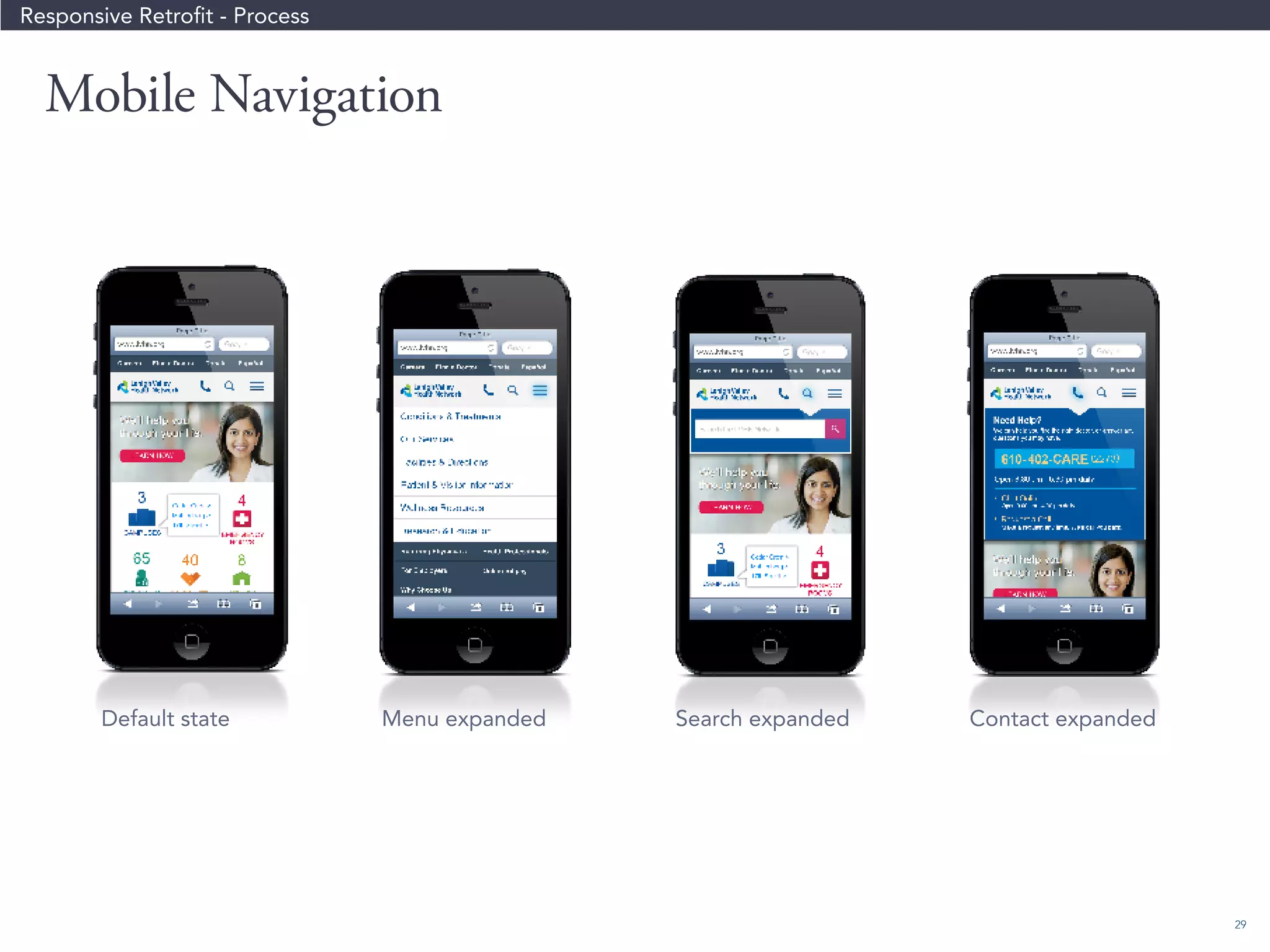
Mobile Navigation 
Default state Menu expanded Search expanded Contact expanded
30 
Don’t forget the “gotchas” 
Every responsive project will have set 
backs and unexpected challenges along 
the way. 
• Integration points for 3rd party sites that get pulled into 
your site 
• iFrames 
• Complex data tables 
• Horizontal scrolling 
• Other unexpected issues
31 
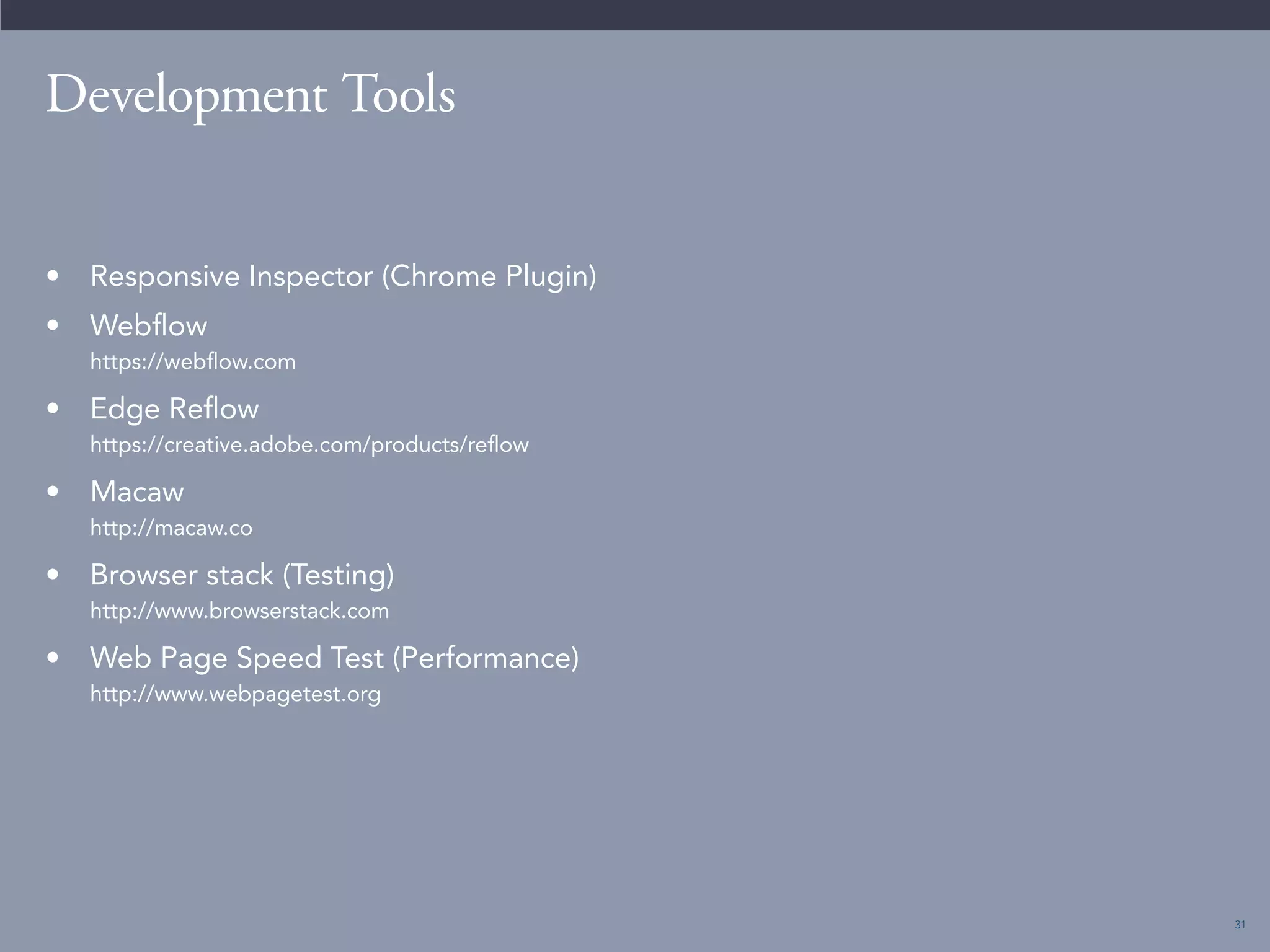
Development Tools 
• Responsive Inspector (Chrome Plugin) 
• Webflow 
https://webflow.com 
• Edge Reflow 
https://creative.adobe.com/products/reflow 
• Macaw 
http://macaw.co 
• Browser stack (Testing) 
http://www.browserstack.com 
• Web Page Speed Test (Performance) 
http://www.webpagetest.org
32 
So, how do we deliver great 
experiences? 
• Allow for constant collaboration between the client, 
designers, and developers 
• Consider the user and the business needs 
• Test your designs with users 
• Leverage existing technology and existing design patterns 
when appropriate. 
• Look for ways to improve the experience, even after 
launch. 
• Don’t let the desire for perfection prevent you from getting 
your product out so you can get user feedback.
33 
“Good design, when it’s done well, becomes 
invisible. It’s only when it’s done poorly that 
we notice it.” 
- Jared Spool 
http://www.inspireux.com/2009/01/21/good-design-when-done-well-becomes-invisible/
34 
Questions? 
Christian Linsey 
Creative Director at Catalyst Group 
Email: clinsey@catalystnyc.com 
Catalyst Group 
100 Wall Street, Suite 502 
New York, NY 10005 
Tel: 212-243-7777 
@CatalystGrp 
catalystnyc.com 
Michael Callari 
Project Manager for NorthPoint Digital 
Email: mcallari@northpointdigital.com 
NorthPoint Digital 
130 West 42nd Street 
New York, NY 10036 
Tel: 212-819-1700 
@northps 
northpointdigital.com
Thank you!

Delivering Great User Experiences in a Multi-Device World

  • 1.
    Webinar Delivering GreatUser Experiences in a Multi-Device World October 16, 2014
  • 2.
    2 Hello. ChristianLinsey Creative Director at Catalyst Group clinsey@catalystnyc.com Christian Linsey has worn many hats as a designer, coder, project manager, producer, and art director. He has a Bachelor degree in English and has been making digital things for more than 10 years. SPECIALTIES Visual Design, Branding UX Design Design Systems CSS, WordPress Michael Callari Project Manager for NorthPoint Digital mcallari@northpointdigital.com Michael has been has been working as a full-stack web developer since 2001. Starting as front-end developer and designer, Michael soon focused on developing database web applications in Flash and PHP. SPECIALTIES Technical Architect, Project Manager PHP, Wordpress, Drupal, Python, Django JavaScript, Angular, jQuery Data Integration across Applications Continuous Integration and Deployment
  • 3.
    3 How dowe deliver great user experiences in a world of different devices, browsers, and screen sizes?
  • 4.
    4 What IsUser Experience? “Most people believe that User Experience is just about finding the best solution for your users–but it’s not. UX is about defining the problem that needs to be solved (the why), defining the types of people who need it to be solved (the who), and defining the way in which it should be solved to be relevant to those people (the how).” - Whitney Hess http://www.inspireux.com/2010/08/04/user-experience-about-more-than-just-finding-best-solution-for-your- users/
  • 5.
    5 User ExperienceIs Not • Making things look pretty • Applying the latest design trends • The job of one person or department • Easy
  • 6.
    6 User Research “No matter how much you think you know about your customers, you’ll always get more insight when you talk to them.” - Meredith Noble • In-Person User Testing • Remote User Testing • Field Testing
  • 7.
    7 Get tothe appointment Fill out necessary paperwork Clarify my insurance is accepted Pay Nurse inquires about patient health Nurse takes vital signs Discuss allergies / current medications Ask doctor any health-related questions also see doctor for care) Potentially get referred to an OB/GYN is oered there) In fall/winter, doctor may promote Get prescriptions, where necessary Reschedule or cancel if necessary Cancellation: and underinsured patients are more likely to skip appointments without notice patients who are insured. In addition, ‘rst-time patients sometimes cancel on short notice they haven’t yet given payment information and won’t suer the potential consequence cancellation fees. These kinds of situations result in lost revenue for the doctor Go to Appointment - Sign in Appointment Conrmation See the Nurse (depends on practice) See the Doctor The school nurse may ‘ll in as a temporary reviews patient’s records before appointment begins Doctor may ask if a student doctor can sit in on the appointment Potential thoughts / activities during Negotiate with patients about lifestyle Promote the website as a resource Feel appointments are less eective Worry about time and keeping up Use dierential diagnosis / evidence-Convince patients they don’t necessarily Sometimes frustrated with the practice’s Sometimes leave the room to check Just-in-time diagnoses may become Wait Wait Patient: annoyed at the wait Patient: wants to feel trust, security Patient: wants to feel Doctor: anxious; “Is the patient telling me everything?” Doctor: anticipates a particular result based on symptoms Doctor: wants to appear knowledgeable User Journey Maps
  • 8.
  • 9.
    9 What isResponsive Design? An approach where you design one user experience that adapts to the various devices and screens on which it is viewed.
  • 10.
    10 Benefits Challenges Benefits • A future friendly website that is not tied to a specific screen size or device • Consistent user experience regardless of device and context • Only one set of content to manage • Single link structure (vs. separate m-dot URLs) Challenges • Need to consider multiple screen sizes when designing • Design needs to work for various contexts, e.g. touch and non-touch devices • Browser testing challenging • Mobile bandwidth page load • Developing multiple breakpoints (Hint: try to limit to 3 breakpoints)
  • 11.
    11 7 ResponsiveDesign Tips
  • 12.
    12 Responsive DesignTips Tip #1 When in doubt, start designing mobile first. It will force you to prioritize content because of the small screen.
  • 13.
    13 Responsive DesignTips Tip #2 Identify key objectives for each page you are designing.
  • 14.
    14 Responsive DesignTips Tip #3 Look at website analytics to identify traffic patterns that might help drive design decisions.
  • 15.
    15 Responsive DesignTips Tip #4 Make sure your design is touch-friendly.
  • 16.
    16 Responsive DesignTips Tip #5 Keep the content objects in a consistent, collapsable order across breakpoints to help performance.
  • 17.
    17 Responsive DesignTips Tip #6 Create content objects which will fit templates and integrate well with your CMS.
  • 18.
    18 Responsive DesignTips Tip #7 Test your navigation and content organization with users.
  • 19.
    19 “Ultimately, mobilenavigation should be like a good friend: there when you need them, but cool enough to give you your space. A bad friend is someone who’s not there when you need someone to talk to (when navigation is absent or hard to find), or someone who’s obnoxious because they’re always around and taking up space (dude, get off my couch).” - Brad Frost http://bradfrostweb.com/blog/web/responsive-nav-patterns/
  • 20.
    20 Responsive DesignProcess • Create a high-level breakpoint strategy to define the number of major breakpoints and where they occur. • Use a breakpoint diagram to design the various breakpoints side by side • Design with a grid to help production • Collaborate with your developers so you can get feedback during each design review
  • 21.
    21 The mythical“hand-off” • Ideally the developers were involved in the design process • Walk the developers through your design deliverables and thinking • Designers, be prepared and willing to answer questions • There will always be things that you didn’t think of, and that’s okay. • Build time into your project plan to provide ongoing design support. • Use a responsive framework for development like Bootstrap 3, Foundation, etc.
  • 22.
    22 Sometimes, it’snot realistic to do a full responsive redesign. • You might have just redesigned your desktop site • You might not have time or budget to undertake an entire redesign but you want your site to work better on mobile and tablet devices
  • 23.
    23 With aretrofit, • You don’t have to consider desktop (already done) - you are essentially “starting with a pallette” • Navigation and information architecture is already defined. • Design look feel already defined • You are constrained by pre-existing code base CMS Note: • If your current design doesn’t fit in a grid layout, it might not be an easy retrofit. • Poorly organized HTML template structure might will make it harder to retrofit You might need a responsive retrofit.
  • 24.
    24 Retrofit Example: Lehigh Valley Health Network (LVHN)
  • 25.
    25 Review ExistingDesigns Responsive Retrofit - Process • Identify common patterns • Consider 4 column grid
  • 26.
    26 Define Breakpoints Breakpoint 4 Breakpoint 3 Breakpoint 2 Breakpoint 1 • 320px - 539px • 1 column of content • Show what’s necessary • 540px - 767px • 2 columns of content • Add anything that can fit • 768px - 939px • 3 columns of content • 940px and higher • 4 columns of content Desktop PCs, Laptop PCs, iPad (landscape) iPhone 5 (landscape), E-Readers Smartphones Tablets (Portrait) Responsive Retrofit - Process
  • 27.
    27 Responsive Retrofit- Process Prioritize Content
  • 28.
    28 MIN 540px MAX 767 px MIN 768 px MAX 939 px 940 MAX 539 px BREAKPOINT 1 BREAKPOINT 2 BREAKPOINT 3 MIN 320 px Careers Find a Doctor Donate Español Careers Find a Doctor Donate Español Careers Find a Doctor Donate Español Careers Find a Doctor Donate Español ©2013 ©2013 Lehigh Valley Health Network | Privacy Policy About Us News Media Room Contact Us Become a Volunteer Give Website Feedback Careers About Us News Media Room Contact Us Become a Volunteer Give Website Feedback Careers Privacy Policy Learn about our special program: Stop Texting While Driving ©2013 Lehigh Valley Health Network | Privacy Policy About Us News Media Room Contact Us Become a Volunteer Give Website Feedback Careers Learn about our special program: Stop Texting While Driving We’ll help you through your life. We’ll help you through your life. LEARN HOW LEARN HOW LEARN HOW 3 4 CAMPUSES EMERGENCY ROOMS 65 40 8 PHYSICIAN PRACTICES COMMUNITY CLINICS HEALTH CENTERS 31 28 5 TESTING IMAGING CENTERS PEDIATRIC SPECIALITIES WALK-IN CARE CENTERS 3 4 65 40 CAMPUSES EMERGENCY ROOMS PHYSICIAN PRACTICES COMMUNITY CLINICS 8 31 28 5 HEALTH CENTERS TESTING IMAGING CENTERS PEDIATRIC SPECIALITIES WALK-IN CARE CENTERS 3 4 65 40 CAMPUSES EMERGENCY ROOMS PHYSICIAN PRACTICES COMMUNITY CLINICS 8 31 28 5 HEALTH CENTERS TESTING IMAGING CENTERS PEDIATRIC SPECIALITIES WALK-IN CARE CENTERS News How to Comfort a Friend During a Health Care Challenge Update on Incident at Lehigh Valley Hospital-17th Street in Allentown Lehigh Valley Health Network Via Marathon Registration Fees Increase After Wednesday More news » News How to Comfort a Friend During a Health Care Challenge Update on Incident at Lehigh Valley Hospital- 17th Street in Allentown Lehigh Valley Health Network Via Marathon Registration Fees Increase After Wednesday More news » News How to Comfort a Friend During a Health Care Challenge Update on Incident at Lehigh Valley Hospital-17th Street in Allentown Lehigh Valley Health Network Via Marathon Registration Fees Increase After Wednesday More news » We’ll help you through your life. We’ll help you through your life. LEARN HOW ©2013 Privacy Policy About Us News Media Room Contact Us Become a Volunteer Give Website Feedback Careers Cedar Crest Muhlenberg 17th Street Cedar Crest Muhlenberg 17th Street 3 65 CAMPUSES PHYSICIAN PRACTICES 40 8 31 COMMUNITY CLINICS HEALTH CENTERS TESTING IMAGING CENTERS 28 5 4 PEDIATRIC SPECIALITIES WALK-IN CARE CENTERS EMERGENCY ROOMS News How to Comfort a Friend During a Health Care Challenge Update on Incident at Lehigh Valley Hospital-17th Street in Allentown Lehigh Valley Health Network Via Marathon Registration Fees Increase After Wednesday More news » ©2013 Lehigh Valley Health Network | Privacy Policy ©2013 Lehigh Valley Health Network | Privacy Policy Homepage Privacy Policy Responsive Retrofit - Process Design Key Pages
  • 29.
    29 Responsive Retrofit- Process Mobile Navigation Default state Menu expanded Search expanded Contact expanded
  • 30.
    30 Don’t forgetthe “gotchas” Every responsive project will have set backs and unexpected challenges along the way. • Integration points for 3rd party sites that get pulled into your site • iFrames • Complex data tables • Horizontal scrolling • Other unexpected issues
  • 31.
    31 Development Tools • Responsive Inspector (Chrome Plugin) • Webflow https://webflow.com • Edge Reflow https://creative.adobe.com/products/reflow • Macaw http://macaw.co • Browser stack (Testing) http://www.browserstack.com • Web Page Speed Test (Performance) http://www.webpagetest.org
  • 32.
    32 So, howdo we deliver great experiences? • Allow for constant collaboration between the client, designers, and developers • Consider the user and the business needs • Test your designs with users • Leverage existing technology and existing design patterns when appropriate. • Look for ways to improve the experience, even after launch. • Don’t let the desire for perfection prevent you from getting your product out so you can get user feedback.
  • 33.
    33 “Good design,when it’s done well, becomes invisible. It’s only when it’s done poorly that we notice it.” - Jared Spool http://www.inspireux.com/2009/01/21/good-design-when-done-well-becomes-invisible/
  • 34.
    34 Questions? ChristianLinsey Creative Director at Catalyst Group Email: clinsey@catalystnyc.com Catalyst Group 100 Wall Street, Suite 502 New York, NY 10005 Tel: 212-243-7777 @CatalystGrp catalystnyc.com Michael Callari Project Manager for NorthPoint Digital Email: mcallari@northpointdigital.com NorthPoint Digital 130 West 42nd Street New York, NY 10036 Tel: 212-819-1700 @northps northpointdigital.com
  • 35.