Gradle and
Your Android
Wearable
Projects
Copyright © 2014 CommonsWare, LLC
One APK To Rule Them All
●

One APK, regardless of device type

●

Original Android development vision

●

●

Still works for conventional apps... within
reason
Starts to break down as you go beyond
traditional device types into things like
wearables

Copyright © 2014 CommonsWare, LLC
Presentation Terminology
●

Device
●

Runs a mainstream mobile operating system, designed for
multiple form factors
–
–

●

Today: Android, Tizen
Tomorrow: who knows?

Accessory
●

●

●

Runs some dedicated OS
Most/all app logic resides on tethered phone or tablet

Hybrid: dedicated OS, but apps run on wearable

Copyright © 2014 CommonsWare, LLC
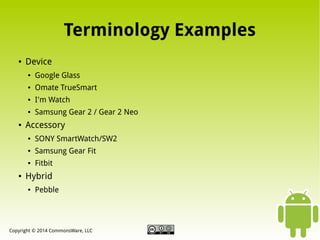
Terminology Examples
●

Device
●
●

Omate TrueSmart

●

I'm Watch

●

●

Google Glass

Samsung Gear 2 / Gear 2 Neo

Accessory
●
●

Samsung Gear Fit

●

●

SONY SmartWatch/SW2
Fitbit

Hybrid
●

Pebble

Copyright © 2014 CommonsWare, LLC
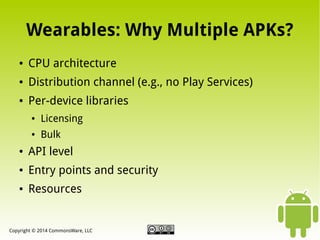
Wearables: Why Multiple APKs?
●

CPU architecture

●

Distribution channel (e.g., no Play Services)

●

Per-device libraries
●

Licensing

●

Bulk

●

API level

●

Entry points and security

●

Resources

Copyright © 2014 CommonsWare, LLC
A Specific Wearable Scenario
●

Main App
●

●

SONY SW2
●

●

Phones, tablets, modern Android wearable devices
(Omate TrueSmart)
Dedicated libraries

I'm Watch
●

Workarounds where new API options are missing

Copyright © 2014 CommonsWare, LLC
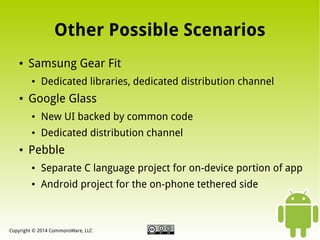
Other Possible Scenarios
●

Samsung Gear Fit
●

●

Dedicated libraries, dedicated distribution channel

Google Glass
●

●

●

New UI backed by common code
Dedicated distribution channel

Pebble
●

Separate C language project for on-device portion of app

●

Android project for the on-phone tethered side

Copyright © 2014 CommonsWare, LLC
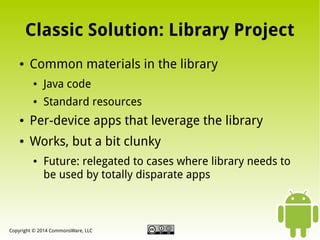
Classic Solution: Library Project
●

Common materials in the library
●

Java code

●

Standard resources

●

Per-device apps that leverage the library

●

Works, but a bit clunky
●

Future: relegated to cases where library needs to
be used by totally disparate apps

Copyright © 2014 CommonsWare, LLC
Gradle Solution: Product Flavors
●

One Project, N Flavors
●

●

Alternative Java classes (one per flavor)

●

●

Additions to manifest
Additional or replacement resources

Each Flavor Generates Own APK
●

●

Unique package name, but independent from your
R classes

Other techniques available as well

Copyright © 2014 CommonsWare, LLC
What Is Gradle?
●

Role: Build Automation
●

●

Implementation: It's Groovy
●

●

Think Ant plus Maven plus other goodness
DSL implemented in Groovy, blending declarative
structures and full-blown scripting

Provider: Gradleware
●

Open source, Apache licensed

Copyright © 2014 CommonsWare, LLC
Gotta Getta Gradle
●

Direct Download

●

The Gradle Wrapper
●

gradlew script and related files in a repo

●

Designed for boostrapping
–
–

●

Running the script does a Gradle build
Running the script installs Gradle itself if development
machine does not have it

Actual Gradle comes from wherever script says
–

Net: only use this if you REALLY trust the source

Copyright © 2014 CommonsWare, LLC
The Basic Gradle Process
●

Write build.gradle File
●

●

Same role as build.xml for Ant, etc.

●

●

Describes sources and results
Usually in root of project directory

Run gradle / gradlew
●

Supply task name as command-line parameter

●

Optional: IDE integration

Copyright © 2014 CommonsWare, LLC
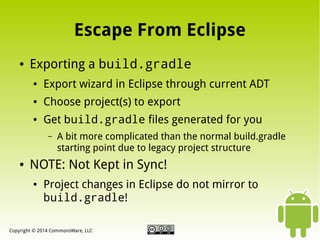
Escape From Eclipse
●

Exporting a build.gradle
●

Export wizard in Eclipse through current ADT

●

Choose project(s) to export

●

Get build.gradle files generated for you
–

●

A bit more complicated than the normal build.gradle
starting point due to legacy project structure

NOTE: Not Kept in Sync!
●

Project changes in Eclipse do not mirror to
build.gradle!

Copyright © 2014 CommonsWare, LLC
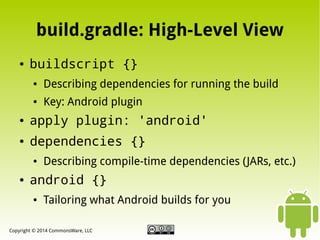
build.gradle: High-Level View
●

buildscript {}
●

Describing dependencies for running the build

●

Key: Android plugin

●

apply plugin: 'android'

●

dependencies {}
●

●

Describing compile-time dependencies (JARs, etc.)

android {}
●

Tailoring what Android builds for you

Copyright © 2014 CommonsWare, LLC
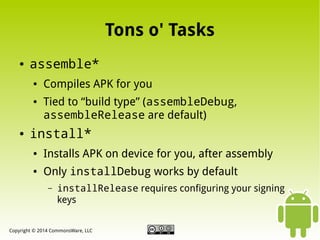
Tons o' Tasks
●

assemble*
●

●

●

Compiles APK for you
Tied to “build type” (assembleDebug,
assembleRelease are default)

install*
●

Installs APK on device for you, after assembly

●

Only installDebug works by default
–

installRelease requires configuring your signing
keys

Copyright © 2014 CommonsWare, LLC
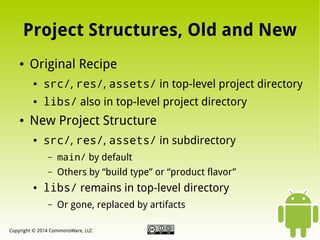
Project Structures, Old and New
●

Original Recipe
●

●

●

src/, res/, assets/ in top-level project directory
libs/ also in top-level project directory

New Project Structure
●

src/, res/, assets/ in subdirectory
–
–

●

main/ by default
Others by “build type” or “product flavor”

libs/ remains in top-level directory
–

Or gone, replaced by artifacts

Copyright © 2014 CommonsWare, LLC
Pieces of New Project Structure
●

Source Sets

●

Build Types

●

Product Flavors

●

Build Variants

Copyright © 2014 CommonsWare, LLC
Source Sets
●

Gradle Construct for Organizing “Source”
●

●

In Android's case, includes resources and assets

Vision
●

●

Have one main/ source set with most of your code
Have alternatives in other source sets, used
conditionally
–

Resources, assets: can replace main/ source set

–

Java: cannot replace main/, can only add

Copyright © 2014 CommonsWare, LLC
Build Types
●

Android Plugin Construct for Describing
Output Variations
●

●

Two build types come default: debug and
release

Build Types Configurable
●

●

●

Project properties in build.gradle
Source sets

Define Others As Needed
●

Smoke tests, debuggable-release builds, etc.

Copyright © 2014 CommonsWare, LLC
Product Flavors and Build Variants
●

Product Flavors
●

●

●

Android plugin construct for different deployment
variations
None defined by default, can create your own

Build Variants
●

●

Cross product of build types and product flavors
Drive task names (assembleSonyDebug) and
results

Copyright © 2014 CommonsWare, LLC
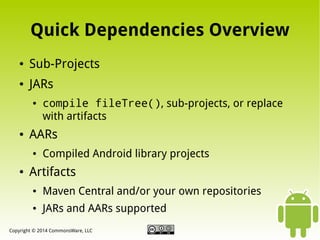
Quick Dependencies Overview
●

Sub-Projects

●

JARs
●

●

AARs
●

●

compile fileTree(), sub-projects, or replace
with artifacts
Compiled Android library projects

Artifacts
●

Maven Central and/or your own repositories

●

JARs and AARs supported

Copyright © 2014 CommonsWare, LLC
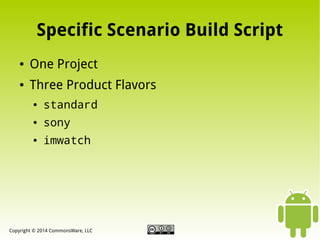
Specific Scenario Build Script
●

One Project

●

Three Product Flavors
●

standard

●

sony

●

imwatch

Copyright © 2014 CommonsWare, LLC
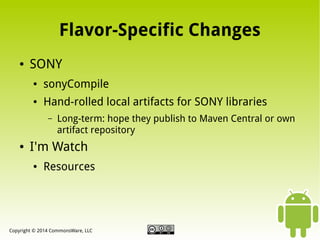
Flavor-Specific Changes
●

SONY
●

sonyCompile

●

Hand-rolled local artifacts for SONY libraries
–

●

Long-term: hope they publish to Maven Central or own
artifact repository

I'm Watch
●

Resources

Copyright © 2014 CommonsWare, LLC
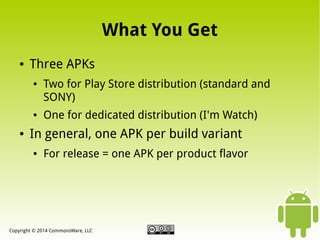
What You Get
●

Three APKs
●

●

●

Two for Play Store distribution (standard and
SONY)
One for dedicated distribution (I'm Watch)

In general, one APK per build variant
●

For release = one APK per product flavor

Copyright © 2014 CommonsWare, LLC
Gradle Pros...
●

One build system to rule them all
●

●

...in the fullness of time

Much more powerful than Ant for
command-line builds

●

More flexible options for code reuse

●

Richer build script syntax

Copyright © 2014 CommonsWare, LLC
...and Cons
●

Android Studio still a work in progress

●

No Eclipse support yet

●

Gradle for Android still has its own bugs and
limitations

●

Breaking changes with updates

●

AAR packaging far from universal
●

...let alone being artifacts for easy consumption

Copyright © 2014 CommonsWare, LLC
Where To Learn More
●

http://tools.android.com/
●

Home of the Android tools team

●

Information on Gradle for Android, Android Studio
–

●

http://gradle.org
●

●

For general Gradle information

http://gradleware.com
●

●

Note: much is out of date!

Firm behind Gradle's development, offering training and consulting

http://commonsware.com/Android
●

Some book by some balding guy

●

Several chapters on Gradle for Android

Copyright © 2014 CommonsWare, LLC

Gradle and Your Android Wearable Projects

  • 1.
  • 2.
    One APK ToRule Them All ● One APK, regardless of device type ● Original Android development vision ● ● Still works for conventional apps... within reason Starts to break down as you go beyond traditional device types into things like wearables Copyright © 2014 CommonsWare, LLC
  • 3.
    Presentation Terminology ● Device ● Runs amainstream mobile operating system, designed for multiple form factors – – ● Today: Android, Tizen Tomorrow: who knows? Accessory ● ● ● Runs some dedicated OS Most/all app logic resides on tethered phone or tablet Hybrid: dedicated OS, but apps run on wearable Copyright © 2014 CommonsWare, LLC
  • 4.
    Terminology Examples ● Device ● ● Omate TrueSmart ● I'mWatch ● ● Google Glass Samsung Gear 2 / Gear 2 Neo Accessory ● ● Samsung Gear Fit ● ● SONY SmartWatch/SW2 Fitbit Hybrid ● Pebble Copyright © 2014 CommonsWare, LLC
  • 5.
    Wearables: Why MultipleAPKs? ● CPU architecture ● Distribution channel (e.g., no Play Services) ● Per-device libraries ● Licensing ● Bulk ● API level ● Entry points and security ● Resources Copyright © 2014 CommonsWare, LLC
  • 6.
    A Specific WearableScenario ● Main App ● ● SONY SW2 ● ● Phones, tablets, modern Android wearable devices (Omate TrueSmart) Dedicated libraries I'm Watch ● Workarounds where new API options are missing Copyright © 2014 CommonsWare, LLC
  • 7.
    Other Possible Scenarios ● SamsungGear Fit ● ● Dedicated libraries, dedicated distribution channel Google Glass ● ● ● New UI backed by common code Dedicated distribution channel Pebble ● Separate C language project for on-device portion of app ● Android project for the on-phone tethered side Copyright © 2014 CommonsWare, LLC
  • 8.
    Classic Solution: LibraryProject ● Common materials in the library ● Java code ● Standard resources ● Per-device apps that leverage the library ● Works, but a bit clunky ● Future: relegated to cases where library needs to be used by totally disparate apps Copyright © 2014 CommonsWare, LLC
  • 9.
    Gradle Solution: ProductFlavors ● One Project, N Flavors ● ● Alternative Java classes (one per flavor) ● ● Additions to manifest Additional or replacement resources Each Flavor Generates Own APK ● ● Unique package name, but independent from your R classes Other techniques available as well Copyright © 2014 CommonsWare, LLC
  • 10.
    What Is Gradle? ● Role:Build Automation ● ● Implementation: It's Groovy ● ● Think Ant plus Maven plus other goodness DSL implemented in Groovy, blending declarative structures and full-blown scripting Provider: Gradleware ● Open source, Apache licensed Copyright © 2014 CommonsWare, LLC
  • 11.
    Gotta Getta Gradle ● DirectDownload ● The Gradle Wrapper ● gradlew script and related files in a repo ● Designed for boostrapping – – ● Running the script does a Gradle build Running the script installs Gradle itself if development machine does not have it Actual Gradle comes from wherever script says – Net: only use this if you REALLY trust the source Copyright © 2014 CommonsWare, LLC
  • 12.
    The Basic GradleProcess ● Write build.gradle File ● ● Same role as build.xml for Ant, etc. ● ● Describes sources and results Usually in root of project directory Run gradle / gradlew ● Supply task name as command-line parameter ● Optional: IDE integration Copyright © 2014 CommonsWare, LLC
  • 13.
    Escape From Eclipse ● Exportinga build.gradle ● Export wizard in Eclipse through current ADT ● Choose project(s) to export ● Get build.gradle files generated for you – ● A bit more complicated than the normal build.gradle starting point due to legacy project structure NOTE: Not Kept in Sync! ● Project changes in Eclipse do not mirror to build.gradle! Copyright © 2014 CommonsWare, LLC
  • 14.
    build.gradle: High-Level View ● buildscript{} ● Describing dependencies for running the build ● Key: Android plugin ● apply plugin: 'android' ● dependencies {} ● ● Describing compile-time dependencies (JARs, etc.) android {} ● Tailoring what Android builds for you Copyright © 2014 CommonsWare, LLC
  • 15.
    Tons o' Tasks ● assemble* ● ● ● CompilesAPK for you Tied to “build type” (assembleDebug, assembleRelease are default) install* ● Installs APK on device for you, after assembly ● Only installDebug works by default – installRelease requires configuring your signing keys Copyright © 2014 CommonsWare, LLC
  • 16.
    Project Structures, Oldand New ● Original Recipe ● ● ● src/, res/, assets/ in top-level project directory libs/ also in top-level project directory New Project Structure ● src/, res/, assets/ in subdirectory – – ● main/ by default Others by “build type” or “product flavor” libs/ remains in top-level directory – Or gone, replaced by artifacts Copyright © 2014 CommonsWare, LLC
  • 17.
    Pieces of NewProject Structure ● Source Sets ● Build Types ● Product Flavors ● Build Variants Copyright © 2014 CommonsWare, LLC
  • 18.
    Source Sets ● Gradle Constructfor Organizing “Source” ● ● In Android's case, includes resources and assets Vision ● ● Have one main/ source set with most of your code Have alternatives in other source sets, used conditionally – Resources, assets: can replace main/ source set – Java: cannot replace main/, can only add Copyright © 2014 CommonsWare, LLC
  • 19.
    Build Types ● Android PluginConstruct for Describing Output Variations ● ● Two build types come default: debug and release Build Types Configurable ● ● ● Project properties in build.gradle Source sets Define Others As Needed ● Smoke tests, debuggable-release builds, etc. Copyright © 2014 CommonsWare, LLC
  • 20.
    Product Flavors andBuild Variants ● Product Flavors ● ● ● Android plugin construct for different deployment variations None defined by default, can create your own Build Variants ● ● Cross product of build types and product flavors Drive task names (assembleSonyDebug) and results Copyright © 2014 CommonsWare, LLC
  • 21.
    Quick Dependencies Overview ● Sub-Projects ● JARs ● ● AARs ● ● compilefileTree(), sub-projects, or replace with artifacts Compiled Android library projects Artifacts ● Maven Central and/or your own repositories ● JARs and AARs supported Copyright © 2014 CommonsWare, LLC
  • 22.
    Specific Scenario BuildScript ● One Project ● Three Product Flavors ● standard ● sony ● imwatch Copyright © 2014 CommonsWare, LLC
  • 23.
    Flavor-Specific Changes ● SONY ● sonyCompile ● Hand-rolled localartifacts for SONY libraries – ● Long-term: hope they publish to Maven Central or own artifact repository I'm Watch ● Resources Copyright © 2014 CommonsWare, LLC
  • 24.
    What You Get ● ThreeAPKs ● ● ● Two for Play Store distribution (standard and SONY) One for dedicated distribution (I'm Watch) In general, one APK per build variant ● For release = one APK per product flavor Copyright © 2014 CommonsWare, LLC
  • 25.
    Gradle Pros... ● One buildsystem to rule them all ● ● ...in the fullness of time Much more powerful than Ant for command-line builds ● More flexible options for code reuse ● Richer build script syntax Copyright © 2014 CommonsWare, LLC
  • 26.
    ...and Cons ● Android Studiostill a work in progress ● No Eclipse support yet ● Gradle for Android still has its own bugs and limitations ● Breaking changes with updates ● AAR packaging far from universal ● ...let alone being artifacts for easy consumption Copyright © 2014 CommonsWare, LLC
  • 27.
    Where To LearnMore ● http://tools.android.com/ ● Home of the Android tools team ● Information on Gradle for Android, Android Studio – ● http://gradle.org ● ● For general Gradle information http://gradleware.com ● ● Note: much is out of date! Firm behind Gradle's development, offering training and consulting http://commonsware.com/Android ● Some book by some balding guy ● Several chapters on Gradle for Android Copyright © 2014 CommonsWare, LLC