The new build system for Android
Overview
• Gradle basics
• Gradle Plugins
• Gradle and Studio
• Demos
• Gradle 与TV版
• Resources
What’s Gradle?
1. https://gradle.org
2. https://en.wikipedia.org/wiki/Gradle
• Gradle is an open source build automation system.
• Grade introduces DSL instead of the more traditional XML
form of declaring the project configuration.
• focused around Java, Groovy and Scala development and
deployment, but more languages and project workflows are
on the roadmap.
• Gradle can automate the building, testing, publishing,
deployment.
Why Gradle?
1. Why Gradle?
2. Why choose Gradle?
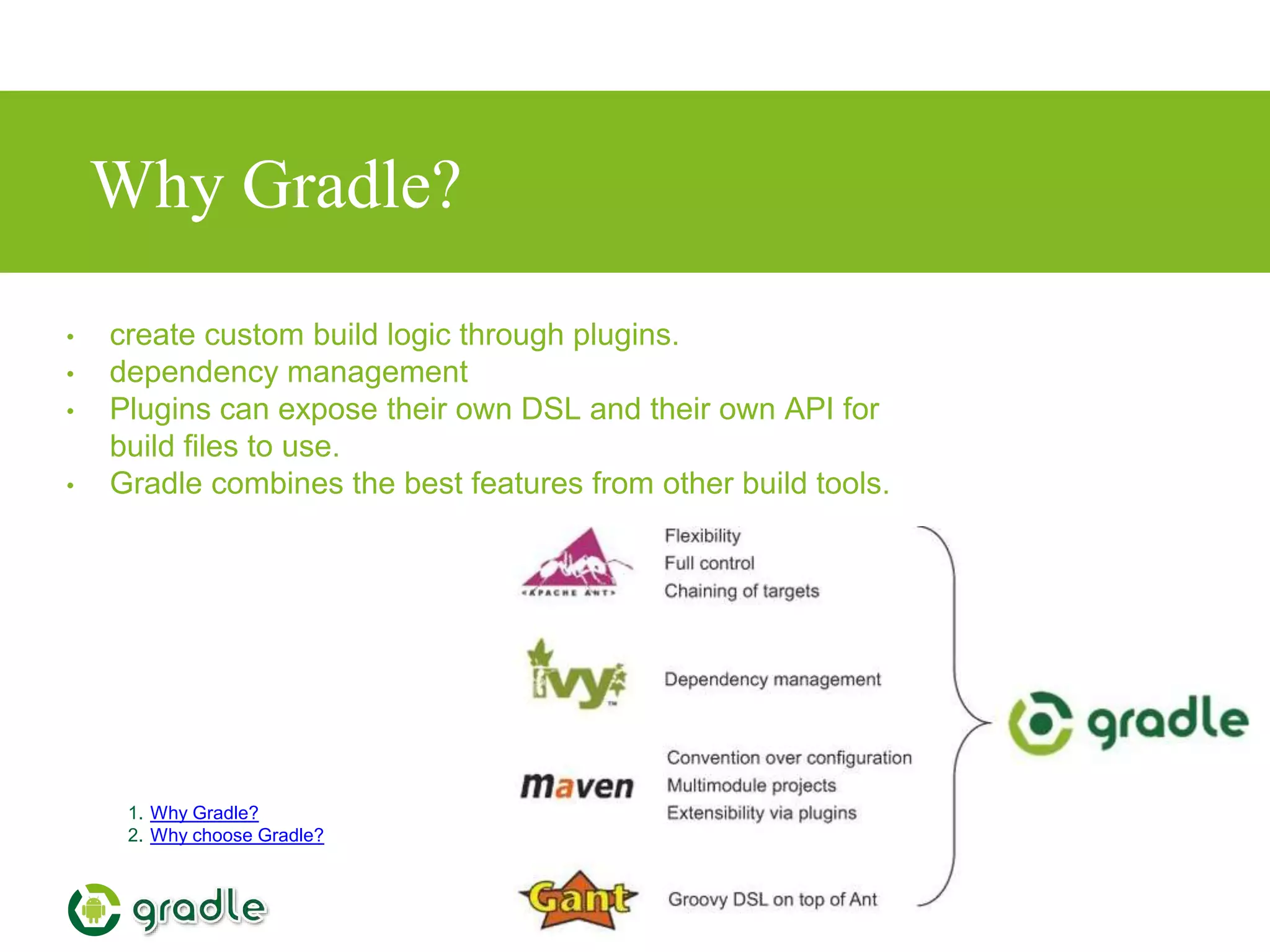
• create custom build logic through plugins.
• dependency management
• Plugins can expose their own DSL and their own API for
build files to use.
• Gradle combines the best features from other build tools.
Installing Gradle
1. gradle installation
• requires a Java JDK or JRE to be installed, version 6 or higher
• Gradle ships with its own Groovy library, therefore Groovy does
not need to be installed.
• Any existing Groovy installation is ignored by Gradle.
• Gradle uses whatever JDK it finds in your path
• download (http://gradle.org/downloads)
• unpacking
• add GRADLE_HOME/bin to your PATH environment variable
• Android Studio Project includes grade
Groovy
1. http://learnxinyminutes.com/docs/groovy/
• http://groovy-lang.org/
• The language used by Gradle
• Great similarity to Java
• builds upon the strengths of Java but has additional power features
inspired by languages like Python, Ruby and Smalltalk
Build Script Basics
1. http://rominirani.com/2014/07/28/gradle-tutorial-part-1-installation-setup/
2. https://gradle.org/docs/current/userguide/tutorial_using_tasks.html#N101A9
• Project
What a project represents depends on what it is that you are doing with Gradle
• Task
A task represents some atomic piece of work which a build performs.This might be compiling some
classes, creating a JAR, generating Javadoc, or publishing some archives to a repository.
• Plugin
A plugin is a mechanism by which we can extend the capabilities of Gradle .
Demo
1. http://rominirani.com/2014/07/28/gradle-tutorial-part-1-installation-setup/
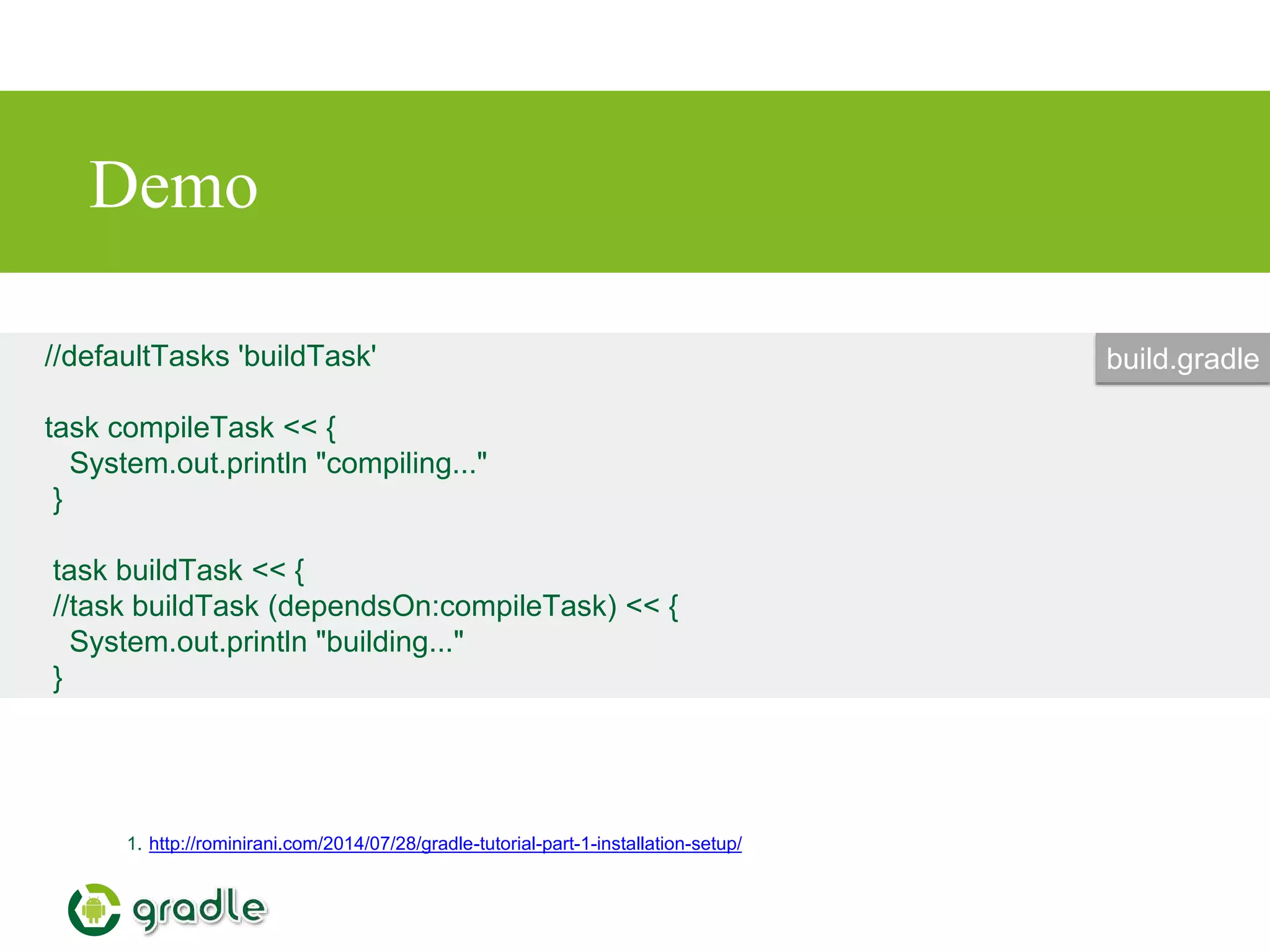
//defaultTasks 'buildTask'
task compileTask << {
System.out.println "compiling..."
}
task buildTask << {
//task buildTask (dependsOn:compileTask) << {
System.out.println "building..."
}
build.gradle
2.Gradle Plugin
• Gradle plugin for Java
• Gradle plugin for Android
• for eclipse,idea,findbugs,c,cpp,oc,jetty……
1. https://gradle.org/docs/current/userguide/plugins.html
2. https://gradle.org/docs/current/userguide/standard_plugins.html
Gradle Plugin for Java
• Source sets
• Tasks
• Project layout
• Dependency management
• ···
1. http://gradle.org/docs/current/userguide/java_plugin.html
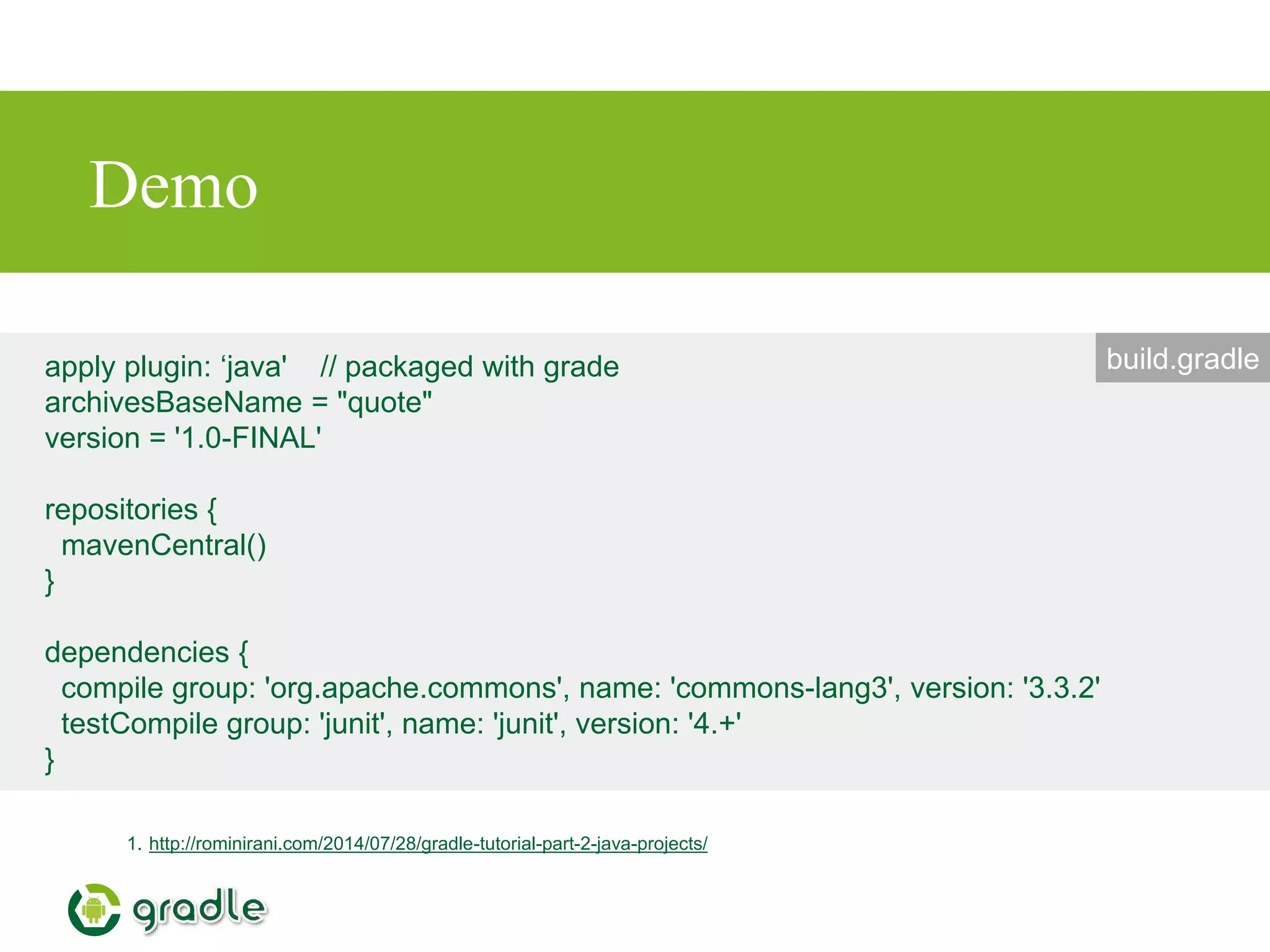
Demo
1. http://rominirani.com/2014/07/28/gradle-tutorial-part-2-java-projects/
apply plugin: ‘java' // packaged with grade
archivesBaseName = "quote"
version = '1.0-FINAL'
repositories {
mavenCentral()
}
dependencies {
compile group: 'org.apache.commons', name: 'commons-lang3', version: '3.3.2'
testCompile group: 'junit', name: 'junit', version: '4.+'
}
build.gradle
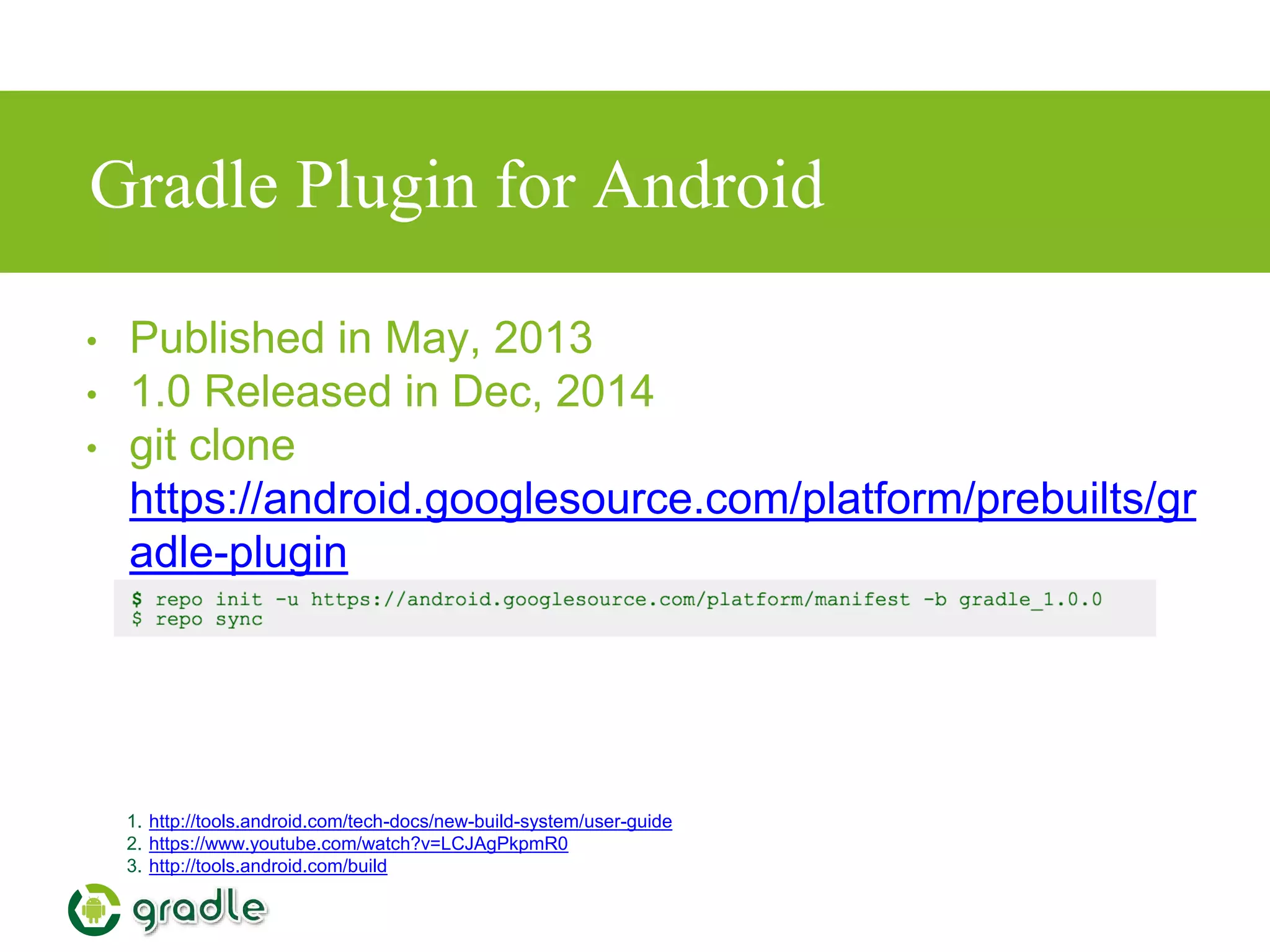
Gradle Plugin for Android
1. http://tools.android.com/tech-docs/new-build-system/user-guide
2. https://www.youtube.com/watch?v=LCJAgPkpmR0
3. http://tools.android.com/build
• Published in May, 2013
• 1.0 Released in Dec, 2014
• git clone
https://android.googlesource.com/platform/prebuilts/gr
adle-plugin
Goals of the new build system
• Make it easy to reuse code and resources
• Make it easy to create several variants of an
application, either for multi-apk distribution or for
different flavors of an application
• Make it easy to configure, extend and customize
the build process
• Good IDE integration
1. http://tools.android.com/tech-docs/new-build-system/user-guide
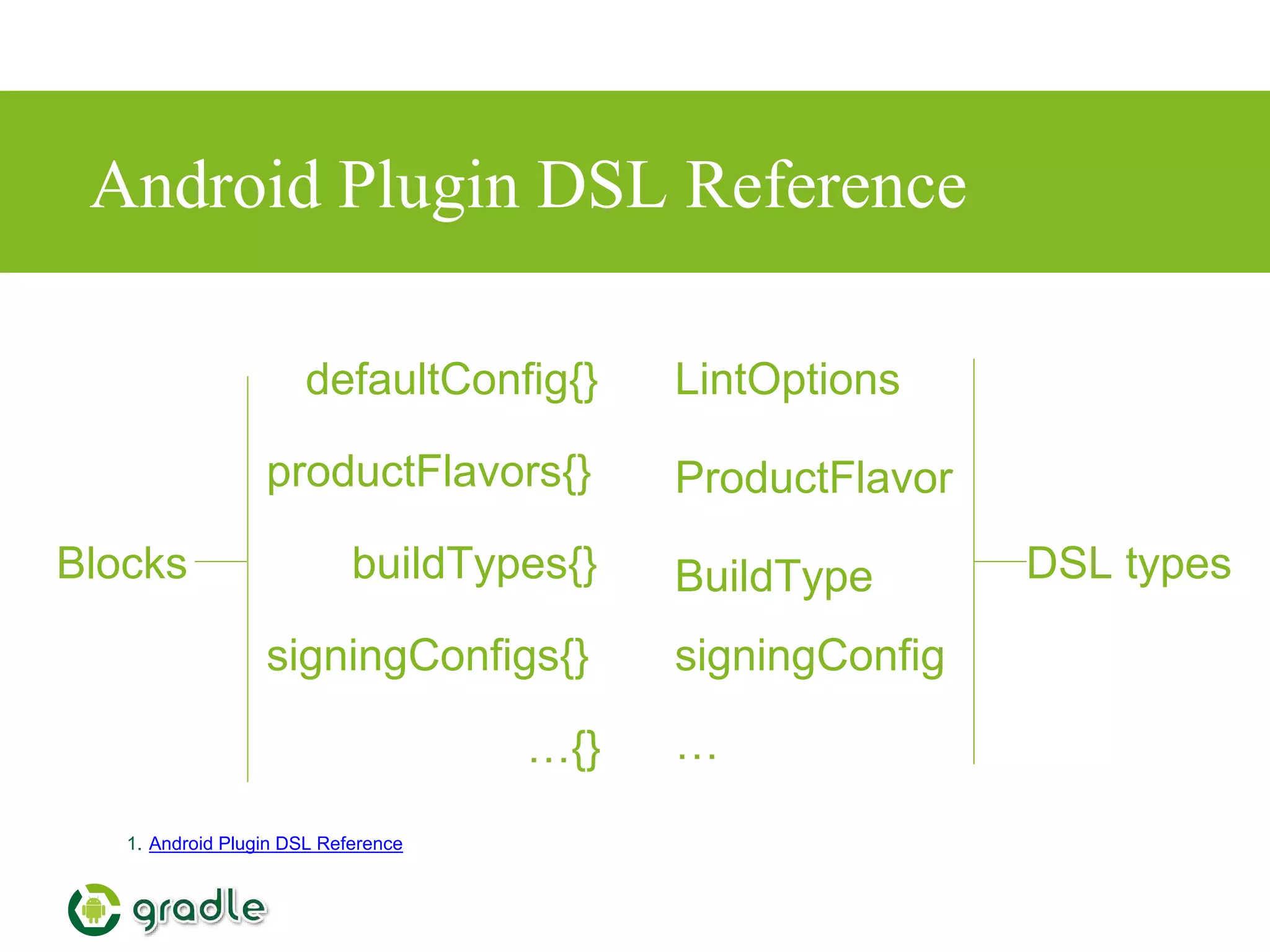
Android Plugin DSL Reference
1. Android Plugin DSL Reference
defaultConfig{}
signingConfigs{}
productFlavors{}
buildTypes{} BuildType
ProductFlavor
signingConfig
LintOptions
……{}
Blocks DSL types
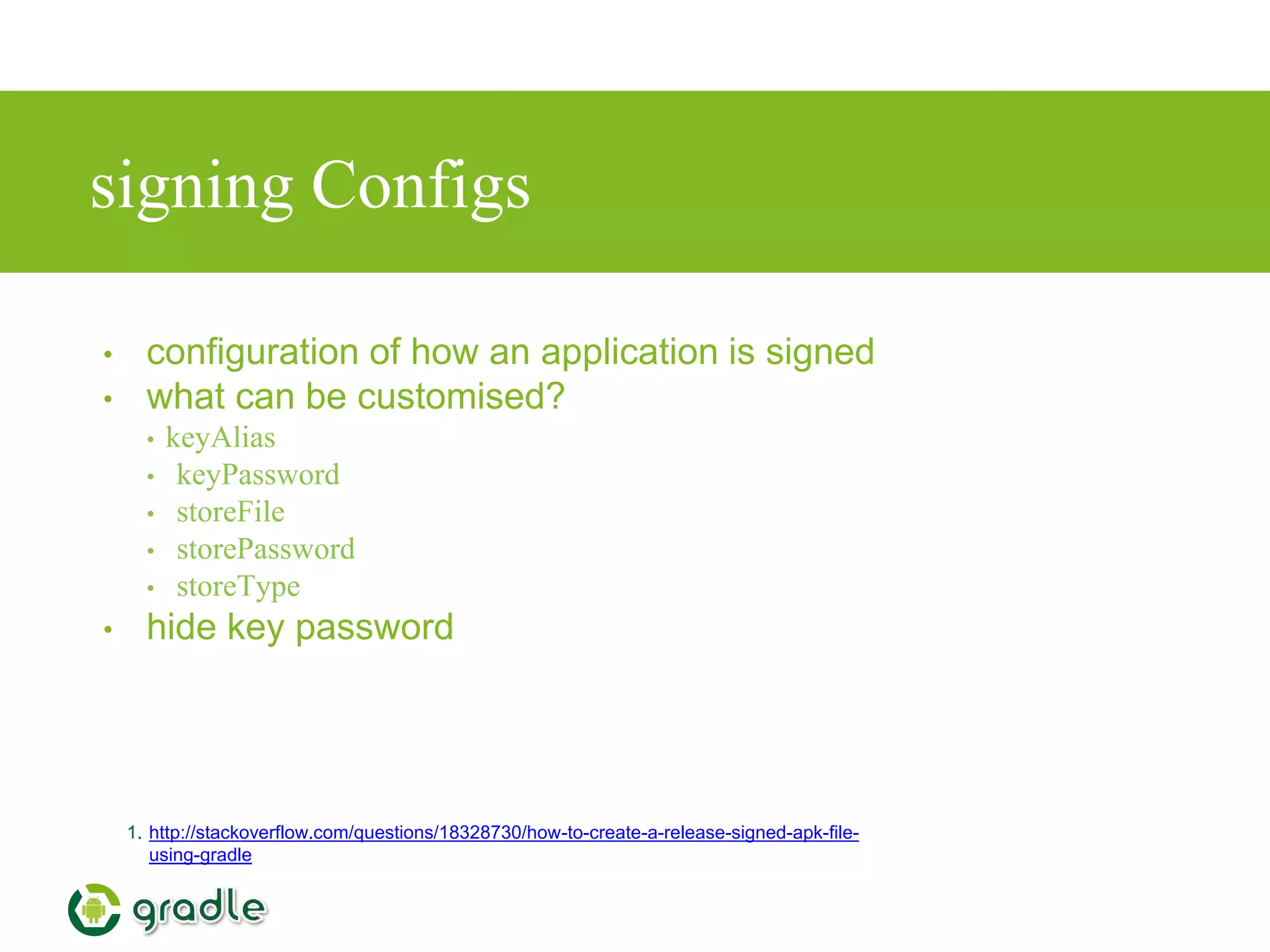
signing Configs
• configuration of how an application is signed
• what can be customised?
• keyAlias
• keyPassword
• storeFile
• storePassword
• storeType
• hide key password
1. http://stackoverflow.com/questions/18328730/how-to-create-a-release-signed-apk-file-
using-gradle
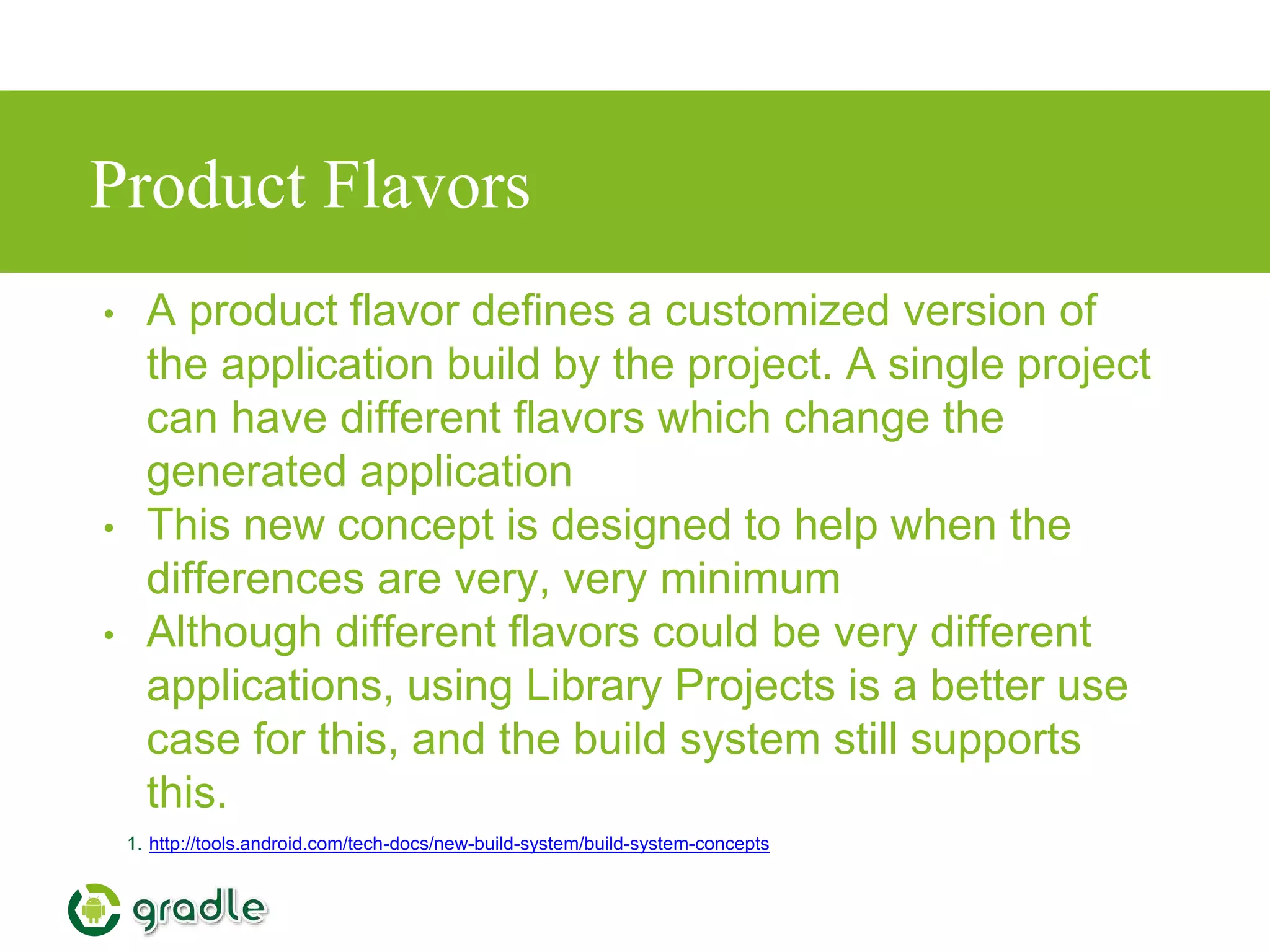
Product Flavors
• A product flavor defines a customized version of
the application build by the project. A single project
can have different flavors which change the
generated application
• This new concept is designed to help when the
differences are very, very minimum
• Although different flavors could be very different
applications, using Library Projects is a better use
case for this, and the build system still supports
this.
1. http://tools.android.com/tech-docs/new-build-system/build-system-concepts
What can be customised by Product
Flavor?
• minSdkVersion
• targetSdkVersion
• versionCode
• versionName
• package name
(overrides value from
manifest)
1. http://tools.android.com/tech-docs/new-build-system/build-system-concepts
• release signing info (keystore,
key alias, passwords,…)
• BuildConfig: Ability to provide
custom Java code
• NDK ABI filter (Not implemented
yet)
• Additionally, Product Flavor can
provide their own source code,
resources and manifest.
Build Types
• A build type allows configuration of how an application is
packaged for debugging or release purpose.
• This concept is not meant to be used to create different versions
of the same application. This is orthogonal to Product Flavor.
1. http://tools.android.com/tech-docs/new-build-system/build-system-concepts
What can be customised by Build Types?
• manifest debuggable flag
• native compilation debug flag
• proguard enabled + specific rules
• debug signing flag (ie whether to use debug key or release key)
• package name suffix (2)
• Buildconfig
• DEBUG flag. Set automatically based on the manifest debuggable
flag.
• Ability to provide custom Java code.
• Types "Release" and "Debug" are automatically created and can
be reconfigured
1. http://tools.android.com/tech-docs/new-build-system/build-system-concepts
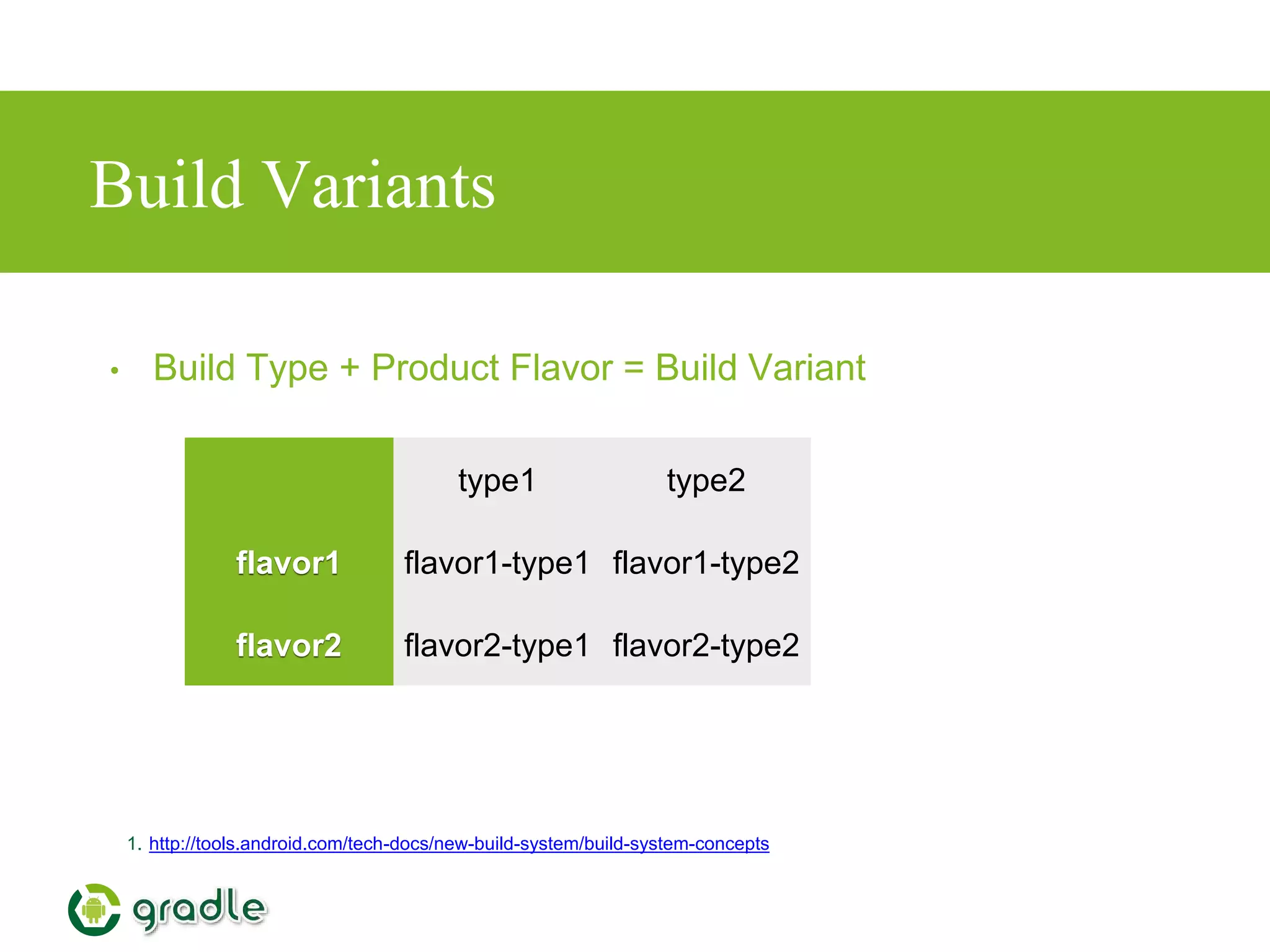
Build Variants
1. http://tools.android.com/tech-docs/new-build-system/build-system-concepts
• Build Type + Product Flavor = Build Variant
type1 type2
flavor1 flavor1-type1 flavor1-type2
flavor2 flavor2-type1 flavor2-type2
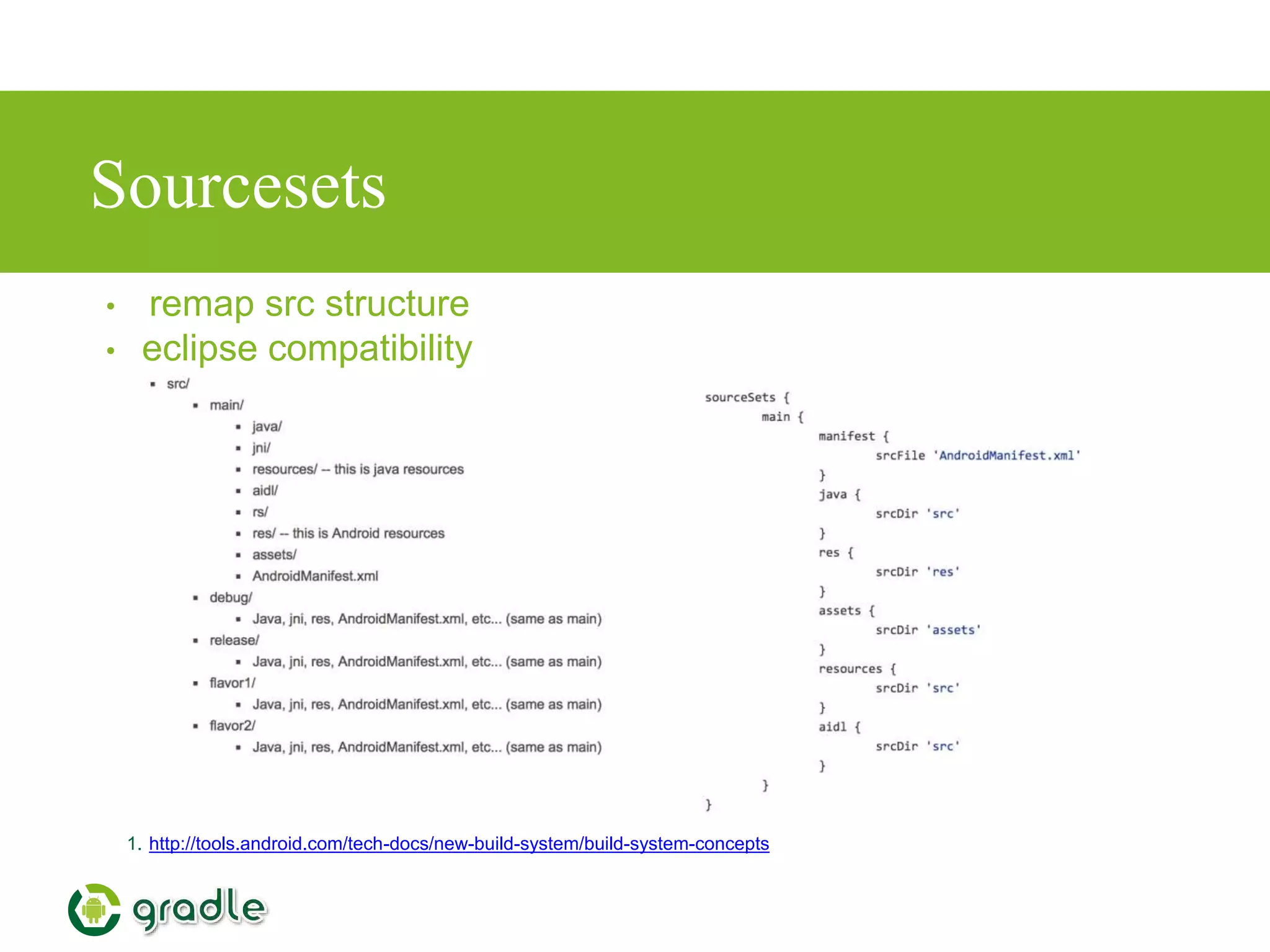
Sourcesets
1. http://tools.android.com/tech-docs/new-build-system/build-system-concepts
• remap src structure
• eclipse compatibility
Dependencies
• Simply include any artifacts provided by mavenCentral()
…
dependencies {
compile fileTree(dir: 'libs', include: ['*.jar'])
compile 'com.android.support:appcompat-v7:21.0.2'
compile 'com.jpardogo.flabbylistview:library:+'
compile 'com.jpardogo.googleprogressbar:library:+'
compile 'com.mcxiaoke.volley:library:1.0.+'
compile 'com.umeng.analytics:analytics:5.2.4'
}
…
build.gradle
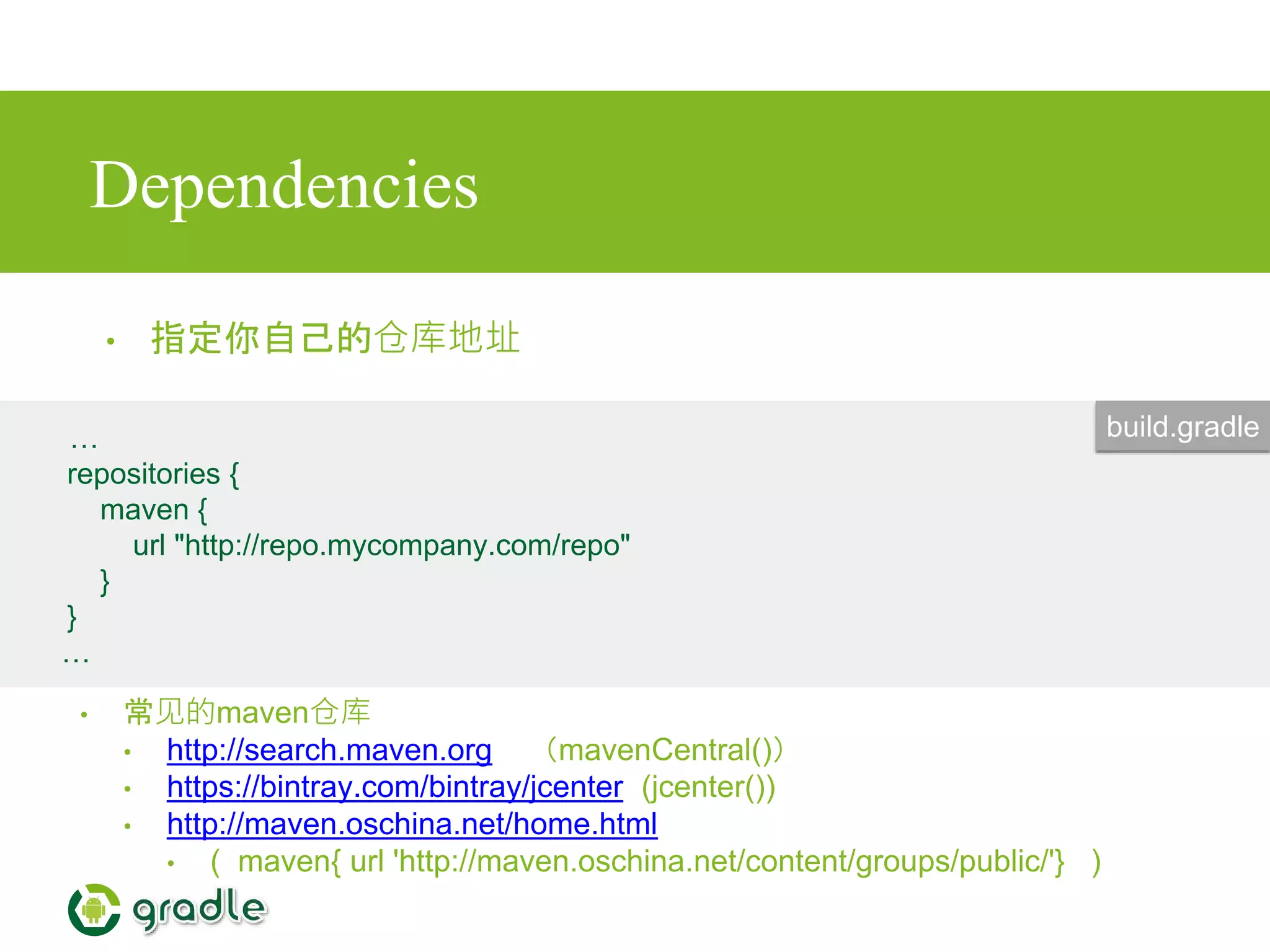
Dependencies
• 指定你自己的仓库地址
…
repositories {
maven {
url "http://repo.mycompany.com/repo"
}
}
…
build.gradle
• 常见的maven仓库
• http://search.maven.org (mavenCentral())
• https://bintray.com/bintray/jcenter (jcenter())
• http://maven.oschina.net/home.html
• ( maven{ url 'http://maven.oschina.net/content/groups/public/'} )
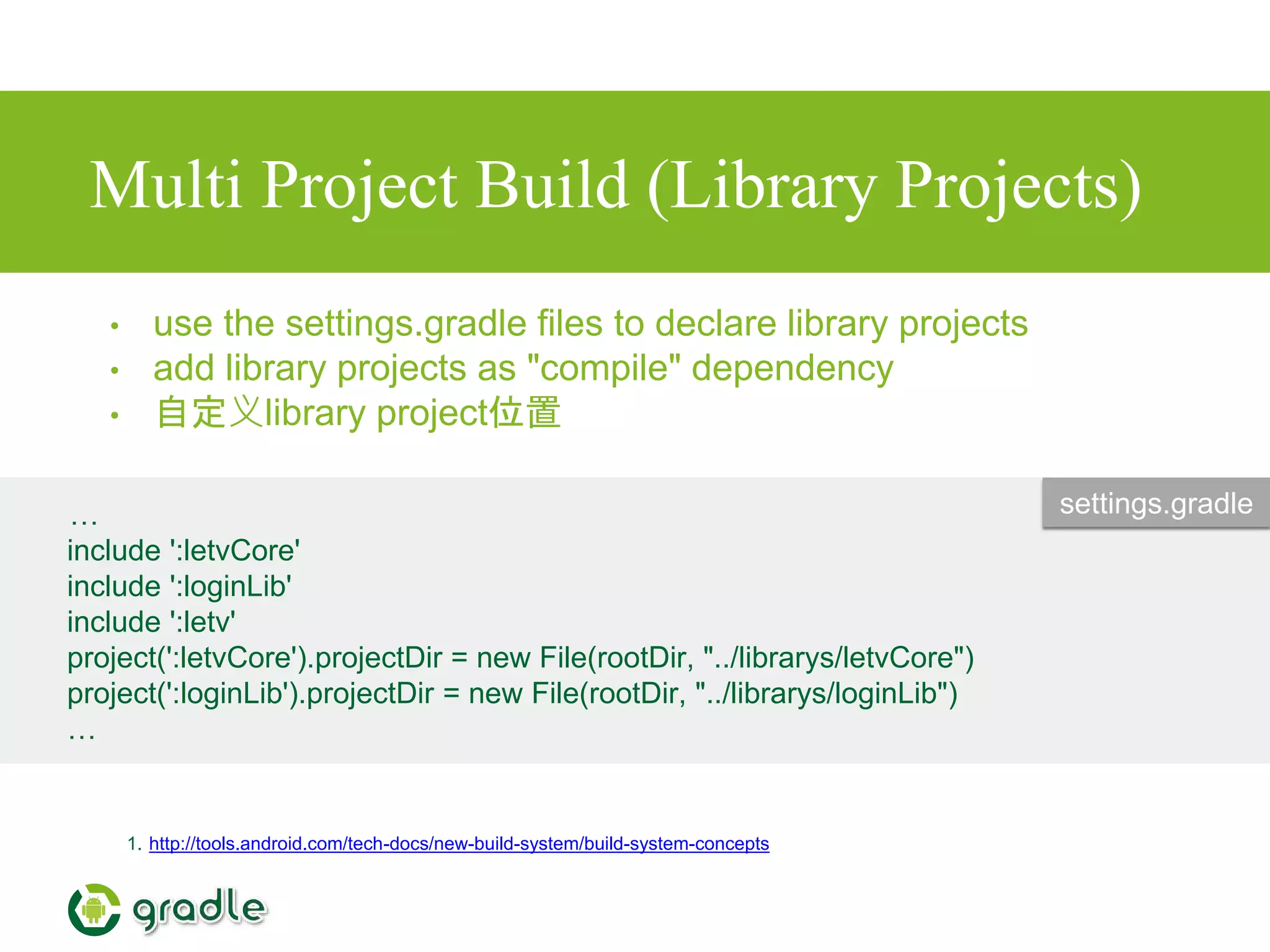
Multi Project Build (Library Projects)
1. http://tools.android.com/tech-docs/new-build-system/build-system-concepts
• use the settings.gradle files to declare library projects
• add library projects as "compile" dependency
• 自定义library project位置
…
include ':letvCore'
include ':loginLib'
include ':letv'
project(':letvCore').projectDir = new File(rootDir, "../librarys/letvCore")
project(':loginLib').projectDir = new File(rootDir, "../librarys/loginLib")
…
settings.gradle
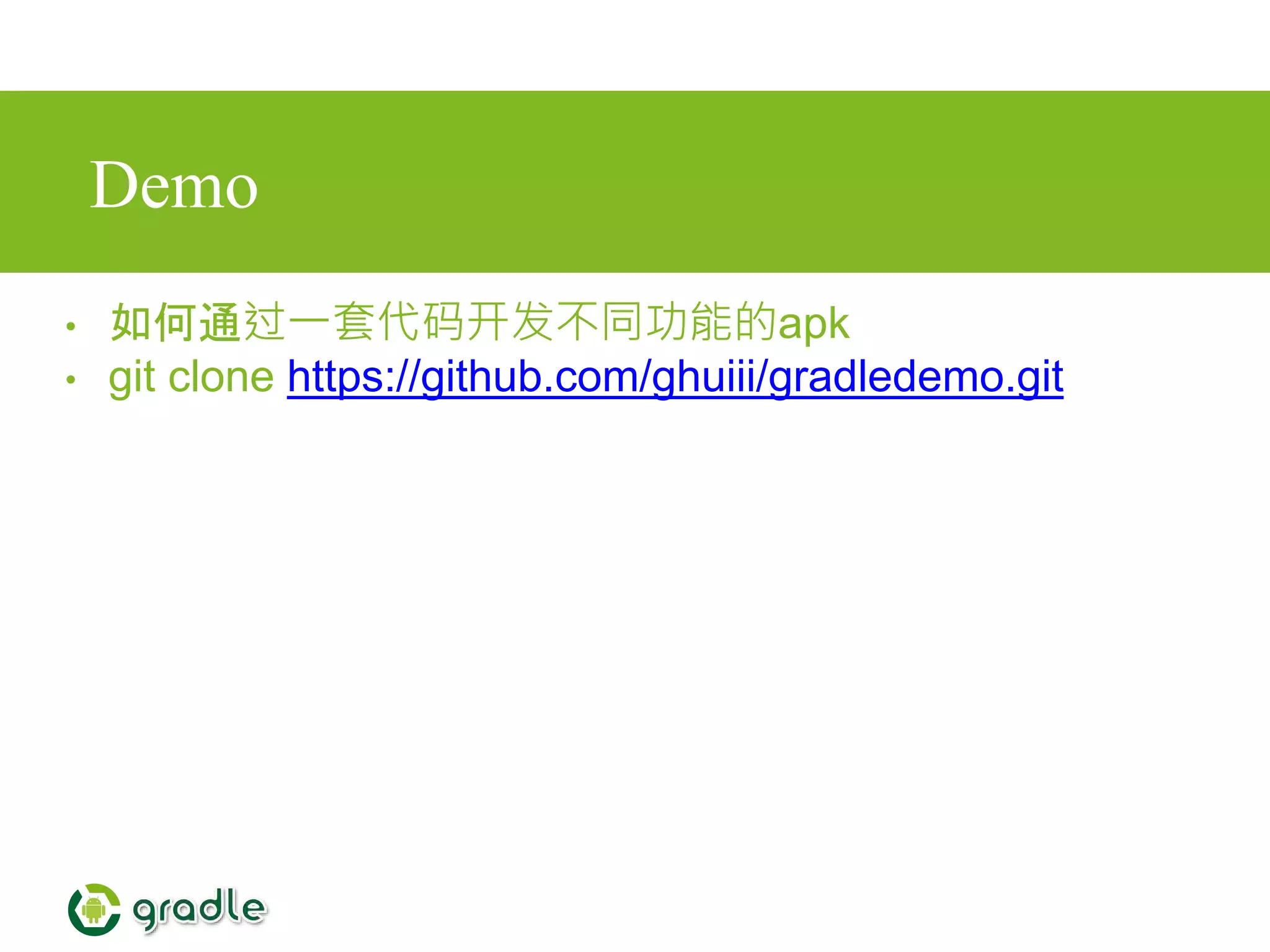
Demo
• 如何通过一套代码开发不同功能的apk
• git clone https://github.com/ghuiii/gradledemo.git
代码合并规则
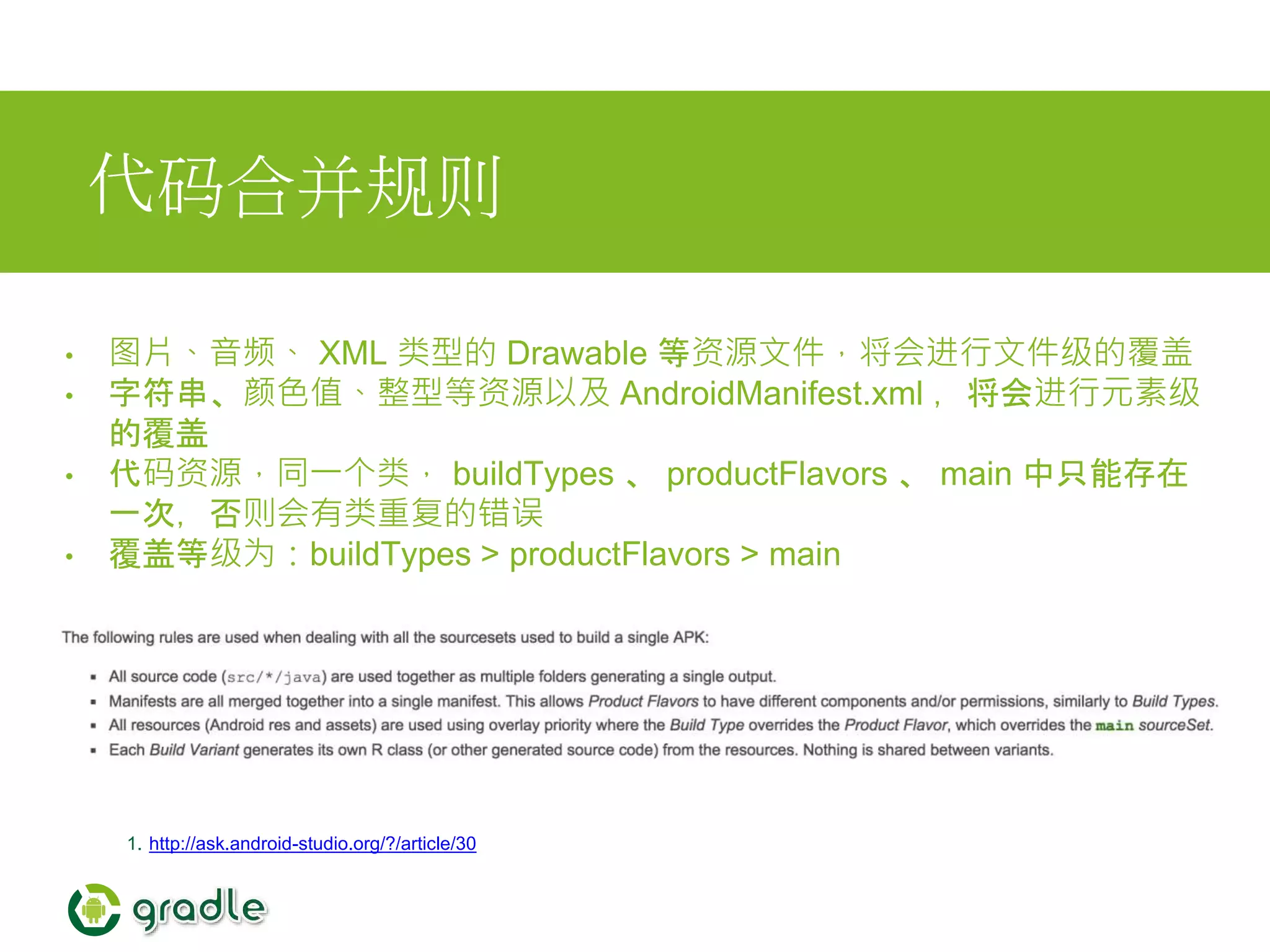
• 图片、音频、 XML 类型的 Drawable 等资源文件,将会进行文件级的覆盖
• 字符串、颜色值、整型等资源以及 AndroidManifest.xml ,将会进行元素级
的覆盖
• 代码资源,同一个类, buildTypes 、 productFlavors 、 main 中只能存在
一次,否则会有类重复的错误
• 覆盖等级为:buildTypes > productFlavors > main
1. http://ask.android-studio.org/?/article/30
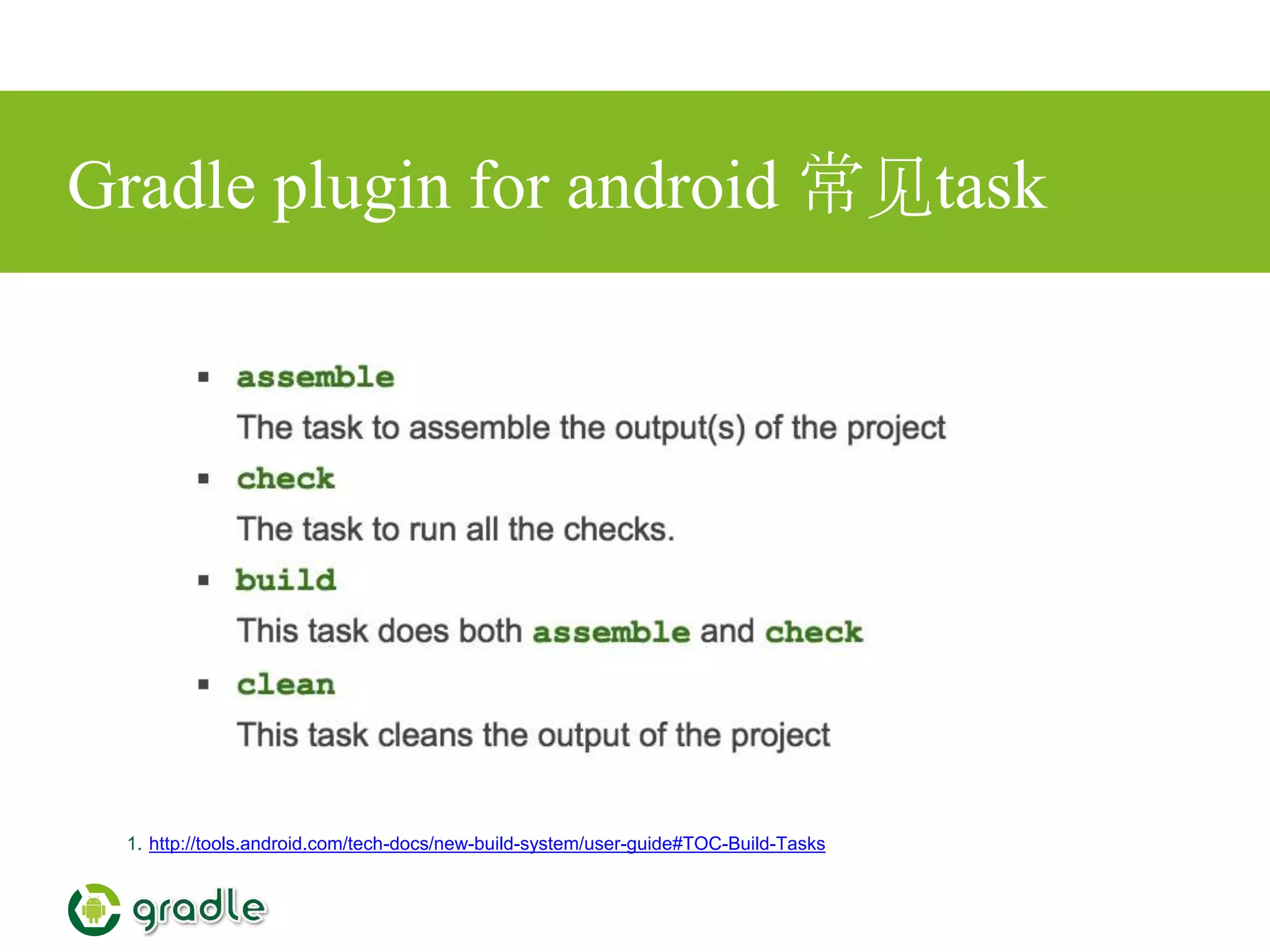
Gradle plugin for android 常见task
1. http://tools.android.com/tech-docs/new-build-system/user-guide#TOC-Build-Tasks
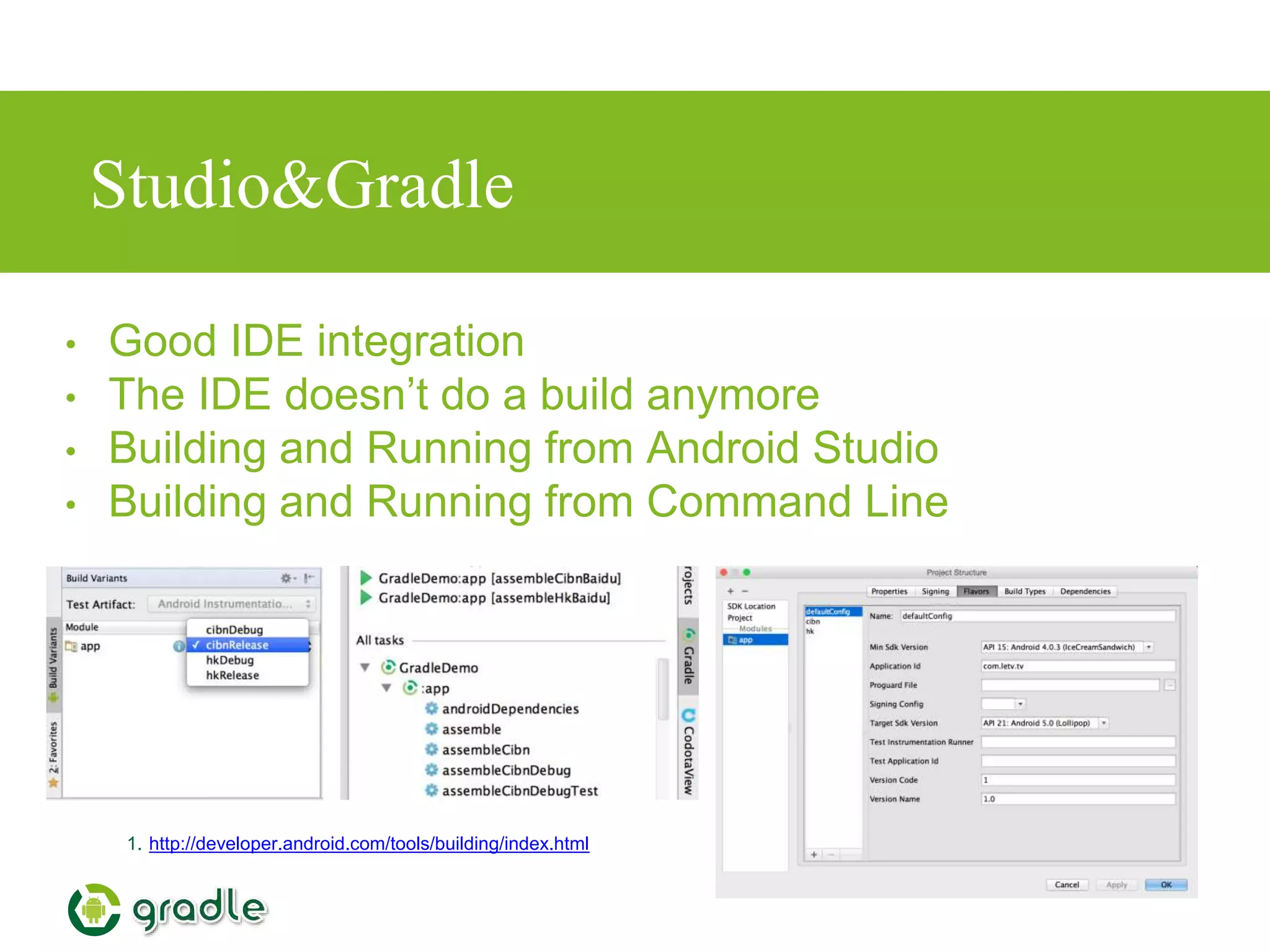
Studio&Gradle
1. http://developer.android.com/tools/building/index.html
• Good IDE integration
• The IDE doesn’t do a build anymore
• Building and Running from Android Studio
• Building and Running from Command Line
Gradle 与 tv版
从maven仓库获取依赖的好处
1. 将主工程与依赖隔离开,方便对依赖的管理,它们之间只是通过一条gradle语句建
立联系
2. 依赖不再会进入主工程的代码仓库
3. 在本地不会存在依赖的重复副本(依赖只会缓存一份到本地)
Resources
• http://gradle.org/docs/current/userguide/userguide.html
• http://rominirani.com/2014/07/28/gradle-tutorial-series-an-
overview/
• http://avatarqing.github.io/Gradle-Plugin-User-Guide-Chinese-
Verision/introduction/README.html
• http://developer.android.com/sdk/installing/studio-build.html
• http://apdr.qiniudn.com/index.html
Thanks

Gradle,the new build system for android

  • 1.
    The new buildsystem for Android
  • 2.
    Overview • Gradle basics •Gradle Plugins • Gradle and Studio • Demos • Gradle 与TV版 • Resources
  • 3.
    What’s Gradle? 1. https://gradle.org 2.https://en.wikipedia.org/wiki/Gradle • Gradle is an open source build automation system. • Grade introduces DSL instead of the more traditional XML form of declaring the project configuration. • focused around Java, Groovy and Scala development and deployment, but more languages and project workflows are on the roadmap. • Gradle can automate the building, testing, publishing, deployment.
  • 4.
    Why Gradle? 1. WhyGradle? 2. Why choose Gradle? • create custom build logic through plugins. • dependency management • Plugins can expose their own DSL and their own API for build files to use. • Gradle combines the best features from other build tools.
  • 5.
    Installing Gradle 1. gradleinstallation • requires a Java JDK or JRE to be installed, version 6 or higher • Gradle ships with its own Groovy library, therefore Groovy does not need to be installed. • Any existing Groovy installation is ignored by Gradle. • Gradle uses whatever JDK it finds in your path • download (http://gradle.org/downloads) • unpacking • add GRADLE_HOME/bin to your PATH environment variable • Android Studio Project includes grade
  • 6.
    Groovy 1. http://learnxinyminutes.com/docs/groovy/ • http://groovy-lang.org/ •The language used by Gradle • Great similarity to Java • builds upon the strengths of Java but has additional power features inspired by languages like Python, Ruby and Smalltalk
  • 7.
    Build Script Basics 1.http://rominirani.com/2014/07/28/gradle-tutorial-part-1-installation-setup/ 2. https://gradle.org/docs/current/userguide/tutorial_using_tasks.html#N101A9 • Project What a project represents depends on what it is that you are doing with Gradle • Task A task represents some atomic piece of work which a build performs.This might be compiling some classes, creating a JAR, generating Javadoc, or publishing some archives to a repository. • Plugin A plugin is a mechanism by which we can extend the capabilities of Gradle .
  • 8.
    Demo 1. http://rominirani.com/2014/07/28/gradle-tutorial-part-1-installation-setup/ //defaultTasks 'buildTask' taskcompileTask << { System.out.println "compiling..." } task buildTask << { //task buildTask (dependsOn:compileTask) << { System.out.println "building..." } build.gradle
  • 9.
    2.Gradle Plugin • Gradleplugin for Java • Gradle plugin for Android • for eclipse,idea,findbugs,c,cpp,oc,jetty…… 1. https://gradle.org/docs/current/userguide/plugins.html 2. https://gradle.org/docs/current/userguide/standard_plugins.html
  • 10.
    Gradle Plugin forJava • Source sets • Tasks • Project layout • Dependency management • ··· 1. http://gradle.org/docs/current/userguide/java_plugin.html
  • 11.
    Demo 1. http://rominirani.com/2014/07/28/gradle-tutorial-part-2-java-projects/ apply plugin:‘java' // packaged with grade archivesBaseName = "quote" version = '1.0-FINAL' repositories { mavenCentral() } dependencies { compile group: 'org.apache.commons', name: 'commons-lang3', version: '3.3.2' testCompile group: 'junit', name: 'junit', version: '4.+' } build.gradle
  • 12.
    Gradle Plugin forAndroid 1. http://tools.android.com/tech-docs/new-build-system/user-guide 2. https://www.youtube.com/watch?v=LCJAgPkpmR0 3. http://tools.android.com/build • Published in May, 2013 • 1.0 Released in Dec, 2014 • git clone https://android.googlesource.com/platform/prebuilts/gr adle-plugin
  • 13.
    Goals of thenew build system • Make it easy to reuse code and resources • Make it easy to create several variants of an application, either for multi-apk distribution or for different flavors of an application • Make it easy to configure, extend and customize the build process • Good IDE integration 1. http://tools.android.com/tech-docs/new-build-system/user-guide
  • 14.
    Android Plugin DSLReference 1. Android Plugin DSL Reference defaultConfig{} signingConfigs{} productFlavors{} buildTypes{} BuildType ProductFlavor signingConfig LintOptions ……{} Blocks DSL types
  • 15.
    signing Configs • configurationof how an application is signed • what can be customised? • keyAlias • keyPassword • storeFile • storePassword • storeType • hide key password 1. http://stackoverflow.com/questions/18328730/how-to-create-a-release-signed-apk-file- using-gradle
  • 16.
    Product Flavors • Aproduct flavor defines a customized version of the application build by the project. A single project can have different flavors which change the generated application • This new concept is designed to help when the differences are very, very minimum • Although different flavors could be very different applications, using Library Projects is a better use case for this, and the build system still supports this. 1. http://tools.android.com/tech-docs/new-build-system/build-system-concepts
  • 17.
    What can becustomised by Product Flavor? • minSdkVersion • targetSdkVersion • versionCode • versionName • package name (overrides value from manifest) 1. http://tools.android.com/tech-docs/new-build-system/build-system-concepts • release signing info (keystore, key alias, passwords,…) • BuildConfig: Ability to provide custom Java code • NDK ABI filter (Not implemented yet) • Additionally, Product Flavor can provide their own source code, resources and manifest.
  • 18.
    Build Types • Abuild type allows configuration of how an application is packaged for debugging or release purpose. • This concept is not meant to be used to create different versions of the same application. This is orthogonal to Product Flavor. 1. http://tools.android.com/tech-docs/new-build-system/build-system-concepts
  • 19.
    What can becustomised by Build Types? • manifest debuggable flag • native compilation debug flag • proguard enabled + specific rules • debug signing flag (ie whether to use debug key or release key) • package name suffix (2) • Buildconfig • DEBUG flag. Set automatically based on the manifest debuggable flag. • Ability to provide custom Java code. • Types "Release" and "Debug" are automatically created and can be reconfigured 1. http://tools.android.com/tech-docs/new-build-system/build-system-concepts
  • 20.
    Build Variants 1. http://tools.android.com/tech-docs/new-build-system/build-system-concepts •Build Type + Product Flavor = Build Variant type1 type2 flavor1 flavor1-type1 flavor1-type2 flavor2 flavor2-type1 flavor2-type2
  • 21.
  • 22.
    Dependencies • Simply includeany artifacts provided by mavenCentral() … dependencies { compile fileTree(dir: 'libs', include: ['*.jar']) compile 'com.android.support:appcompat-v7:21.0.2' compile 'com.jpardogo.flabbylistview:library:+' compile 'com.jpardogo.googleprogressbar:library:+' compile 'com.mcxiaoke.volley:library:1.0.+' compile 'com.umeng.analytics:analytics:5.2.4' } … build.gradle
  • 23.
    Dependencies • 指定你自己的仓库地址 … repositories { maven{ url "http://repo.mycompany.com/repo" } } … build.gradle • 常见的maven仓库 • http://search.maven.org (mavenCentral()) • https://bintray.com/bintray/jcenter (jcenter()) • http://maven.oschina.net/home.html • ( maven{ url 'http://maven.oschina.net/content/groups/public/'} )
  • 24.
    Multi Project Build(Library Projects) 1. http://tools.android.com/tech-docs/new-build-system/build-system-concepts • use the settings.gradle files to declare library projects • add library projects as "compile" dependency • 自定义library project位置 … include ':letvCore' include ':loginLib' include ':letv' project(':letvCore').projectDir = new File(rootDir, "../librarys/letvCore") project(':loginLib').projectDir = new File(rootDir, "../librarys/loginLib") … settings.gradle
  • 25.
    Demo • 如何通过一套代码开发不同功能的apk • gitclone https://github.com/ghuiii/gradledemo.git
  • 26.
    代码合并规则 • 图片、音频、 XML类型的 Drawable 等资源文件,将会进行文件级的覆盖 • 字符串、颜色值、整型等资源以及 AndroidManifest.xml ,将会进行元素级 的覆盖 • 代码资源,同一个类, buildTypes 、 productFlavors 、 main 中只能存在 一次,否则会有类重复的错误 • 覆盖等级为:buildTypes > productFlavors > main 1. http://ask.android-studio.org/?/article/30
  • 27.
    Gradle plugin forandroid 常见task 1. http://tools.android.com/tech-docs/new-build-system/user-guide#TOC-Build-Tasks
  • 28.
    Studio&Gradle 1. http://developer.android.com/tools/building/index.html • GoodIDE integration • The IDE doesn’t do a build anymore • Building and Running from Android Studio • Building and Running from Command Line
  • 29.
  • 30.
  • 31.
    Resources • http://gradle.org/docs/current/userguide/userguide.html • http://rominirani.com/2014/07/28/gradle-tutorial-series-an- overview/ •http://avatarqing.github.io/Gradle-Plugin-User-Guide-Chinese- Verision/introduction/README.html • http://developer.android.com/sdk/installing/studio-build.html • http://apdr.qiniudn.com/index.html
  • 32.