Build your Android App with Gradle
Android new build system
Agenda
• What is Gradle
• Getting started with gradle
• Use cases
• Q&A
Download Meetup Sample Code
– http://goo.gl/qoXAfa
What is gradle
• Gradle is a JVM based project build automation tool that
builds upon the concepts of Apache Ant and Apache
Maven and introduces a Groovy based domain-specific-
language (DSL) instead of the more traditional XML form of
declaring the project configuration.
Installation
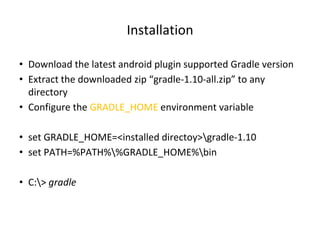
• Download the latest android plugin supported Gradle version
• Extract the downloaded zip “gradle-1.10-all.zip” to any
directory
• Configure the GRADLE_HOME environment variable
• set GRADLE_HOME=<installed directoy>gradle-1.10
• set PATH=%PATH%%GRADLE_HOME%bin
• C:> gradle
Gradle Task
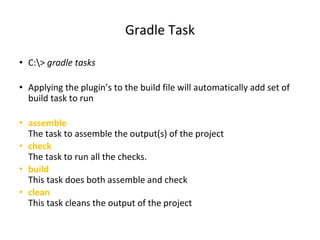
• C:> gradle tasks
• Applying the plugin’s to the build file will automatically add set of
build task to run
• assemble
The task to assemble the output(s) of the project
• check
The task to run all the checks.
• build
This task does both assemble and check
• clean
This task cleans the output of the project
Build File Skeleton
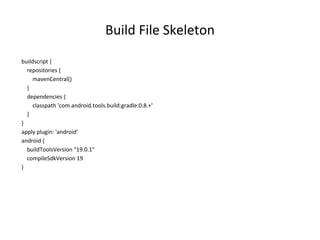
buildscript {
repositories {
mavenCentral()
}
dependencies {
classpath 'com.android.tools.build:gradle:0.8.+'
}
}
apply plugin: 'android'
android {
buildToolsVersion "19.0.1"
compileSdkVersion 19
}
Gradle Wrapper
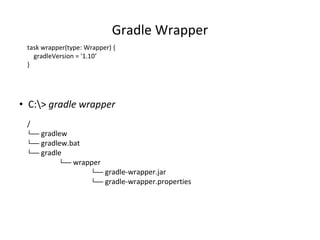
• C:> gradle wrapper
task wrapper(type: Wrapper) {
gradleVersion = '1.10‘
}
/
└── gradlew
└── gradlew.bat
└── gradle
└── wrapper
└── gradle-wrapper.jar
└── gradle-wrapper.properties
Convention Over Configuration
src
└── main
l └── java
l
└── instrumentTest
└── java
sourceSets {
main{
manifest.srcFile 'AndroidManifest.xml'
java.srcDirs = ['src']
resources.srcDirs = ['src']
res.srcDirs = ['res']
assets.srcDirs = ['assets']
}
instrumentTest.setRoot('tests')
}
Usecase : 1
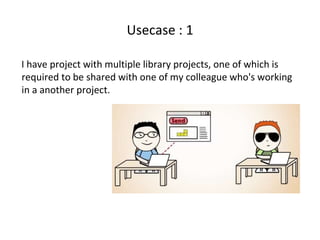
I have project with multiple library projects, one of which is
required to be shared with one of my colleague who's working
in a another project.
Dependency Management
• dependencies DSL element is part of the standard Gradle
• Can add dependencies on local and remote libraries
• To add a dependency have to provide library on the compile
configuration under dependencies DSL
• Everything added to the compile configuration get packaged in
to the final APK
• Gradle will follow all dependencies transitively
Dependencies On Multiple Projects
• Each projects will have its own build.gradle declaring how it
gets built
• There will be a file called settings.gradle at the root, which
define which folder is a Gradle project
• If there are more than one library, importing order should be
considered on dependencies on each other
Publish Library To Artifact Repo
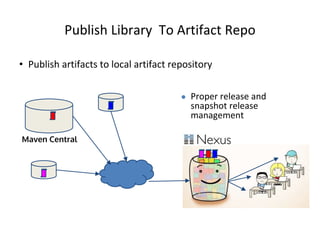
• Publish artifacts to local artifact repository
Maven Central
● Proper release and
snapshot release
management
Usecase :2
• I want to make a digitally signed and secured release
version of my app
Build types
• This is achieved by buildTypes DSL
• By default, the android plugin automatically sets up the
project to build both a debug and a release version of the
application
• Difference is that the ability to enable debug and how the APK
is signed
• It allows to customize both debug and release versions, as
well as creating other build types
Build Types…
• Build Types can contribute to the build with code and
resources.
• For each Build Type, a new matching sourceSet is created,
under src directory
src/<buildtypename>/
• This means the Build Type names cannot be main or
instrumentTest
Signing APK
• Android system will not install or run an application that is not
signed appropriately.
• To sign an APK have to make use of signingConfigs DSL
Obfuscating
• Tool ProGuard is used automatically to obfuscate the APK
• It will rename classes, fields, and methods with semantically
obscure names to make it difficult to reverse engineer.
• Android plugin support proguard version is 4.10
• ProGuard will shrinks, optimizes, and remove unused code
which will result smaller APK
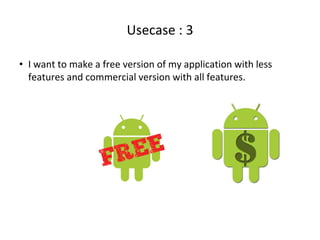
Usecase : 3
• I want to make a free version of my application with less
features and commercial version with all features.
Build Variants
– Different versions of the same application or Same
application packaged differently or combination of both.
• Have to occupy productFlavors DSL
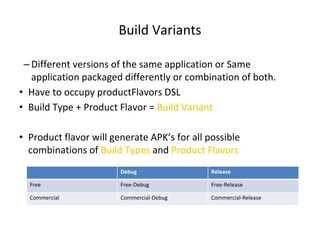
• Build Type + Product Flavor = Build Variant
• Product flavor will generate APK’s for all possible
combinations of Build Types and Product Flavors
Debug Release
Free Free-Debug Free-Release
Commercial Commercial-Debug Commercial-Release
Usecase : 4
I want to unit test my project with a testing framework,
Testing
• No need to have a separate test project any more it is
integrated to the application project
• Default location for the instrument test cases are located in
src/instrumentTest
• Test APK is built to test the app under test using the Android
instrumentation framework
• No need to have a AndroidManifest.xml for the app, cause it
will get generated automatically
• Test app manifest is automatically get filled with the package
name and the instrument test runner
Usecase : 5
• I want to measure the quality of my source code continuously
with some quality tools by Integrate it with a Continuous
Integration System
Q&A
Thank you

Build your android app with gradle

  • 1.
    Build your AndroidApp with Gradle Android new build system
  • 2.
    Agenda • What isGradle • Getting started with gradle • Use cases • Q&A
  • 3.
    Download Meetup SampleCode – http://goo.gl/qoXAfa
  • 4.
    What is gradle •Gradle is a JVM based project build automation tool that builds upon the concepts of Apache Ant and Apache Maven and introduces a Groovy based domain-specific- language (DSL) instead of the more traditional XML form of declaring the project configuration.
  • 5.
    Installation • Download thelatest android plugin supported Gradle version • Extract the downloaded zip “gradle-1.10-all.zip” to any directory • Configure the GRADLE_HOME environment variable • set GRADLE_HOME=<installed directoy>gradle-1.10 • set PATH=%PATH%%GRADLE_HOME%bin • C:> gradle
  • 6.
    Gradle Task • C:>gradle tasks • Applying the plugin’s to the build file will automatically add set of build task to run • assemble The task to assemble the output(s) of the project • check The task to run all the checks. • build This task does both assemble and check • clean This task cleans the output of the project
  • 7.
    Build File Skeleton buildscript{ repositories { mavenCentral() } dependencies { classpath 'com.android.tools.build:gradle:0.8.+' } } apply plugin: 'android' android { buildToolsVersion "19.0.1" compileSdkVersion 19 }
  • 8.
    Gradle Wrapper • C:>gradle wrapper task wrapper(type: Wrapper) { gradleVersion = '1.10‘ } / └── gradlew └── gradlew.bat └── gradle └── wrapper └── gradle-wrapper.jar └── gradle-wrapper.properties
  • 9.
    Convention Over Configuration src └──main l └── java l └── instrumentTest └── java sourceSets { main{ manifest.srcFile 'AndroidManifest.xml' java.srcDirs = ['src'] resources.srcDirs = ['src'] res.srcDirs = ['res'] assets.srcDirs = ['assets'] } instrumentTest.setRoot('tests') }
  • 10.
    Usecase : 1 Ihave project with multiple library projects, one of which is required to be shared with one of my colleague who's working in a another project.
  • 11.
    Dependency Management • dependenciesDSL element is part of the standard Gradle • Can add dependencies on local and remote libraries • To add a dependency have to provide library on the compile configuration under dependencies DSL • Everything added to the compile configuration get packaged in to the final APK • Gradle will follow all dependencies transitively
  • 12.
    Dependencies On MultipleProjects • Each projects will have its own build.gradle declaring how it gets built • There will be a file called settings.gradle at the root, which define which folder is a Gradle project • If there are more than one library, importing order should be considered on dependencies on each other
  • 13.
    Publish Library ToArtifact Repo • Publish artifacts to local artifact repository Maven Central ● Proper release and snapshot release management
  • 14.
    Usecase :2 • Iwant to make a digitally signed and secured release version of my app
  • 15.
    Build types • Thisis achieved by buildTypes DSL • By default, the android plugin automatically sets up the project to build both a debug and a release version of the application • Difference is that the ability to enable debug and how the APK is signed • It allows to customize both debug and release versions, as well as creating other build types
  • 16.
    Build Types… • BuildTypes can contribute to the build with code and resources. • For each Build Type, a new matching sourceSet is created, under src directory src/<buildtypename>/ • This means the Build Type names cannot be main or instrumentTest
  • 17.
    Signing APK • Androidsystem will not install or run an application that is not signed appropriately. • To sign an APK have to make use of signingConfigs DSL
  • 18.
    Obfuscating • Tool ProGuardis used automatically to obfuscate the APK • It will rename classes, fields, and methods with semantically obscure names to make it difficult to reverse engineer. • Android plugin support proguard version is 4.10 • ProGuard will shrinks, optimizes, and remove unused code which will result smaller APK
  • 19.
    Usecase : 3 •I want to make a free version of my application with less features and commercial version with all features.
  • 20.
    Build Variants – Differentversions of the same application or Same application packaged differently or combination of both. • Have to occupy productFlavors DSL • Build Type + Product Flavor = Build Variant • Product flavor will generate APK’s for all possible combinations of Build Types and Product Flavors Debug Release Free Free-Debug Free-Release Commercial Commercial-Debug Commercial-Release
  • 21.
    Usecase : 4 Iwant to unit test my project with a testing framework,
  • 22.
    Testing • No needto have a separate test project any more it is integrated to the application project • Default location for the instrument test cases are located in src/instrumentTest • Test APK is built to test the app under test using the Android instrumentation framework • No need to have a AndroidManifest.xml for the app, cause it will get generated automatically • Test app manifest is automatically get filled with the package name and the instrument test runner
  • 23.
    Usecase : 5 •I want to measure the quality of my source code continuously with some quality tools by Integrate it with a Continuous Integration System
  • 24.
  • 25.